Smart Dorm Management Landing Page Template
The Quarters smart campus housing management landing page template is a B2B real estate landing page built for dormitory management companies. It features an asymmetric 60/40 grid, animated metrics dashboard, interactive campus explorer, a three-step lead capture form, and a warm Sunset Mesa color system. Purpose-built to qualify university housing directors and convert them into assessment leads.
by Rocket studio
Quick summary
Quarters is a single-page real estate landing page template designed for campus housing management companies. The layout runs on an asymmetric 60/40 grid with a warm desert editorial aesthetic. Animated counters, an interactive building explorer, peer testimonials, and a three-step progressive form work together to guide housing directors, CFOs, and student affairs deans toward booking a campus assessment.
Who this template is for
This template is built for B2B property management companies that work with universities and colleges. If your business transforms aging campus housing into modern, high-occupancy student living, this landing page gives you a credible, conversion-focused starting point.
- University housing directors managing deferred maintenance backlogs and fielding student complaints every September
- College CFOs trying to slow enrollment bleed to off-campus apartments and justify renovation costs
- Student affairs deans who need a clear message and a fast lead funnel to show institutional leadership
What problem this template solves
Dormitory management companies often lack a focused, professional web presence that speaks directly to institutional buyers. A generic website page cannot qualify high-value leads, communicate renovation outcomes, or show ROI in a way that resonates with campus decision-makers. This landing page template solves those gaps by putting proof and persuasion in the same visual frame.
- Credibility gap: Institutional buyers need hard data and peer validation before they contact a vendor. The template leads with animated performance metrics and margin-style testimonials from peer institutions.
- Lead qualification gap: Most real estate landing pages collect email addresses without segmenting intent. The three-step progressive form here captures institution name, bed count, pain points, and role before any follow-up call.
- Message relevance gap: Housing directors, CFOs, and deans each care about different outcomes. The interactive campus explorer lets each visitor self-select their building type and see a tailored case study, so the page stays relevant across a broad audience.
What you get with this template
You get a fully structured, single-page layout ready for your own content, photography, and brand copy. Every section is purposefully sequenced to move institutional visitors from awareness to action. The template removes the paperwork of starting from scratch and gives your marketing team a professional foundation to build from.
- Five named page sections covering the hero dashboard, interactive explorer, testimonials, lead capture form, and benchmarking report offer, plus a single-row footer
- Asymmetric 60/40 grid with a high-animation Atelier Studio visual identity, Sunset Mesa color tokens, and Fraunces display serif paired with DM Sans body type
- Two conversion paths: a primary "Get Your Campus Assessment" call to action and a secondary email-gated PDF download, so visitors who are not ready to chat still enter the funnel
Feature list
This template ships with a focused set of components, each designed for a specific conversion job. The sections below describe what each feature does and why it matters for this use case.
Animated Stats Hero Dashboard
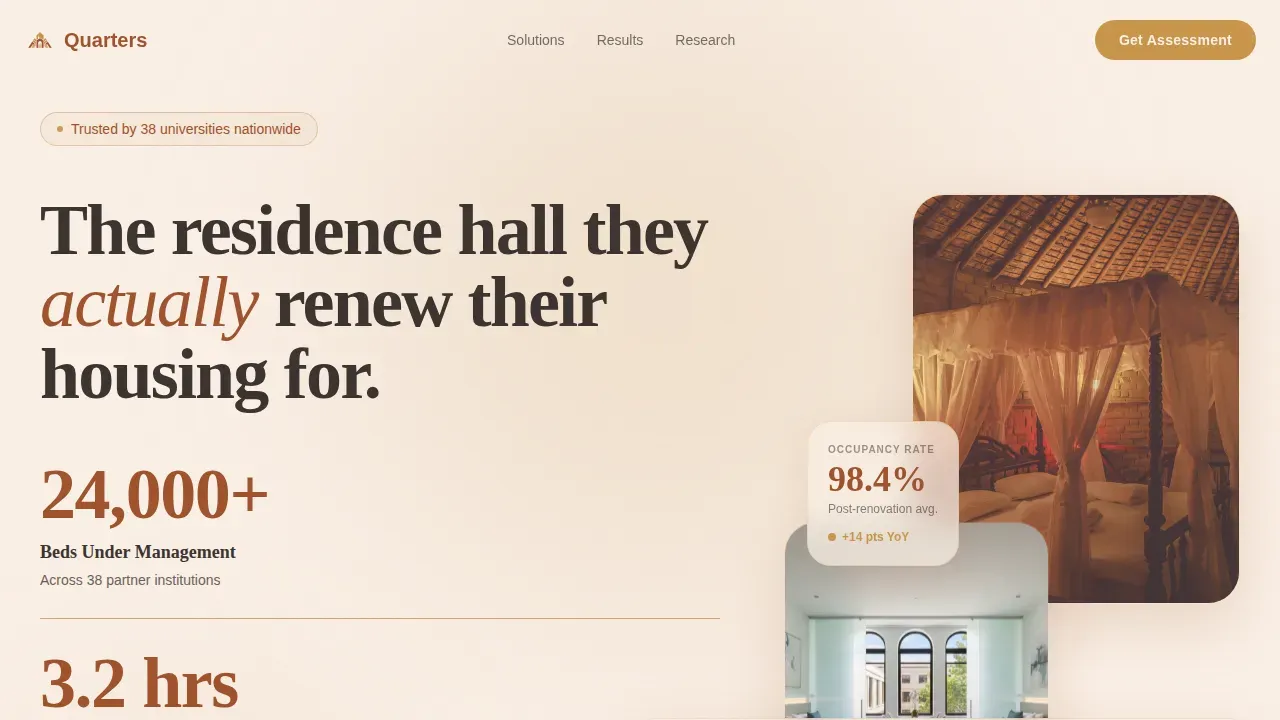
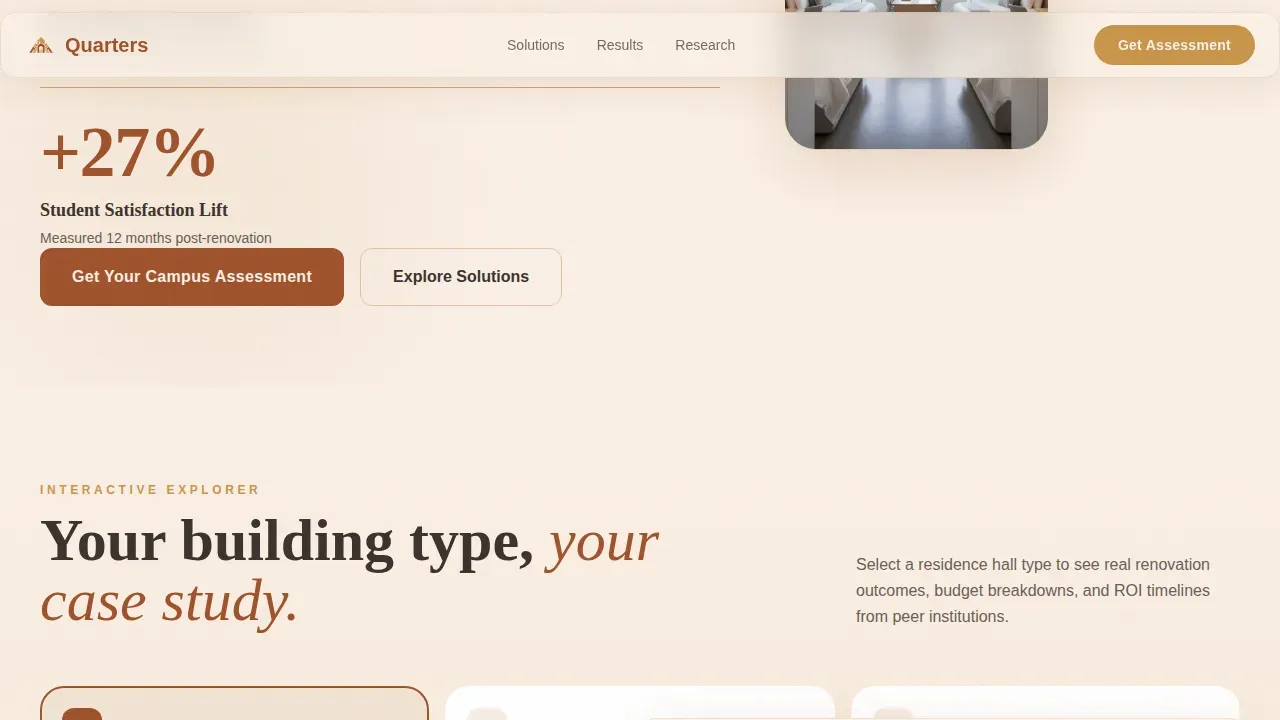
The hero section runs on an asymmetric 60/40 split. The wider column holds three oversized animated counters: beds under management (24,000+), average maintenance response time (3.2 hours), and student satisfaction lift (+27%). Numbers render in a refined slab-serif at display scale, terracotta on plaster white, with a thin sandstone rule beneath each figure. The narrower column holds an editorially lit photograph of a renovated student room. Together, they give institutional visitors hard proof in the first scroll position, which is exactly where trust is built or lost on any real estate landing page.
Interactive Campus Explorer
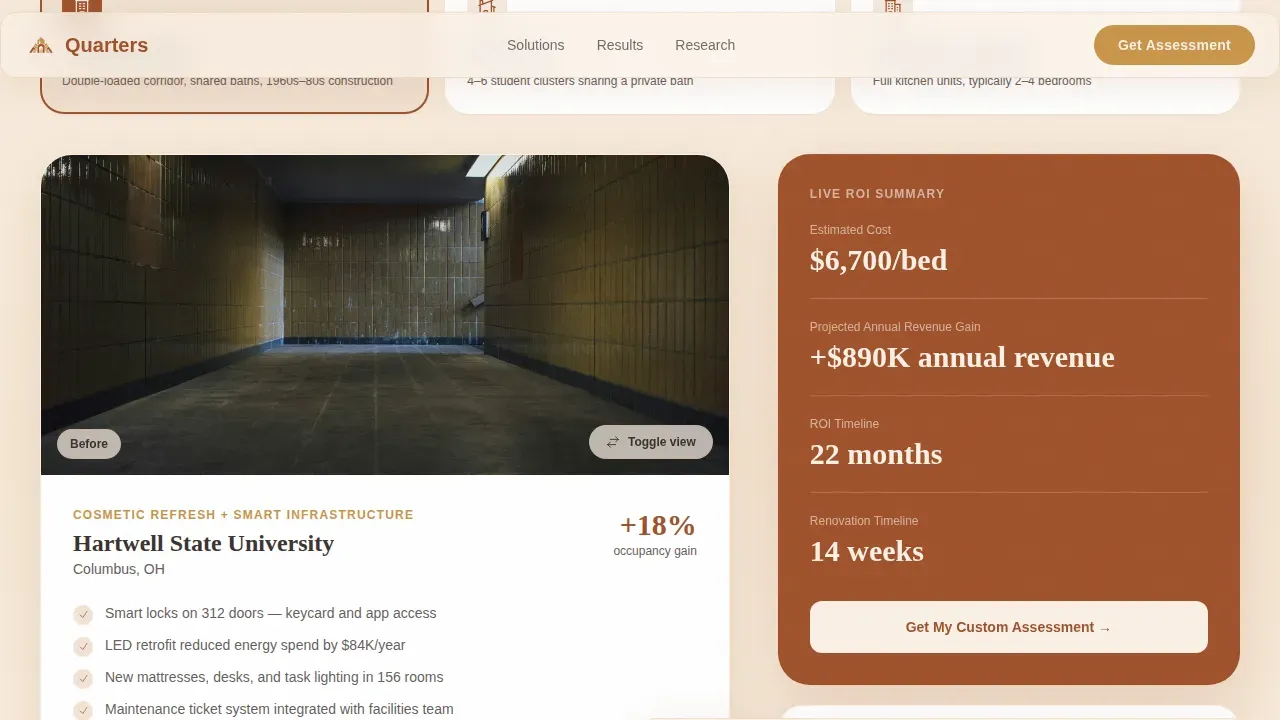
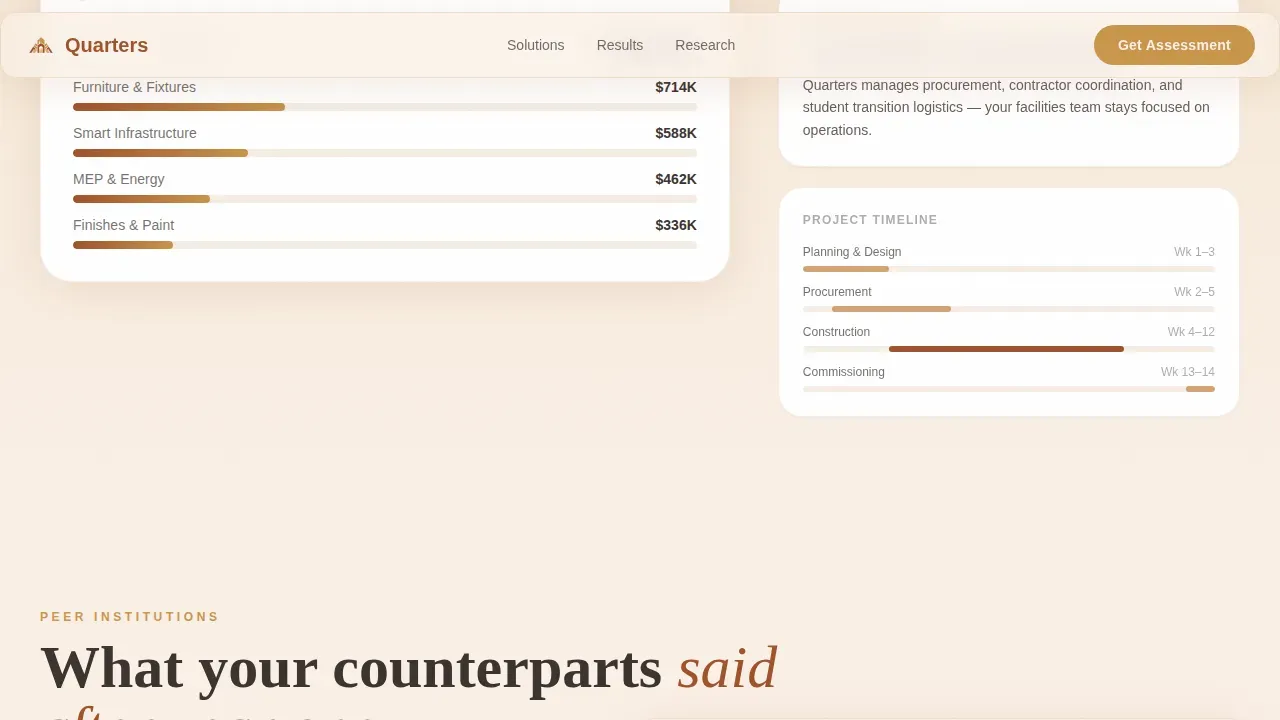
Below the hero, visitors encounter a campus-style illustrated map. Clicking on a building type (traditional hall, suite-style, or apartment complex) slides a tailored case study into the 60-column. Each case study includes before-and-after photography, a budget breakdown, and timeline bars. A live 40-column summary panel updates alongside each selection, showing estimated renovation cost, projected occupancy gain, and return-on-investment timeline. This interactive approach helps institutional visitors self-qualify and determine which renovation scope fits their campus plan before they ever contact your team.
Peer Testimonial System
Testimonial quotes from peer institutions appear as handwritten-style margin notes anchored in the 40-column during the explorer section. The layout is intimate and asymmetric, designed to feel like advice shared between colleagues at a housing conference rather than polished marketing copy. Social proof in this format builds the kind of credibility that matters to buyers who are responsible for multi-million-dollar renovation decisions.
Three-Step Progressive Lead Form
The campus assessment form uses a three-step progressive sequence to qualify visitors without overwhelming them. Step one asks for institution name and number of beds. Step two presents a checkbox grid of pain points: deferred maintenance, occupancy decline, ADA compliance, energy costs, and student complaints. Step three collects name, role, and email. Breaking the form into steps reduces friction and tends to improve completion rates compared to a single long form.
Email-Gated Benchmarking Report
A secondary conversion path offers visitors the option to download "The 2024 Residence Hall Benchmarking Report" in exchange for an email address only. This path catches visitors who are not yet ready to book an assessment but still want access to industry data. It widens the top of the lead funnel and lets your team follow up with context about what the prospect cares about.
Fixed Viewport Call to Action
The "Get Your Campus Assessment" call to action button appears in canyon gold on terracotta. It first appears after the second interactive explorer interaction and then stays fixed to the bottom of the viewport for the remainder of the page. Persistent placement like this ensures that visitors always have a clear, immediate path to convert, regardless of where they are on the page.
Page sections overview
| Section | Purpose |
|---|---|
| Hero Stats Dashboard | Animated counters and editorial room photo establish credibility immediately |
| Interactive Campus Explorer | Building type selector with before/after imagery and live ROI summary panel |
| Peer Testimonials | Margin-note-style quotes from peer institutions build trust and validate outcomes |
| Campus Assessment Form | Three-step progressive form qualifies leads by role, institution size, and pain point |
| Benchmarking Report Offer | Email-gated PDF download captures early-stage visitors who need data before committing |
| Single-Row Footer | Clean linear footer with navigation links and contact information |
Design & branding system
The visual identity follows an Atelier Studio theme built around the Sunset Mesa color system. The palette evokes a desert courtyard at golden hour: warm adobe walls catching the last light, long soft shadows, and the quiet glow of a lamp left on inside. The system is immediately distinctive in the real estate and property management category, where most website templates lean on cold blues and neutral grays.
- Color tokens: Sandstone (#D4A373) dominates section backgrounds in alternating warm-to-cool washes. Deep terracotta (#A0522D) anchors headlines and data callouts. Soft plaster white (#FAF0E6) breathes through the asymmetric gutters. Canyon gold (#C9954B) draws the eye to every clickable surface, from buttons to interactive states.
- Typography: Fraunces display serif is used at headline and counter scale. DM Sans handles body copy and form labels, keeping the reading experience clean and efficient across every section.
- Layout rhythm: The asymmetric 60/40 grid creates visual tension and guides the eye naturally from data to story, from proof to action. Scroll-reveal animations and counter animations add motion without distraction.
Mobile & speed optimization
The template is built desktop-first, reflecting its primary audience of housing directors and CFOs working at their desks. The interactive explorer and progressive form are built as client components, while static sections use server-side rendering to keep the initial load fast. The layout is responsive and adapts cleanly to smaller screens, which matters because over 70% of renters browse on their phones, and secondary audiences may access the page on mobile devices.
- Component architecture: Server components handle static content like the footer and testimonial blocks. Client components power the interactive explorer state, live ROI panel, and the three-step form sequence.
- Animation handling: Counter animations and scroll reveals are scoped to visible viewport regions to avoid unnecessary processing, keeping the page experience smooth across devices.
How this template helps you convert
This landing page is built around a single goal: turning institutional visitors into qualified assessment leads. Every design and structural decision serves that conversion objective.
- Progressive commitment architecture: The interactive explorer asks visitors to make small, low-stakes decisions (click a building type) before presenting the high-stakes call to action. Each click deepens engagement and builds intent, so by the time the form appears, the visitor is already invested in the scenario they have built.
- Dual conversion paths: Not every housing director is ready to book a call on the first visit. The email-gated benchmarking report offers a lower-commitment entry point that still captures contact details and allows follow-up marketing.
- Fixed persistent call to action: Dedicated landing pages can convert visitors at nearly double the rate of a standard homepage when a single goal is in focus. The canyon gold fixed button ensures that goal is always visible, always available, and never buried below the fold.
Other information about this template
This template sits at the intersection of real estate landing page design and SaaS landing page best practices. It is built for a specific niche in the property management industry, but many of its structural patterns apply broadly across real estate and higher-education services. The sections below cover additional context that may be useful as you plan your build.
- Keyword and discovery context: The Quarters smart campus housing management landing page template is catalogued under Real Estate and Property, Student Housing and Accommodation. Buyers searching for dormitory management tools, campus property management services, or student housing marketing pages will discover this template through category and tag search on the marketplace site.
- Platform building tools: This template is compatible with no-code and low-code website builders. If you plan to publish on a platform like the one offering this template, you can customize colors, copy, and imagery without writing code. Tools like drag-and-drop editors allow pixel-level adjustments, and built-in marketing tools help you promote the finished site. Features such as Google Analytics integration and built-in SEO tools vary depending on the platform you choose to build on.
- Fact context for buyers: Effective marketing strategies for student housing include flexible leasing options to attract a wider range of students. All-inclusive student living options often cover utilities, including electricity, water, and internet, along with roommate matching services and on-site management. Financial management in student housing should focus on budgeting and forecasting to ensure profitability. Vendor management systems can help student housing properties save money and streamline operations. Student housing management that prioritizes resident satisfaction tends to reduce turnover and maintain occupancy levels.
- Software ecosystem context: Leading property management platforms in this industry, such as RealPage, cover the complete student lifecycle from preleasing through roommate matching and unit assignment. RealPage's OneSite Student Leasing and Rents platform handles invoices, lease management, and payments from a centralized account. SimpleBills manages utilities for student housing by invoicing and collecting directly from residents. These tools are separate from this template but represent the operational layer that the Quarters landing page is designed to feed leads into. Platforms such as Wix offer over 2,000 website templates with a drag-and-drop editor for pixel-level precision. Envato also provides fully customizable website templates suitable for real estate and property management sites. Your finished landing page can live on whichever platform fits your business plan and budget.
- Lead funnel tips: The three-step form is designed so that visitors can apply online in stages rather than facing a long single-page form. Collecting institution name and bed count first gives your sales team context before the call. The benchmarking report PDF is a proven secondary path for property management and real estate lead generation because it offers something of value in exchange for a small commitment. Consider using the blog or resource section of your broader website to drive organic traffic to this landing page, especially during peak leasing planning cycles in late summer and early fall.
- Costs and fees: Template pricing varies depending on the marketplace plan you select. Review the account and billing details on the platform before you publish. Some plans are free to start, while others include additional services such as custom domain support, priority chat support, and advanced marketing tools. Taxes and applicable fees are calculated at checkout based on your account region.
- Austin and regional context: Campus housing is a growing segment in university markets across the United States, including high-growth cities like Austin. The real estate property management industry in these markets is competitive, and a focused landing page can help your business qualify leads faster and more efficiently than a general website.
Theme
Atelier Studio
Creative direction
Interactive Explorer
Color system
Sunset Mesa
Style
Asymmetric Grid (60/40)
Direction
Lead Generation
Page Sections
Animated Stats Hero Dashboard
Interactive Campus Explorer
Three-step Progressive Lead Form
Email-gated Benchmarking Report
Fixed Viewport Call to Action
Peer Testimonial Margin Notes
Related questions
Who is the primary audience for this landing page template?
Can I customize the colors and typography?
Does the template include the interactive ROI calculator?
What are the two conversion paths in this template?
Is this template suitable for a SaaS landing page or only for property management?



