Industrial Plastic Recycling Plant Landing Page Template
Resin is a hub-and-spoke landing page template built for industrial plastic recycling plants. It guides visitors through every processing stage, from baled post-consumer plastic intake to finished pellet shipping, using anchor navigation, blueprint-style diagrams, real throughput data, and side-by-side comparisons against industry benchmarks. Two conversion paths capture both ready buyers and spec-comparing engineers.
by Rocket studio
Quick summary
Resin is a single-page, anchor-navigated landing page template for plastic recycling plants that convert post-consumer bales into resin pellets. It pairs transparent process storytelling with competitive data comparisons, walking buyers through each production stage. Two clear conversion paths capture procurement-ready contacts and spec-researching engineers at the same time.
Who this template is for
This template is built for industrial plastic recycling facilities that sell reclaimed resin to manufacturers, packagers, and brand owners. It speaks directly to the buyers and specifiers those facilities need to reach.
- Municipal waste authorities negotiating post-consumer diversion targets
- Consumer packaged goods brands chasing post-consumer recycled content mandates
- Packaging converters who need food-grade recycled PET (rPET) flake on spec and on schedule
What problem this template solves
Industrial buyers of recycled resin are skeptical. They need contamination data, throughput rates, and melt flow specifications before they will switch suppliers. A generic brochure page does not answer those questions. This template solves that credibility gap directly.
- It shows every processing metric before asking for any contact information
- It contrasts plant specs against industry-standard benchmarks and against virgin resin production
- It gives engineers a gated spec sheet download so they can compare numbers at their desk without committing to a sales call
What you get with this template
You get a fully structured, single-page layout that takes a visitor from a dramatic header shot straight through eight labeled processing stages to a final conversion point. Every section is purpose-built for industrial buyers.
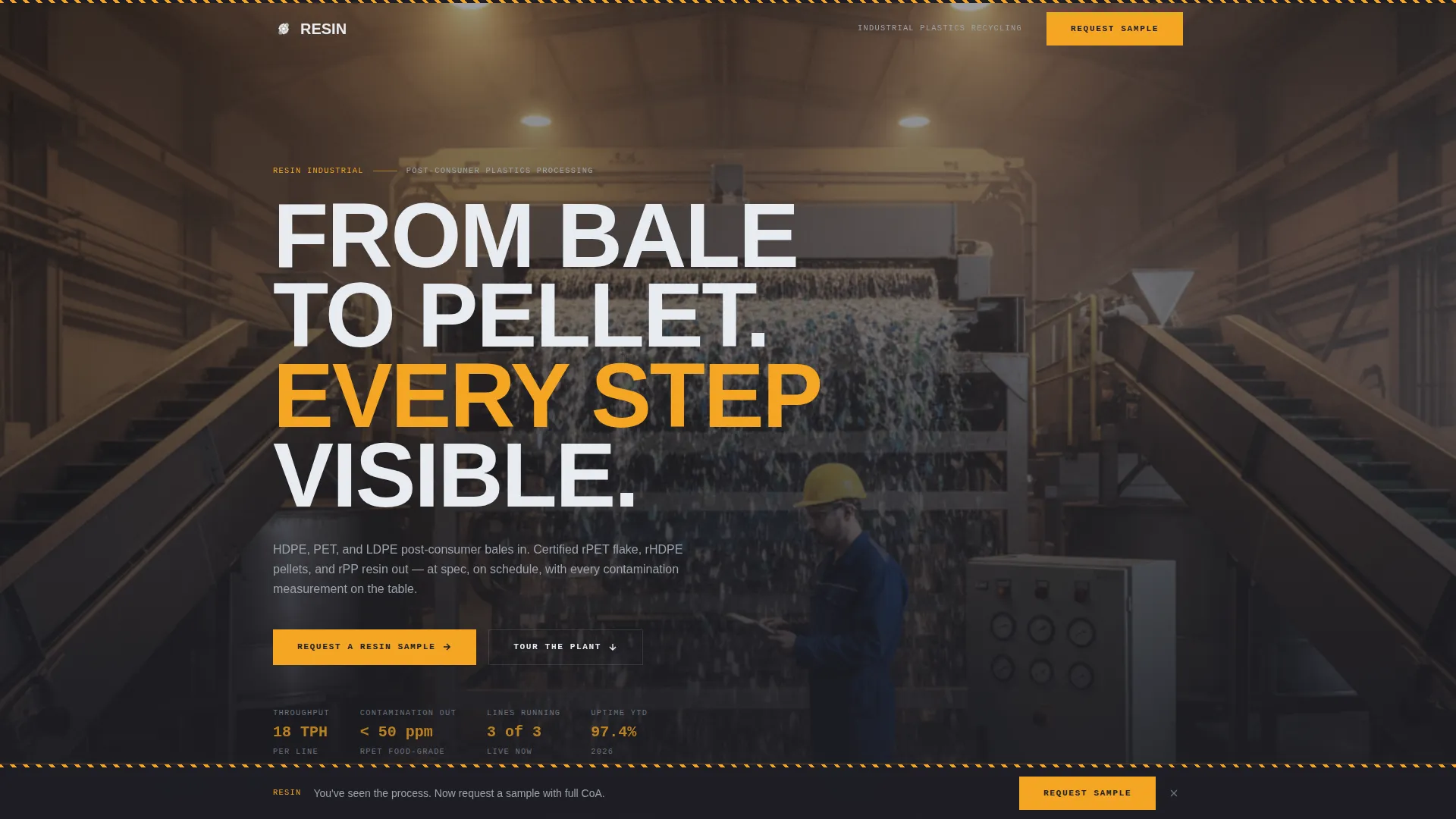
- A full-bleed photo header with a condensed, all-caps headline and a smooth anchor navigation bar
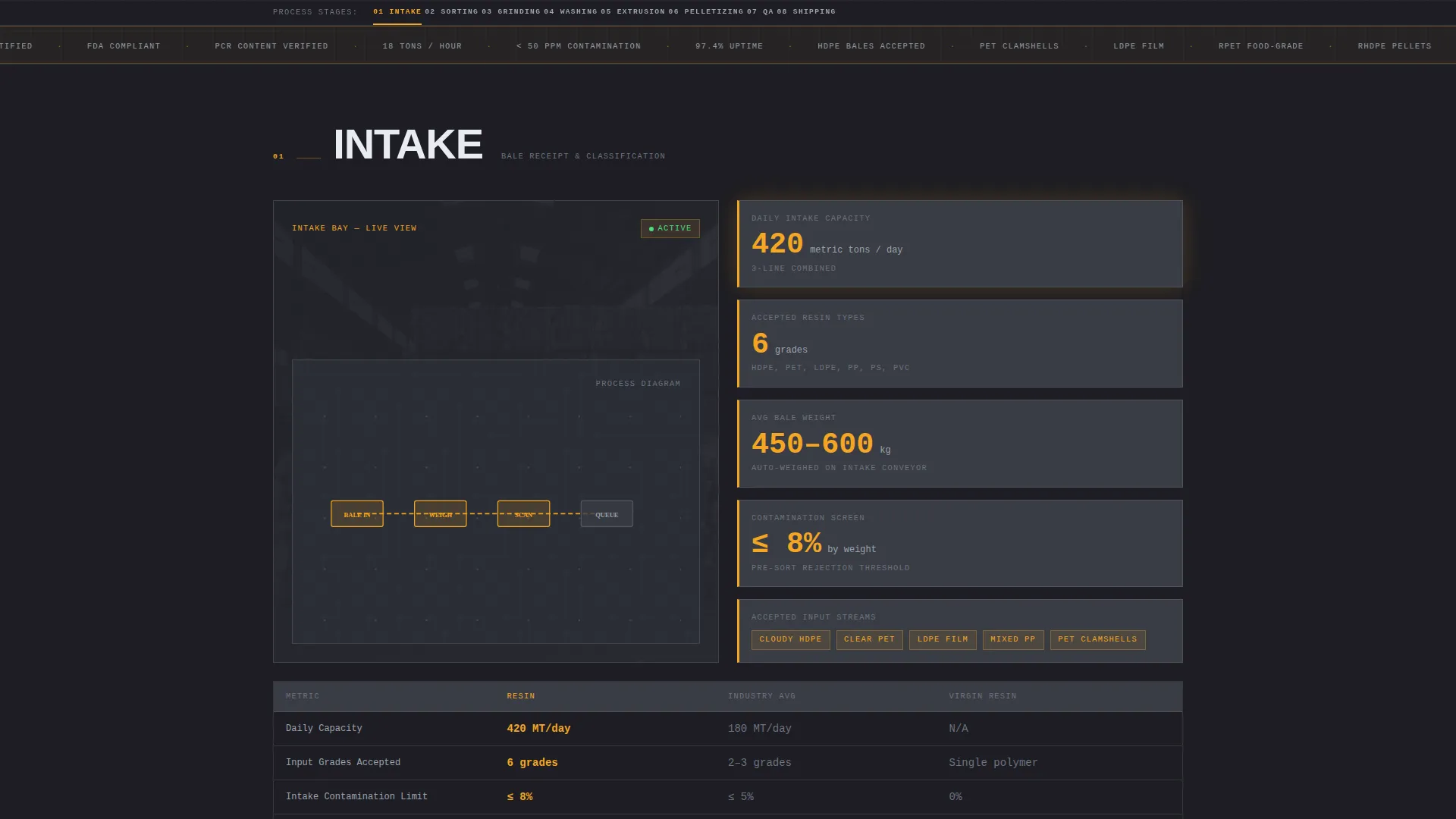
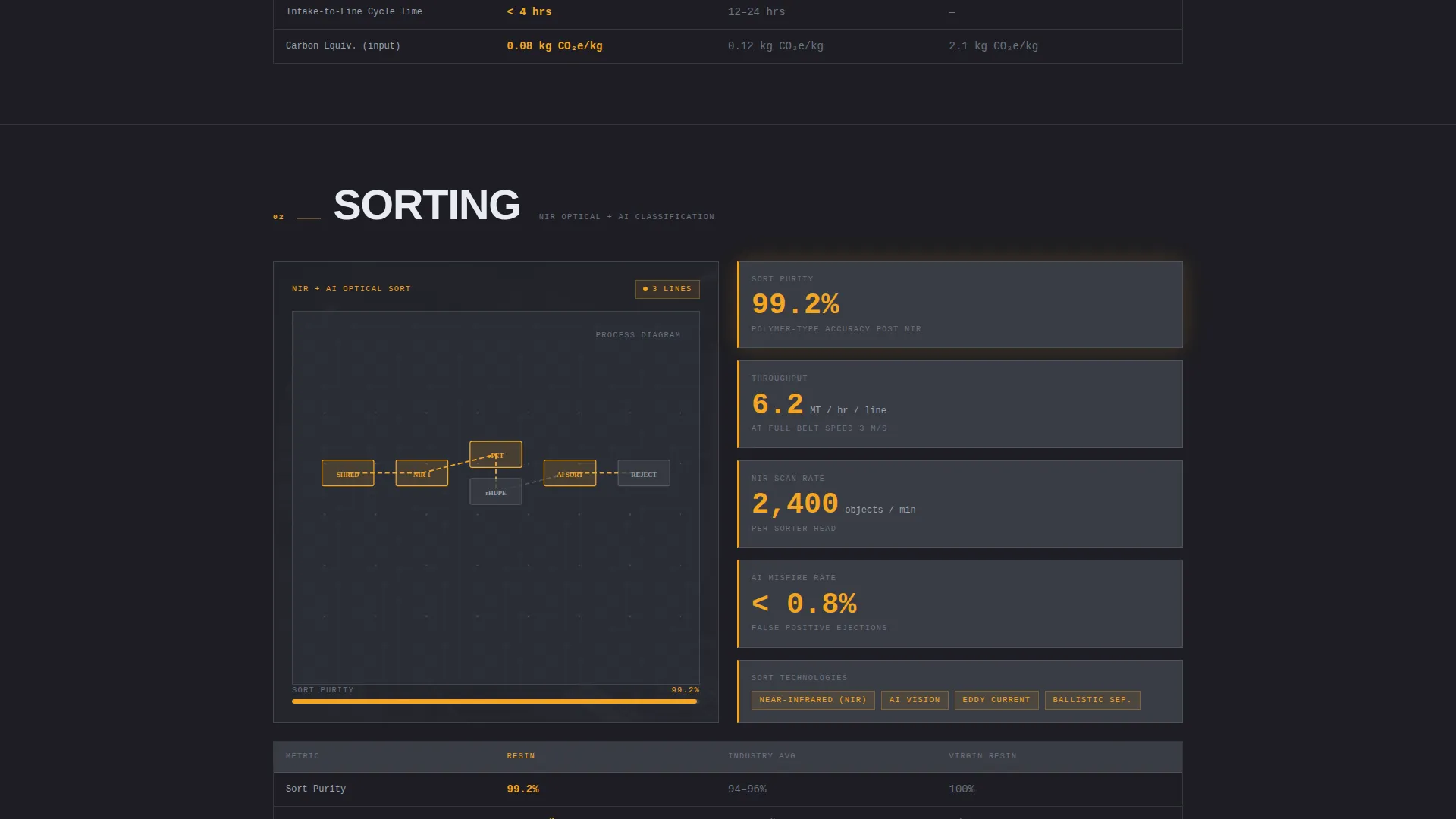
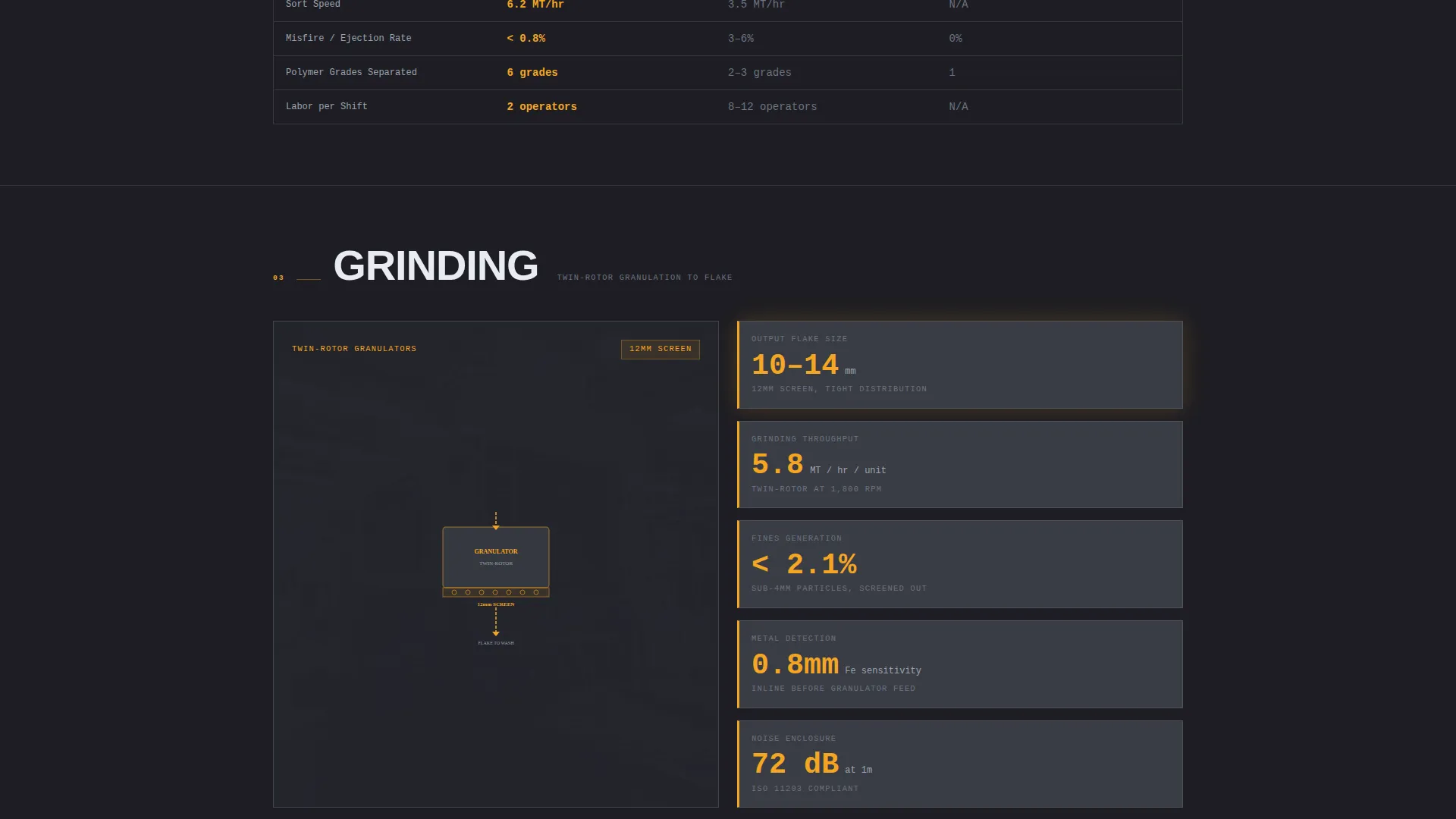
- Eight spoke sections covering Intake, Sorting, Grinding, Washing, Extrusion, Pelletizing, Quality Assurance, and Shipping
- A primary call-to-action form for resin sample requests and a secondary gated spec sheet download path
Feature list
This template is built around a specific set of structural and visual components drawn from the source brief.
Anchor Navigation with Stage Spokes
A navigation bar pins to the top of the page and labels each processing stage as a spoke. Clicking any spoke smooth-scrolls the visitor to that section. This turns the page into a self-guided plant tour without any page reloads.
Side-by-Side Comparison Columns
Every stage section includes a two-column comparison layout. One column presents this plant's specifications and throughput data. The second column shows industry-standard benchmarks and equivalent virgin resin production figures, so the visitor is always reading two arguments at once.
Blueprint-Style Process Diagrams
Each processing stage pairs a schematic diagram with real operational data, including tons per hour, contamination parts-per-million (ppm), and melt flow index. The diagram style uses technical line art that fits the Engineering Blueprint visual theme.
Dual Conversion Path Layout
The primary conversion path is a resin sample request form placed at the Quality Assurance spoke. It collects resin type, annual volume in metric tons, current supplier (optional), and a work email. A secondary path offers a spec sheet download gated behind only an email field.
Sticky Bottom Conversion Bar
A sticky bar appears at the bottom of the screen after the visitor scrolls past the third processing stage. It repeats the primary call-to-action and keeps the sample request accessible throughout the remainder of the scroll.
Full-Bleed Photo Header
The header uses a photo shot inside the wash line hall, desaturated just enough to let the amber accent of safety striping punch through. A single headline in condensed, all-caps engineering type fades in over the image.
Page sections overview
| Section | Purpose |
|---|---|
| Full-Bleed Header | Set industrial tone and introduce headline |
| Anchor Navigation Bar | Pin stage spokes and enable smooth-scroll |
| Intake Stage | Show bale receiving specs and input standards |
| Sorting Stage | Display separation method and contamination data |
| Grinding Stage | Present particle size output and throughput rate |
| Washing Stage | Detail wash chemistry and contamination ppm reduction |
| Extrusion Stage | Show melt processing specs and melt flow index |
| Pelletizing Stage | Present pellet output rate and size consistency |
| Quality Assurance Stage | Host sample request form and benchmark comparison |
| Shipping Stage | Confirm output volumes and delivery logistics |
| Spec Sheet Download | Capture engineer emails via gated secondary form |
Design & branding system
The visual identity follows an Engineering Blueprint theme. Every color choice references real industrial environments, and the palette feels like a process engineer's CAD screen crossed with a plant floor safety manual.
- Deep graphite (#1E1E24) as the primary page background, technical gray (#3A3D45) for section dividers and card surfaces, and blueprint white (#E8ECF1) for body text and schematic line art
- Safety amber (#F5A623) applied to anchor navigation highlights, interactive hover states, and data callouts, grounding the color system in the amber of real factory safety signage
- Condensed, all-caps engineering typeface used for headlines, with legible body type that prioritizes readability over decoration
Mobile & speed optimization
The layout is structured to work at any screen width without losing the industrial character of the design. The anchor navigation and sticky bar remain accessible on smaller screens.
- Anchor nav collapses cleanly so spoke labels remain tappable on mobile viewports
- Blueprint diagrams and comparison columns reflow into single-column stacks on narrow screens
- The sticky conversion bar stays fixed at the bottom of the viewport on both desktop and mobile
How this template helps you convert
The conversion strategy is built around earning the click before asking for it. By the time a visitor reaches the call-to-action, they have already reviewed cleaner contamination rates and lower carbon-equivalent figures than their current supplier can show.
- The transparent process narrative, with real metrics at every stage, builds technical credibility before any form appears, reducing resistance from procurement engineers and quality managers.
- The dual conversion path captures two buyer states at once: the procurement contact ready to request a sample and the engineer who wants to verify specifications privately before involving a supplier relationship.
Other information about this template
This template was designed specifically for the plastic recycling plant niche within the broader manufacturing and industrial sector. It sits at the intersection of Plastics and Injection Molding subcategory workflows and industrial B2B (business-to-business) sales pages.
- The template style is Hub and Spoke with Anchor Navigation, making it straightforward to adapt spoke labels to match a specific plant's actual processing line stages
- The Comparison/Versus landing page direction means the layout is intentionally built to support side-by-side data, which suits any facility that wants to position reclaimed resin against virgin resin on cost, carbon, or contamination metrics
- The Charcoal and Amber color system and Engineering Blueprint theme are consistent design choices that reinforce technical authority without requiring custom brand assets to look credible
Theme
Engineering Blueprint
Creative direction
Transparent Process
Color system
Charcoal & Amber
Style
Hub & Spoke (Anchor Nav)
Direction
Comparison/Versus
Page Sections
Anchor Navigation with Stage Spokes
Side-by-side Comparison Layout
Blueprint-style Process Diagrams
Dual Conversion Path Structure
Sticky Bottom Conversion Bar
Full-bleed Photo Header
Related questions
Who is the primary audience for this template?
How does the anchor navigation work in this template?
What are the two conversion paths included?
Can I adapt the spoke labels to match my plant's actual processing stages?
Does this template include real throughput or contamination data?



