Automotive Painter Landing Page Template
Respray is a single-page landing page template built for automotive paint professionals. It combines a case study narrative with a side-by-side comparison table to educate visitors on paint service tiers. A charcoal and amber visual system, a booking-focused layout, and a slide-in scheduling panel make it easy for potential clients to understand their options and book a paint assessment.
by Rocket studio
Quick summary
Respray is a precision automotive painter landing page template designed around an educational case study format. It uses a charcoal and amber color system, a half-page photo and text header, and a comparison table structure to walk visitors through three real-world paint jobs. The primary goal is booking, with a "Book Your Free Paint Assessment" call to action appearing twice on the page.
Who this template is for
This template is built for automotive paint professionals who want to convert informed visitors into booked clients. It works especially well when your service range spans budget blends to full restorations, and you want visitors to self-select the right tier before they call.
- Independent body shop owners and automotive painters offering tiered paint services
- Detailing and restoration specialists handling everything from bumper blends to concours bare-metal rebuilds
- Dealership-facing paint contractors who need to quickly communicate turnaround, quality, and process to fleet or trade-in managers
What problem this template solves
Most automotive paint websites show a gallery and a phone number. Visitors leave without understanding why prices differ so widely, which creates hesitation and low-quality inquiries. This template fixes that by turning your page into a guided education before the booking ask.
- Visitors often cannot distinguish a $400 respray from a $4,000 restoration finish, leading to price-based objections before a conversation even starts
- Without process context, potential clients underestimate prep work and arrive with wrong expectations about booth time and coat layers
- A missing decision path leaves uncertain visitors with no next step, so they bounce rather than book
What you get with this template
You get a fully structured single-page layout built around three case study sections, each containing a before-and-after visual flow and a side-by-side comparison table. Every major component is described in the source brief and reflected in the template design.
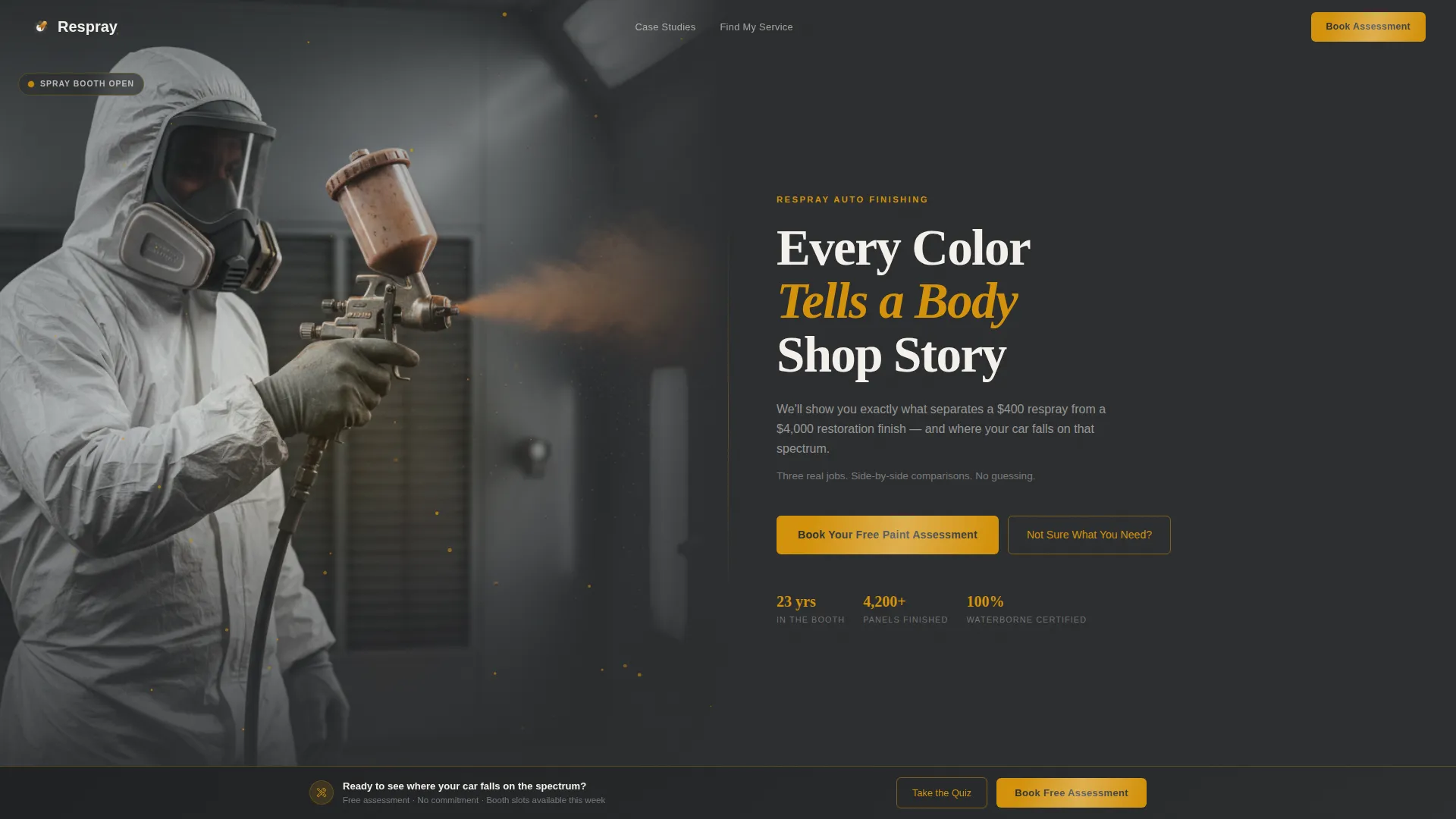
- A half-page photo and text header with a spray-gun close-up and a headline designed to set the educational frame immediately
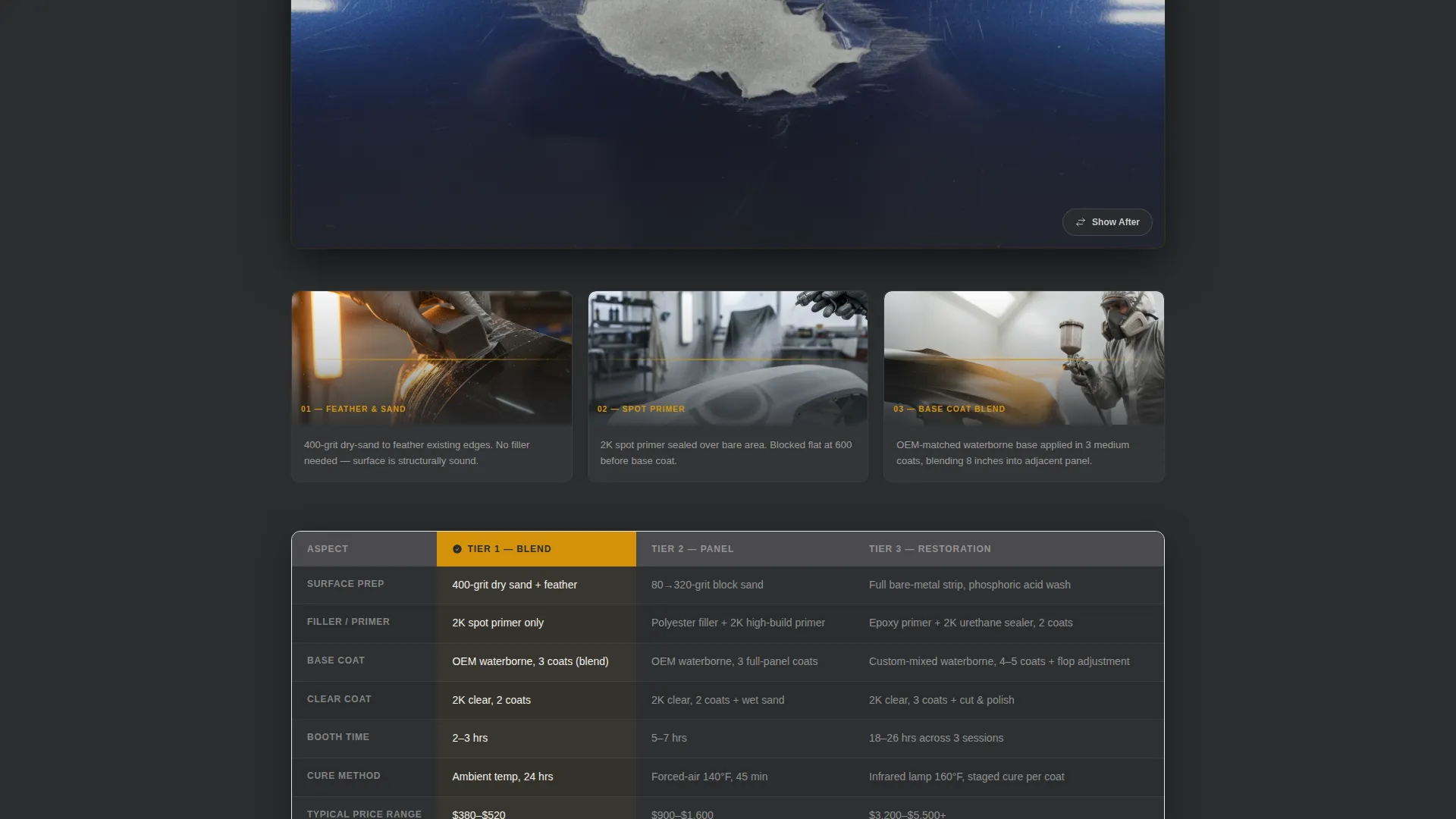
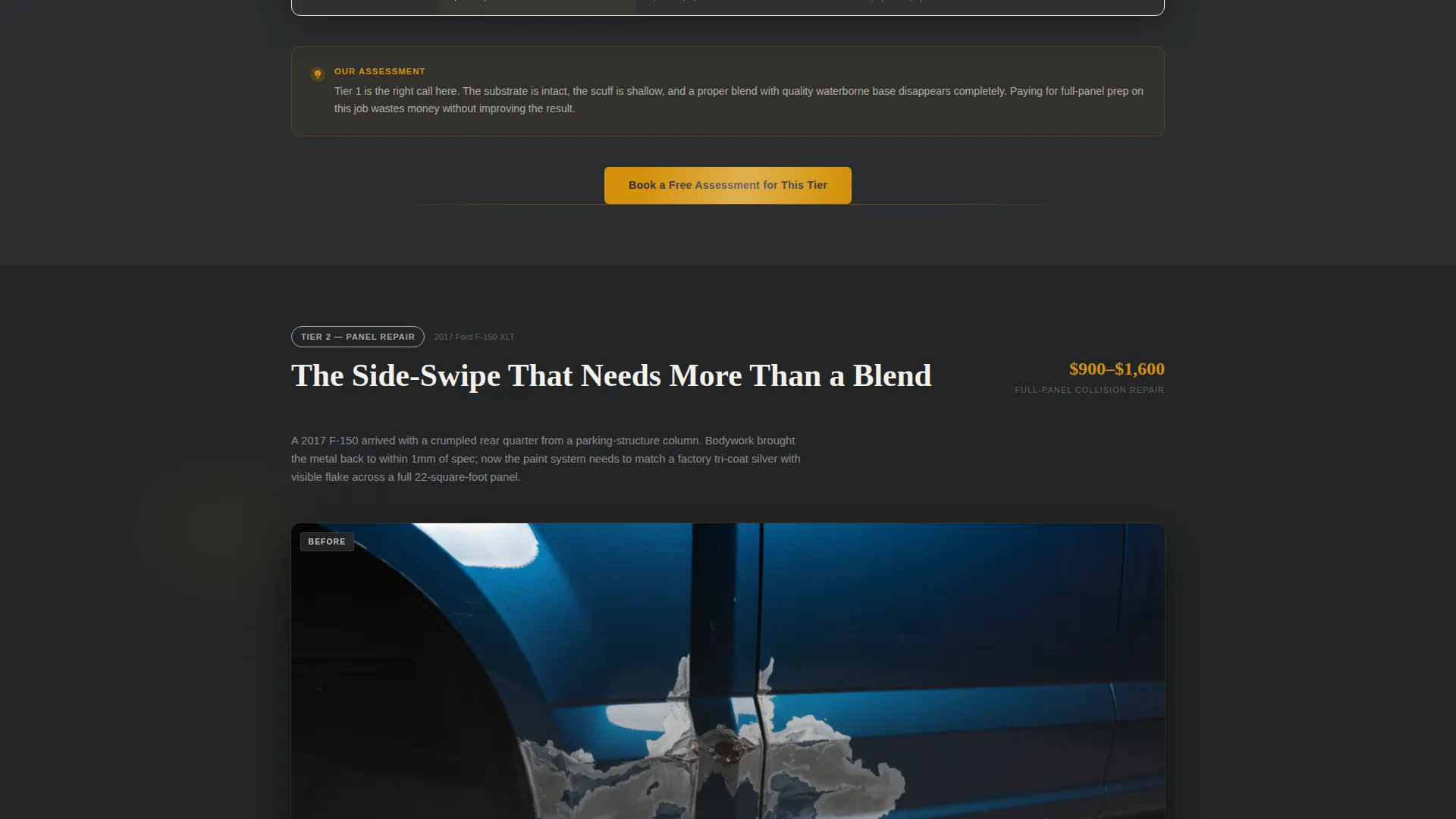
- Three case study blocks covering a bumper blend, a full-panel collision repair, and a concours bare-metal restoration, each with comparison table breakdowns of prep stages, material grades, booth time, and coat layers
- A slide-in booking panel with three sequential fields: vehicle year, make, and model dropdown; a photo upload field; and a preferred drop-off date picker synced to booth availability
Feature list
This template ships with purpose-built components that reflect the full scope described in the source brief. Each feature serves the booking and education goals of an automotive painter landing page.
Half-Page Photo and Text Header
The header splits into two equal columns. The left side holds a shallow-depth-of-field spray-gun image with amber metallic mist frozen mid-air against a charcoal booth backdrop. The right side carries the headline "Every Color Tells a Body Shop Story" and a single-line subhead that frames the page's core educational promise.
Side-by-Side Case Study Comparison Table
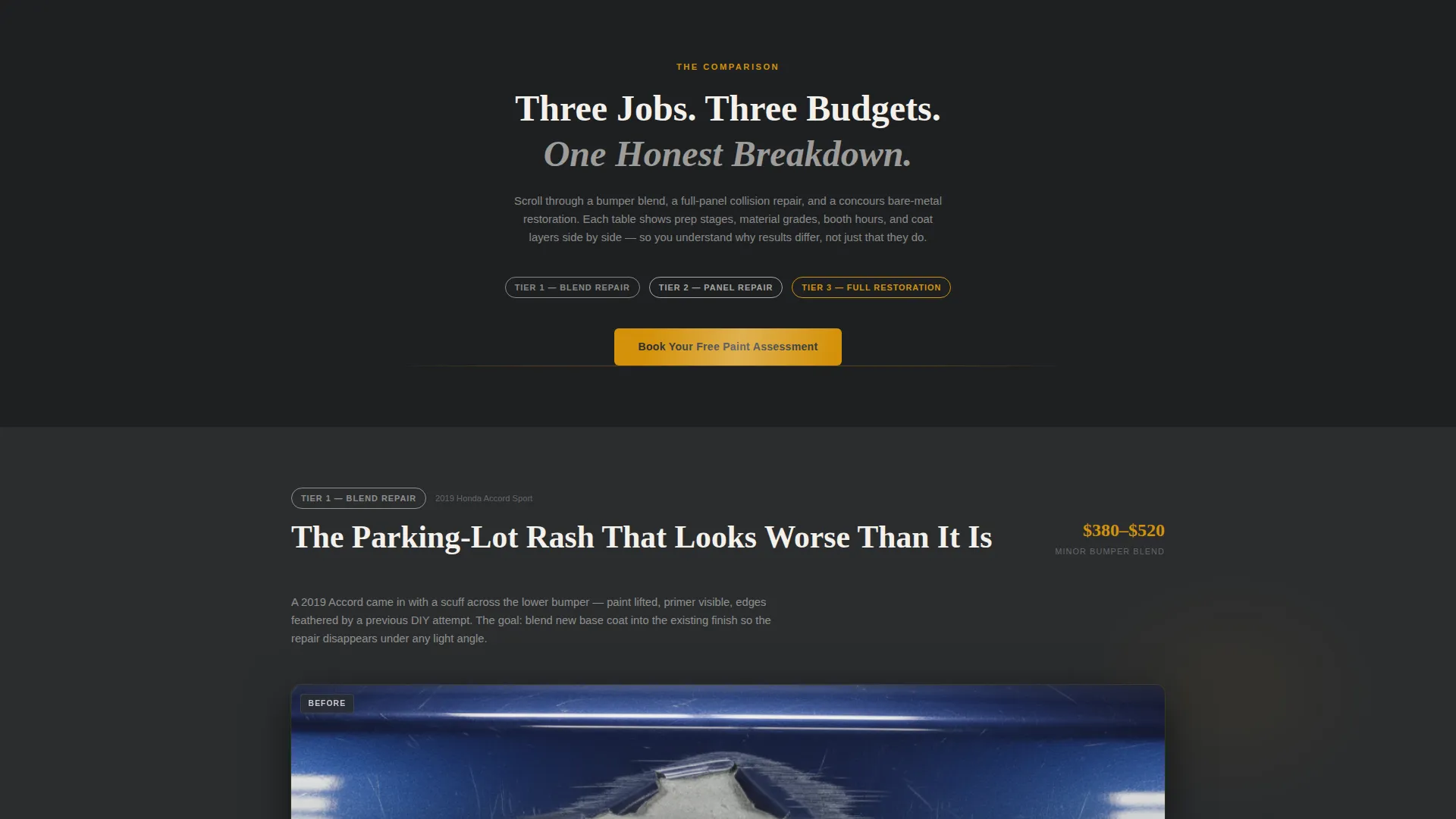
Three real-job narratives are presented inside comparison tables that break down prep stages, material grades, booth time, and coat layers. Each case study opens with a harsh before photo, walks through sequential process close-ups, and closes with a final glamour shot.
Slide-In Booking Panel
The primary call to action triggers a slide-in panel with three fields in sequence: a vehicle year, make, and model dropdown; a photo upload labeled "Show Us the Damage"; and a date picker for preferred drop-off synced to booth availability. The panel keeps the booking flow focused and low-friction.
Sticky Bottom Booking Bar
After the second case study section, a sticky bottom bar appears with the "Book Your Free Paint Assessment" call to action. It stays visible as the visitor continues scrolling, reinforcing the booking prompt at a moment of high engagement.
Service Tier Quiz Path
A secondary navigation option labeled "Not Sure What You Need?" routes visitors to a quick quiz that recommends a paint service tier. The quiz result funnels directly into the same booking scheduler, reducing decision friction for visitors who arrived without a quote in mind.
Amber-Accented Interactive States
Every call-to-action surface, hover state, and interactive accent uses masking-tape amber (#D4920B). This keeps the visual hierarchy clear and ensures interactive elements are immediately recognizable against the charcoal and pearl white background system.
Page sections overview
| Section | Purpose |
|---|---|
| Header Split | Introduces the educational premise with a spray-gun photo and headline |
| Bumper Blend Case | Walks through a minor blend job with a comparison table |
| Collision Repair Case | Details a full-panel repair across prep, materials, and booth time |
| Bare-Metal Restoration Case | Shows the full concours process from stripped metal to glamour finish |
| Primary Booking call to action | Places the first "Book Your Free Paint Assessment" prompt below the header comparison |
| Sticky Booking Bar | Repeats the booking call to action as a persistent bottom bar after case study two |
| Slide-In Booking Panel | Collects vehicle details, damage photo, and preferred drop-off date |
| Service Tier Quiz | Routes undecided visitors to a tier recommendation before scheduling |
Design & branding system
The visual identity follows an Educational Guide theme built around a four-tone Charcoal and Amber color system. The palette is designed to feel like a garage at golden hour, with warm amber light catching metallic flake against shadow-dark charcoal surfaces.
- Spray-booth charcoal (#2B2D2F) and sanding-block dark gray (#4A4A4D) anchor headers, section dividers, and navigation elements
- Masking-tape amber (#D4920B) drives every call-to-action surface, hover state, and interactive accent throughout the page
- Clear-coat pearl white (#F4F1EB) fills open background space so photography and comparison table content carry the visual weight
Mobile & speed optimization
The template layout is built with a single-page scroll structure that keeps the visual and content hierarchy intact across screen sizes. The design prioritizes fast rendering of the photo-heavy case study sections.
- The half-page header splits to a stacked single-column layout on smaller screens, keeping the headline and subhead immediately readable
- Comparison tables are structured to scroll horizontally on narrow viewports so all column data remains accessible without layout breakage
- The sticky booking bar and slide-in panel are designed to function cleanly on touch interfaces, with tap-friendly field sizes and a simple three-step input sequence
How this template helps you convert
The page is engineered to move a skeptical visitor from passive browsing to active booking by using education as the conversion mechanism. Every section earns the next click.
- The header comparison immediately frames the core value question, what separates a budget respray from a premium restoration finish, giving visitors a reason to keep reading before they see any pricing or service lists.
- The three case study sections build trust progressively by showing real process steps, not just finished results, so visitors arrive at the booking form already convinced of the shop's thoroughness.
- The "Not Sure What You Need?" quiz path removes the most common drop-off point for undecided visitors by giving them a low-pressure next step that still routes into the scheduler.
Other information about this template
This template is designed for a single automotive painter service landing page. It is not a multi-page site template. The layout is optimized for a single scroll-through session that ends in a booking action.
- The template style is a Comparison Table layout, making it well suited for any automotive paint service business that offers multiple service tiers at different price points
- The case study narrative approach makes this template especially effective for shops that handle insurance collision repairs alongside private restoration work, since it visually distinguishes the two scopes of work
- The Educational Guide theme positions the painter as a trusted expert rather than a commodity price-matcher, which supports higher-tier service inquiries
- The booking panel's photo upload field is a practical detail that sets client expectations from the first interaction, as damage photos help the shop prepare accurate assessments before the drop-off date
Theme
Educational Guide
Creative direction
Case Study Narrative
Color system
Charcoal & Amber
Style
Comparison Table
Direction
Booking/Scheduling
Page Sections
Half-page Photo and Text Header
Comparison Table Case Studies
Slide-in Booking Panel
Sticky Bottom Booking Bar
Service Tier Recommendation Quiz
Charcoal and Amber Visual System
Related questions
Can I use this template for a single paint service, or does it require multiple service tiers?
How does the service tier quiz work within the page?
Is the slide-in booking panel ready for a live calendar connection?
What types of automotive paint businesses is this template best suited for?
Why does this template use a case study format instead of a standard service list?



