Rapid Appliance Repair Landing Page Template
Fix is a single-column landing page template built for Mumbai appliance repair services. It pairs a data-driven hero with a brand logo wall, a booking form, and a WhatsApp conversion path. The Executive Suite aesthetic uses a Monochrome Steel palette to project reliability and technical confidence from the first scroll.
by Rocket studio
Quick summary
Fix is a single-column landing page template designed for professional appliance repair services in Mumbai. It opens with live-counter statistics, moves through brand authority and testimonials, and closes with a clear booking form. The Monochrome Steel visual system signals precision, while the layout keeps the path to a confirmed appointment short and frictionless.
Who this template is for
This template is built for appliance repair operators who need a professional online presence that converts quickly. It suits small teams that rely on fast local bookings rather than long sales cycles.
- Independent appliance repair services operating across Mumbai neighbourhoods
- Housing society managers looking to connect residents with a reliable repair contact
- Small two-person repair teams ready to scale their bookings through a structured landing page
What problem this template solves
Many appliance repair businesses in Mumbai rely entirely on word-of-mouth or WhatsApp forwarding. That approach works until a potential client lands on a blank profile or an outdated number. This template gives those businesses a credible first impression that matches the quality of their on-site work.
- Converts urgent repair inquiries before the customer calls a competitor
- Presents service credentials visually without requiring long written explanations
- Offers a dual booking path for clients who prefer forms and clients who prefer WhatsApp
What you get with this template
You get a fully structured, single-column landing page that takes a visitor from first impression to a confirmed booking slot. Every section has a defined purpose and a clear visual weight.
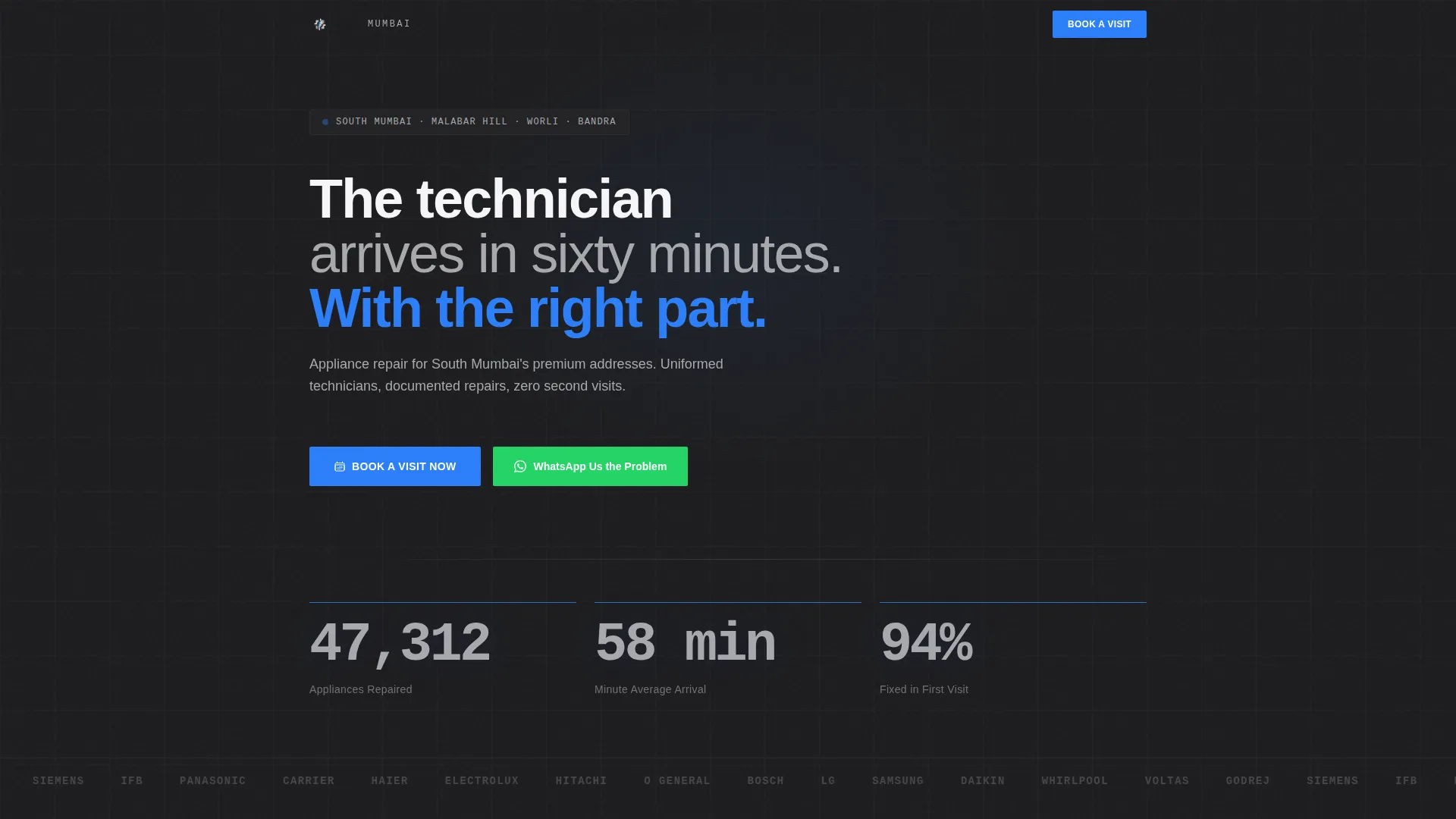
- A data storytelling header with three live-style counters showing repair stats
- A scrolling brand logo wall displaying every appliance make serviced
- A booking form with appliance type, brand, location, and time slot fields
- A sticky mobile bottom bar with the primary call to action always visible
- A WhatsApp shortcut pre-filled with the service number for voice-note conversions
Feature list
This template is built around five focused components that work together to establish trust and drive bookings.
Live Statistics Header
Three large typographic counters display key performance figures, appliances repaired, average arrival time, and first-visit fix rate. They are rendered in brushed stainless against deep charcoal, with a service-call blue pulse accent beneath each number. The composition replaces a generic hero image with proof.
Scrolling Brand Logo Wall
A horizontal strip beneath the header scrolls through every major appliance brand serviced. Each logo is desaturated to monochrome steel, keeping the palette consistent while communicating the breadth of technical capability at a glance.
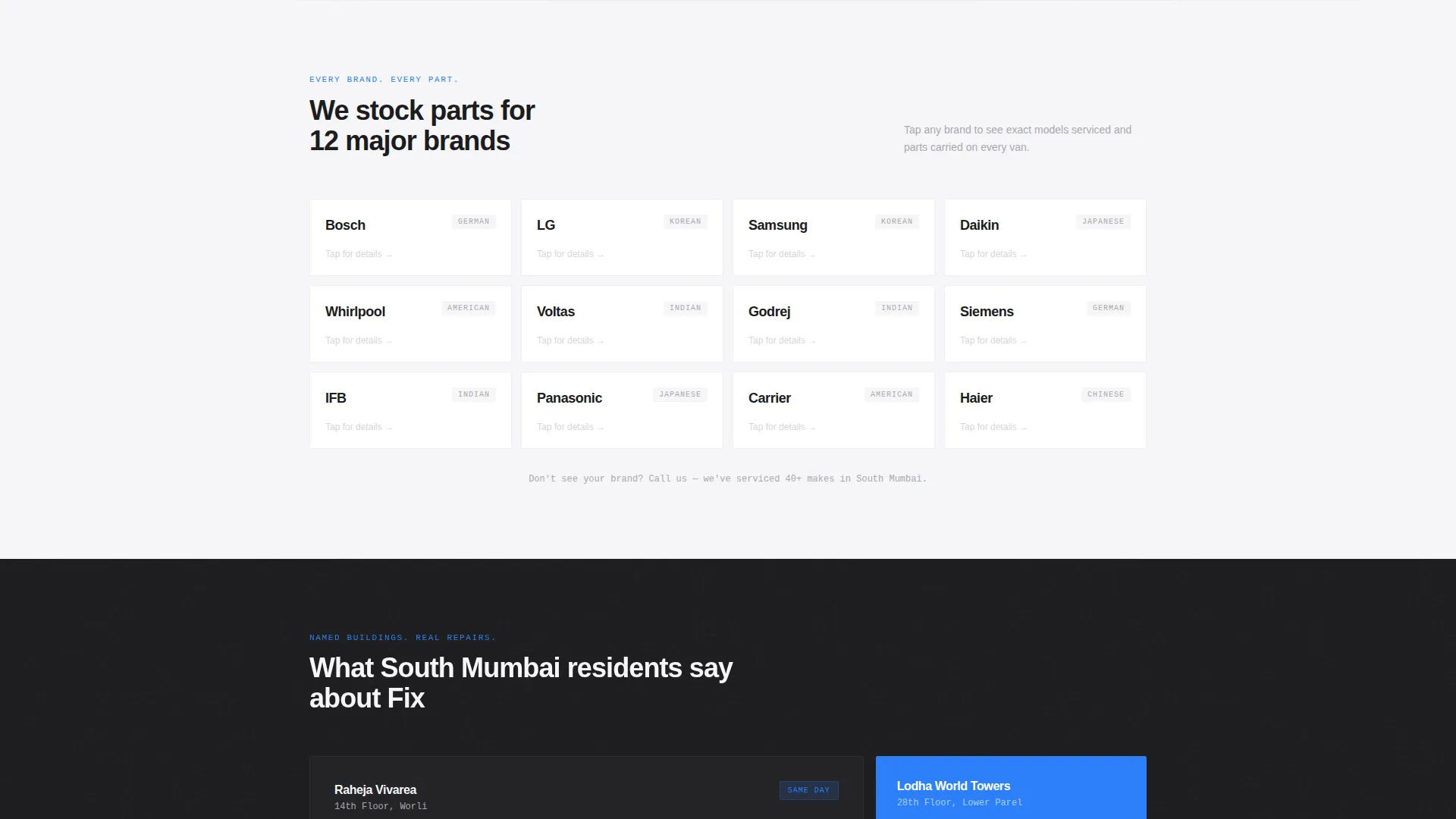
Interactive Brand Grid
A brand-specific grid lets visitors tap any logo to reveal the exact models serviced and the parts kept in stock. This section moves the visitor from general credibility into specific, relevant proof.
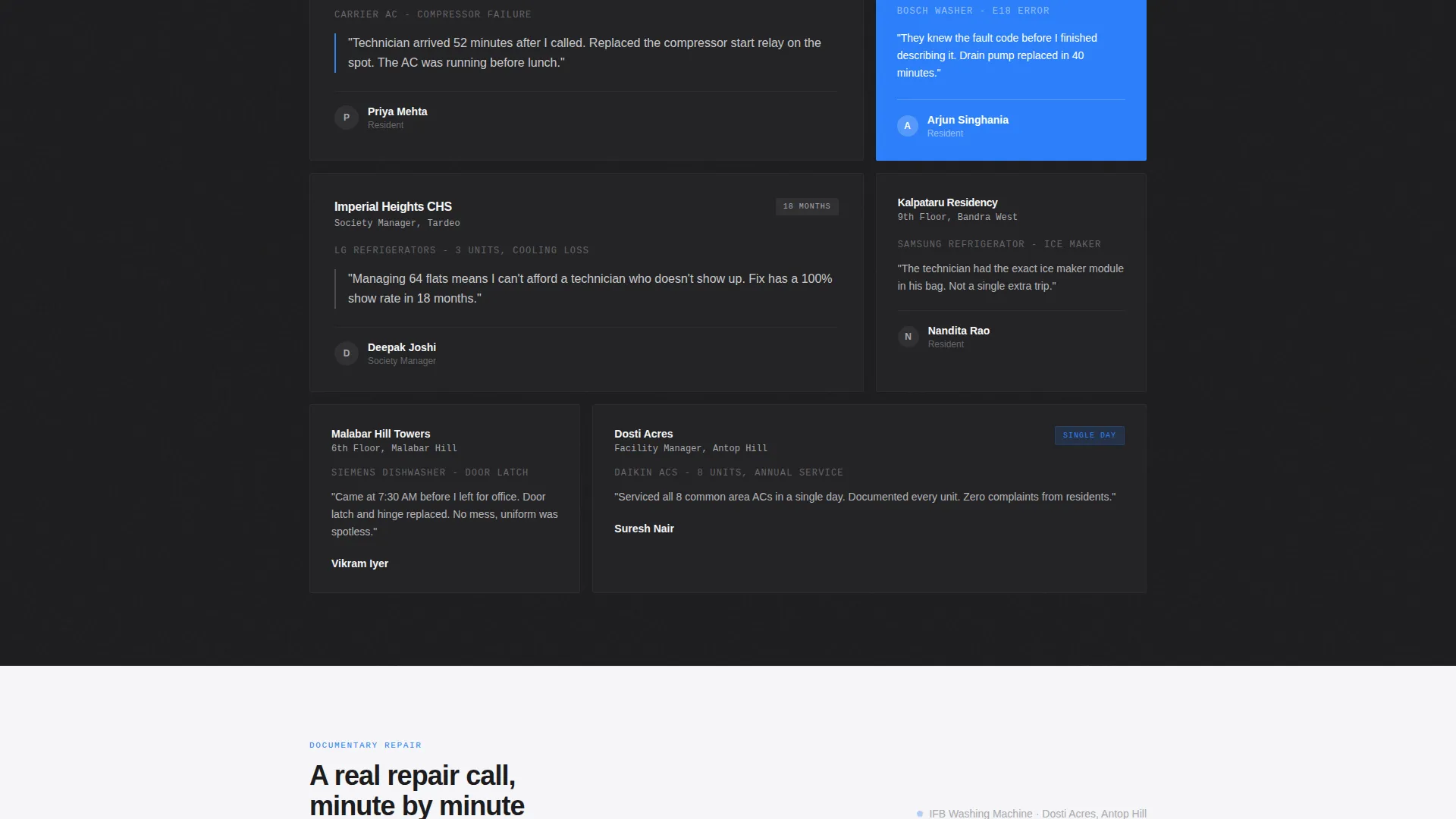
Society Testimonials Section
Named building testimonials show real repair outcomes tied to specific Mumbai addresses and appliance types. The format reads like a service record, which reinforces the documentary tone of the page.
Structured Booking Form
The booking form collects appliance type via dropdown, brand name, flat location with Mumbai pin code autofill, and a preferred time slot in two-hour windows. The primary call-to-action button appears immediately below the data header and again in the sticky mobile bar.
WhatsApp Conversion Path
A secondary call to action opens a pre-filled WhatsApp message addressed to the service number. This path is designed for clients who prefer to describe the problem by voice note rather than filling out a form.
Page sections overview
| Section | Purpose |
|---|---|
| Data Stats Header | Opens with live-counter proof figures |
| Brand Logo Strip | Scrolls every serviced appliance brand |
| Brand Model Grid | Reveals models and parts per brand |
| Society Testimonials | Shows named building repair outcomes |
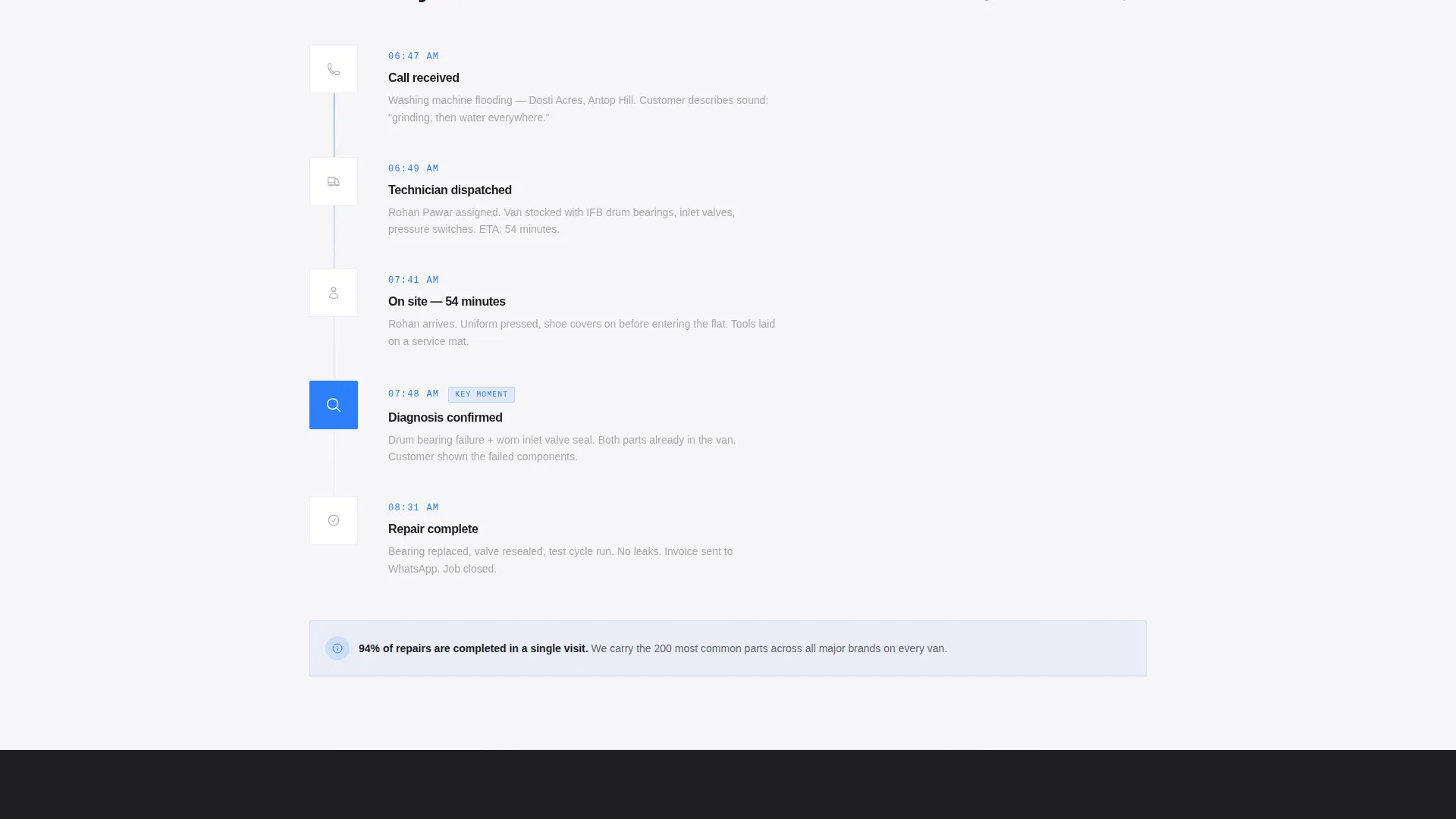
| Repair Call Timeline | Documents a real visit in visual sequence |
| Booking Form Block | Collects job details and time preference |
| Sticky Mobile Bar | Keeps primary call to action visible |
| WhatsApp Shortcut | Opens a pre-filled message for quick contact |
Design & branding system
The template uses an Executive Suite theme expressed through a Monochrome Steel colour palette. Every colour choice has a functional role, and nothing is decorative without purpose.
- Deep appliance charcoal (#1C1C1E) forms the header and section backgrounds
- Brushed stainless (#A8A9AD) renders all primary typographic data and logo treatments
- Clean enamel white (#F5F5F7) provides the main content surface for mid-page sections
- Service-call blue (#2D7FF9) is reserved exclusively for buttons, active states, and the counter pulse accent
Mobile & speed optimization
The single-column layout is built to perform on mobile, where the majority of urgent appliance repair searches happen. The sticky bottom bar ensures the booking call to action is never more than a thumb-tap away.
- Sticky bottom bar anchors "Book a Visit Now" on every scroll position on mobile
- Single-column flow removes horizontal complexity and keeps the reading path uninterrupted
- Two-hour time slot windows in the form reduce decision friction on small screens
How this template helps you convert
The template is structured to reduce drop-off at every stage of the visitor journey. Trust is established before the booking form is ever reached.
- The data header builds immediate credibility with specific numbers before the visitor reads a single line of copy, lowering the barrier to scroll further.
- The brand grid and testimonials layer social proof progressively, so by the time the visitor reaches the booking form, the decision is largely made.
- The dual conversion path (form plus WhatsApp) captures both methodical planners and time-pressured clients who need a repair confirmed in under two minutes.
Other information about this template
This template is designed specifically for the Mumbai appliance repair market, where response time and brand coverage are the two most persuasive factors for a first-time client.
- The visual identity is intentionally restrained, using a professional monochrome system to stand apart from the cluttered look of most local service pages
- The documentary-style repair timeline section can be adapted to show step-by-step service photos or a technician arrival sequence
- The template suits services covering areas such as Malabar Hill, Worli, and Bandra, where clients expect a polished first impression alongside fast response times
- The pin code autofill field in the booking form is pre-configured for Mumbai postal codes, reducing form abandonment on location fields
Theme
Executive Suite
Creative direction
Logo Wall Authority
Color system
Monochrome Steel
Style
Single Column Flow
Direction
Booking/Scheduling
Page Sections
Live Statistics Data Header
Scrolling Brand Logo Wall
Interactive Brand and Model Grid
Named Building Testimonials
Structured Booking Form with Time Slots
Whatsapp Quick Conversion Path
Related questions
Can I update the service statistics shown in the data header?
How does the WhatsApp booking path work?
Can I edit the brand logo wall to match the appliances I service?
Is this template suitable for a solo technician as well as a team?
Does the booking form support Mumbai pin code lookup?



