Specialist Restoration & Preservation Professional Website Template
Restore is a hero-dominant fire damage restoration landing page template built for companies that respond when disaster strikes. It follows a Problem to Solution scroll arc, pairing raw damage photography with clear process explanations and a focused lead generation form. The warm stone color system and agrarian visual identity project calm authority at the moment clients need it most.
by Rocket studio
Quick summary
Restore is a single-page fire damage restoration template designed to convert distressed property owners into booked assessments. The layout moves visitors from wreckage to resolution through a deliberate scroll arc. A full-bleed hero photograph, plain-spoken copy, and a focused three-field form work together to earn trust before asking for anything.
Who this template is for
This template is built for restoration contractors who respond to fire, smoke, and water damage emergencies. It speaks directly to the people those contractors serve and positions the company as a calm, capable presence from the first scroll.
- Fire and smoke damage restoration companies seeking qualified residential and commercial leads
- Property managers and restoration firms handling multi-unit or commercial loss events
- Independent restoration crews ready to present their process with visual credibility
What problem this template solves
When a fire happens, the property owner is overwhelmed. They need to feel understood before they will trust a contractor. Generic service pages with stock photography and vague promises push anxious clients away rather than toward action.
- Visitors cannot tell whether a restoration company is competent or just available
- Standard contact forms feel cold when a family is standing in a driveway at 2 a.m.
- Most restoration pages lead with credentials instead of leading with empathy and process clarity
What you get with this template
The template delivers a structured single-page layout that guides the visitor from emotional acknowledgment of the damage through a clear explanation of the restoration process, ending at a low-friction lead form. Every section serves a purpose in that arc.
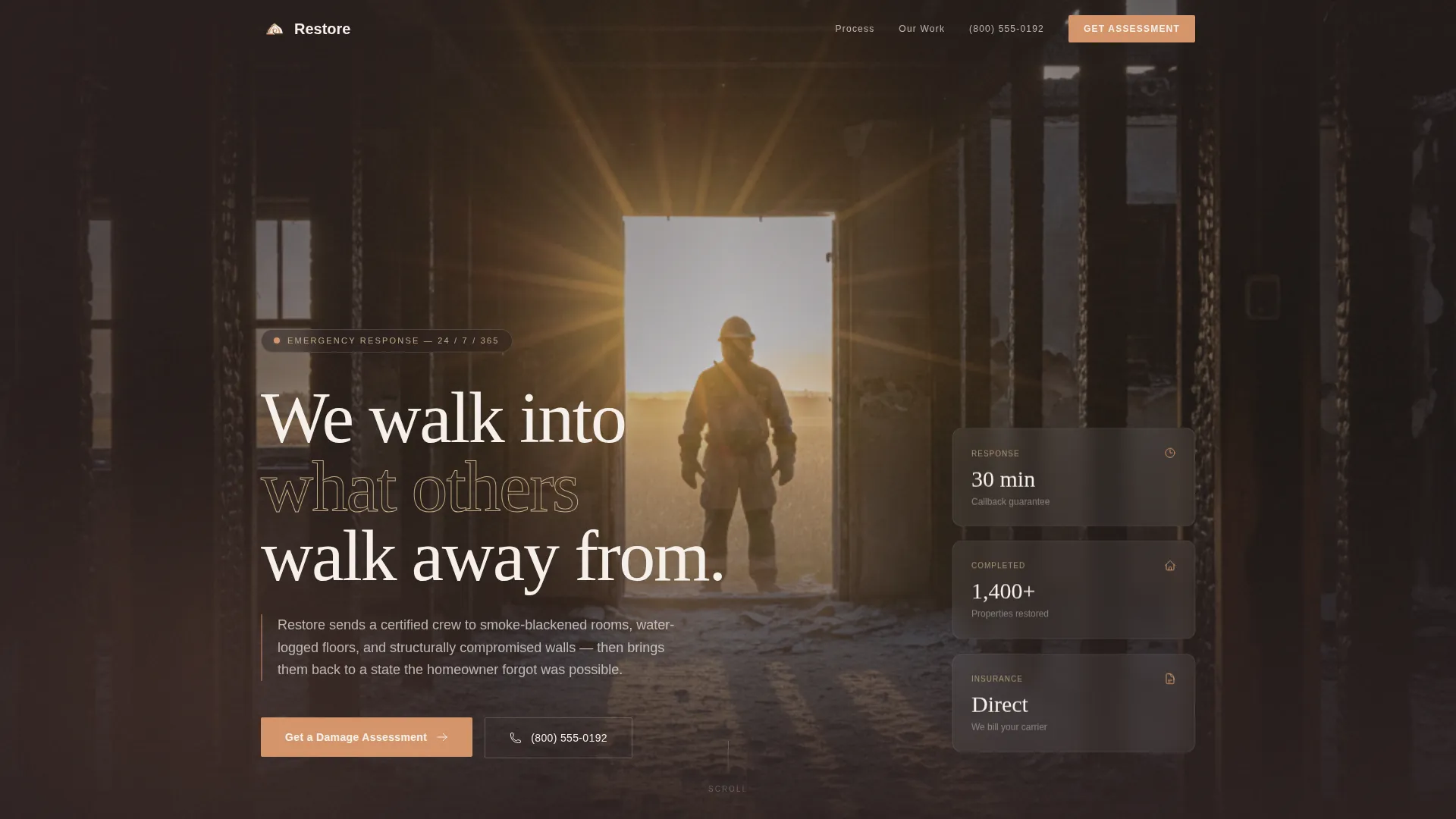
- A full-bleed hero section with headline overlay, built to accept a real job-site photograph
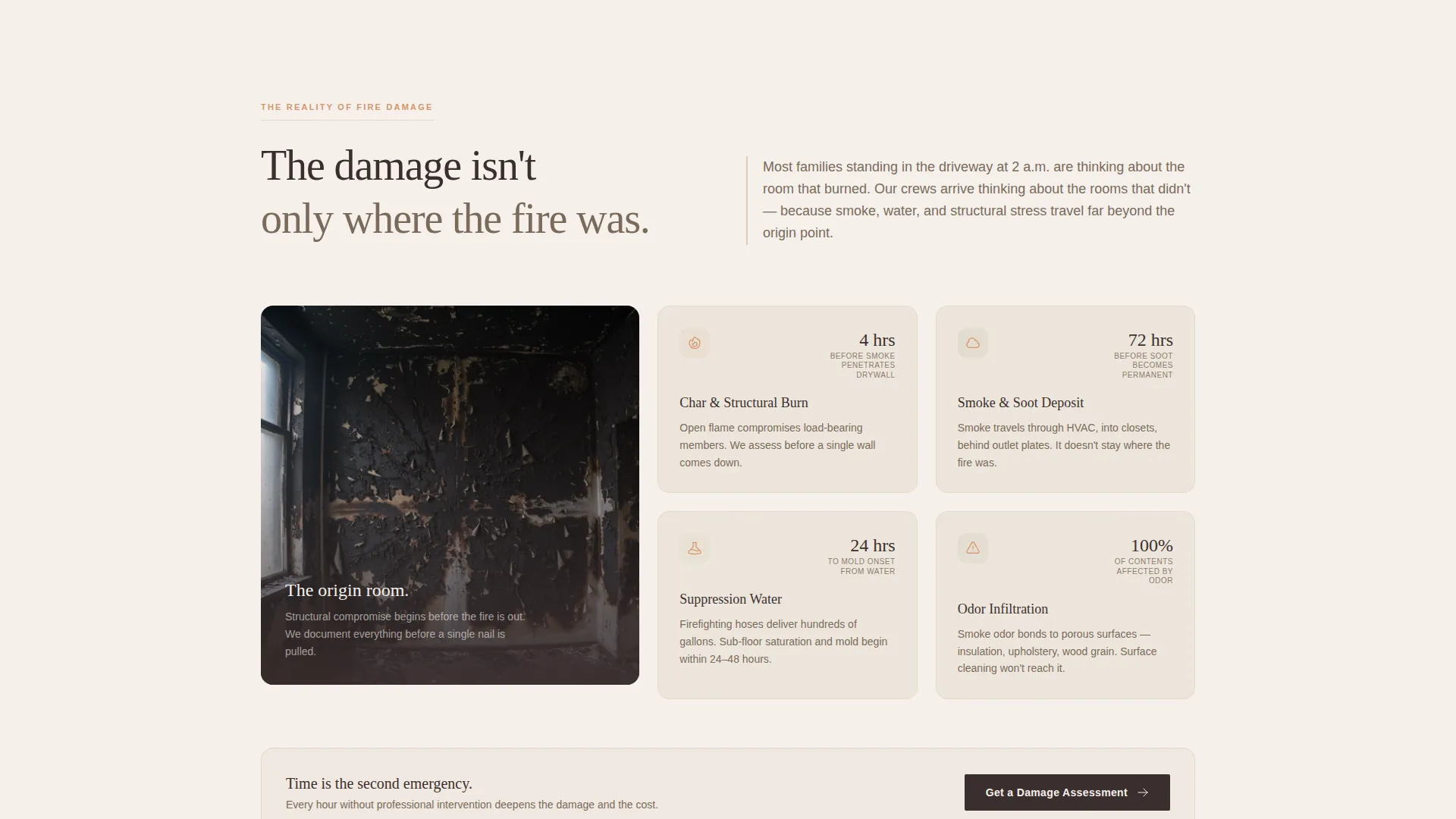
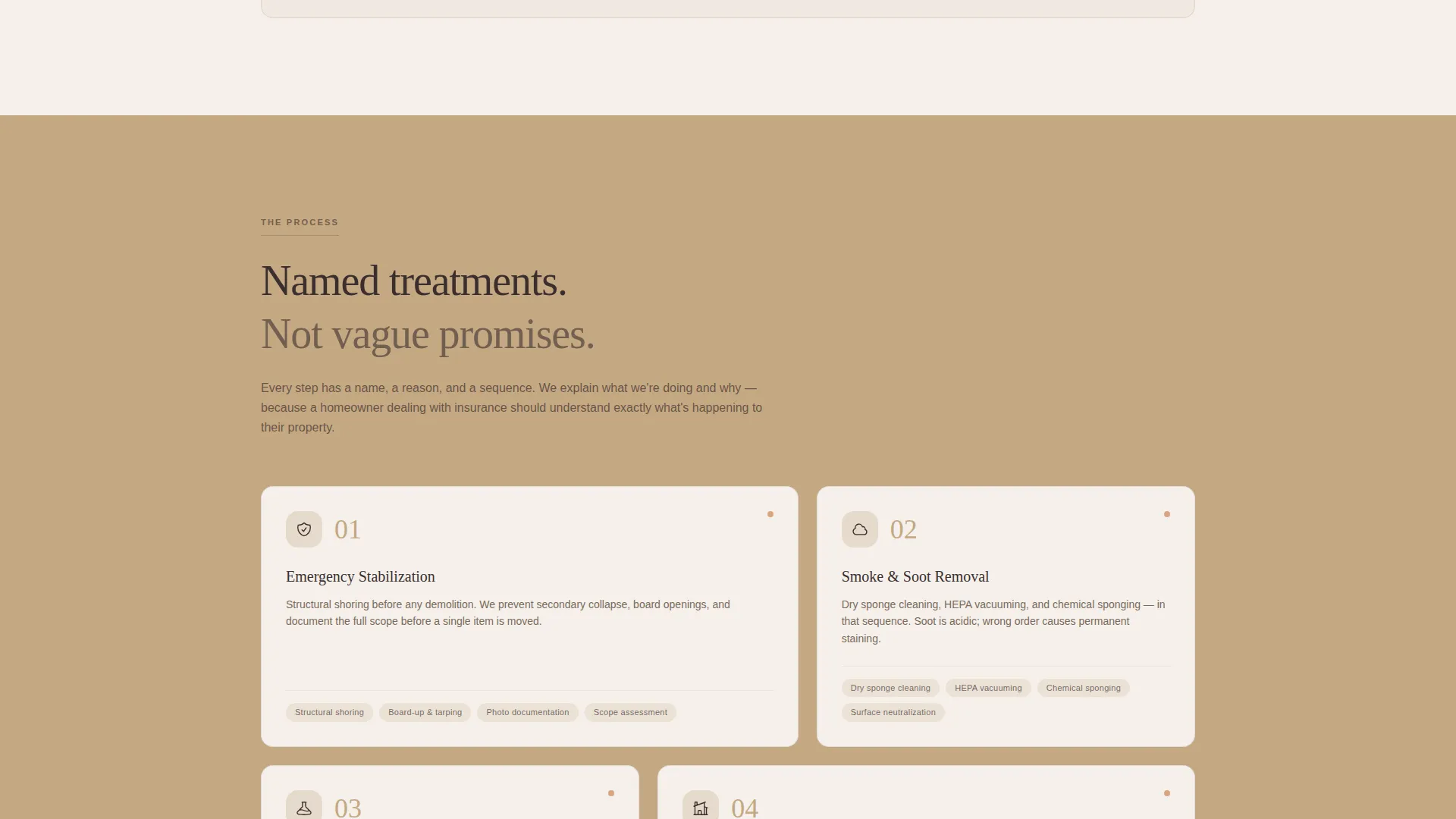
- A Problem to Solution scroll structure that names each damage type and answers it with a specific process
- Two lead generation touchpoints: a three-field damage assessment form and a tappable phone banner for mobile visitors
Feature list
A paragraph introducing the features section keeps this section readable and grounded.
Each feature below reflects a specific capability or design decision described in the source brief. Nothing here is speculative.
Hero-Dominant Full-Bleed Header
The header occupies the full viewport with a dramatic job-site photograph. Charred framing on both sides and golden natural light flooding inward create an immediate visual statement. A low-left headline placement lets the image breathe while delivering a calm, unhurried message.
Problem to Solution Scroll Arc
The page structure moves deliberately from damage reality to restoration resolution. Early sections name specific problems plainly: smoke penetration, structural compromise, and suppression water. Each problem is then answered with a named process such as thermal fogging, ozone treatment for textiles, and structural shoring.
Focused Three-Field Lead Form
The damage assessment form asks only three things: property type (home, apartment, or commercial), cause of damage (fire, smoke, or suppression water), and a phone number with a visible "We call within 30 minutes" commitment. Fewer fields means fewer drop-offs.
Mobile Tappable Phone Banner
A secondary conversion path appears as a prominent tappable banner on mobile screens. Visitors who are not ready to complete a form can reach a human voice in one tap. This path acknowledges that some emergencies require immediate human contact.
Before and After Restoration Gallery
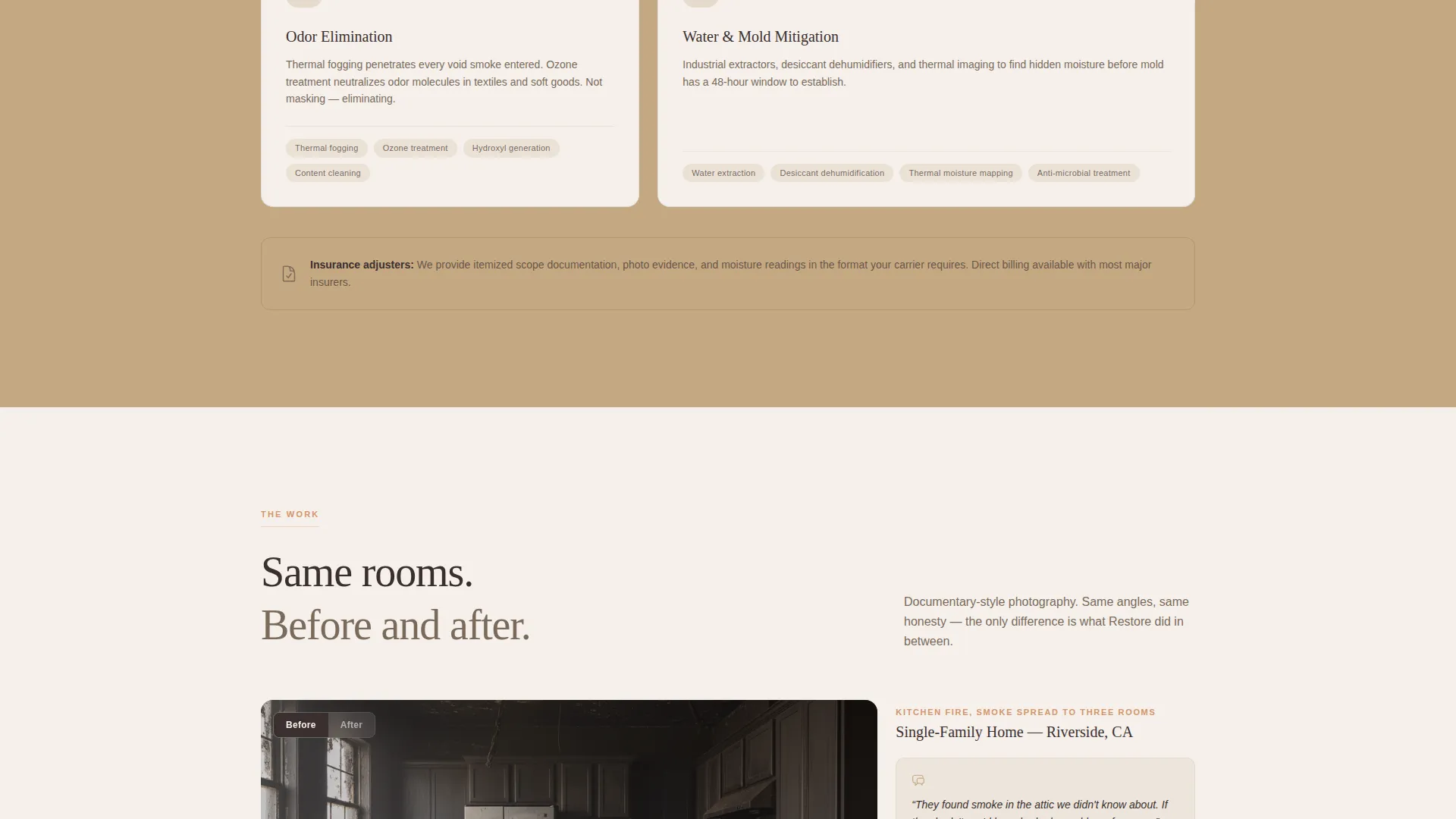
The final scroll section presents completed restorations photographed in the same documentary style as the damage images. Matching angles and honest framing let the work speak for itself without promotional language.
Warm Stone Visual Identity System
The Agrarian Root color system uses hearthstone tan, scorched timber, river-washed clay, and fieldstone white. Each color carries a specific role: dark timber anchors headers and footers, river-washed clay marks every clickable element, and fieldstone white gives text room to breathe.
Page sections overview
| Section | Purpose |
|---|---|
| Full-bleed hero | Establishes emotional tone and holds the headline with a job-site photograph |
| Hero call to action placement | Places the primary "Get a Damage Assessment" button directly below the hero image |
| Damage reality section | Names fire, smoke, and suppression water problems plainly without dramatizing |
| Process explanation section | Pairs each damage type with a specific named restoration method |
| Restoration gallery | Shows completed before-and-after work in matching documentary photography |
| Second call to action form | Repeats the three-field lead form after the gallery for visitors who scroll the full page |
| Mobile phone banner | Provides a tappable direct-dial path for visitors on mobile devices |
Design & branding system
The Warm Stone palette is not decorative. Every color choice connects to the physical materials of a restored farmhouse, reinforcing trust through visual consistency. The design feels like a space that has already been through something and come out steady.
- Hearthstone tan (#C4A882) fills section backgrounds, river-washed clay (#D4956A) marks all clickable elements, scorched timber (#3B2F2F) anchors headers and footers, and fieldstone white (#F5F0EB) provides text breathing room
- Typography is plain and unhurried, reflecting the tone of a steady voice in a crisis rather than a promotional pitch
- Photography direction calls for real job-site images: charred interiors, natural light, a single worker in the frame to signal human presence and competence
Mobile & speed optimization
The template is structured to perform on mobile screens, which matter most for this audience. Someone whose property just burned is often outside, on a phone, with shaking hands. The layout adapts to serve that person first.
- The tappable phone banner appears prominently on mobile so one-tap calling requires no scrolling or searching
- The three-field form is intentionally minimal, reducing friction for visitors completing it on a small touchscreen
- Full-bleed photography sections are composed to remain legible and impactful at phone-screen widths
How this template helps you convert
The page earns trust before it asks for anything. That sequence is deliberate, and it mirrors how a skilled restoration professional would actually speak to a distressed property owner.
- The hero section establishes competence visually and emotionally before any service claim is made, so the visitor arrives at the form already in a state of consideration rather than skepticism
- The Problem to Solution arc demonstrates that the company understands the specific damage types the visitor is dealing with, making the lead form feel like a natural next step rather than a cold interruption
- The before-and-after gallery closes the argument with documented proof, so the second call to action placement meets a visitor who has already seen the outcome they are hoping for
Other information about this template
This template is designed for a specific niche within the broader construction and home services category. It sits at the intersection of restoration work and emergency response, where trust and speed matter equally. A few additional notes are worth considering before customizing.
- The template fits the Restoration and Preservation subcategory within Construction and Home services, making it suitable for companies that present their work as skilled craft rather than commodity cleanup
- The Agrarian Root theme and Warm Stone color system are intentional differentiators in a niche where most competitors use clinical blues and generic stock photography
- The hero photograph direction, a single worker standing in the light of a blown-out doorframe, is a specific creative brief that rewards investment in real job-site photography over library images
- Page copy is written to serve three distinct visitor types simultaneously: homeowners in immediate crisis, insurance adjusters reviewing options, and property managers facing tenant pressure
Theme
Agrarian Root
Creative direction
Problem→Solution Arc
Color system
Warm Stone
Style
Hero-Dominant (90/10)
Direction
Lead Generation
Page Sections
Hero-dominant Full-bleed Header
Problem to Solution Scroll Arc
Focused Three-field Lead Form
Mobile Tappable Phone Banner
Before and After Restoration Gallery
Warm Stone Agrarian Color System
Related questions
What type of business is this template designed for?
Can I use my own job-site photographs in this template?
What does the lead generation form collect from visitors?
Does the template include a direct-call option for mobile visitors?
Is this template suitable for companies serving both homeowners and commercial property managers?



