Restore — Trusted Home Repair Landing Page Template
Fixit is a split-screen landing page template built for Miami handyman services. It pairs an editorial magazine aesthetic with a content-driven layout, guiding visitors through real homeowner questions, credibility pull-quotes, and a gated maintenance checklist. The result is a polished, trust-building page that turns browsers into booked clients.
by Rocket studio
Quick summary
Fixit is a single-page template designed for local handyman businesses serving Miami-area homeowners. It opens with a giant centered headline, unfolds as a FAQ-driven editorial scroll, and closes with a gated checklist offer. The Cloud Canvas color system and clean serif typography signal a professional crew without feeling corporate or generic.
Who this template is for
This template is built for hands-on home repair professionals who want a page that earns trust before the phone rings. It works especially well for operators with a broad service range and a local reputation worth showcasing.
- Solo handyman operators and small crews serving a defined metro area
- Airbnb hosts and property managers who need a fast, credible first impression
- Established local services ready to move beyond a basic contractor listing
What problem this template solves
Most handyman websites look interchangeable. Stock photos, vague promises, and a phone number buried in a footer do not close jobs. Fixit solves the credibility gap by letting the page content do the selling through real questions, honest answers, and a useful resource.
- Visitors arrive skeptical; the FAQ-driven layout addresses objections before they form
- Condo owners, homeowners, and short-term rental hosts need different reassurances; the scroll covers all three audiences naturally
- A gated checklist converts curious visitors into warm leads without a hard sales push
What you get with this template
You get a fully structured single-page layout ready to fill with your own service details, photos, and pricing ranges. Every section is purposeful and editorially composed, so the page feels finished from the first scroll.
- A split-screen (50/50) layout with alternating Cloud Canvas white and sidewalk gray panel backgrounds
- A giant centered headline section, FAQ question-and-answer spread panels, pull-quote statistics blocks, and a gated checklist form
- A coral accent color reserved for buttons, callout numbers, and hover states so every action point is visually distinct
Feature list
This template ships with distinct layout components that work together as a coherent editorial experience.
Giant Centered Headline Section
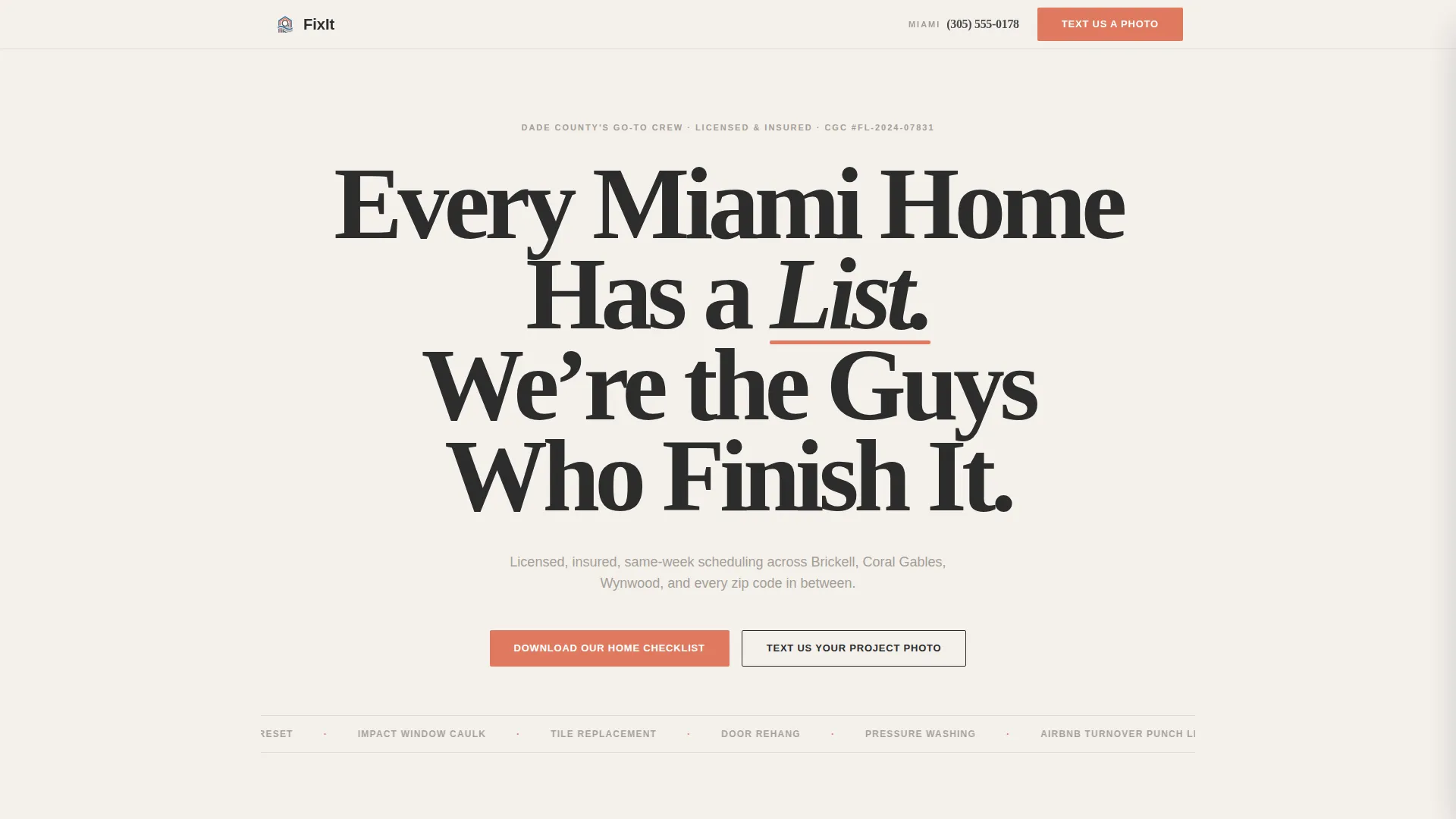
The header spans the full viewport in massive serif type, minimum 120 pixels on desktop. A coral accent underlines one key word, and a single subline in sidewalk gray sets the service promise below. No background image competes with the type.
FAQ-Driven Split-Screen Panels
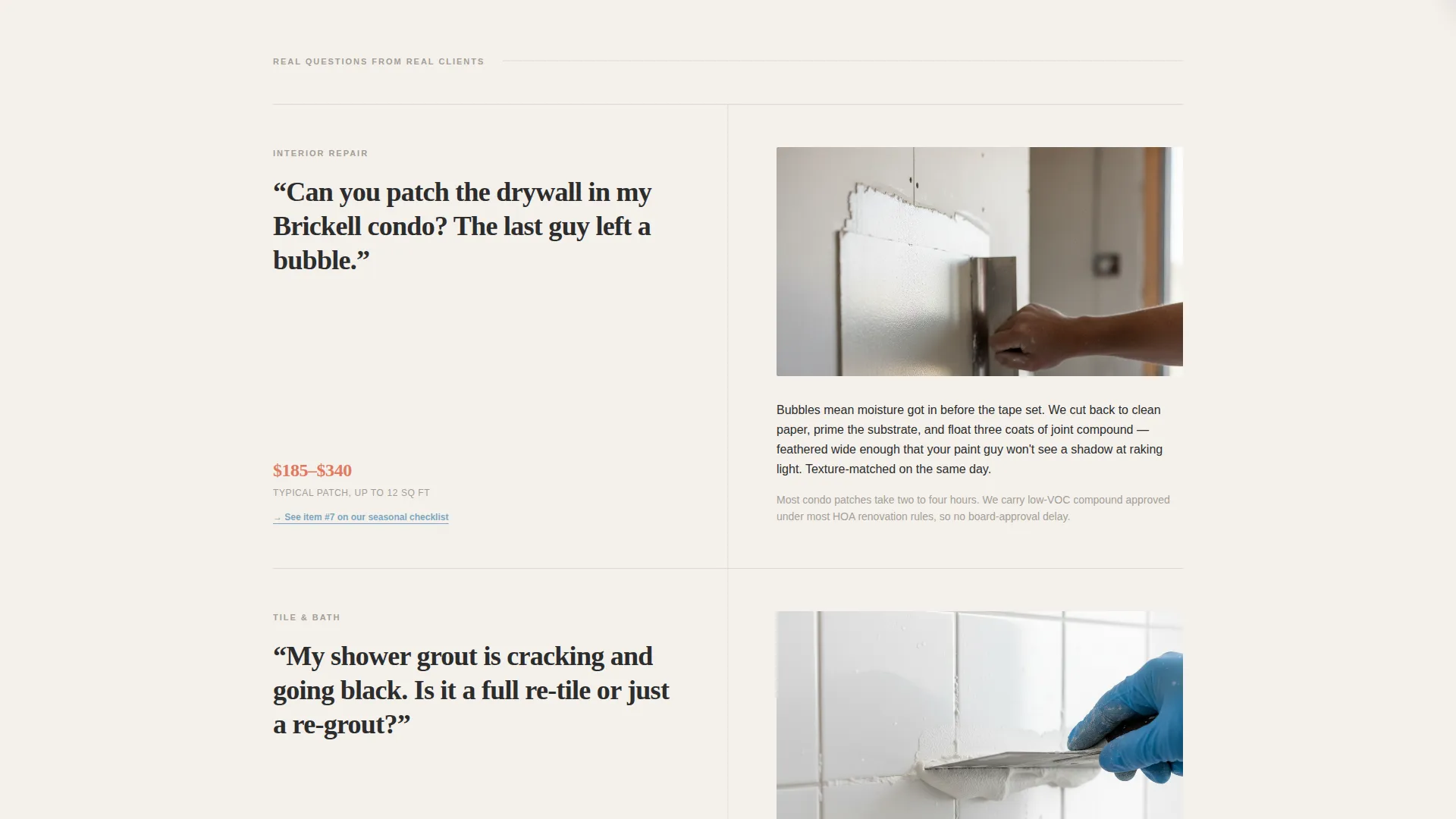
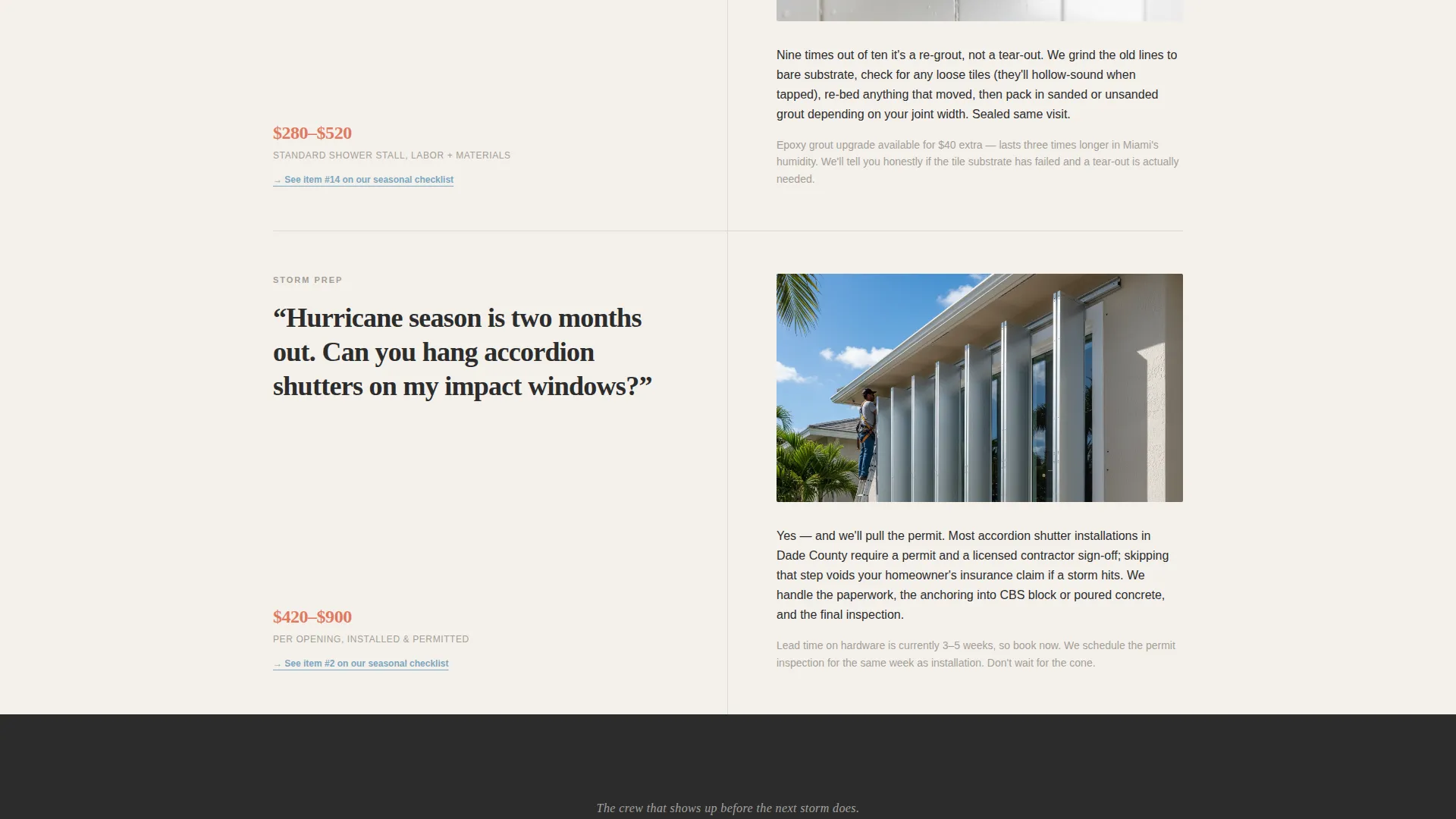
Each question-and-answer pair occupies a full spread. The left panel displays the homeowner question in editorial type. The right panel answers with a short paragraph, a material close-up photo placeholder, and a quoted price range. The rhythm builds from small fixes to full-day projects.
Credibility Pull-Quote Blocks
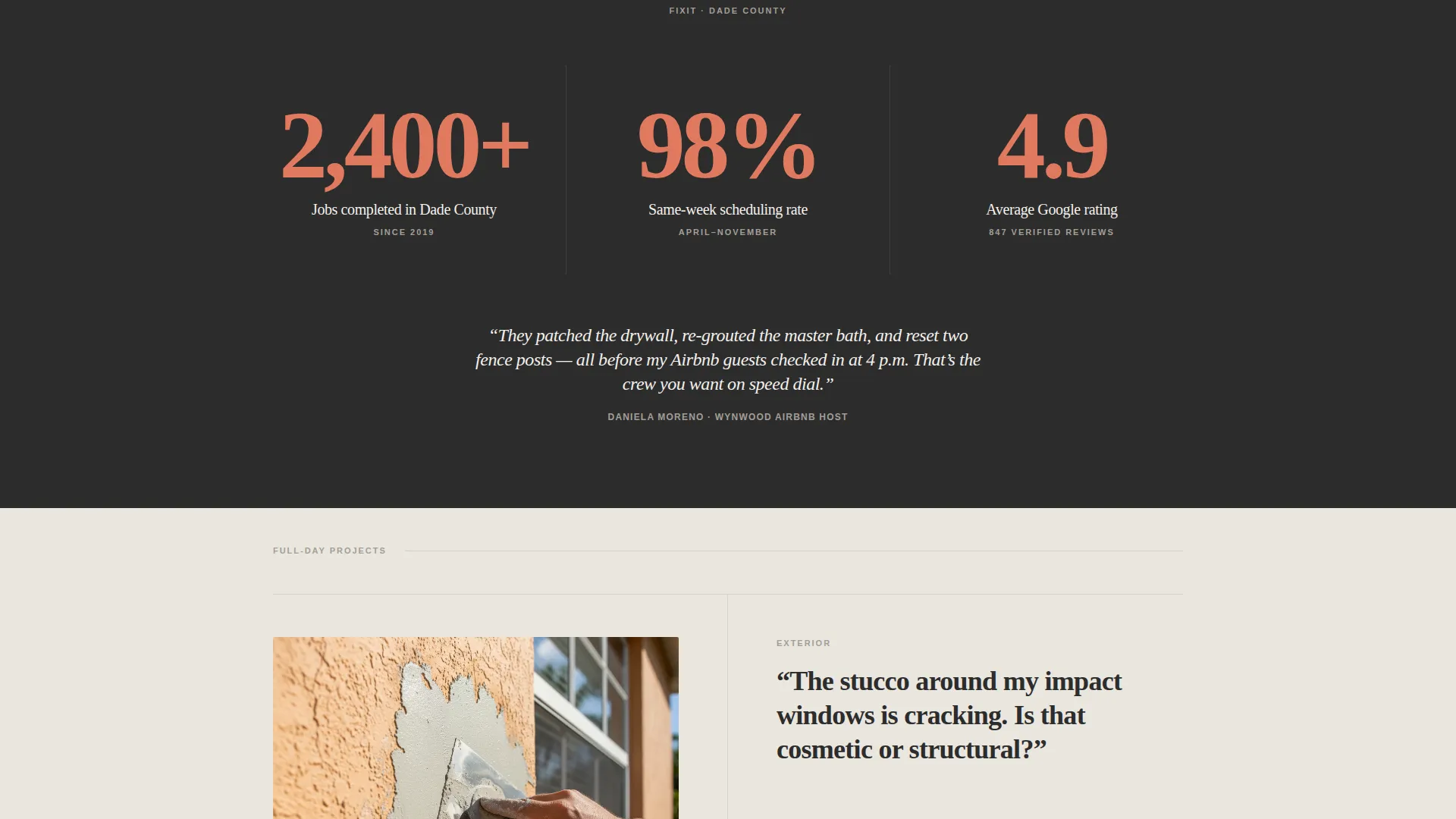
Between FAQ clusters, full-width pull-quote statistics break the scroll pattern. These blocks rebuild visitor confidence with job-count figures before the next question lands. The coral and sidewalk gray palette keeps them visually distinct from the answer panels.
Gated Checklist Lead Form
The primary call to action is a downloadable home maintenance checklist. A first-name and email field slides in from the right panel without leaving the page. FAQ answers reference specific checklist items throughout the scroll, so the resource feels relevant before the form appears.
Tap-to-Text Mobile Path
A secondary call to action surfaces a phone number with a tap-to-text link formatted for mobile visitors. This gives time-sensitive clients, such as Airbnb hosts facing a same-day turnover, a direct path to reach the crew fast.
Alternating Panel Backgrounds
Section backgrounds alternate between cumulus white (#F4F1EC) and warm sidewalk gray (#A39E96). The rhythm gives each content block its own visual breathing room without requiring additional graphic elements.
Page sections overview
| Section | Purpose |
|---|---|
| Giant Headline Header | Sets brand promise and stops the scroll |
| FAQ Spread Panel 1 | Addresses small-fix questions with pricing |
| Pull-Quote Statistics | Rebuilds credibility between FAQ clusters |
| FAQ Spread Panel 2 | Covers mid-scale repair questions |
| Pull-Quote Break | Reinforces job-count social proof |
| FAQ Spread Panel 3 | Presents full-day project scope |
| Checklist Lead Form | Captures first name and email for the resource |
| Tap-to-Text Footer | Provides fast mobile contact path |
Design & branding system
The template uses an Editorial Magazine theme built on the Cloud Canvas color system. Every palette choice is deliberate, and whitespace is treated as a design element rather than empty space.
- Colors: cumulus white (#F4F1EC) and sidewalk gray (#A39E96) for backgrounds; faded awning blue (#7CA6BF) for editorial accents; sunbleached coral (#E07A5F) for buttons, callout numbers, and hover states; deep charcoal (#2C2C2C) for body text
- Typography: a clean serif set at editorial scale, with the headline reaching a minimum of 120 pixels on desktop, creating an immediate contrast against the restrained layout
- Visual style: airy, unhurried, and confident; the design references the feeling of a lifestyle magazine open on a terrazzo countertop, letting generous whitespace carry the authority
Mobile & speed optimization
The split-screen layout is structured to restack gracefully on smaller screens. The tap-to-text secondary call to action is specifically designed for mobile visitors who need fast access.
- The 50/50 panel structure collapses to a single-column stacked view on mobile devices
- The tap-to-text phone link provides a one-tap contact path without requiring the visitor to navigate away
- The checklist form slides in from the right panel inline, so mobile visitors can complete it without a page reload
How this template helps you convert
The template is built around a content-and-resource conversion model. Every layout decision moves the visitor closer to submitting their details or reaching out directly.
- The FAQ scroll answers real objections in sequence, so visitors arrive at the checklist form already convinced the service understands their situation.
- The gated checklist offer trades genuine value for a first name and email, creating a warmer lead than a generic contact form would produce.
- The tap-to-text path gives mobile visitors who are ready to act right now a direct line to the crew, capturing intent at its peak.
Other information about this template
Fixit is categorized under Professional Services and Miami Local Services, making it a practical fit for any skilled trades operator who wants a polished web presence without starting from scratch.
- The template style is Split Screen (50/50), a layout well-suited to the question-and-answer content rhythm established throughout the page
- The landing page direction is Content/Resource, meaning the page is built around delivering useful information rather than pushing a hard sell
- The niche context centers on Miami home repair and local handyman services, but the structure adapts to any metro-area skilled trades business with a defined service area
- The creative direction is FAQ-driven editorial, which pairs naturally with service businesses that handle a wide range of jobs and need to communicate scope without overwhelming the visitor
Theme
Legal Shield
Creative direction
Testimonial Mosaic
Color system
Charcoal & Amber
Style
Split Screen (50/50)
Direction
Content/Resource
Page Sections
Giant Centered Headline Header
Faq-driven Split-screen Layout
Credibility Pull-quote Statistics
Gated Checklist Lead Form
Tap-to-text Mobile Contact
Related questions
Can I edit the FAQ questions and answers to match my own services?
Does this template include the actual home maintenance checklist file?
Is this template suitable for a handyman business outside Miami?
How does the tap-to-text feature work on the template?
Can I adjust the coral accent color to match my own brand?



