Retiree Insurance Cost Estimator Website Template
Shield is a single-column retiree renters insurance landing page built around calm authority and real dollar figures. An animated belongings counter, a three-slider coverage estimator, and five factual claim scenarios work together to move hesitant retirees from curiosity to a completed quote request, all within one focused, unhurried page.
by Rocket studio
Quick summary
Shield is a lead-generation landing page for retiree-focused renters insurance. It opens with an animated data story, moves immediately into an interactive coverage estimator, and walks visitors through five real claim scenarios before presenting a low-friction quote form. The design feels like a trusted attorney's folio, dignified, serif-forward, and built to reassure.
Who this template is for
This template is built for insurance providers and agents who serve renters over 65. It speaks directly to people whose belongings have real sentimental and financial weight, and whose coverage needs are often overlooked by generic policies.
- Retirees renting condos, managed apartments, or senior communities
- Recently widowed individuals moving into smaller rental units
- Adult children researching renters insurance coverage for aging parents
What problem this template solves
Many retirees rent without any personal property coverage, often assuming their building's insurance protects their belongings. This template addresses that gap by making the financial risk visible and the solution feel within reach.
- Visitors often don't know the combined value of their belongings until they see it calculated
- Standard renters insurance pages feel built for younger audiences, not retirees with heirlooms and medical devices
- Hesitant visitors need a secondary path that builds trust before they commit to a full quote
What you get with this template
You get a complete, single-column landing page designed for one purpose: converting retiree renters into insurance leads. Every section earns its place by moving the visitor one step closer to a decision.
- An animated hero counter, interactive coverage estimator, and five claim-proof scenarios
- A multi-step lead capture form pre-filled from the calculator result, plus a secondary email-only checklist offer
- A trust bar with licensing badges, rating display, and claims line reassurance, plus a deep plum footer
Feature list
This template's features are drawn directly from the brief. Each one reflects a deliberate design and functionality decision.
Animated Belongings Counter
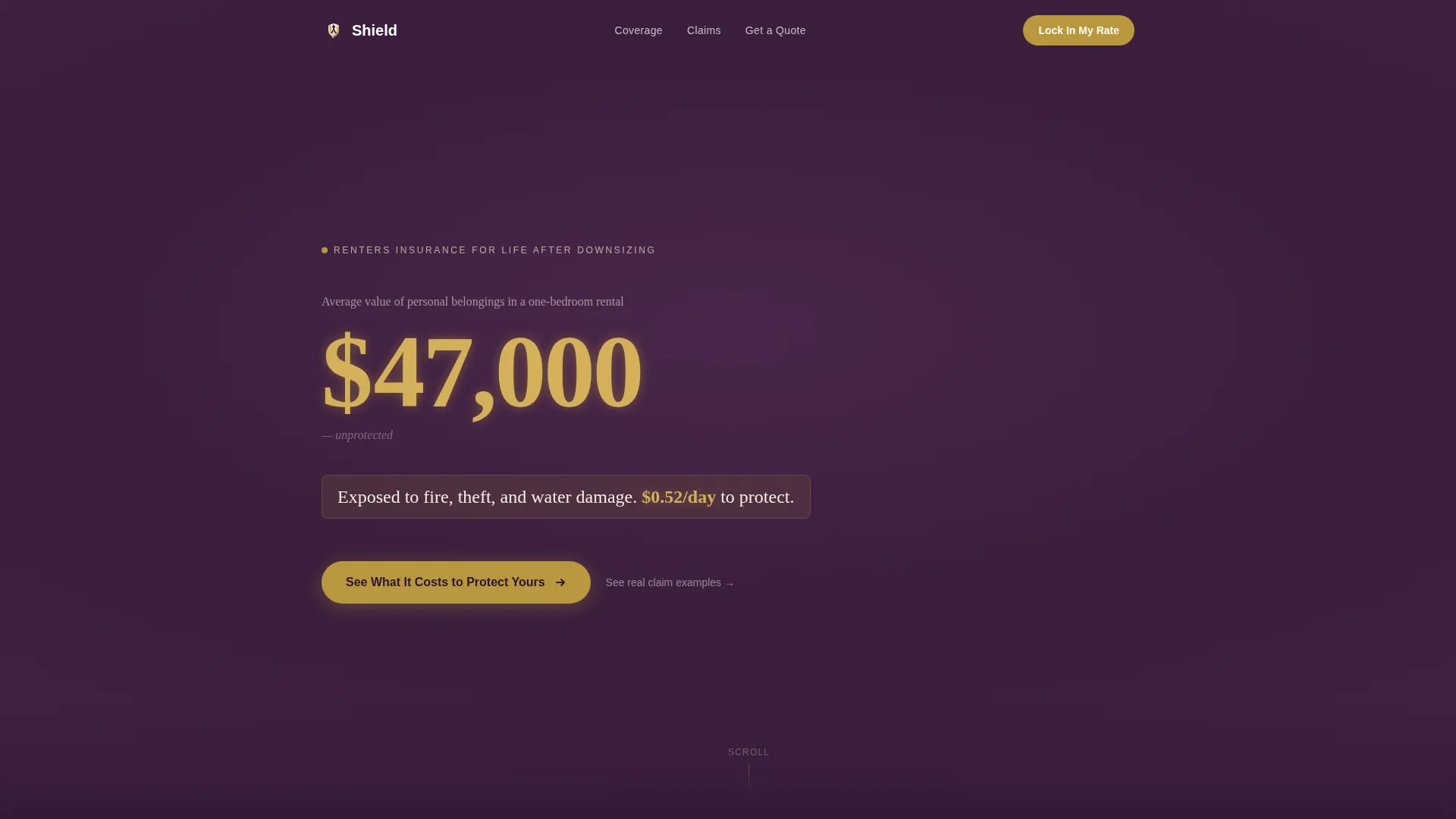
The hero opens with a number that climbs from $0 to $47,000, labeled as the average value of personal belongings in a one-bedroom rental. A second line fades in to reveal the daily cost of coverage. The sequence runs in large serif type against deep plum, with muted gold pulsing on the dollar figures.
Three-Slider Coverage Estimator
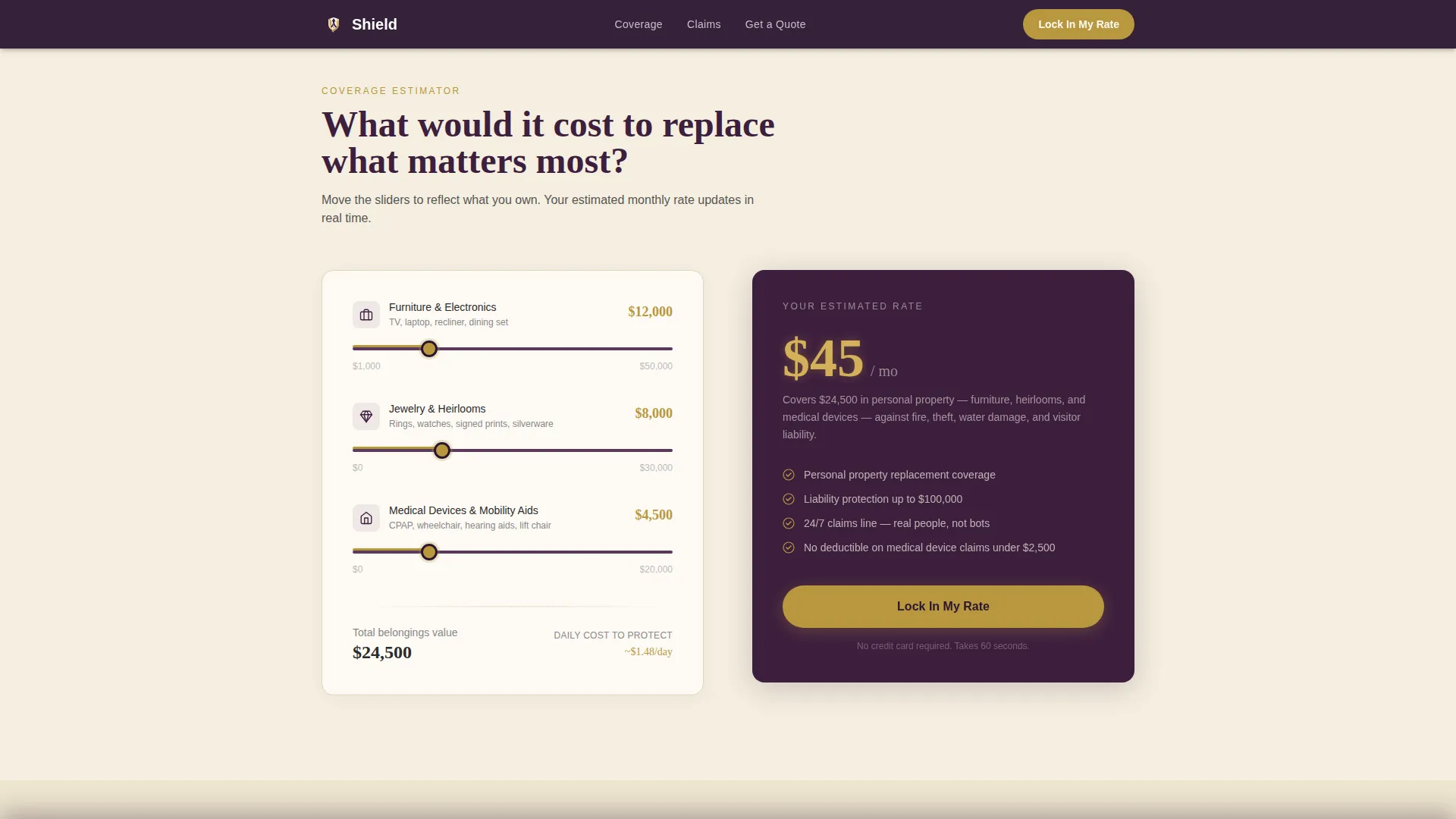
Immediately below the hero, visitors adjust three independent range sliders covering furniture and electronics, jewelry and heirlooms, and medical devices and mobility aids. Each slider movement updates a live monthly premium estimate displayed in muted gold, giving visitors a personalized number before they ever see a form.
Five Claim Scenario Proofs
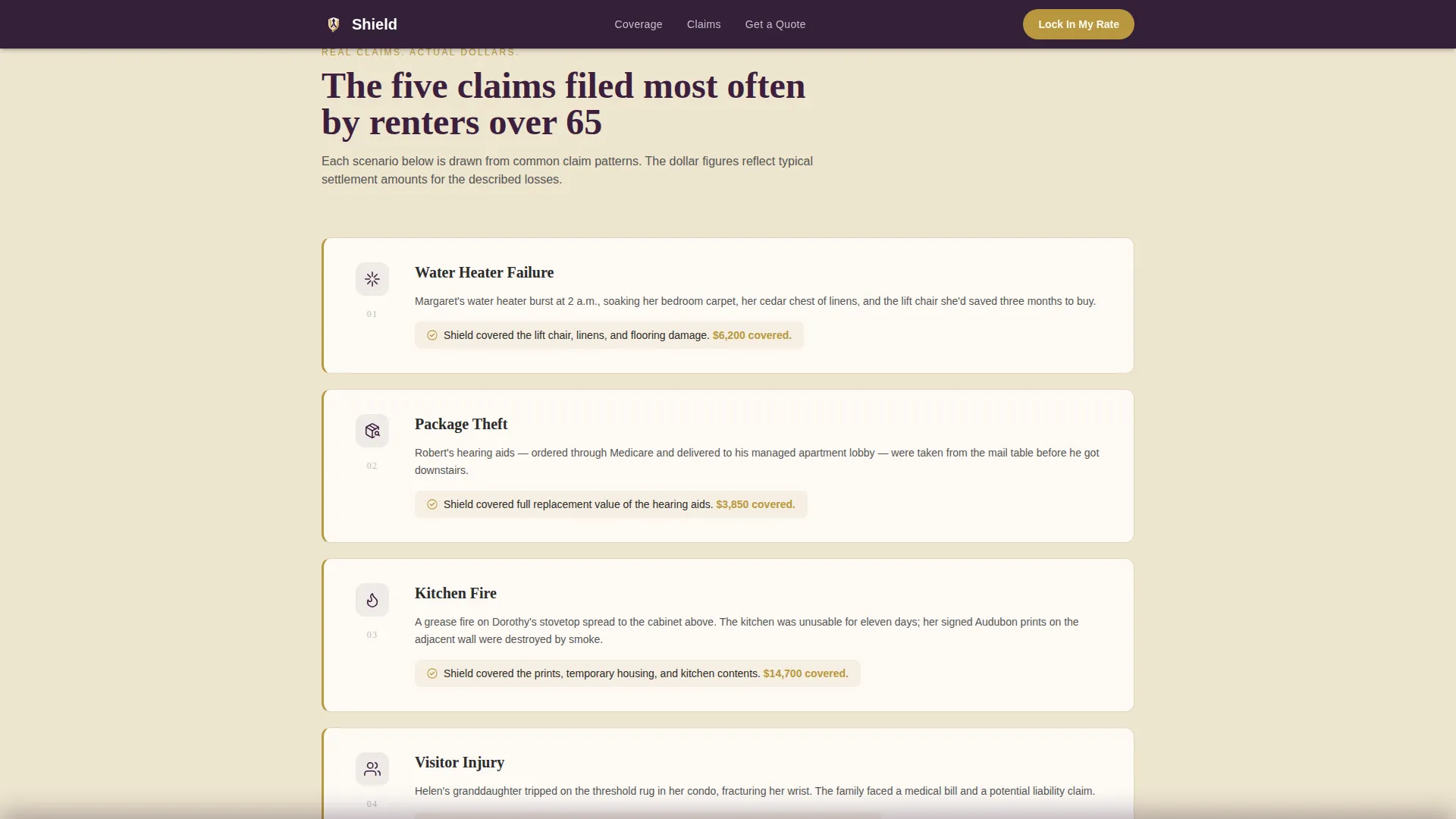
The page walks through five common claims filed by renters over 65: water heater failure, package theft, kitchen fire, visitor injury, and pipe burst. Each scenario is presented as a single sentence with the dollar amount the policy would have covered, building compounding confidence through calm, factual repetition.
Multi-Step Lead Capture Form
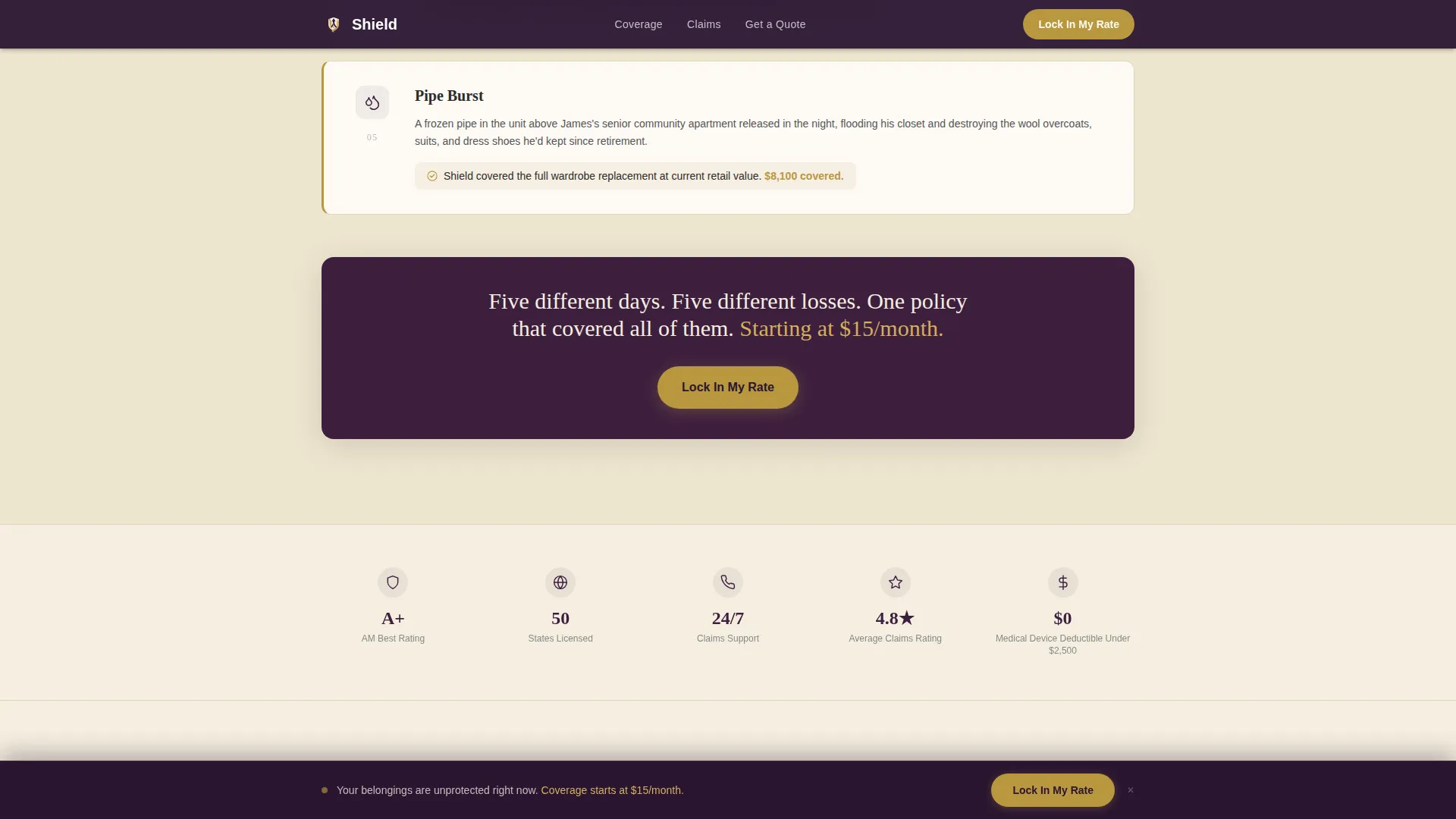
The primary call to action, labeled "Lock In My Rate," appears first beneath the calculator result and again as a sticky bottom bar after the third claim scenario. The form collects zip code first, then rental type, then estimated belongings value pre-filled from the calculator, and finally name and phone number.
Secondary Checklist Capture Path
Visitors not yet ready to request a quote can download a printable renter's inventory worksheet in exchange for just an email address. This secondary path keeps hesitant visitors in the funnel without pressuring them toward a full quote form.
Trust Bar with Credentials Display
A dedicated trust bar presents licensing badges, an A-plus rating display, and a 24-hour claims line reassurance. This section is designed to answer unspoken doubts before the visitor reaches the final form step.
Page sections overview
| Section | Purpose |
|---|---|
| Hero Counter | Establish the financial stakes with an animated belongings value reveal |
| Coverage Estimator | Let visitors calculate a personalized premium before seeing the form |
| Claim Scenarios | Prove policy value through five factual, dollar-specific rental incidents |
| Lead Capture Form | Collect quote request details through a low-friction, multi-step flow |
| Checklist Offer | Capture email-only leads with a downloadable renter's inventory worksheet |
| Trust Bar | Reinforce credibility with licensing, rating, and claims response details |
| Footer | Close the page with brand anchoring on a deep plum linear layout |
Design & branding system
The visual language is built around the idea of a trusted attorney's leather folio: dignified, unhurried, and quietly confident. Every color and type choice reinforces that feeling of competent, calm protection.
- Deep plum (#3D1F3E) anchors the hero and footer; warm parchment (#F5EFE0) fills content sections for readability
- Muted gold (#B8973E) appears on interactive elements, slider inputs, and live premium estimates to draw attention without urgency
- Fraunces serif handles display headings while DM Sans carries body text, keeping the page readable and formally elegant
Mobile & speed optimization
The template is built desktop-first with full mobile optimization included, recognizing that many retirees browse on tablets. Interactive components are handled as client-side elements only, keeping the base page static and fast to load.
- The three-slider estimator and multi-step form render as isolated interactive components to avoid slowing the full page
- Scroll reveal animations, the sticky call-to-action bar, and the counter animation are scoped to avoid layout shift on smaller screens
- The single-column flow adapts cleanly to tablet and mobile viewports without restructuring the section order
How this template helps you convert
This template is built around a specific conversion logic: show the risk in concrete numbers, let the visitor personalize their exposure, then reduce the friction of taking the next step.
- The animated counter and daily cost reveal create an immediate, personal financial frame before any product messaging appears.
- The coverage estimator gives visitors a number they recognize as their own, making the quote form feel like a natural next step rather than a cold ask.
- The five claim scenarios and secondary checklist path serve visitors at different readiness levels, so hesitant visitors stay engaged rather than leaving.
Other information about this template
This template is categorized under Finance and Insurance, specifically within the retiree insurance niche. It is designed for the retiree renters insurance use case, where the intersection of downsized living and unprotected personal property creates a clear and understandable need.
- The template uses a Legal Shield theme as its visual and tonal foundation, pairing legal-folio dignity with insurance-specific lead generation
- The Plum Executive color system is applied consistently across all sections, from the deep plum hero to the parchment content blocks and gold interactive accents
- Animation intensity is set to medium: the counter, slider live-updates, scroll reveals, and sticky call-to-action bar are all included without overwhelming the experience
- The page uses Pattern 1 Linear for the footer layout, keeping the close of the page clean and on-brand
Theme
Legal Shield
Creative direction
Calculator/Tool First
Color system
Plum Executive
Style
Single Column Flow
Direction
Lead Generation
Page Sections
Animated Belongings Value Counter
Three-slider Coverage Estimator
Five Real Claim Scenario Proofs
Multi-step Lead Capture Form
Secondary Email Checklist Offer
Trust Bar with Credentials Display
Related questions
Can I adjust the coverage categories in the estimator?
Does the calculator result carry over into the lead form?
Is the secondary checklist offer separate from the main quote form?
What device sizes does this template support?
Can the call-to-action button text be changed?



