Trusted Tax Preparation Landing Page Template
The Filings template is a single-column frequently asked question landing page built for expert tax preparers. It leads with animated data counters, introduces your team by name and credential, and guides visitors through plain-English answers to their most pressing tax questions. A sticky call-to-action bar, a downloadable deduction checklist, and a three-field review form turn readers into qualified leads before April panic sets in.
by Rocket studio
Quick summary
The Filings template is a focused, single-column frequently asked question landing page designed for tax preparation professionals. It pairs credibility-building data storytelling with a warm, expert-led question-and-answer flow. Visitors meet real preparers, find clear answers to their exact situation, and reach a conversion point naturally. The template balances authority with approachability so that every visitor feels heard before they ever pick up the phone.
Who this template is for
This template is built for tax preparers, enrolled agents (EAs), certified public accountants (CPAs), and tax and accounting firms that want to generate leads online without a hard sell. It works equally well for solo practitioners and small practices that handle a wide mix of client types. If your clients arrive confused and leave confident, this page reflects that experience accurately.
- Freelancers and gig workers receiving 1099 forms for the first time and unsure about quarterly estimates
- Small business owners managing Schedule C deductions, LLC filings, and shoebox receipts
- W-2 wage earners, retirees untangling pension rollovers, real estate investors, and property owners with layered tax situations
What problem this template solves
Tax anxiety is real, and it peaks on mobile phones at midnight in late March. Most preparer websites answer the wrong questions or bury the right answers behind a contact form wall. Prospective clients leave without converting because the page never made them feel understood. This template solves that by putting clear, plain-English answers front and center, so visitors can find answers fast and trust your firm before they ever reach out.
- Visitors bounce when they cannot find answers quickly; this frequently asked question landing page keeps them engaged with an expert-led, accordion-style question flow that escalates from simple to complex
- Preparers lose leads to competitors because their landing page feels generic; this template makes your team's specific credentials and specialties the headline
- Firms carry a heavy support workload answering the same questions by phone and email; a well-built frequently asked question page lets clients self serve on their own schedule
What you get with this template
You get a complete, ready-to-customize single-column frequently asked question landing page that handles every stage of the visitor journey. The page is structured to move a first-time visitor from curiosity to confidence to conversion without friction. Every section is purposeful, every component is pre-built, and the copy structure is designed to speak directly to the target audience's needs from the very first scroll.
- An animated hero section with live-style data counters, a focused headline, and a sticky call-to-action bar that appears after the second scroll
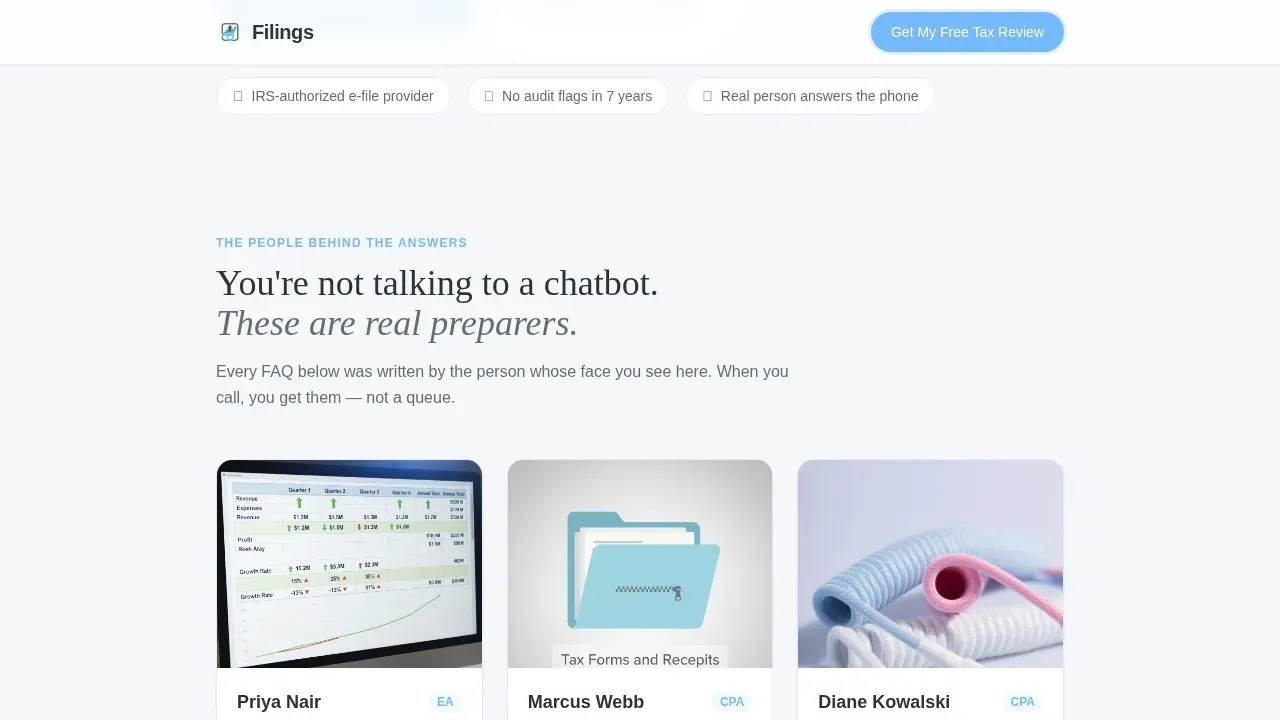
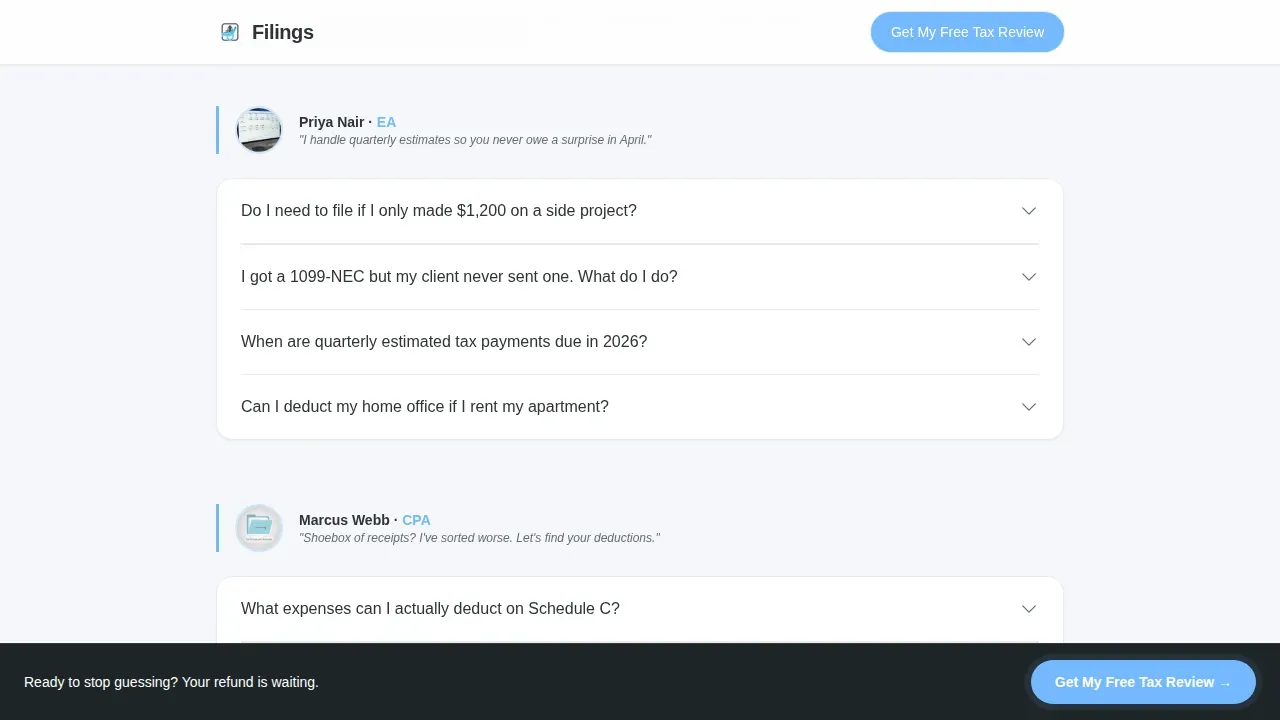
- A team and experts section with portrait cards, credentials, and one-line specialties that each introduce a dedicated frequently asked question section in that expert's voice
- A lead magnet section offering a downloadable deduction checklist gated behind a single email field, plus a final three-field free tax review form
Feature list
This template is built around a clear set of purposeful components. Each one is grounded in the source brief and designed to serve both the visitor experience and the preparer's conversion goal.
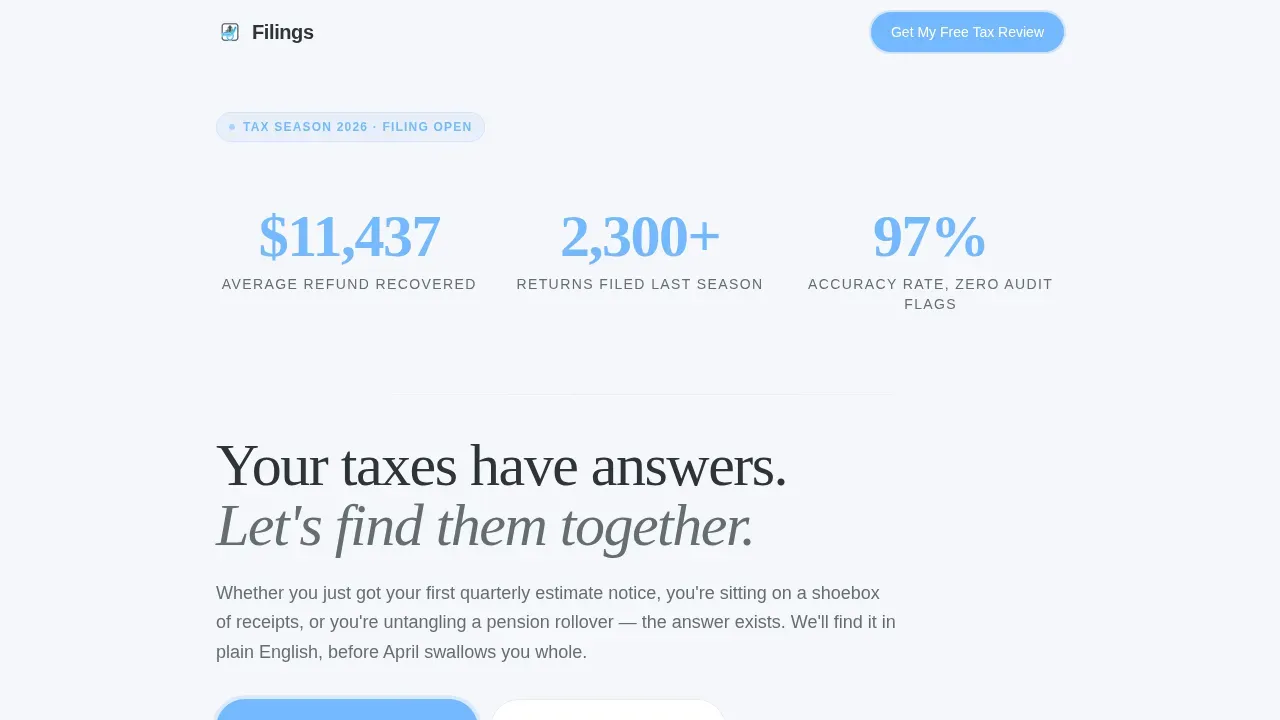
Animated Data Counter Hero
The hero section opens with slowly animating counters that tick through real numbers: average refund recovered, total returns filed, and accuracy rate. These figures render in oversized sky-blue type against deep charcoal, arriving with a subtle fade like a receipt printing line by line. Below the counters, a single focused headline lands with warmth and confidence. This data storytelling approach gives visitors an immediate reason to trust the firm before reading a single frequently asked question answer.
Sticky Call-to-Action Bar
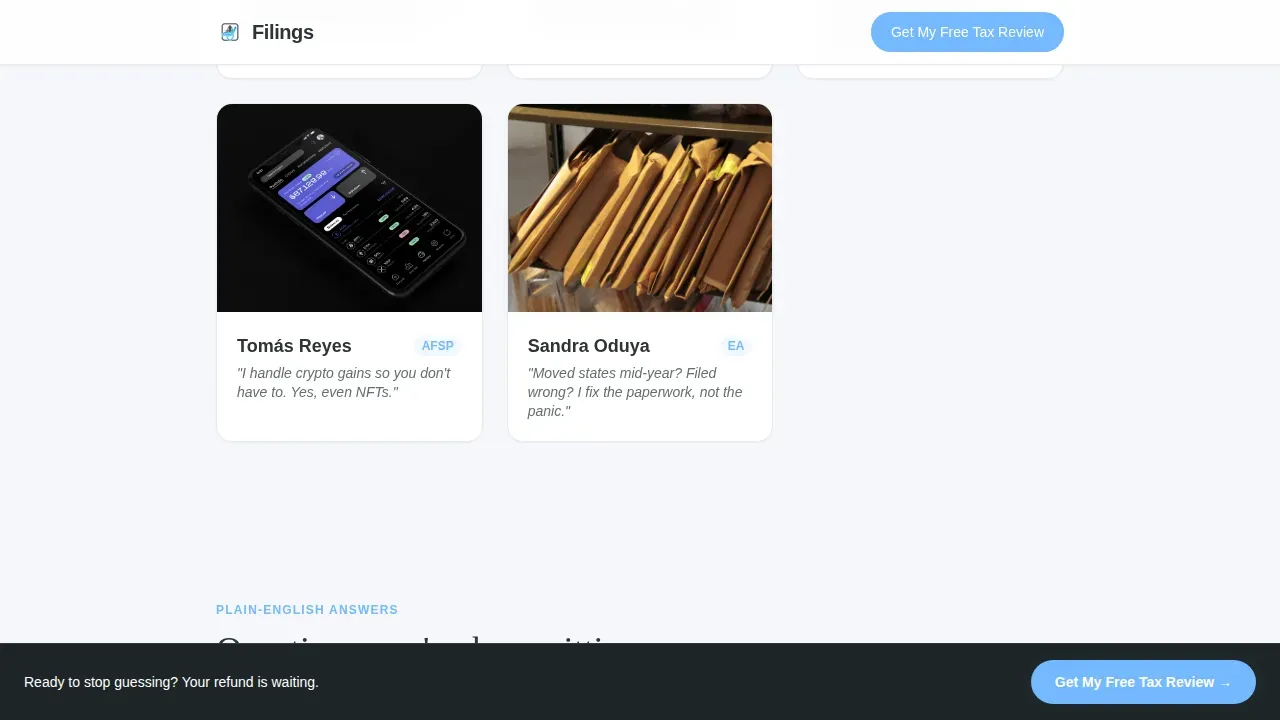
A sticky bottom bar reading "Get My Free Tax Review" appears after the user scrolls past the second section. It stays visible as the user scrolls through the entire frequently asked question flow without obstructing the reading experience. This keeps the primary conversion path accessible at every point in the customer journey without requiring the visitor to scroll back up. High converting landing pages rely on persistent, non-intrusive calls to action, and this bar delivers exactly that.
Expert-Led frequently asked question Accordion Sections
Each team member introduces their own dedicated frequently asked question section. Questions escalate in complexity, starting with basics like filing requirements and moving toward more complex inquiries such as amending multi-state returns or handling crypto gains. The accordion layout supports a clean, user friendly layout that allows visitors to find answers at their own pace without feeling overwhelmed by a wall of text. This structure is one of the most effective faq page design patterns for building trust incrementally.
Downloadable Deduction Checklist Lead Magnet
A mid-page section offers a downloadable PDF checklist of common deductions, gated behind a single email field. This self service path captures browsers who are not yet ready to book a call but are ready to engage with educational resources. It is a low-friction secondary conversion that feeds future growth by growing your contact list while delivering real value. The checklist itself serves as one of the most practical additional resources a tax preparer can offer at no cost to the visitor.
Three-Field Tax Review Form
The final section of the page presents a clean, three-field form: a filing status dropdown, a primary income type selector covering W-2, 1099, and mixed income, and a contact toggle that lets the visitor choose phone or email. Online forms that limit fields to essential information consistently see higher completion rates, and this form is built around that principle. The layout is direct, welcoming, and easy to complete in under thirty seconds.
Team and Credentials Section
Immediately after the hero, visitors meet the actual preparers with portrait photos, first names, and credentials including EA, CPA, and Annual Filing Season Program (AFSP) designations. Each card includes a one-line specialty such as "I handle crypto gains so you don't have to." Prominently displaying credentials such as enrolled agent status or CPA designation builds immediate professional trust and signals that answers on this page come from real experts, not a generic knowledge base.
Page sections overview
| Section | Purpose |
|---|---|
| Animated Hero Counter | Opens with trust-building data stats and a focused headline |
| Sticky call to action Bar | Keeps the free review prompt visible as the user scrolls |
| Team Expert Cards | Introduces preparers by name, credential, and specialty |
| frequently asked question Cluster One | Addresses basic filing questions in an expert's voice |
| frequently asked question Cluster Two | Handles gig and 1099 income questions with practical detail |
| frequently asked question Cluster Three | Covers small business, Schedule C, and LLC questions |
| frequently asked question Cluster Four | Tackles retirement, rollovers, and real estate investor topics |
| frequently asked question Cluster Five | Resolves complex multi-state and amendment questions |
| Deduction Checklist | Offers a lead magnet PDF gated behind a single email field |
| Final Review Form | Collects three fields to qualify leads for a free tax review |
| Footer | Displays contact details, navigation, and firm information |
Design & branding system
The visual identity uses a Legal Shield theme built on a Slate and Sky color system. The palette feels like a courthouse lobby at 8 a.m., with stone underfoot, glass overhead, and a stripe of open sky through the clerestory. It signals that everything will be handled calmly and professionally. Typography pairs Fraunces, a serif display face, for headlines with DM Sans for body text, creating an editorial quality that reads as authoritative yet approachable.
- Deep charcoal slate (#2D3436) for primary text and section dividers; mid-tone pewter (#636E72) for secondary copy; open-sky blue (#74B9FF) for buttons and highlighted answers; cloud white (#F5F6FA) for all backgrounds
- Fraunces serif display for headings and counter figures; DM Sans for body paragraphs, frequently asked question answers, form labels, and team card details
- Visual aids including portrait photography, credential badges, and animated counters reinforce the team-and-people creative direction throughout the single-column flow
Mobile & speed optimization
This template is built mobile-first, because tax anxiety strikes on phones at midnight, not at a desktop on a Tuesday morning. The single-column flow is naturally suited to vertical scrolling, and every interactive element, including the accordion frequently asked question section, the sticky bar, and the form toggles, is designed to work cleanly on small screens. Mobile optimization here is a structural decision, not an afterthought, and it shows in how the layout adapts without collapsing readability.
- The accordion frequently asked question layout allows visitors to expand only the answers they need, keeping the page lightweight and easy to navigate on any screen size
- The sticky call-to-action bar and the email-toggle form are both optimized for thumb-friendly interaction, reducing friction for mobile users mid-scroll
- Static-first rendering with client components only for interactive elements such as the counter animation, accordions, and form toggles keeps the page fast and responsive
How this template helps you convert
A well-structured frequently asked question landing page addresses common concerns before they become barriers to conversion. This template is designed around that principle. Every section moves the visitor one step closer to either submitting the free review form or downloading the deduction checklist. The page does not ask visitors to trust a stranger; it builds that trust section by section through social proof, expert voices, and clear answers to the questions they already have.
- The animated data counter hero delivers immediate answers to the most common first question: "Are these people any good?" Numbers like a 97 percent accuracy rate and 2,300-plus returns filed last season answer that question before the visitor reads a single word of body copy, and the sticky bar makes the next step visible the moment the user scrolls past the hero.
- Each expert-led frequently asked question section deepens trust progressively. Visitors who came in with a simple question about W-2 filing find themselves reading about estimated tax payments and Schedule C deductions because the questions escalate naturally. By the time they reach the final call-to-action form, they feel like they already know the team and are ready to connect.
- The two-path conversion structure, a full review form for ready clients and an email-gated PDF for browsers, means no visitor leaves empty-handed. The deduction checklist captures the undecided audience while the three-field form qualifies the ready audience, maximizing the total number of leads the page generates from every visit.
Other information about this template
This template sits at the intersection of Lead Generation, Team and People creative direction, Data Storytelling, and a Legal Shield visual theme. It is purpose-built for tax and accounting firms that want a single high-performing page to replace scattered product pages and disconnected faq page examples from generic directories. The design and structure reflect best practices drawn from faq page examples across professional services, adapted specifically for the tax preparation niche.
- The frequently asked question landing page is a dedicated webpage that answers frequently asked questions organized by preparer specialty, making it one of the more effective faq page examples in the professional services category. Each faq section is written in a distinct expert voice rather than generic corporate language.
- The page functions as a self service resource, reducing support workload and lowering support ticket volume for busy practices. Clients who find answers independently are less likely to contact customer support for routine questions, freeing support agents to focus on more complex inquiries.
- A built-in search bar component can be added to the frequently asked question clusters to help users find specific answers more easily. The search bar improves the positive user experience by letting visitors jump directly to relevant questions without scrolling through every faq section manually.
- The template supports internal linking between frequently asked question clusters and product pages or a separate page for individual services, which helps search engines index your content and improves visibility in search engine results. Incorporating relevant keywords naturally into frequently asked question answers also supports search intent alignment and can improve search results placement over time.
- Analytics tools can be connected to track which faq questions receive the most clicks, giving your customer support team real customer feedback about what your target audience's most pressing concerns actually are. This data helps you write answers that stay relevant and supports account management decisions about which services to highlight.
- The page includes clear contact details in the footer and a footer built on a horizontal flow pattern. This ensures visitors who reach the bottom without converting still have a direct path to contact customer support or find additional resources about your services.
- The frequently asked question landing page template supports different learning styles by combining text-based accordion answers with visual aids such as portrait photography, credential badges, and animated counters. Using multiple formats for answers helps cater to different learning styles and improves overall customer experience.
- This is the filings expert tax preparer faq landing page template, designed to serve as a comprehensive faq page for practices that want to build a good faq page without starting from scratch. It functions as both an effective faq page and a high converting landing page, combining the depth of a comprehensive faq with the conversion architecture of purpose-built high converting landing pages.
- The template is structured to support a customer journey that moves from awareness to trust to action. It provides step by step instructions in the form flow, concise answers in the accordion sections, and clear answers throughout each faq cluster. The goal is strong customer satisfaction and the creation of loyal clients who return season after season.
- Real estate investors, property owners, and retirement savings planners are specifically served by the later frequently asked question clusters, which address complex multi-state returns, pension rollovers, and future growth planning. These audiences often search for relevant content about their specific situation before committing to a preparer, and a good faq page that speaks directly to them makes a measurable difference in conversion rate.
- The downloadable checklist is a practical piece of educational resources that serves as an additional resource for visitors who are in research mode. It captures their email and begins the customer experience on a helpful, low-pressure note. Integrating educational resources like this into the page is a key strategy for retaining clients and establishing authority.
- The page is designed to produce clear answers that promote the firm's competitive differentiators without relying on generic claims. Writing concise answers across every faq content block, using real world examples drawn from the team's specialties, and displaying social proof through live counters all contribute to a customer experience that builds confidence at every stage.
- Meta descriptions for the page should reflect the same plain-English tone used throughout the frequently asked question clusters, incorporating relevant keywords naturally to support visibility in search engines while remaining useful to the human reader. Relevant content in meta descriptions helps align the page with search intent and improves click-through rates from search results.
- The template also supports an own faq page approach where preparers customize every question and answer to reflect their own practice's voice, policies, and client types. This makes it easy to create an faq page that feels genuinely personal rather than templated, which is one of the key elements of building user friendly faq pages that convert.
Theme
Legal Shield
Creative direction
Team & People
Color system
Slate & Sky
Style
Single Column Flow
Direction
Lead Generation
Page Sections
Animated Data Counter Hero Section
Expert-led Frequently Asked Question Accordion Flow
Sticky Free Tax Review Bar
Email-gated Deduction Checklist
Three-field Tax Review Form
Team and Credentials Portrait Cards
Related questions
What types of tax clients is this landing page designed to serve?
Can I customize the frequently asked question questions and answers for my own practice?
How does the template capture leads without being intrusive?
Does the page include the team and credentials section out of the box?
Is the three-field review form straightforward to set up?



