Alumni & Membership Association Blog Website Template
Reunite is a hero-dominant landing page template built for university alumni associations. It combines a tiled alumni portrait mosaic, scroll-driven storytelling, and a three-step event registration form to move graduates from nostalgia to action. The warm editorial design and high-interactivity layout make every visitor feel the pull of belonging before they reach the sign-up button.
by Rocket studio
Quick summary
Reunite is a single-page alumni association template designed to drive event registrations and directory sign-ups. It guides visitors through an emotional scroll journey, from archival campus history to live reunion countdown, using flip-card testimonials, an interactive chapter map, and a progressive registration form, all wrapped in a warm, matte editorial palette.
Who this template is for
This template is built for university alumni associations that want to turn passive graduates into active, registered community members. It suits teams running reunion events, mentorship programs, and alumni giving campaigns who need a page that does emotional heavy lifting before asking for commitment.
- Alumni relations offices planning homecoming weekends or gala events
- Membership teams managing both mid-career alumni and recent graduates
- Development offices running giving campaigns alongside community events
What problem this template solves
Most alumni pages feel like institutional forms dressed up with a logo. Graduates land on them, feel nothing, and close the tab. Reunite solves the engagement gap by leading with belonging and community identity before it asks for any action.
- Passive graduates scroll past generic event pages without registering
- Recent graduates don't yet understand the ongoing value of their alumni network
- Mid-career alumni need a reason to re-engage beyond a newsletter link
What you get with this template
You get a fully structured, single-page layout with every section scripted and styled, from the opening mosaic header to the footer split. No placeholder sections, no unstyled components.
- A Community Mosaic hero with cursor parallax, pulsing event date, and centered headline overlay
- A three-step progressive registration form covering event selection, personal details, and preferences
- Flip-card testimonial blocks, a live registration ticker, an interactive chapter city map, and a countdown timer
Feature list
This template ships with a tightly integrated set of interactive and visual components. Each one is built to serve the registration journey rather than decorate it.
Community Mosaic Hero Header
Hundreds of small alumni portrait tiles fill ninety percent of the viewport edge to edge. A translucent center overlay holds the headline "Every Story Started Here" in warm saffron on slate, with a pulse animation pointing to the upcoming flagship event date beneath it.
Cursor Parallax Portrait Grid
As the visitor moves their cursor across the mosaic, the portrait tiles shift subtly in parallax layers. The crowd feels alive without a single face dominating. This creates immediate emotional presence before any text is read.
Three-Step Progressive Registration Form
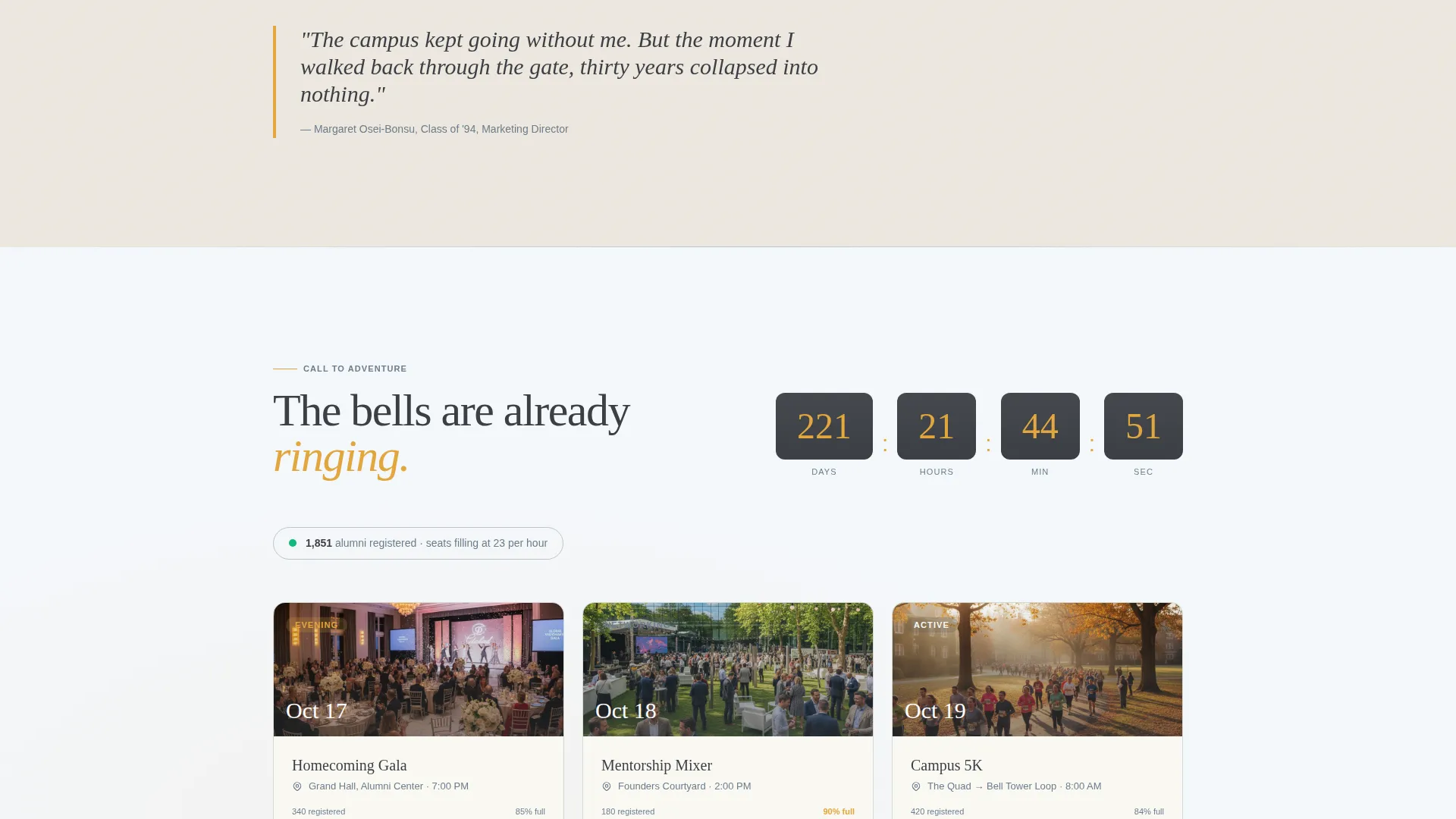
The form reveals itself in three stages: graduation year and name first, then a visual event-selection card row covering the Homecoming Gala, Mentorship Mixer, and Campus 5K, and finally dietary preferences and a plus-one toggle. Complexity is introduced only when the visitor is already invested.
Flip-Card Testimonial Blocks
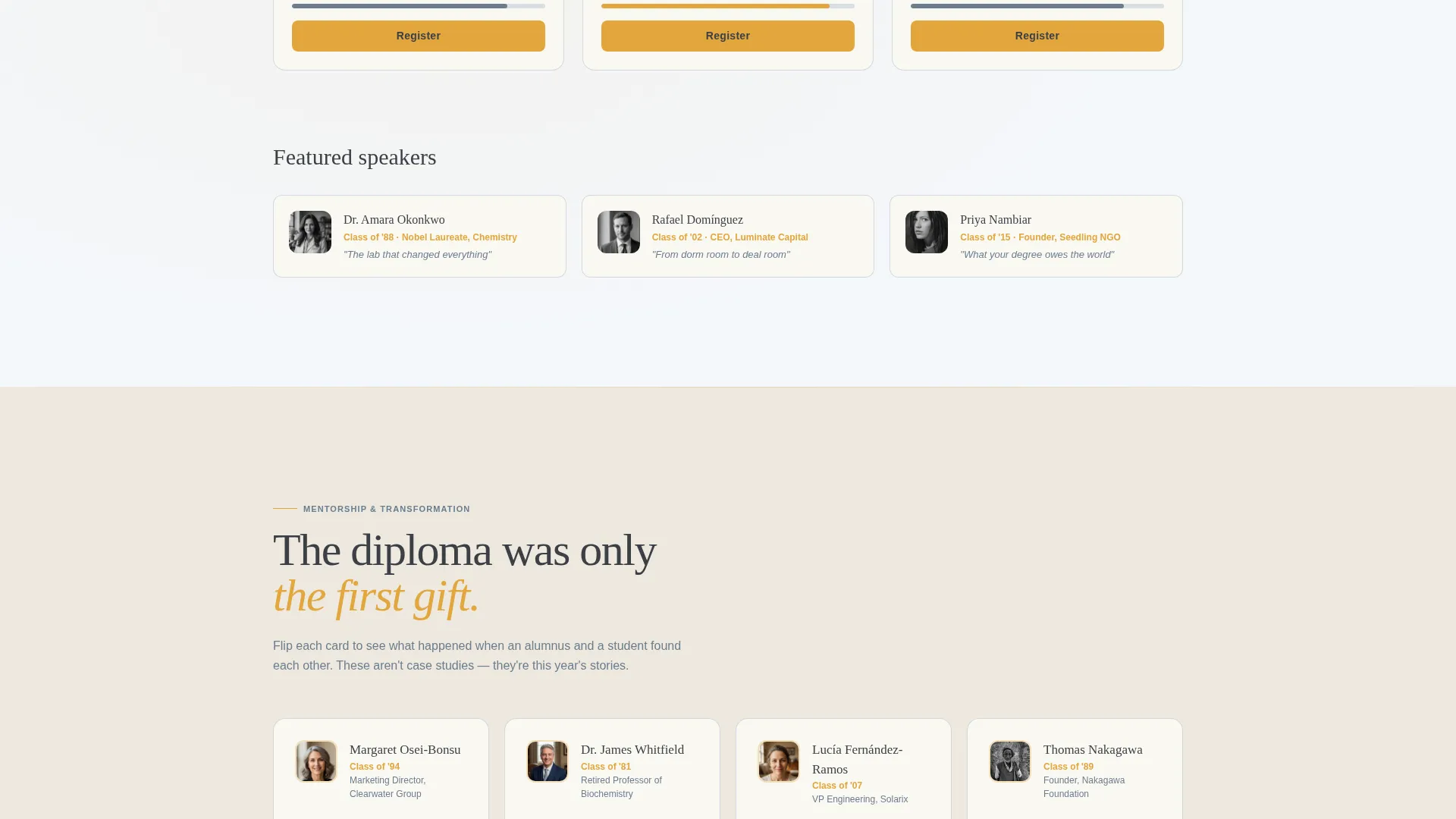
Each testimonial card shows an alumni quote on the front and flips to reveal the student outcome that alumni mentorship produced. The pairing makes social proof tangible and specific rather than generic.
Live Registration Ticker and Chapter Map
A scroll-activated ticker shows registration numbers climbing in real time. An interactive map lights up chapter cities as the visitor watches, showing the geographic reach of the community and making late registration feel like a missed opportunity.
Sticky and Full-Width Call-to-Action Bars
The primary "Reserve Your Seat" call to action first appears as a sticky bar once the mosaic header scrolls out of view. It then repeats as a full-width section immediately before the footer, ensuring the registration prompt is always one tap away.
Page sections overview
| Section | Purpose |
|---|---|
| Community Mosaic Hero | Opens with tiled alumni portraits, pulsing event date, and centered headline overlay |
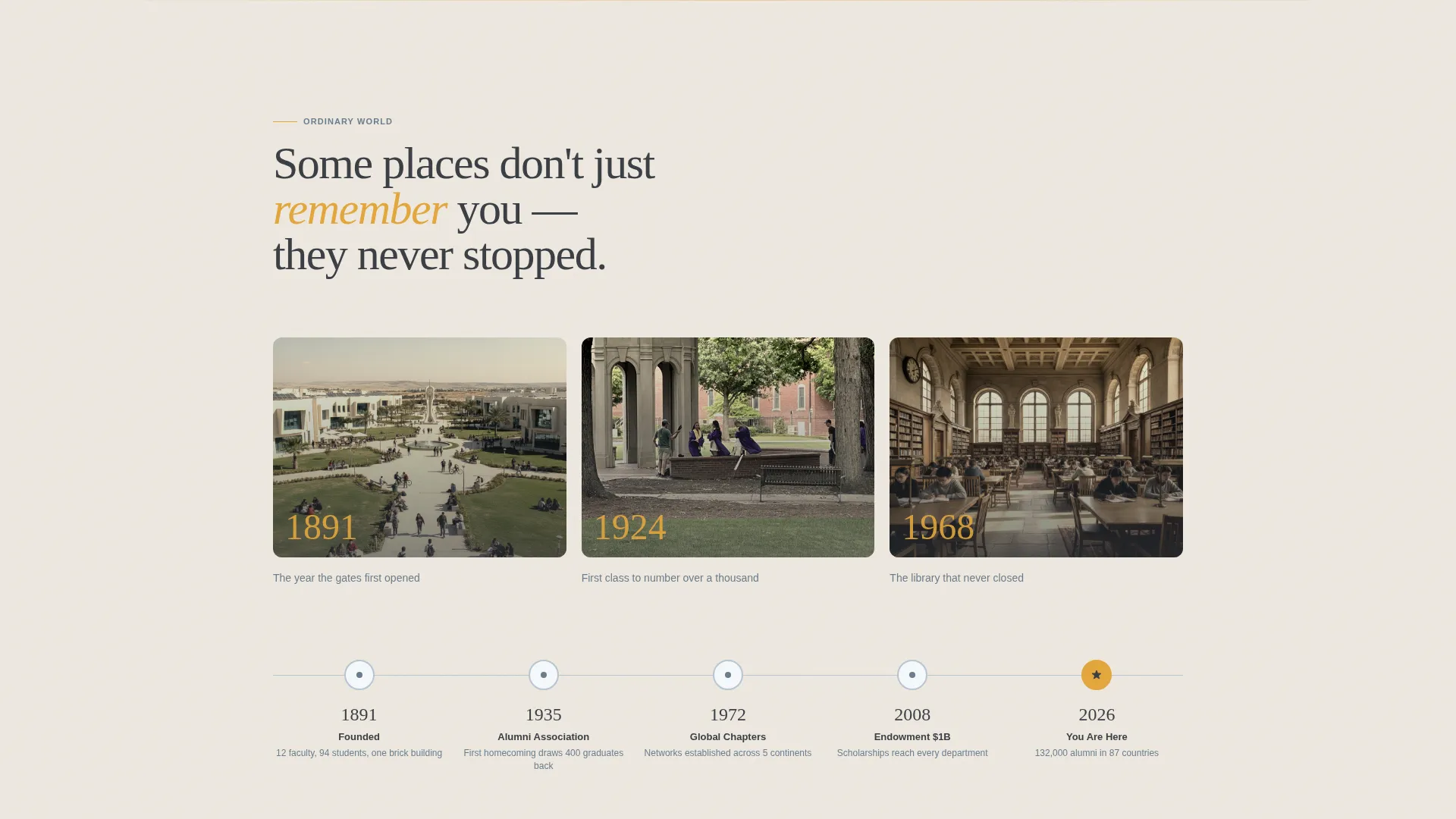
| Ordinary World | Archival campus photos and founding timeline establish tradition and institutional pride |
| Call to Adventure | Event highlights, speaker reveal cards, and a countdown timer create urgency |
| Transformation Stories | Flip-card testimonials pair alumni mentors with the student outcomes they enabled |
| Registration Form | Three-step progressive form captures event choice, personal details, and preferences |
| Directory Soft Capture | Secondary path collects emails from visitors not yet ready to register |
| Footer Split | Logo and tagline on the left, navigation links on the right |
Design & branding system
The visual identity follows an Educational Guide theme using the Cloud Canvas color system. Every color choice reads as earned and institutional rather than trend-driven or corporate.
- Open-sky white (#F4F7FA) for backgrounds, soft graphite (#3B3F45) for body text, and weathered slate (#6B7D8D) for secondary elements
- Warm saffron (#E2A63D) reserved for buttons, event dates, milestone markers, and headline overlays
- Fraunces serif for headlines, DM Sans for body copy, giving the page a warm editorial feel that sits between a campus newspaper and a hardcover alumni magazine
Mobile & speed optimization
The template is built desktop-first to support the full emotional scroll journey and high-interactivity components, with complete mobile support so alumni registering on a phone are not left with a broken form or a collapsed layout.
- Interactive elements including the parallax mosaic, flip cards, countdown timer, and chapter map are structured as client components to keep static sections lightweight
- The three-step form is fully usable on small screens, with each step occupying a clean single-column view
- The sticky call-to-action bar adapts naturally to mobile viewports so the registration prompt stays visible throughout the scroll
How this template helps you convert
Every section in Reunite is sequenced to reduce hesitation and build commitment before the registration form appears.
- The Hero's Journey scroll arc moves visitors emotionally from nostalgia through urgency, so they arrive at the form already motivated rather than cold.
- The live ticker and interactive chapter map introduce social proof at the exact moment stakes feel highest, turning passive interest into genuine fear of missing out.
- The secondary directory capture path keeps casual browsers in the alumni orbit with a low-commitment email sign-up, so no visitor leaves without a next step.
Other information about this template
Reunite is a strong fit for associations that want a template covering the full alumni engagement funnel on a single page, from brand awareness and community storytelling through to confirmed event registration.
- The template uses the Hero's Journey creative direction, meaning each scroll section has a defined narrative role rather than being a generic content block
- The footer follows an Arc Browser Split pattern with logo and tagline on the left and grouped links on the right
- Localization is set for English (US), USD currency, and MM/DD/YYYY date formatting out of the box
- The template sits within the Community and Nonprofit category, under the Alumni and Membership Association subcategory, making it purpose-matched for university alumni program pages

Theme
Educational Guide
Creative direction
Hero's Journey
Color system
Cloud Canvas
Style
Hero-Dominant (90/10)
Direction
Event Registration
Page Sections
Community Mosaic Hero with Parallax
Three-step Progressive Registration Form
Flip-card Testimonial Blocks
Live Ticker and Chapter City Map
Hero's Journey Scroll Arc
Sticky and Full-width Call to Action Placement
Related questions
Can I use this template for a single event or an ongoing alumni program?
How does the three-step registration form work for visitors?
Can I replace the mosaic hero with our own alumni photos?
What captures visitors who are not ready to register?
Does the template support more than one event type at a time?



