Classic Car Restoration Landing Page Template
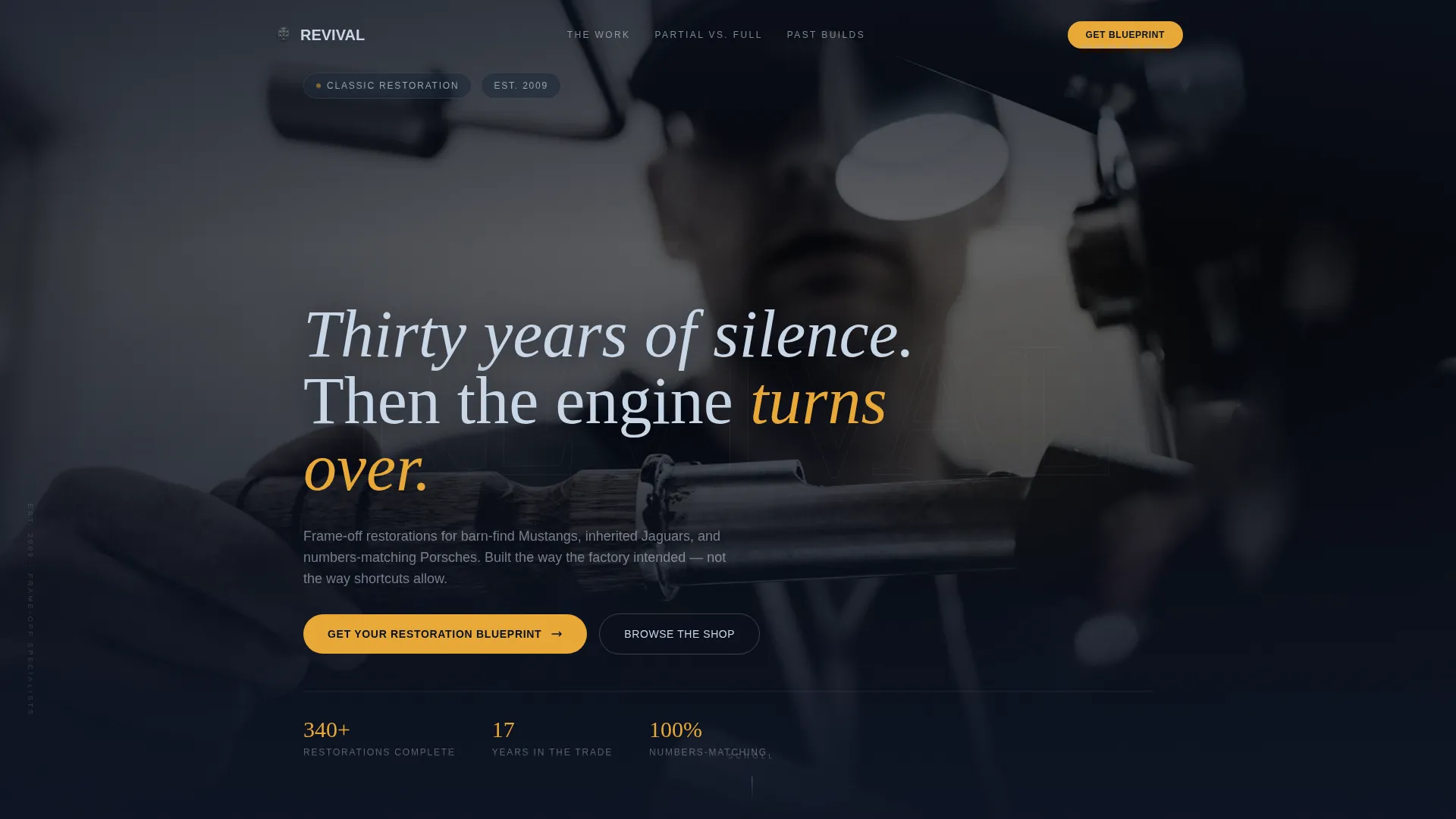
Revival is a full-width immersive landing page template built for classic car restoration shops. It combines a cinematic full-screen video header, an interactive chassis explorer with before-and-after sliders, and a Partial versus Frame-Off comparison table. The design runs on a dark midnight-blue palette with amber accents, built to earn trust from serious collectors before they ever fill out a form.
by Rocket studio
Quick summary
Revival is a single-page, full-width landing page template designed for high-ticket classic car restoration services. It opens with a cinematic video header, guides visitors through an interactive restoration explorer, and converts them through a structured blueprint request form. Every section builds credibility before asking for a commitment.
Who this template is for
This template is built for restoration shops that work on serious, high-value projects. It speaks directly to buyers who need to trust the craft before they hand over the keys.
- Classic car restoration shops offering full frame-off rebuilds to collectors and estate clients
- Restoration businesses targeting barn-find owners, inherited-classic holders, and weekend enthusiasts ready to invest properly
- Shop owners who want a premium digital presence that matches the quality of their physical work
What problem this template solves
Most restoration shop websites look like they were built in a lunch break. They show a few photos and a phone number, but they do nothing to educate a cautious collector or justify a five-figure project cost.
- Collectors cannot see the difference between a corner-cutting partial job and a true frame-off restoration until it is too late
- Estate executors and first-time clients lack a clear, visual process to understand what they are buying
- Without a structured intake flow, shops waste time on inquiries that are not serious or not ready
What you get with this template
Revival gives you a complete, conversion-focused landing page that does the selling before a single conversation happens. It walks each visitor through the restoration process at their own pace, then presents a clear path to get started.
- A cinematic full-screen video hero with ghost typography and a headline that materializes after four seconds
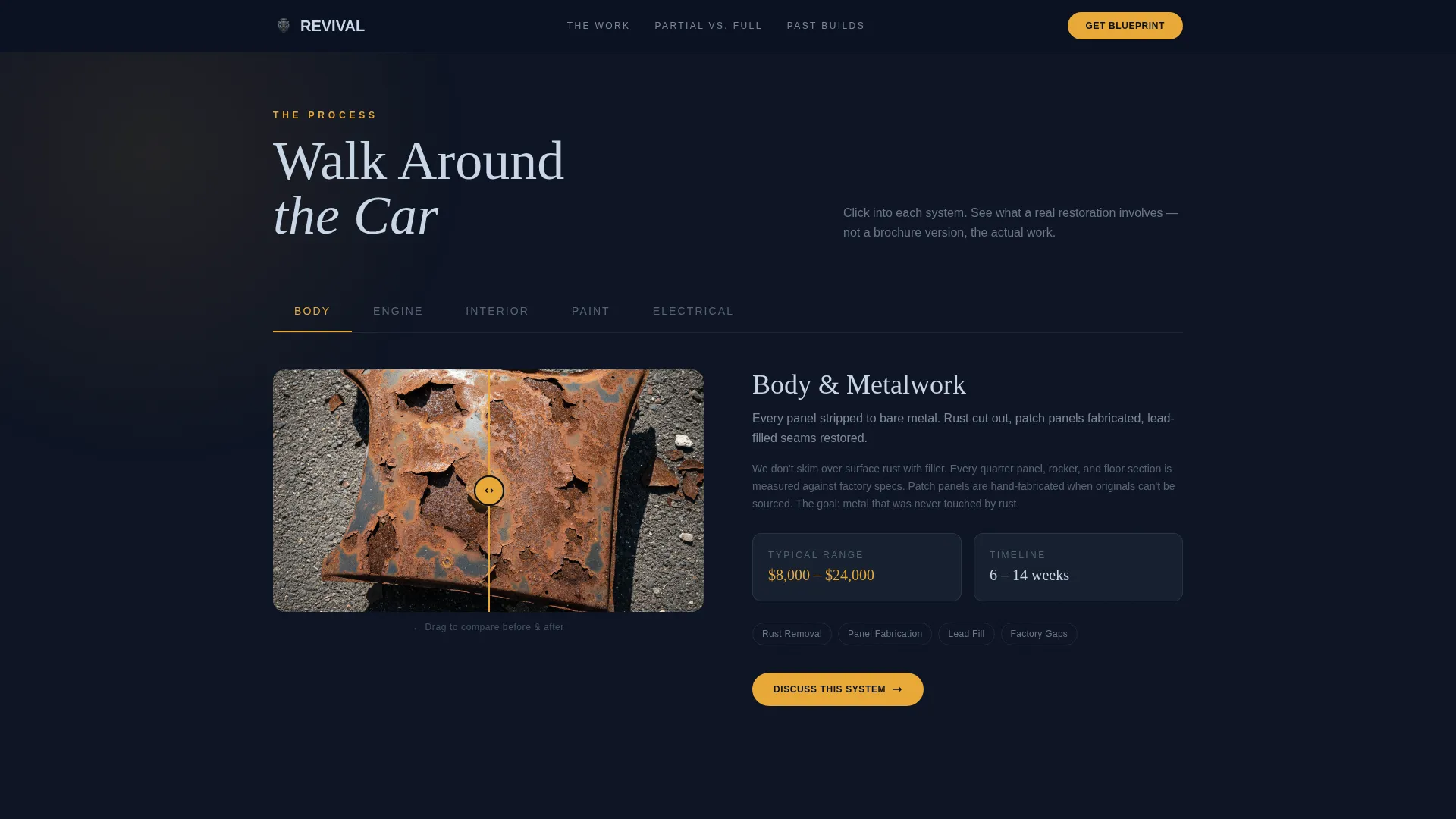
- An interactive chassis explorer with clickable systems, before-and-after sliders, cost-range indicators, and short process clips
- A structured Restoration Blueprint form with year, make, and model fields, a visual condition selector, and a photo upload field
Feature list
This template is packed with purpose-built components that serve the specific demands of a high-ticket restoration business.
Full-Screen Cinematic Video Header
The hero opens with a slow dolly shot revealing factory paint under decades of grime. No text for four seconds. Then the headline materializes in thin chrome-white type. The footage is cold-graded, desaturated except for amber headlamps and warm original paint tones.
Interactive Restoration Explorer
Visitors click into an exploded-view chassis diagram where each system, including body, engine, interior, electrical, and paint, opens a dedicated mini-gallery. Each gallery includes before-and-after sliders, a cost-range indicator, and a 15-second process clip. The deeper a visitor scrolls, the more intimate the detail becomes.
Partial versus. Frame-Off Comparison Table
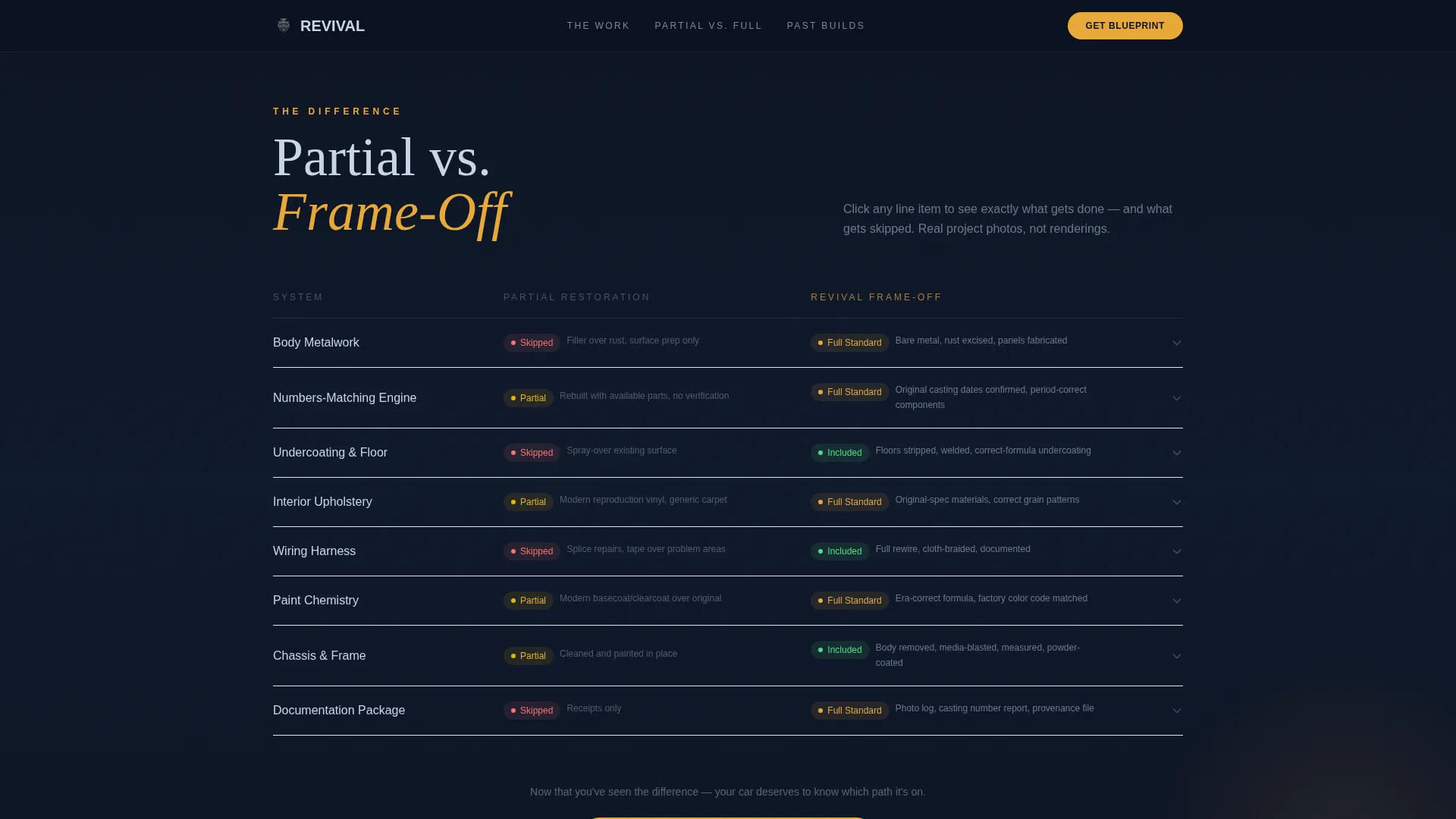
A mid-page toggle table lets visitors compare a partial restoration against a full frame-off rebuild line by line. Clicking each line item, such as metalwork, matching numbers, upholstery, or undercoating, reveals what gets done and what gets skipped. Real project photos accompany every comparison point.
Restoration Blueprint Request Form
The intake form asks for year, make, and model first. A visual condition selector follows, offering four states: garage-kept, running rough, barn find, and rust bucket. A single photo upload field completes the submission. A sticky bottom bar anchors the call to action once the visitor scrolls past the comparison section.
Project Gallery with Soft Email Capture
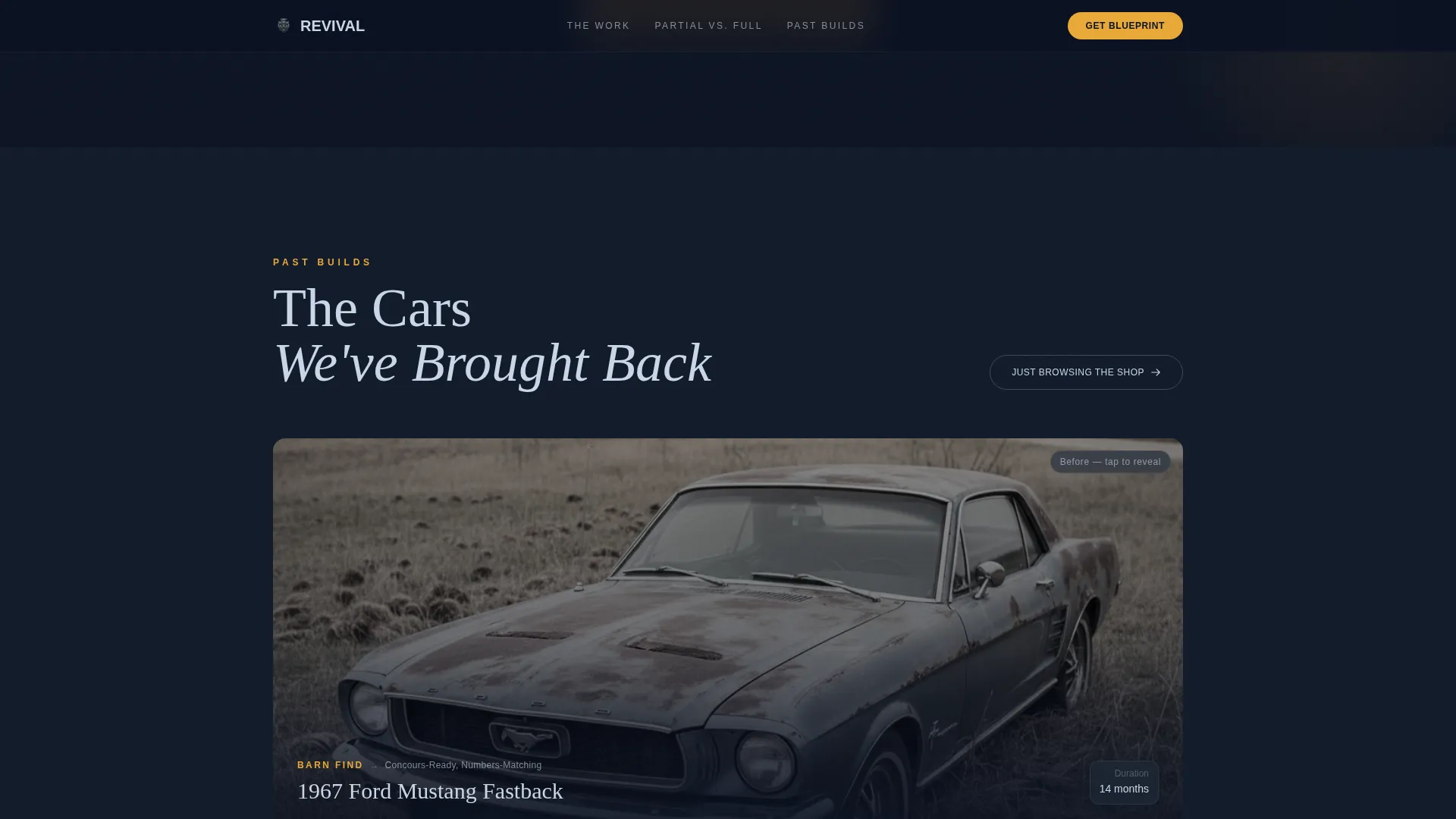
Before-and-after project cards show completed restorations with year, make, and model specifics. A secondary browsing path, labeled "Just Browsing the Shop," opens a gallery-only experience. An exit prompt softly captures an email address from visitors who are not yet ready to submit a blueprint request.
Scroll-Driven Animation System
Section reveals use scroll-triggered animations that make each part of the page feel earned. The visual pacing mirrors walking around a car with a flashlight. Each section grows darker and more detailed as the visitor moves deeper into the page.
Page sections overview
| Section | Purpose |
|---|---|
| Hero Video Header | Opens with cinematic video and materializing headline to establish atmosphere and credibility |
| Restoration Explorer | Interactive chassis diagram lets visitors explore each system with sliders and process clips |
| Partial versus. Frame-Off | Toggle comparison table shows exactly what gets done or skipped, with real project photos |
| Project Gallery | Before-and-after cards display completed work and soft-capture emails from browsing visitors |
| Restoration Blueprint Form | Structured intake collects year, make, model, condition, and photos via sticky call-to-action bar |
| Footer Arc Split | Tagline anchored left, navigation links right, reinforcing brand identity at page close |
Design & branding system
The visual identity is built around a Dark Immersive theme that feels like a garage after hours. Every color choice is intentional, and nothing competes with the work being shown.
- Color palette: deep shop-shadow navy (#0B1222) as the base, gunmetal tool-chest gray (#1E2A3A) for secondary surfaces, polished chrome highlight (#C8D6E5) for text and fine detail, and ignition-spark amber (#E8A838) reserved strictly for calls to action and hover states
- Typography: Fraunces editorial serif for headlines, delivering weight and period-correct character; DM Sans for body copy, keeping readability clean and modern
- Visual tone: cold-graded cinematic photography and video, with warm amber and paint tones used selectively to draw the eye to what matters most
Mobile & speed optimization
Revival is built desktop-first to match how serious collectors actually browse. Full mobile support is included so no visitor is left behind.
- Native CSS smooth scroll and GPU-accelerated transforms keep motion feeling fluid without heavy overhead
- Lazy image loading is applied to project gallery cards and comparison table photos to keep the initial load lean
- The sticky call-to-action bar, condition selector, and photo upload field are all designed to function cleanly on smaller screens
How this template helps you convert
The page is structured to build conviction before asking for anything. By the time a visitor reaches the form, they already understand the difference between a real restoration and a shortcut job.
- The interactive comparison table creates a clear before-you-commit moment. Visitors see exactly where partial restorations cut corners, which makes the full frame-off option feel like the only logical choice for someone who cares about their car.
- The Restoration Blueprint form reduces friction by asking for specifics first. Year, make, model, condition, and photos give the shop everything needed to respond with real context, which increases the quality and seriousness of every inquiry.
Other information about this template
Revival is a strong fit for restoration shops that operate in a premium market and need a digital presence that earns trust without a single word of sales copy.
- The template uses GSAP ScrollTrigger and IntersectionObserver reveals for all animation, giving the scroll experience a cinematic, handcrafted feel
- The Arc Split footer pattern places the shop tagline on the left and navigation links on the right, keeping the closing impression clean and intentional
- Imperial measurements and USD currency are baked into the layout context, making it ready for the United States market without modification
- The template style is Full-Width Immersive, meaning every section uses the full viewport width to maximize the visual impact of restoration photography and video
- Social proof is woven into the project gallery through named testimonials, completion metrics, and project cards with specific year, make, and model details
Theme
Dark Immersive
Creative direction
Interactive Explorer
Color system
Midnight Blue
Style
Full-Width Immersive
Direction
Comparison/Versus
Page Sections
Full-screen Cinematic Video Header
Interactive Chassis Restoration Explorer
Partial Versus. Frame-off Comparison Table
Restoration Blueprint Intake Form
Project Gallery with Soft Email Capture
Scroll-driven Animation and Reveal System
Related questions
What kind of business is this template designed for?
Does the template include the video footage shown in the hero section?
Can the condition selector options be customized?
How does the soft email capture work for visitors who are not ready to inquire?
Is the sticky call-to-action bar always visible during scrolling?



