Intelligent Cardio Device Landing Page Template
Pulse is a single-page landing page template built for internal medicine medical device procurement. It uses a zigzag FAQ-driven layout to walk hospitalists, residents, and clinic directors through every objection before surfacing a clear call to action. The design follows a Medical Clarity theme with an Alpine Fresh color system, keeping the experience calm, precise, and conversion-ready.
by Rocket studio
Quick summary
Pulse is a precision-crafted landing page template for an internal medicine diagnostic instrument. It opens with an oversized testimonial card and flows through alternating FAQ sections that mirror real procurement conversations. Every design choice, from the glacier-white background to the alpine sky call-to-action buttons, signals clinical credibility and earns the click forward.
Who this template is for
This template is built for healthcare teams and medical device marketers presenting diagnostic tools to clinical buyers. It speaks directly to the people who evaluate, approve, and purchase internal medicine equipment.
- Hospitalists managing large daily patient censuses who need a fast, credible product overview
- Internal medicine residents and outpatient clinic directors replacing aging diagnostic equipment
- Hospital procurement officers and department chiefs vetting devices before forwarding to purchasing
What problem this template solves
Clinical buyers are skeptical. They arrive with seven specific questions before they will forward a product link to their purchasing team. A generic product page does not answer those questions in the right order or with the right tone.
- Visitors leave before reaching the call to action because objections go unanswered early in the scroll
- Procurement conversations stall when workflow concerns, clinical validation, and cost questions are mixed or buried
- Medical device pages often feel like marketing copy rather than a focused clinical briefing
What you get with this template
You get a fully structured single-page layout that mirrors the rhythm of a vendor Q&A session at a medical conference. Each section is purposeful and ordered to build confidence progressively.
- An oversized testimonial card header featuring a named physician, credential badge, hospital affiliation, and a device silhouette signature
- Three zigzag FAQ section pairs covering workflow integration, clinical performance, and cost of ownership, each with space for device imagery and spec callouts
- A four-metric clinical stats bar, a repeating call-to-action pattern, and a linear single-row footer
Feature list
The Pulse template includes a focused set of structural and visual components, each grounded in the procurement journey of clinical buyers.
Oversized Testimonial Card Header
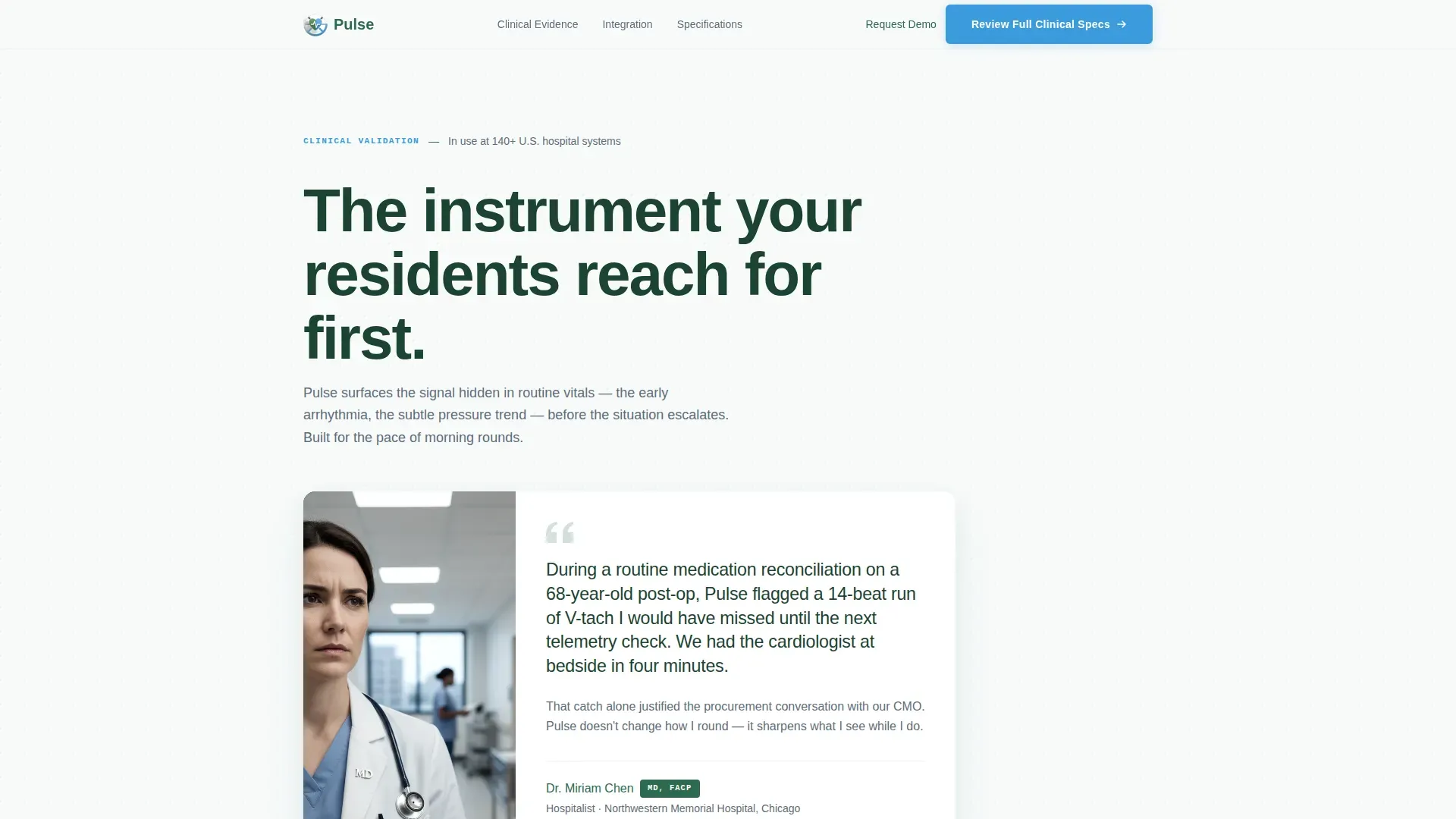
The page opens with a single large card set against the glacier-white background. It features a physician portrait in natural clinic lighting, a credential badge, hospital affiliation, and a two-sentence quote about a specific clinical moment. A small device silhouette sits in the lower corner like a signature. The card casts a subtle shadow to separate it from the background without visual noise.
Zigzag FAQ Section Layout
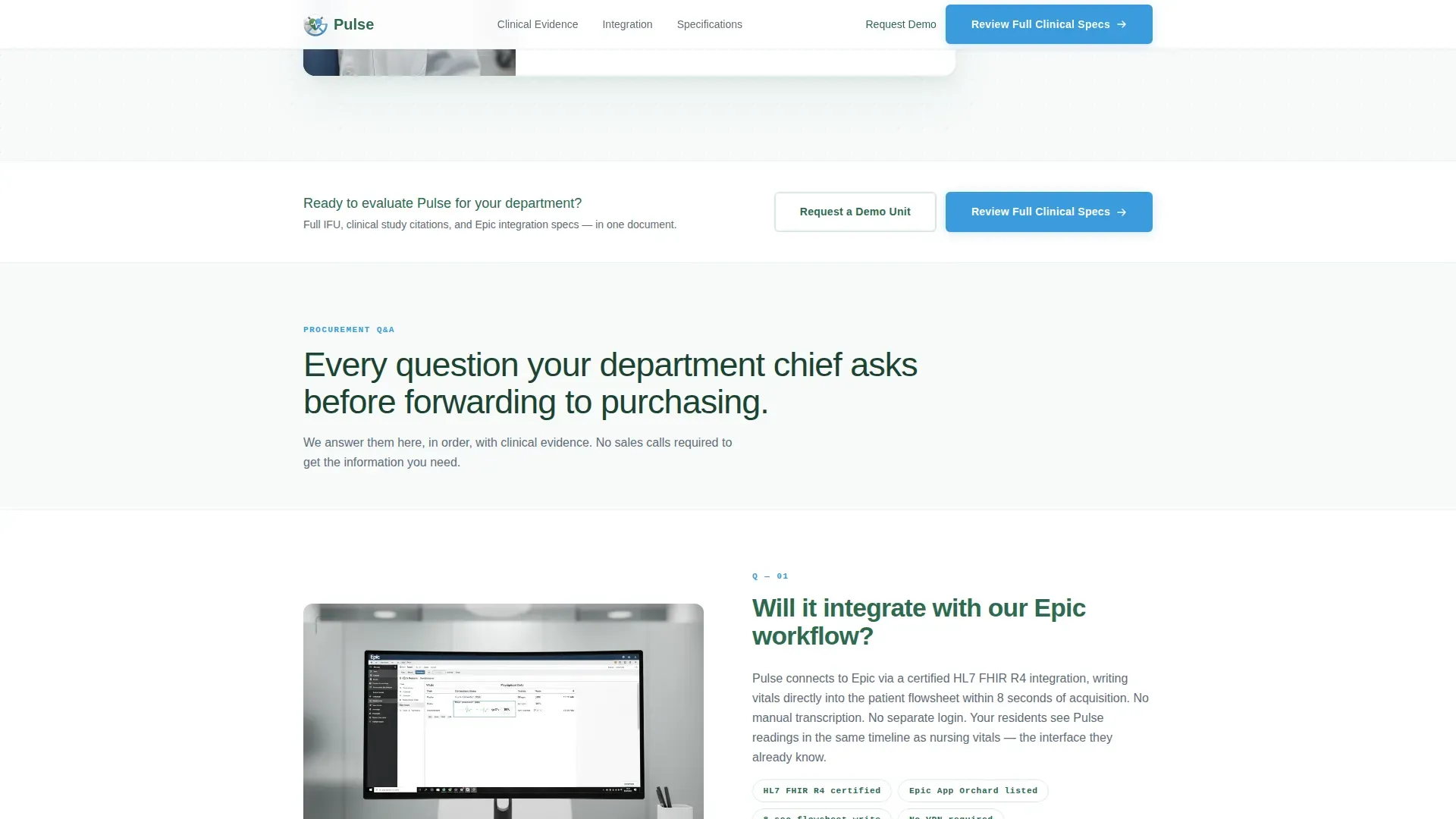
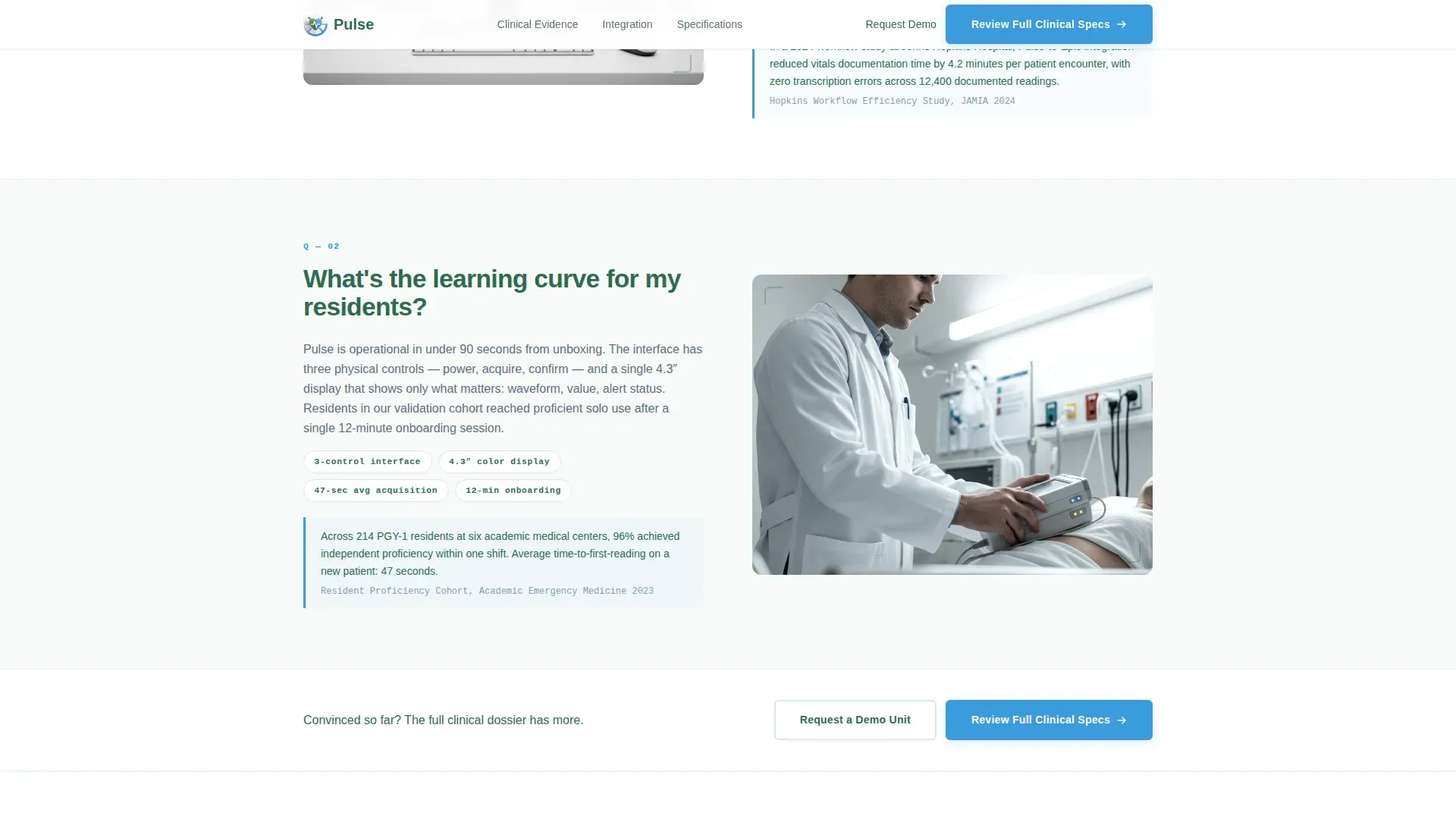
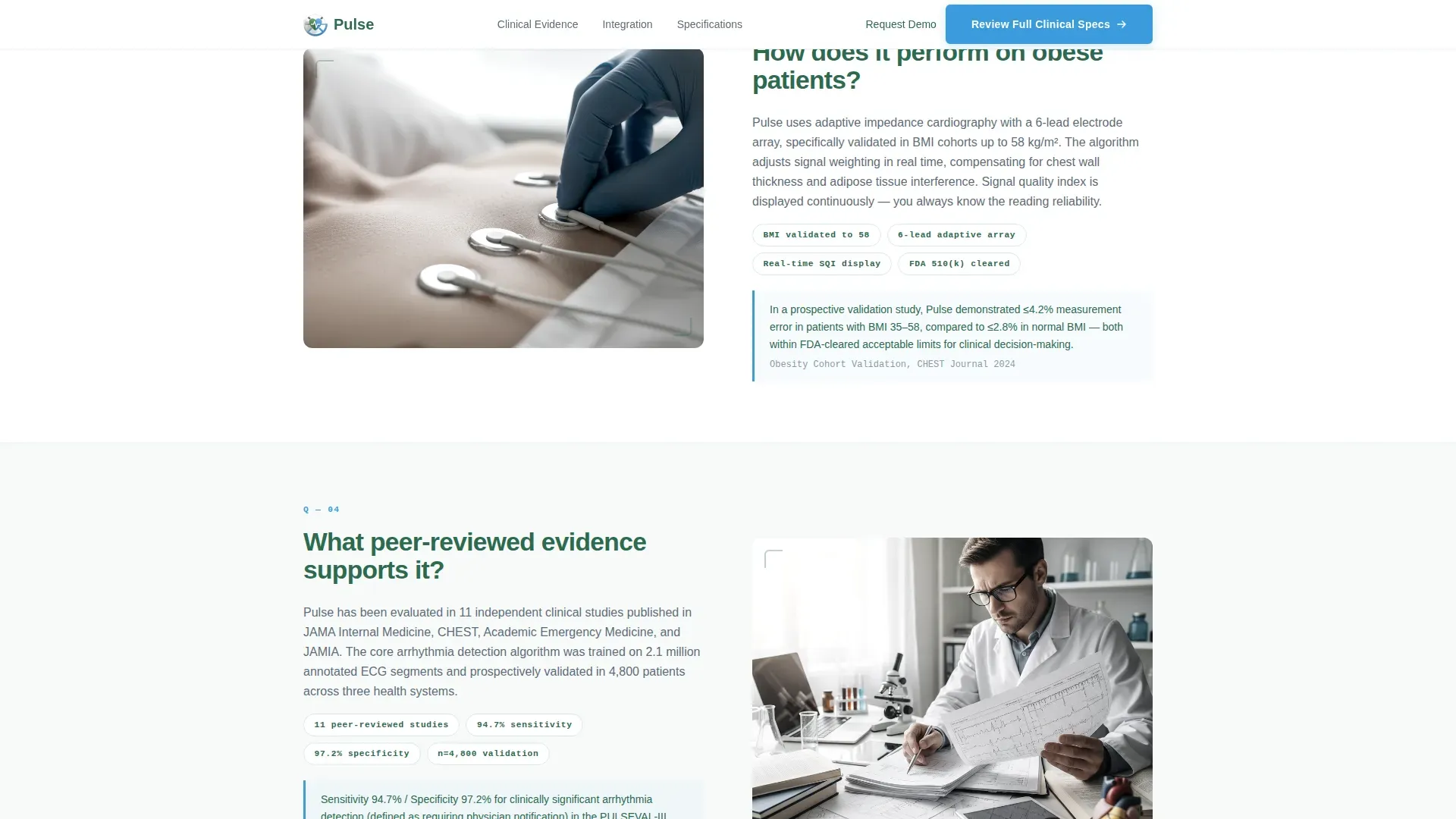
Six FAQ sections are arranged in alternating left-right pairs across three thematic blocks. Each section places a large clinical question in evergreen type on one side and answers it with device imagery, spec callouts, and short clinical-evidence snippets on the other. The rhythm builds from workflow concerns to clinical validation to cost-of-ownership, clearing objections in the order buyers actually raise them.
Clinical Stats Bar
A dedicated horizontal stats bar sits between FAQ pairs two and three. It presents four quantified outcome metrics in a clean, scannable row. Data callouts use JetBrains Mono typography to reinforce the precision and instrument-grade feel of the device being presented.
Repeating Call-to-Action Pattern
The primary call to action, "Review Full Clinical Specs," appears in alpine sky blue beneath the testimonial card and repeats after every third FAQ pair. A secondary call to action, "Request a Demo Unit," offers a parallel path for hands-on evaluators. The repetition is intentional and timed to appear when buyer confidence is highest.
Alpine Fresh Color System
The palette uses glacier white for backgrounds, clinical evergreen for primary text and section anchors, sterile slate for secondary copy, and alpine sky blue for interactive elements and buttons. Every color has a clinical role, not a decorative one.
Scroll-Reveal and Hover Interactions
FAQ sections use scroll-reveal animation at a low-to-medium intensity. Cards respond to hover with subtle shadow depth. Physician portraits transition from grayscale to color on interaction. Call-to-action buttons carry hover states. The interaction set is intentionally restrained to preserve the instrument-tray calm of the overall design.
Page sections overview
| Section | Purpose |
|---|---|
| Testimonial Card Hero | Opens with physician credibility and primary call to action |
| FAQ Pair One | Addresses workflow integration and learning curve concerns |
| FAQ Pair Two | Covers complex patient performance and clinical validation |
| Clinical Stats Bar | Presents four quantified proof metrics in one row |
| FAQ Pair Three | Handles cost of ownership and support model questions |
| Final Call to Action | Repeats both primary and secondary conversion paths |
| Linear Footer | Closes the page with a single-row footer pattern |
Design & branding system
The Medical Clarity theme treats every visual decision as a functional one. The layout feels like an instrument tray: everything in its place, every edge purposeful, no decorative clutter.
- Color system: glacier white (#F7FAFA) backgrounds, clinical evergreen (#2D6A4F) for headlines and anchors, sterile slate (#5E6D7A) for body copy, alpine sky (#3A9BDC) for buttons and interactive elements
- Typography: DM Sans for headlines, Manrope for body text and specs, JetBrains Mono for data callouts and metric figures
- Visual style: editorial precision, purposeful whitespace, natural clinic-lighting photography direction, and a device silhouette used as a recurring signature element
Mobile & speed optimization
The template is built desktop-first, reflecting the reality that procurement officers typically review detailed product pages at workstations. A clean mobile fallback is included for secondary device access.
- Desktop-first layout prioritizes the zigzag column structure and oversized card proportions that read best on larger screens
- Mobile fallback stacks the alternating FAQ columns cleanly without breaking the question-answer flow
- Static server components handle non-interactive content to keep JavaScript load minimal across all viewports
How this template helps you convert
The Pulse template is structured to move a skeptical clinical buyer from first scroll to qualified click without friction. Every section earns the next one.
- The testimonial card opens with peer-level credibility, a named physician and a specific clinical moment, so the visitor immediately trusts the source before reading a single product claim
- The FAQ zigzag sequence answers the seven questions every department chief asks in the exact order they arise during procurement, so by the time the call to action reappears, the visitor has already decided to learn more
- The repeating call-to-action pattern with two distinct paths, full clinical specs or a demo unit request, captures both the researcher and the hands-on evaluator without forcing a single conversion route
Other information about this template
This template is categorized under Health and Medical, with a subcategory focus on internal medicine medicine and a niche alignment to internal medicine medical device presentation. It is designed for English-language, United States-based clinical contexts using standard US terminology including Epic, hospitalist, and medication reconciliation workflows.
- The page structure supports desktop-first procurement reviews while maintaining a clean single-column mobile layout
- The FAQ-driven creative direction means the page reads like a structured clinical briefing rather than a promotional brochure
- The Click-Through landing page direction is optimized to move visitors to a detailed product specification page, not to close a transaction directly on-page
- The template uses a Zigzag/Alternating layout style throughout the FAQ section body, creating visual variety without sacrificing the calm, purposeful tone of the Medical Clarity theme
Theme
Medical Clarity
Creative direction
FAQ-Driven
Color system
Alpine Fresh
Style
Zigzag/Alternating
Direction
Click-Through
Page Sections
Oversized Testimonial Card Header
Zigzag FAQ Section Pairs
Clinical Stats Bar
Repeating Call-to-action Pattern
Alpine Fresh Color System
Scroll-reveal and Hover Interactions
Related questions
What layout style does this template use?
Who is this landing page template designed for?
What are the two call-to-action paths in this template?
Can I customize the physician testimonial and credential details?
What makes this template different from a standard medical product page?



