Roofer Marketing Comparison Website Template
Ridgeline is a single-page roofing contractor landing page built around a commanding comparison table, a manifesto-style header, and a lead capture form. It speaks directly to homeowners, property managers, and insurance adjusters who need a contractor they can trust on sight. The layout builds a case row by row before asking for the click.
by Rocket studio
Quick summary
Ridgeline is a high-authority roofing contractor landing page template. It opens with an oversized serif manifesto, moves through a logo wall of certifications and carrier approvals, and anchors on a twelve-row comparison table. Every section is designed to earn trust before the visitor reaches the lead form.
Who this template is for
This template is built for roofing contractors who want their website to do the selling before the phone rings. It works best for established operations with credentials, crew standards, and documented processes worth advertising.
- Roofing contractors targeting homeowners after storm damage or an aging roof
- Property managers overseeing multiple units who need a reliable, documented contractor
- Roofing businesses whose process includes drone inspections, permit handling, and written estimates
What problem this template solves
Most roofing contractor pages look identical. A phone number, a stock photo, and a generic "free estimate" button are not enough to convert a visitor who has already been burned by a bad contractor. Ridgeline replaces vague reassurance with structured proof.
- Visitors cannot tell which contractor is professional at a glance, so the comparison table makes the difference visible
- Homeowners dealing with storm damage need to act fast, and a cluttered page with no clear path wastes that urgency
- Insurance adjusters and property managers need documentation confidence before they even pick up the phone
What you get with this template
Ridgeline delivers a fully structured single-page layout organized to guide the visitor from first impression to form submission. Every section has a defined job, and nothing competes for attention.
- A manifesto-style header with micro-credential bar, a logo wall ticker, and a twelve-row comparison table
- A lead capture form with address input, roof type selector, issue description dropdown, and preferred callback window
- A secondary call-to-action path offering a downloadable Roofing Buyer's Guide for visitors not yet ready to book
Feature list
This section walks through the core built-in components that make Ridgeline work as a lead generation landing page.
Manifesto Header with Micro-Credential Bar
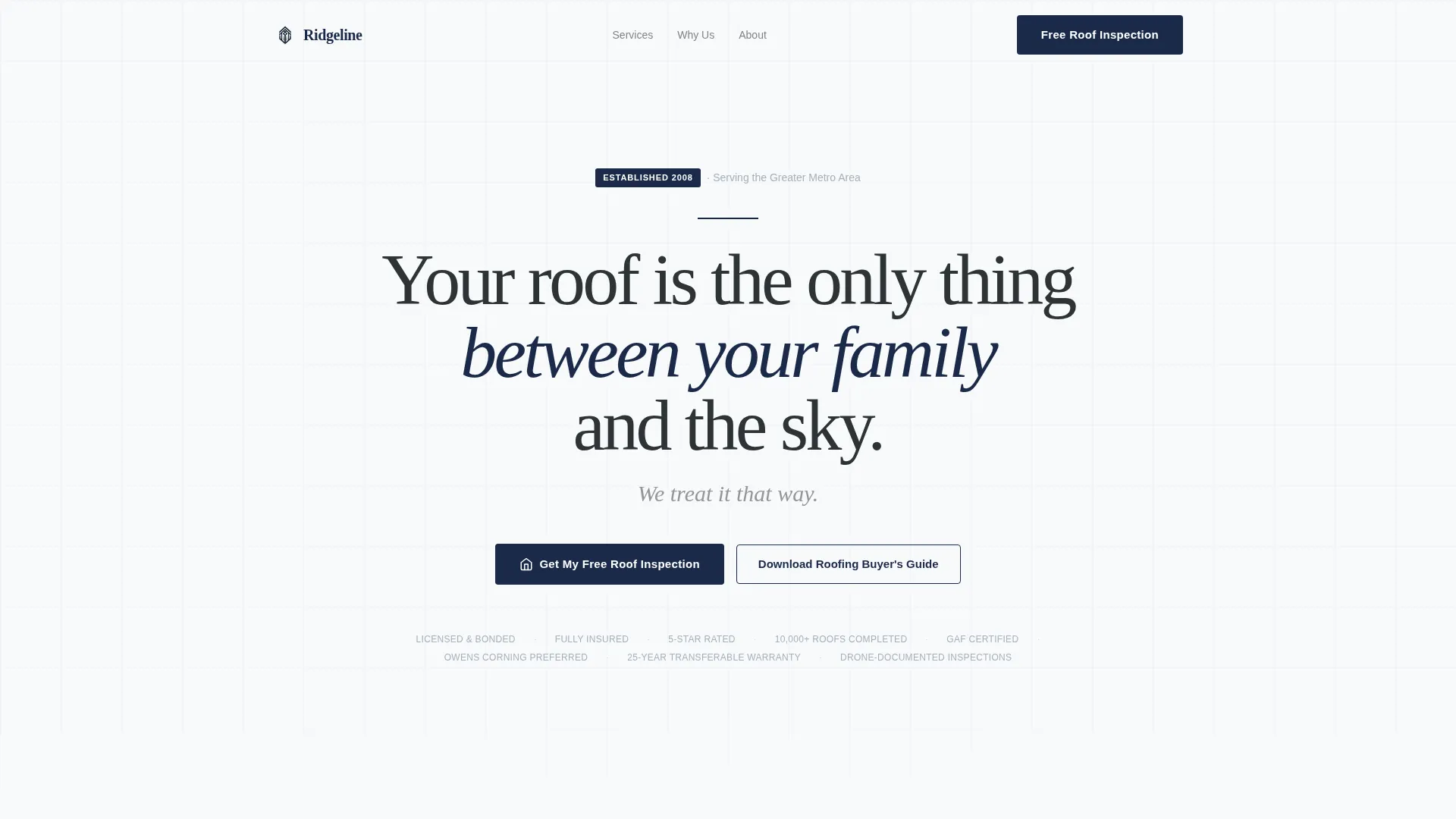
The page opens with oversized serif typography on white space. A short, authoritative line sets the tone. Below it, a single silver text bar lists credentials: licensed, bonded, insured, five-star rated, and ten thousand roofs completed. No images, no distractions.
Horizontal Logo Wall Ticker
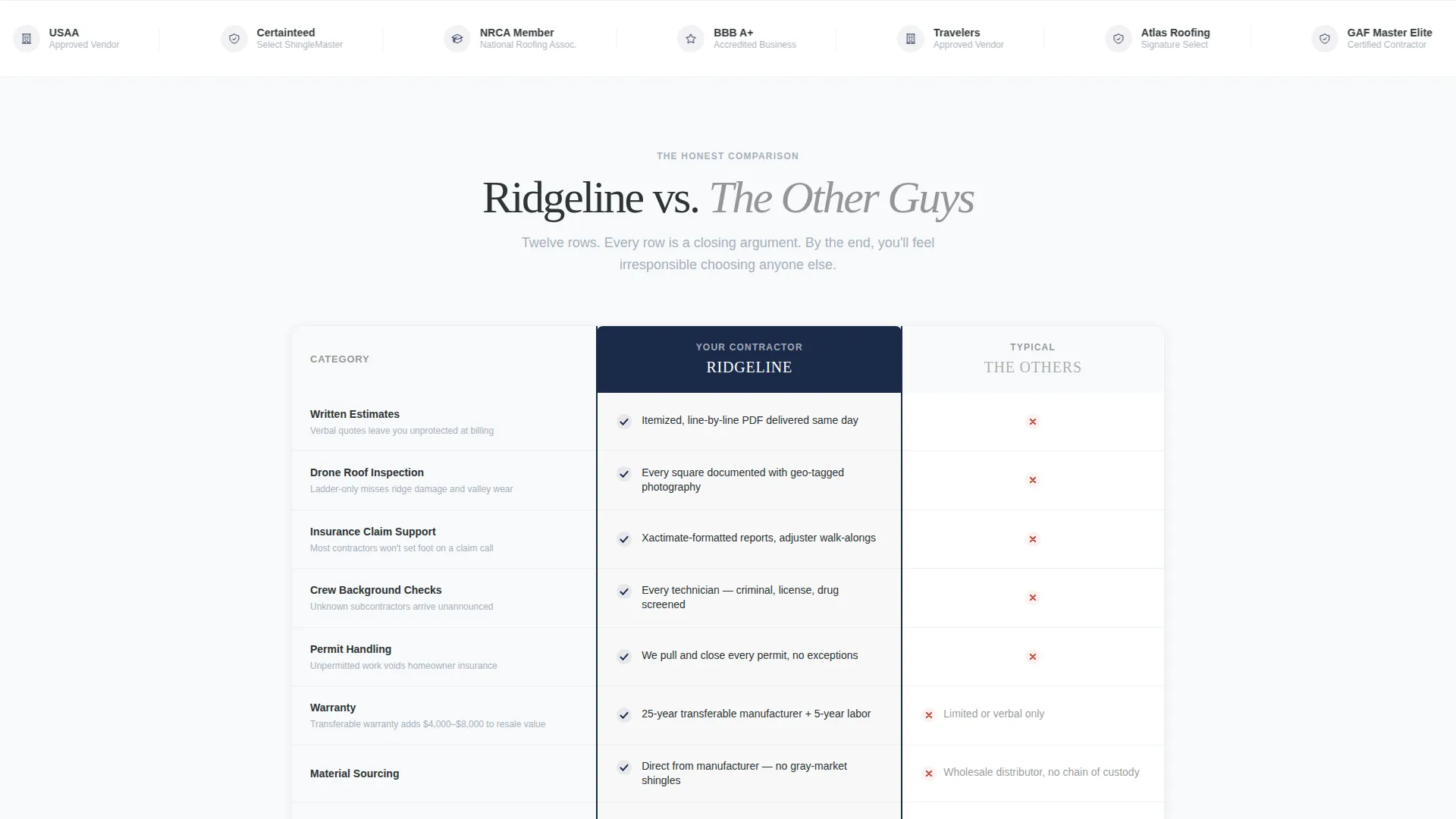
A scrolling ticker sits immediately below the header. It displays insurance carrier approvals, manufacturer certifications, local press features, and homeowner association affiliations. The ticker communicates third-party validation without requiring the visitor to read a paragraph.
Twelve-Row Comparison Table
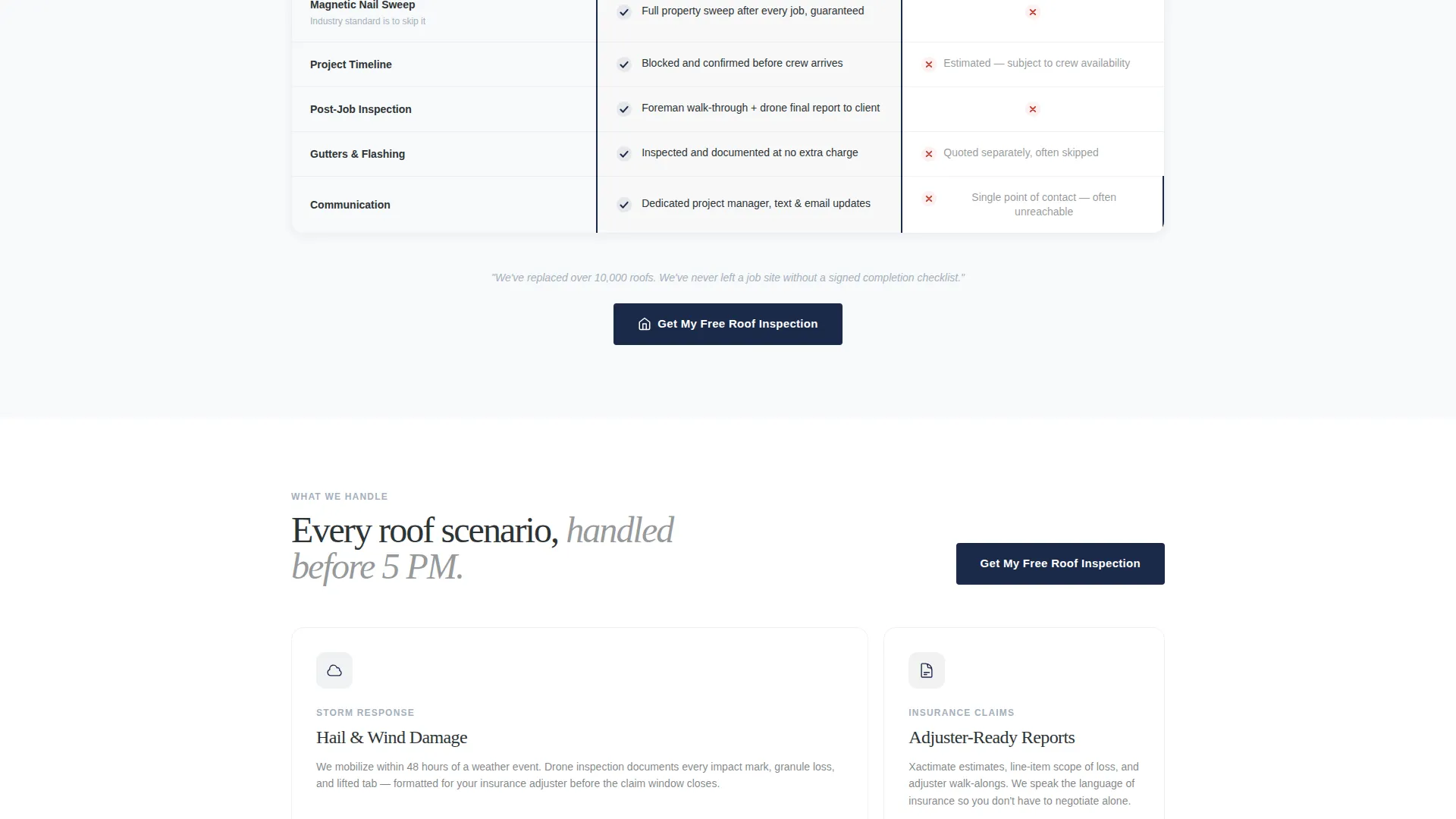
The centerpiece of the page pits the contractor against generic competitors across twelve rows. Each row covers a specific differentiator: written estimates versus verbal quotes, drone inspections versus ladder-only checks, background-checked crews versus unknown subcontractors, and permit handling versus homeowner responsibility. The table reads like a closing argument.
Lead Capture Form with Segmentation Fields
The primary call-to-action form collects address, roof type (shingle, tile, flat, or metal), issue description from a dropdown, and preferred callback window. This segmentation helps the contractor prioritize leads before the first call is made.
Secondary Nurture Path
A separate call-to-action offers a downloadable Roofing Buyer's Guide. Visitors who are not ready to book can provide their email and enter a nurture sequence. This keeps the page useful for every stage of the decision process.
Section-Break Call-to-Action Anchors
A navy "Get My Free Roof Inspection" button appears at every major section break. Each instance anchors to the same lead form, so the visitor always has a clear next step no matter where they pause on the page.
Page sections overview
| Section | Purpose |
|---|---|
| Manifesto Header | Sets authority tone with oversized serif typography and no imagery |
| Micro-Credential Bar | Delivers license, bond, insurance, and rating proof in one line |
| Logo Wall Ticker | Shows carrier approvals, certifications, and press features |
| Comparison Table | Contrasts contractor standards against generic competitors row by row |
| Section call to action Anchors | Repeats the primary call-to-action at each scroll milestone |
| Lead Capture Form | Collects address, roof type, issue type, and callback preference |
| Buyer's Guide call to action | Offers a downloadable guide as a secondary email capture path |
Design & branding system
The visual identity follows an Executive Suite direction. The palette is cold, authoritative, and deliberately spare. It is designed to contrast sharply with the cluttered, image-heavy pages most roofing contractors use.
- Arctic White base (#F8F9FA) on open backgrounds, charcoal slate (#2D3436) for headlines and table borders, polished silver (#A4B0BD) for secondary text and dividers
- A single commanding navy (#1B2A4A) reserved exclusively for call-to-action buttons and trust badges, ensuring every conversion element stands out
- Serif typography for the manifesto header reinforces the executive, proposal-quality tone throughout the page
Mobile & speed optimization
The layout is structured for clean rendering across screen sizes. The comparison table is the most complex element and is built to remain readable on smaller displays.
- The comparison table adapts to narrower viewports so row labels and checkmarks stay legible without horizontal scrolling
- The lead capture form fields stack vertically on mobile, keeping the input experience clean and tap-friendly
- Section-break call-to-action buttons remain full-width and prominent on every device size
How this template helps you convert
Ridgeline is built around a single conversion logic: make the contractor look so organized and credible that requesting an inspection feels like the obvious, responsible choice.
- The manifesto header and micro-credential bar establish authority in the first three seconds, before the visitor has scrolled at all.
- The comparison table removes the visitor's uncertainty by naming the specific ways this contractor outperforms a generic hire, turning passive browsing into active decision-making.
- The dual call-to-action structure captures both high-intent visitors ready to book and research-stage visitors who need more time, so no lead is left behind.
Other information about this template
Ridgeline is categorized under Professional Services and Roofer Marketing. It is purpose-built for the lead generation use case and is designed around the Comparison Table template style with a Service Utility theme. The page is well suited for contractors who hold manufacturer certifications from recognized programs and who operate as approved vendors for major insurance carriers. If your business documents damage with drone photography and itemized estimates, this template gives that process the visual credibility it deserves.
- The template style, section order, and call-to-action placement are pre-configured for the roofing contractor niche
- It can support contractors marketing to residential homeowners as well as commercial property managers
- The Buyer's Guide secondary path is a built-in nurture entry point for visitors at an earlier stage of their decision
Theme
Service Utility
Creative direction
FAQ-Driven
Color system
Ink & Paper
Style
Comparison Table
Direction
Lead Generation
Page Sections
Manifesto Header with Credential Bar
Scrolling Logo Wall Ticker
Twelve-row Comparison Table
Segmented Lead Capture Form
Dual Call-to-action Structure
Related questions
Can I use this template without the comparison table?
Is the lead capture form customizable for different roofing services?
Does the template include the Roofing Buyer's Guide document?
Who gets the most value from this template?
Can the color palette be updated to match a different brand?



