Office Building Construction Booking Website Template
Ridgeline is a hero-dominant landing page built for commercial roofing contractors targeting property managers, facility directors, and real estate firms. It leads with a sunrise rooftop photograph, walks visitors through three real-building case studies, and drives bookings through a structured three-step assessment form. The Fire and Earth color palette and bold serif typography build immediate trust.
by Rocket studio
Quick summary
Ridgeline is a single-page, booking-focused landing page for office building roofing contractors. It opens with a half-page sunrise photograph and a heavy serif headline, then guides visitors through three escalating case study narratives before presenting a three-step roof assessment form. Every section earns the click before asking for it.
Who this template is for
This template is built for commercial roofing contractors who work on flat-deck office buildings and need a page that speaks to decision-makers, not homeowners. It suits contractors who close jobs through trust, evidence, and a clear scheduling path.
- Property managers dealing with active tenant leak complaints
- Facility directors planning capital expenditure for aging commercial roofs
- Commercial real estate firms protecting portfolio value ahead of inspection season
What problem this template solves
Most roofing contractor pages lead with a phone number and a stock photo. Decision-makers at commercial buildings need more than that. They need proof that the contractor understands their building type, their timeline pressures, and what a failed roof costs in tenant relationships and property value.
- Generic pages fail to differentiate between residential and commercial roofing capability
- Buyers have no evidence of past work scale or complexity before they are asked to call
- There is no structured path from awareness to a scheduled assessment without friction
What you get with this template
You get a complete, structured landing page that takes a skeptical property professional from first impression to booked assessment in a single scroll. The page is honest, evidence-led, and built around the way commercial roofing decisions actually get made.
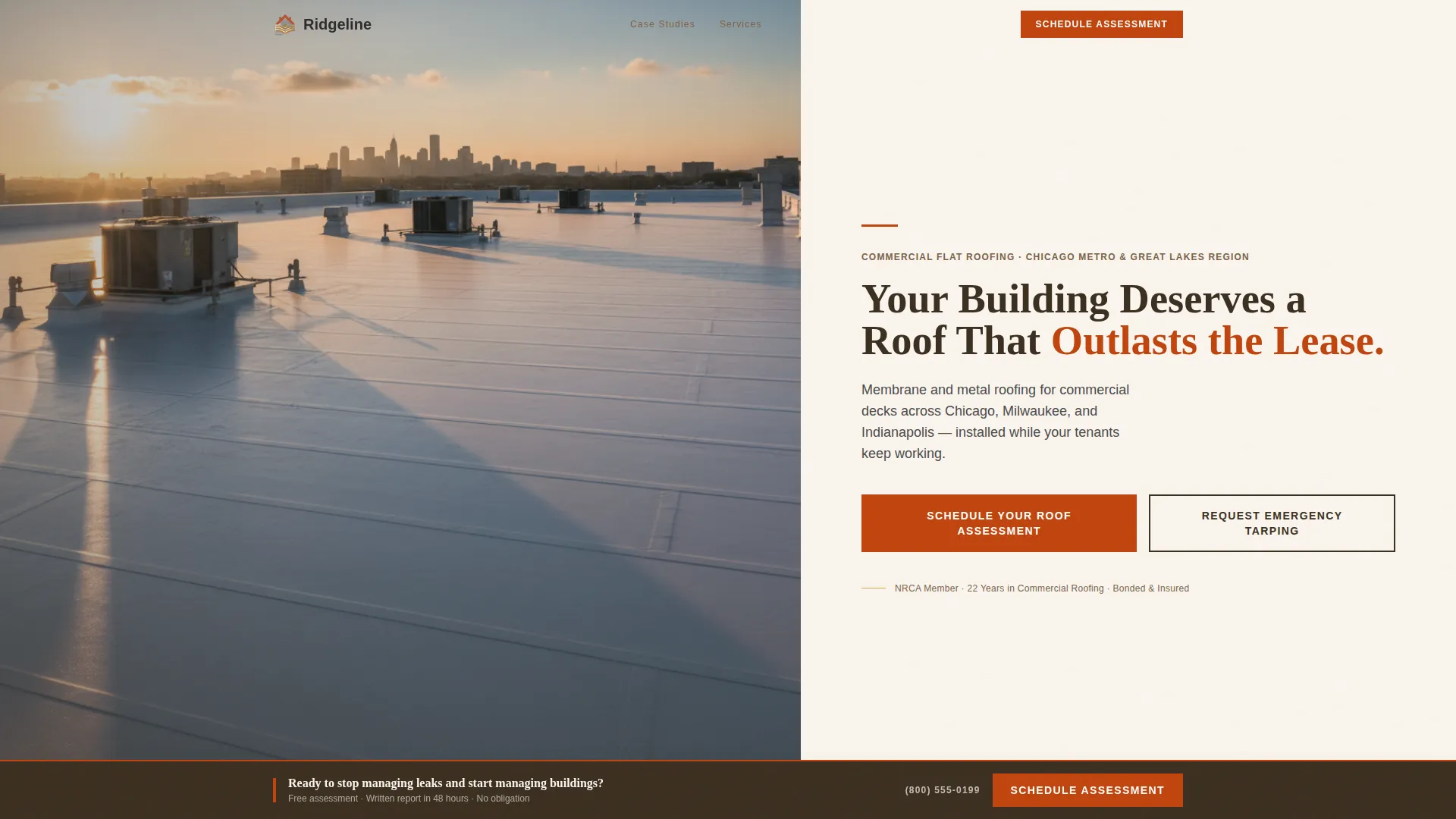
- A hero section with a half-page rooftop photograph and a terracotta scheduling button
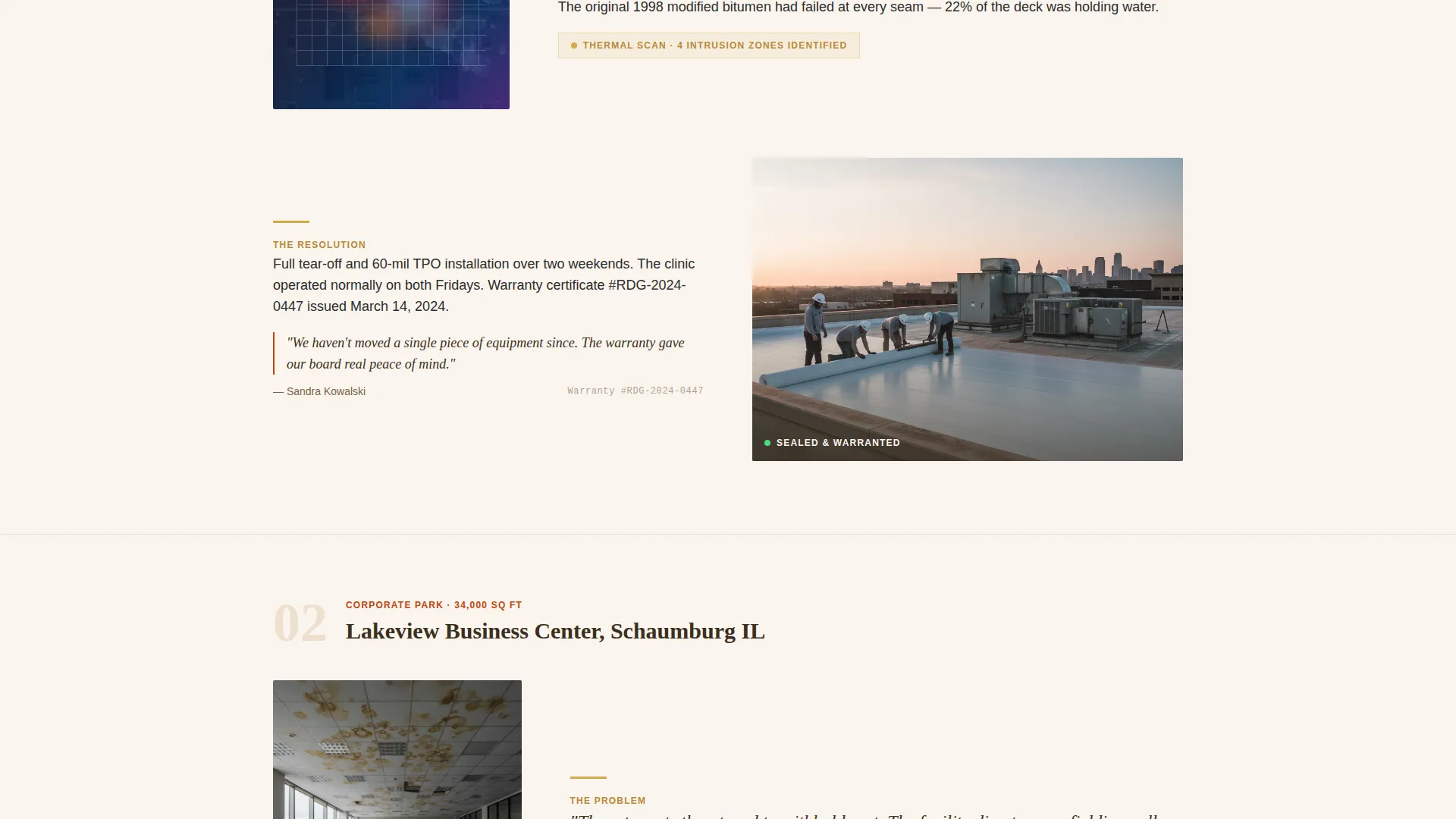
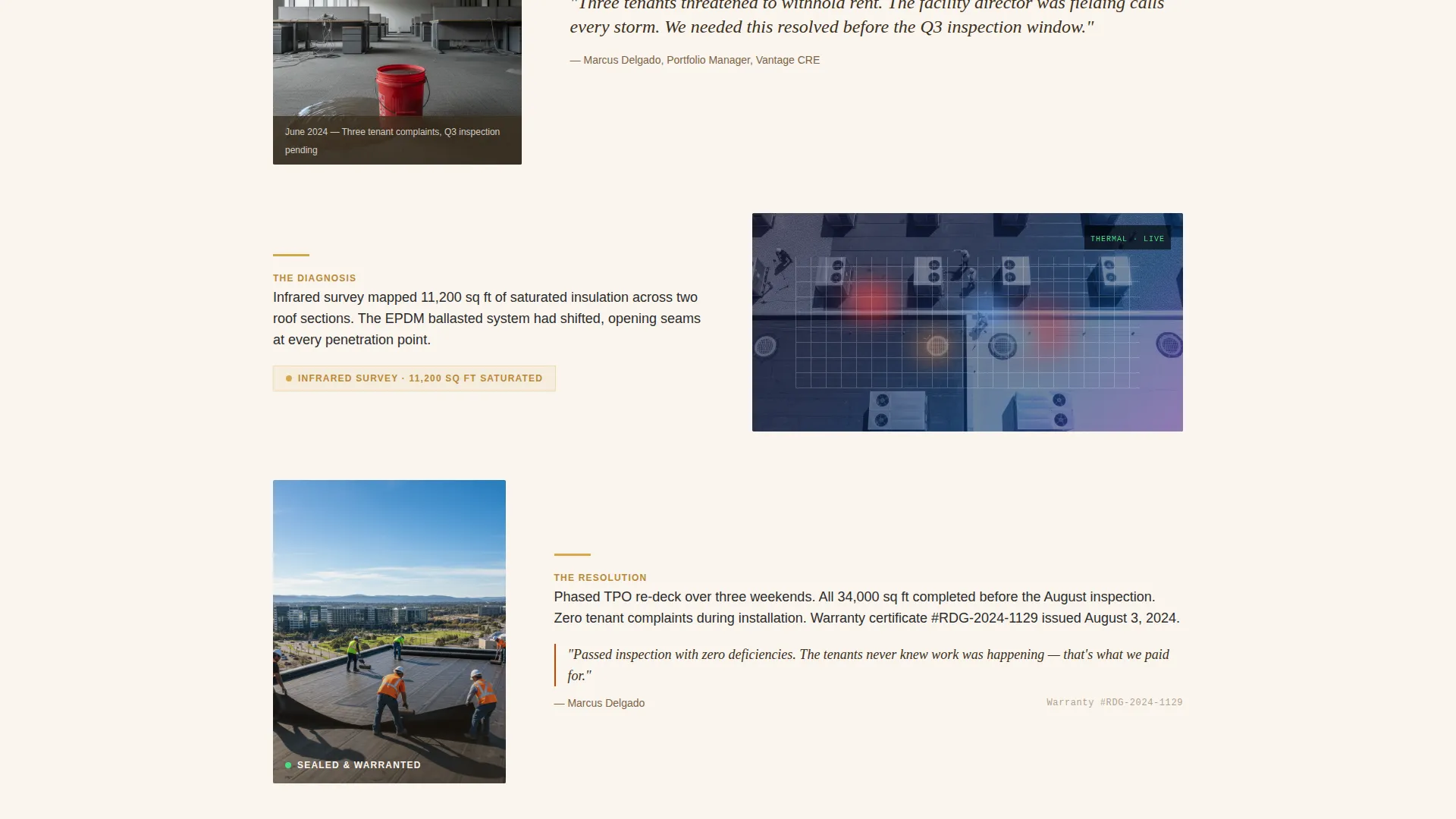
- Three sequential case study blocks, each covering a different building size and roof type
- Stat callout bars, a sticky booking bar, and a dual-path call-to-action structure
Feature list
This section describes the core functional and design features included in the Ridgeline landing page template.
Half-Page Hero with Scheduling Button
The header splits the screen between a wide-angle sunrise rooftop photograph on the left and right-aligned text on the right. A heavy serif headline reads "Your Building Deserves a Roof That Outlasts the Lease." A two-line subhead names the service area, and a terracotta button labeled "Schedule Your Roof Assessment" anchors the visual hierarchy immediately.
Three-Building Case Study Narrative
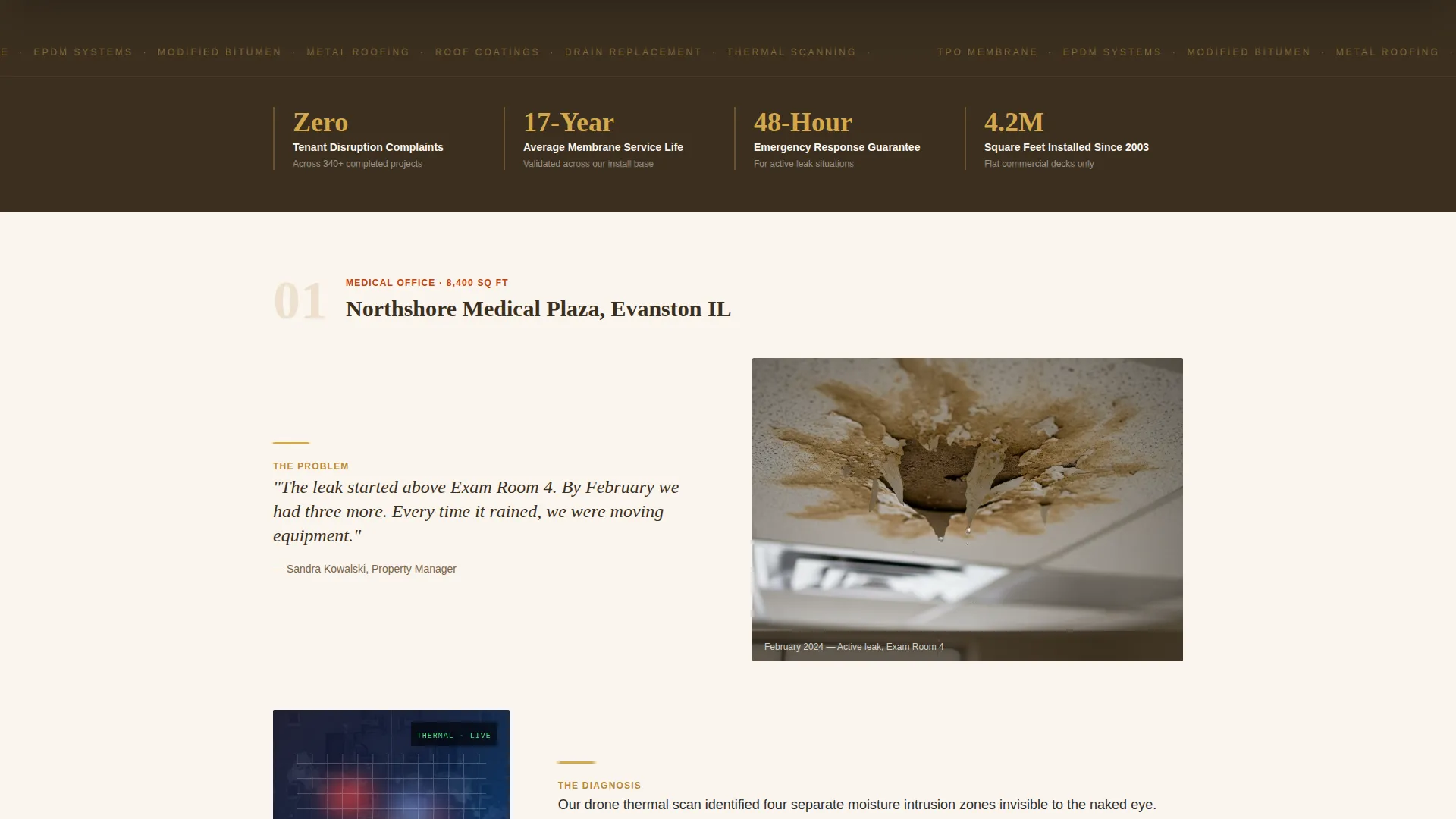
The page's body is structured as three sequential building stories, each escalating in scale. A small medical office, a mid-rise corporate park, and a downtown Class A tower are each presented as a full problem-to-resolution arc. Each story includes a property manager quote, a drone thermal scan image, a crew action photograph, and a closing result image with a visible warranty certificate number.
Stat Callout Bars in Wheat Gold
Between each case study, a full-width callout bar displays a single high-impact statistic in dried wheat gold. Examples built into the template include "Zero Tenant Disruption Complaints," "17-Year Average Membrane Life," and "48-Hour Emergency Response." These bars reset the reader's attention and reinforce credibility between narrative blocks.
Three-Step Inline Assessment Form
The primary call-to-action opens a three-step inline form. Step one collects the building address and approximate square footage. Step two presents a dropdown for roof type, with options including TPO (thermoplastic polyolefin), EPDM (ethylene propylene diene monomer), modified bitumen, metal, and unsure. Step three offers a preferred week selector with a morning or afternoon toggle.
Sticky Booking Bar
After the visitor passes the second case study, a sticky bar appears at the bottom of the viewport. It repeats the primary call-to-action in terracotta so the booking option is always visible without interrupting the narrative scroll. This ensures the scheduling path remains accessible without forcing a pop-up or modal.
Dual Call-to-Action Path
Below the primary scheduling button sits a secondary action labeled "Request Emergency Tarping" in loam brown. On mobile, this links directly to a phone call. On desktop, it opens a short-form for urgent situations. This dual path serves both planned assessments and time-sensitive emergencies without cluttering the primary conversion flow.
Page sections overview
| Section | Purpose |
|---|---|
| Hero Header | Establish visual authority and present the primary scheduling call-to-action |
| Case Study One | Tell the small medical office leak story from problem to resolution |
| Stat Bar One | Display the tenant disruption statistic between case studies |
| Case Study Two | Tell the mid-rise corporate park roof replacement narrative |
| Stat Bar Two | Display the membrane life statistic between case studies |
| Case Study Three | Tell the downtown Class A tower story at full scale |
| Stat Bar Three | Display the emergency response statistic before the booking section |
| Booking Form | Present the three-step inline assessment scheduling form |
| Emergency call to action | Offer the secondary path for urgent tarping requests |
Design & branding system
The visual identity follows a Pastoral Calm theme built on a Fire and Earth color system. The palette evokes a clay field at golden hour, with warm tones that feel settled, serious, and unhurried rather than loud or industrial.
- Terracotta (#C1440E) drives all primary buttons and accent lines
- Deep loam brown (#3B2F20) anchors section dividers and the secondary call-to-action
- Dried wheat gold (#D4A84B) highlights stat callout bars and data figures
- Warm parchment white (#FAF5EE) fills page backgrounds, with charcoal (#2C2C2C) for body text
Mobile & speed optimization
The layout is designed so the hero photograph and all case study images scale cleanly on smaller viewports. The sticky booking bar and the emergency phone link are particularly important on mobile, where time-sensitive decisions often happen from the field.
- The emergency call link activates a direct phone call on mobile devices
- The sticky booking bar remains visible throughout the mobile scroll without obscuring content
- The three-step form collapses into a clean single-column flow on narrow screens
How this template helps you convert
The page is structured to build trust before it asks for anything. By the time a visitor reaches the booking form, they have seen three real buildings, read three manager quotes, and reviewed three statistics. The ask feels like the logical next step rather than a cold request.
- The case study narrative proves competence at ascending scales, so the reader self-qualifies based on their own building type before reaching the form
- The sticky booking bar keeps the primary call-to-action visible after the second case study without interrupting the reading experience, reducing drop-off at the decision moment
Other information about this template
Ridgeline is designed specifically for the commercial roofing niche within office building construction. It is not a general contractor template and is not suited for residential roofing services. The page structure assumes the contractor has at least three completed commercial projects to feature as case studies.
- The template uses a Hero-Dominant (90/10) layout, meaning the visual and narrative content carries the page rather than form-heavy or feature-grid structures
- The creative direction is Case Study Narrative, which is a format proven to work well when buyers need evidence before committing to a scheduled assessment
- The booking form includes a roof type dropdown covering TPO, EPDM, modified bitumen, and metal roof categories, which aligns with typical flat commercial deck systems
- Color values and typography weights are defined in the design system and can be updated to match a contractor's existing brand without restructuring the layout
Theme
Pastoral Calm
Creative direction
Case Study Narrative
Color system
Fire & Earth
Style
Hero-Dominant (90/10)
Direction
Booking/Scheduling
Page Sections
Half-page Hero with Booking Button
Three-building Case Study Blocks
Wheat Gold Stat Callout Bars
Three-step Inline Booking Form
Sticky Scheduling Bar
Dual Call-to-action Path
Related questions
Who is this landing page template designed for?
Can I replace the case study buildings with my own completed projects?
What roof types does the booking form cover?
Is the emergency tarping path separate from the main booking flow?
Do I need three case studies to launch the page?



