CDL Training School Landing Page Template
Rig is a gallery and detail landing page template built for commercial CDL (Commercial Driver's License) training schools. It pairs a split-video hero, draggable before/after flip cards, and animated results counters with a three-step class booking flow. The design runs on a cinematic Midnight Blue palette with DOT-amber calls to action, built for career-changers researching on mobile during their lunch break.
by Rocket studio
Quick summary
Rig is a dark, motion-forward landing page template designed for commercial driving schools that need to convert career-changers, veterans, and logistics companies into enrolled students. It leads with a split-video hero, moves through a before/after training gallery, and closes with a friction-reduced, three-step booking modal built around class dates, license type, and funding source.
Who this template is for
This template fits CDL training schools targeting adults who are ready to make a career change and need a clear, convincing path from curiosity to enrollment. It also works for programs with veteran-specific pipelines or employer-sponsored fleet training.
- Career-change focused CDL schools enrolling warehouse workers, laborers, and adults aged 25 to 45 who want an income increase
- Programs that accept GI Bill or Workforce Innovation and Opportunity Act (WIOA) grant funding for military veterans and eligible workers
- Logistics companies or fleet operators running in-house driver training pipelines and needing a professional intake page
What problem this template solves
Many driving school websites bury the emotional case for enrollment under generic program lists and contact forms. Prospective students arrive unsure whether they qualify, skeptical of the income promise, and unable to visualize what training actually looks like day to day.
- The abstract income claim is replaced with visceral, side-by-side video contrast showing two real lives separated only by a CDL
- The booking process is unclear or multi-step on most school sites, causing drop-off before a seat is ever reserved
- Visitors who are unsure whether they qualify have no quick way to check, so they leave without converting
What you get with this template
You get a fully designed, highly interactive single-page layout built specifically for commercial driver training enrollment. Every section is purposeful and sequenced to move a skeptical visitor toward reserving a class seat.
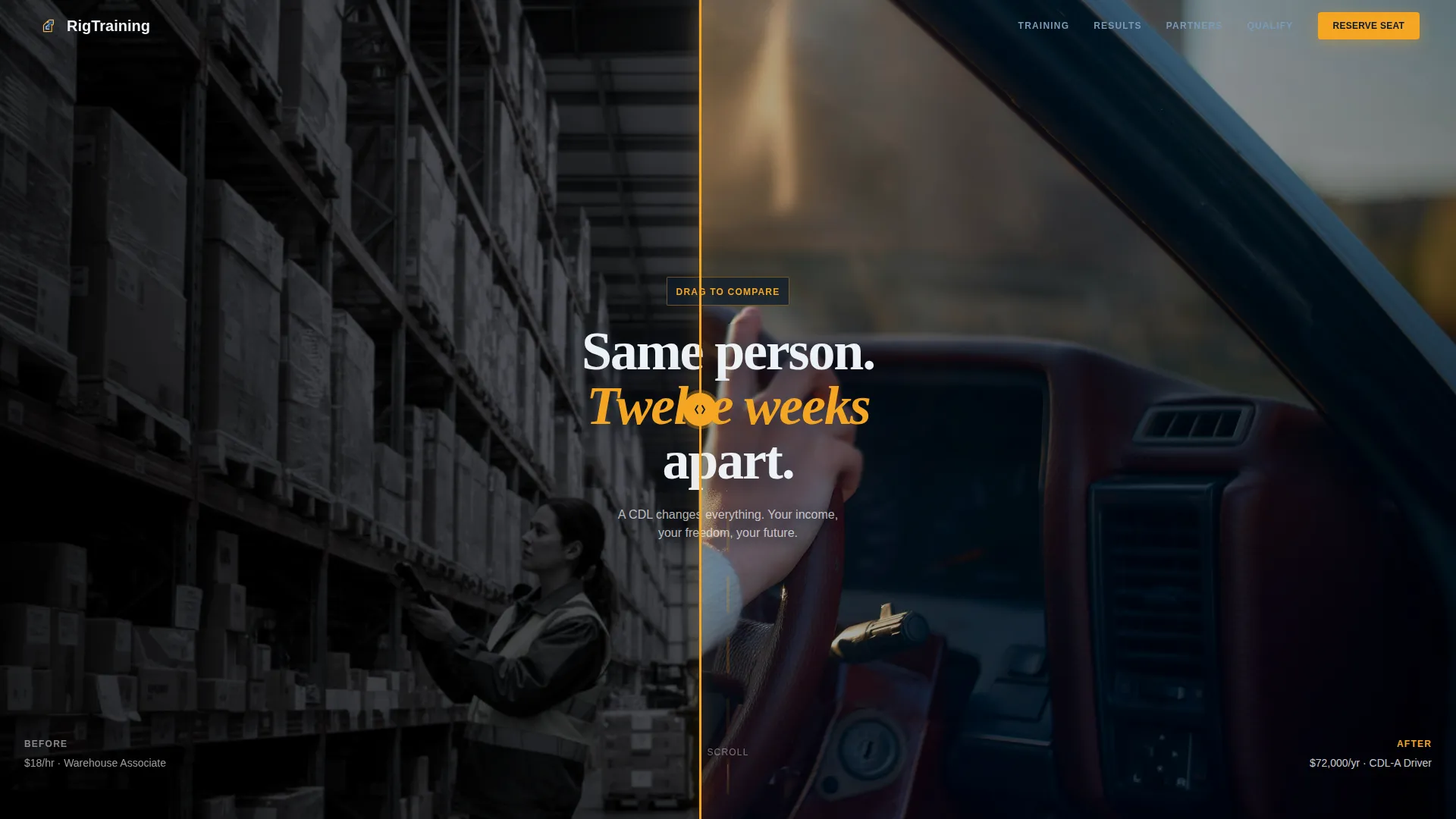
- A split-video compare hero with a draggable vertical divider and a headline that frames the transformation: "Same person. Twelve weeks apart."
- A training gallery using flip-card before/after mechanics, animated milestone counters, a hiring partner logo section, and a three-step booking modal with class calendar, license type selector, and funding dropdown
- A secondary eligibility quiz path that pre-fills the booking form for visitors who are unsure they qualify
Feature list
A paragraph introducing the feature set: every feature in this template is drawn directly from its brief and serves a specific conversion role in the enrollment journey.
Split-Video Compare Hero
The hero splits the viewport into two simultaneous video clips. The left side shows pre-CDL life; the right side shows the open road. A draggable vertical divider lets visitors physically control the contrast, making the transformation tangible before a single word is read.
Before/After Flip Card Gallery
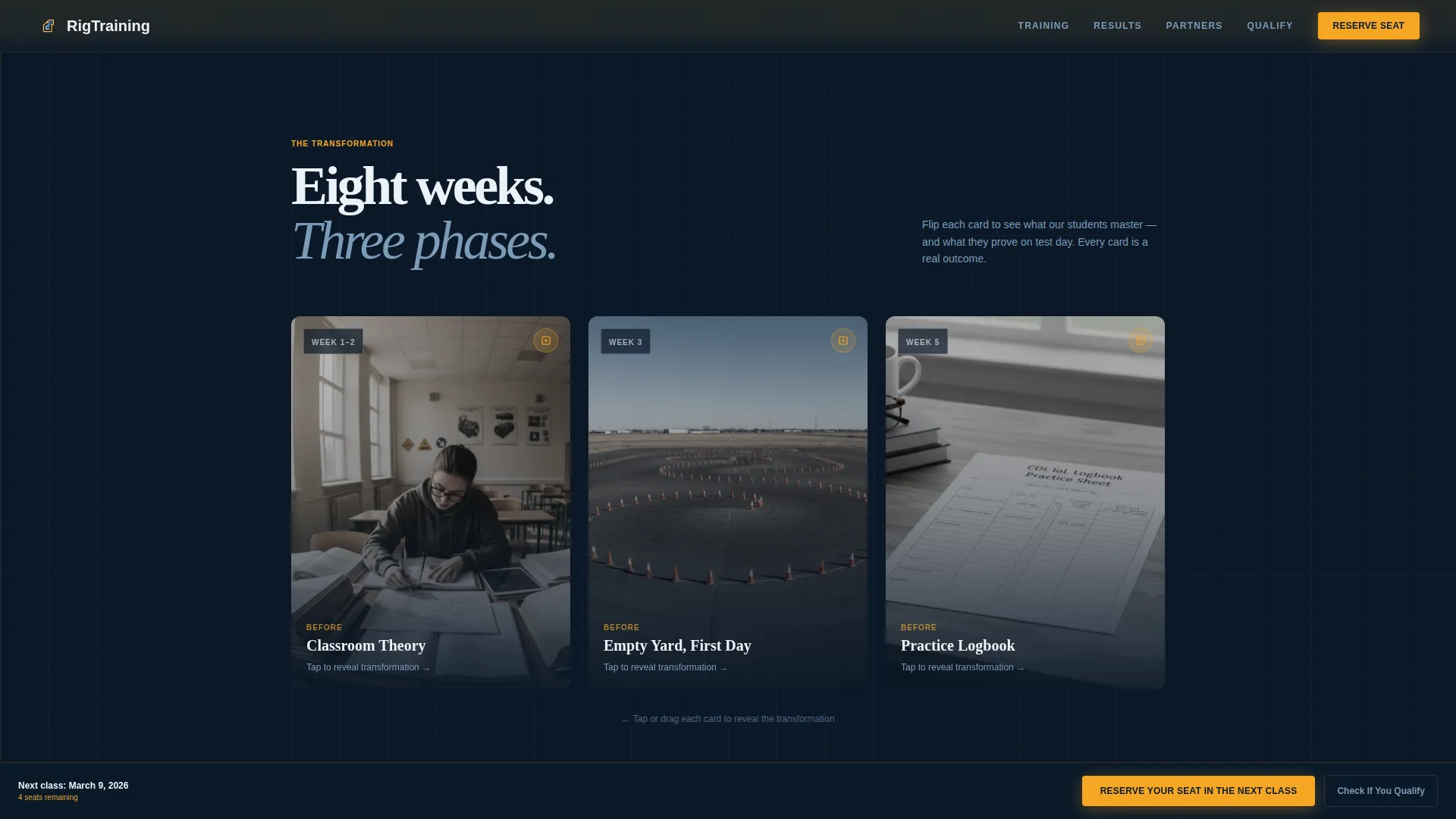
Each training phase is presented as a flip card. The front face shows the starting state: an empty classroom, a blank practice logbook, an open training yard. Dragging reveals the result: a student calling out pre-trip inspection points, a passed CDL skills test sheet, a blindside parallel park threaded between cones. Visitors physically participate in each reveal.
Animated Results Counters
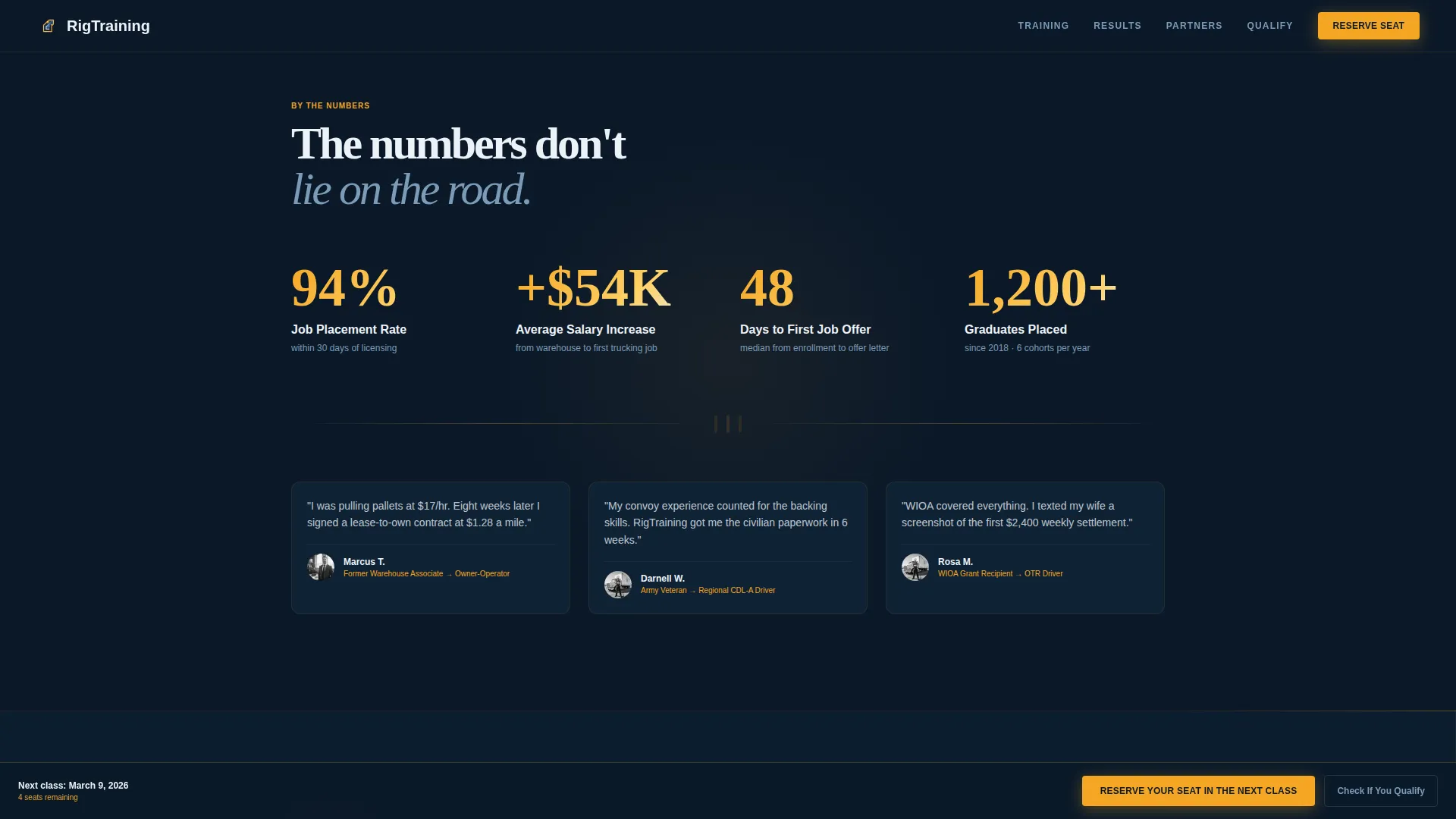
Three milestone numbers tick upward as the visitor scrolls into view: job placement rate, average salary increase, and days from enrollment to first job offer. The counters use scroll-triggered animation and build momentum as the page accelerates toward the booking section.
Three-Step Booking Modal
The primary call to action opens a modal with three sequential steps. Step one shows a class calendar with remaining seats per cohort. Step two lets the visitor choose their license type: Class A, Class B, or Passenger/School Bus endorsement. Step three collects name, phone number, and a single funding dropdown covering GI Bill, WIOA grant, employer-sponsored, and self-pay options.
Eligibility Pre-Check Quiz
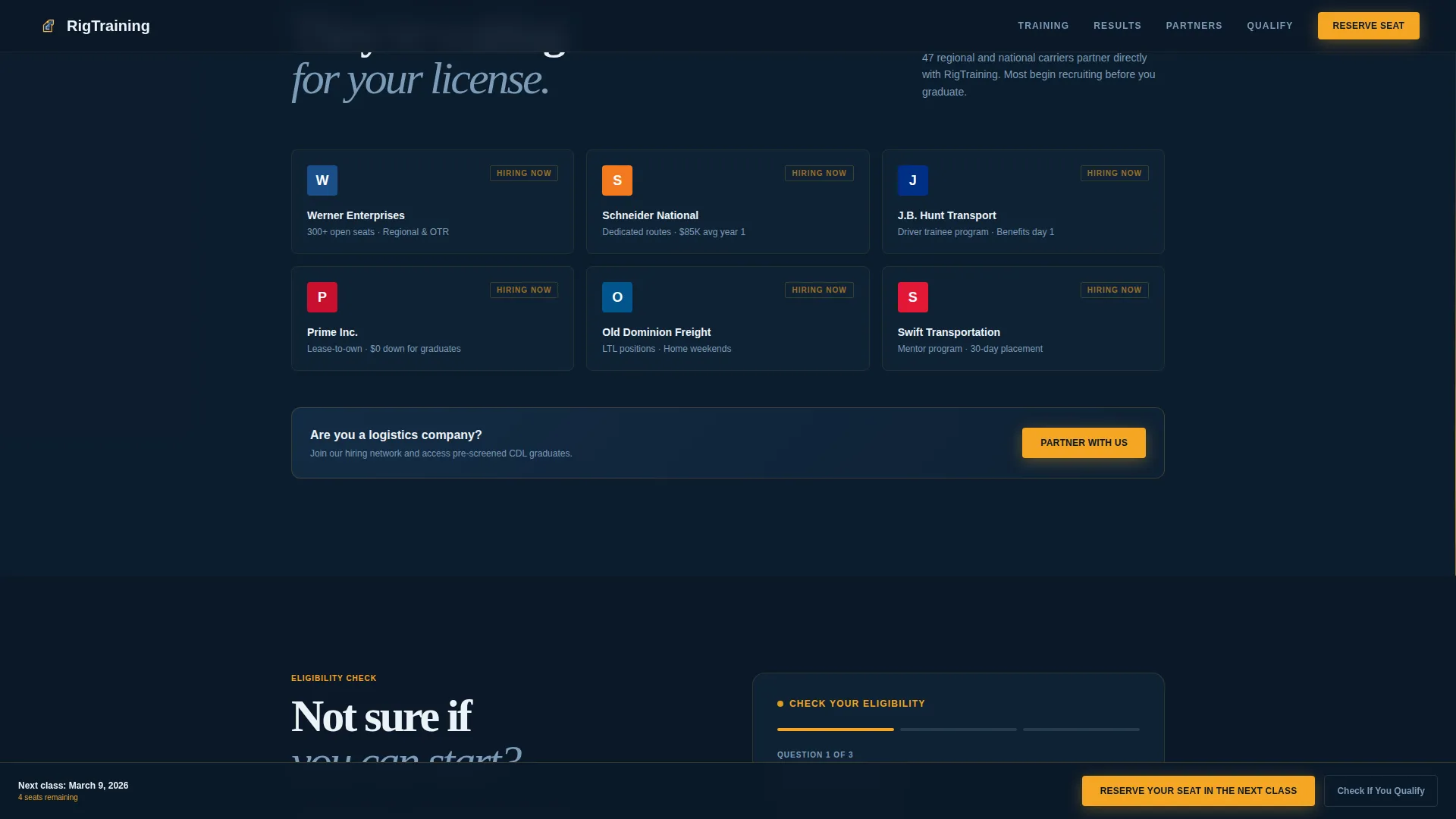
A secondary conversion path labeled "Check If You Qualify" runs a short soft-eligibility quiz covering age, driving record, and state. Completed answers pre-fill the booking form, lowering the barrier for visitors who are uncertain about their eligibility before committing to a seat reservation.
Pinned Amber Call-to-Action Bar
After the first scroll, the "Reserve Your Seat in the Next Class" button locks to the bottom of the viewport in DOT-amber. It stays visible through every section so the booking action is never more than one tap away, regardless of how far down the page a visitor scrolls.
Page sections overview
| Section | Purpose |
|---|---|
| Split-Video Hero | Contrast two lives with a draggable divider and transformation headline |
| Training Flip Gallery | Reveal each CDL training phase through interactive before/after cards |
| Results Counter Row | Animate job placement, salary, and timeline milestones on scroll |
| Hiring Partners Wall | Display company logos alongside truck cab imagery to reinforce job outcomes |
| Three-Step Booking Modal | Guide visitors through date, license type, and funding selection |
| Eligibility Quiz Path | Pre-qualify visitors and auto-fill their booking form |
| Linear Footer Row | Provide navigation, contact, and legal links in a single-row layout |
Design & branding system
The visual identity follows a Dynamic Motion theme built around a Midnight Blue color system. The overall feel is cinematic and industrial, like looking through a truck's windshield at night with the instrument cluster glowing ahead of you.
- Color palette: deep highway navy (#0B1929) for backgrounds, dashboard blue (#1B3A5C) for layered surfaces, headlight white (#EDF2F7) for body text, and DOT-amber (#F5A623) reserved exclusively for all clickable elements and progress indicators
- Typography pairing: Fraunces for display headlines, delivering editorial weight and warmth; Manrope for body text, keeping readability clean and modern across all screen sizes
- Motion and interaction: high-intensity animation throughout, including the split-drag divider, card flip transitions, scroll-triggered counters, beam border effects, and a marquee element for hiring partner names
Mobile & speed optimization
This template is built mobile-first because career-changers research training options on their phones during warehouse breaks, not at a desktop. Every interactive element is designed to function with a single thumb.
- The draggable hero divider, flip card reveals, and booking modal steps are all touch-optimized for small screens
- Images use lazy loading, and animations rely on CSS transforms to keep motion smooth without heavy processing overhead
- The IntersectionObserver API triggers counter animations only when the numbers enter the viewport, avoiding unnecessary computation on page load
How this template helps you convert
Every design and layout decision in this template is aimed at one outcome: getting a qualified visitor to reserve a class seat before they leave the page.
- The split-video hero creates an immediate emotional case for enrollment without requiring the visitor to read a paragraph, making the income argument visceral and personal within seconds of landing.
- The flip card gallery gives visitors a credible, specific view of what training looks like, replacing vague program descriptions with concrete proof points like signed test sheets and completed park maneuvers.
- The pinned amber booking button and the pre-qualification quiz together remove the two biggest conversion blockers: not knowing how to start and not knowing whether you even qualify.
Other information about this template
This template is categorized under Automotive and Transport, specifically in the Driving School and Commercial CDL Training niche. It carries a high intersection match score of 13 across category, subcategory, and niche alignment, meaning it was purpose-built for this specific use case rather than adapted from a generic layout.
- The template style is Gallery and Detail, meaning it combines rich visual storytelling with structured program information and a direct conversion action on the same page
- The footer uses Pattern 1, a linear single-row layout that keeps navigation links, contact information, and any required legal text compact at the bottom
- Social proof elements include counter-animated placement and salary statistics, hiring partner logos with truck cab imagery, and first-paycheck screenshots displayed in the hiring section
- The funding dropdown inside the booking modal explicitly supports GI Bill, WIOA grant, employer-sponsored, and self-pay options, making this template directly usable for schools serving veteran students and grant-eligible career-changers
- All measurements, currency, and location references in the template are formatted for the United States market using imperial units and USD
Theme
Dynamic Motion
Creative direction
Before/After Reveal
Color system
Midnight Blue
Style
Gallery + Detail
Direction
Booking/Scheduling
Page Sections
Split-video Compare Hero
Before/after Flip Card Gallery
Scroll-triggered Results Counters
Three-step Enrollment Booking Modal
Soft Eligibility Pre-check Quiz
Persistent Viewport-pinned Call to Action Button
Related questions
What types of CDL license classes does the booking flow support?
How does the eligibility quiz reduce drop-off before enrollment?
Is this template suitable for schools that accept veteran education benefits?
What video content is needed to activate the split-video hero?
Can logistics companies or fleet operators use this template for employer-sponsored training intake?



