CDL Training School Landing Page Template
Rig is a cinematic dark landing page template built for CDL training schools. It uses a split-screen layout to move visitors from curiosity to commitment, showing salary data and placement stats before the form ever appears. The design blends asphalt black, highway amber, and instrument blue into a cockpit-immersive experience built to generate qualified leads.
by Rocket studio
Quick summary
Rig is a single-page, lead generation template designed for commercial driver's license (CDL) training schools. It pairs a cinematic dark visual identity with an interactive split-screen layout, guiding career-changers, veterans, and young adults toward one clear action: reserving a seat in the program. Every section earns the click before asking for it.
Who this template is for
This template is built for vocational driving schools that need a high-converting, visually commanding landing page. It works especially well when your audience includes people making a real life decision, not just browsing.
- CDL training programs targeting career-changers from warehouse, retail, or overnight work
- Schools recruiting recently separated veterans translating military driving experience into civilian credentials
- Programs appealing to young adults who want a trade career without a four-year degree
What problem this template solves
Most driving school pages look like a form stapled to a stock photo. They ask for commitment before giving visitors any reason to trust the program. Rig flips that sequence.
- Visitors see salary comparisons and time-to-hire data before a single form field appears
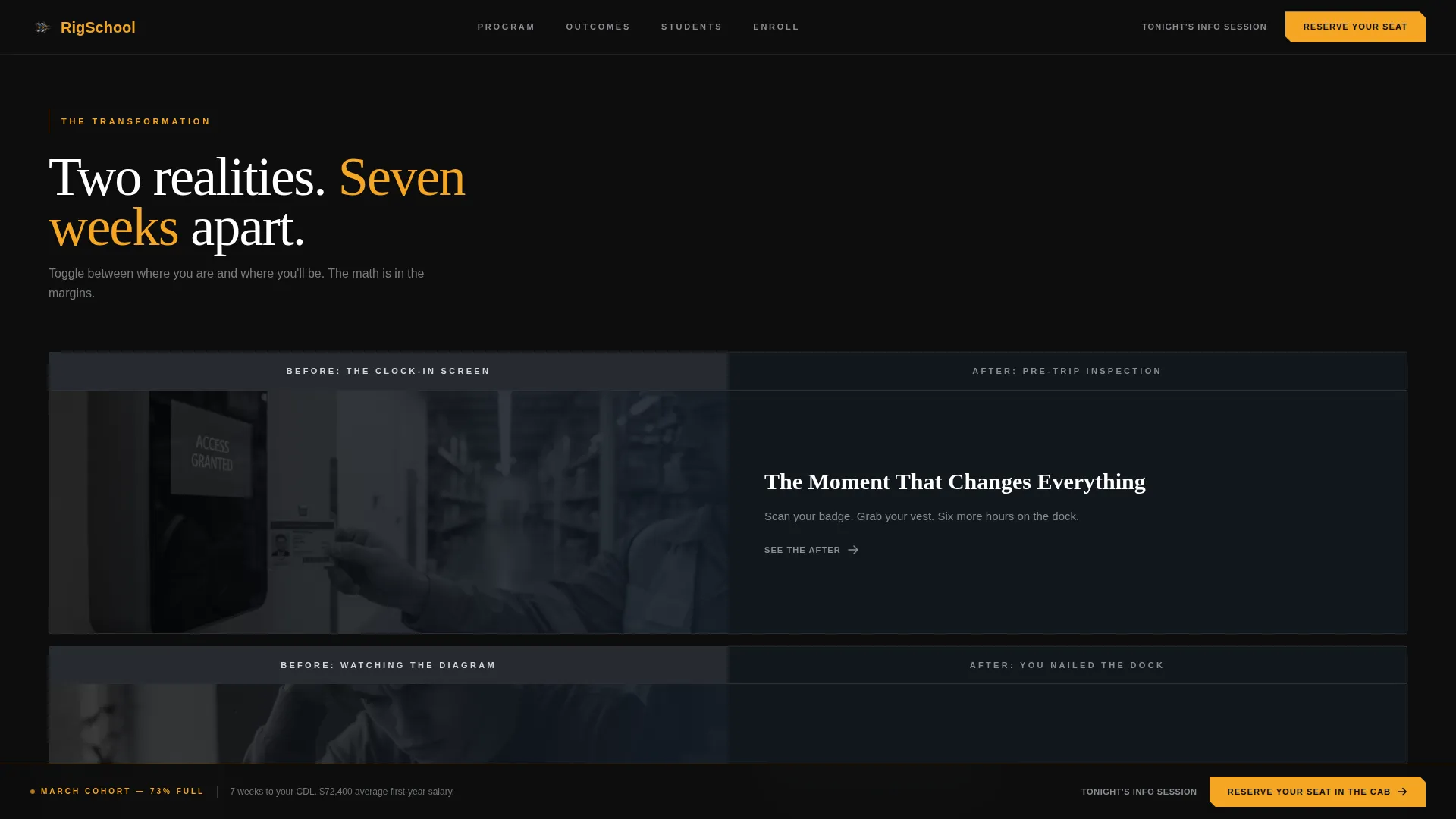
- The before-and-after toggle shows the contrast between a visitor's current life and their potential training outcome
- The sequential lead form reduces friction by asking only three questions, one at a time
What you get with this template
Rig delivers a fully structured, single-page layout with every section planned and ready to customize. The design system and interactive components are built in from the start.
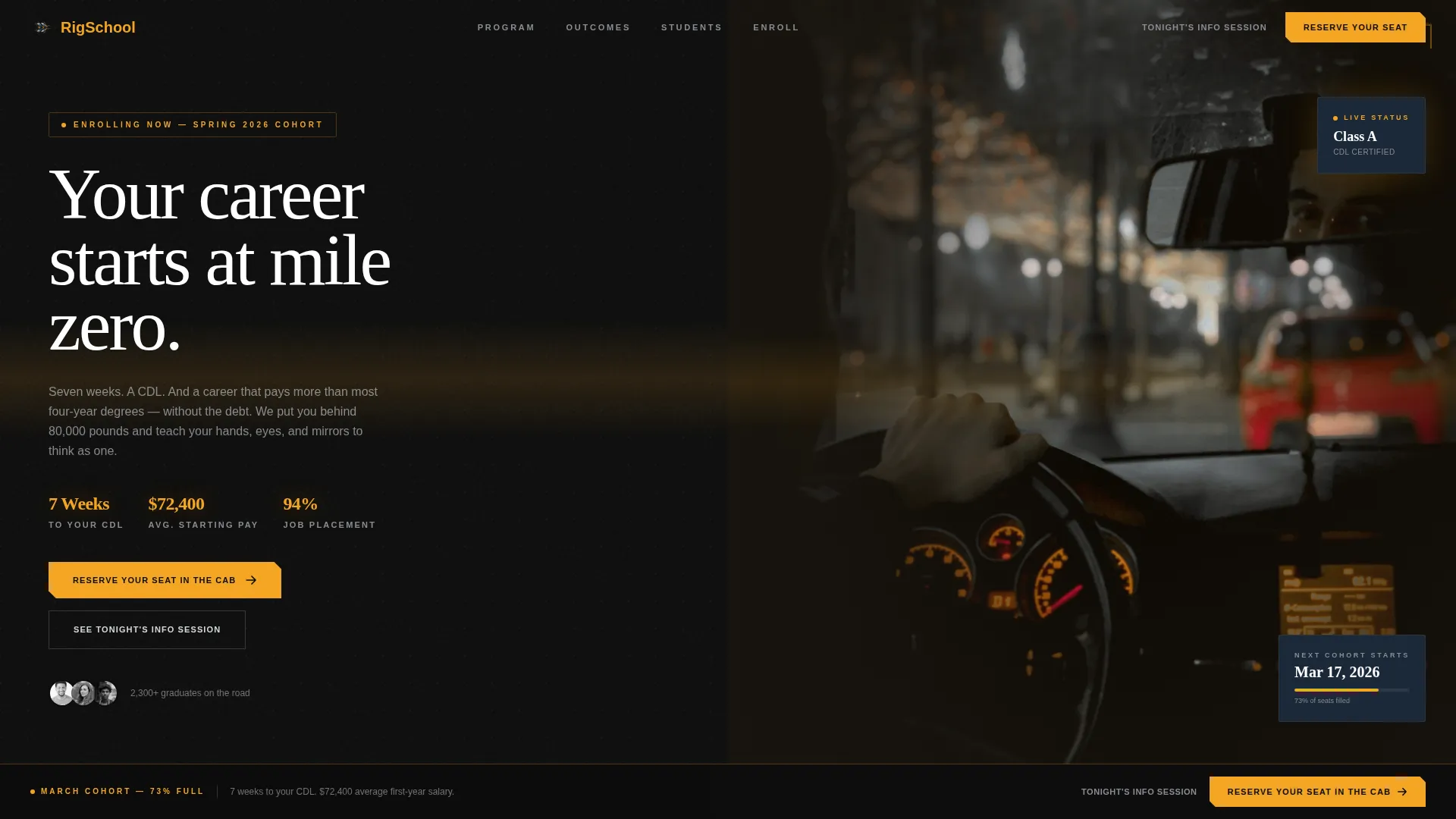
- A cinematic hero section with a typewriter headline and dual call-to-action options
- An interactive before-and-after toggle section, HUD-style stat displays, and three student profile cards
- A sequential three-question lead generation form and a sticky amber call-to-action bar that appears after the second section
Feature list
This template is built around high interactivity and a clear conversion sequence. Each feature below is included in the template as described in the source brief.
Cinematic Spotlight Hero
The hero uses a tight cab interior shot lit only by dashboard instruments. A typewriter effect delivers the headline letter by letter, like a mile marker emerging from fog. Two call-to-action paths are included: the primary "Reserve Your Seat in the Cab" button and a lower-commitment "See Tonight's Info Session" link.
Interactive Before-and-After Toggle
Each split-screen section lets visitors toggle between two realities. The left panel shows the "before" state, such as clock-in screens or warehouse aisles. The right panel reveals the training moment that replaces it, including pre-trip inspection walkthroughs and backing maneuver diagrams.
HUD-Style Floating Stats
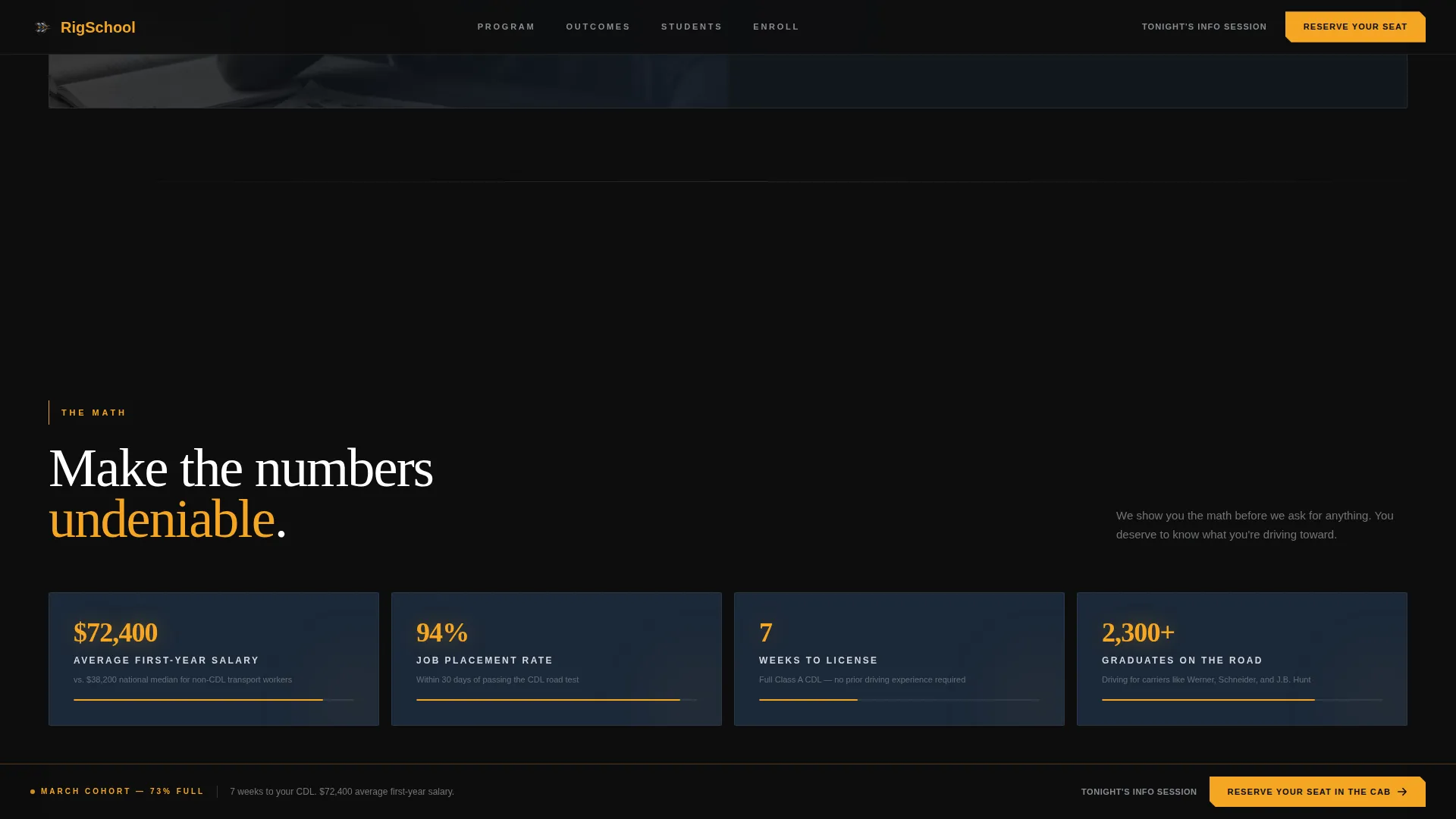
On hover, key data points float into view like heads-up display (HUD) overlays. These include average starting salary ($72,400), weeks to license (7), job placement rate (94%), and total student count (2,300 or more). The stats are positioned to make the math undeniable before the form appears.
Sticky Amber Call-to-Action Bar
A persistent amber bar locks to the top of the viewport after the visitor scrolls past the second section. It keeps the primary call to action visible throughout the scroll without interrupting the reading experience.
Sequential Lead Generation Form
The lead form asks three questions in order: current employment status, preferred start month, and phone number. Presenting one question at a time reduces cognitive load and increases form completion.
Student Profile Cards
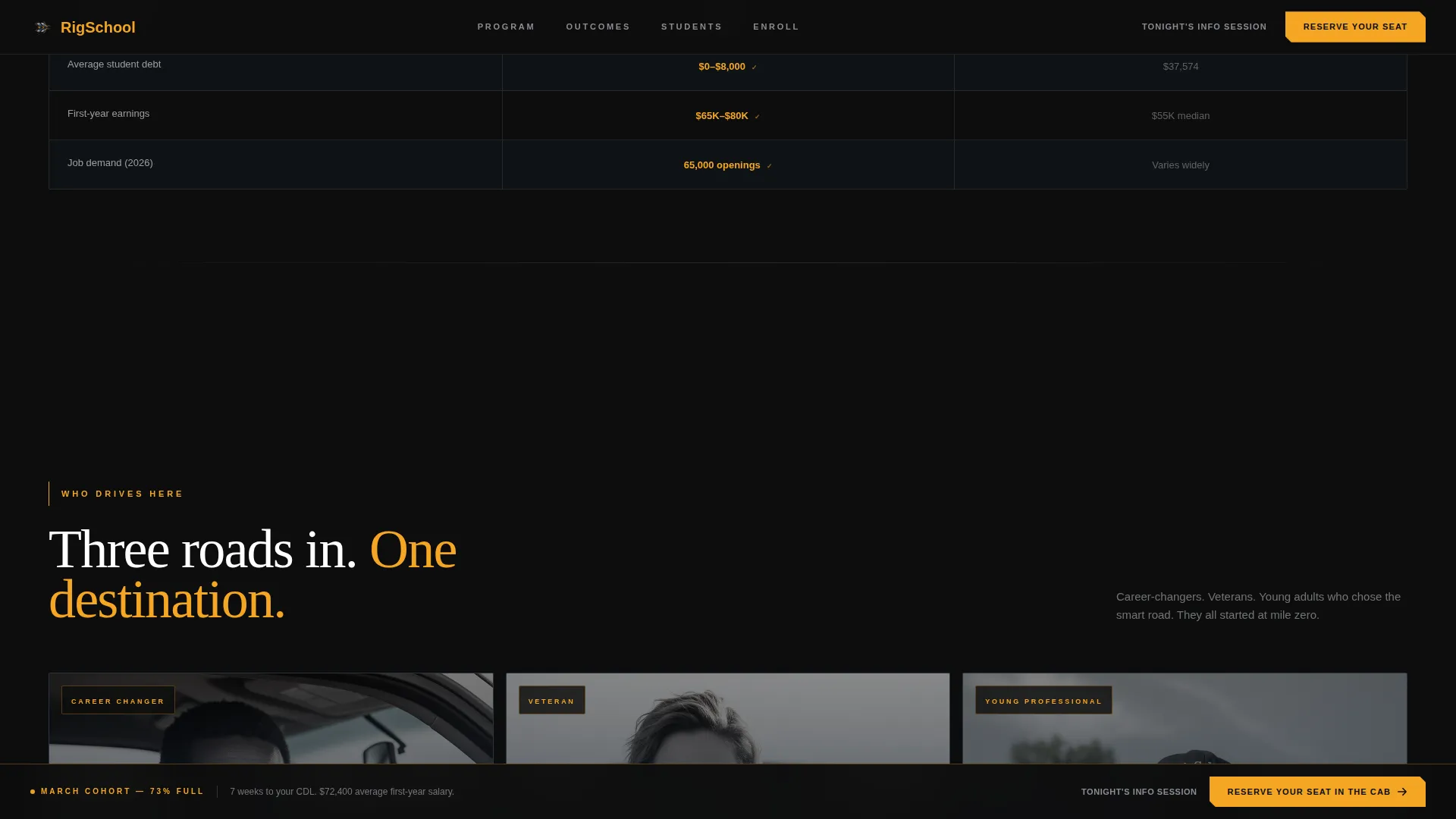
Three distinct profile cards represent the core audience segments: the veteran, the career-changer, and the young adult choosing trades over debt. Each card grounds the offer in a recognizable story.
Page sections overview
| Section | Purpose |
|---|---|
| Hero Cockpit Split | Opens with a cinematic cab interior, typewriter headline, and two call-to-action options |
| Before/After Toggle | Shows the contrast between a visitor's current situation and a training moment |
| The Math Stats | Displays salary, weeks-to-license, and job placement data as HUD-style overlays |
| Who Drives Here | Three student profile cards covering veteran, career-changer, and young adult audiences |
| Reserve Your Seat | Sequential three-question lead form for capturing qualified inquiries |
| Footer Row | Single-row linear footer closing the page |
Design & branding system
The design language is cinematic dark and industrial, built to feel like sitting in a cab at 4 AM with nothing but your gauges and the center line ahead. Every color choice is deliberate and earned.
- Asphalt black (#0D0D0D) as the base, highway-line amber (#F5A623) for calls to action and data highlights, instrument-panel blue (#1B2838) behind content cards, and chrome (#D4D7DC) tracing borders and dividers
- Fraunces for display headlines and Fraunces paired with DM Sans for body text, creating a contrast between weight and clarity
- High-motion animation throughout: typewriter text, scan-line effects, parallax scrolling, HUD float-in stats, and hover reveal interactions
Mobile & speed optimization
The template is designed desktop-first to deliver the full cockpit split-screen experience on larger screens. Mobile adaptation is fully included so the layout holds up on smaller devices.
- The split-screen layout reflows cleanly for mobile viewports, preserving the before-and-after toggle interaction
- Static content sections use server components while interactive elements such as the toggle panels and sequential form are handled client-side
How this template helps you convert
Rig is structured around a specific conversion principle: earn the click by showing the math before asking for anything. The layout sequences trust before commitment.
- The page opens with the cinematic hero and moves through salary data and student stories before the lead form appears, so visitors arrive at the form already convinced.
- The sticky amber call-to-action bar keeps the primary action visible at all times, while the secondary info session link captures visitors who are not yet ready to commit.
Other information about this template
Rig is built for the United States market with English language copy, USD currency formatting, and MM/DD/YYYY date conventions. It fits naturally into the Automotive and Transport category, specifically the CDL training school niche within driving school subcategories.
- The template is localized for a domestic United States audience and uses social proof figures grounded in the brief: 94% job placement rate, $72,400 average starting salary, 7 weeks to license, and 2,300 or more students trained
- The interactive direction follows an "Interactive Explorer" creative approach, where scrolling through the page feels like a ride-along rather than a static brochure
- The template style is a 50/50 split screen throughout, with sections that widen and accelerate visually as the visitor scrolls from parked yard to open highway
Theme
Dark Immersive
Creative direction
Interactive Explorer
Color system
Cinematic Dark
Style
Split Screen (50/50)
Direction
Lead Generation
Page Sections
Cinematic Spotlight Hero Section
Interactive Before-and-after Toggle
Hud-style Floating Stat Displays
Sticky Amber Call-to-action Bar
Sequential Three-question Lead Form
Student Profile Cards
Related questions
What type of school is this template designed for?
Can I update the salary figures and student statistics?
What makes the lead form different from a standard contact form?
Does the template include both a primary and a secondary call to action?
Is this template suitable for a school with multiple locations?



