Professional Sports Team Event Landing Page Template
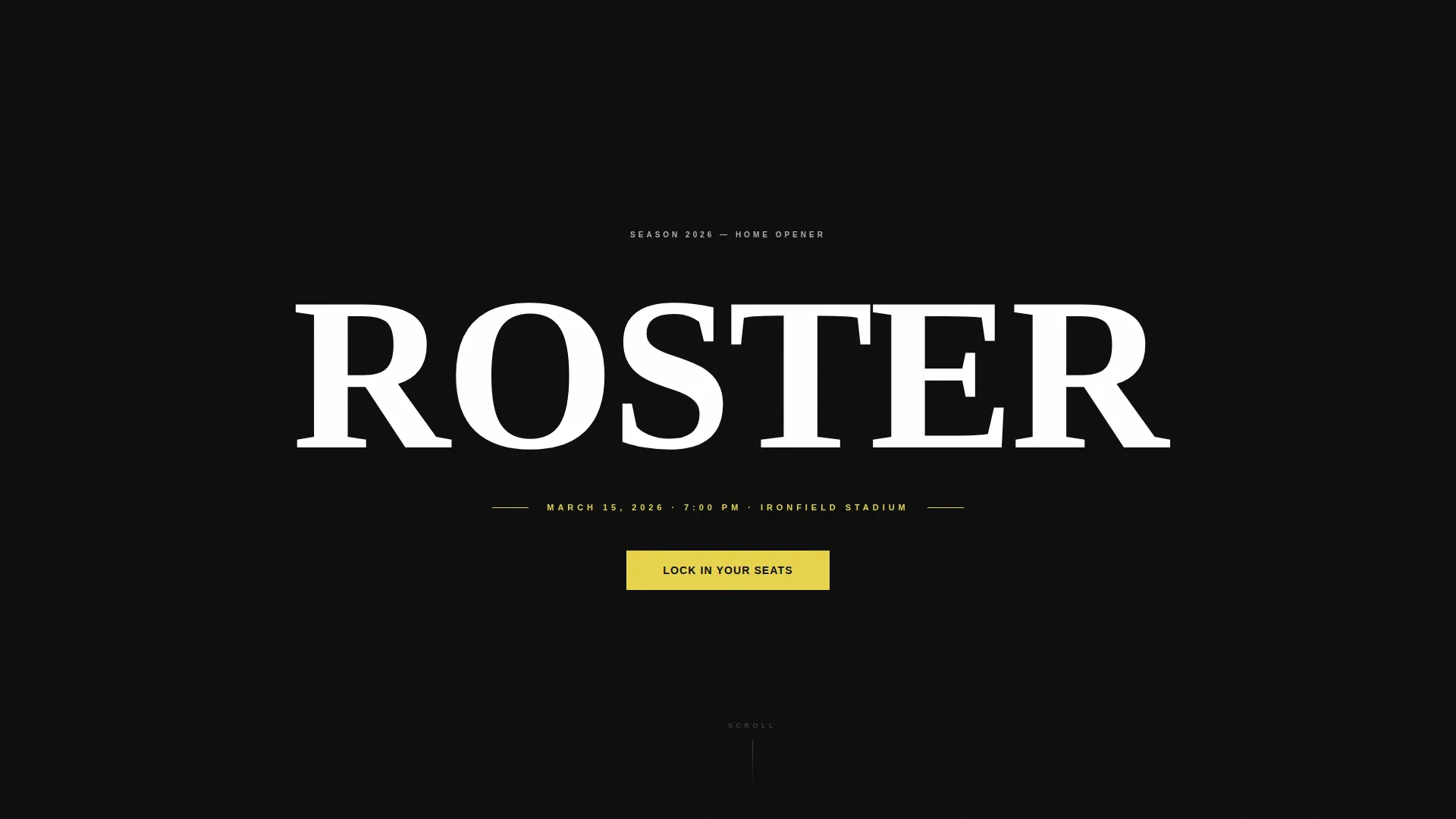
Roster is a single-column sports landing page template built for professional teams that need to sell seats with force. It pairs full-screen video, franchise stats, and a structured seat-registration form into one relentless scroll. The Carbon Fiber color system and Industrial Raw aesthetic make every section feel as charged as game day inside a packed stadium.
by Rocket studio
Quick summary
Roster is a single-column sports landing page designed to turn first-time visitors into confirmed ticket buyers. It opens with raw stadium footage, builds momentum through franchise-defining stats, and closes with a focused seat-registration form. The design is built around an Industrial Raw theme and a Carbon Fiber color palette that communicates weight, history, and urgency.
Who this template is for
This template is built for organizations that need to sell the full experience of attending a live game, not just the ticket. It works best when every detail on the page needs to carry the emotional weight of a franchise with deep community roots.
- Professional sports teams running home-game ticket campaigns
- Marketing teams managing season-ticket and group-seating drives
- Corporate partnership teams who need sponsor-ready event pages
What problem this template solves
Most event pages treat registration as the starting point. Roster treats it as the inevitable finish line. The page earns the click by building franchise identity, urgency, and atmosphere before it ever asks for a name or an email.
- Visitors leave pages that feel generic before they reach the form
- Standard event forms create friction by asking for too much, too soon
- Teams struggle to communicate the live atmosphere through static layouts
What you get with this template
You get a complete single-page layout structured to move visitors from atmosphere to action. Every section is sequenced with intent, and the visual system does the heavy lifting before the copy even loads.
- Full-screen video header with ambient sound and team wordmark reveal
- Stats-first scroll architecture with context sections building around each number
- A dual-path registration flow covering confirmed seats and waitlist capture
Feature list
This template brings together visual design, content structure, and conversion layout in a single cohesive build. Each feature below comes directly from the page structure described in the brief.
Full-Screen Video Header
The header runs raw, desaturated stadium footage across the full viewport. Clips cycle between close-up player details and a wide stadium time-lapse, graded near-monochrome with only stadium lights and the carbon-yellow accent bleeding through. The team wordmark appears after three seconds, followed by the event date stamp.
Stats-First Scroll Architecture
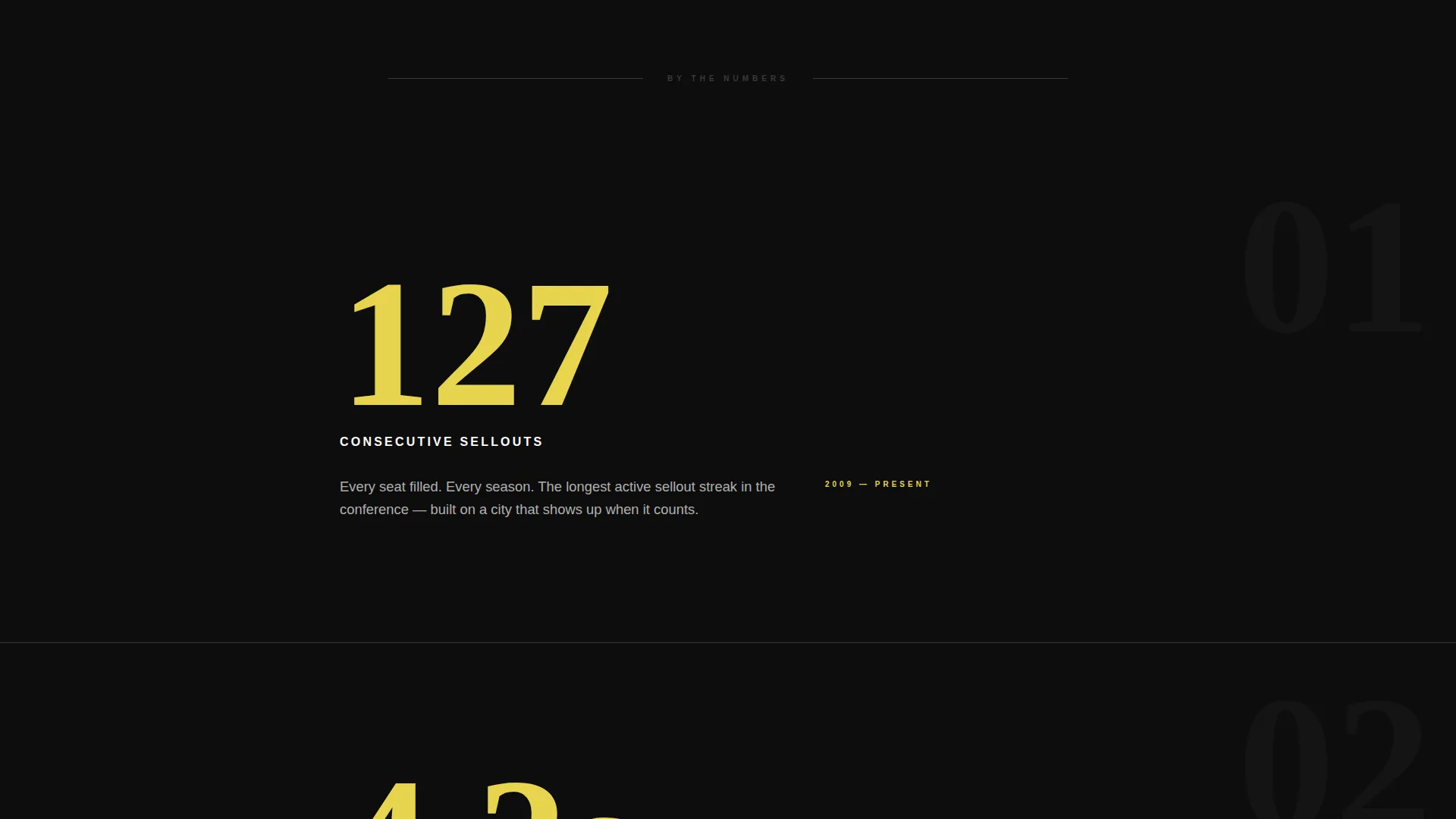
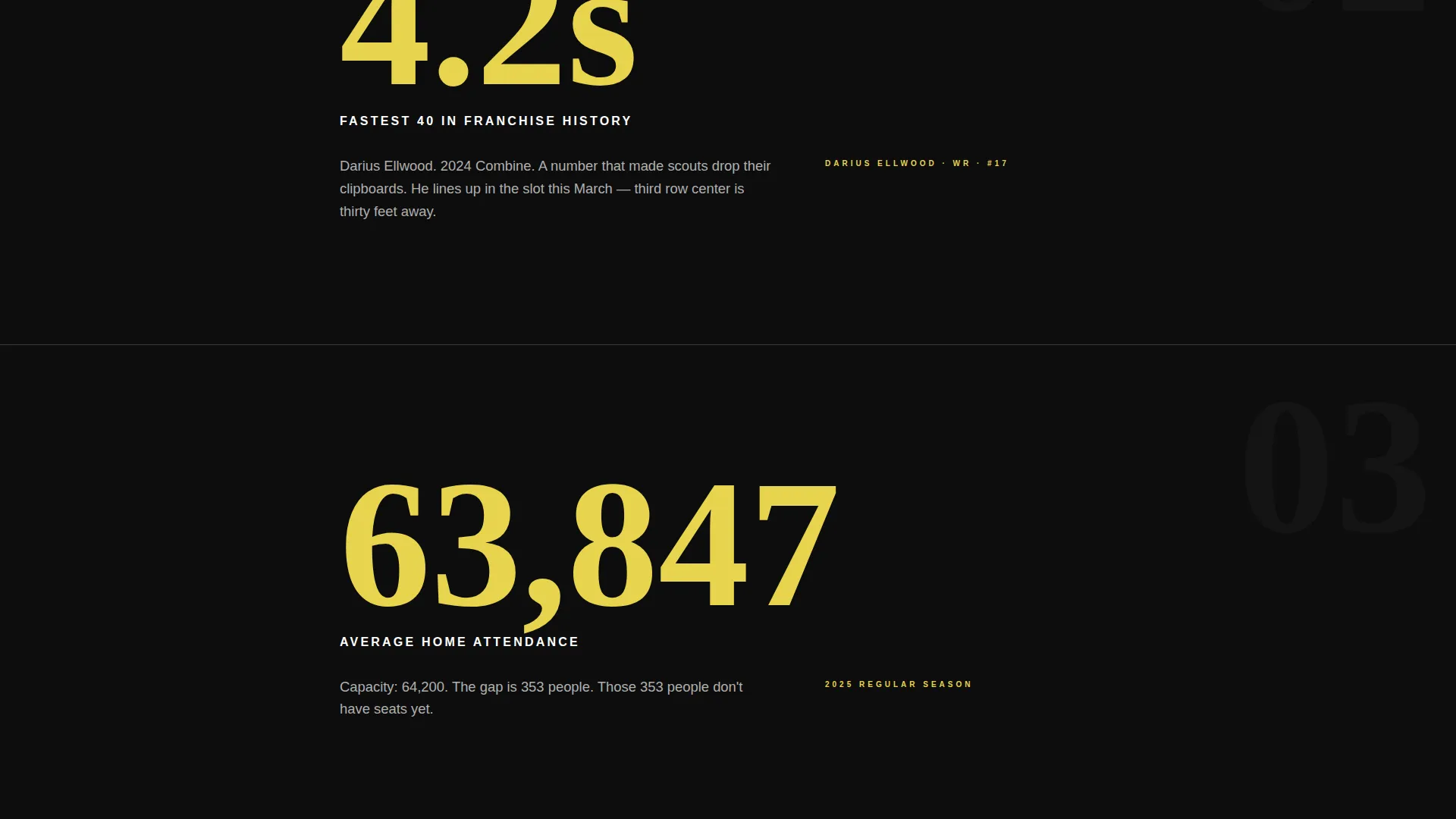
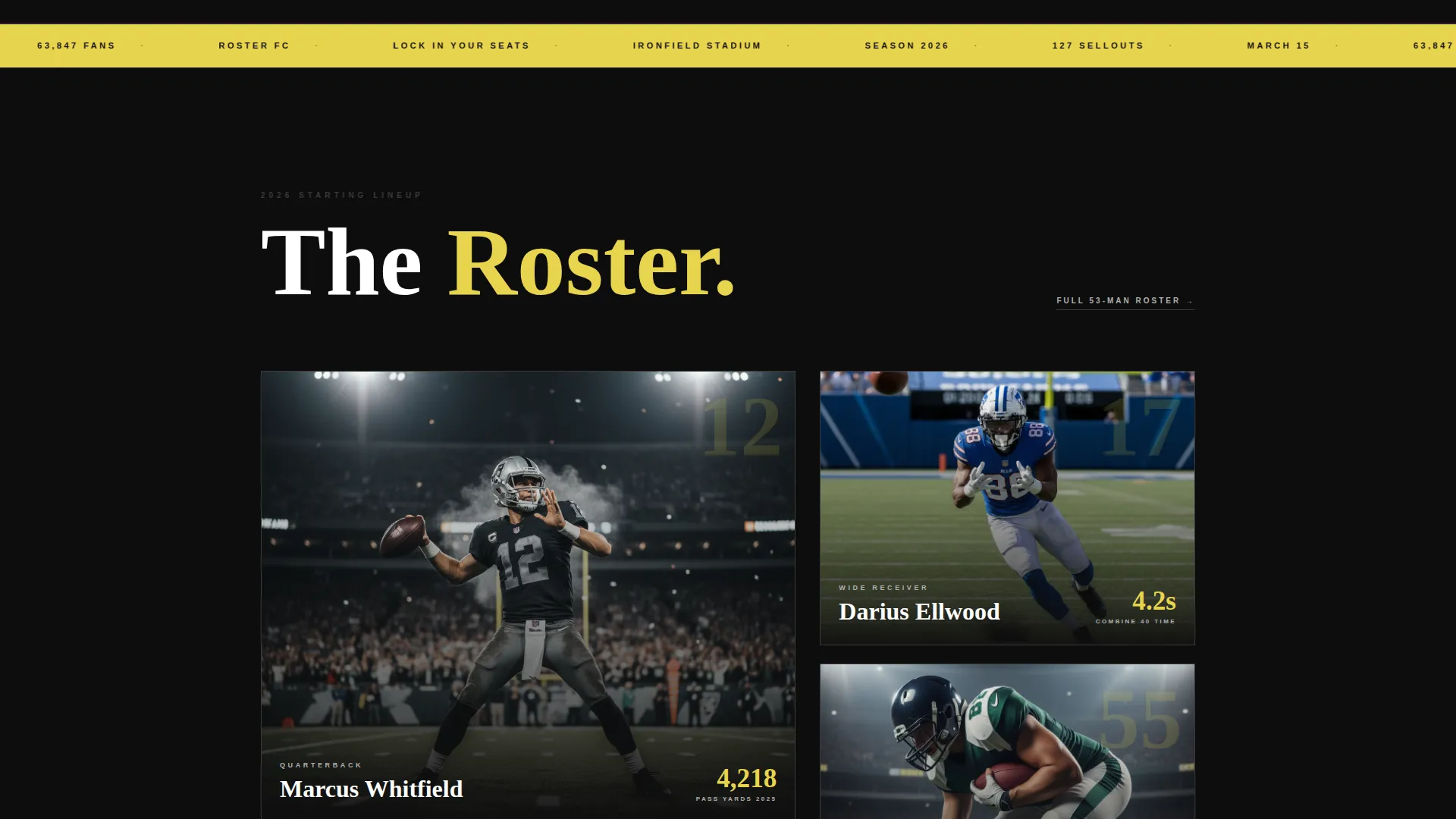
Each section leads with a single oversized franchise stat that fills the viewport before context loads around it. Stats like consecutive sellouts or record combine times anchor the scroll. Supporting content, including roster details, highlight clips, and schedule information, builds outward from each number.
Sticky Registration Bar
After the header video, a sticky bar locks to the top of the page for the entire scroll. It carries the primary call-to-action in searing yellow on carbon black. This keeps the conversion path visible without interrupting the storytelling momentum of each section below.
Interactive Seat-Selection Form
The registration form opens with a tap-to-select seat-count input covering one through six-plus seats. A mini interactive map of the stadium bowl follows, letting visitors choose their preferred section visually. Name and email fields come last, reducing early friction.
Waitlist Capture Path
For sold-out sections, the form offers a secondary path labeled "Join the Waitlist." This secondary flow captures demand from visitors who cannot find an open section, so no motivated buyer leaves the page empty-handed.
Full-Width Closing call to action Section
The page closes with a full-width registration section that mirrors the sticky bar's energy. It uses the same yellow-on-black treatment and acts as the final push after all the stats, footage, and atmosphere have done their work.
Page sections overview
| Section | Purpose |
|---|---|
| Video Header | Opens with stadium footage and team wordmark reveal |
| Sticky call to action Bar | Keeps registration visible throughout the scroll |
| Franchise Stat Hero | Leads each content block with an oversized number |
| Roster and Schedule | Builds context around the anchor stat for each section |
| Highlight Clips | Reinforces atmosphere with short in-page footage moments |
| Seat Registration Form | Captures seat count, section preference, name, and email |
| Waitlist Capture | Holds demand for sold-out sections with a secondary path |
| Full-Width call to action Close | Drives final registration action at the scroll's climax |
Design & branding system
The visual identity follows an Industrial Raw theme. The Carbon Fiber color system is built around four tones, each with a specific role on the page. Nothing decorative competes with the content hierarchy.
- Deep carbon black (#0D0D0D) dominates every background surface
- Brushed gunmetal (#3A3A3C) acts as a section divider, like welded seams between content blocks
- Stadium concrete (#B0B0B0) carries body text and secondary information
- Searing highlight yellow (#E8D44D) appears only on stats, calls-to-action, and high-impact moments
Mobile & speed optimization
The single-column layout is structured to perform cleanly on any screen width without requiring a complex responsive grid. Tap targets on the seat-count selector and stadium map are sized for thumb interaction.
- Single-column flow adapts directly to phone-width viewports without layout shifts
- Tap-to-select seat-count input is designed for mobile-first finger interaction
- Sticky call to action bar remains accessible throughout the scroll on both desktop and mobile
How this template helps you convert
The page is built around the principle that registration should feel inevitable by the time the visitor reaches the form. Every design and content decision feeds that momentum.
- The stats-first scroll builds franchise credibility before asking for any personal information, so trust arrives before the form does.
- The sticky registration bar keeps the primary call-to-action visible from the first scroll without interrupting the narrative sections below it.
- The form flow reduces friction by sequencing seat count and section preference before name and email, so the visitor is already committed before they type a single character.
Other information about this template
Roster fits naturally into a broader sports marketing workflow. The page is designed to stand alone as the primary campaign destination, but it also works well as a focused link target for social media posts, email campaigns, or partner promotions.
- The template style is classified as Full-Width Immersive, meaning every section uses the full browser width to maximize visual impact
- The lp_direction is Event Registration, so every layout decision prioritizes seat conversion over general brand awareness
- The header concept is built around an immediate atmospheric impact rather than a countdown timer, using footage and ambient sound to create urgency through emotion
- The template is listed under the Sports and Recreation category with a Sports Club and Team subcategory, making it relevant for franchise-level and professional club use cases
Theme
Festival Energy
Creative direction
Immersive Visual
Color system
Dopamine Pop
Style
Full-Width Immersive
Direction
Event Registration
Page Sections
Full-screen Video Header with Wordmark Reveal
Stats-first Scroll Architecture
Sticky Event Registration Bar
Interactive Seat-selection Form
Dual-path Conversion Flow
Carbon Fiber Industrial Visual System
Related questions
Can I update the stats and footage to match my team's actual numbers?
Does the waitlist form work separately from the main registration form?
How many seats can a visitor select through the tap-to-select input?
Is this template suitable for a single home game or a full season campaign?