Internal Medicine Private Practice Website Template
Rounds is a sidebar companion landing page built for a private internal medicine practice. It guides symptom-aware visitors through a progressive quiz that connects scattered health signals into a coherent picture. The design pairs a portrait-centered hero with a persistent sidebar assessment, moving professionals and retirees from vague concern to a booked consultation.
by Rocket studio
Quick summary
Rounds is a single-page internal medicine landing page built around one core idea: the quiz is the conversion. A persistent sidebar assessment walks visitors through their symptoms step by step, building enough self-reflection that booking an appointment feels like the natural conclusion. The design is calm, clinical, and purposeful from the first pixel.
Who this template is for
This template is built for private internal medicine practices that want to attract and convert patients before the first phone call. It suits direct-pay practices where the physician is the differentiator and unhurried consultation time is the product.
- Mid-career professionals aged 35 to 55 dealing with unexplained fatigue, rising cholesterol, or digestive irregularity
- Retirees managing care across multiple specialists who rarely coordinate with each other
- Executives who are overdue for a comprehensive baseline physical and need a clear reason to act
What problem this template solves
Most physician practice pages list credentials and end with a contact form. They ask for commitment before earning trust. Rounds inverts that sequence entirely. The template draws visitors in through symptom recognition, then progressively builds investment through a structured assessment before any contact information is requested.
- Visitors arrive with vague, half-Googled concerns and no language to describe them clearly
- Traditional practice pages offer no structured path from symptom awareness to appointment booking
- Patients managing fragmented specialist care have no obvious entry point for unified, coordinated medicine
What you get with this template
You get a complete, single-page layout that functions as both a practice introduction and an active intake tool. Every section is designed to move the visitor one step closer to completing the assessment and booking a consultation.
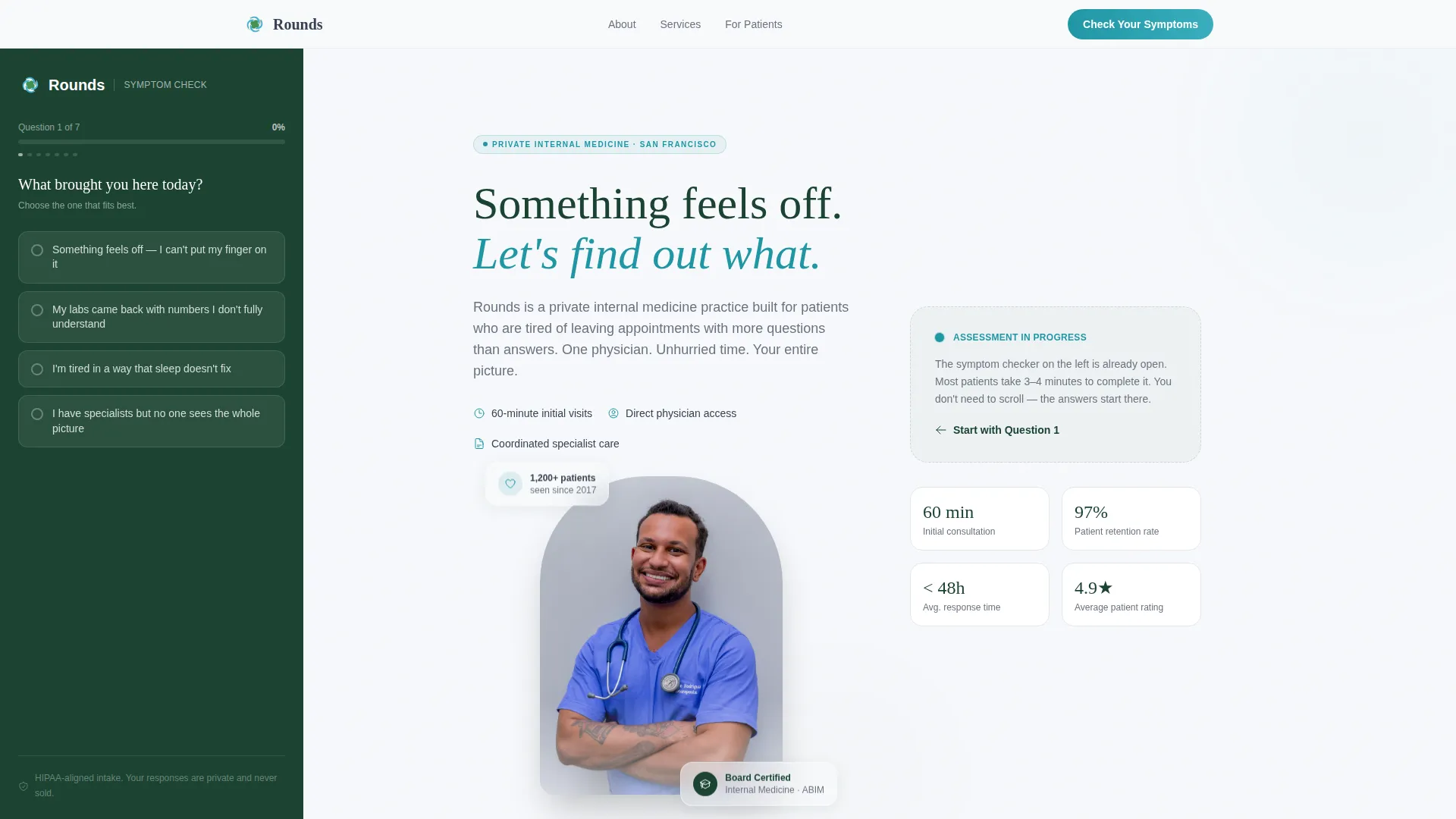
- A portrait-centered hero section with a blur-in headline and a visible sidebar quiz on load
- Seven structured content sections covering symptoms, method, patient profiles, testimonials, and a final call to action
- A multi-step sidebar quiz with adaptive follow-up questions, a progress bar, and a lead-capture form at completion
Feature list
Portrait-Centered Hero with Sidebar Quiz
The hero splits the viewport between a warmly lit physician portrait and the first quiz question. The headline "Something feels off. Let's find out what." fades in beside the photo. The sidebar is already live, showing the opening assessment question before the visitor has scrolled at all.
Progressive Symptom Assessment
The quiz opens with a single low-friction question and then progressively discloses five to seven follow-ups. Topics cover symptom duration, severity, family history, and current medications. Questions adapt based on prior answers, so the experience feels responsive rather than generic.
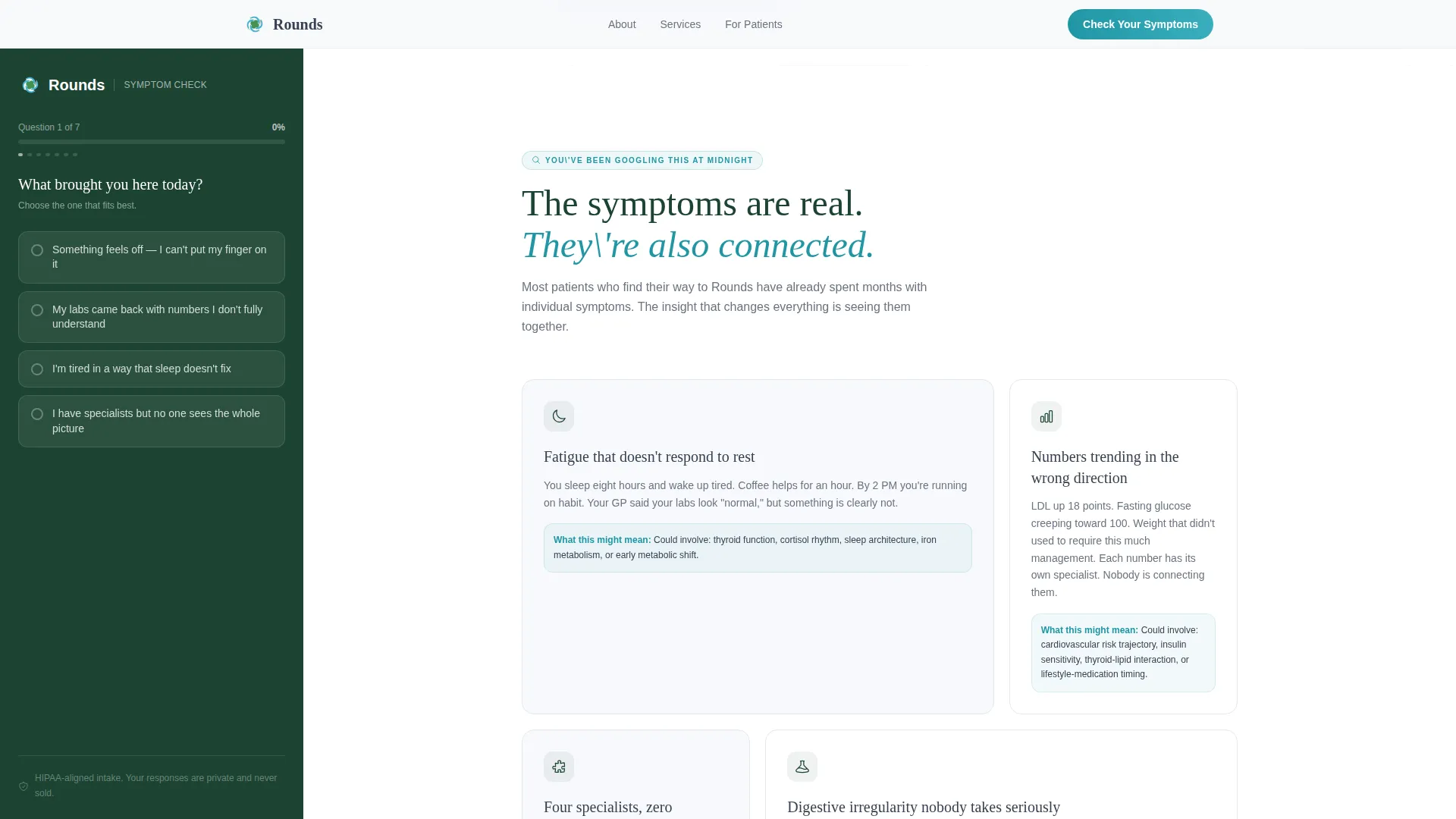
Bento Symptom Cards
A two-column bento card layout names the specific symptoms visitors have been searching at midnight. Each card addresses a distinct concern with precise, plain-language copy rather than clinical jargon.
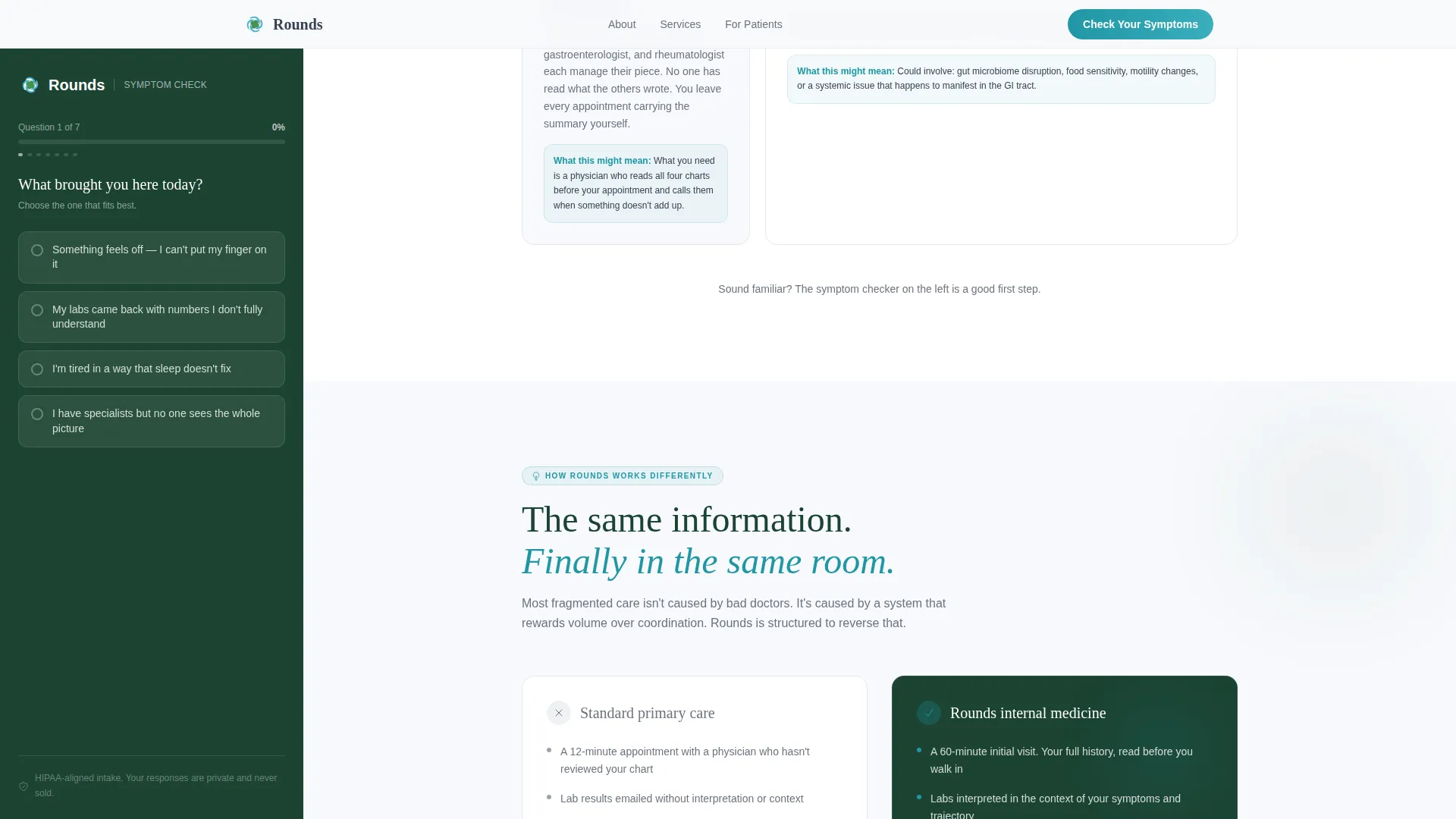
Before and After Method Section
A before-and-after contrast section shows the difference between fragmented multi-specialist care and unified internal medicine. This section reframes the practice's value without requiring the visitor to already understand what internal medicine does.
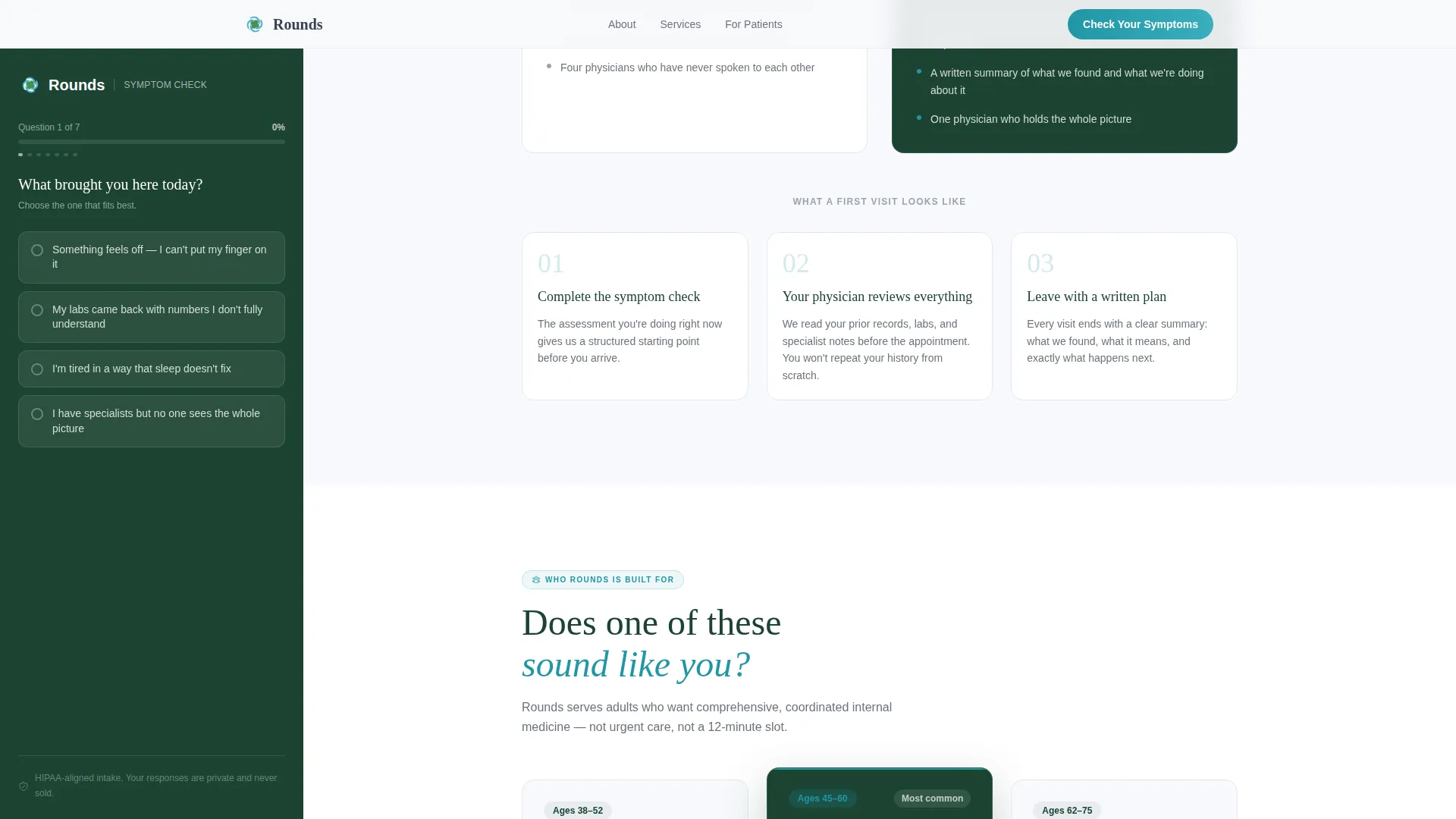
Patient Profile Cards
Three patient profile cards present recognizable archetypes: the busy professional, the retiree with too many specialists, and the executive overdue for a physical. Each card mirrors the visitor's own situation back to them in concrete terms.
Horizontal Testimonials Scroll
A horizontally scrollable testimonials strip presents specific patient outcomes with named archetypes and concrete numbers. Social proof appears mid-page, after the method section, when trust is already building.
Page sections overview
| Section | Purpose |
|---|---|
| Hero Portrait Split | Introduce physician and launch sidebar quiz immediately |
| Symptom Bento Cards | Name midnight-Google symptoms with specific plain language |
| Method Contrast Section | Show fragmented care versus unified internal medicine |
| Who We Serve Cards | Mirror three recognizable patient profiles back to visitor |
| Outcomes Testimonials Strip | Reinforce trust with specific, named patient outcomes |
| Final Call to Action | Present three-step process and re-anchor the quiz |
| Footer Single Row | Close with practice essentials in a clean linear layout |
Design & branding system
The visual identity follows a Corporate Precision theme with an Alpine Fresh color palette. The combination reads as a modern medical office with natural light, clean walls, and calm authority. Typography uses Fraunces for serif headlines and DM Sans for body text throughout.
- Clinical white (#F7F9FC) dominates the main content column, evergreen (#1B4332) anchors the persistent sidebar, and stone gray (#6B7280) carries body text
- Alpine lake (#2196A4) is reserved for interactive elements including buttons, quiz progress bars, and hover states
- Animations are set to medium intensity: a blur-in hero on load, scroll-fade transitions between sections, and a live progress bar inside the quiz
Mobile & speed optimization
The template is built desktop-first because the sidebar layout requires a wide viewport to display correctly. On smaller screens, the sidebar collapses into a bottom sheet so the quiz remains accessible without disrupting the content column.
- Static content sections are structured as server components for faster initial rendering
- The quiz is isolated as a client component so its interactivity does not affect the load behavior of surrounding sections
- Mobile visitors access the full assessment through the bottom sheet, preserving the conversion path on any device
How this template helps you convert
The conversion logic is baked into the page structure itself. Visitors do not encounter a form until they have already answered up to seven questions about their own health, which builds enough personal investment that submitting contact information feels like a natural continuation rather than a cold ask.
- The sidebar quiz is visible before the visitor scrolls, pulling them into participation from the first moment on the page
- Adaptive follow-up questions make the assessment feel like a real intake conversation, increasing completion rates
- The lead-capture form at quiz completion asks only for a name, email, and preferred appointment window, keeping friction low at the moment of highest intent
Other information about this template
Rounds is categorized under Health and Medical, specifically within the Doctor and Physician Practice subcategory and the Internal Medicine niche. It is designed for English-language, United States-based practices using USD pricing and US date formats. The template style is Sidebar Companion, the creative direction follows a Problem to Solution Arc, and the header concept is Portrait-Centered. The landing page direction is Quiz and Assessment. The intersection match score for this template against its category, subcategory, and niche is 13.
- The template is built for direct-pay, business-to-consumer private healthcare practices where the physician is positioned as the primary differentiator
- The footer uses a linear single-row pattern and the page is entirely single-column on mobile with the sidebar repositioned as a bottom sheet
- This template is suitable for practices that want to lead with patient self-discovery rather than traditional credential-forward positioning
Theme
Corporate Precision
Creative direction
Problem→Solution Arc
Color system
Alpine Fresh
Style
Sidebar Companion
Direction
Quiz/Assessment
Page Sections
Portrait-centered Hero with Live Sidebar Quiz
Progressive Multi-step Symptom Assessment
Symptom Bento Card Layout
Before and After Method Contrast
Patient Profile Cards
Horizontal Testimonials with Specific Outcomes
Related questions
Can I use this template without the quiz or assessment feature?
How many questions does the symptom assessment include?
What information does the quiz collect from the visitor?
Is this template suited for a solo physician or a group practice?
Does the sidebar quiz work on mobile devices?



