Bus Driver Careers Website Template
Route is a single-page educational resource landing page built for bus drivers at every career stage. It pairs a bold stats header with a zigzag expert-panel layout to walk readers through CDL endorsements, pre-trip inspection steps, Department of Transportation physical requirements, and union seniority rules, all before asking for a single click.
by Rocket studio
Quick summary
Route delivers a focused, authority-driven landing page for bus driving professionals. A charcoal stats header anchors three industry counters, then five alternating expert-panel sections carry readers through air-brake sequences, accident report procedures, seniority bidding, and Department of Transportation medical timelines. Every section builds trust before the call to action appears.
Who this template is for
This template is designed for anyone building an educational resource hub aimed at the commercial driving community. It suits content creators, training organizations, and transit industry publishers who need a credible, readable single page.
- Newly permitted Class B Commercial Driver's License holders preparing for the behind-the-wheel skills exam
- Experienced drivers switching from school bus operations to transit routes who need procedural clarity
- Retired operators researching pension portability and Department of Transportation compliance rules
What problem this template solves
Bus drivers searching for reliable guidance online often land on generic pages that bury answers under corporate language. The Route template is built specifically to fix that. It creates a break-room atmosphere where authoritative voices answer hard questions directly, without making the reader feel talked down to.
- Scattered CDL endorsement information across disconnected sources leaves new drivers confused about what to study
- Drivers switching route types or preparing for Department of Transportation physicals rarely find one organized place for all their procedural questions
- Most resource pages ask for a sign-up before delivering any real value, eroding trust before the relationship starts
What you get with this template
Route gives you a fully structured, single-page layout built around five distinct content zones. Each zone is anchored by a different specialist voice and flows naturally into the next. The design, animation cues, and call-to-action placement are all defined and ready to customize.
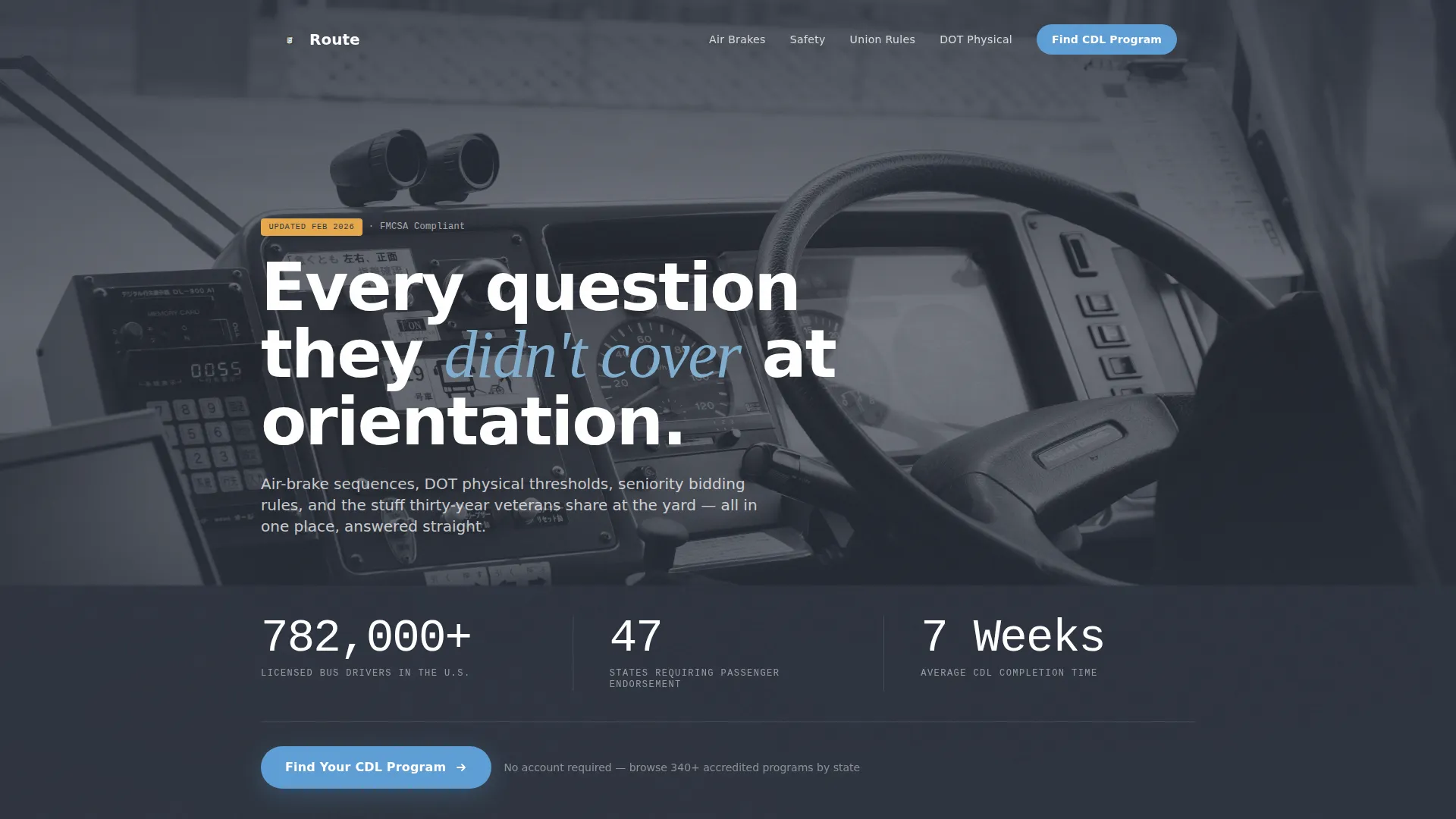
- A wide charcoal stats header with three animated counters, a windshield dawn photograph, and one primary call-to-action button
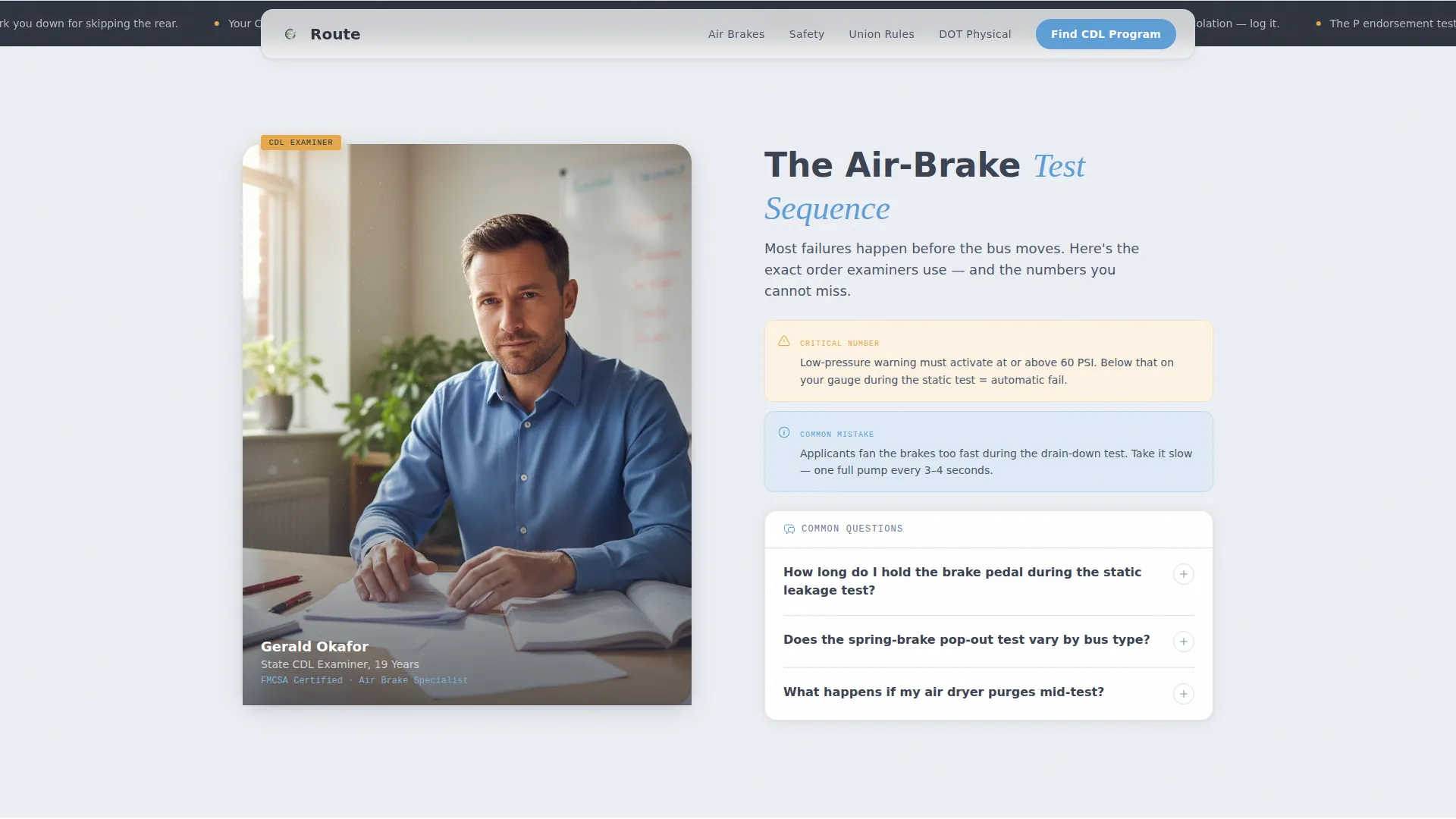
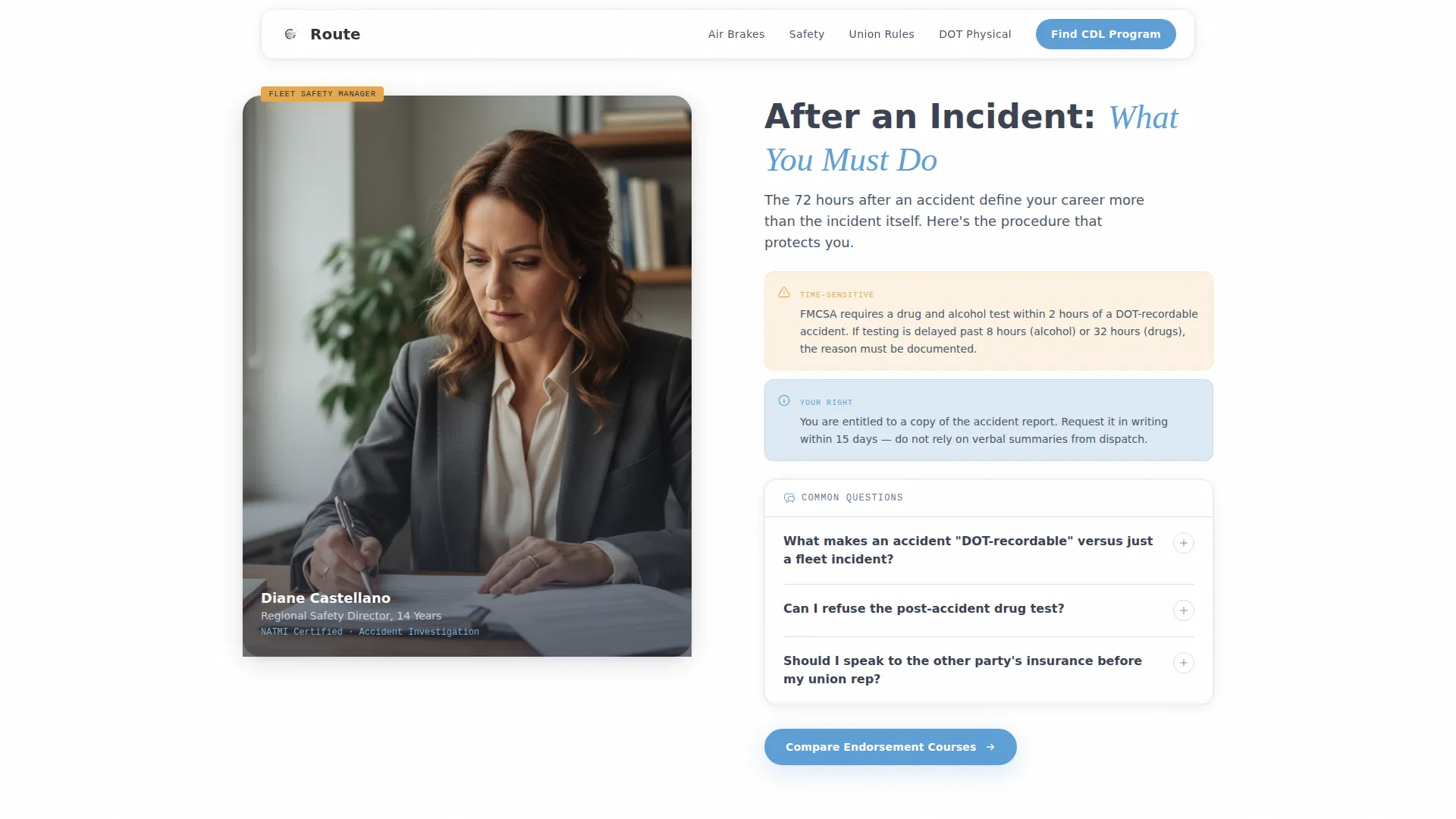
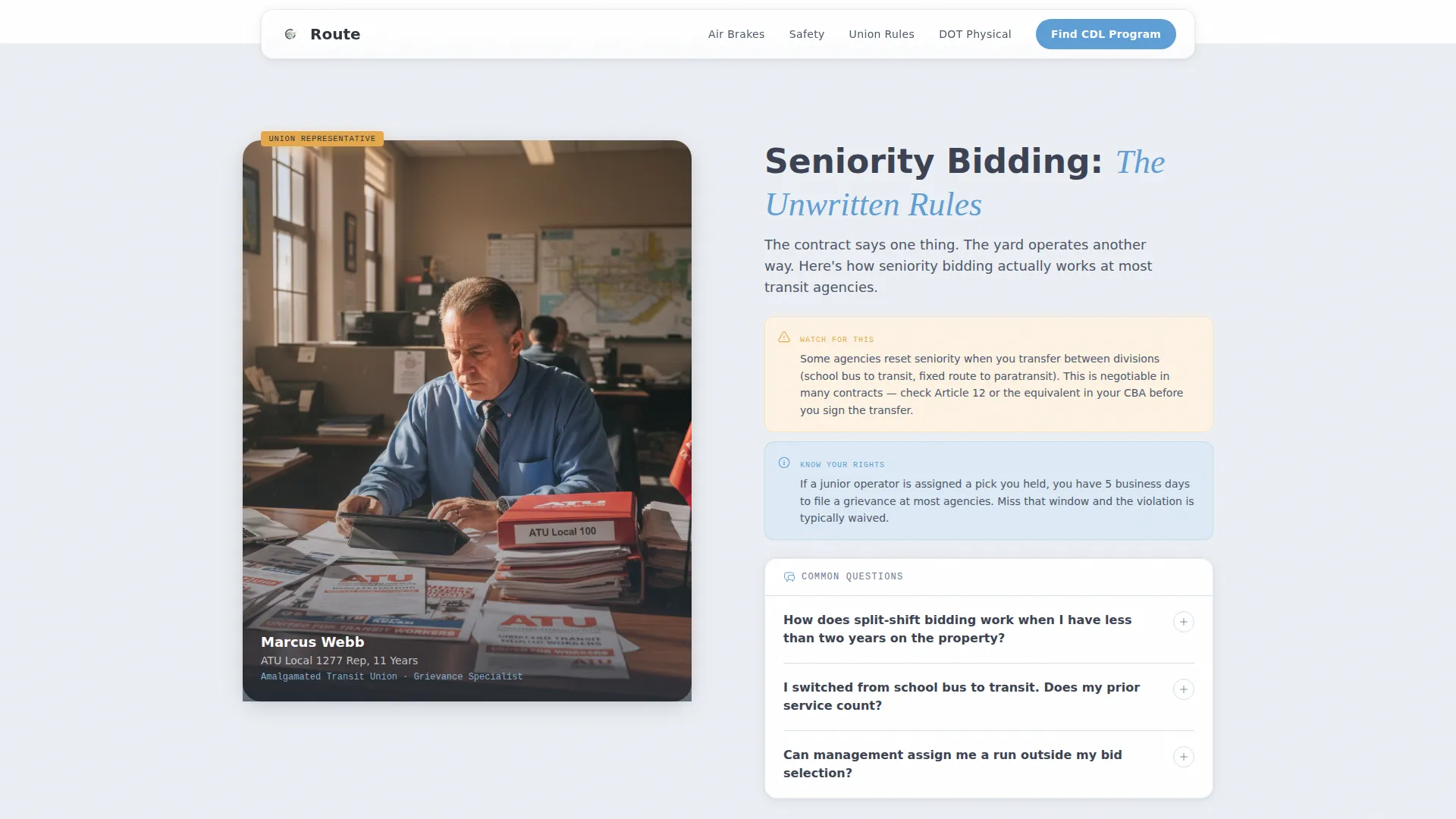
- Four zigzag expert-panel sections covering air-brake testing, accident reporting, union seniority, and Department of Transportation medical requirements
- Contextually varied call-to-action repeats at every third section break, each with a different label such as "Compare Endorsement Courses" or "See Training Near You"
Feature list
This section walks through the core built-in components that make Route work as a trust-first, click-through resource page.
Animated Stats Header
Three oversized route-sign counters sit on a wide charcoal bar. On page load, each counter ticks upward briefly using a GSAP animation before settling on its final figure. A soft-focus dawn windshield photograph fills the background behind the numbers.
Zigzag Expert Panel Layout
Five content sections alternate left-right alignment. Each section represents a different specialist voice, from a CDL examiner to a Department of Transportation medical professional. Scroll-reveal animations introduce each panel as the reader moves down the page.
Contextual Call-to-Action System
The primary "Find Your CDL Program" button appears below the stats header and repeats at every third section break. Each repeat carries a different contextual label to match the content the reader just finished. No form lives on the page; every button routes to a filtered program directory.
Amber Callout Badges
Critical updates and high-stakes details are flagged with caution amber badge components. These badges interrupt the reading flow just enough to signal importance without alarming the reader.
Expert Voice Typography
Body copy uses DM Sans for readability across long reading sessions. Pull quotes and specialist voice moments use Fraunces serif to signal a shift in authority and give each expert panel a distinct character.
Hover and Magnetic Interactions
Expert cards include hover states that lift slightly on cursor contact. The call-to-action buttons use a magnetic effect that draws the cursor slightly before click, reinforcing the interactive feel without distracting from the content.
Page sections overview
| Section | Purpose |
|---|---|
| Stats Header | Display three industry counters and primary call to action |
| CDL Examiner Panel | Walk through air-brake test sequences |
| Fleet Safety Panel | Explain accident report procedures with call-to-action repeat |
| Union Rep Panel | Clarify seniority bidding and shift pick rules |
| DOT Medical Panel | Cover blood-pressure thresholds and physical timelines with call-to-action repeat |
| Footer | Linear single-row links and closing information |
Design & branding system
The Slate and Sky color system is built to feel like looking through a clean windshield on a clear morning. Every color choice serves readability during long reading sessions, not decoration.
- Asphalt slate (#3B4252) anchors primary text blocks, and road-stripe silver (#D8DEE9) alternates between section backgrounds to refresh the eye
- Open-sky blue (#5E9ED6) highlights answers and interactive elements, while caution amber (#E5A84B) is reserved strictly for callout badges and critical-update flags
- DM Sans handles all body copy and interface labels for clean scanning, with Fraunces serif used selectively for expert voice quotes and authority moments
Mobile & speed optimization
Route is built desktop-first but fully responsive for mobile screens. Bus drivers frequently check resources on their phones during break-room sessions, so every section collapses cleanly and stays readable at smaller sizes.
- Zigzag sections reflow to a single-column stack on mobile without losing the expert-panel identity or color alternation
- Static sections use Server Components to minimize JavaScript load, keeping the page light even with medium-level GSAP animations active
- Staggered animation entrance and scroll-reveal triggers are tuned to work smoothly across both desktop and mobile viewports
How this template helps you convert
Route earns the click by delivering real value first. By the time a reader reaches a call-to-action button, they have already consumed useful, expert-sourced answers. That sequence matters because trust precedes action.
- The stats header establishes immediate credibility with industry-specific figures, signaling that this page knows the field before a single paragraph is read.
- Each expert panel answers a genuine driver question in depth, so the reader arrives at the call-to-action already confident that the linked program directory will be equally useful.
- Contextual call-to-action labels match the topic just covered, reducing friction between reading and clicking by keeping the destination feel relevant and specific.
Other information about this template
Route is categorized under Professional Services with a focus on Bus Driver Online Presence. It is designed specifically for the Bus Driver FAQ and Resource Page niche, making it a focused tool rather than a generic educational layout. A few additional details are worth noting before you build.
- The template style is Zigzag/Alternating with an Educational Guide theme, giving it a distinct editorial feel compared to standard service-page layouts
- The header concept is Stats/Metrics, meaning the credibility argument opens with data before any written copy makes a claim
- The landing-page direction is Click-Through, so the page never hosts a form and never asks for personal information directly
- Content is localized for English-language U.S. audiences, referencing U.S. federal Department of Transportation standards and Commercial Driver's License requirements throughout
Theme
Educational Guide
Creative direction
Expert Panel
Color system
Slate & Sky
Style
Zigzag/Alternating
Direction
Click-Through
Page Sections
Animated Stats Header with Industry Counters
Zigzag Expert Panel Sections
Contextual Call-to-action Repeats
Amber Callout Badge Components
Dual-typeface Expert Voice System
Hover States and Magnetic Button Effects
Related questions
Who is the Route template designed for?
Does this template include any forms or data-collection fields?
Can I customize the expert panel content for my own subject areas?
How many times does the call-to-action button appear on the page?
What typefaces does this template use?



