Precision Dispatch Delivery Service Landing Page Template
Route is a single-column landing page template built for precision dispatch operations. It targets restaurant groups, regional e-commerce brands, and pharmacy chains that need same-day delivery infrastructure. The page walks prospects through coverage zones, fleet models, integrations, and transparent pricing, building trust at every scroll so visitors arrive at the call to action ready to act.
by Rocket studio
Quick summary
Route is a single-column flow landing page for dispatch-first delivery businesses. It pairs a dark, data-visualization header with a scroll narrative that peels back how the operation works, coverage zones, fleet structure, integrations, and pricing, leaving business prospects with no open questions and one clear decision to make.
Who this template is for
This template is designed for delivery operations that sell to businesses rather than end consumers. It speaks directly to the kind of buyer who wants to see how a dispatch network actually runs before signing anything.
- Restaurant groups scaling to multi-location delivery coverage
- Regional e-commerce brands looking to cut third-party marketplace fees
- Pharmacy chains requiring same-day, compliance-tracked drop-offs
What problem this template solves
Most delivery service pages leave business buyers with too many unanswered questions. They hide pricing, gloss over fleet logistics, and skip integration details entirely. That creates friction and erodes trust before a conversation even starts.
- Buyers cannot tell whether the service covers their zip code or delivery volume
- Technical stakeholders lack integration details to champion the switch internally
- Pricing pages that say "contact us" slow down the decision cycle significantly
What you get with this template
The template delivers a structured, single-column page that earns trust by showing the full operation. Each section answers the question raised by the one before it, so the scroll itself acts as the sales argument.
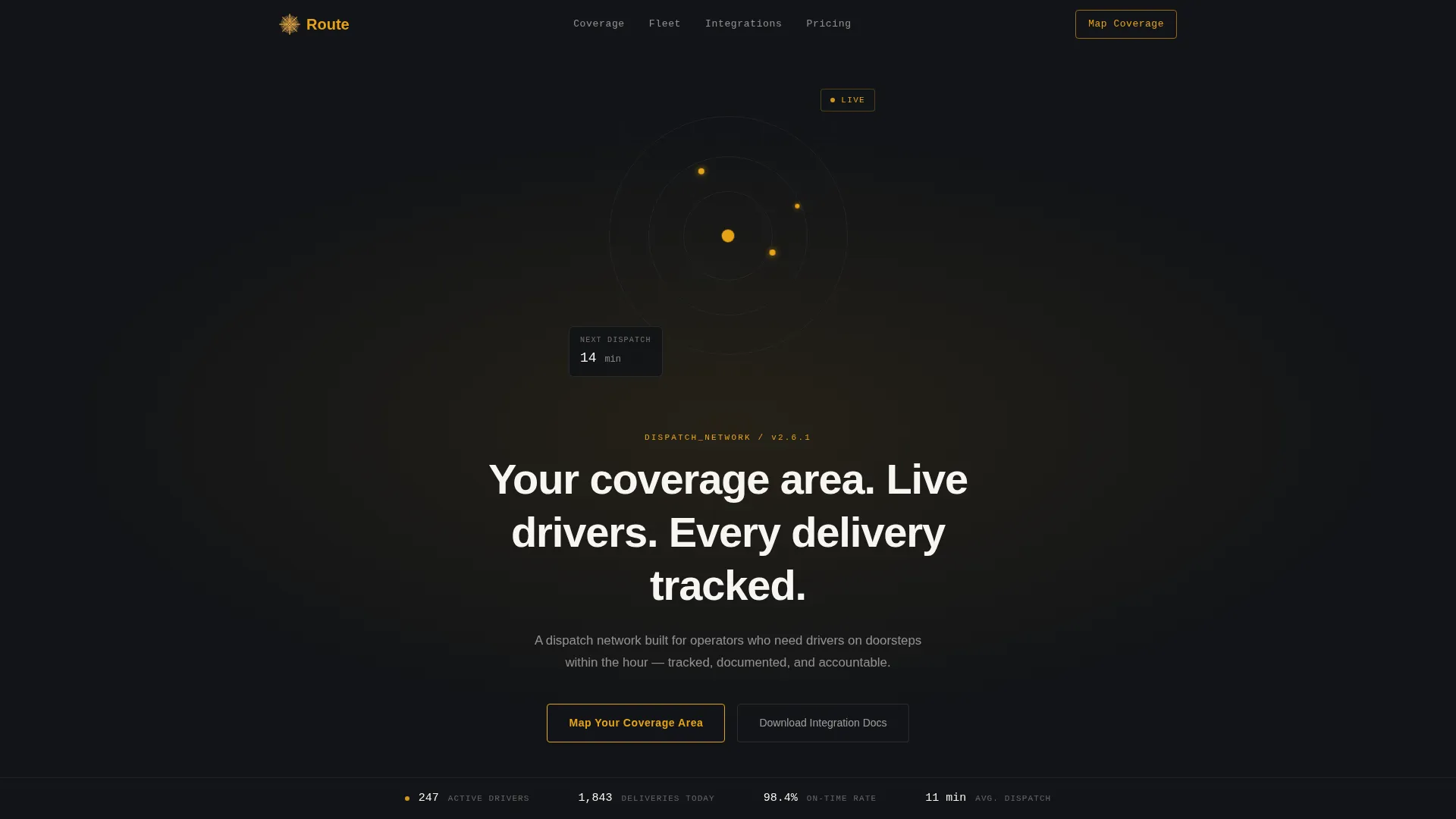
- A dark full-bleed header with a glowing, sonar-style coverage radius map
- Scroll sections covering fleet model, integrations, and a transparent three-column pricing table
- A bottom conversion zone with a short-form intake and a secondary download path for technical stakeholders
Feature list
This template is built around a clear set of prompt-defined capabilities that work together as one cohesive sales argument.
Glowing Coverage Radius Map Header
The header fills the full viewport in deep dispatch black. Concentric amber rings pulse outward from a central hub point over a faint charcoal street grid. It reads as a live data visualization, not a decorative illustration. A terminal-style headline types in: "Your coverage area. Live drivers. Every delivery tracked."
Transparent Scroll Narrative
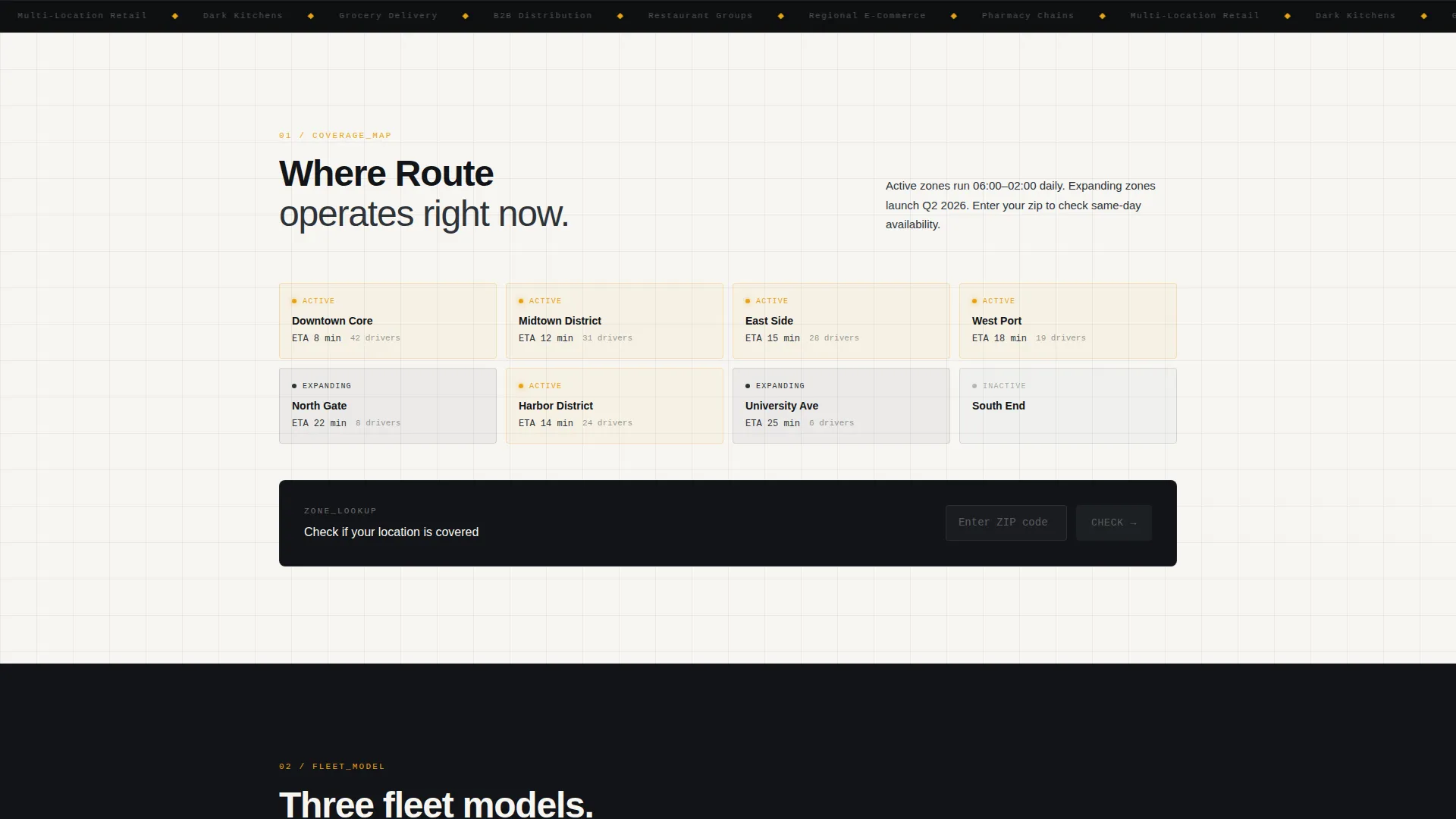
Each section peels back one layer of the operation. The page moves from the coverage map to the fleet model, then to the integration panel, then to pricing. Every section answers a question the previous one raised. By the bottom of the page, the prospect has seen the full operation diagrammed.
Driver Fleet Model Section
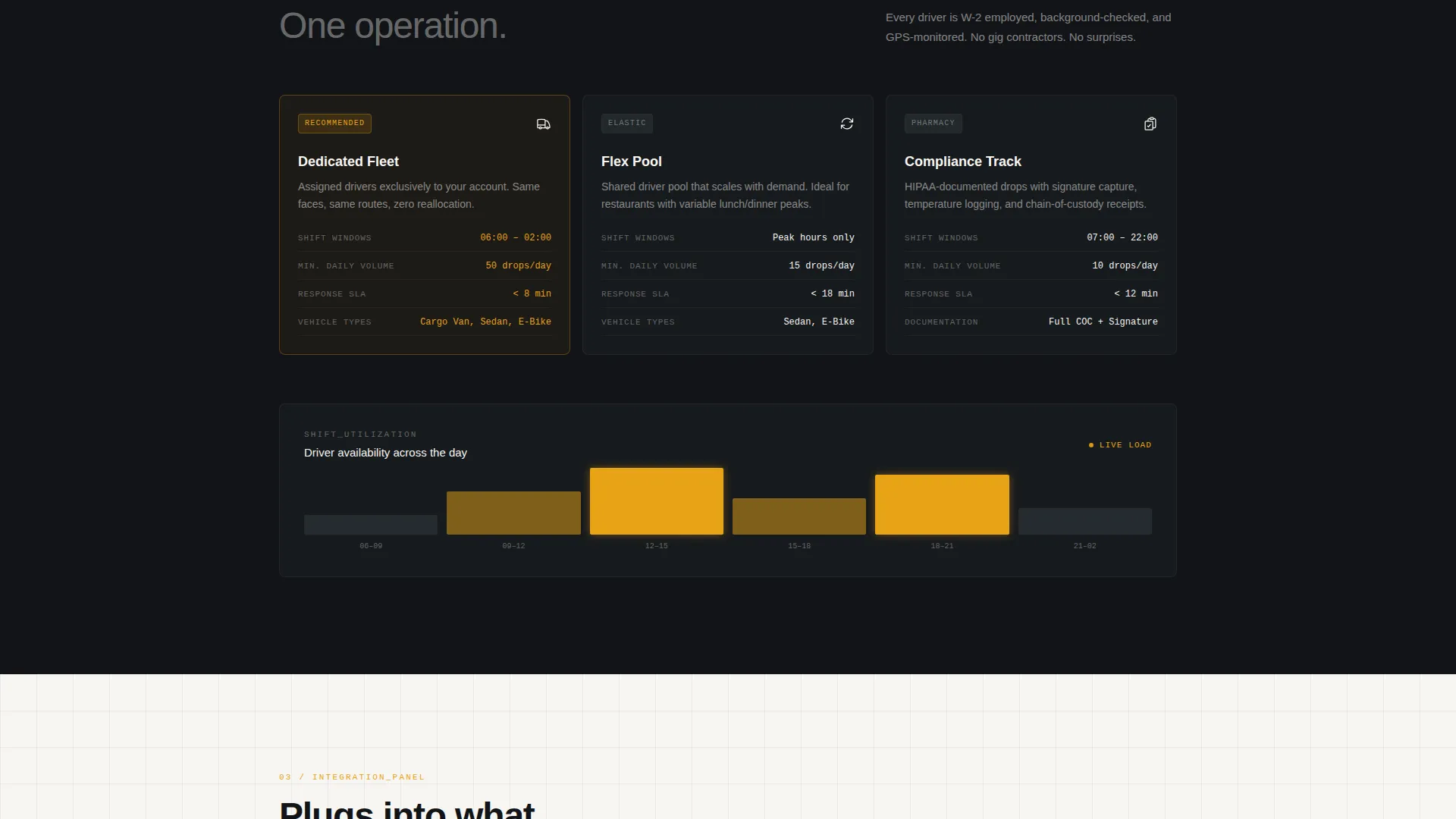
This section breaks down the fleet structure in plain terms: dedicated versus flex drivers, shift windows, and vehicle types. Buyers who need predictable capacity can see exactly how the model works before reaching out.
Integration and API Panel
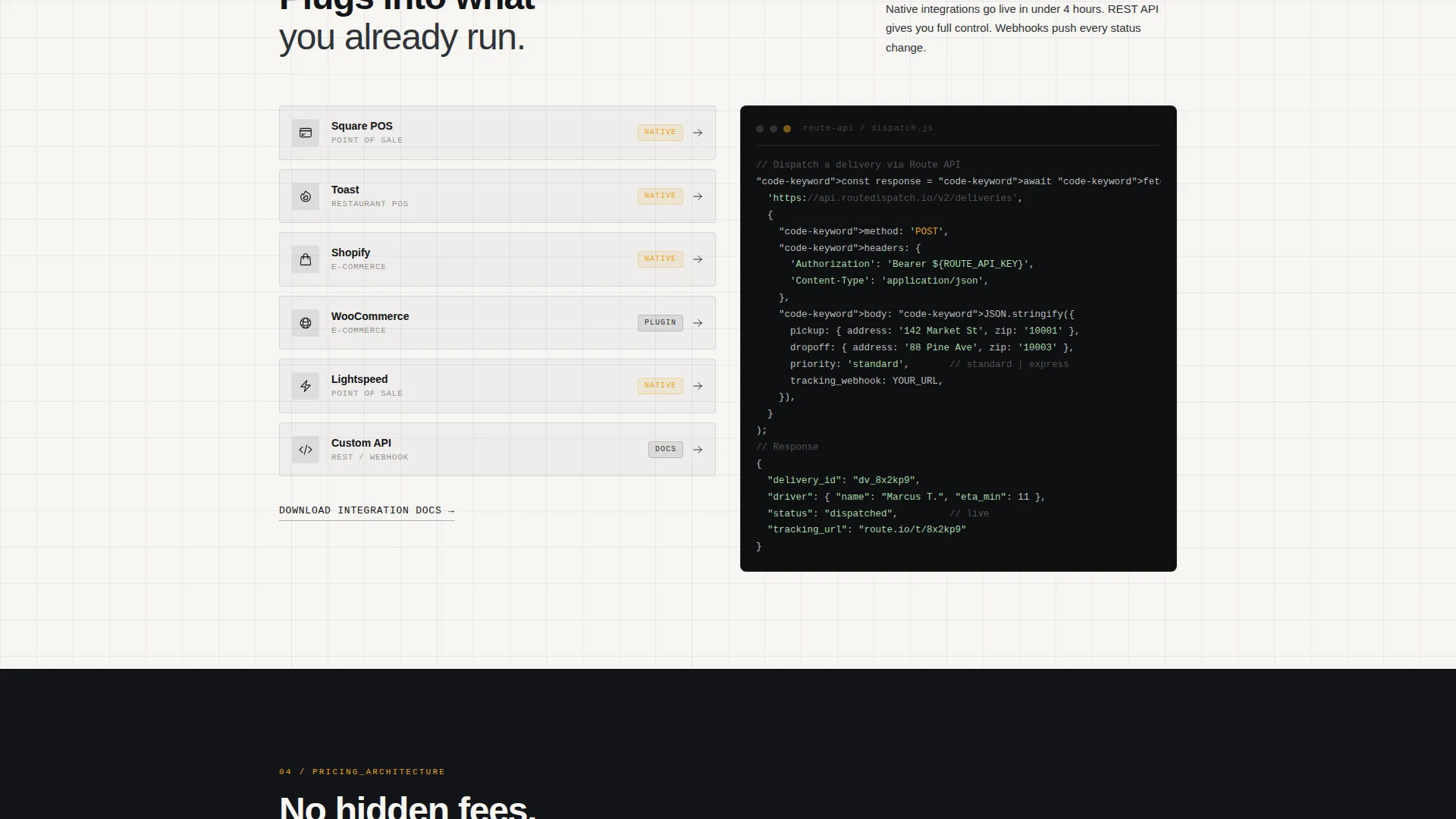
A dedicated section surfaces the technical details that internal champions need. It shows API endpoints and point-of-sale (POS) connections directly on the page, removing the need for a separate discovery call just to confirm compatibility.
Transparent Three-Column Pricing Table
Pricing is displayed in a clear three-column table with no hidden fees and no "contact us" evasion. All tiers and structures are visible on the page. This removes a common friction point that stalls business-to-business conversion.
Dual-Path Conversion Zone
The bottom of the page presents two paths. The primary call to action is "Map Your Coverage Area" and triggers a short intake form. The secondary path, "Download the Integration Docs," captures technical stakeholders who are evaluating the switch but are not yet the final decision-maker.
Page sections overview
| Section | Purpose |
|---|---|
| Dark Map Header | Establish live-operation credibility with the glowing coverage radius visualization and terminal headline |
| Coverage Zone Map | Let prospects interact with draggable zone boundaries to confirm service area relevance |
| Driver Fleet Model | Explain dedicated versus flex driver options, shift windows, and vehicle types |
| Integration Panel | Surface API endpoints and POS connections for technical stakeholders |
| Pricing Architecture | Display all tiers in a transparent three-column table with no hidden fees |
| Intake Conversion Zone | Capture business details and zip code, preview active zone eligibility, and present both calls to action |
Design & branding system
The visual identity follows a Service Utility theme built on an Ink & Paper color system. Every color has a defined role and amber is strictly reserved for live-state or actionable elements only.
- Deep dispatch black (#121417) for full-bleed backgrounds, with manifest white (#F7F6F3) for alternating scroll sections
- Route-line charcoal (#2E3338) for secondary text and card containers
- Signal amber (#E8A317) used exclusively for active zone indicators, call-to-action buttons, and hover pulses, never for decoration
Mobile & speed optimization
The single-column flow layout is inherently well-suited to smaller screens. Sections stack cleanly in a vertical sequence that preserves the scroll narrative on any device size.
- Single-column structure removes the need for complex responsive grid rearrangement
- Background alternation between dispatch black and manifest white creates natural scroll rhythm without relying on heavy assets
How this template helps you convert
The page is designed around a Partnership and Business-to-Business conversion model. Every structural decision reduces friction and builds confidence before the ask.
- The scroll narrative removes objections progressively, coverage, fleet, integrations, and pricing are all answered before the call to action appears, so the prospect arrives at the form already informed.
- The dual-path conversion zone serves two distinct buyer types simultaneously, the "Map Your Coverage Area" intake captures decision-makers while "Download the Integration Docs" keeps technical evaluators moving forward on their own timeline.
Other information about this template
Route is part of a Professional Services template category with a specific focus on the Delivery Driver Online Presence subcategory and the Delivery Driver Service Area and Location Page niche.
- The template style is Single Column Flow, optimized for a focused, distraction-free scroll experience
- The creative direction is Transparent Process, every design and copy decision reinforces operational clarity over marketing gloss
- The header concept is Dark Full-Bleed with Glow, using data-visualization aesthetics rather than photography or illustration
- The intake form includes four fields: business name, average daily delivery volume (dropdown with ranges 50 to 100, 100 to 500, and 500 or more), current delivery method (in-house, third-party, or none), and a zip code field that previews active service zone eligibility
Theme
Service Utility
Creative direction
Transparent Process
Color system
Ink & Paper
Style
Single Column Flow
Direction
Partnership/B2B
Page Sections
Glowing Coverage Radius Map Header
Transparent Scroll Narrative
Driver Fleet Model Section
Integration and API Panel
Transparent Three-column Pricing Table
Dual-path Conversion Zone
Related questions
Who is this landing page template designed for?
What does the header section look like?
Does the template include a pricing section?
Can technical stakeholders use this page too?
What information does the intake form collect?



