Kids Horseback Riding Summer Camp Landing Page
Saddle is a joyful, modular landing page template built for kids horseback riding summer camps. It opens with a candid photo wall mosaic, guides parents through a quick 4-question personalization quiz, and reshuffles session cards around their child's age and experience level. The result is a warm, high-energy page that earns registrations by making every family feel personally seen.
by Rocket studio
Quick summary
Saddle is a card grid landing page template for kids horseback riding summer camps. It combines a real-photo header mosaic with a personalized quiz flow that surfaces the right session level, matching dates, and relevant testimonials for each family. The design feels bright, summery, and genuinely fun, built to reassure cautious parents and delight horse-obsessed kids at the same time.
Who this template is for
This template is made for camp operators, outdoor educators, and family activity businesses that need a conversion-focused landing page. It works especially well for programs with multiple session levels or age tiers, where a one-size-fits-all page leaves families confused about where their child fits.
- Horseback riding summer camps serving kids aged 6 to 12
- Outdoor education programs with tiered session levels and safety-focused parent audiences
- Family activity businesses that need social proof, credential callouts, and a clear registration path
What problem this template solves
Parents booking a summer camp are making a trust decision, not just a purchase. They need to see helmets, certified instructors, and smiling faces before they hand over a deposit. Generic camp pages make every family scroll through irrelevant sessions and still leave without answers.
- Parents can't easily tell which session level fits their child's age and experience
- Safety-conscious first-timers need reassurance before they'll commit, and a static page rarely provides it
- Camps with multiple tiers lose registrations when the page doesn't help families self-select quickly
What you get with this template
This template delivers a fully structured single-page layout with a clear conversion path from first scroll to registration click. Every section is purposeful and sequenced to match how a real parent actually decides.
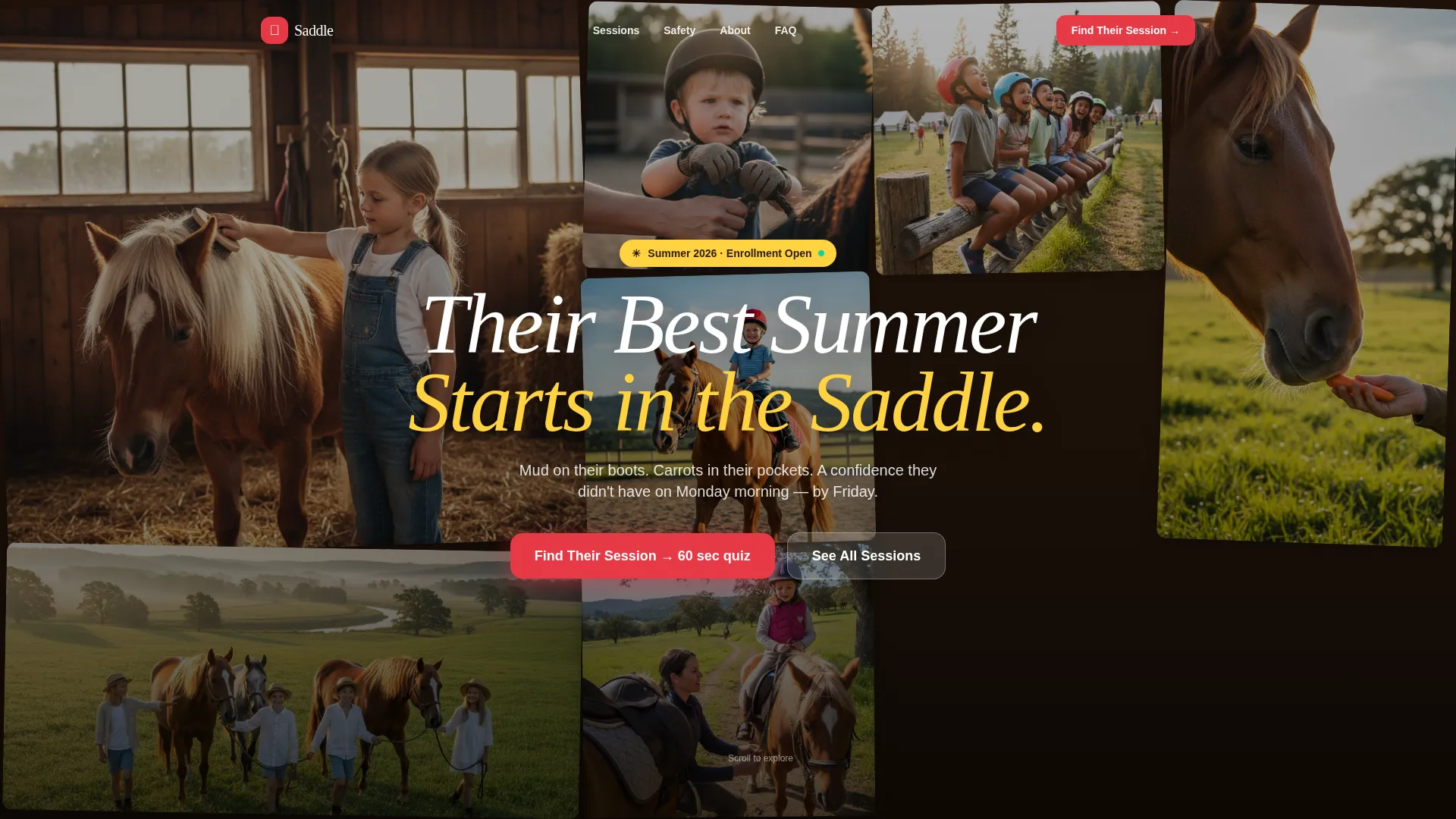
- A UGC-style photo wall header with a handwritten-feel headline overlay that sets a warm, credible first impression
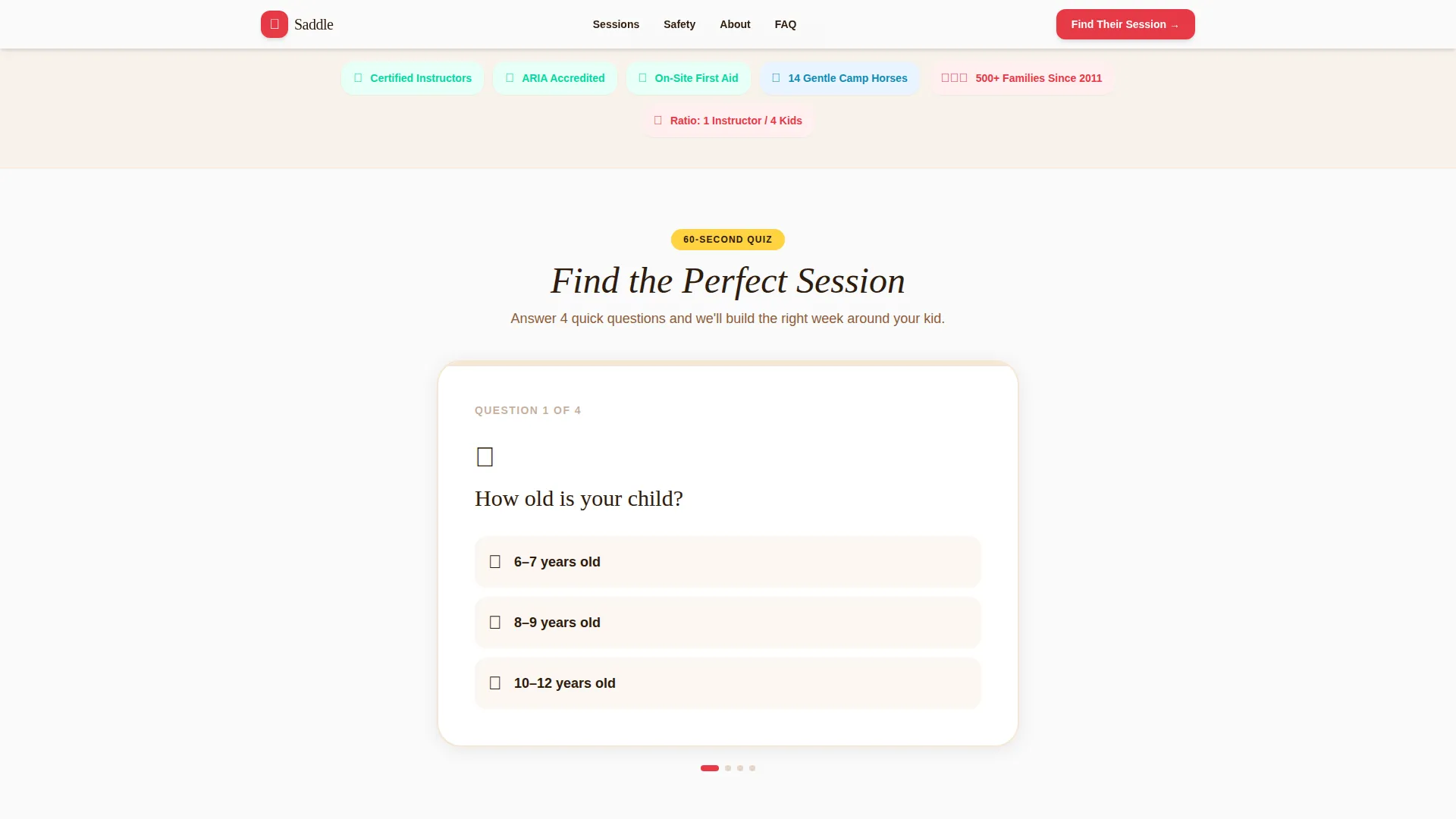
- A 4-question personalization quiz that dynamically reshuffles the session card grid based on each parent's answers
- A personalized summary card with the recommended session, available dates, pricing, and a "Reserve Their Spot" call-to-action button
Feature list
This template includes the following built-in capabilities drawn directly from the design and interaction brief.
UGC Photo Wall Header
The header fills the full viewport with a mosaic of candid, phone-quality parent-submitted photos. Images are staggered on load for a natural, imperfect feel. A handwritten-style headline fades in over the mosaic: "Their Best Summer Starts in the Saddle."
4-Question Personalization Quiz
A bright card below the header walks parents through four questions: child's age, prior horse experience, number of weeks being considered, and what matters most, confidence, adventure, or new friends. Each answer directly filters the content that appears below it.
Dynamic Session Card Grid
The modular bento card grid reshuffles based on quiz answers using spring-physics animation. It surfaces one of three session levels, Little Wranglers, Trail Riders, or Advanced Barn Crew, along with matching week availability and relevant testimonials.
Safety and Credential Callouts
Clover-green badge components highlight instructor certifications and safety credentials throughout the page. These callouts are visually distinct and positioned to reassure cautious first-time parents before they reach the registration step.
Testimonial Cards with Parent Photos
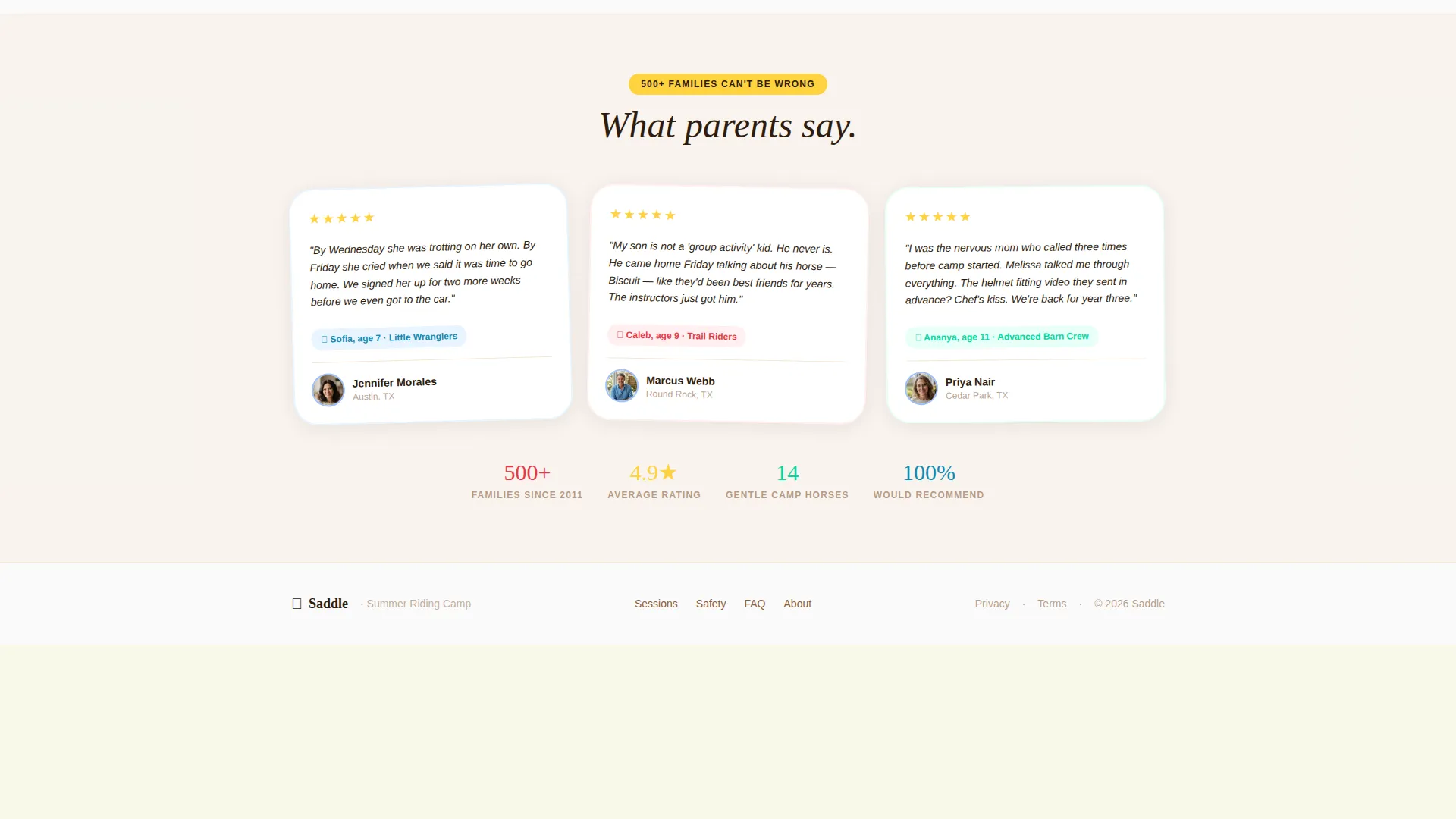
Sky-blue framed quote cards display real parent testimonials with names, hometowns, and specific outcome details. The quiz reshuffles these cards so the testimonials shown are relevant to the parent's selected priorities.
Personalized Summary and Director Contact
After the quiz, a summary card presents the recommended session with dates, price, and a prominent "Reserve Their Spot" button that clicks through to registration. A secondary path offers a phone number and a Calendly scheduling embed for first-time parents who want to speak with a camp director.
Page sections overview
| Section | Purpose |
|---|---|
| Photo Wall Header | Builds trust with candid camp photos and headline |
| Personalization Quiz Card | Collects four parent inputs to filter content |
| Session Card Grid | Displays tiered session options reshuffled by quiz |
| Testimonial Cards | Shows relevant parent quotes by priority match |
| Personalized Summary Card | Delivers recommendation with call to action to registration |
| Director Contact Block | Supports first-timers with phone and scheduling embed |
| Footer | Horizontal flow footer with camp info and links |
Design & branding system
The template uses a Dopamine Pop color system, saturated, joyful, and unapologetically loud in the way only a summer kids program can be. Typography pairs Fraunces serif headlines, which carry a handwritten warmth, with DM Sans for body text and user interface elements.
- Barn-red (#E63946) anchors primary headlines and main call-to-action buttons; sunscreen-yellow (#FFD23F) highlights age badges and session tags
- Clover-green (#06D6A0) marks all safety credential callouts; sky-day-blue (#118AB2) frames testimonial cards and interactive quiz elements
- Clean white (#FAFAFA) sits behind every card to keep content readable against the saturated palette
Mobile & speed optimization
This template is built mobile-first. The target parent is booking during school pickup on a phone, so every interaction, the quiz, the card grid, the summary call to action, is designed to work cleanly on a small screen before it scales up to desktop.
- Client Components for the quiz and card grid are isolated so the rest of the page loads independently
- Images in the photo wall mosaic are lazy-loaded to keep the initial paint fast even with many photos
- The card grid reshuffle uses spring-physics animation that feels smooth on mobile without blocking interaction
How this template helps you convert
The page earns each click by guiding parents through a personalized experience rather than asking them to figure things out alone. Every design and interaction decision builds toward one outcome: a confident parent clicking "Reserve Their Spot."
- The photo wall opens with real, imperfect parent photos that feel more credible than polished stock imagery, creating immediate emotional connection before a parent reads a single word.
- The quiz makes parents feel like the camp already knows their child, once the grid reshuffles around their answers, the session recommendation feels earned rather than generic, which significantly reduces decision friction.
- The dual-path summary gives hesitant first-timers a safe off-ramp to speak with a director, capturing families who would otherwise leave the page without registering.
Other information about this template
This template is part of the Family First theme collection and uses the Dopamine Pop color system. It is categorized under Kids and Family, with a specific focus on the kids horseback riding summer camp niche.
- Template style: Card Grid (Modular) with a click-through landing page direction
- Header concept: UGC Photo Wall with staggered mosaic load animation and headline fade-in
- Creative direction: Quiz and Personalize, with a quiz state machine, grid filter, and scroll reveal animations throughout

Theme
Family First
Creative direction
Quiz & Personalize
Color system
Dopamine Pop
Style
Card Grid (Modular)
Direction
Click-Through
Page Sections
UGC Photo Wall with Headline Fade-in
Question Personalization Quiz
Dynamic Modular Session Card Grid
Safety Credential Badge Components
Personalized Summary Card with Dual Call to Action
Filtered Testimonial Card Display
Related questions
Can I edit the quiz questions and session names?
Does the template support a direct link to a registration or payment page?
Can first-time parents contact the camp without completing the quiz?
Is this template suitable for a camp with only one session level?
How many testimonial cards does the template include?



