Kids Horseback Riding Directory Website Template
Saddle is a zigzag landing page template built for kids horseback riding instructor directories. It features a Photo Grid Mosaic hero, alternating Gallery Walk sections, a scrollable instructor carousel, a safety standards panel, and a lightweight Discovery Ride registration form. The Soft Mist color system and watercolor-warm design make it feel welcoming to families from the very first scroll.
by Rocket studio
Quick summary
Saddle is a single-page directory landing page designed to connect families with vetted children's horseback riding instructors. It combines a mosaic photo hero, zigzag content sections, an instructor profile carousel, and a no-obligation Discovery Ride sign-up form. The soft, pastoral design makes every parent feel like they are already at the barn.
Who this template is for
This template is built for anyone running a curated directory of children's horseback riding instructors. It speaks directly to the families searching for lessons and to the organizations presenting those instructors.
- Suburban parents whose child has asked to start riding and who need a trustworthy way to compare instructors near them
- Homeschool co-ops and enrichment coordinators looking for structured outdoor programs that fit a learning schedule
- Occupational therapists and program coordinators seeking equine-assisted options for sensory-sensitive or differently-abled young riders
What problem this template solves
Finding the right riding instructor for a young child is surprisingly hard. Parents are scrolling at night with no clear way to filter for age-appropriate programs, safety standards, or instructor experience with beginners. This template removes that friction.
- Parents cannot easily tell which instructors work with very young children, from leadline at age four up through first canter
- There is no obvious starting point for families who want safety reassurance alongside lesson booking
- Homeschool groups and therapists need program details and philosophy before they can commit to a provider
What you get with this template
You get a fully structured, ready-to-customize landing page that guides visitors from curiosity to sign-up across five focused sections. Every element is designed around the family decision-making journey.
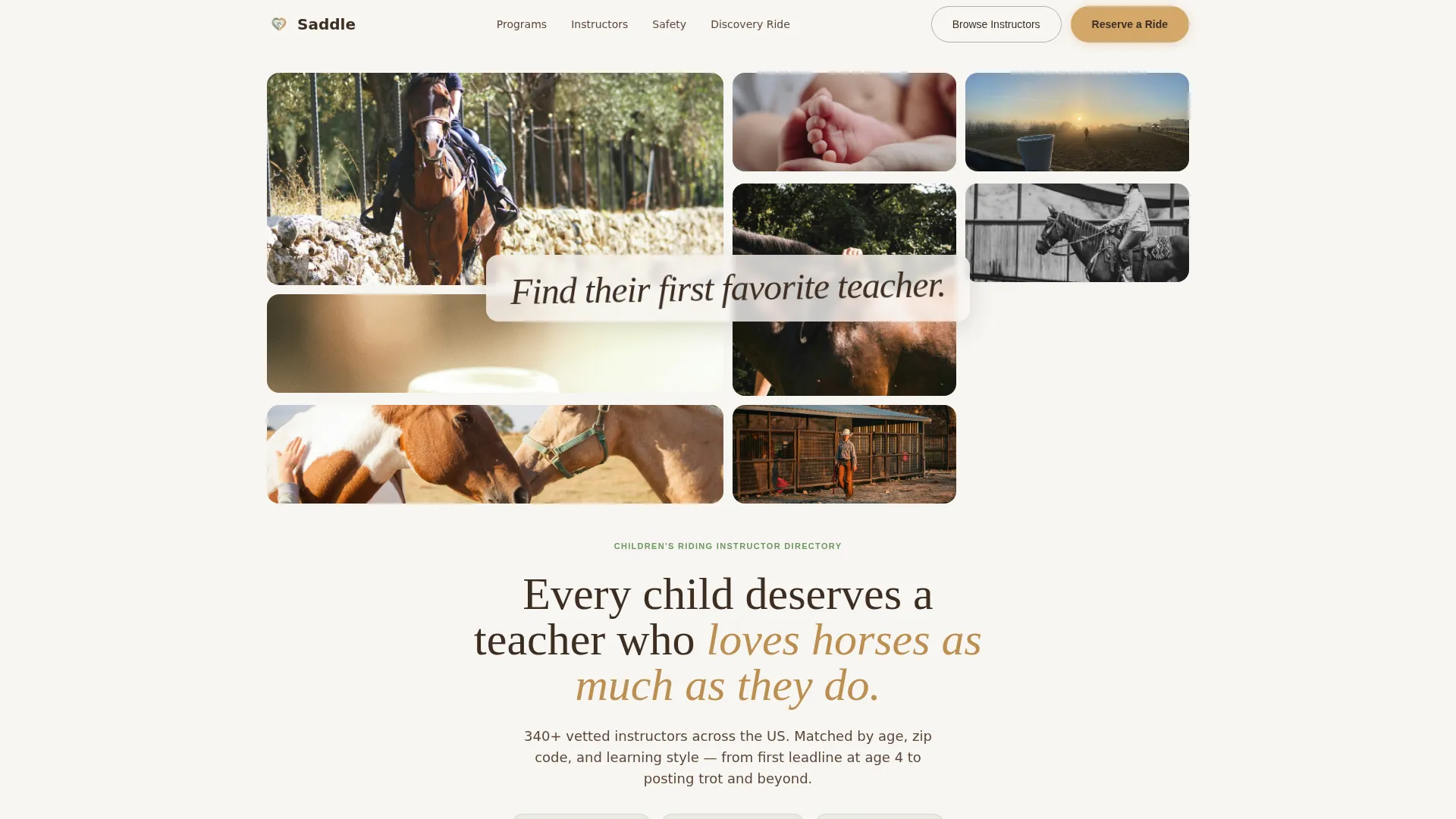
- A Photo Grid Mosaic hero with twelve softly rounded image tiles and a hand-brushed script headline that fades in on load
- Three alternating zigzag content sections covering program types, instructor profiles, and safety standards
- A lightweight Discovery Ride registration form with fields for child name, age, experience level, availability, and zip code for instructor matching
Feature list
This template is built around specific components pulled directly from the brief. Each one earns parent trust and moves the visitor closer to booking.
Photo Grid Mosaic Hero
Twelve softly rounded image tiles of varying sizes fill the header. They show real riding moments: a tiny boot in a stirrup, a braid under a velvet helmet, an instructor's hand on the reins. A single line of italic script fades in over the mosaic on page load.
Zigzag Alternating Section Layout
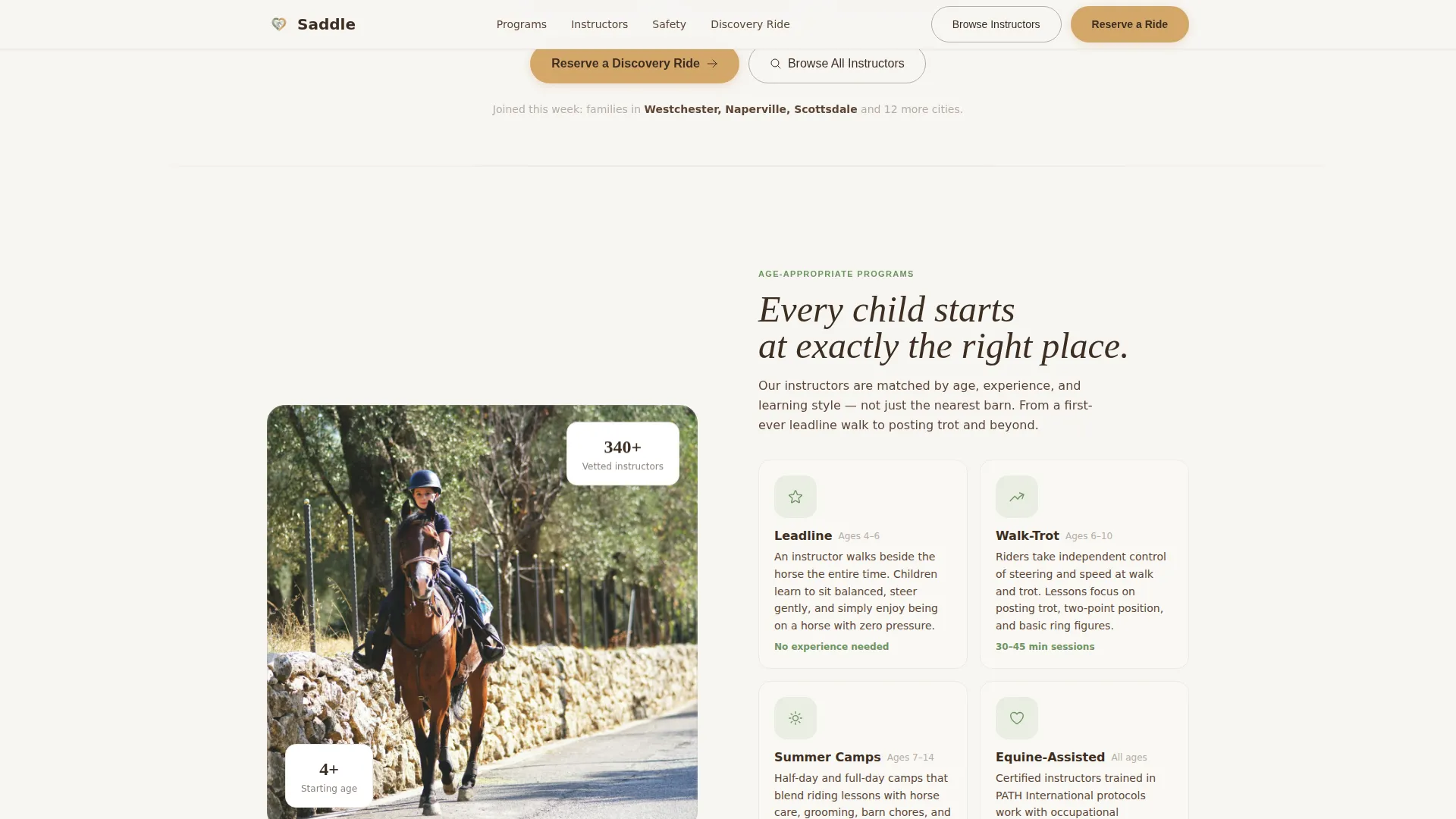
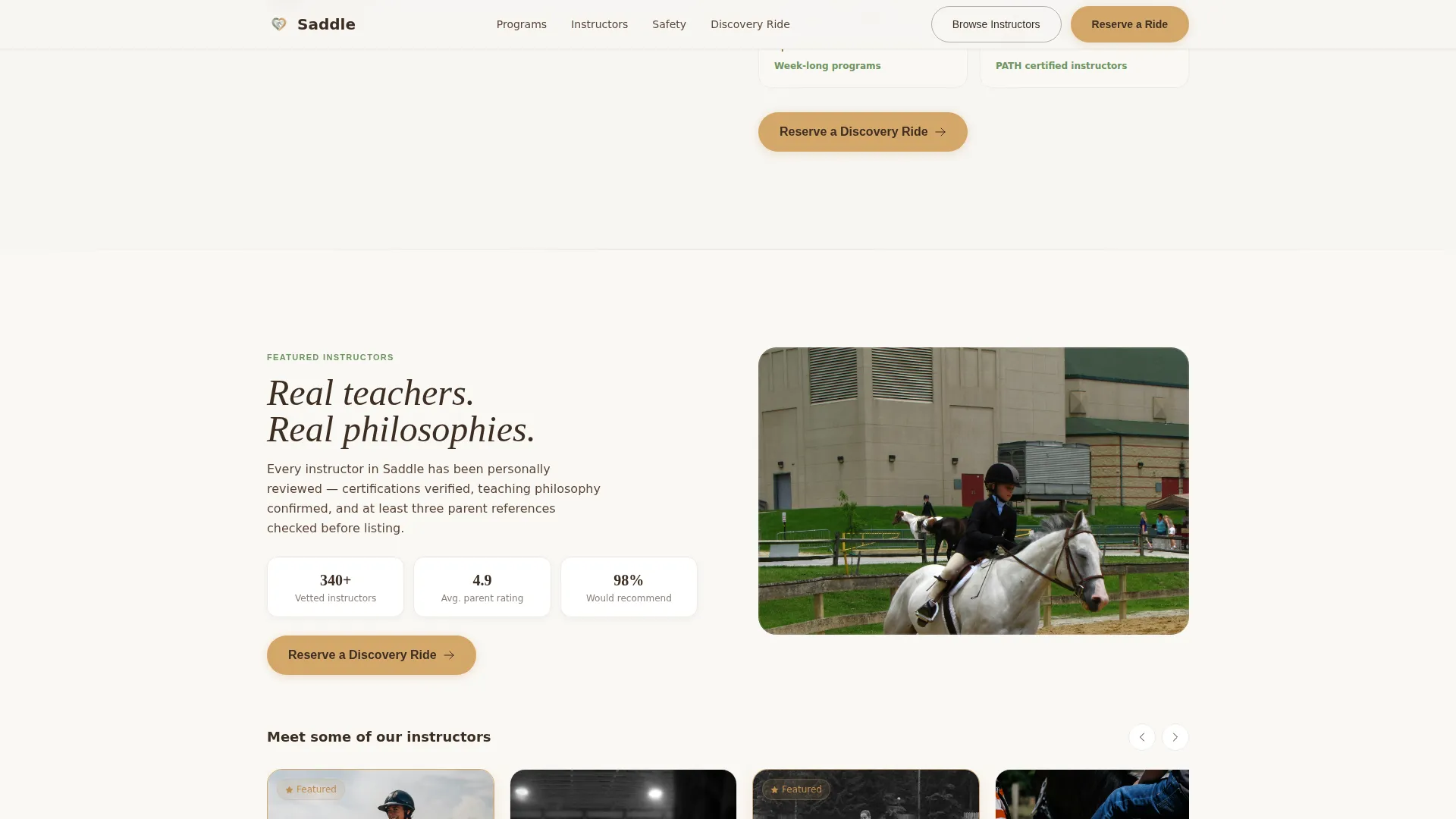
Each content section alternates between image-left and image-right. The first covers age-appropriate program types with illustrated icons. The second features the instructor carousel. The third presents safety standards. The alternating rhythm creates a gallery-walk feel that keeps visitors reading.
Scrollable Instructor Profile Carousel
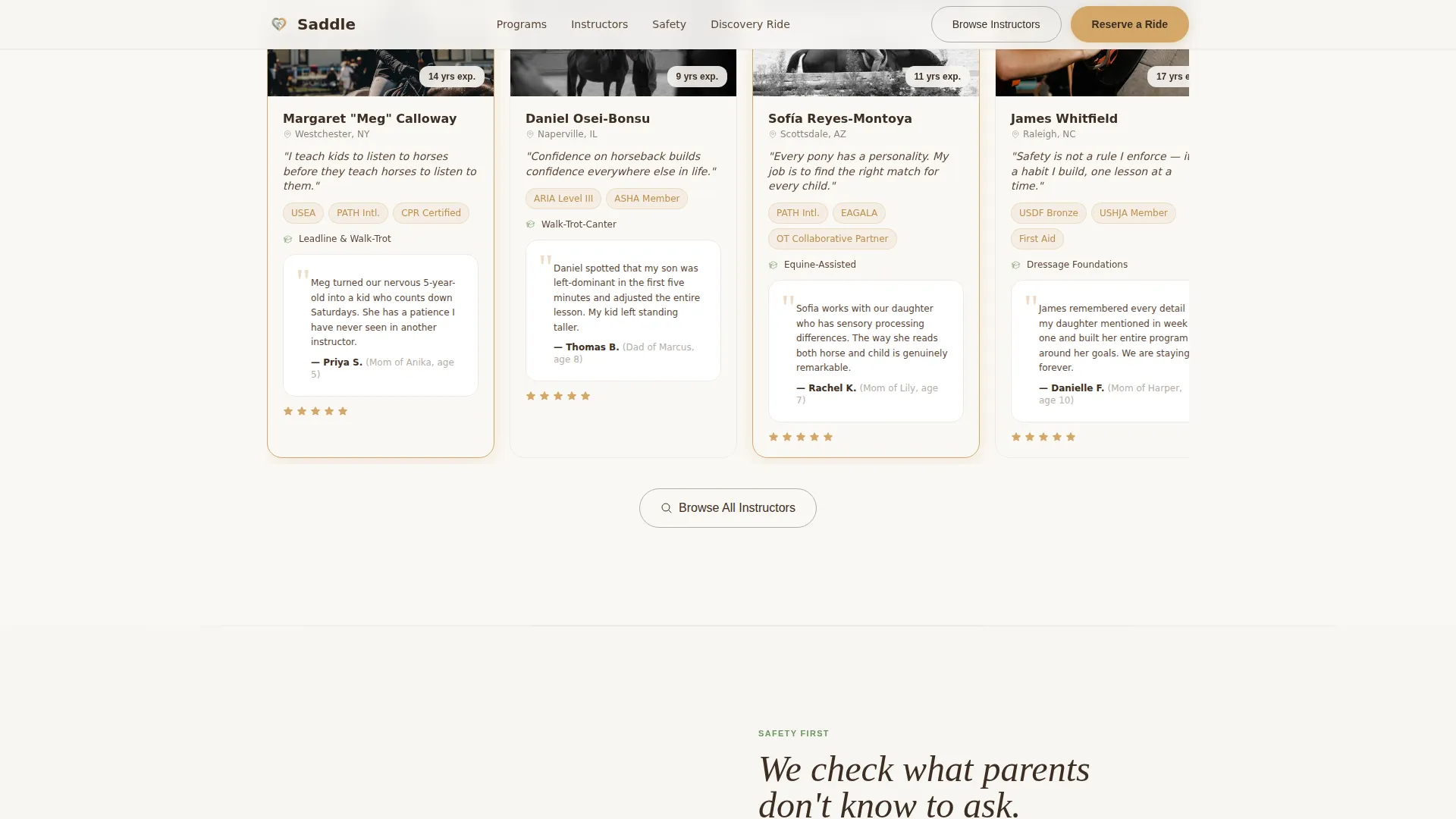
A horizontal carousel displays featured instructor cards. Each card shows certifications, a one-sentence teaching philosophy, and a parent review snippet. Hover states on cards give the carousel an interactive, polished feel without overcomplicating the layout.
Safety Standards Panel
A dedicated zigzag section outlines barn standards, helmet policies, and horse temperament screening. This section directly addresses the concerns parents have before they will ever hand their child a set of reins.
Discovery Ride Registration Form
A lightweight form lets parents reserve a free, no-obligation Discovery Ride. It collects the child's first name, age, experience level, preferred schedule, and zip code. The zip code field is designed to support instructor matching by location.
Dual Call-to-Action Structure
The hero carries two paths: a primary "Reserve a Discovery Ride" button and a secondary "Browse All Instructors" link. This lets committed parents act immediately while giving browsers a lower-pressure entry point.
Page sections overview
| Section | Purpose |
|---|---|
| Hero Mosaic Header | Captures attention with real riding moments and a script headline |
| Program Types Zigzag | Introduces leadline, walk-trot, and camp options with icons |
| Instructor Profiles Carousel | Showcases vetted instructors with certs, philosophy, and reviews |
| Safety Standards Panel | Builds trust with barn rules, helmet policy, and horse screening |
| Discovery Ride Form | Converts interest into a free, no-obligation ride registration |
| Footer Flow | Closes the page with organized navigation and contact links |
Design & branding system
The Soft Mist palette feels like watercolor illustrations in a beloved children's book. Nothing shouts. Everything glows. Warmth comes from the light in the colors rather than heavy saturation.
- Color palette: morning fog white (#F7F5F2), weathered fence post gray (#B5ADA5), clover pasture green (#8AAE7E), and saddle tan (#D4A76A) reserved for buttons and highlighted instructor cards
- Typography: DM Sans for body text keeps reading easy and modern, while Fraunces serif headings carry the warmth and character of a hand-lettered barn sign
- Visual style: softly rounded image tiles, illustrated icons, and pastoral imagery create the feeling of standing at a paddock fence on a cool Saturday morning
Mobile & speed optimization
This template is built with a mobile-first approach because the target visitor is a parent scrolling on a phone after their child is in bed. Every section reads cleanly on a small screen without losing the warmth of the design.
- Images are lazy-loaded so the page feels responsive even on slower connections
- Static sections use Server Components while interactive elements like the carousel and form use Client Components for targeted performance
- Scroll-triggered animations including fadeInUp, slideInBlur, and scrollBlur on the hero use IntersectionObserver reveals so they feel smooth rather than abrupt
How this template helps you convert
The page is structured around the family's emotional journey from curiosity to confidence. Every section earns the next step forward, just like walking deeper into a gallery.
- The mosaic hero and script headline create an immediate emotional connection, placing the parent in the scene before they read a single word of copy
- The zigzag gallery sections build layered trust by covering program fit, instructor credibility, and safety in sequence, answering the three questions every parent has
- The no-obligation Discovery Ride framing lowers commitment anxiety, while the dual call-to-action keeps both decisive and browsing parents moving through the page
Other information about this template
Saddle is part of a broader Family First theme collection built for children's enrichment and family services directories. A few additional details worth knowing before you customize:
- The template style is Zigzag/Alternating with a Gallery Walk creative direction, making it especially effective for directory pages that need to present multiple providers in a single flowing view
- The landing page direction is Event Registration, meaning the entire structure is optimized toward the Discovery Ride sign-up rather than a general awareness or product-sale goal
- The header concept is a Photo Grid Mosaic, which requires a set of authentic, candid images to land correctly; staged stock photos will reduce the warmth the design is built around
- The footer uses a Vercel Horizontal Flow pattern (Pattern 3) for a clean, organized close to the page
- The template is built in English with United States date formats, dollar currency context, and a suburban United States audience in mind
Theme
Family First
Creative direction
Gallery Walk
Color system
Soft Mist
Style
Zigzag/Alternating
Direction
Event Registration
Page Sections
Photo Grid Mosaic Hero
Zigzag Alternating Layout
Scrollable Instructor Carousel
Safety Standards Panel
Discovery Ride Registration Form
Dual Call-to-action Structure
Related questions
Who is the Discovery Ride form designed for?
Can this template work for a single riding instructor rather than a full directory?
What image style works best with this template?
Does the template include instructor data or review content?
Is this template suitable for equine-assisted therapy programs?



