Tutoring Center Marketing Professional Website Template
Safeguard is a single-column tutoring center landing page built for academic crisis moments. It speaks directly to panicked parents and students facing failing grades, missed deadlines, or approaching finals. With a Legal Shield visual identity in Charcoal and Amber, the page projects calm authority, offers a visible triage methodology, and drives conversions through two clear paths: a gated study plan and an emergency assessment form.
by Rocket studio
Quick summary
Safeguard is a crisis-focused tutoring center landing page template. It is designed for high-stakes moments, the week before finals, the day after a failed exam, the evening a parent realizes the semester is slipping. The page leads with hard evidence, walks visitors through a credible intervention process, and converts them through two focused calls to action.
Who this template is for
This template is built for tutoring centers that position themselves as fast-response academic intervention specialists. It is especially effective for services that work with high school students, stressed parents, and grade-recovery situations.
- Tutoring centers offering emergency or short-notice academic intervention
- Academic coaches and subject specialists serving high school and college students
- Tutoring businesses that want to lead with proof and methodology rather than generic promises
What problem this template solves
Most tutoring pages read like brochures. They show smiling faces and soft language that does not match what a panicked parent feels at 11 p.m. on a Sunday. Safeguard solves the trust gap that exists when urgency is high and time is short.
- Visitors arrive in crisis mode and need immediate reassurance, not a generic pitch
- Standard tutoring pages bury credentials and process details that anxious clients need upfront
- Without a clear conversion path, high-intent visitors leave without taking action
What you get with this template
The template delivers a single-column, section-led page flow designed to build institutional trust with every scroll. Each section earns the next click by giving away useful information before asking for anything in return.
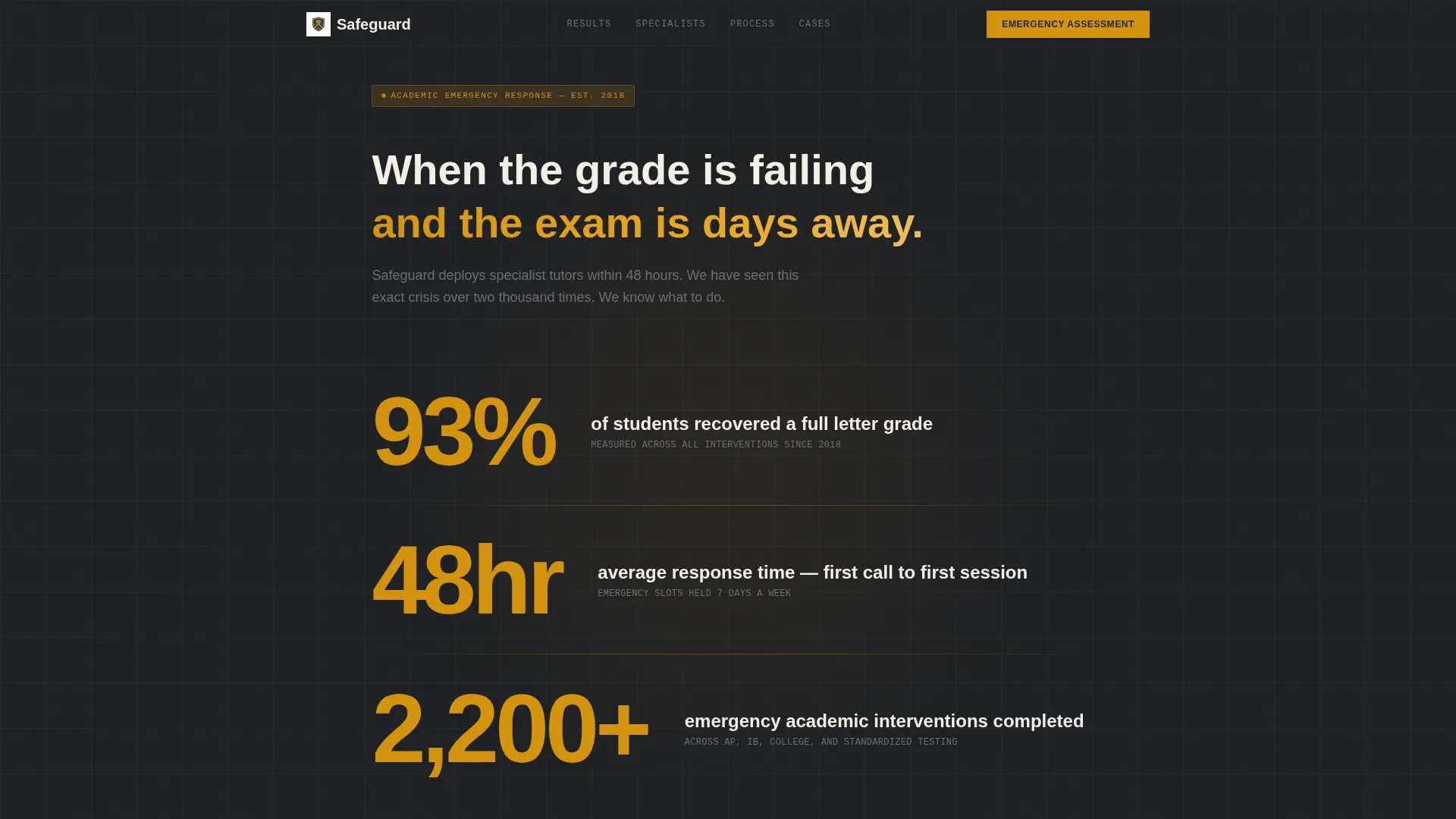
- A statistics header block with three oversized, amber-on-charcoal proof metrics
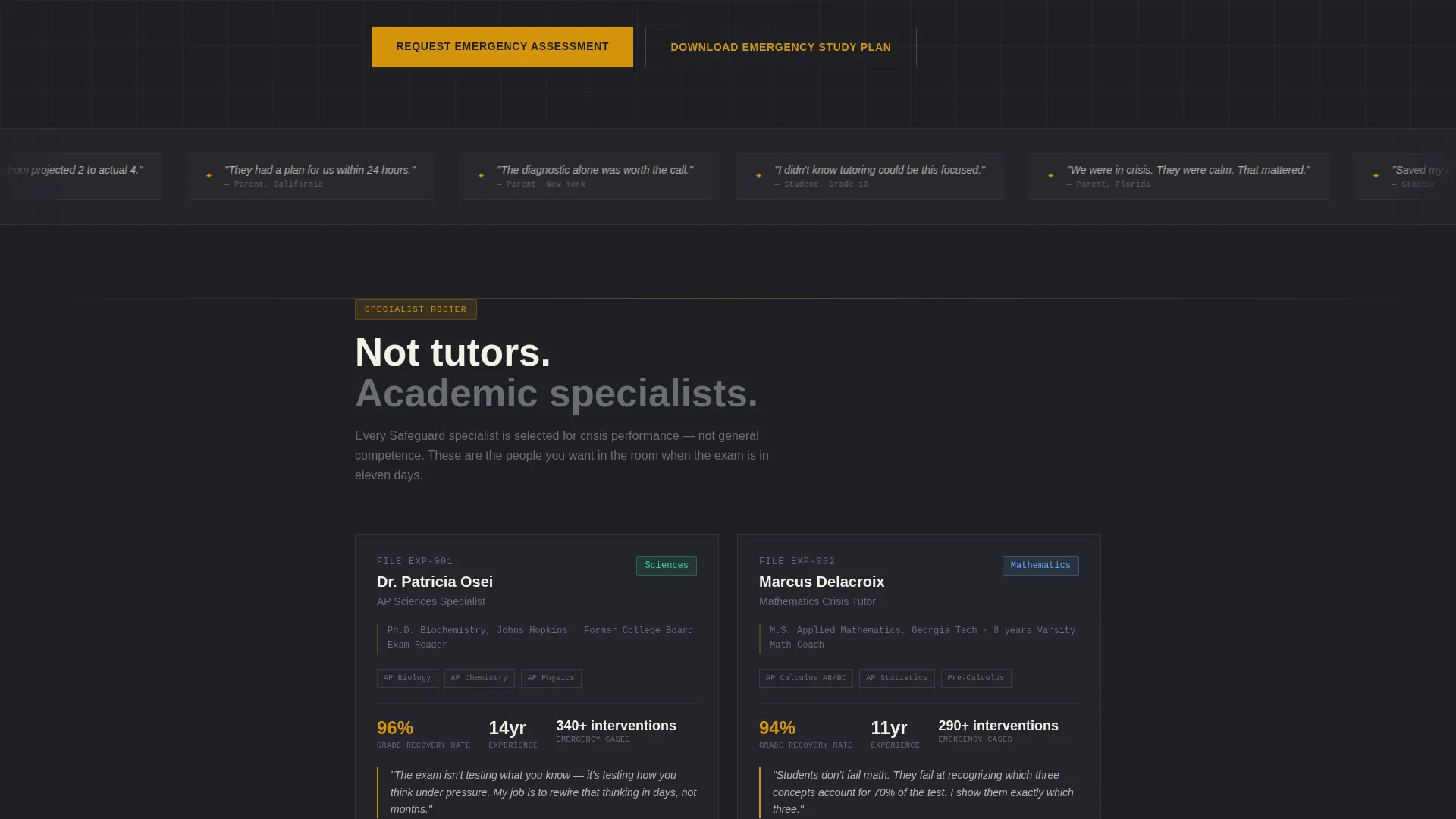
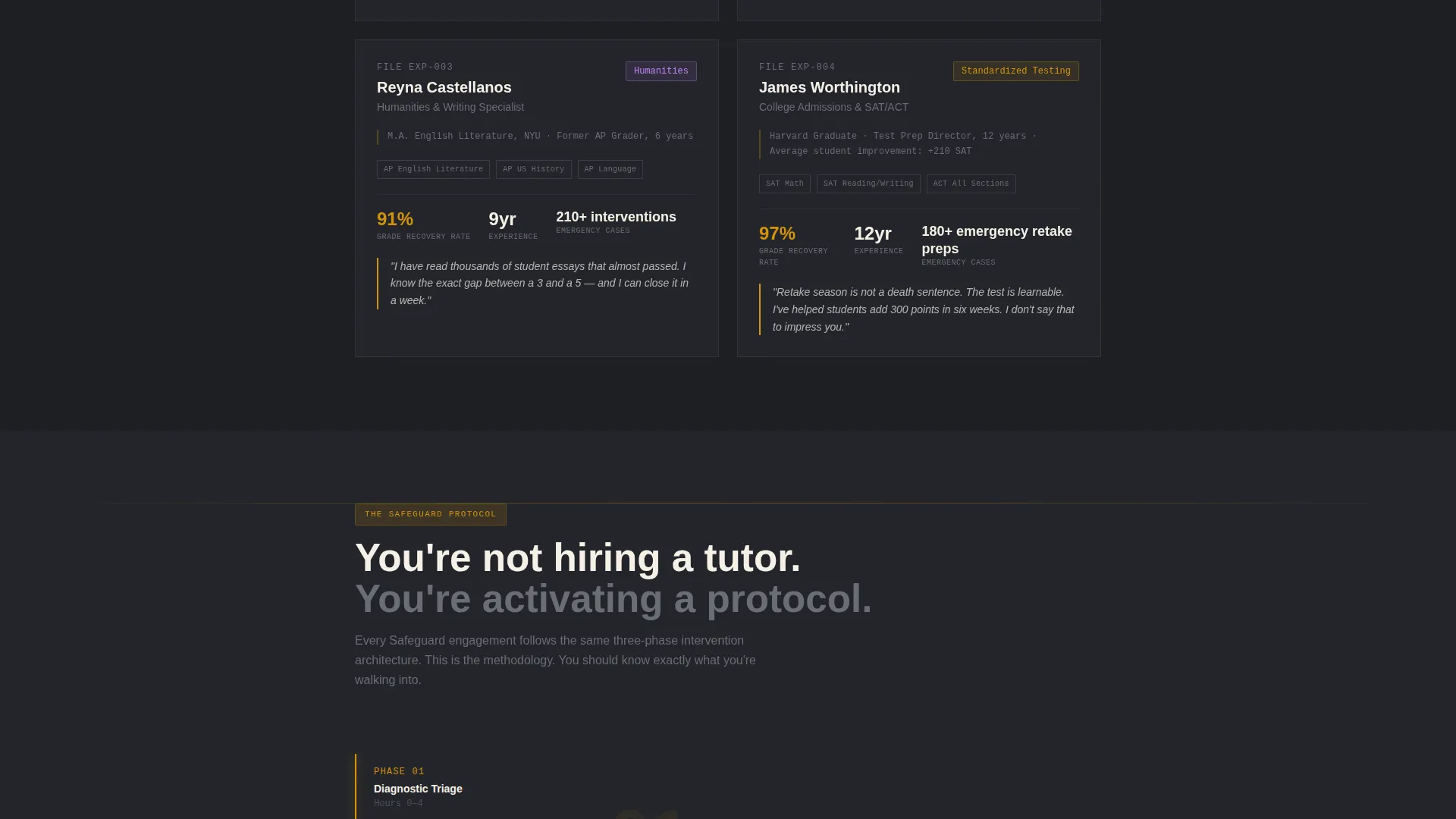
- A dossier-style expert panel with credentials, success metrics, and direct tutor quotes
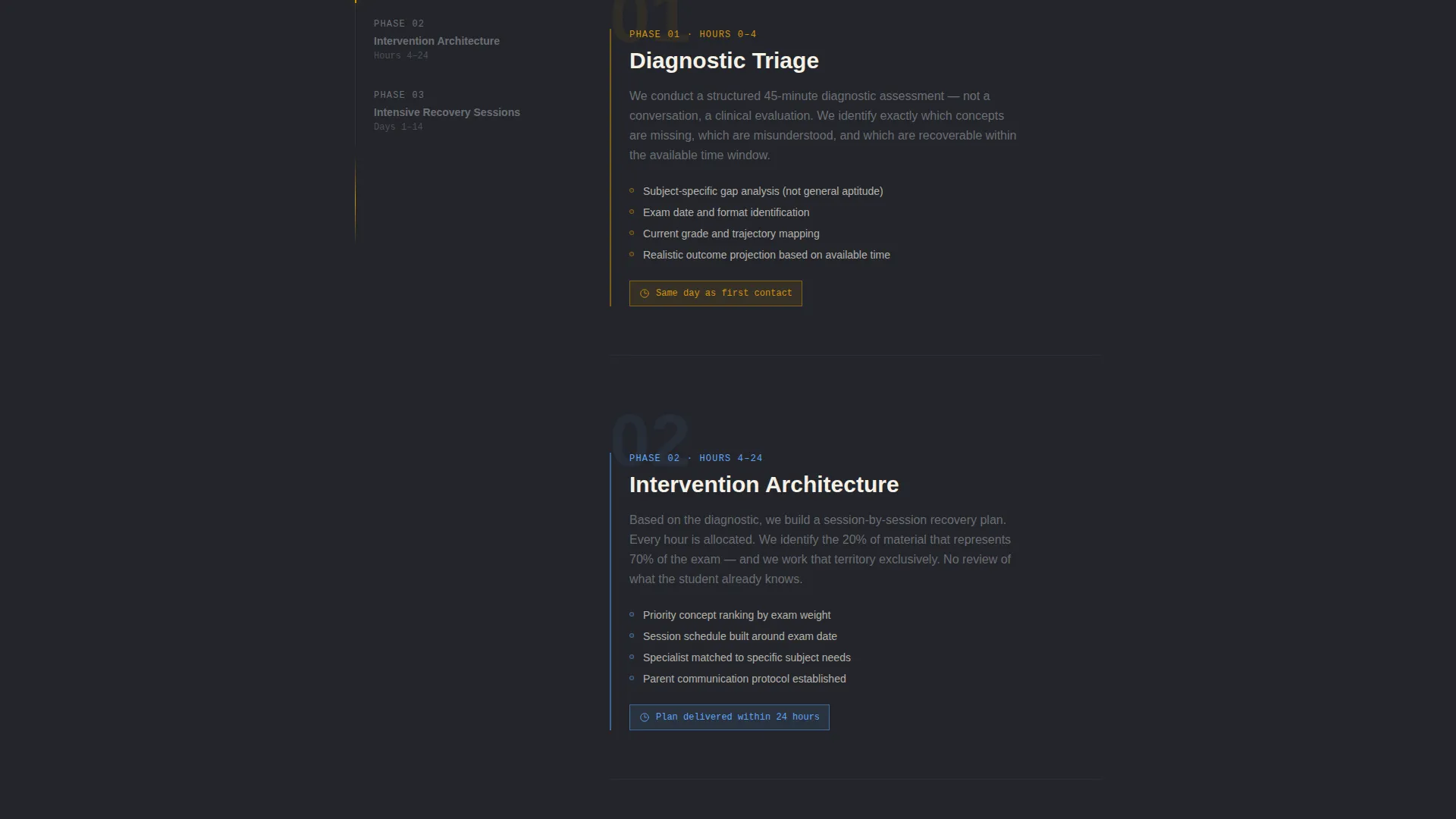
- A visible triage methodology section showing diagnostic steps and intervention timeline
- Anonymized case study blocks written in a factual, outcome-focused format
- A primary gated call to action for a downloadable Emergency Study Plan PDF
- A secondary short-form intake call to action for requesting an Emergency Assessment
Feature list
A paragraph overview of the feature set: every element in Safeguard is chosen to project calm authority and move a high-intent visitor toward conversion. The template's components are practical, specific, and built around the emotional state of someone who needs help right now.
Crisis Statistics Header Block
Three oversized proof metrics are rendered in amber against deep charcoal. Each number is a gut-punch and a reassurance at once: recovery rates, response time, and total interventions handled. Thin amber divider lines and a condensed institutional typeface make the block feel like a case file, not a sales pitch.
Dossier-Style Expert Panel
Each tutor is introduced through a credential card that reads like a specialist profile. The card includes subject expertise, years of experience, a key success metric, and a direct quote about their approach to academic emergencies. This format builds trust by making expertise visible and specific.
Triage Methodology Framework
A visible, step-by-step framework shows the diagnostic process, the intervention timeline, and how the service moves from first contact to active tutoring. Showing the process before the form makes visitors feel they are already inside the system.
Anonymized Case Study Blocks
Each case study is written in a factual, outcome-first format. Starting grade, subject, number of sessions, and final result are all stated plainly. The tone mirrors a legal brief, which reinforces the credibility of the service without exaggeration.
Dual Conversion Path Design
The page runs two parallel calls to action. The primary path gates a downloadable Emergency Study Plan behind an email, grade level, and subject selection. The secondary path offers a short intake form for an Emergency Assessment with subject, current grade, and exam date fields.
Page sections overview
| Section | Purpose |
|---|---|
| Statistics Header | Opens with three amber proof metrics to establish credibility instantly |
| Triage Methodology | Shows the diagnostic and intervention process before asking for any commitment |
| Expert Dossier Panel | Introduces specialist tutors through credential cards with quotes and metrics |
| Case Study Blocks | Presents anonymized outcome stories in a factual, brief-style format |
| Study Plan call to action | Gates a PDF diagnostic toolkit behind a short email and subject form |
| Emergency Assessment Form | Captures high-intent leads through a focused intake with exam date and grade |
Design & branding system
The visual identity follows a Legal Shield theme that feels like a crisis attorney's office at midnight. Every color choice is intentional, designed to project authority while keeping the page readable under emotional pressure.
- Deep graphite (#2B2D31) anchors backgrounds and gives the page a grounded, serious weight
- Warm amber (#D4930D) signals urgency and action in headlines, metrics, and interactive elements
- Parchment cream (#F5F0E6) provides breathing room for body text and keeps reading comfortable
- Iron gray (#6B6E73) handles secondary copy in a tone that feels steady and trustworthy
Mobile & speed optimization
The single-column layout is naturally suited for mobile reading. Visitors arriving from a late-night search on a phone will move through the page in one clean scroll without layout friction.
- Vertical stacking of the statistics block and expert cards adapts well to narrow screens
- The dual call to action forms are compact and field-light, reducing friction on small touchpoints
- No stock photography or heavy image assets are required by the design direction
How this template helps you convert
The page is structured so that trust accumulates before any commitment is asked. By the time a visitor reaches either form, they have already absorbed proof metrics, seen expert credentials, and reviewed real outcomes.
- The statistics header stops the scroll immediately and signals that this service has a measurable track record, which reassures visitors before they read a single word of body copy.
- The triage methodology section gives away the process for free, making visitors feel oriented and already inside the system, which dramatically lowers the barrier to filling in the assessment form.
- The dual call to action design captures both the researcher who wants resources first and the parent who is ready to book right now, so the page does not lose either conversion type.
Other information about this template
This template is categorized under Professional Services and Tutoring Center Marketing. It is suited for positioning a tutoring business as a high-credibility, fast-response academic intervention provider rather than a general homework help service.
- The Editorial Magazine theme gives the page a structured, publication-quality feel that reinforces expertise
- The Charcoal and Amber color system is consistent with the matched intersection fields and project brief
- No photography is required; the design relies entirely on typography, data, and structured layout elements
- This template is well-suited for tutoring centers that have accumulated outcome data and want to lead with results
Theme
Editorial Magazine
Creative direction
FAQ-Driven
Color system
Charcoal & Amber
Style
Split Screen (50/50)
Direction
Partnership/B2B
Page Sections
Crisis Statistics Header Block
Dossier-style Expert Panel
Visible Triage Methodology
Anonymized Case Study Blocks
Dual Conversion Path Design
No-photography Layout System
Related questions
Can I edit the tutor credential cards with my own team's information?
Does the Emergency Study Plan call to action require a connected email tool to work?
Is this template only useful during exam season?
Can I use this template if my tutoring center covers multiple subjects?
What makes this template different from a general tutoring center page?



