Safety Officer Landing Page Template | Testimonials
SafeSign is a single-column landing page template built for safety officers who need to turn real incident data into persuasive proof. It pairs hard statistics with human testimonials in a deliberate scroll rhythm, guiding EHS managers, plant supervisors, and HR directors from problem awareness to a gated resource download or a direct conversation request.
by Rocket studio
Quick summary
SafeSign is a focused, single-column landing page template designed for safety professionals. It opens with a striking full-bleed header stat, then builds an evidence wall of alternating numbers and testimonials. A gated PDF lead form and a sticky secondary call-to-action button work together to convert visitors who are ready to act.
Who this template is for
This template is built for safety officers and the professionals who hire or evaluate them. If your audience needs to see proof before they trust a program or a consultant, this layout delivers it.
- EHS (Environment, Health, and Safety) managers evaluating certification programs and looking for documented outcomes
- Plant supervisors who experienced a near-miss incident and now need to justify bringing in external expertise
- HR directors building a business case for safety training budget approval
What problem this template solves
Many safety professionals struggle to present their credibility online. A plain biography or a list of credentials rarely convinces a skeptical plant manager or a budget-holding HR director. This template solves the trust gap by leading with data and following it with stories.
- Visitors leave before reading testimonials because there is no compelling hook to stop their scroll
- Hard-won incident reduction numbers get buried in paragraph text instead of anchoring each section
- There is no clear next step that matches where the visitor is in their decision process
What you get with this template
You get a fully structured, single-column landing page layout that moves visitors from awareness to action in a logical sequence. Every section has a defined role, and the visual hierarchy keeps the reader oriented at every scroll point.
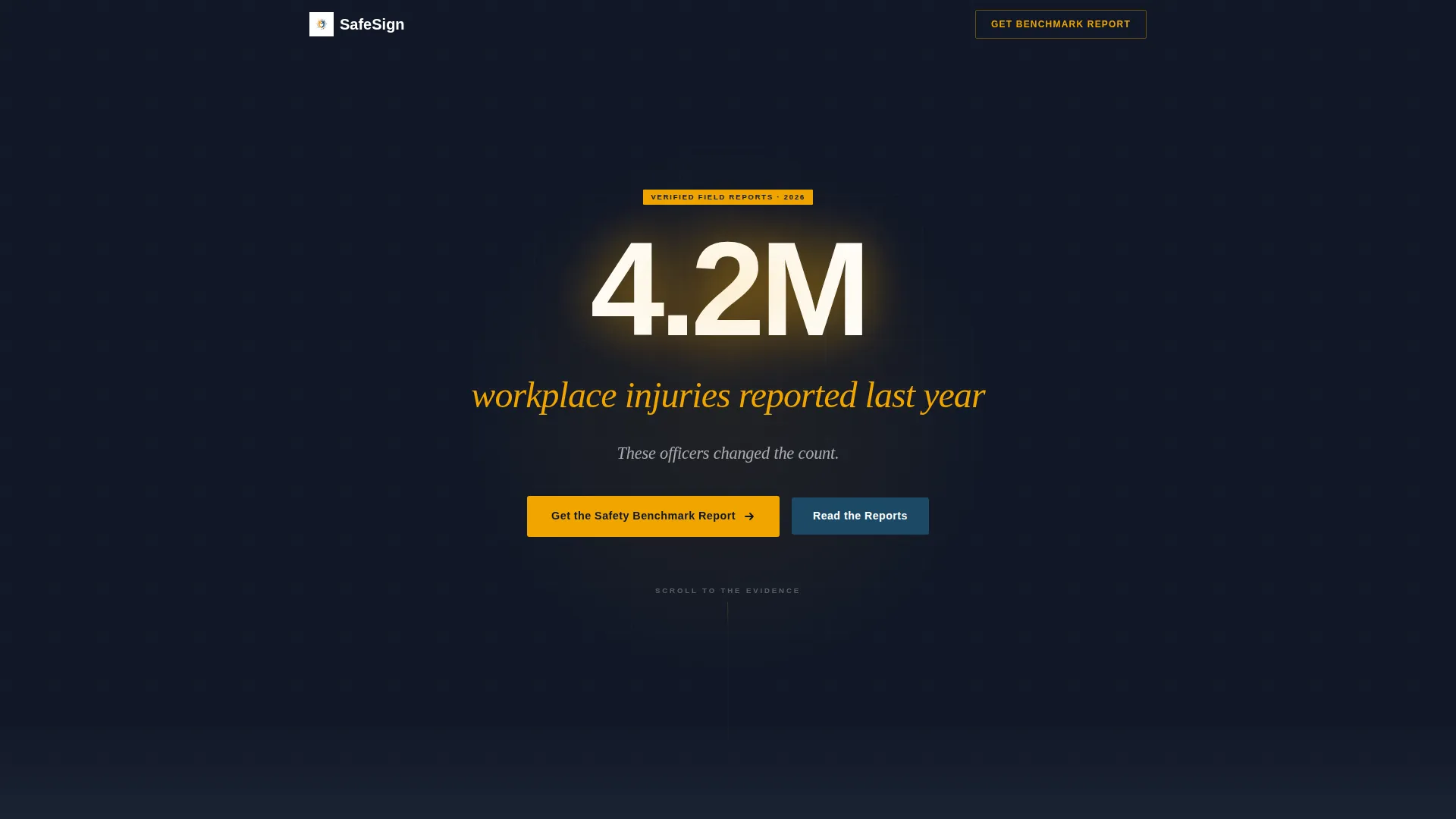
- A dramatic full-bleed header with an oversized focal statistic and a slow fade-in subline
- A repeating stat-then-testimonial scroll rhythm that builds credibility section by section
- A gated lead generation form and a sticky secondary button that stay accessible throughout the page
Feature list
This template ships with purpose-built layout blocks that support the specific credibility needs of safety professionals. Each component below is defined in the source brief and reflected in the template structure.
Full-Bleed Dark Header with Focal Statistic
The header uses a deep dark field (#111827) with a single oversized statistic centered on the screen. A soft amber glow radiates behind the number, and the subline fades in on load. No photography is used. The effect is immediate and serious.
Alternating Stat and Testimonial Rhythm
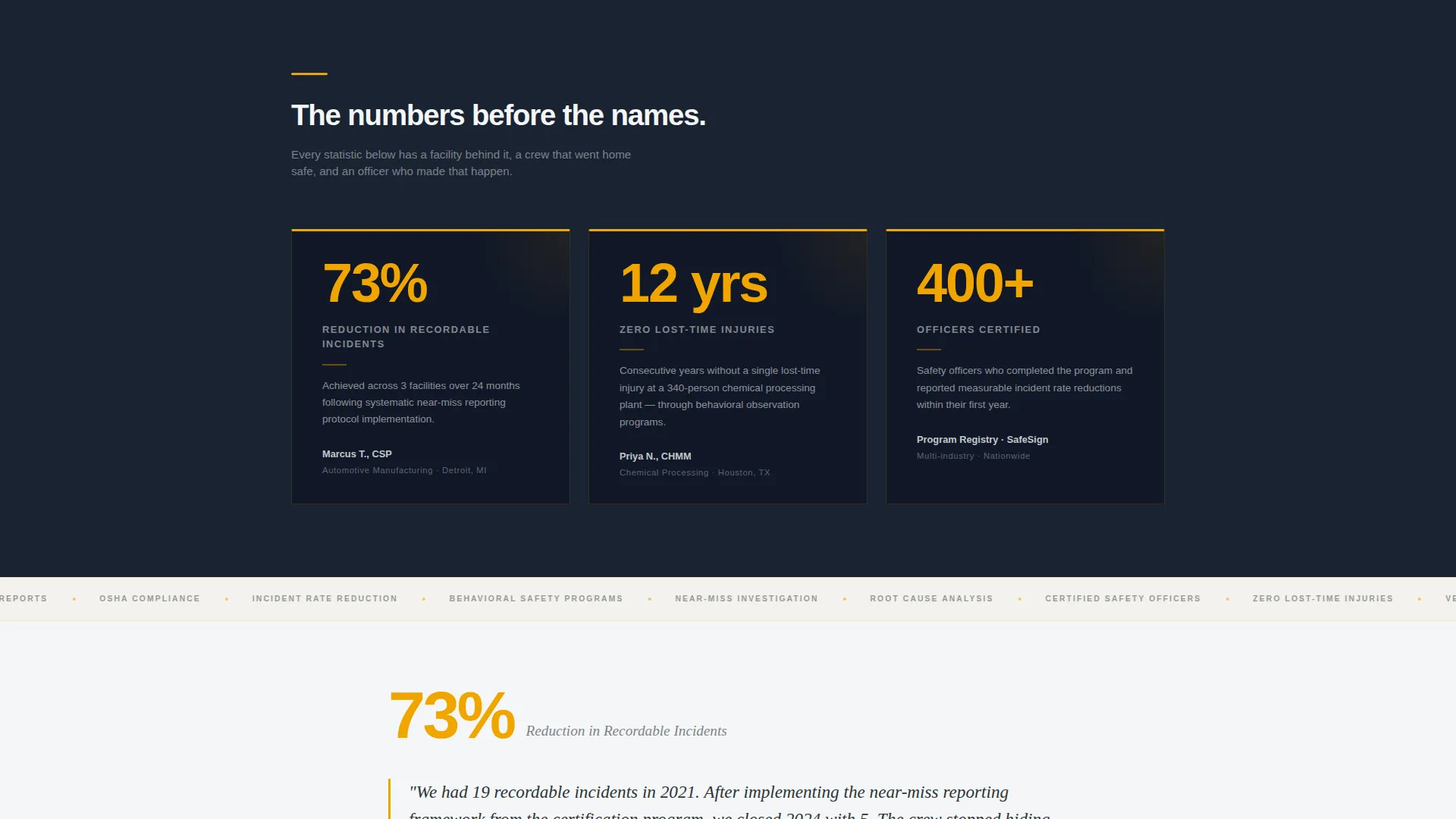
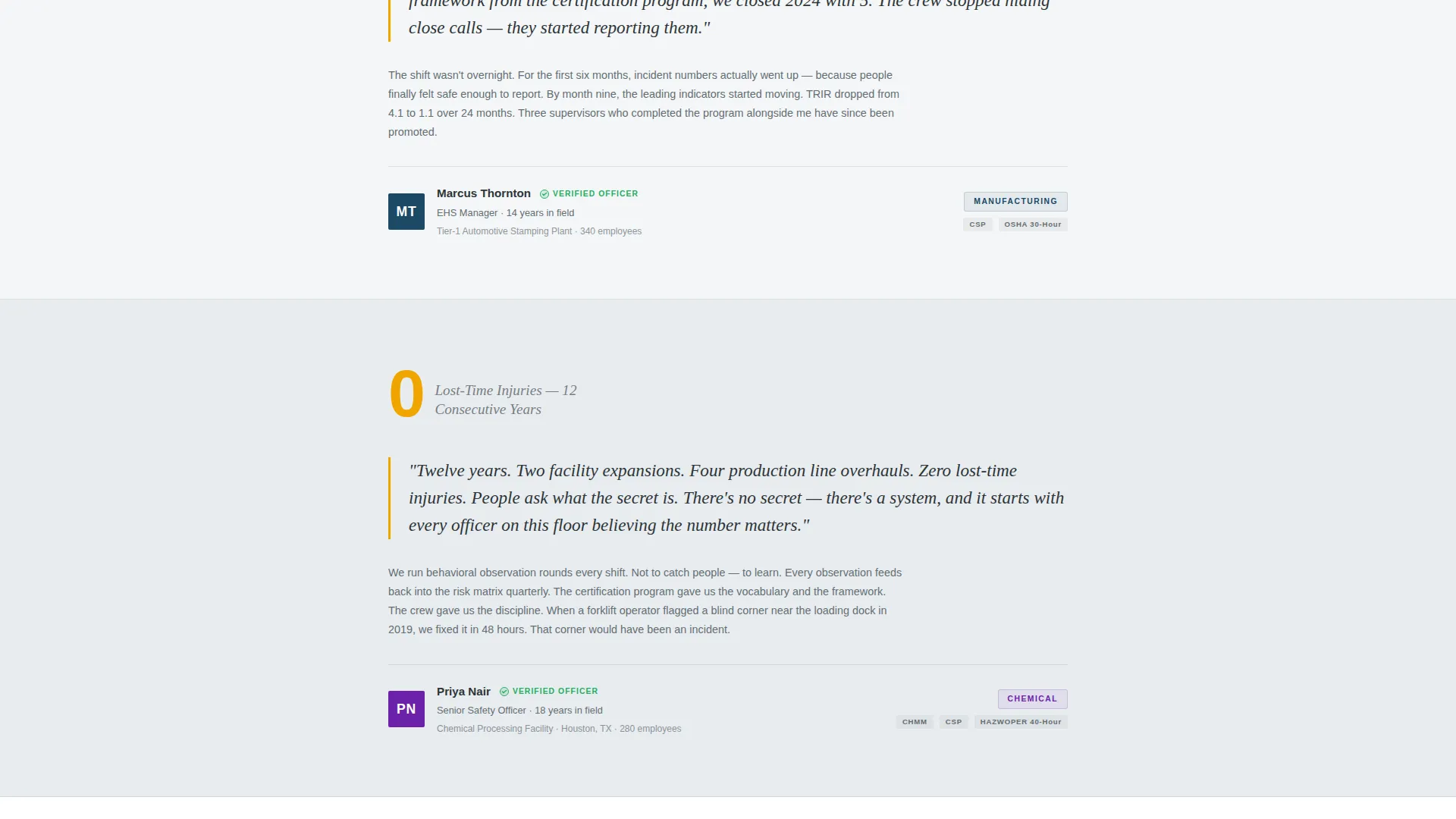
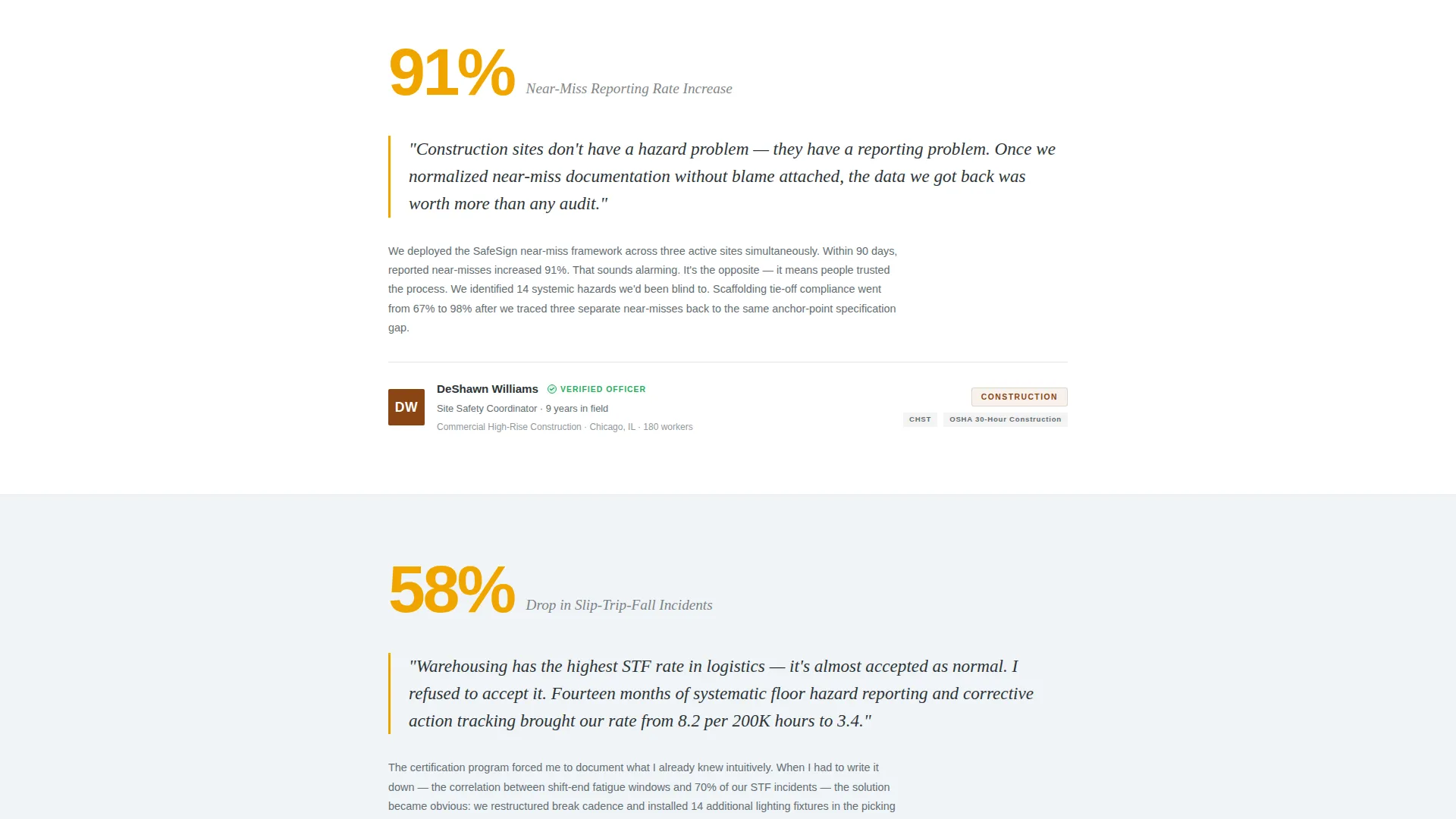
Each scroll section opens with a bold hard number before the supporting testimonial appears. The pattern of number, name, and narrative repeats through the page. This rhythm builds an evidence wall that balances data credibility with human resonance.
Gated PDF Lead Generation Form
A lead capture form appears after the fifth testimonial section. It collects work email, facility type, and current incident rate range. The gated asset is positioned as a Safety Benchmark Report, giving the visitor a clear, high-value reason to share their details.
Sticky Secondary Call-to-Action Button
A persistent signal-blue button labeled "Talk to a Certified Officer" follows the scroll on all sections. It offers a lower-commitment entry point for visitors who are ready to skip the report and go directly to a conversation.
Background Shade Progression
Section backgrounds shift gradually from dark to lighter shades of vapor white as the page moves from the problem statement toward proof and possibility. This visual transition guides the reader's emotional journey without relying on decorative elements.
Pull-Quote and Stat Callout Styling
Safety-amber (#F0A500) is applied to pull-quote highlights and numerical stat callouts throughout the page. The color acts as a consistent visual signal that marks the most important data points, making them easy to find on a quick scan.
Page sections overview
| Section | Purpose |
|---|---|
| Dark header block | Anchors attention with a single oversized workplace injury statistic |
| Fade-in subline | Introduces the human context behind the headline number |
| First stat callout | Opens the evidence wall with a bold incident reduction figure |
| First testimonial | Pairs a named safety officer story with the preceding statistic |
| Second stat callout | Advances credibility with a zero lost-time injury milestone |
| Second testimonial | Adds a second officer account from a different industry environment |
| Third stat callout | Reinforces scale with a certified officer count |
| Third testimonial | Deepens the evidence wall with a third real-world account |
| Fourth testimonial | Continues the alternating rhythm before the form appears |
| Fifth testimonial | Completes the proof sequence and primes the visitor for the offer |
| Lead generation form | Captures work email, facility type, and incident rate for the gated report |
| Sticky call to action button | Persists throughout the scroll as a direct conversation entry point |
Design & branding system
The visual identity follows an Educational Guide theme using the Cloud Canvas color system. The palette feels clinical but never cold. Amber accents pulse through the layout like warning markers in a compliance document, keeping the reader alert and engaged.
- Soft vapor white (#F4F6F8) for the primary background, graphite charcoal (#2D3436) for body text, safety-amber (#F0A500) for pull-quote highlights and stat callouts, and deep signal blue (#1B4965) for section dividers and call-to-action buttons
- The full-bleed header uses a near-black field (#111827) to create deliberate contrast against the lighter page body, signaling a shift from problem to proof as the visitor scrolls downward
- Typography and layout follow the Editorial Magazine template style, keeping each section structured and easy to skim like a well-organized compliance binder
Mobile & speed optimization
The single-column layout is inherently mobile-friendly. Every section stacks cleanly without requiring horizontal scrolling or pinch-to-zoom. The sticky call-to-action button is designed to remain visible and accessible on smaller screens throughout the entire scroll.
- The alternating stat and testimonial blocks reflow naturally to full-width on phone and tablet viewports
- The lead generation form uses a minimal three-field structure, reducing friction for visitors filling it out on a mobile device
How this template helps you convert
This template is built around a deliberate persuasion sequence. Visitors are not asked to act before they have seen enough proof. Every design and structural decision supports a clear path from first impression to lead capture.
- The full-bleed header statistic creates an immediate emotional hook, stopping the scroll and establishing the stakes before a single testimonial appears.
- The repeating number-name-narrative rhythm builds a layered evidence wall, so by the time the lead generation form appears after the fifth testimonial, the visitor already trusts the methodology behind the data.
- The sticky secondary button reduces the barrier for high-intent visitors who do not need the full report and are ready to speak directly with a certified officer.
Other information about this template
This template fits naturally within the broader category of professional services landing pages for safety officer online presence. It is well suited for consultants and certification bodies that need a credibility-first digital presence without relying on stock photography or generic service copy.
- The template style is Editorial Magazine, making it a strong fit for content-led and resource-driven campaigns in industrial and compliance sectors
- The Cloud Canvas color system can be adapted to match an existing brand identity while preserving the functional amber and blue signaling roles
- The landing page direction aligns with a Content and Resource gating strategy, making it suitable for lead generation campaigns tied to downloadable guides, benchmark reports, or certification materials
Theme
Educational Guide
Creative direction
Case Study Narrative
Color system
Cloud Canvas
Style
Editorial/Magazine
Direction
Content/Resource
Page Sections
Full-bleed Dark Header with Focal Statistic
Alternating Stat and Testimonial Rhythm
Gated Lead Generation Form
Sticky Secondary Call to Action Button
Background Shade Progression
Amber Pull-quote and Stat Callout Styling
Related questions
Who is the SafeSign landing page template designed for?
Can I customize the statistics and testimonials in this template?
What does the lead generation form collect from visitors?
Do I need design experience to use this template?
What is the sticky button on the page used for?



