Palliative Care Medicine Booking Website Template
Solace is a split-screen palliative care telemedicine landing page built to convert overwhelmed family caregivers into scheduled visits. It pairs a hand-drawn SVG line-art hero with a contextual testimonial mosaic, guiding visitors from first fear to confident action. The warm Teal Catalyst palette and a single gold call-to-action button keep the emotional tone steady and the path to scheduling clear.
by Rocket studio
Quick summary
Solace is a single-page telemedicine template for palliative care services. It leads with an animated line-art hero, moves through a responsive testimonial mosaic, and closes with a warm, full-width call to action. Every design decision, from the teal-and-sage color system to the Fraunces serif headlines, is built to meet exhausted caregivers exactly where they are and move them toward booking a visit.
Who this template is for
This template is built for palliative care practices and telemedicine services that need to earn trust before asking for a click. It speaks directly to people searching for help during one of the hardest seasons of life.
- Family caregivers researching late at night after a new diagnosis or hospital discharge
- Hospital discharge planners who need reliable specialist continuity options for patients
- Primary care physicians referring patients who cannot travel to an in-person appointment
What problem this template solves
Most medical landing pages feel clinical, transactional, or rushed. For palliative care, that mismatch costs visits. Families arrive frightened and uncertain, and a cold page drives them away before they ever reach a call-to-action button.
- Visitors arrive overwhelmed and need emotional reassurance before they can act
- The decision to seek palliative care carries stigma and fear that generic pages ignore
- A scheduling portal needs warm, specific social proof to feel safe enough to click
What you get with this template
You get a fully structured, single-page layout with five named sections and a footer. Every section has a defined purpose and a clear visual role in the conversion journey.
- An animated SVG hero, a contextual split-screen testimonial mosaic, and three-step How It Works cards
- A clinician trust section with space for provider credentials and compliance signals
- A final full-width call-to-action section and a linear single-row footer
Feature list
This template ships with a tightly integrated set of interactive and visual features drawn directly from the project brief.
Animated SVG Line-Art Hero
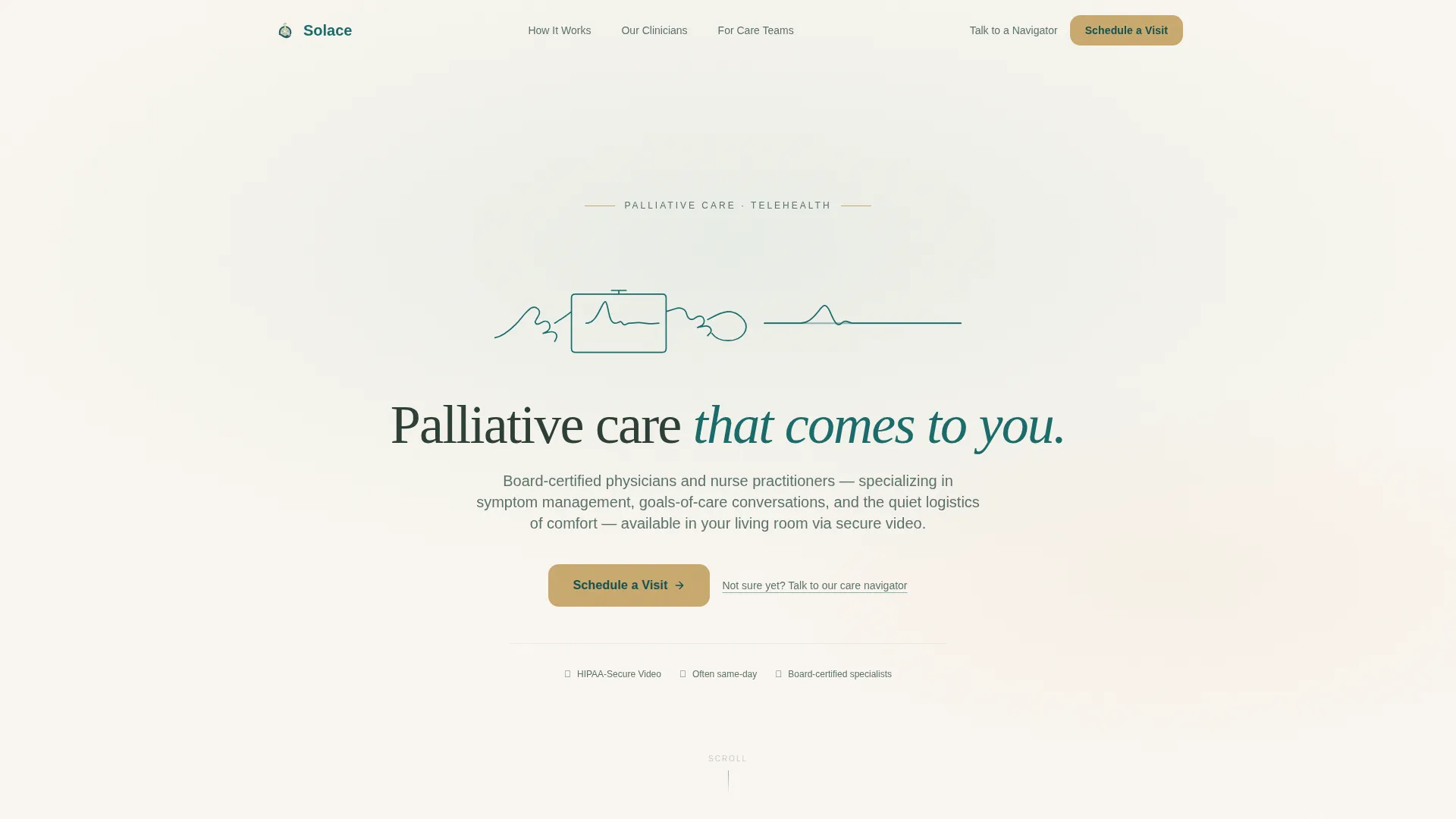
A continuous line-art illustration draws itself on scroll-load using SVG stroke-dashoffset animation. The single unbroken stroke traces two hands reaching toward each other across a screen, then settles into a calm horizon line. It renders in deep teal on linen white with no stock photography.
Contextual Testimonial Mosaic
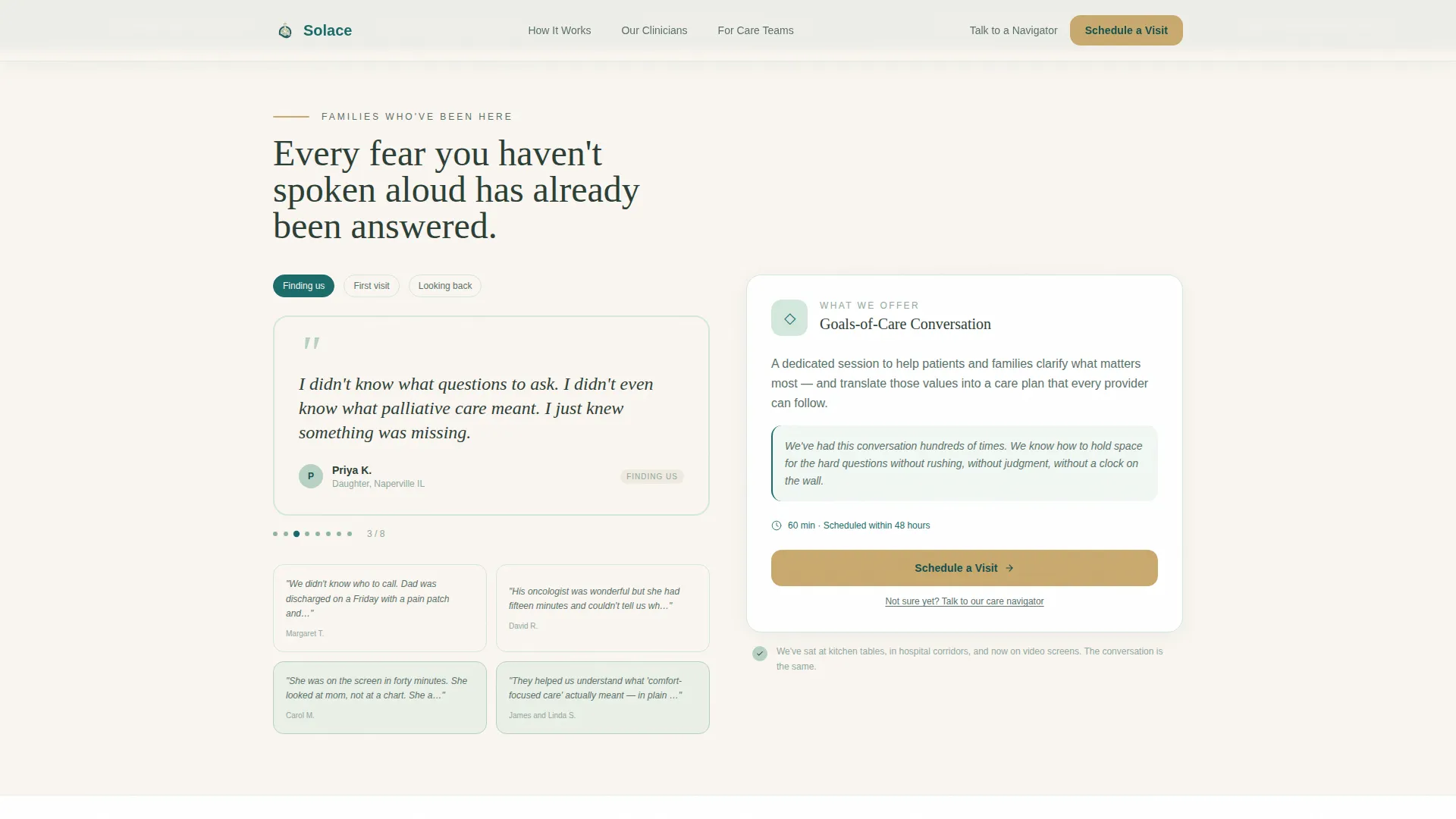
The 50/50 split-screen section places rotating caregiver quotes on the left and a contextually responsive service panel on the right. When a quote about pain management is active, the right panel displays the symptom consultation service. When a quote about uncertainty appears, the right panel shows the goals-of-care planning session.
Scroll-Linked Testimonial Escalation
Testimonials are sequenced to move visitors from crisis through relief to gratitude. The progression is deliberate: it mirrors the emotional arc of a family caregiver and builds permission to act by the time they reach the final call-to-action button.
Persistent Mobile Call-to-Action Bar
On mobile devices, the primary "Schedule a Visit" button reappears as a fixed bottom bar. This keeps the conversion path visible throughout the scroll without interrupting the reading flow on larger screens.
Three-Step How It Works Cards
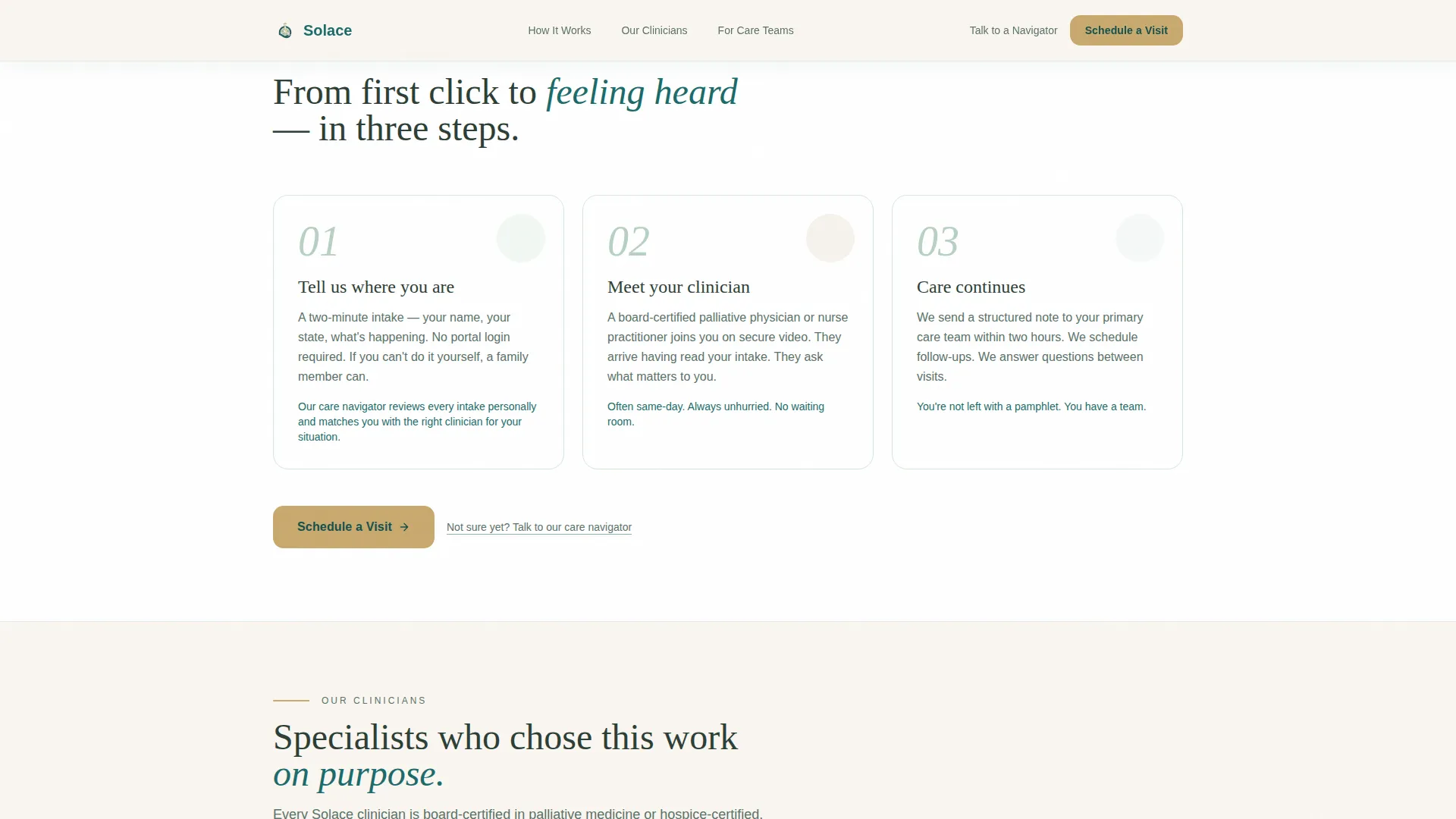
The How It Works section uses three visual cards rather than a numbered timeline. Each card explains one step in the visit process, keeping the path to care legible for someone reading at 2 a.m. on a phone.
Clinician Trust and Compliance Section
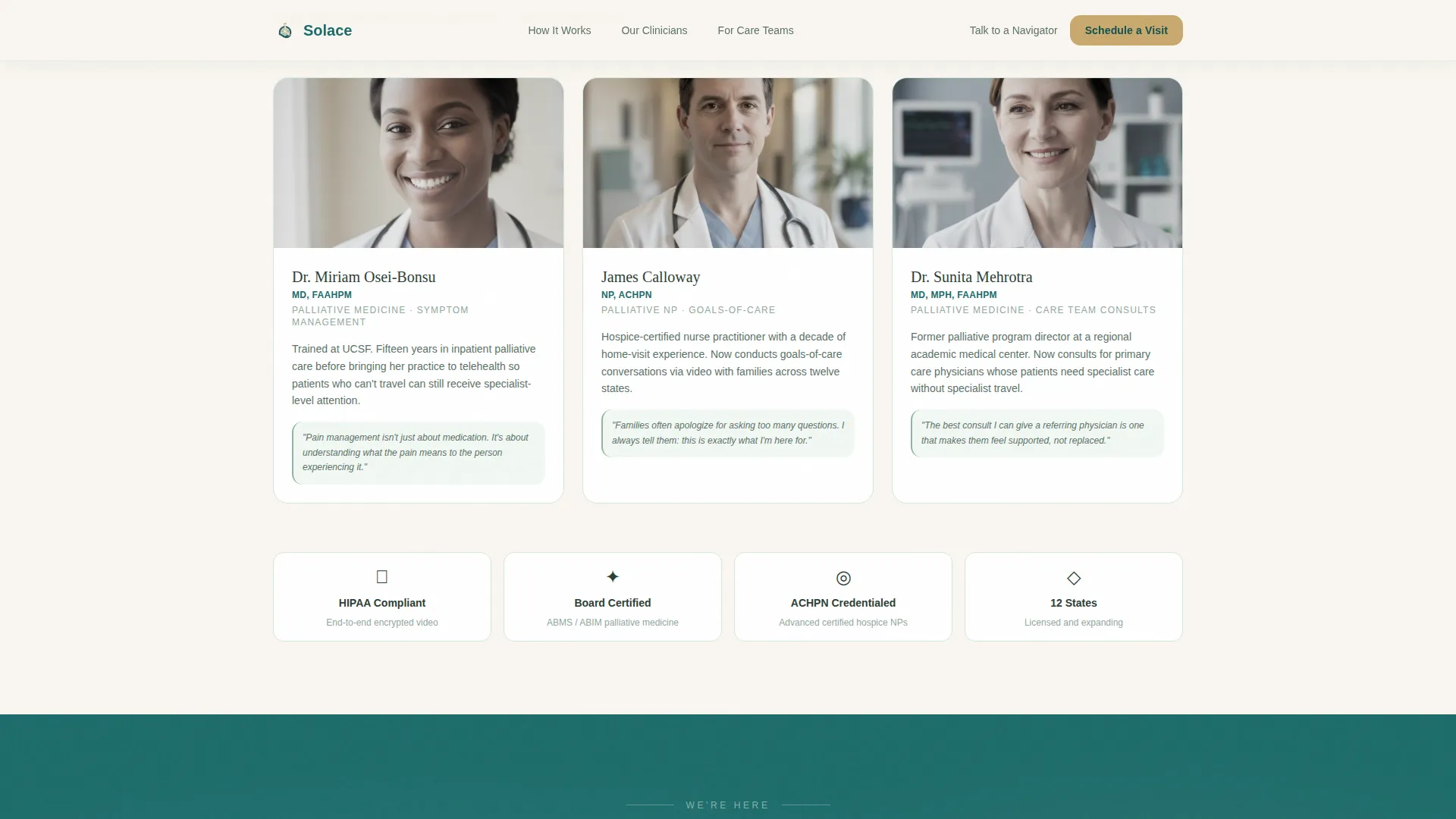
A dedicated section holds space for provider credentials and a Health Insurance Portability and Accountability Act (HIPAA) compliance badge. These signals address the security and legitimacy questions that healthcare visitors typically need answered before scheduling.
Page sections overview
| Section | Purpose |
|---|---|
| Hero with animation | Introduces the service with hand-drawn line art and the primary headline and call-to-action button |
| Testimonial Mosaic split | Builds emotional trust through rotating caregiver quotes paired with contextual service responses |
| How It Works cards | Explains the three-step visit process in plain language using scannable visual cards |
| Clinician Trust section | Displays provider credentials and HIPAA compliance signals to establish professional authority |
| Final call-to-action | Full-width warm invitation with the gold "Schedule a Visit" button and a secondary care navigator link |
| Linear footer | Single-row footer with essential links and legal or contact information |
Design & branding system
The visual identity follows a Healing Space theme centered on the Teal Catalyst color system. Every color has a specific emotional role, and nothing in the palette competes for attention with the call-to-action button.
- Deep teal (#1A6B6A) anchors headers and key user interface elements; soft sage (#B7D1C4) fills section backgrounds; warm linen white (#FAF6F1) provides visual breathing room between emotionally weighted content
- Quiet gold (#C9A96E) is reserved exclusively for call-to-action buttons and interactive highlights, making the next step unmistakable without urgency
- Typography pairs Fraunces serif for headlines with DM Sans for body text, creating a balance of warmth and clinical legibility
Mobile & speed optimization
The template is built mobile-first to match the primary use case: a family member searching for help on a phone late at night. Layout and interaction decisions prioritize that context at every level.
- The persistent bottom call-to-action bar on mobile keeps "Schedule a Visit" reachable without requiring the visitor to scroll back to the top
- Static sections use server-side rendering while animated and interactive components are handled client-side, keeping initial load lean
- GSAP ScrollTrigger drives scroll-linked animations and testimonial transitions, so motion only activates when elements enter the viewport
How this template helps you convert
This template is built around one conversion goal: moving a visitor from uncertain to scheduled. Every structural and emotional decision supports that outcome.
- The testimonial mosaic does the persuasion work before the call-to-action button appears, so the visitor arrives at "Schedule a Visit" already reassured by people who sat in their exact situation
- The secondary text link, "Not sure yet? Talk to our care navigator," offers a lower-commitment path for visitors who are not ready to book, keeping them in the funnel rather than losing them to a closed tab
Other information about this template
This template is built specifically for the palliative care telemedicine niche and is not a general-purpose medical page. A few practical notes for teams evaluating it:
- The scheduling call-to-action links out to a separate HIPAA-compliant intake flow; no form is embedded on this page
- Animation fidelity depends on GSAP ScrollTrigger; teams customizing the template should preserve the animation library dependencies
- The testimonial mosaic is designed to be updated with real attributed caregiver quotes; placeholder text should be replaced before launch
- The template is localized for English-language, US-based services using USD and US date format conventions
Theme
Healing Space
Creative direction
Testimonial Mosaic
Color system
Teal Catalyst
Style
Split Screen (50/50)
Direction
Click-Through
Page Sections
Animated SVG Line-art Hero
Contextual Testimonial Mosaic
Scroll-linked Testimonial Sequencing
Persistent Mobile Call-to-action Bar
Clinician Trust and Compliance Section
Three-step How It Works Cards
Related questions
Who is the primary visitor this template is designed for?
Does this template include a contact form or intake form?
Can I replace the testimonials with my own caregiver quotes?
What animation library does this template rely on?
Is this template suitable for a hospice or home-based palliative care provider?



