Diagnostic Lab & Imaging Booking Website Template
Scan is a hub-and-spoke anchor-nav landing page built for radiology and imaging centers. It opens with a three-step booking form so visitors can schedule before they read a single line of copy. Scroll-triggered checkmark animations guide both patients and referring physicians through equipment specs, radiologist credentials, turnaround timelines, and insurance coverage, all in one focused, conversion-ready page.
by Rocket studio
Quick summary
Scan is a single-page radiology and imaging center landing page built around a hub-and-spoke anchor navigation structure. The page opens with a three-step booking form as the hero, skipping taglines entirely. Scroll-triggered checkmark animations walk visitors through every decision point, equipment, radiologists, turnaround time, and insurance, turning the page into a completed audit before they leave.
Who this template is for
This template is built for radiology and imaging centers that serve both patients and referring physicians. It works equally well for freestanding imaging clinics, hospital outpatient departments, and specialty diagnostic labs that handle complex, time-sensitive cases.
- Referring physicians who need fast, credentialed reads on MRI, CT, and other complex imaging studies
- Patients who arrive with a referral slip and want a clear, reassuring booking experience
- Imaging center operators who need a single page that converts both audiences without separate funnels
What problem this template solves
Most imaging center pages bury the booking form below paragraphs of general copy. Physicians abandon pages that make them hunt for referral submission options. Patients lose confidence when they cannot quickly confirm insurance coverage or understand how fast results arrive. This template solves all three friction points in a single, structured scroll.
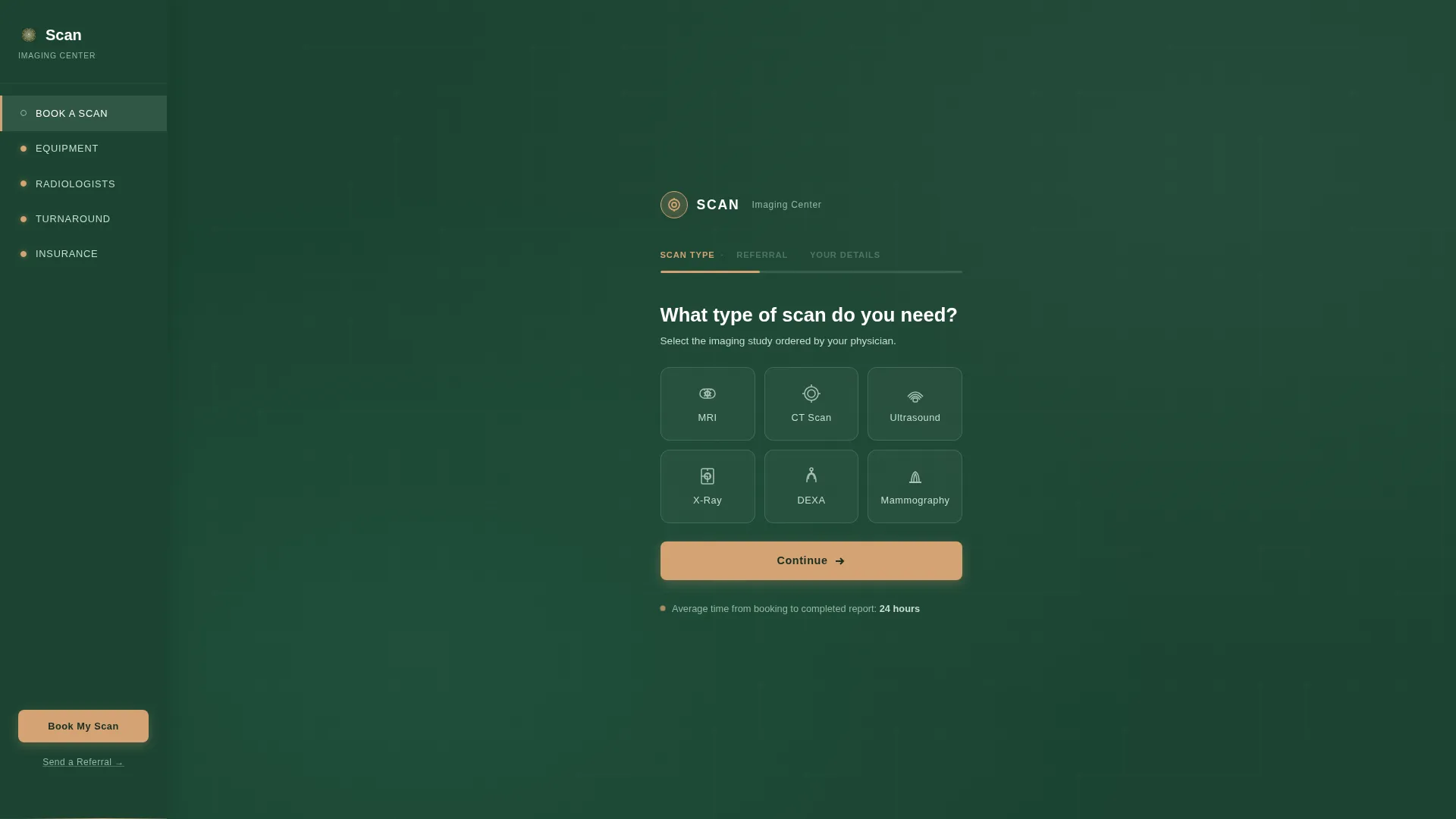
- No upfront selling before the booking form, the form is the hero, signaling that scheduling is fast
- A dedicated physician referral path sits in the anchor navigation so referring doctors never have to scroll
- Each spoke section answers one specific trust question before asking for the conversion
What you get with this template
You get a fully structured hub-and-spoke landing page with five core spoke sections, a sticky anchor navigation bar, and two distinct conversion paths. Every section is designed to answer a specific question a physician or patient would ask before committing to a scan.
- A three-step multi-step booking form with scan-type tiles, referral upload, and contact collection
- Five spoke sections covering equipment, radiologist credentials, turnaround timeline, and insurance acceptance
- A sticky "Book My Scan" call-to-action button and a lightweight physician referral modal in the nav
Feature list
This template is built around a set of purposeful components. Each one handles a specific trust or conversion job on the page.
Three-Step Booking Form Hero
The page opens directly with a multi-step form set against deep evergreen. Step one presents icon-labeled scan-type tiles: MRI, computed tomography (CT), Ultrasound, X-Ray, DEXA, and Mammography. Step two handles referral confirmation with a yes/no toggle and an optional upload field. Step three collects name, phone, and preferred location. A birch-colored horizontal progress bar fills across the top of the form as each step is completed.
Scroll-Triggered Checkmark Animations
Each spoke section enters the viewport with a green checkmark animation that fills on scroll. The further a visitor scrolls, the more boxes are checked. This turns the page into a visual audit trail, every answered question builds momentum toward booking.
Anchor Navigation with Physician Referral Modal
A sticky left-rail anchor navigation links directly to each spoke section. A smaller "Send a Referral" link in the nav opens a streamlined two-field modal, patient name and fax-back number, so referring physicians can submit without touching the main booking form.
Equipment Bento Grid
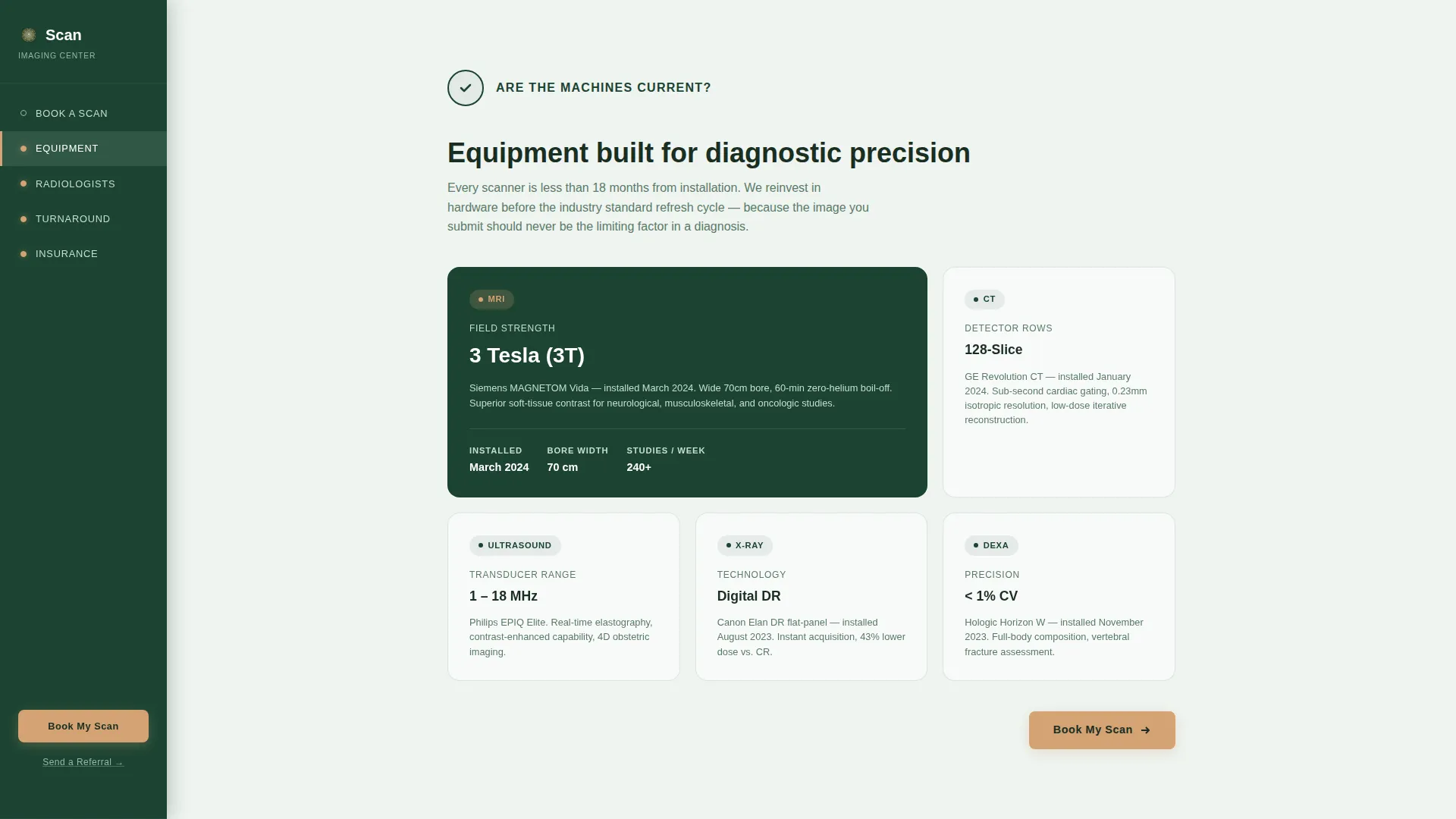
The "Are the machines current?" spoke section displays imaging equipment specifications and installation dates in a bento grid layout. This gives referring physicians the technical detail they need to evaluate scan quality without leaving the page.
Radiologist Credential Cards
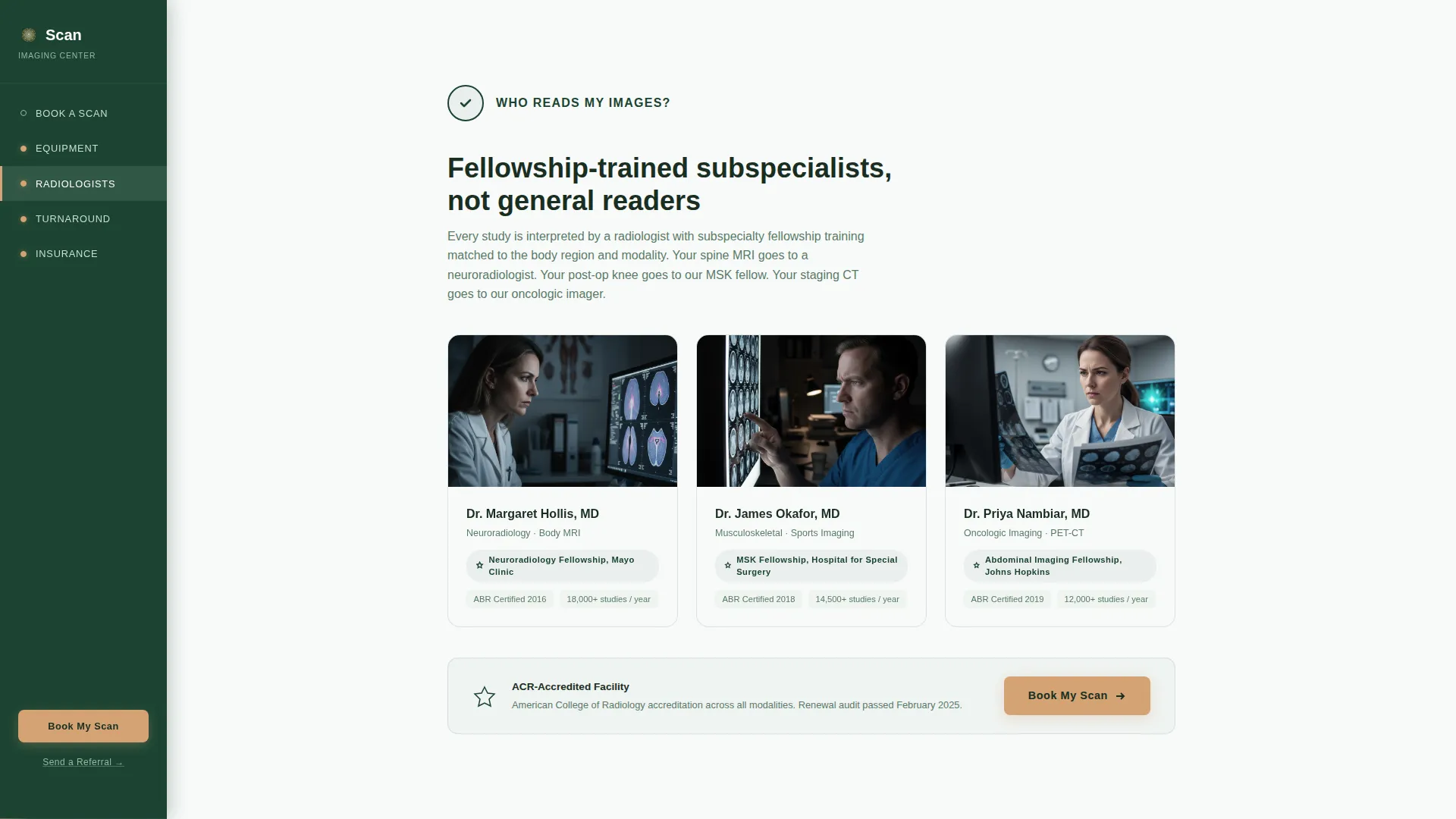
The "Who reads my images?" section presents individual radiologist cards with subspecialty fellowship details. Each card gives referring physicians and patients the confidence that their images are read by qualified subspecialty-trained professionals.
Visual Turnaround Timeline
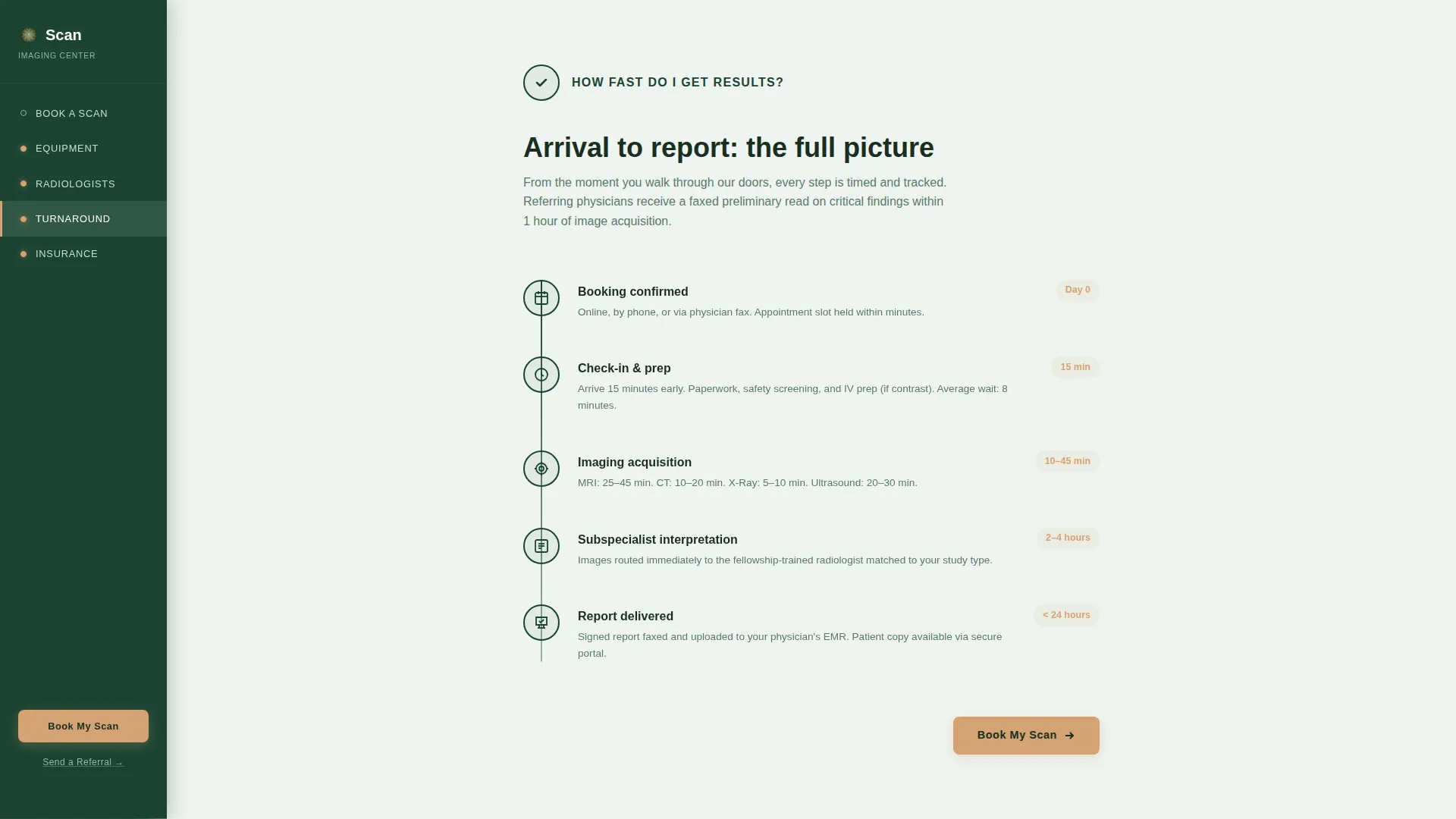
The "How fast do I get results?" section renders a step-by-step visual timeline from patient arrival to final report delivery. A single supporting line below the booking form states the average time from booking to completed report as 24 hours.
Page sections overview
| Section | Purpose |
|---|---|
| Multi-Step Booking Form | Primary conversion hero, collect scan type, referral, and contact details |
| Equipment Bento Grid | Answer "Are the machines current?" with specs and installation dates |
| Radiologist Credential Cards | Answer "Who reads my images?" with fellowship and subspecialty details |
| Turnaround Visual Timeline | Answer "How fast do I get results?" from arrival to report delivery |
| Insurance Payer List | Answer "Is my insurance accepted?" with a searchable payer list and call to action |
| Footer | Linear single-row pattern with essential links and contact information |
Design & branding system
The visual identity follows a Medical Clarity theme built on a Forest Trust color system. Deep evergreen dominates the anchor navigation spine and section headers, grounding the page with authority. Clinical white opens each spoke section like a clearing, and warm birch appears exclusively on call-to-action buttons and the booking form progress bar.
- Deep evergreen (#1B4332) for the anchor nav background, section headers, and the booking form container
- Clinical white (#F8FAF9) for all content panel backgrounds, maintaining a clean reading surface
- Soft sage (#95B8A2) for hover states, secondary text, and the 24-hour stat line below the booking form
- Warm birch (#D4A373) reserved exclusively for call-to-action buttons and the progress bar fill
Mobile & speed optimization
The template is built desktop-first to serve referring physicians working on clinical workstations. Full mobile support is included so patients booking from a phone have a complete, usable experience. The multi-step form, anchor navigation, and sticky call-to-action button all adapt to smaller screens.
- Static content sections use server components to keep initial load light
- Interactive elements, the multi-step form, animations, and referral modal, use client components
- GSAP-powered scroll animations and stagger reveals are scoped to client-side rendering to avoid blocking the page
How this template helps you convert
The page is structured to remove hesitation at every scroll point. Two distinct conversion paths handle different visitor types without conflict.
- The booking form loads as the hero, before any copy, so the path to scheduling is always visible and never buried below a pitch.
- The checklist scroll structure answers each trust question (equipment, credentials, turnaround, insurance) in sequence, so a visitor who needed convincing encounters the conversion prompt only after their objections are resolved.
- The sticky "Book My Scan" button and the physician referral modal in the anchor nav ensure the conversion action is reachable at any scroll depth, from any section.
Other information about this template
This template is part of a broader set of Health and Medical landing page templates designed for diagnostic and clinical use cases. It is built for the radiology and imaging center niche, where trust signals and speed of information matter as much as visual design. The page is localized for English-language, United States-based practices using USD pricing, MM/DD/YYYY date formatting, and US-standard insurance terminology.
- Typography uses DM Sans throughout for a clean, clinical, and trustworthy reading experience
- Animation intensity is set to medium-high, with GSAP stagger reveals and beam border effects on section entry
- The footer follows a linear single-row pattern, keeping the bottom of the page uncluttered
- The template style is Hub and Spoke with Anchor Navigation, a structure well suited to pages that serve multiple audience segments from a single URL
Theme
Medical Clarity
Creative direction
Checklist & Audit
Color system
Forest Trust
Style
Hub & Spoke (Anchor Nav)
Direction
Lead Generation
Page Sections
Three-step Multi-step Booking Form
Scroll-triggered Checkmark Audit
Sticky Anchor Navigation with Referral Modal
Equipment Specs Bento Grid
Radiologist Credential Cards
Visual Arrival-to-report Timeline
Related questions
Can referring physicians submit a referral without using the main booking form?
What scan types are included in the booking form?
Does the template include an insurance coverage section?
How does the template communicate the 24-hour turnaround time?
Can this template support a multi-location imaging center?



