Powerful Pressure Washing | Free Website Template | Rocket
Pump is a split-screen landing page template built for Denver septic service providers. It pairs a bold testimonial header with a scroll-through process layout that teaches homeowners what happens underground. Two lead paths, a downloadable guide and a pumping schedule calculator, turn curious visitors into qualified contacts before a single phone call.
by Rocket studio
Quick summary
Pump is a 50/50 split-screen landing page designed for Front Range septic service businesses. It opens with a human testimonial, then walks visitors through each phase of a septic service call using side-by-side visuals. Two conversion paths, a gated resource guide and an interactive maintenance calculator, earn trust before asking for contact details.
Who this template is for
This template is built for local service businesses that need to educate their audience before closing a job. It fits well when the service is invisible, misunderstood, or delayed until a crisis hits.
- Septic service companies serving Denver and the broader Front Range
- Property managers tracking inspection schedules across multiple rental units
- Real estate professionals who need a clean inspection report before a closing date
What problem this template solves
Most homeowners ignore their septic system until something goes wrong. A generic service page does nothing to change that. Pump solves the trust gap by making the invisible visible before asking for a commitment.
- Visitors arrive anxious or uninformed and leave with a clear picture of the process
- The scroll-through layout replaces vague service claims with step-by-step clarity
- Two distinct conversion paths capture leads at different readiness levels, not just one
What you get with this template
You get a fully structured single-page layout with every section pre-built and visually organized. The design system, layout logic, and copy placeholders are all included and ready to customize.
- A 50/50 split-screen layout with left-side homeowner perspective and right-side technical detail panels
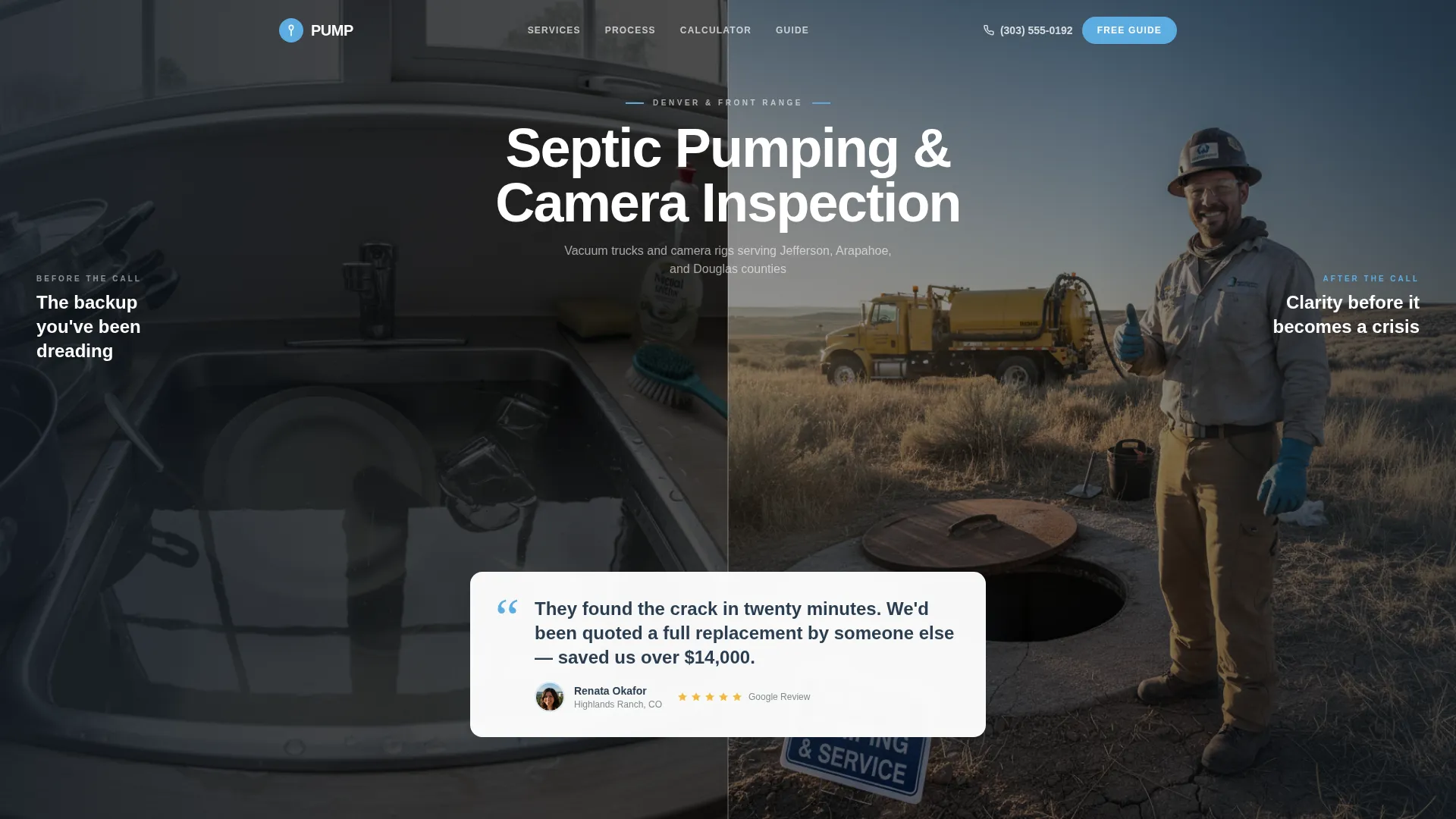
- A testimonial card header with a split photo frame, bold quote, name, neighborhood, and five-star rating block
- A gated email capture form for the Denver Homeowner's Septic Guide, plus a secondary pumping schedule calculator
Feature list
This section covers the core functional and design components included in the Pump template.
Split-Screen Scroll Sections
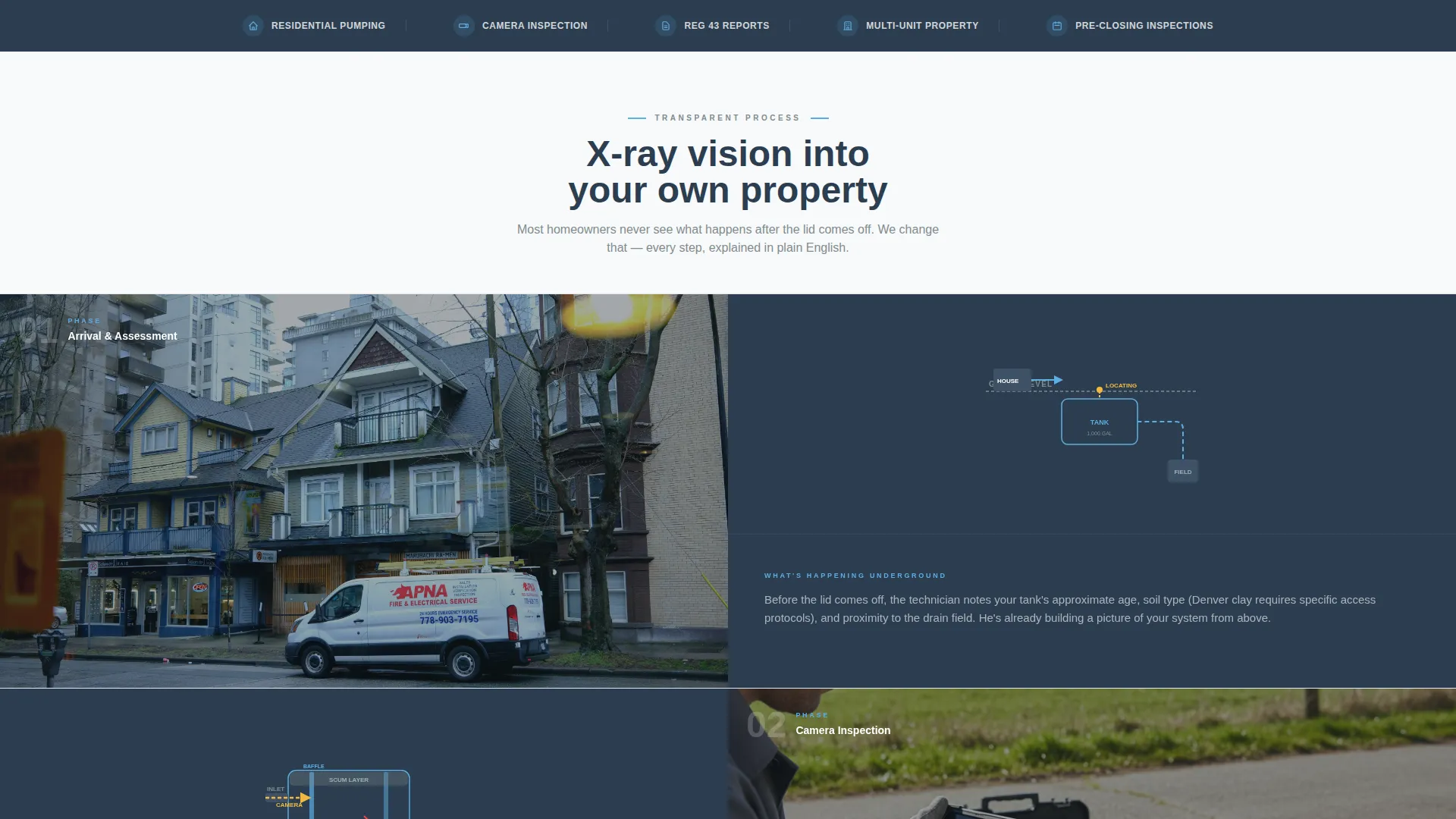
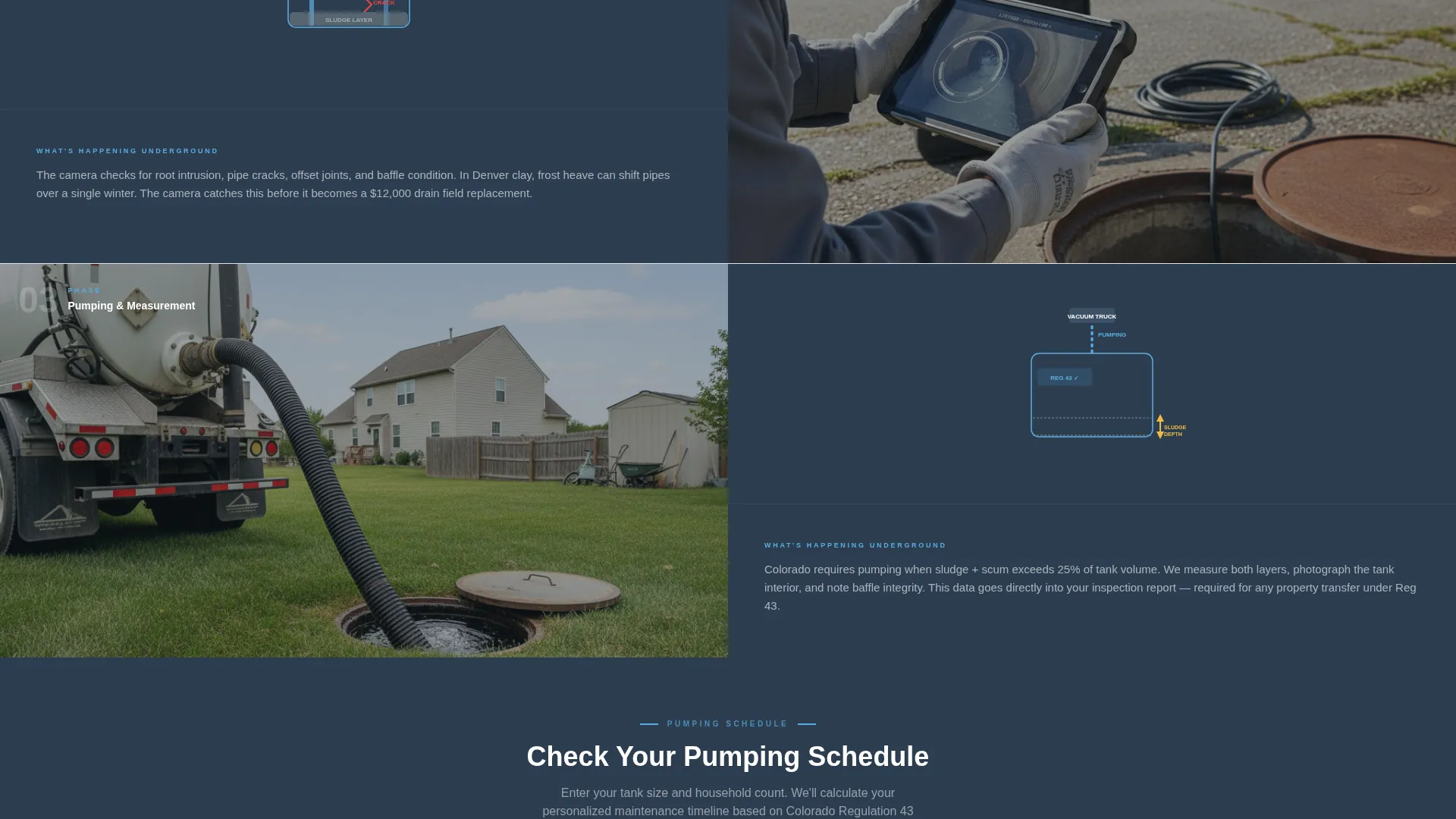
Each scroll section pairs what the homeowner sees on the left with a cutaway technical view on the right. Labeled diagrams, flow arrows, and component callouts replace abstract service descriptions with genuine understanding.
Testimonial Card Header
The header leads with a large typographic quote from a real homeowner, floated over a split photo frame. One side shows a backed-up kitchen sink; the other shows a gloved technician beside an open tank lid under a clear sky. A name, Denver neighborhood, and five-star cluster anchor the quote.
Gated Resource Download
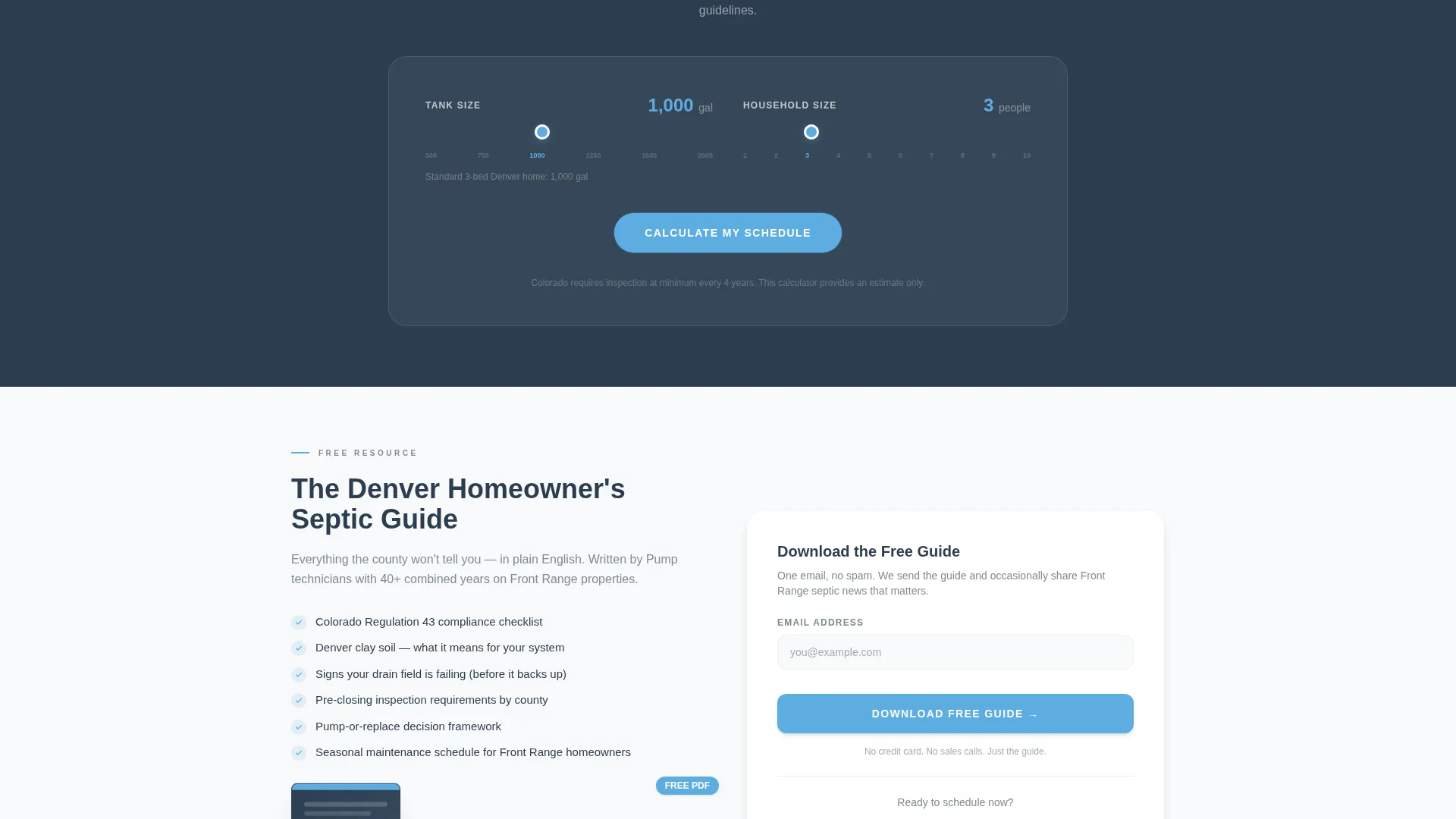
The primary call to action offers a downloadable Denver Homeowner's Septic Guide behind a single-field email capture. The form expands to ask for zip code and system age, giving the business useful context on every lead before follow-up.
Pumping Schedule Calculator
A secondary interactive tool lets visitors enter their tank size and household count. The calculator returns a personalized maintenance timeline, giving homeowners a practical reason to engage even if they are not ready to book a service call.
Executive Suite Color System
The layout uses a four-color palette built for professional credibility in a hands-on trade context. Charcoal slate anchors headers, weathered stone gray handles body text, Colorado sky blue drives button and indicator accents, and clean white provides breathing room throughout.
Authentic Visual Direction
The template is designed around real, imperfect photography rather than polished stock imagery. Grainy framing, natural light, and candid angles signal that the crew and the results are genuine.
Page sections overview
| Section | Purpose |
|---|---|
| Testimonial Card Header | Opens with homeowner social proof over a split photo frame |
| Process Split Panels | Walks through each service phase with paired homeowner and technical views |
| Underground Diagram Section | Shows labeled tank cutaways and flow arrows to demystify the system |
| Guide Capture Form | Gates the resource download behind email, zip code, and system age |
| Pumping Schedule Calculator | Returns a personalized maintenance timeline based on household inputs |
| Secondary Call to Action | Reinforces the booking path after the educational scroll |
Design & branding system
The Pump template uses the Slate and Sky color system, which balances professional polish with the practical toughness of a field service brand. Typography is bold and legible at every section break, and the layout uses generous white space to keep the technical content readable.
- Deep charcoal slate (#2C3E50) for headers and section backgrounds; Colorado bluebird sky (#5DADE2) for buttons and progress indicators
- Weathered stone gray (#7F8C8D) for body text and secondary panels; clean snowfield white (#F8F9FA) for open breathing space
- The visual tone matches the Executive Suite theme: formal enough for estimate paperwork, grounded enough for a dig site
Mobile & speed optimization
The 50/50 split-screen layout is designed to reflow cleanly on smaller screens. Each panel stacks vertically on mobile so the paired context between homeowner view and technical detail is preserved in reading order.
- Split panels collapse to single-column stacks without losing the left-right narrative sequence
- The email capture form and pumping calculator are touch-friendly and sized for easy input on phone screens
How this template helps you convert
Pump earns the lead before asking for it. The layout teaches first, then presents conversion points once the visitor has already built confidence in the service.
- The testimonial header removes skepticism immediately by leading with a specific, neighborhood-grounded quote rather than a generic headline.
- The scroll-through process sections replace anxiety with understanding, so visitors reach the guide download already trusting the expertise behind it.
- Two distinct calls to action, the guide and the calculator, meet visitors at different intent levels, capturing both the researcher and the homeowner ready to book.
Other information about this template
Pump is part of a category of service-industry landing page templates designed around the Content and Resource direction. This approach works especially well for trades where the customer cannot see the work being done.
- The template style is Split Screen (50/50), meaning every scroll section is built as a paired two-column layout
- The header concept is a Testimonial Card, which is a proven trust-building opener for local service businesses
- The creative direction is Transparent Process, where each section peels back one layer of the service to replace confusion with clarity
- This template fits the Denver Local Services subcategory under Professional Services
Theme
Executive Suite
Creative direction
Transparent Process
Color system
Slate & Sky
Style
Split Screen (50/50)
Direction
Content/Resource
Page Sections
Split-screen Scroll Layout
Testimonial Card Header
Gated Resource Download Form
Pumping Schedule Calculator
Authentic Photography Direction
Executive Suite Color System
Related questions
Can I use this template for a septic business outside of Denver?
Do I need to provide my own photos to use this template?
How does the pumping schedule calculator work?
What information does the gated guide form collect?
Is this template a good fit for property managers?



