Kids Creative Writing Landing Page Template
Scribble is a scroll-reveal landing page template built for kids creative writing after-school programs. It leads parents from curiosity to enrollment by showcasing real child-authored story excerpts, sticky-note testimonials, and a Dopamine Pop color system that feels warm and playful. The primary call to action, "Save Their Spot," carries every visitor toward a class schedule and enrollment page with zero friction.
by Rocket studio
Quick summary
Scribble is a single-page, scroll-reveal landing page template for kids creative writing programs. It uses a Community Gallery approach, surfacing child-authored story excerpts one by one as parents scroll, building emotional proof before a single pricing detail appears. The design is loud, warm, and built for parents browsing on a phone at night.
Who this template is for
This template is built for anyone running or launching a kids creative writing after-school program who needs a landing page that earns trust before it asks for a commitment.
- Small-group writing studios, after-school enrichment providers, and independent writing coaches targeting families with children roughly ages six to twelve
- Homeschool co-op organizers scheduling weekly creative sessions who need a low-friction way to fill open spots
- Parents-turned-educators who want a polished, mobile-ready page without starting from scratch
What problem this template solves
Most enrichment program pages lead with a class schedule and pricing table. Parents click away before they feel anything. Scribble reverses that order entirely.
- It replaces top-heavy sales copy with child-authored story excerpts, so the kids do the persuading
- It removes form friction from the landing page, directing all clicks to a separate enrollment page where session times and seat availability handle the close
- It gives verbal, imaginative children a visible identity on the page, helping parents recognize their own child in the experience before signing up
What you get with this template
You get a fully structured, single-page layout with every section designed and sequenced to move a curious parent toward an enrollment click.
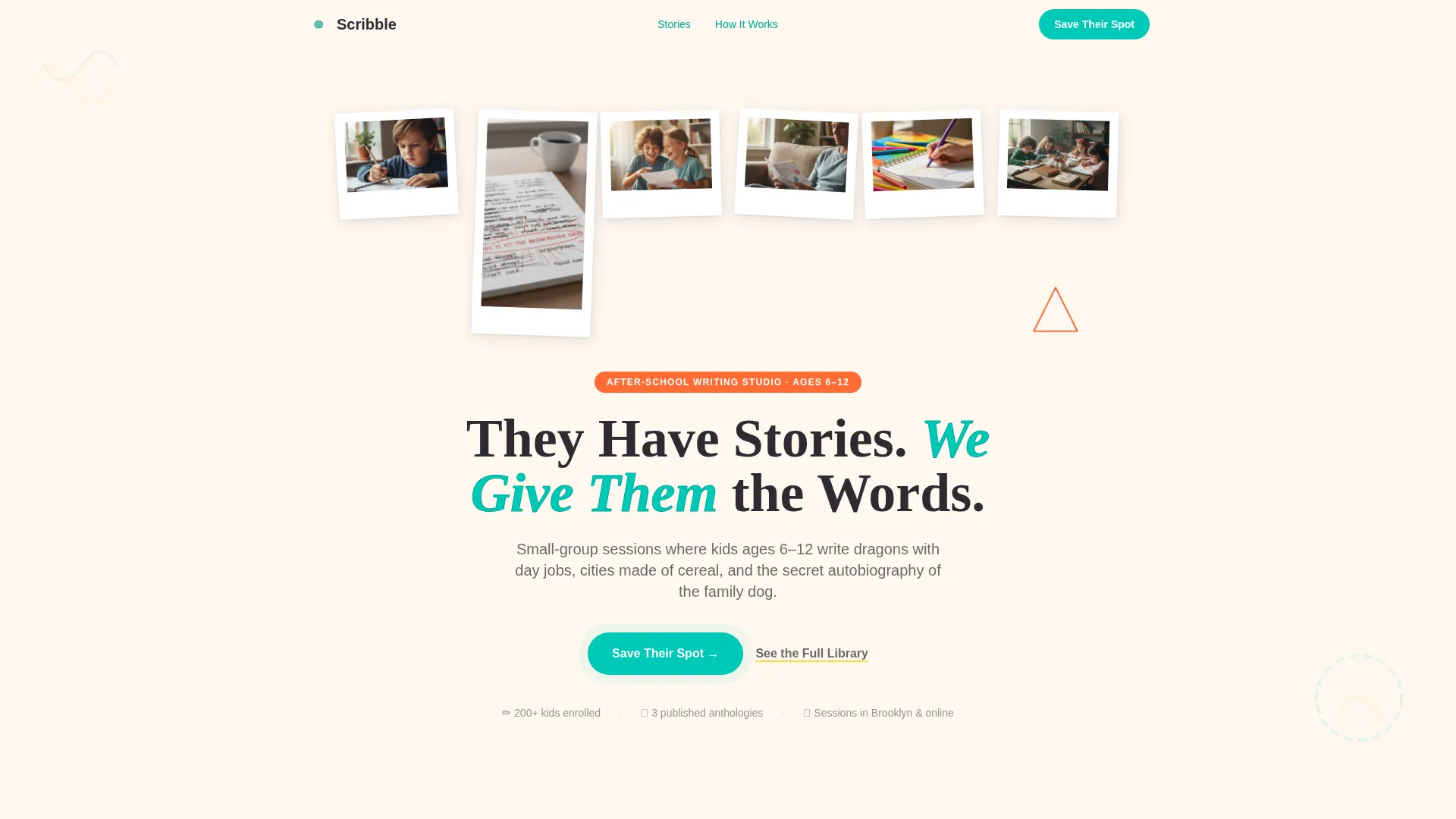
- A Photo Grid Mosaic hero with staggered Polaroid-style image reveals and a hand-lettered display headline
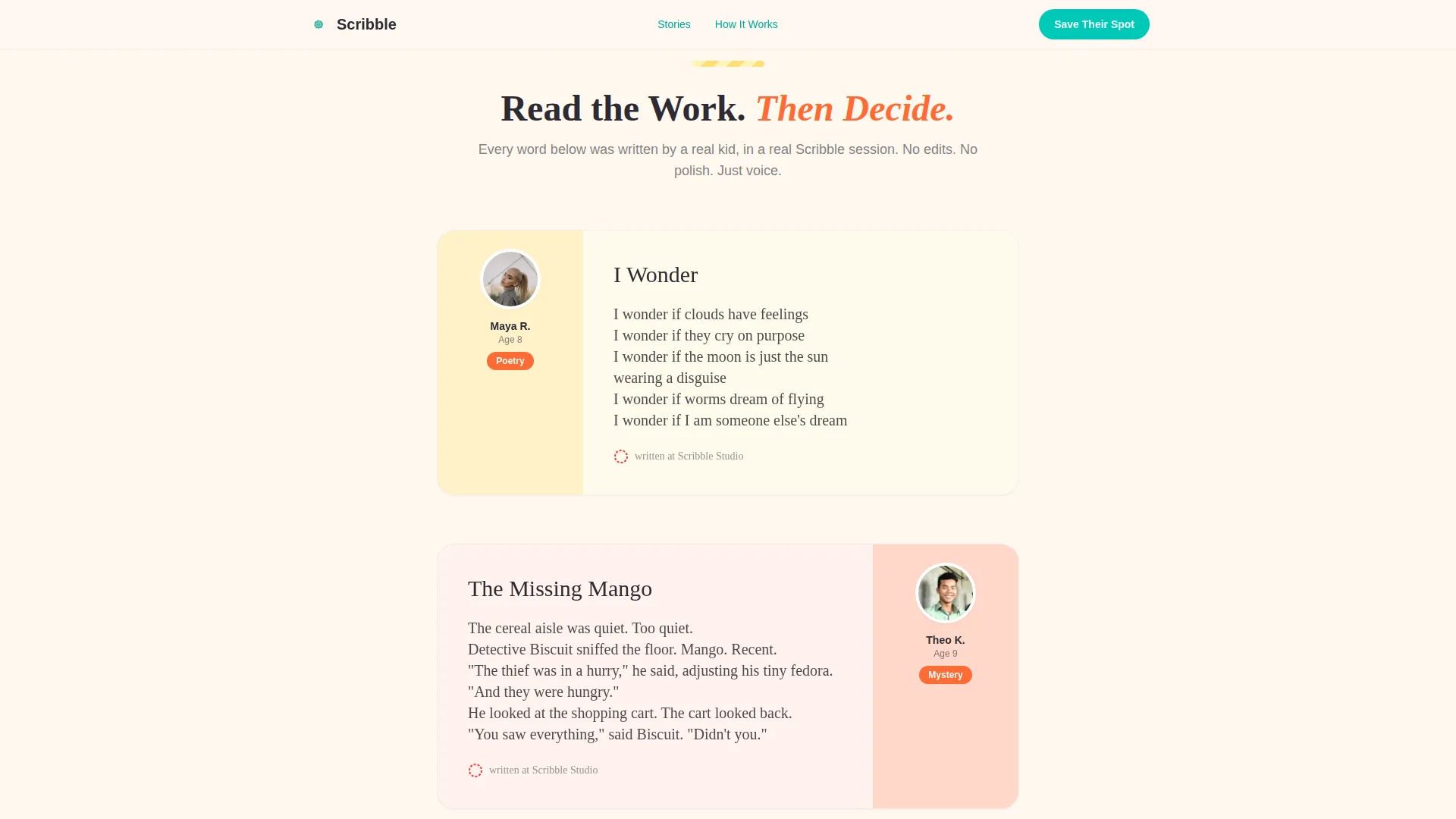
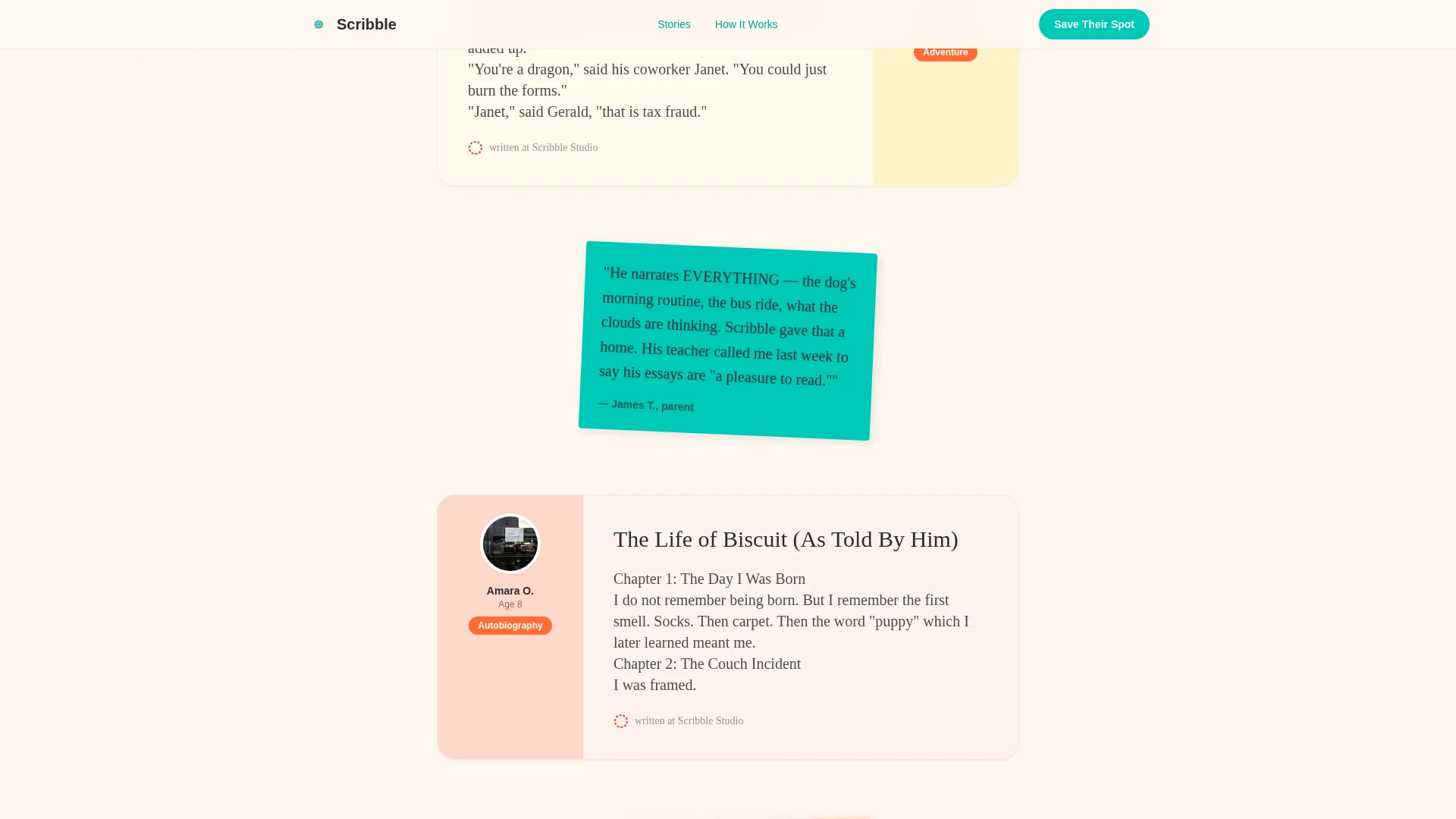
- A scrollable Community Gallery of child-authored story excerpts, each styled in a distinct handwriting font with a tiny author photo and age label
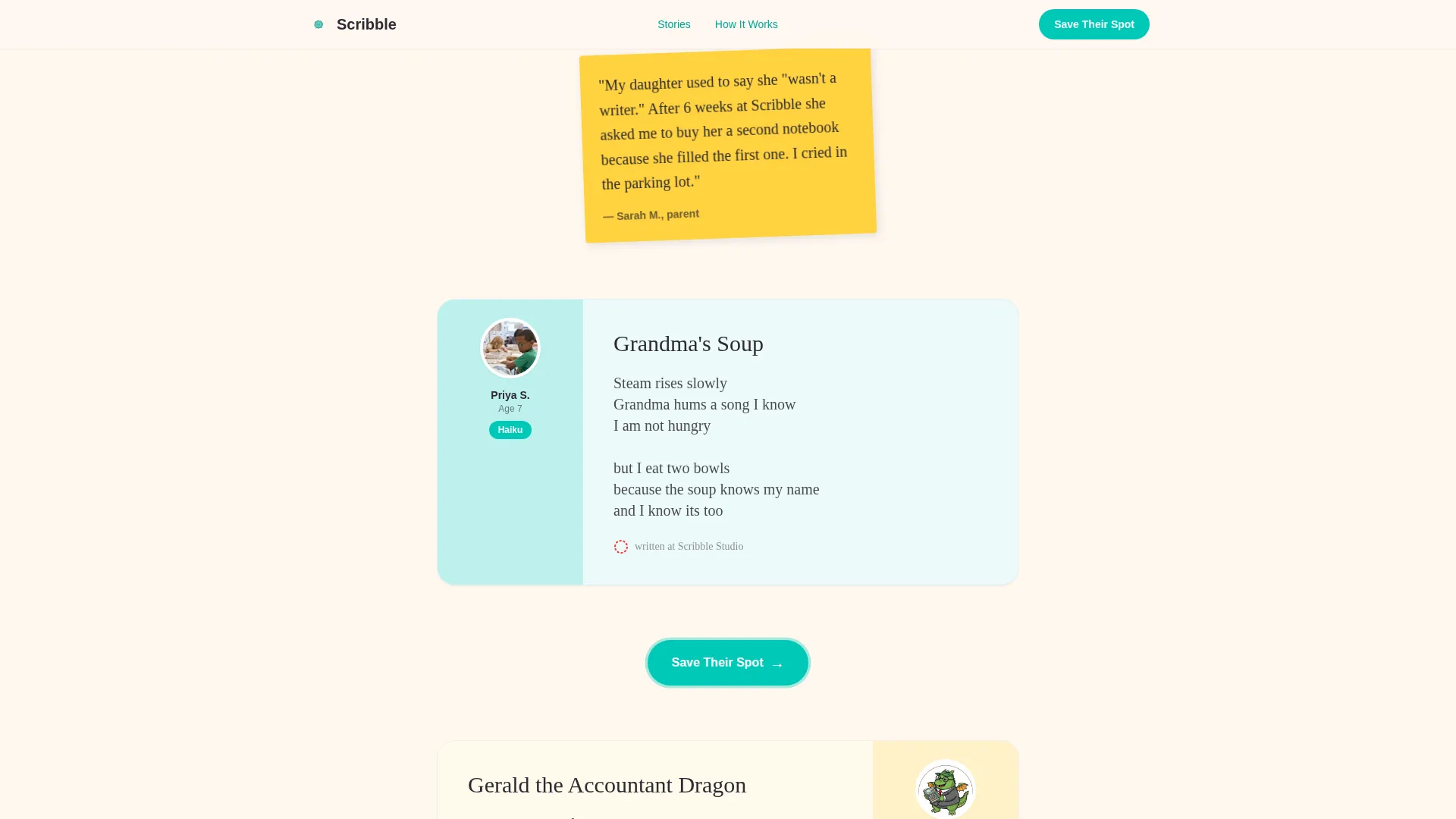
- Sticky-note-styled parent testimonial cards, a program structure section, a full-width final call-to-action band with a confetti burst animation, and a horizontal flow footer
Feature list
A paragraph introducing the feature blocks: every feature in this template comes directly from the source brief and reflects a deliberate design or interaction decision, not a generic placeholder.
Staggered Polaroid Hero Mosaic
The header opens with a honeycomb photo grid. Each image tile loads with a staggered pop animation, like a Polaroid tossed onto a table. A hand-lettered headline lands center after the tiles settle, giving the page an immediate handmade energy.
Scroll-Reveal Story Gallery
Child-authored story excerpts appear one at a time as the parent scrolls. Each card uses a different handwriting-simulation font, pairs with a small author photo and age, and expands on tap for the full excerpt. The reveal sequence is driven by a scroll observer so each new voice feels like a fresh discovery.
Sticky-Note Testimonial Cards
Parent quotes appear between story reveals as sticky-note-styled cards. Each card has a hover wobble interaction, giving the testimonials a tactile, analog feel that matches the construction-paper visual identity of the page.
Floating "Save Their Spot" Button
The primary call-to-action button appears first beneath the hero mosaic, then resurfaces as a floating, pulsing button after every third story reveal. It stays visible without interrupting the reading flow, so parents always have a path to enrollment.
Program Structure Bento Section
The "How Scribble Works" section presents the program structure as a visual bento grid rather than a linear timeline. Each bento cell describes a distinct aspect of the session format in a compact, scannable card.
Full-Width Confetti call to action Band
The page closes with a full-width call-to-action band that triggers a confetti burst animation on load or scroll entry. The band reinforces the "Save Their Spot" message and links directly to the enrollment page.
Page sections overview
| Section | Purpose |
|---|---|
| Hero Photo Mosaic | Opens with staggered image tiles and hand-lettered headline |
| Primary call to action Placement | Teal "Save Their Spot" button directly below hero |
| Story Gallery | Scroll-reveal child-authored excerpts with author photos |
| Sticky-Note Testimonials | Parent quotes styled as wobble-hover sticky cards |
| How Scribble Works | Program structure displayed as a visual bento grid |
| Final call to action Band | Full-width confetti burst closing call to action |
| Horizontal Flow Footer | Footer using a Vercel-style horizontal layout pattern |
Design & branding system
The visual identity follows a Nurture & Care theme expressed through a Dopamine Pop color palette. Every color choice is deliberate: loud enough to feel joyful, grounded enough to feel trustworthy.
- Four-color palette: sun-yolk yellow (#FFD23F) for section dividers, playground-cone orange (#FF6B35) for hover states and badges, swimming-pool teal (#00C9B7) for buttons and links, and warm charcoal (#2D2A32) for body text on a marshmallow white (#FFF8F0) background
- Typography pairing: Fraunces (a serif display face) for headlines and story titles, DM Sans for body copy, and CSS-based handwriting simulation for story excerpt cards
- Visual energy inspired by construction-paper crafts: crooked, candid, fearless in color, but organized enough for a parent to read on a small screen at night
Mobile & speed optimization
The template is built mobile-first, reflecting the reality that most parents discover enrichment programs on a phone during evening hours.
- Images in the hero mosaic are lazy-loaded, so the page begins rendering before every photo asset has arrived
- Story cards and testimonial sections use a scroll observer for progressive reveal, meaning content loads as it enters the viewport rather than all at once
- The floating call-to-action button is sized and positioned for thumb-friendly tapping on portrait-mode phone screens
How this template helps you convert
The page is structured as a Click-Through landing page. It does not close the sale itself. It earns the click to an enrollment page where session times, pricing, and seat availability do the work.
- The scroll sequence builds emotional proof first. Parents read two, three, four child-authored stories before they see a price. By that point, they are imagining their child's name on the page, not comparing costs.
- The floating call-to-action button reappears after every third story, keeping the enrollment path visible at the exact moment parents feel the strongest pull to act.
- The secondary path, "See the Full Library," gives hesitant parents a way to keep reading without leaving the page, so no curious visitor hits a dead end.
Other information about this template
This template uses the Scroll Reveal (Progressive) template style, meaning section content animates into view as the visitor scrolls rather than loading all at once. The approach suits the Community Gallery creative direction, where each new child's story should feel like a surprise rather than a wall of text.
- The footer follows a Vercel Horizontal Flow pattern (Pattern 3), keeping navigation links and program details in a clean, horizontally organized layout
- The "See the Full Library" secondary call to action opens an expanded gallery view for parents who need more story proof before clicking through to enrollment
- All copy on this page is designed for an English-speaking, United States audience using USD pricing and US date formats on the linked enrollment page
- The template style and color system are consistent with kids creative writing program branding that needs to feel warm and credible to skeptical parents, not just bright and busy
Theme
Nurture & Care
Creative direction
Community Gallery
Color system
Dopamine Pop
Style
Scroll Reveal (Progressive)
Direction
Click-Through
Page Sections
Staggered Polaroid Hero Mosaic
Scroll-reveal Story Gallery
Sticky-note Testimonial Cards
Floating Enrollment Call to Action
Program Structure Bento Grid
Confetti Burst Closing Band
Related questions
Does this template include the enrollment page?
Can I replace the story excerpts with my own students' writing?
Is this template suitable for a homeschool co-op writing program?
How many child story excerpts can the gallery hold?
What keeps a hesitant parent from leaving the page?



