Kids Creative Writing Landing Page Template
Scribble is a single-column landing page template built for kids creative writing academies and workshops. It combines a full-bleed photo hero, a scrolling student work gallery, and a five-question interactive writing voice quiz. The warm sunset gradient palette and editorial layout make it feel like a literary magazine, not a school brochure, drawing in parents of imaginative kids aged 6 to 14.
by Rocket studio
Quick summary
Scribble is a single-column landing page template for children's creative writing programs. It opens with a full-bleed notebook photo, flows through a student work gallery with curriculum captions, and closes with an embedded quiz that recommends a program tier. The design feels warm, editorial, and personal, built to earn trust through the work itself.
Who this template is for
This template is made for creative writing workshop owners and academy founders who serve families with kids aged 6 to 14. It speaks directly to parents whose children read ahead of their grade, narrate car rides, and fill spare notebooks without being asked.
- Children's creative writing academies and after-school workshops
- Independent writing coaches building an enrollment funnel for imaginative kids
- Gift-givers such as grandparents or aunts and uncles shopping for a meaningful creative experience
What problem this template solves
Most enrichment program pages look like school websites. They list features, post prices, and ask parents to call. That approach misses the emotional moment when a parent realizes their child's storytelling spark needs a real outlet, not just more homework help.
- Parents need to feel the quality of the program before they commit, not just read about it
- Generic enrollment forms create friction and push warm prospects away before they act
- Program tiers are hard to communicate without a tool that matches a child's needs to the right starting point
What you get with this template
You get a complete, ready-to-customize single-column landing page that leads with student work and earns enrollment through genuine social proof. Every section has a clear job, and the layout guides parents from curiosity to confidence without pressure.
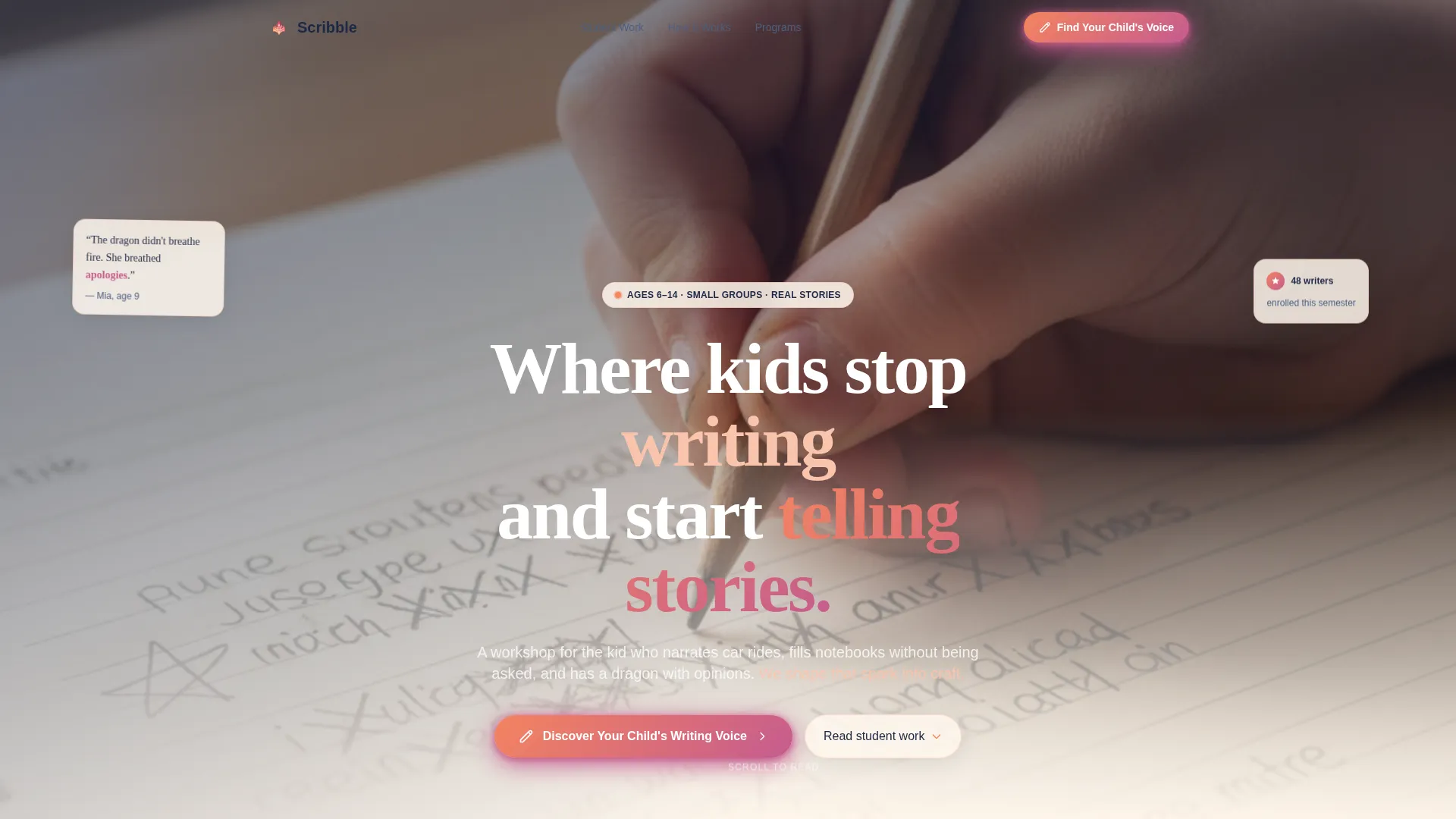
- A full-bleed photo hero section with a floating headline and primary call-to-action button
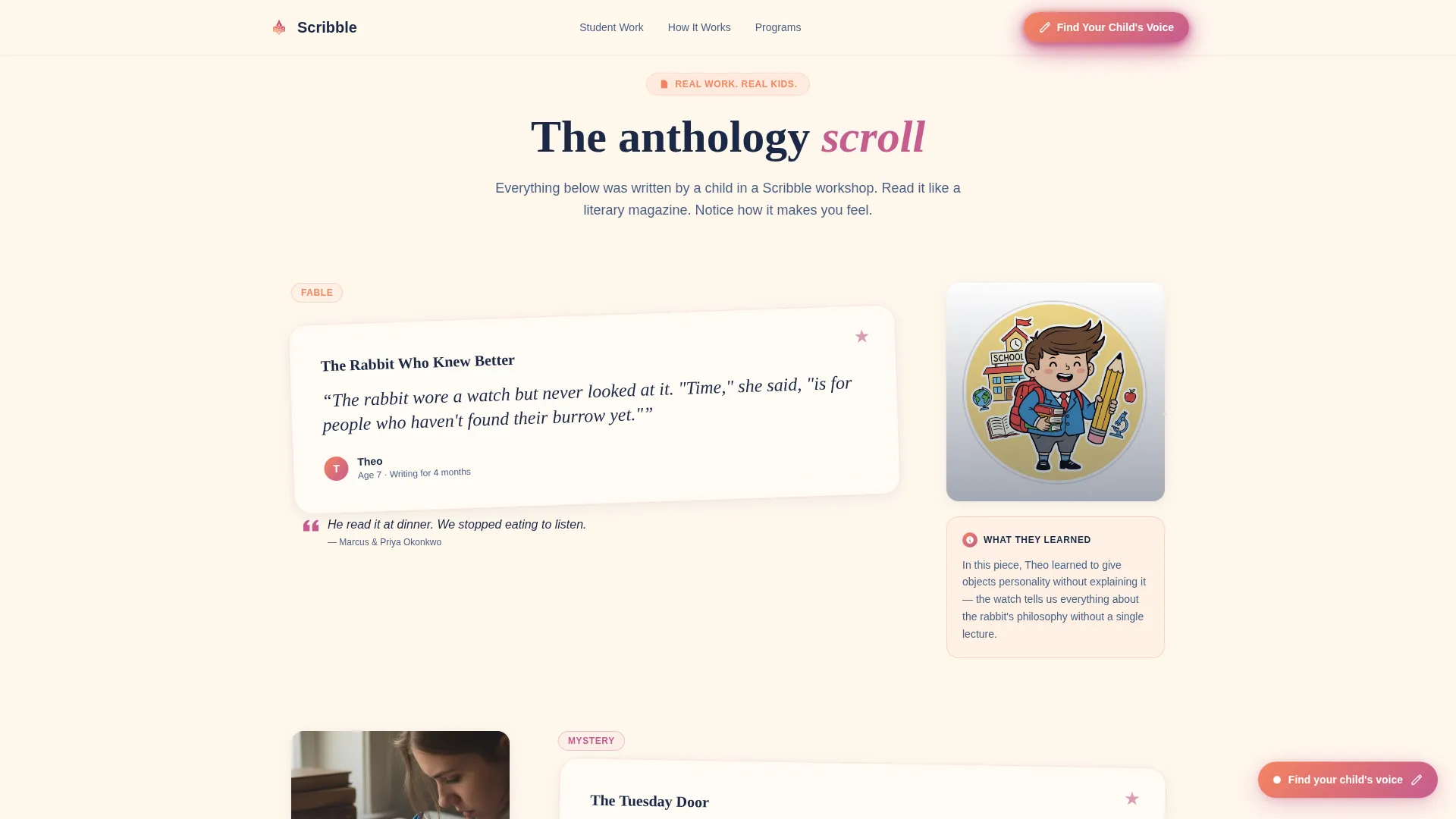
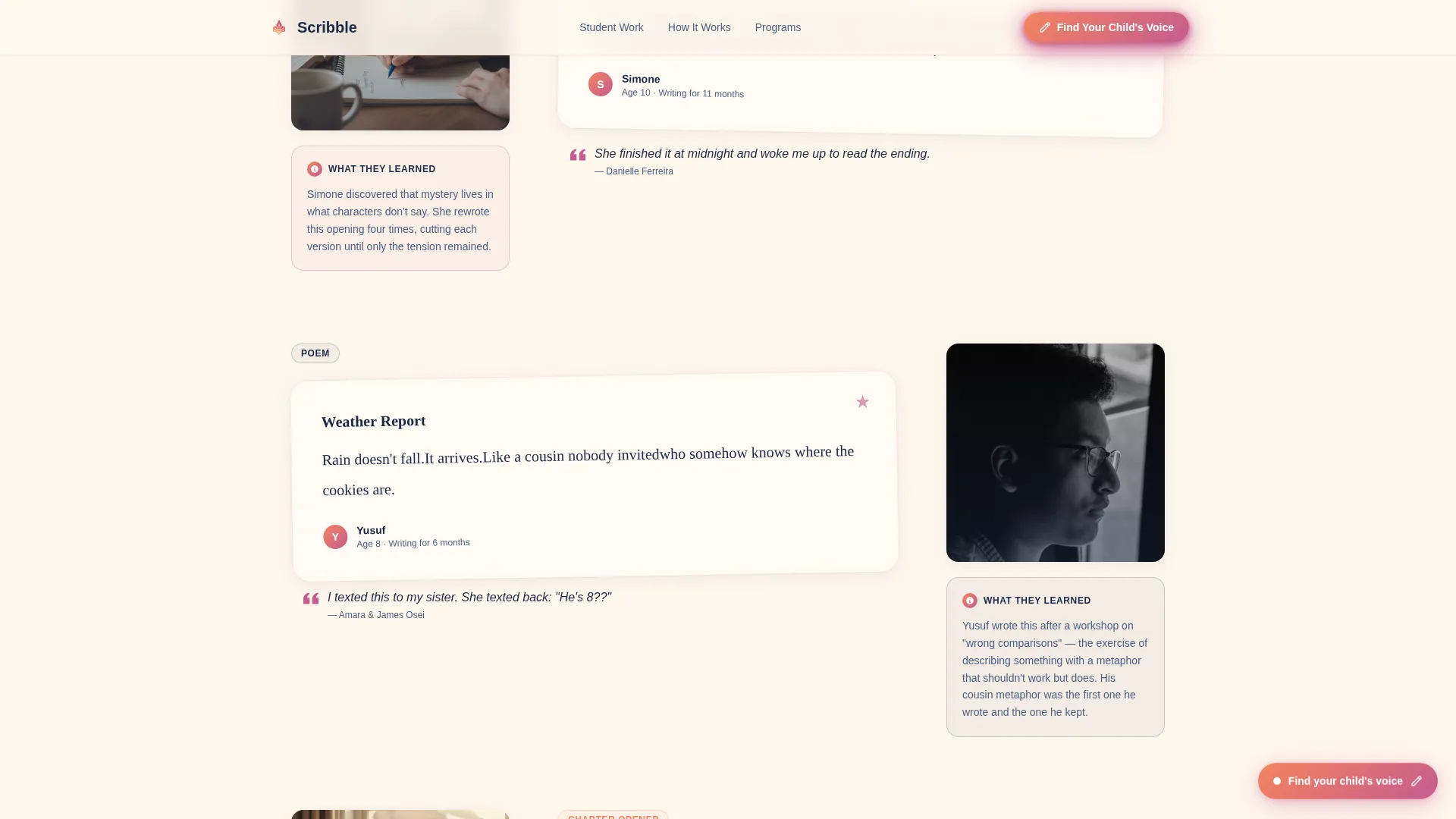
- A rotating student work gallery with handwritten-font cards, curriculum captions, and parent testimonials
- A five-question interactive writing voice quiz with result mapping to program tiers
Feature list
This template ships with a focused set of purpose-built sections and interactive components, each designed around how parents of creative kids actually read and decide.
Full-Bleed Photo Hero
The hero opens on a real, overhead shot of a child's notebook mid-sentence. A floating glass headline sits over the image, and the primary call-to-action button invites parents to discover their child's writing voice. Ken-Burns motion on the photo adds quiet life without distraction.
Student Work Gallery with Curriculum Captions
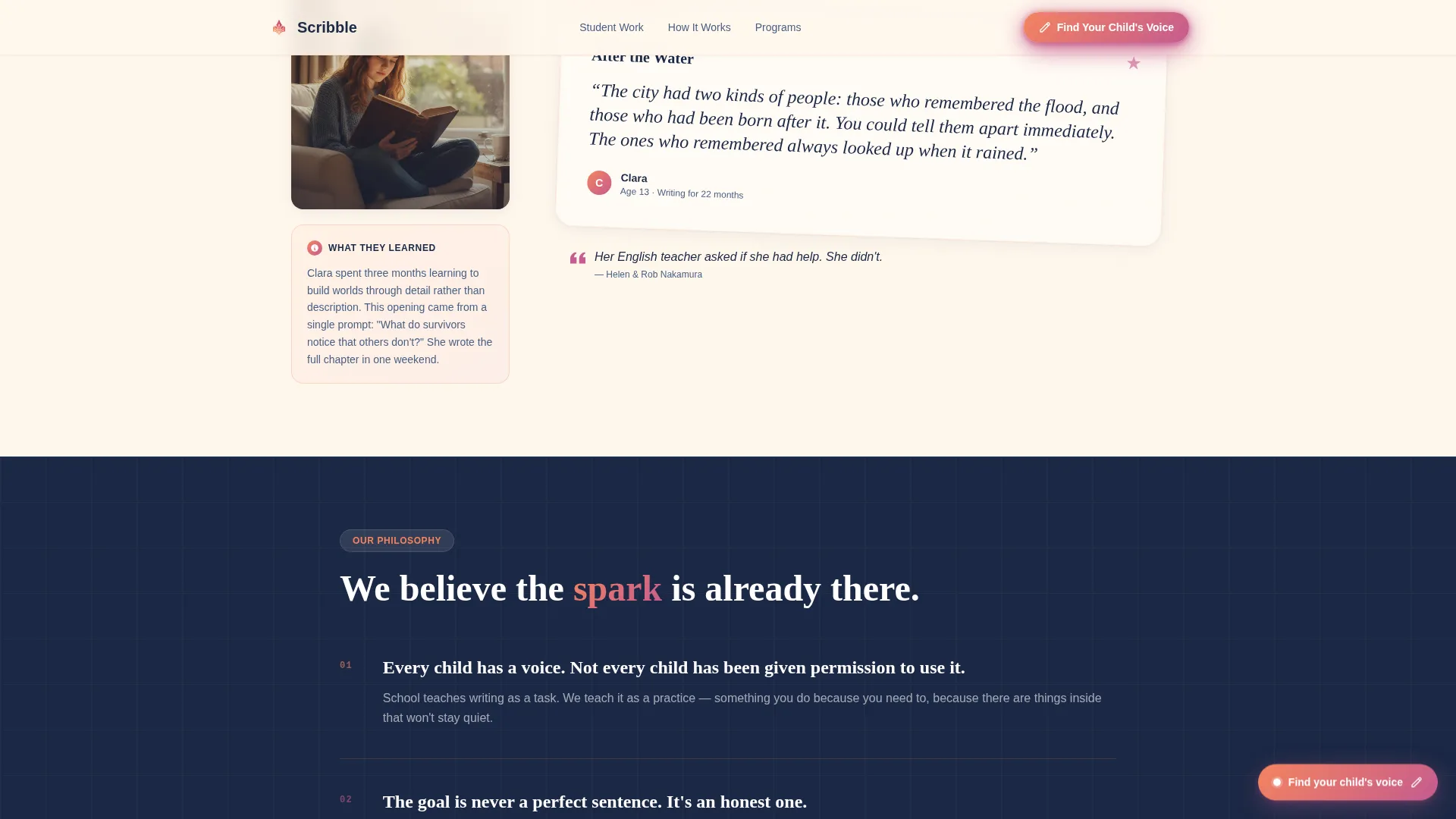
The gallery scrolls like a literary anthology. Each card shows a short student writing excerpt in a handwritten-style font, a one-line parent testimonial below it, and the child's age and time enrolled. Between cards, brief captions explain what the student learned while writing that specific piece.
Five-Question Writing Voice Quiz
The quiz is the primary conversion engine. It asks five questions: the child's age, favorite book genre, how they feel about writing assignments, whether they write for fun outside school, and a short sample prompt. Results map to a recommended program tier and a personalized next step.
Floating Quiz Button Trigger
After the second gallery section, a floating call-to-action button appears and stays visible as the parent continues scrolling. It reduces drop-off by keeping the quiz entry point accessible at any moment in the scroll without interrupting the reading experience.
Parent Testimonials Marquee
A scrolling testimonials strip surfaces one-line parent quotes alongside each child's age and how long they have been enrolled. The format is fast to read and builds cumulative trust as the parent moves down the page.
Enrollment Section with Program Tiers
The page closes with an embedded version of the quiz module and a clear display of program tiers. This section gives parents who skipped the floating button a second, unhurried chance to find their child's best starting point.
Page sections overview
| Section | Purpose |
|---|---|
| Hero with call to action | Opens with notebook photo and primary quiz button |
| Student Work Gallery | Shows real writing excerpts with curriculum context |
| Floating Quiz Button | Keeps quiz access visible after second gallery section |
| Writing Voice Quiz | Qualifies and segments prospects through five questions |
| Parent Testimonials | Builds trust with scrolling one-line social proof |
| Enrollment and Tiers | Embeds quiz and presents program options for signup |
| Footer | Horizontal flow layout with navigation and contact links |
Design & branding system
The visual identity follows an Educational Guide theme expressed through a Sunset Gradient color system. The palette feels warm and a little secret, like the glow of a reading light past bedtime, without looking childish or loud.
- Warm apricot (#F4845F) bleeding into soft magenta (#C55B8F) washes behind section breaks, with storybook navy (#1B2845) anchoring headlines and body text
- Creamy parchment (#FFF7ED) fills the background, reading like a blank page waiting to be written on
- Typography pairs DM Sans for body copy with Fraunces serif for headlines and pull-quotes, giving the page an editorial, literary-magazine feel
Mobile & speed optimization
The template is built mobile-first because parents browse on their phones. The single-column layout, stagger-reveal animations, and scroll-linked opacity effects are all designed to perform smoothly on smaller screens.
- Stagger reveals and float animations are medium-weight, keeping motion purposeful rather than heavy
- The quiz module uses a client component pattern, keeping static sections fast while the interactive quiz loads efficiently
- Gallery cards stack cleanly on mobile, preserving the read-feel-believe rhythm on any screen size
How this template helps you convert
The page is structured to move a skeptical parent from first impression to qualified enrollment step without a single hard sell. Every section earns the next click.
- The student work gallery leads with proof, not promises. Parents read genuine writing excerpts before they ever see a price or program name, which builds trust faster than any marketing copy can.
- The writing voice quiz replaces a generic sign-up form with a personalized experience. The result feels like a thoughtful recommendation, not a sales pitch, which lowers resistance and increases the quality of inquiries you receive.
Other information about this template
The Scribble template is part of a Kids and Family category collection and sits within the Kids Creative Writing niche. It is designed specifically for the Kids Creative Writing Academy and School segment, making it a focused fit for enrichment-based creative programs.
- The template style is Single Column Flow, which keeps the scroll focused and distraction-free on both mobile and desktop
- The header concept is Full-Bleed Photo, and the creative direction is Community Gallery, giving the page an anthology feel that sets it apart from standard academy websites
- The landing-page direction is Quiz and Assessment, meaning the primary conversion tool is the interactive writing voice quiz rather than a contact form or phone number
Theme
Educational Guide
Creative direction
Community Gallery
Color system
Sunset Gradient
Style
Single Column Flow
Direction
Quiz/Assessment
Page Sections
Full-bleed Photo Hero Section
Student Work Gallery with Captions
Five-question Interactive Quiz
Floating Quiz Button Trigger
Scrolling Parent Testimonials Strip
Embedded Enrollment and Program Tiers
Related questions
Can I customize the student writing excerpts and testimonials?
Does the quiz display results on screen or require a separate setup?
Is this template suitable for a solo writing coach or only larger academies?
What age range does the template content assume?
Can I use this template without the quiz component?



