Specialist Specialty Cleaning Professional Website Template
Scrub is a sidebar companion landing page template built for graffiti removal services. It pairs a dark, high-impact header with a sticky expert sidebar and structured content sections covering service tiers, surface compatibility, and response-time guarantees. Every section ends with a repeated amber call-to-action pushing visitors toward a scheduling page.
by Rocket studio
Quick summary
Scrub is a click-through landing page template for professional graffiti removal crews. It combines a full-bleed nighttime header, a sticky authority sidebar, and a focused content column to move commercial property managers, municipal directors, and small business owners straight to a scheduling action.
Who this template is for
This template is designed for graffiti removal businesses that work fast and need a page that communicates that speed immediately. It suits operators who serve commercial and municipal clients and want to project credibility from the first scroll.
- Pressure-washing crews offering same-day or rapid-response graffiti removal
- Commercial property managers and public works contacts who need a vendor to trust quickly
- Small business owners looking for a local graffiti abatement service after an overnight incident
What problem this template solves
Most graffiti removal services lose potential clients because their pages feel generic or slow to make the case. Property managers and city contacts need confidence fast. They want proof of expertise, clear response-time commitments, and a frictionless path to booking.
- No scheduling path visible above the fold, costing urgent clicks
- No credibility layer for clients comparing multiple removal vendors
- Surface-specific details buried or missing entirely, leaving clients unsure of fit
What you get with this template
You get a fully structured single-page layout built around one goal: getting the visitor to click through to a scheduling tool. Every section is designed to answer a specific objection before the visitor thinks to ask it.
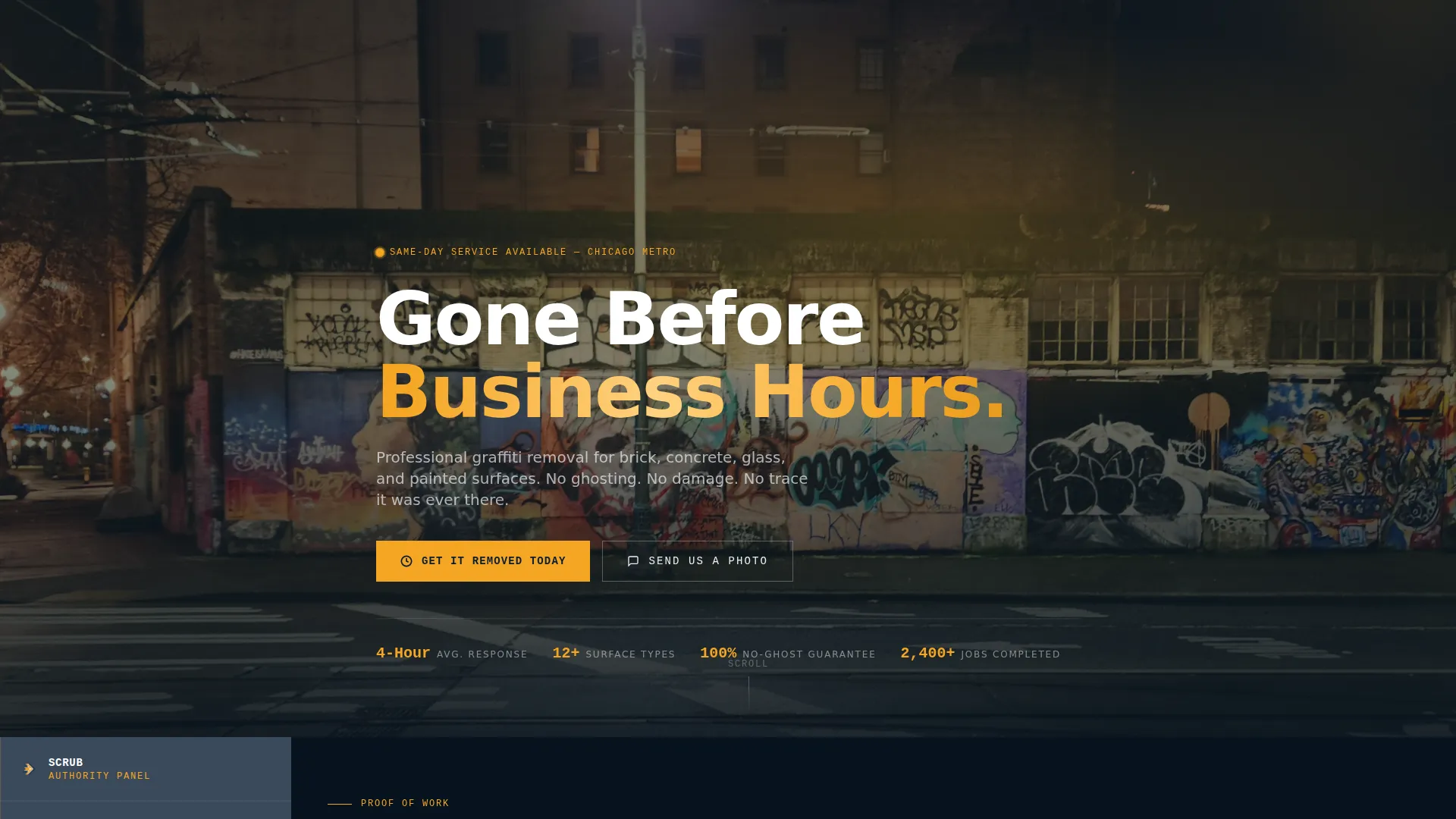
- A dark full-bleed header with a knockout headline and an amber primary call-to-action button
- A sticky sidebar that rotates authority voices aligned to each content section as the visitor scrolls
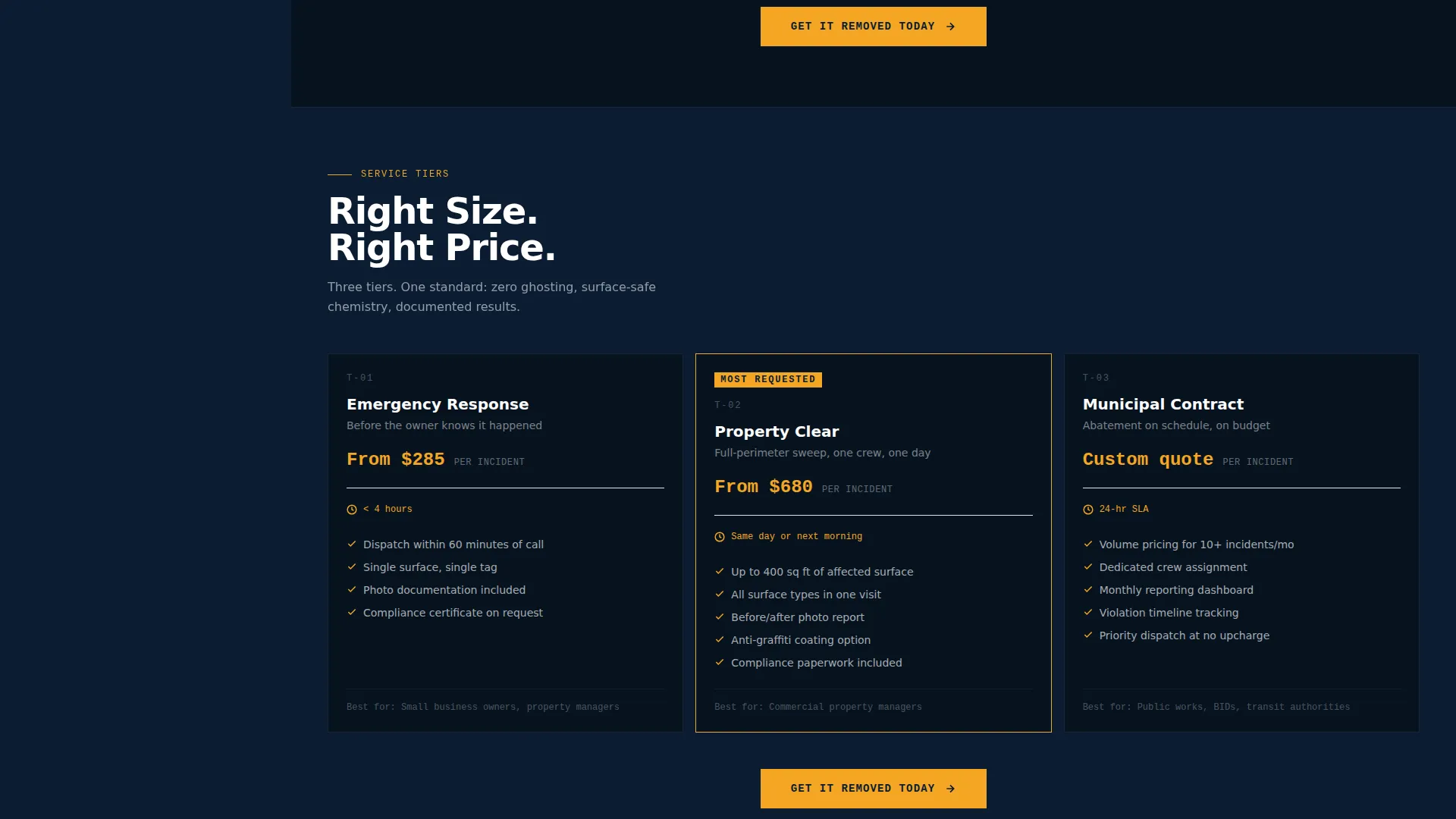
- Service tier blocks, surface compatibility information, response-time guarantees, a live service-area map placeholder, a response-time counter, and before-and-after thumbnail slots
Feature list
This template is built around a small number of high-impact components. Each one earns its place by directly supporting the click-through goal.
Dark Full-Bleed Header with Glow Concept
The header uses a nighttime photograph of a tagged brick wall lit by a single high-lumen work lamp. The amber glow reveals every drip and overlap of paint. A single line of white knockout text sits low in the frame: "Gone Before Business Hours." No logo and no navigation compete for attention.
Sticky Expert Authority Sidebar
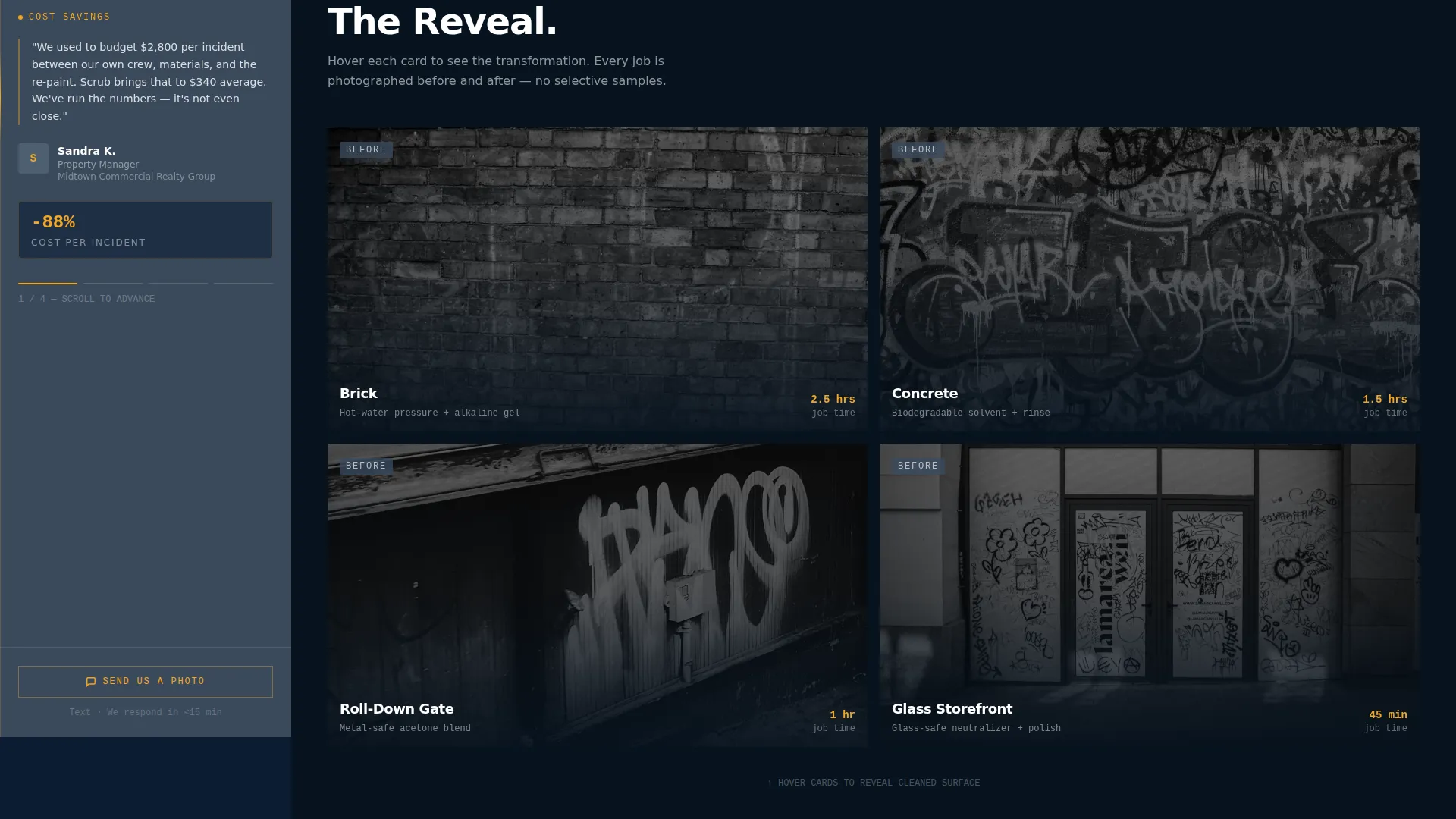
The persistent sidebar holds rotating professional voices. A property manager quotes cost-per-incident savings. A municipal code enforcement officer explains violation timelines. A surface restoration chemist explains why amateur removal causes ghosting. Each voice shifts as the visitor scrolls to match the content section in view.
Service Tier and Surface Compatibility Blocks
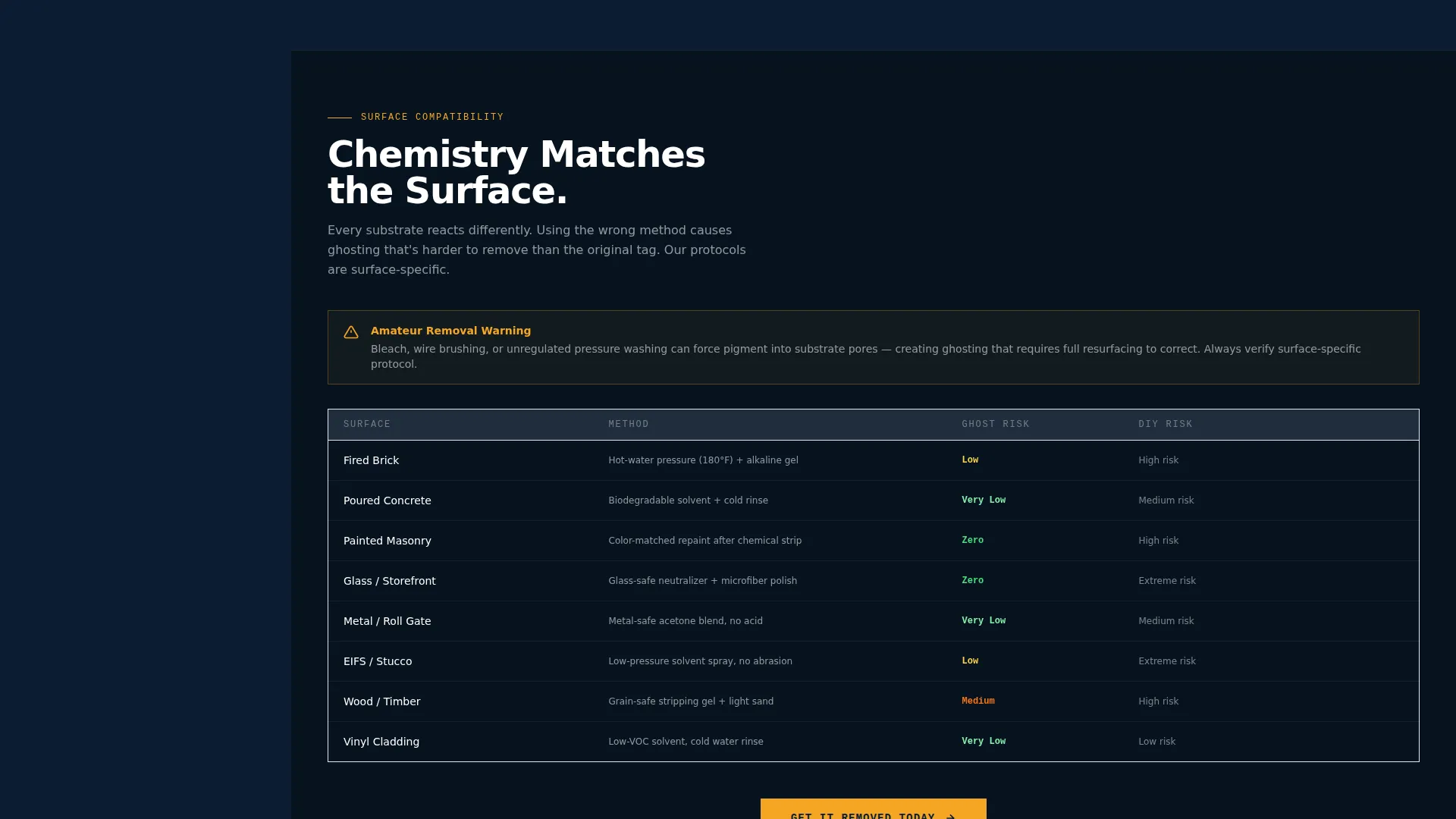
The main content column walks visitors through service tiers and a surface compatibility chart covering brick, concrete, glass, and painted surfaces. Each tier block ends with the amber "Get It Removed Today" call-to-action button to maintain momentum.
Live Service-Area Map and Response Counter
A service-area map displays same-day availability visually. A response-time counter shows the average response time for the visitor's zip code. Both components create a sense of real-time urgency without relying on generic copy.
Before-and-After Thumbnail Section
Quick-loading before-and-after image thumbnails demonstrate the quality of the removal work. They are positioned to support the credibility claims made in the surrounding content and sidebar voices.
Mobile Text-Message Secondary call to action
A secondary call-to-action designed for mobile visitors offers a "Send Us a Photo" text-message link. Visitors can snap the tag on-site and request a callback without needing to navigate to a form or scheduling page.
Page sections overview
| Section | Purpose |
|---|---|
| Full-Bleed Header | Sets urgency and tone |
| Sticky Expert Sidebar | Provides rotating credibility |
| Service Tier Blocks | Explains offering levels |
| Surface Compatibility Chart | Confirms surface fit |
| Response-Time Guarantee | Builds scheduling confidence |
| Live Service-Area Map | Shows same-day availability |
| Response-Time Counter | Personalizes urgency by zip code |
| Before-and-After Thumbnails | Demonstrates removal quality |
| Repeated Amber calls to action | Drives click-through at each section |
| Mobile Text-Message call to action | Captures on-site mobile visitors |
Design & branding system
The visual identity follows a Service Utility theme built on a Navy Authority color system. The palette reads like a city services vehicle parked under sodium streetlights: institutional, direct, and clearly on the job.
- Deep command navy (#0B1D33) for primary backgrounds, tactical slate (#3A4A5C) for the persistent sidebar, and clean concrete white (#EDEFF2) for content panels
- Sharp alert amber (#F5A623) used exclusively for call-to-action buttons and urgency indicators to make every action point impossible to miss
Mobile & speed optimization
The template is structured to prioritize fast visual decisions for visitors on mobile devices, especially those arriving directly from an incident site.
- Before-and-after thumbnails are positioned to load quickly, keeping the page usable on slower mobile connections
- The "Send Us a Photo" text-message link gives mobile visitors a frictionless secondary path that requires zero form interaction
How this template helps you convert
Every design and copy decision in this template serves one outcome: getting a qualified visitor to click through to the scheduling tool before doubt can form.
- The header headline and amber call-to-action appear above the fold, capturing urgent visitors the moment the page loads
- The sticky sidebar keeps professional authority voices in view throughout the scroll, reinforcing trust at every content section without interrupting the reading flow
- Repeated amber call-to-action buttons at the bottom of each section remove the need for visitors to scroll back up, making the next step always one click away
Other information about this template
This template is part of the Scrub series, designed specifically for specialty cleaning businesses operating in the graffiti abatement niche. It is a click-through landing page, meaning no contact form lives on the page itself. All lead capture happens on the linked scheduling tool.
- The sidebar companion layout is distinct from standard single-column landing pages and is particularly effective for service businesses that need to communicate authority alongside detailed service information
- The template suits graffiti removal businesses looking to serve commercial property management companies, municipal public works departments, and small business owners in a single unified page
- The amber urgency indicators are reserved strictly for calls-to-action, keeping the visual hierarchy clean and preventing alert fatigue
Theme
Service Utility
Creative direction
Expert Panel
Color system
Navy Authority
Style
Sidebar Companion
Direction
Click-Through
Page Sections
Dark Full-bleed Header with Glow
Sticky Rotating Expert Sidebar
Service Tiers and Surface Chart
Live Map and Response Counter
Before-and-after Thumbnails
Mobile Text-message Secondary Call to Action
Related questions
Does this template include a contact form?
Can I replace the sidebar expert voices with my own content?
What surfaces does the compatibility section cover?
Is this template a good fit for a municipal graffiti abatement program?
What does the live service-area map component show?



