Maxillofacial Surgeon Advanced Booking Website Template
Sculpt is a split-screen landing page template built for maxillofacial surgeons offering virtual consultations. It pairs a warm surgeon portrait with a lead-capture booking panel, guides visitors through a credibility-building testimonial mosaic, and closes with a dual-path conversion section. The layout moves patients from emotional recognition to confident action.
by Rocket studio
Quick summary
Sculpt is a single-page virtual consultation template designed for maxillofacial surgeons. It opens with a 50/50 split-screen hero, builds trust through paired patient stories and clinical context, and closes with two conversion paths: a slide-in booking panel and a downloadable jaw surgery guide. The page is warm, precise, and built to turn research into scheduled consultations.
Who this template is for
This template is made for maxillofacial surgeons who need a focused online presence that converts appointment-ready visitors into booked virtual consultations. It suits practices that handle complex corrective cases and receive referrals from orthodontists.
- Surgeons treating adults with chronic temporomandibular joint (TMJ) dysfunction who have exhausted non-surgical options
- Practices seeing post-trauma facial reconstruction patients and orthodontist referrals
- Surgeons who want to reach parents of teenagers with jaw growth irregularities
What problem this template solves
Most surgical practice pages feel institutional and cold. They list credentials without building trust, and they ask visitors to make a high-stakes decision without first making them feel understood. Patients researching corrective jaw surgery are anxious, often in chronic pain, and carry years of unanswered questions.
- The template removes that emotional distance by leading with a human portrait and patient voices rather than procedure lists
- It strips booking friction by asking only for the details the surgeon actually needs to prepare for a consultation
- It provides a lower-stakes second path for visitors who need more time before committing to a booking
What you get with this template
You get a complete, ready-to-customize single-page layout structured around lead generation for a maxillofacial surgery virtual consultation practice. Every section is purposefully sequenced to move a visitor from first impression to booked appointment.
- A 50/50 split hero with a surgeon portrait, headline, and a teal call-to-action button linked to a slide-in booking panel
- A testimonial mosaic pairing patient quotes with clinical context, plus single-stat breaker sections and a procedures bento grid
- A dual-path final conversion section with a booking form and a secondary guide download capture form
Feature list
Split-Screen Hero with Slide-In Booking Panel
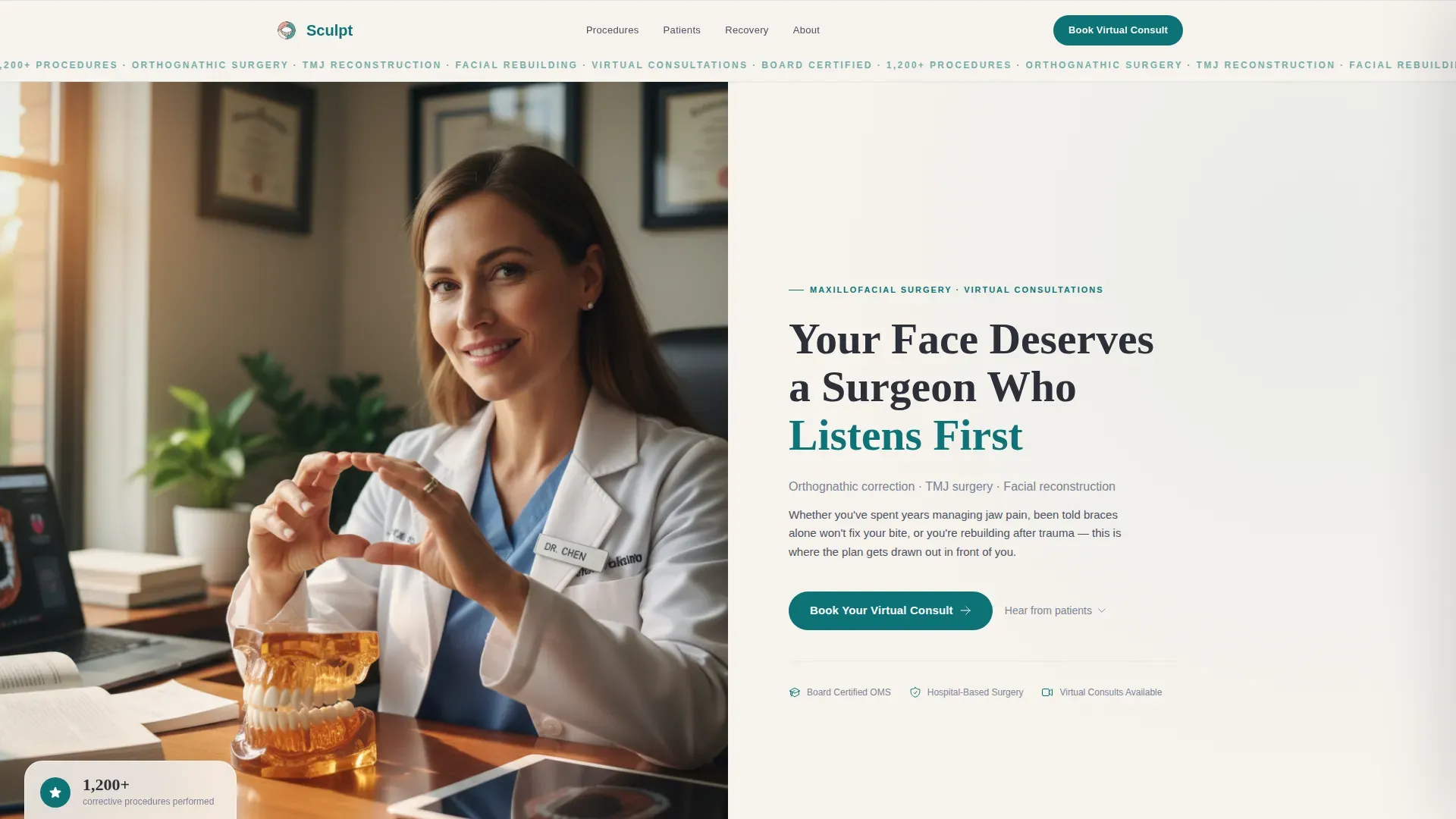
The header divides the viewport equally. The left side holds a portrait of the surgeon mid-consultation, with hands visible gesturing toward a three-dimensional jaw model and natural window light softening the setting. The right side carries the headline, a single-line subhead naming the three core procedures, and a teal call-to-action button that opens a slide-in panel. The panel collects first name, concern type, a free-text description field, and a preferred consultation window, with no insurance questions at this stage.
Testimonial Mosaic with Clinical Context Pairs
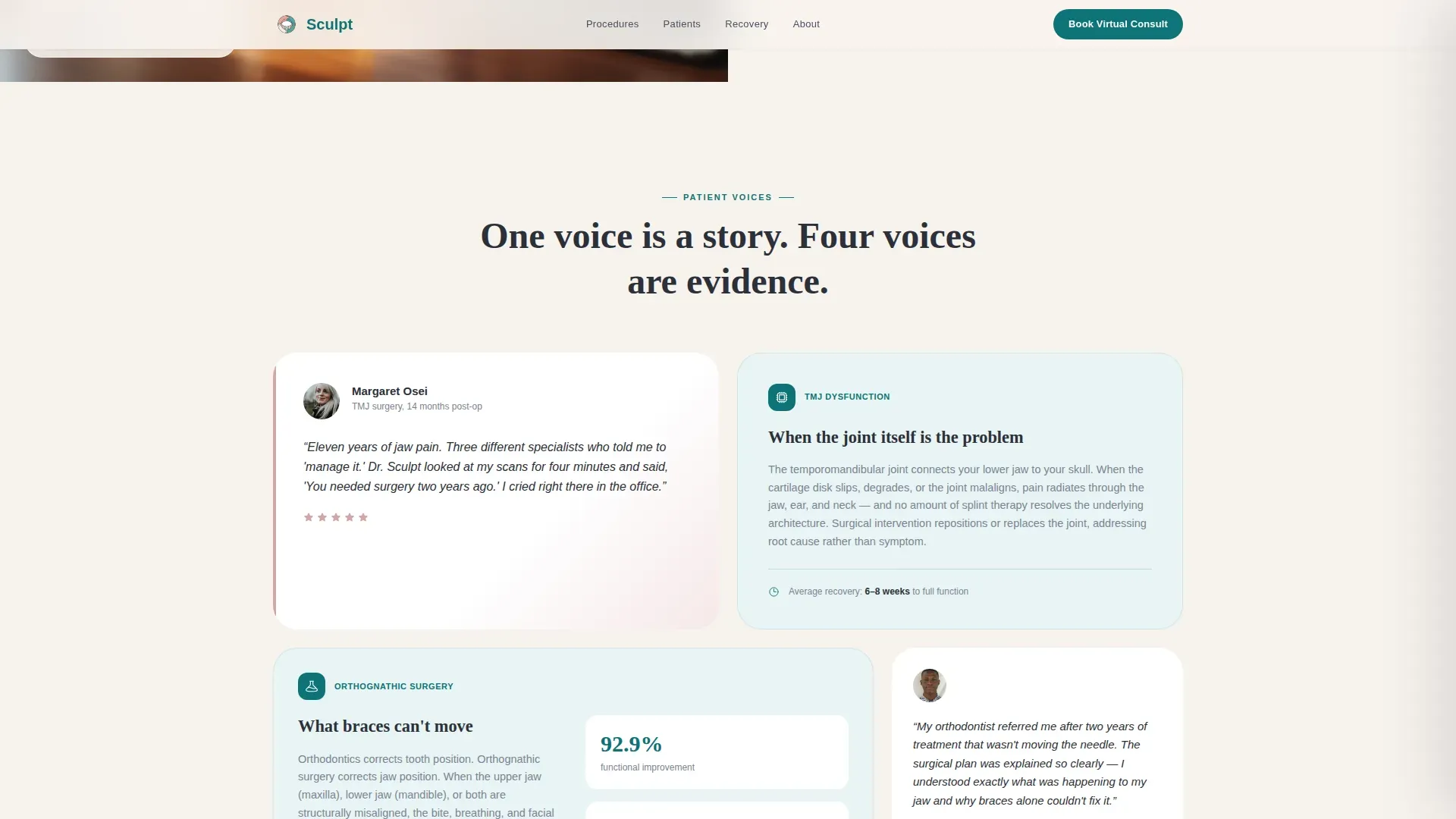
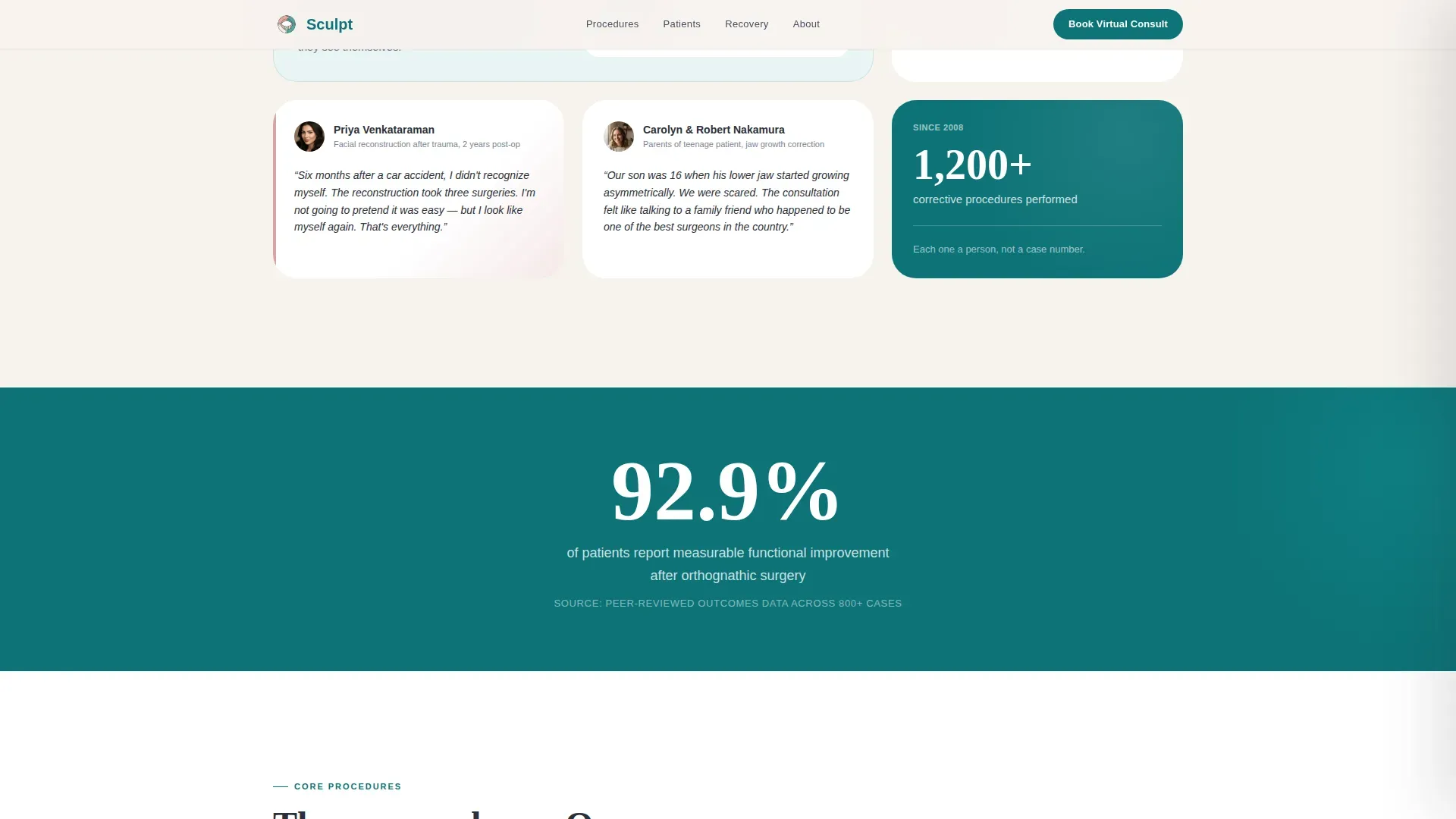
After the hero, patient voices and clinical explanations appear side by side in a mosaic layout. Each cluster pairs a real patient quote or recovery image with a corresponding clinical explanation, such as an orthognathic correction timeline or a before-and-after framing. Single-stat breaker rows appear between clusters to punctuate the scroll and reinforce authority.
Procedures Section in Asymmetric Bento Grid
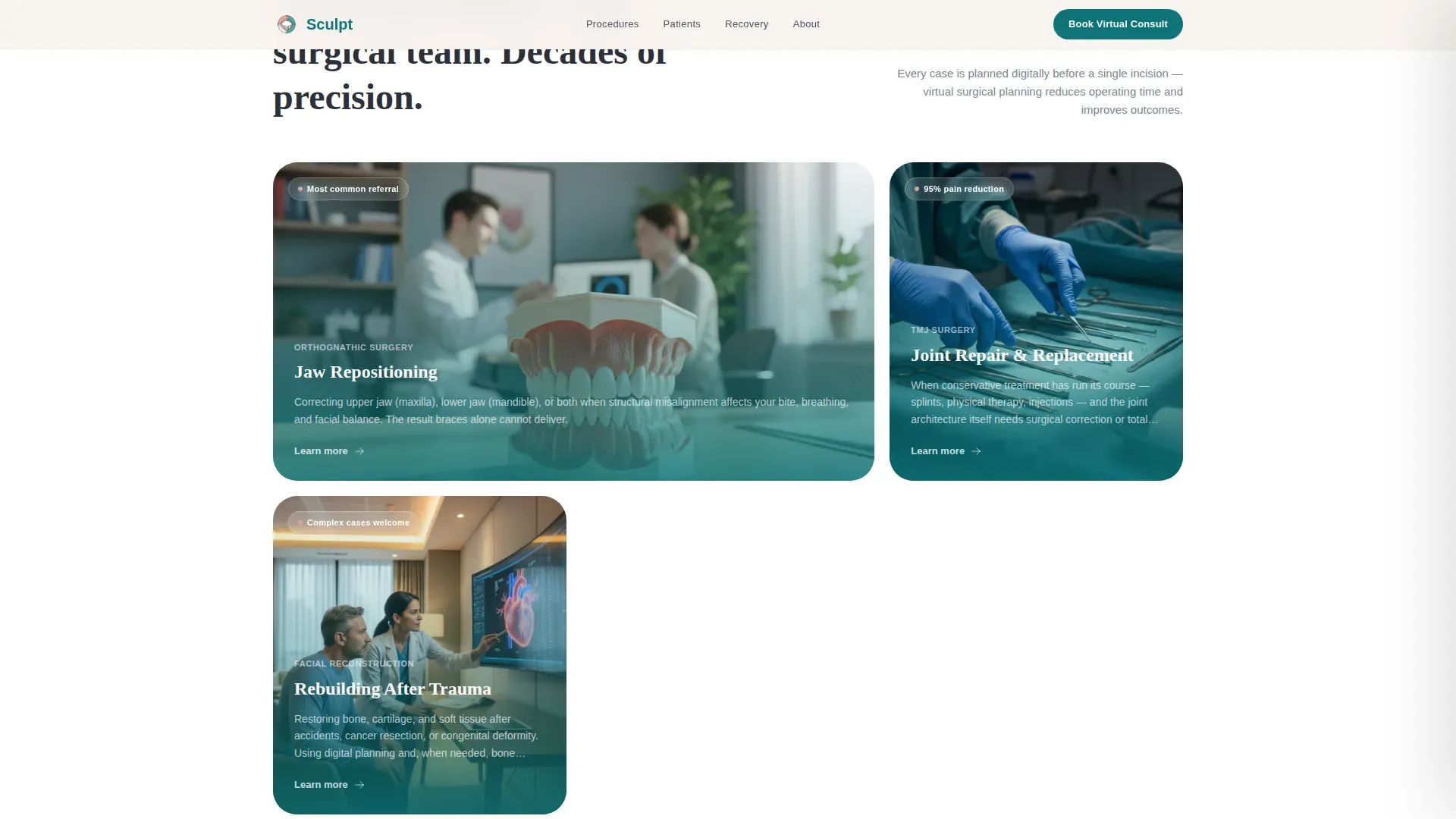
The three core procedures (orthognathic surgery, TMJ correction, and facial reconstruction) are presented in an asymmetric bento grid layout. Each cell carries enough context to orient a patient who may be unfamiliar with the clinical terminology, without overwhelming them before they have spoken with the surgeon.
Recovery Timeline Strip
A visual milestone strip maps the recovery journey with patient imagery at each stage. This section answers one of the most common pre-consultation questions: what healing actually looks like week by week. It reduces uncertainty and signals that the practice has walked many patients through this process.
Dual-Path Final Conversion Section
The closing section offers two options. The primary path repeats the "Book Your Virtual Consult" call-to-action with the slide-in panel. The secondary path offers a downloadable jaw surgery guide, capturing email address and concern type for nurture purposes. Both paths are designed so visitors never reach a dead end.
Page sections overview
| Section | Purpose |
|---|---|
| Split-Screen Hero | Establish warmth and direct visitors to booking |
| Testimonial Mosaic | Build trust through patient voices and clinical pairs |
| Single-Stat Breakers | Reinforce authority with procedure count milestones |
| Procedures Bento Grid | Explain the three core surgical offerings clearly |
| Recovery Timeline Strip | Show what healing looks like with visual milestones |
| Final Conversion Section | Capture bookings and secondary guide download leads |
| Footer | Provide single-row navigation and contact reference |
Design & branding system
The visual identity follows an Organic Flow theme built around the Teal Catalyst color system. The palette is described as clinical enough to trust and organic enough to calm, drawing on warm ceramics and eucalyptus as tonal references. Typography pairs DM Sans for body text and interface elements with Fraunces for editorial headlines.
- Deep surgical teal (#0D7377) anchors section dividers, call-to-action buttons, and primary interactive surfaces
- Soft bone white (#F7F3EE) fills backgrounds generously between content blocks, while living tissue rose (#D4A5A5) appears sparingly on testimonial cards and hover states
- Charcoal graphite (#2C3039) is used for all body text and interface frames, keeping legibility consistent across every section
Mobile & speed optimization
The template is built desktop-first to match the research behavior of patients comparing surgical options on a full screen. It is fully responsive so the experience adapts cleanly to smaller screens without losing the mosaic layout's credibility signals.
- Static sections use server-side rendering for fast initial loads, while interactive elements such as the slide-in booking panel use client-side rendering
- GSAP scroll reveals and staggered mosaic entries are scoped to medium animation intensity, keeping motion purposeful rather than distracting
- Stat counter animations and hover states are designed to respond to user interaction without adding unnecessary layout complexity
How this template helps you convert
The page is sequenced to move visitors through three emotional stages: recognition, trust, and logistical readiness. By the final section, the only question left for a visitor is when to book, not whether to.
- The hero creates an immediate sense of being understood, with a portrait that places the visitor in the consultation room and a headline that signals the surgeon listens before operating
- The testimonial mosaic builds credibility through accumulation, moving from a single patient story to a body of evidence that makes the decision feel shared and safe
- The dual-path final section captures visitors at every stage of readiness, whether they are ready to book now or still need a resource to study before committing
Other information about this template
This template is categorized under Health and Medical, specifically within the maxillofacial surgeon website subcategory. It is localized for English-language audiences in the United States and does not display any currency. The intersection match score for this template's niche alignment is 13, reflecting a highly specific fit for virtual consultation lead generation in oral and maxillofacial surgery.
- The booking panel is intentionally friction-reduced: concern type options include jaw pain, facial asymmetry, post-trauma, and orthodontist referral
- The guide download path captures email and concern type only, designed to nurture leads who are not yet ready to book a virtual visit
- Animation intensity is set to medium, using GSAP for scroll reveals, staggered mosaic entries, slide-in panel behavior, and counter animations
Theme
Organic Flow
Creative direction
Testimonial Mosaic
Color system
Teal Catalyst
Style
Split Screen (50/50)
Direction
Lead Generation
Page Sections
Split-screen Hero with Booking Panel
Testimonial Mosaic Layout
Procedures Bento Grid
Recovery Timeline Strip
Dual-path Conversion Section
Related questions
What type of surgical practice is this template designed for?
Can I use this template if I also receive orthodontist referrals?
What does the guide download section capture?
Is this a multi-page template or a single landing page?
How is the booking form designed to reduce friction?



