Notary Public Landing Page Template
Seal is a split-screen notary public landing page built for professional credibility and fast lead generation. The layout pairs a compelling desk-top photograph with service highlights, then guides visitors through testimonial-driven service sections. A repeating gold call-to-action and a three-field scheduling form make it easy for clients to book a signing the moment they feel ready.
by Rocket studio
Quick summary
Seal is a single-page notary public landing page template designed to turn first-time visitors into confirmed bookings. It opens with a dramatic split-screen header, flows through testimonial-backed service sections, and closes every cluster with a gold scheduling button. The design system borrows the authority of a notary stamp: navy headlines, frost-white space, and gold reserved only for action.
Who this template is for
This template is built for notary professionals who handle high-stakes signings and need a page that earns trust before asking for a name or phone number.
- Independent notary publics offering real estate closings, mobile signings, and apostille services
- Notary businesses serving time-sensitive clients such as immigration attorneys and loan officers
- Sole practitioners who want a polished online presence without a multi-page website build
What problem this template solves
Most notary public pages lead with credentials and ask for contact details before giving the visitor any reason to trust the person behind the seal. Seal reverses that order.
- Visitors arrive anxious about a deadline and need social proof before they will act
- Service categories are buried in text blocks instead of being clearly paired with real client stories
- There is no clear, low-friction path for someone who needs a notary within the hour
What you get with this template
You get a complete, section-led landing page ready to represent a notary public business. Every layout decision is intentional, from the opening photograph to the sticky mobile call bar.
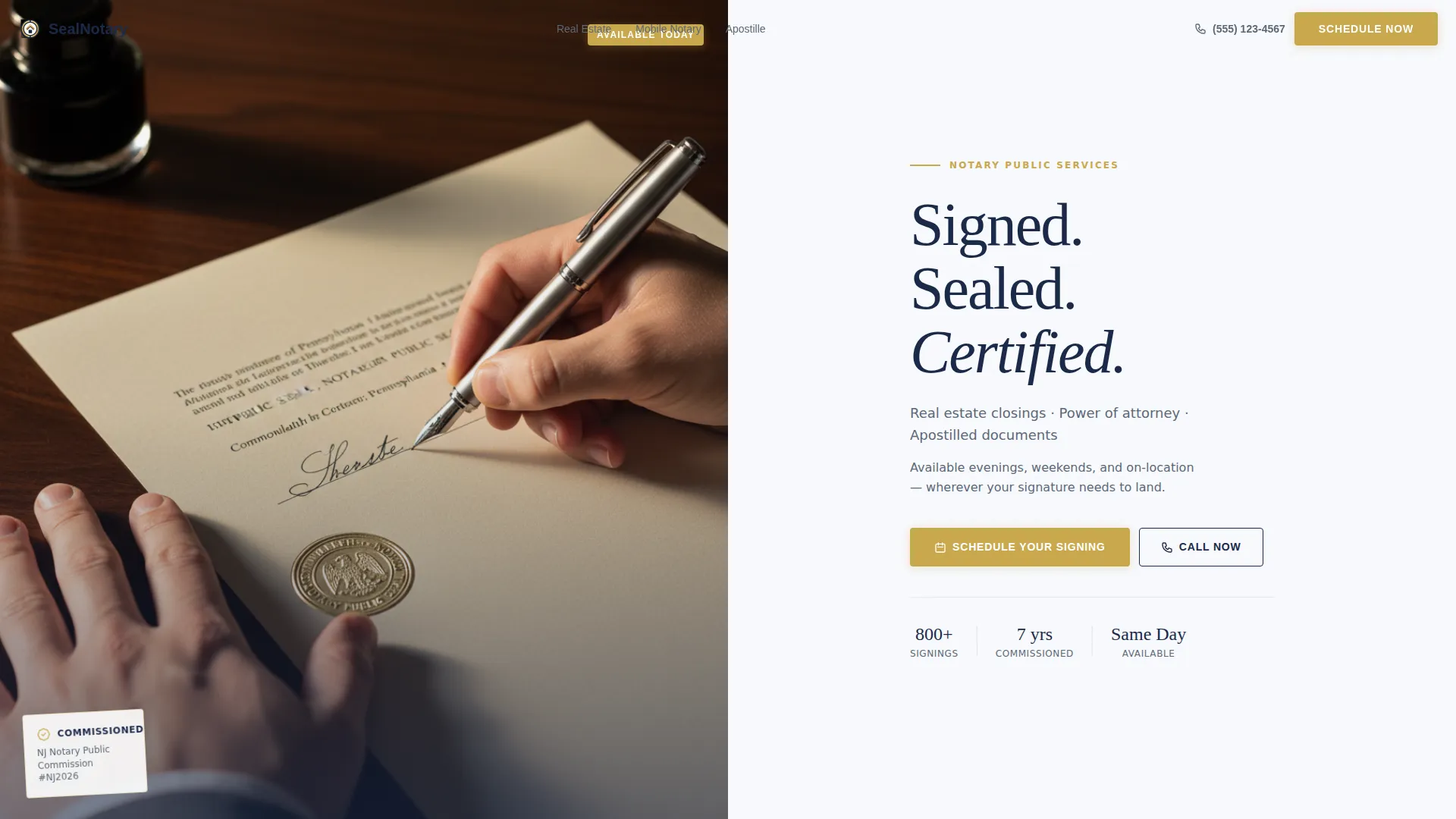
- A half-page photo and text split header with a headline, subtext, and a primary gold scheduling button
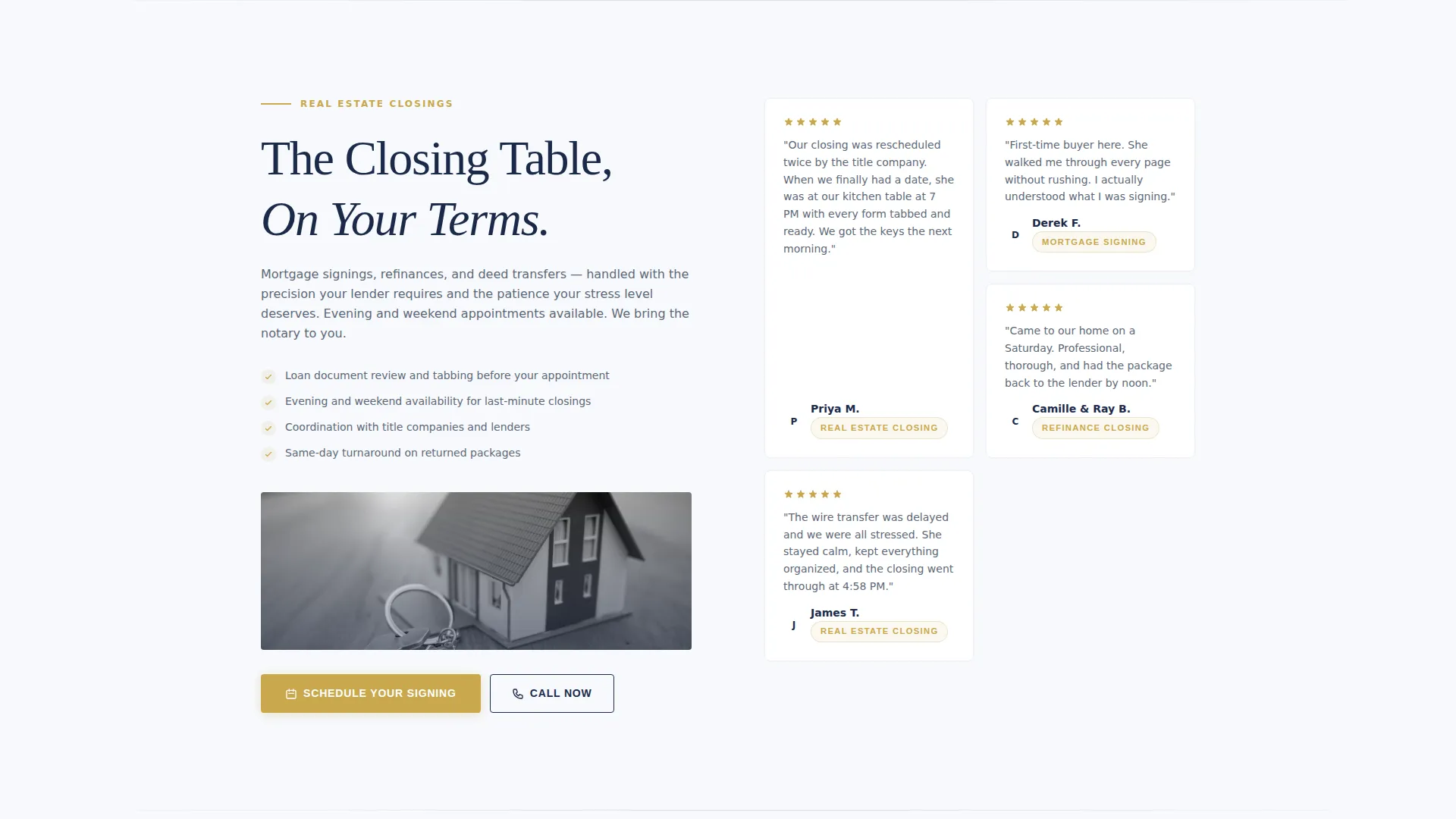
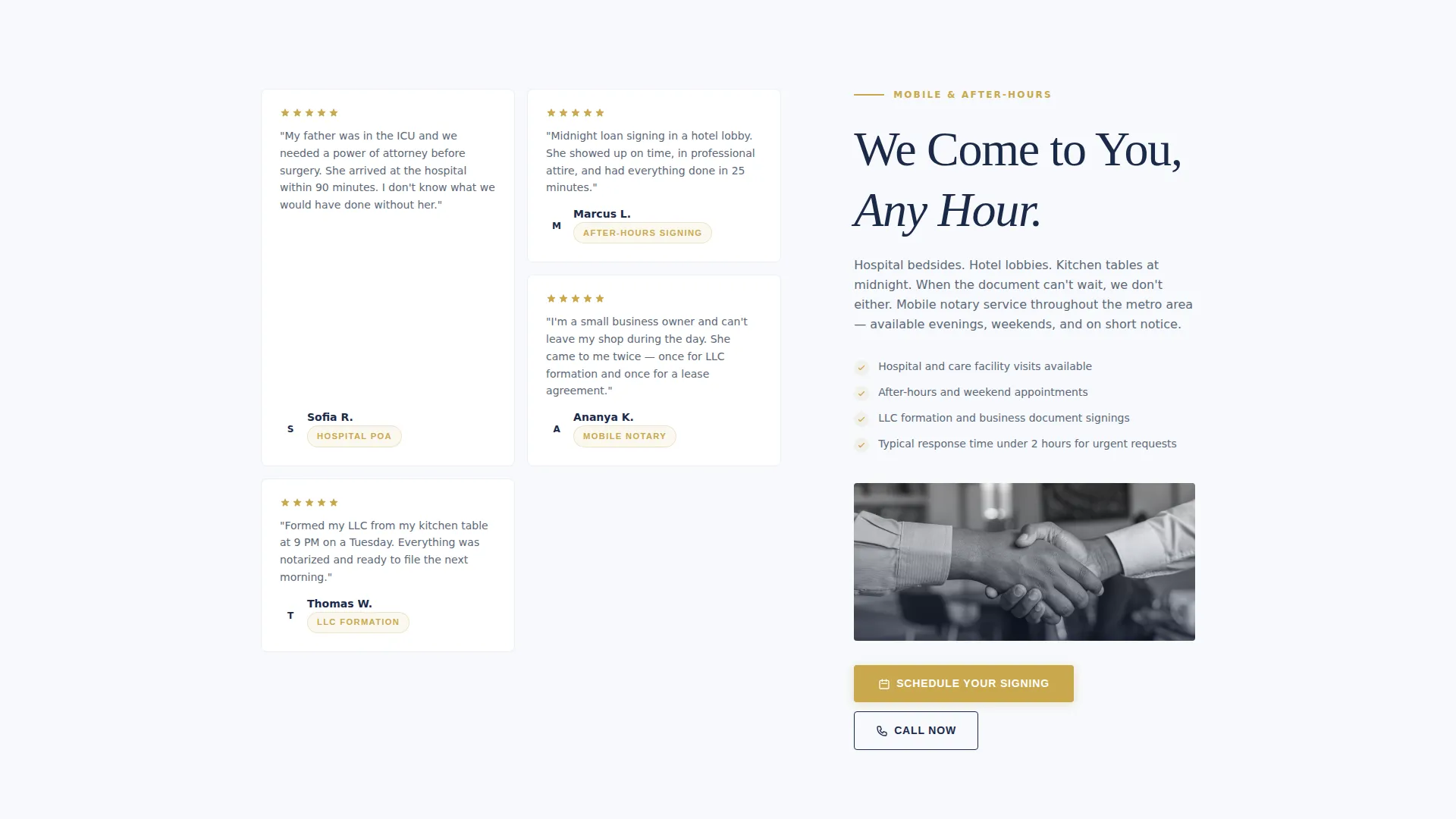
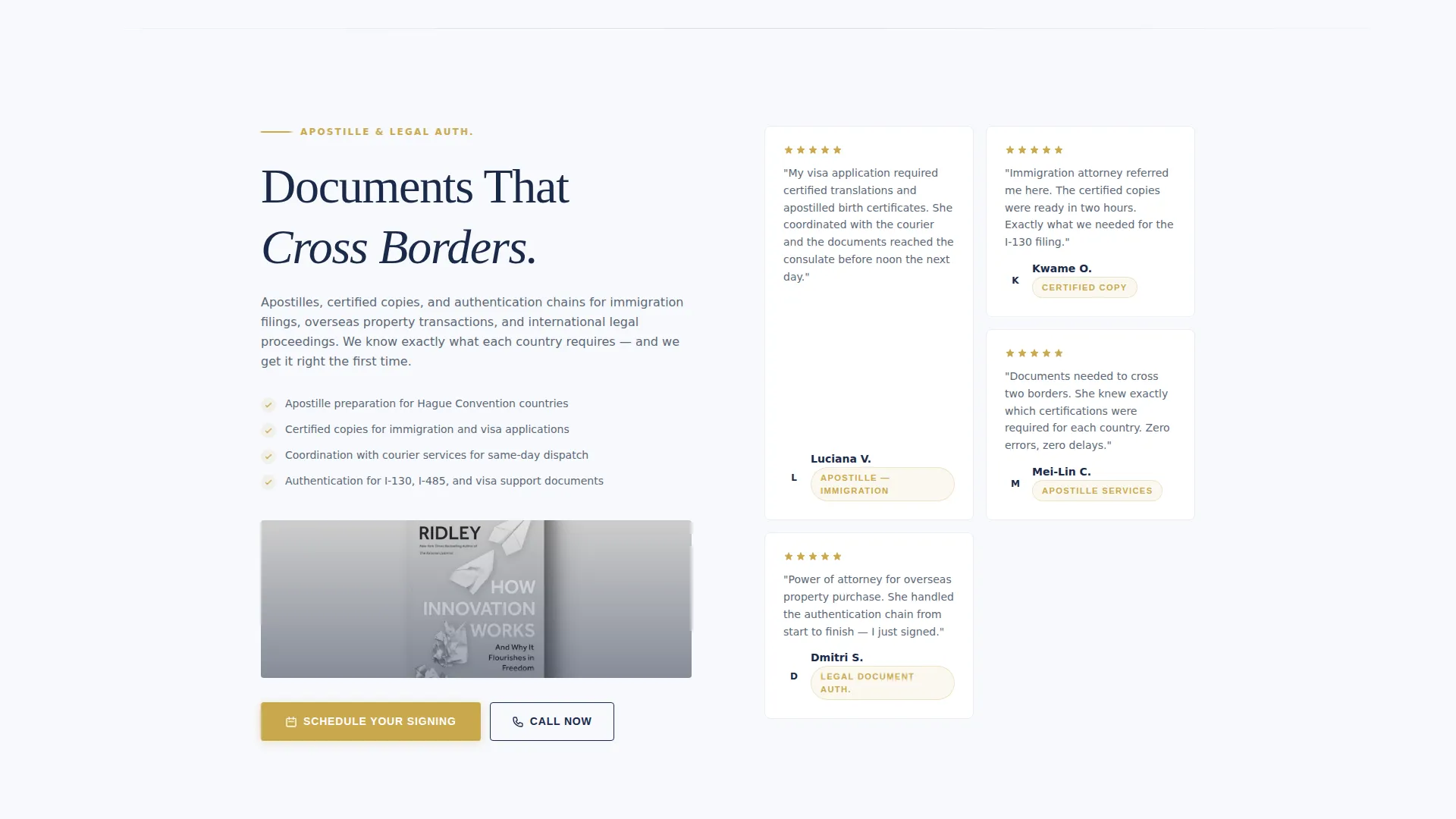
- Three alternating service sections, each pairing a service category with a staggered testimonial mosaic and a gold call-to-action
- A three-field scheduling form with document type, preferred date and time, and signing location options
- A secondary "Call Now" tap-to-dial path beside every form for urgent same-day requests
- A sticky bottom bar on mobile that keeps the primary call-to-action visible at all times
Feature list
This section describes the core functional and design features included in the Seal template.
Split-Screen Header Layout
The header divides the viewport into two equal halves. The left side holds a close-up desk photograph with hands, a pen mid-signature, and a visible notary seal catching directional light. The right side carries the headline, a subtext line naming the top three services, and the primary scheduling button.
Testimonial Mosaic Sections
Each service category section pairs a left-side service description with a right-side staggered grid of short client testimonials. Each card shows a first name, service type, and one or two sentences. The emotional tone of the stories escalates as the visitor scrolls, moving from routine signings toward urgent, high-stakes moments.
Repeating Gold Call-to-Action
The "Schedule Your Signing" button appears in the header, after each testimonial cluster, and in the sticky mobile bar. This placement lets visitors convert at the exact moment they feel convinced, without scrolling to a separate contact section.
Three-Field Scheduling Form
Clicking the primary call-to-action opens a streamlined form with three inputs: a document type dropdown, a preferred date and time field, and a signing location selector. The location options cover the notary's office, the client's location, and virtual signings.
Tap-to-Dial Secondary Path
A "Call Now" link with a tap-to-dial phone number sits beside every scheduling form. This secondary conversion path serves visitors who need a notary immediately and are not willing to wait for a form response.
Sticky Mobile Bottom Bar
On mobile screens, a persistent bottom bar keeps the primary call-to-action button and the tap-to-dial number visible as the visitor scrolls. No conversion opportunity is lost when someone is reading on a phone.
Page sections overview
| Section | Purpose |
|---|---|
| Split-Screen Header | Establish credibility with a real photograph and present the primary scheduling call-to-action |
| Real Estate Closings | Pair the closing service description with client testimonials and a gold booking button |
| Mobile Notary | Present on-location signing availability alongside urgent client stories and a call-to-action |
| Apostille Services | Describe document authentication services and reinforce trust with cross-border client testimonials |
| Sticky Mobile Bar | Keep the primary action and tap-to-dial number accessible throughout the scroll on mobile |
Design & branding system
The visual identity follows a Service Utility approach that feels like a freshly prepared legal document. Every color carries a specific role, and nothing is decorative for its own sake.
- Background uses clean frost white (#F7F9FC) as the dominant surface, giving the page open, document-like breathing room
- Headlines and primary text use notarial navy (#1B2A4A) for authority; body copy uses cool graphite (#5C6878) for readability
- Embossed gold (#C9A84C) appears exclusively on call-to-action buttons, the stamp icon, and trust badges, making every action element feel like an official mark
Mobile & speed optimization
The Seal template is structured with mobile users in mind, particularly those who need a notary quickly and are searching from a phone.
- The sticky bottom bar ensures the scheduling button and tap-to-dial number are always one tap away on small screens
- The three-field scheduling form is kept intentionally short to reduce friction for mobile form entry
How this template helps you convert
The page is built around a single insight: people hire a notary only when they already trust that person. Seal builds that trust structurally, section by section.
- The split-screen header uses an authentic desk photograph to establish that a real professional is behind the page, reducing the skepticism visitors bring from generic service directories
- The testimonial mosaic answers the visitor's unspoken question before the form ever appears, so by the time they reach a call-to-action button, doubt has already been addressed by dozens of real client voices
Other information about this template
Seal fits naturally into a notary public booking page workflow where the primary goal is generating appointment requests and phone inquiries. The template style follows a zigzag alternating layout, which keeps each service section visually distinct as the visitor scrolls. The Corporate Precision theme ensures the page reads as professional and authoritative without feeling cold or institutional. The Arctic White color system and the serif headline typeface reinforce the impression of a formal, trustworthy practice. This template is a strong fit for notary professionals who want a credible online presence that competes with larger legal service directories on first impression.
- The alternating left-right layout naturally separates each service category without requiring extra navigation
- Gold accent elements are strictly limited to interactive components, so the page never looks cluttered or sales-heavy
- The template supports a notary public booking page goal where simplicity and trust signals drive more appointment requests than feature-heavy designs
Theme
Corporate Precision
Creative direction
Team & People
Color system
Arctic White
Style
Zigzag/Alternating
Direction
Click-Through
Page Sections
Split-screen Header Layout
Testimonial Mosaic Sections
Repeating Gold Call-to-action
Three-field Scheduling Form
Tap-to-dial Secondary Path
Sticky Mobile Bottom Bar
Related questions
Can I customize the services listed in each section?
Does the scheduling form connect to a calendar tool?
Can I replace the header photograph with my own image?
Is this template suitable for a mobile notary who travels to clients?



