Culinary School Partnership Landing Page Template
Sear is a sidebar companion landing page built for culinary schools that want to attract corporate partners, hotel recruiters, and food brand collaborators. It leads with credential-forward design, stats-first content rhythm, and a progressive partnership form. The Plum Executive color system gives it the authoritative feel of a leather-bound wine list, scholarly, sensual, and built to convert.
by Rocket studio
Quick summary
Sear is a single-page sidebar companion template designed for a culinary school pursuing business-to-business partnerships. It opens with award badges and hard numbers, then unfolds a proof-then-narrative content rhythm down the main column while a sticky sidebar tracks context and surfaces calls to action at every scroll depth.
Who this template is for
This template is built for culinary schools ready to grow beyond individual enrollment and pursue high-value institutional relationships. It speaks directly to the people on the other side of those deals.
- Corporate event coordinators looking to book team-building cooking events
- Hotel human resources directors sourcing stage-ready culinary graduates
- Local food brand managers seeking recipe development partners and sponsored class integrations
What problem this template solves
Most culinary school pages are built for student enrollment, not partner acquisition. When a corporate buyer or hotel recruiter lands on a typical school page, they find tuition blocks and course calendars instead of the business case they need to justify a contract. Sear fixes that.
- It replaces student-facing copy with partner-facing proof: placement rates, press features, and search visibility stats
- It gives warm leads a low-commitment entry point through a gated prospectus download
- It structures the page so credentials come first, making the ask feel earned rather than cold
What you get with this template
You get a fully structured sidebar companion landing page that separates the main content column from a sticky contextual sidebar. Every section is ready to carry real data, real testimonials, and real calls to action.
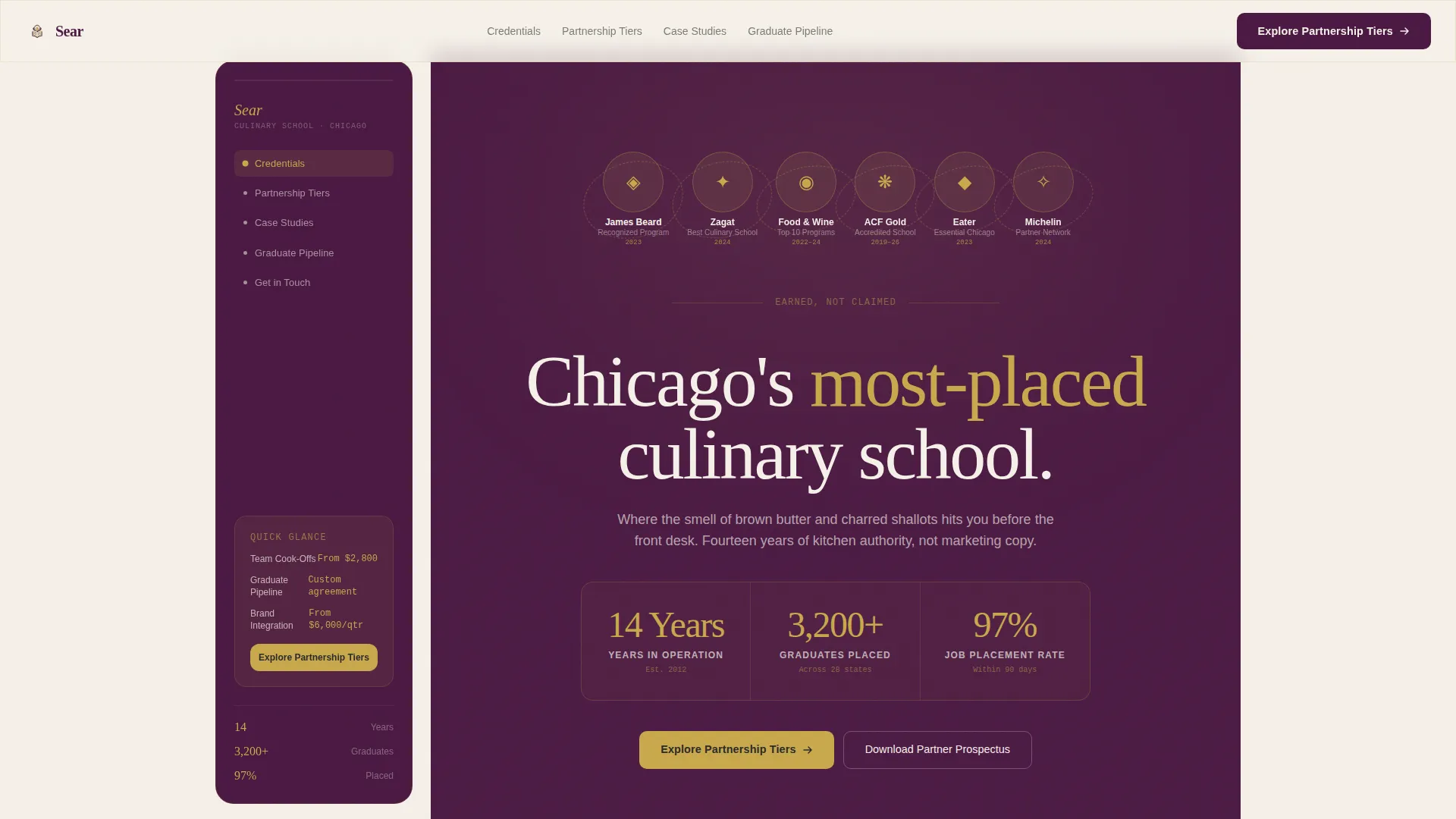
- An award badge header displaying certification seals, press logos, and competition medallions in brass monochrome on deep plum
- A sticky sidebar that shifts content as you scroll, moving from partnership tier overview to a corporate calendar to a contact module
- A progressive partnership inquiry form and a secondary prospectus download path gated behind a business email field
Feature list
This section describes the core built-in components and layout capabilities included in the Sear template.
Award Badge Header
The header opens with a horizontal arrangement of credential seals, local press logos, and competition medallions. Each badge renders in brass monochrome against deep plum. A counter beneath reads "14 Years · 3,200+ Graduates · 97% Job Placement" in oversized serif type, making credentials the entire visual statement.
Stats-First Content Rhythm
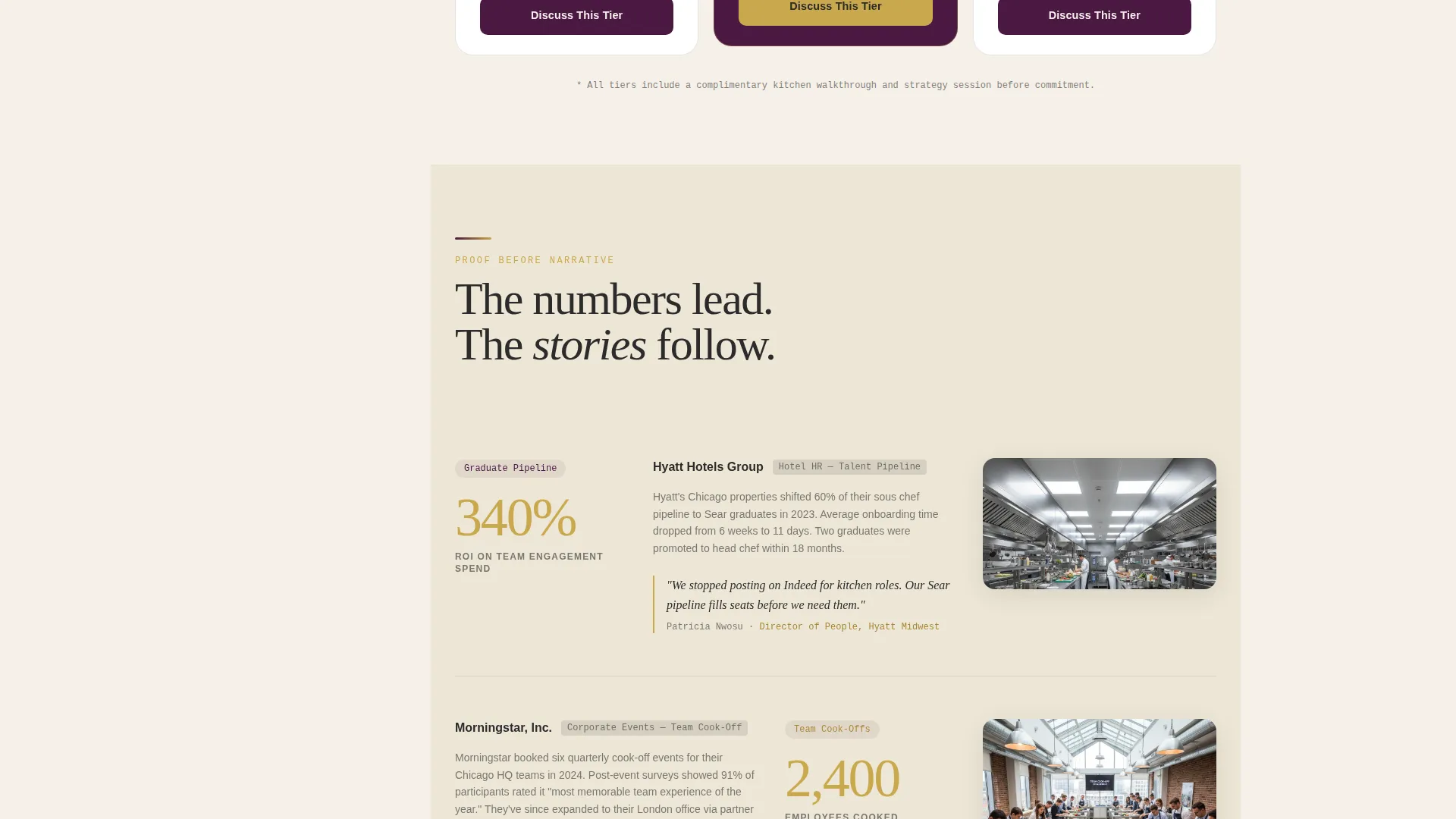
Every section opens with a brass-highlighted metric large enough to stop the eye. The number lands first, then the case study or testimonial unfolds beneath it. This proof-then-narrative rhythm repeats down the full content column, building trust before asking for anything.
Sticky Contextual Sidebar
The sidebar tracks a live table of contents and shifts its content as the visitor scrolls. It shows a partnership tier overview near the top, a calendar of available corporate dates in the middle, and a persistent contact module toward the bottom of the page.
Progressive Partnership Form
The primary call to action opens a multi-step form. It collects organization name, partnership interest type (team events, graduate pipeline, brand collaboration, or sponsored curriculum), estimated annual engagement frequency, and a free-text goals field.
Gated Prospectus Download
A secondary conversion path lets warm leads download the Partner Prospectus by entering a business email. This lower-commitment option keeps hesitant buyers in the funnel without requiring them to complete the full partnership form immediately.
Mid-Page Interstitial Call to Action
A dedicated interstitial block anchors the "Explore Partnership Tiers" call to action in the middle of the main content column. This reinforces the primary conversion goal at the moment when readers have absorbed the most proof.
Page sections overview
| Section | Purpose |
|---|---|
| Award Badge Header | Leads with credentials, stats, and press recognition |
| Stats Highlight Block | Opens each content section with a large proof metric |
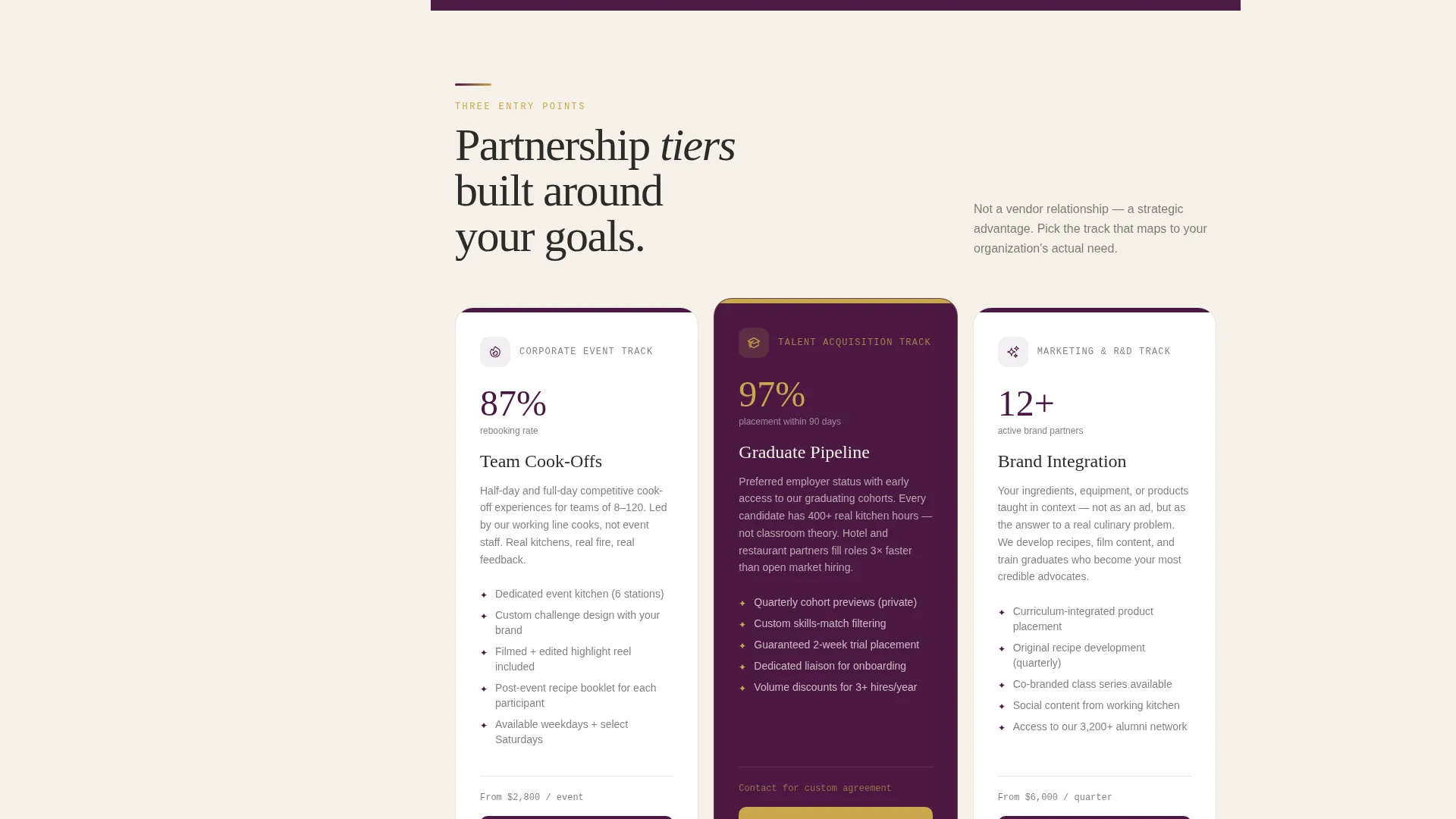
| Partnership Tiers Overview | Sidebar panel summarizing available partnership levels |
| Corporate Calendar Panel | Sidebar panel showing available team-event booking dates |
| Case Studies Column | Narrative proof tied to each featured stat |
| Mid-Page Interstitial | Reinforces primary call to action mid-scroll |
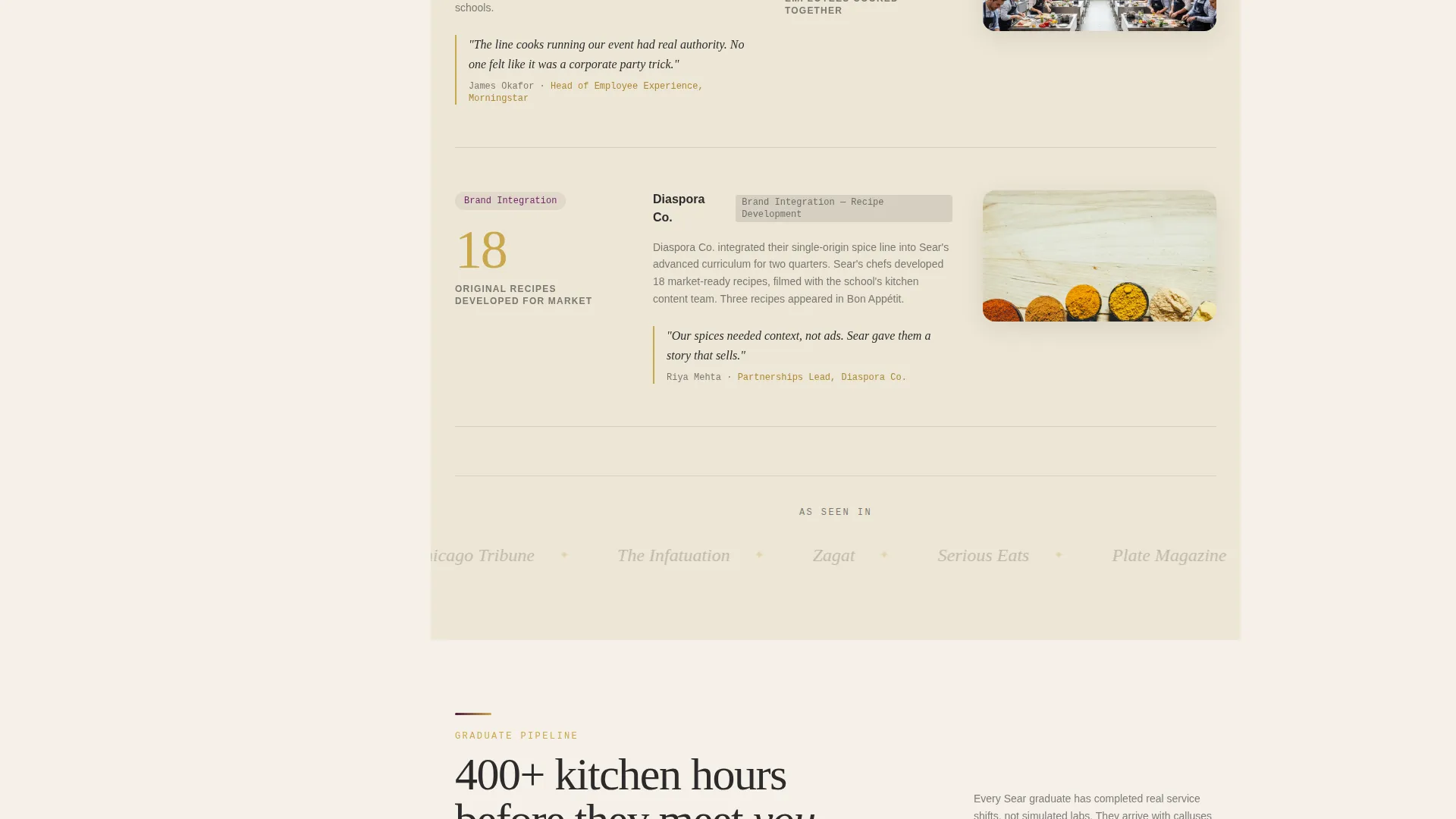
| Graduate Placement Section | Presents job placement data and employer relationships |
| Press and Recognition Row | Displays local and industry press features |
| Progressive Inquiry Form | Collects structured partner interest and goals |
| Prospectus Download Gate | Secondary lead capture via business email |
| Sticky Contact Module | Persistent sidebar contact block following the scroll |
Design & branding system
The Plum Executive color system gives Sear the feel of a leather-bound wine list at a restaurant where the sommelier remembers your name. Every color has a specific structural role, keeping the page legible and authoritative without feeling corporate.
- Deep plum (#4A1942) anchors the sidebar, section dividers, and badge backgrounds; warm parchment (#F5F0E8) washes the main content well for long reading comfort
- Burnished brass (#C9A84C) highlights stats, interactive elements, and badge monochrome details to draw the eye to proof points
- Charcoal ink (#2B2B2B) carries all body copy, giving long-form sections quiet weight without harsh contrast
Mobile & speed optimization
The sidebar companion layout adapts for smaller screens without losing its structural logic. The sticky sidebar reflows into contextual inline panels so mobile visitors still encounter the partnership tier overview, calendar, and contact module at the right scroll moments.
- The stats-first content rhythm works at any screen width because metrics are typographically dominant, not image-dependent
- The progressive form and prospectus download gate are designed as compact, focused modules that function cleanly on touch screens
How this template helps you convert
Sear is engineered around a specific conversion logic: make the business case before making the ask. Every layout decision supports that sequence.
- The award badge header and oversized stats establish authority in the first viewport, so decision-makers feel confident before they read a single paragraph
- The sticky sidebar keeps "Explore Partnership Tiers" and the contact module visible throughout the entire scroll, removing friction at the moment a buyer decides to act
Other information about this template
Sear fits naturally within the broader category of cooking school marketing pages built to serve local search visibility goals alongside direct partnership acquisition. A few additional notes for buyers evaluating this template:
- The template is designed as a sidebar companion to an existing cooking school local search engine optimization landing page, meaning it is intended to work alongside a primary page rather than replace it
- The Educational Guide theme means the visual language borrows from annotated notebooks and scholarly references, which fits culinary school brand positioning in local professional services markets
- The page structure supports recipe development partnerships and sponsored curriculum integrations as named partnership interest types inside the form
- The prospectus download path is specifically designed for leads who arrive through brand or press referrals and need a lower-commitment first touch before entering a direct sales conversation
Theme
Educational Guide
Creative direction
Stats-First Impact
Color system
Plum Executive
Style
Sidebar Companion
Direction
Partnership/B2B
Page Sections
Award Badge Credential Header
Stats-first Proof Rhythm
Sticky Contextual Sidebar
Progressive Partnership Inquiry Form
Gated Prospectus Download
Mid-page Interstitial Block
Related questions
Who is this template designed for?
What are the two conversion paths in this template?
How does the sticky sidebar work?
Can this template stand alone, or does it need a main page?
What types of partnerships does the inquiry form support?



