Secure — Professional Lock Security Landing Page Template
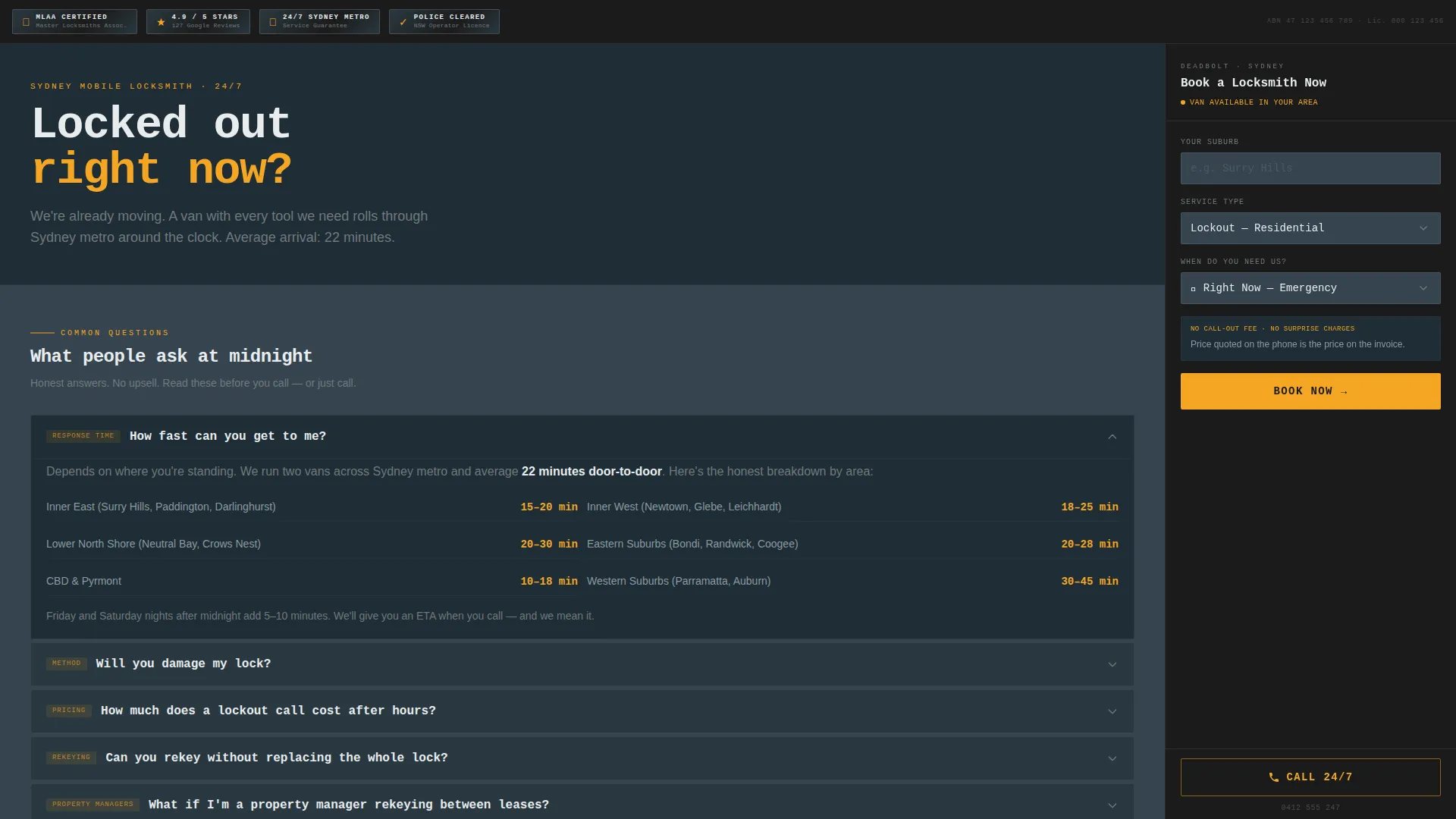
Deadbolt is a single-column landing page template built for Sydney locksmiths. It pairs a persistent booking sidebar with an FAQ-driven content column, so every visitor question gets answered before they reach for the form. The design uses a monochrome steel palette with emergency amber calls to action, projecting immediate trust and round-the-clock readiness.
by Rocket studio
Quick summary
Deadbolt is a locksmith landing page template designed for Sydney metro service providers. It combines a fixed sidebar booking form with a scrolling FAQ column, so visitors get honest, specific answers while the booking prompt stays permanently in view. The monochrome steel palette and trust-badge header create instant credibility before a single line of copy.
Who this template is for
This template suits any Sydney-based locksmith operator who handles emergency callouts, routine rekeying, or commercial security upgrades. It works equally well for sole traders and small locksmith businesses serving residential and commercial clients.
- Mobile locksmiths responding to after-hours lockout calls across Sydney suburbs
- Property managers who need a reliable rekeying and lock-install contact
- Small business owners looking to book a locksmith for restricted master key systems
What problem this template solves
People searching for a locksmith at midnight are anxious and price-sensitive. They need fast reassurance, not a brochure. Most locksmith pages fail by burying pricing, hiding response times, and offering no way to book instantly.
- Lack of upfront pricing causes visitors to abandon the page before calling
- No visible response time estimate leaves stranded clients guessing
- Generic contact forms with no service-type context slow down bookings
What you get with this template
The template delivers a complete, single-page layout structured to convert stressed visitors into confirmed bookings. Every section is purposeful and ready to customize with real business details.
- A compact trust-badge header showing certifications, ratings, and service guarantees
- A persistent sidebar with a three-field booking form and a click-to-call button
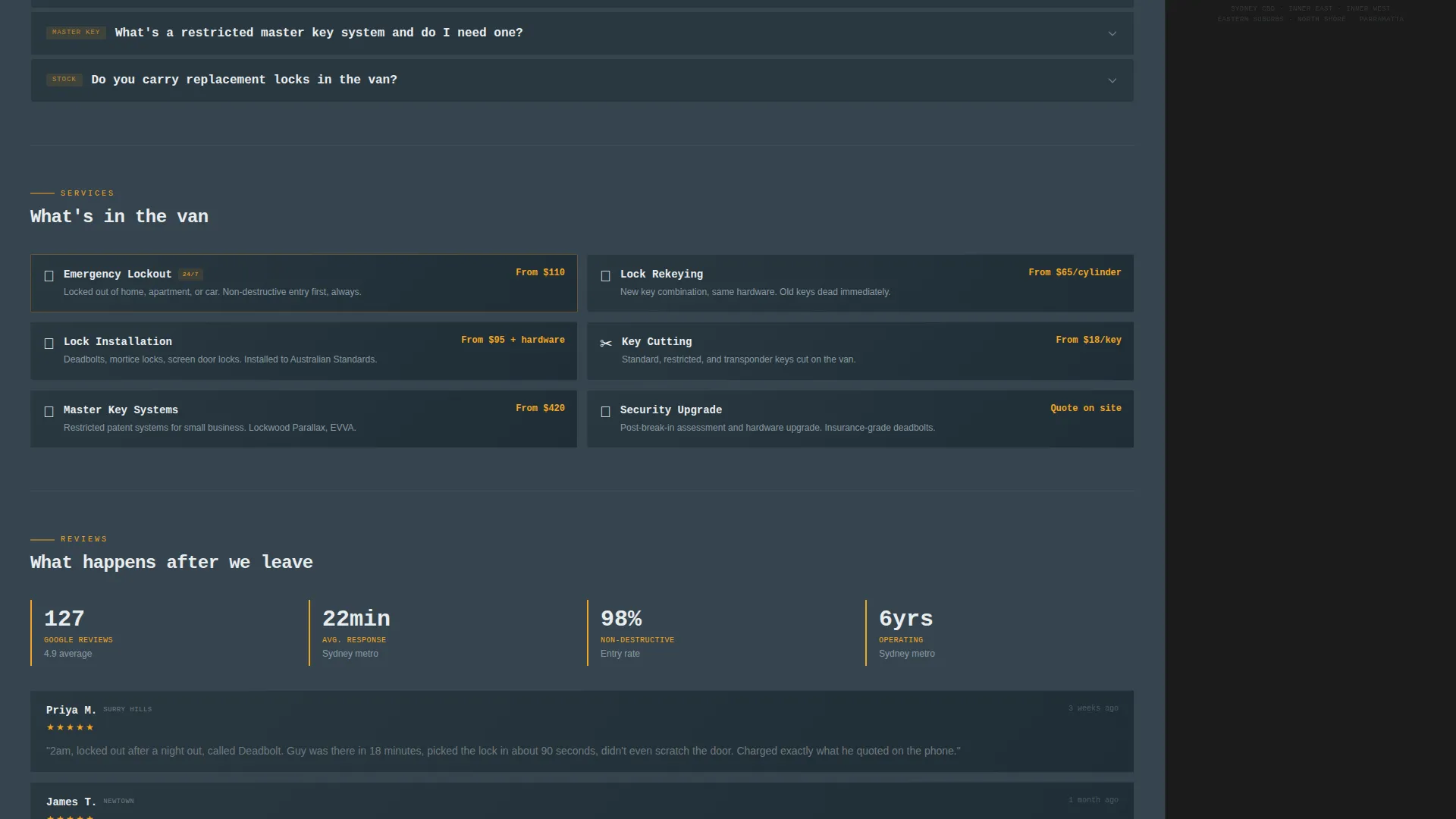
- A scrolling FAQ column with pre-written question and answer blocks covering lockouts, pricing, rekeying, and response times
Feature list
This template is built around a clear idea: answer every hesitation before the visitor touches the form. Each feature below supports that goal directly.
Persistent Sidebar Booking Form
The sidebar stays fixed as the visitor scrolls. It holds three fields in order: suburb with Sydney metro autocomplete, service type selector, and preferred time with "Right Now - Emergency" as the default option. A click-to-call button labeled "Call 24/7" in amber sits directly below the form.
FAQ-Driven Content Column
The main column is structured as a series of real questions Sydney residents search at midnight. Each question expands into a tight, honest answer covering response times by suburb cluster, pricing brackets, and tool methods. The format keeps reading natural and the tone conversational.
Trust-Badge Header Band
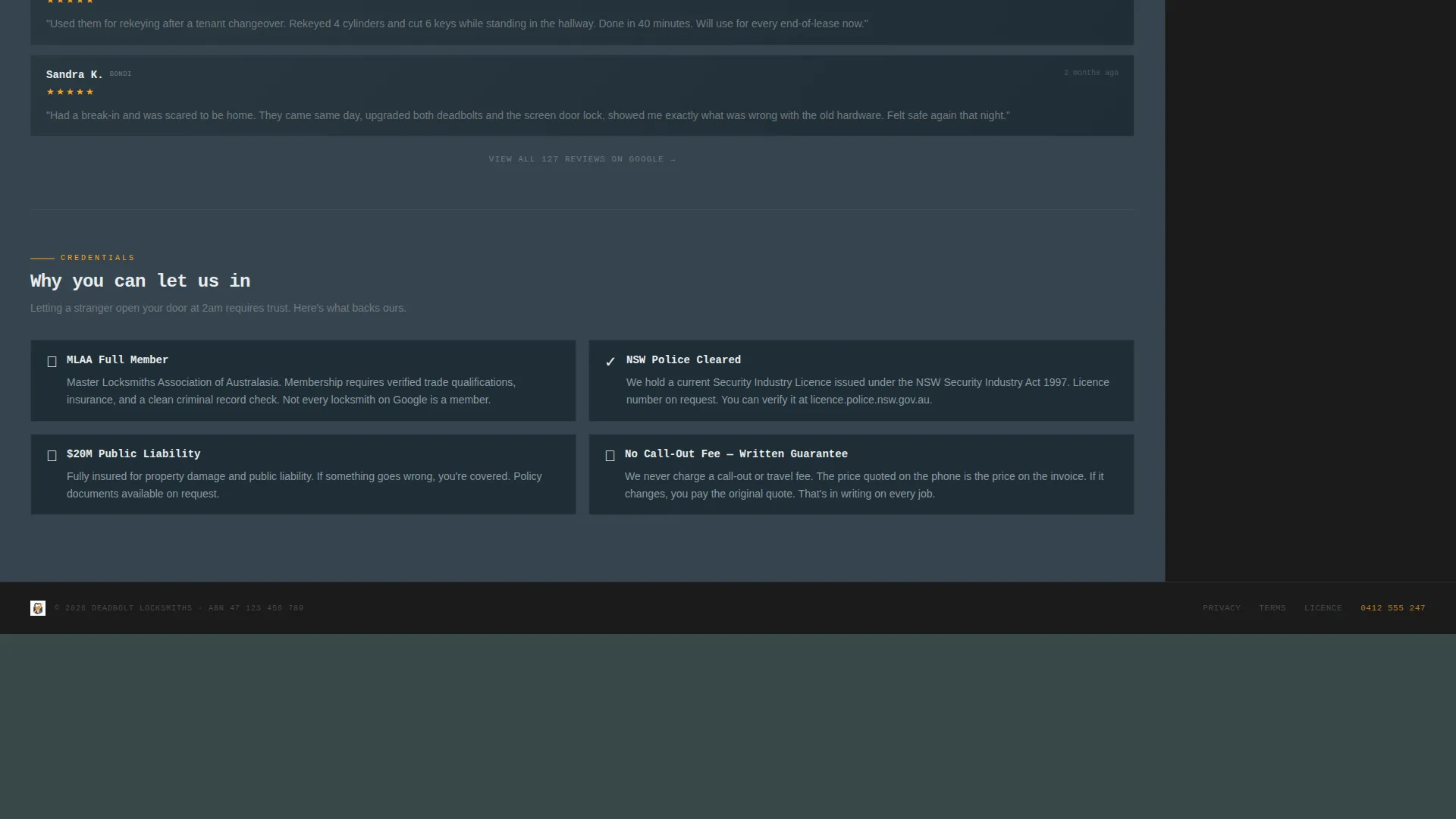
A compact dark banner sits at the top of the page. It displays certification emblems, a Google five-star aggregate rating badge, a 24-hour Sydney Metro service guarantee shield, and an operator clearance badge. No hero image. Just credible proof, immediately visible.
Monochrome Steel Color System
The palette uses brushed steel, case-hardened charcoal, locksmith-bench black, and a single emergency amber. Amber is reserved strictly for calls to action and urgent callouts. The result feels purposeful and professional without any decorative excess.
Service Utility Visual Theme
Typography uses large mono type for the header callout and clean body text throughout. The layout avoids stock photography. Visual weight comes from structured information, metallic tones, and the contrast between dark backgrounds and amber action elements.
Pre-Written Conversion Copy
The template includes placeholder copy modeled on real locksmith buyer questions. Pricing brackets, response time references, and no call-out fee language are pre-positioned in the FAQ blocks, reducing the amount of writing a new user needs to do.
Page sections overview
| Section | Purpose |
|---|---|
| Trust Badge Header | Display certifications and service guarantees immediately |
| Headline Callout | Engage visitors with a direct emergency prompt |
| FAQ Content Column | Answer common lockout, pricing, and rekeying questions |
| Persistent Booking Sidebar | Capture suburb, service type, and preferred time |
| Click-to-Call Button | Provide instant phone access for urgent callers |
Design & branding system
The design follows a Service Utility theme built on a Monochrome Steel color system. Every color choice has a defined role, and nothing is decorative for its own sake.
- Charcoal (#36454F) dominates background areas; brushed steel (#71797E) carries body text and borders
- Locksmith-bench black (#1B1B1B) anchors the persistent sidebar panel
- Emergency amber (#F5A623) is used exclusively for call-to-action buttons and urgent callouts
Mobile & speed optimization
The layout is structured to remain functional and readable on smaller screens. The sidebar booking form adapts to a fixed bottom bar on mobile so the booking prompt never disappears.
- The FAQ column uses a clean single-column flow that reads easily on phone screens
- The trust-badge header compresses to a single scrollable emblem row on narrow viewports
- Tap-friendly button sizing is applied to the call button and form submit elements
How this template helps you convert
Every structural decision in this template reduces friction between a stressed visitor and a confirmed booking. The layout earns the click before asking for it.
- The trust-badge header eliminates doubt in the first second of the visit, so the visitor does not need to scroll to feel confident in the service.
- The FAQ column dissolves price anxiety, response time uncertainty, and damage concerns before the visitor considers calling a competitor.
- The persistent sidebar keeps the booking form and call button visible at every scroll position, so there is no hunting for the next step.
Other information about this template
This template is categorized under Professional Services and Sydney Local Services, making it a practical starting point for any locksmith operating in the Sydney metro area. It is built as a sidebar companion landing page, meaning the two-column layout is its core structure.
- The template suits niches adjacent to Sydney local trades, including emergency callout services and residential security providers
- The FAQ-driven creative direction and booking-focused layout direction align naturally with high-intent local search traffic
- Color and typography choices can be adjusted to match an existing brand while retaining the trust-first layout structure

Theme
Educational Guide
Creative direction
FAQ-Driven
Color system
Slate & Sky
Style
Comparison Table
Direction
Booking/Scheduling
Page Sections
Persistent Sidebar Booking Form
Faq-driven Content Column
Trust-badge Header Band
Monochrome Steel Color System
Pre-written Conversion Copy
Related questions
Can I customize the FAQ questions and answers in this template?
Does the sidebar booking form stay visible while the visitor scrolls?
Can I use this template for a locksmith business outside Sydney?
What service types are included in the booking form by default?
Do I need design experience to get this template live?



