Expert Sedation Dentist Appointment Booking Website Template
Sedate is a split-screen sedation dentistry landing page built to turn anxious patients into booked virtual consultations. An interactive sedation estimator anchors the hero, an expert panel builds clinical trust through credential-rich clinician profiles, and a three-step booking form closes the gap between years of dental avoidance and one scheduled call.
by Rocket studio
Quick summary
Sedate is a single-page virtual consultation template for sedation dentistry practices. It opens with an interactive sedation estimator, moves through a credential-forward clinician panel, and closes with a streamlined three-step booking form. Every section is designed to reduce patient anxiety and build enough trust to prompt a booking.
Who this template is for
This template is built for sedation dentistry practices that want to convert dental-anxious patients through a virtual consultation pathway. It suits practices with credentialed sedation specialists who want their expertise front and center.
- Dental practices offering oral conscious, IV, or general sedation services
- Clinicians serving adults who have avoided the dentist for years due to anxiety
- Practices that also consult parents of children with sensory sensitivities or complex procedure needs
What problem this template solves
Patients who need sedation dentistry are often the hardest to reach. They avoid booking because the process itself feels clinical and intimidating. A generic dental website does nothing to ease that specific fear.
- There is no personalized pathway that tells a patient which sedation type fits their situation
- Standard booking forms collect contact details but do not communicate clinical safety or expertise
- Anxious patients need layered trust signals before they will commit to even a phone call
What you get with this template
You get a fully structured, single-page layout built around one goal: turning a hesitant, anxious visitor into a booked virtual consultation. The page flows from discovery and personalization through trust-building to a low-friction booking experience.
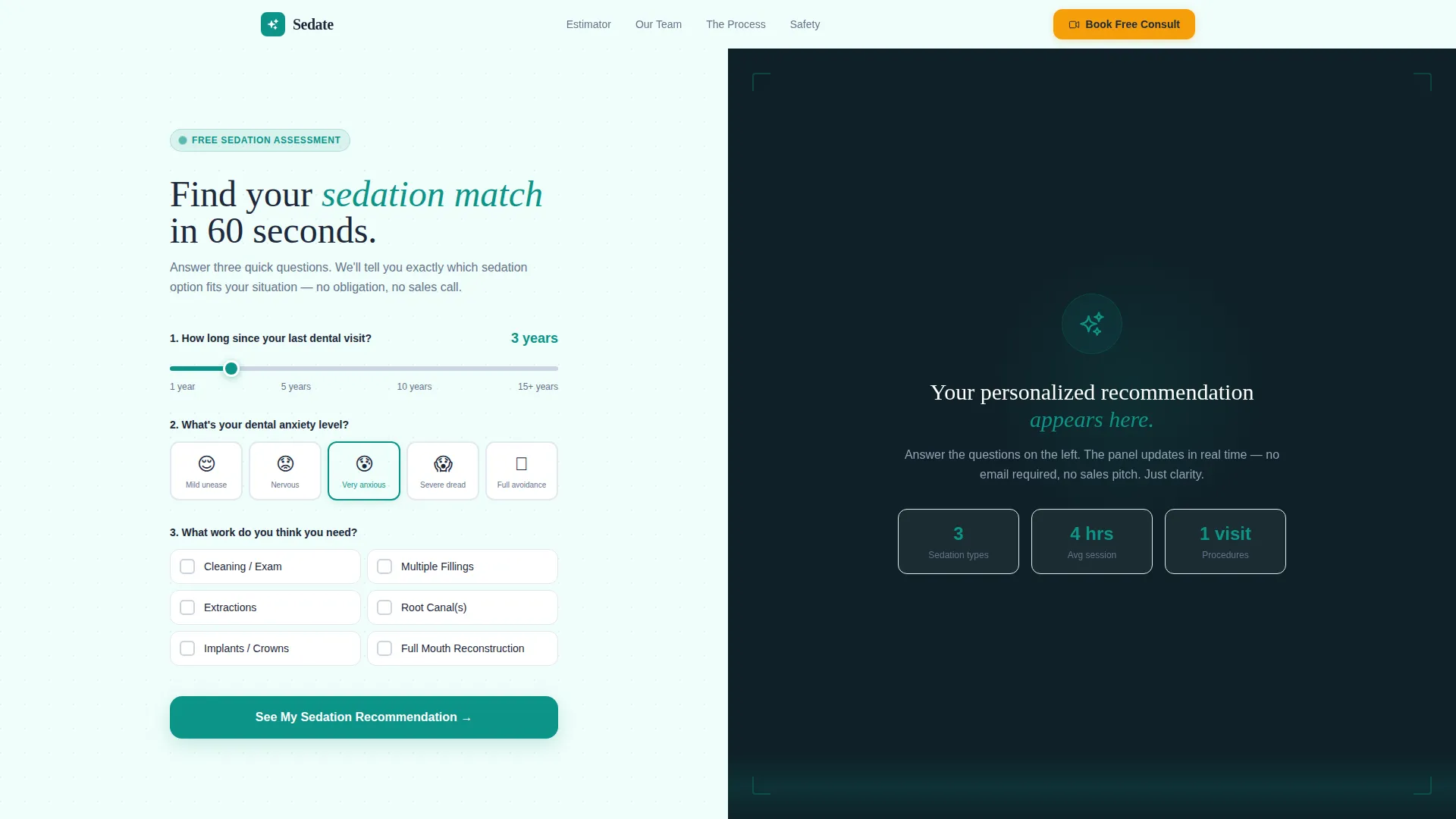
- An interactive sedation estimator in the hero section with real-time personalized output
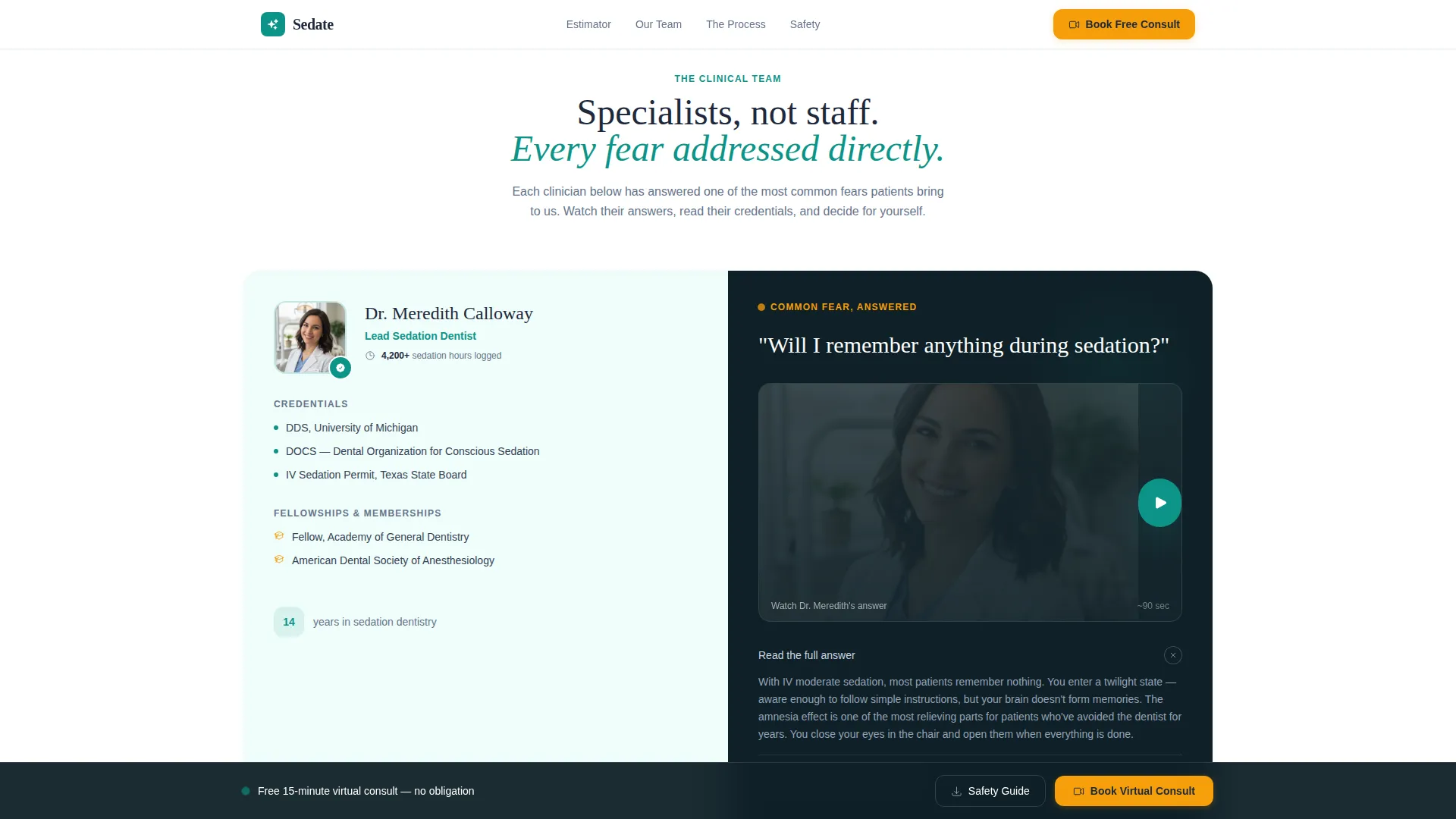
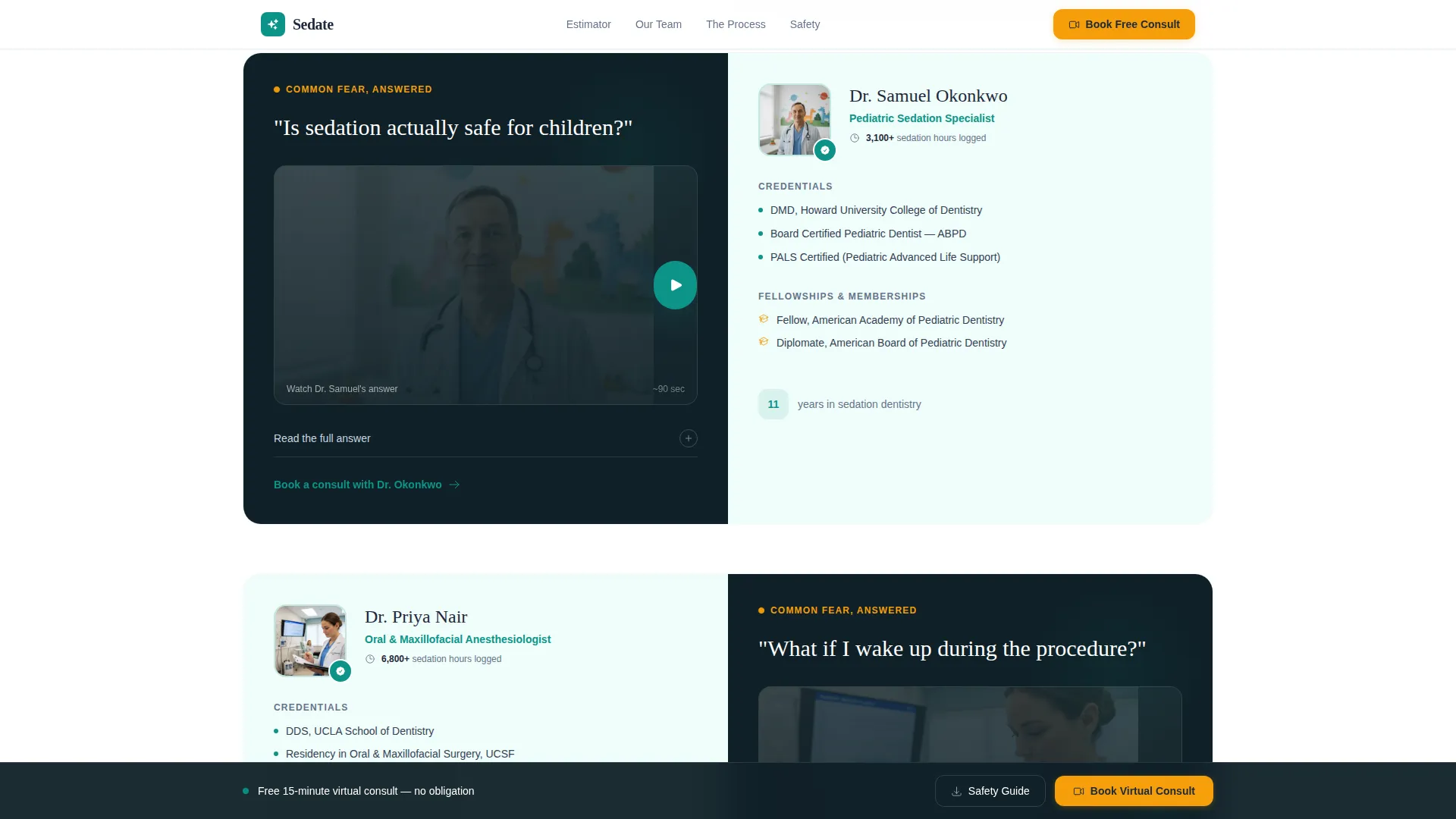
- An expert panel section with credential-rich clinician profiles and objection-answering video placeholders
- A three-step virtual consultation booking form and a secondary email capture path for undecided visitors
Feature list
This template is built around high interactivity and clinical trust. Each feature directly supports the patient conversion flow described in the brief.
Interactive Sedation Estimator
The hero section is split 50/50. The left panel holds three inputs: a slider for time since the last dental visit, an illustrated anxiety scale, and a checkbox list for estimated work needed. The right panel updates in real time with a personalized sedation recommendation, a consultation scope summary, and a soft cost range.
Expert Panel with Clinician Profiles
Scrolling past the estimator reveals a credential-forward clinician section. Each panel splits the screen between a portrait with board certifications, sedation hours logged, and fellowship names on one side, and a short video placeholder where that clinician addresses one specific patient fear directly to camera.
Three-Step Virtual Consultation Booking Form
The booking section walks patients through three clear steps: selecting their concern type, choosing a 15-minute video or phone slot from an embedded calendar, and entering their name, phone number, and insurance carrier. The estimator results carry forward so the clinician has context before the call begins.
Secondary Email Capture Path
A soft conversion option sits alongside the primary booking form. Visitors who are not yet ready to book can download a Sedation Safety Guide by entering their email address. This captures undecided patients still in research mode.
Trust Statistics Bar
A dedicated section displays clinical safety metrics and certification badges. Board certification logos, sedation hours, and fellowship credentials appear as social proof between the expert panel and the booking form.
Sticky Booking Call-to-Action Bar
After the first scroll, a warm amber "Book Your Virtual Sedation Consult" button pins to the bottom of the viewport. It remains visible throughout the page so the booking action is always one tap or click away.
Page sections overview
| Section | Purpose |
|---|---|
| Hero Estimator Split | Interactive sedation assessment tool with real-time personalized recommendation output |
| Expert Panel Profiles | Credential-rich clinician cards with video placeholders addressing common patient fears |
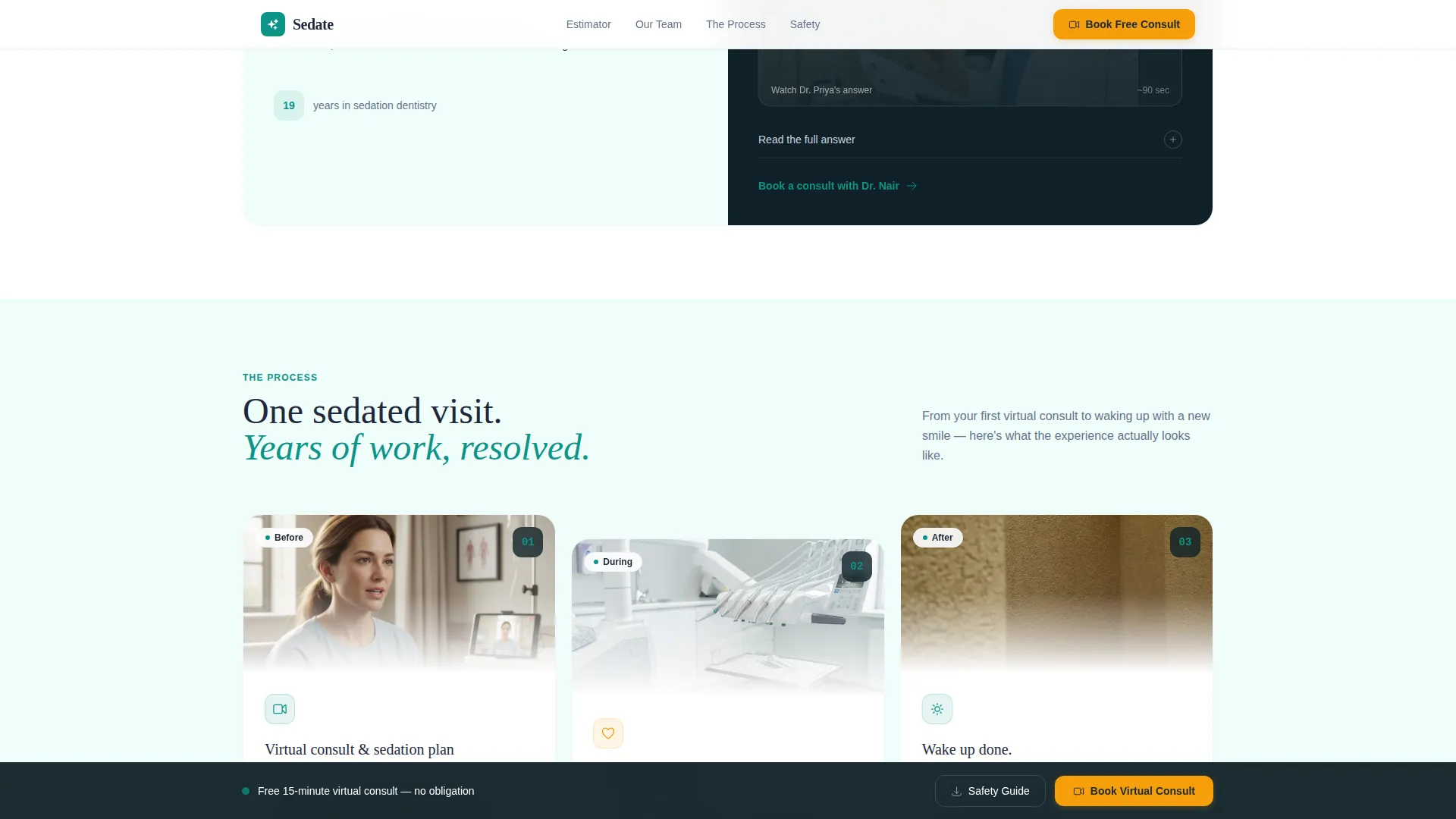
| How It Works | Three-step sedated session process in an asymmetric bento layout |
| Trust Stats Bar | Clinical safety metrics, board certification badges, and fellowship credentials |
| Booking Form | Three-step virtual consult form with embedded calendar and secondary email capture |
| Footer | Linear single-row footer with practice contact and navigation links |
Design & branding system
The visual identity follows an Educational Guide theme built on the Teal Catalyst color system. The palette is described in the brief as feeling like a modern dental suite where the overhead light has been dimmed to a human warmth: sterile enough to trust, soft enough to breathe.
- Clinical teal (#0D9488) as the primary accent, deep charcoal (#1E293B) for body text and headers, and soft examination-room white (#F0FDFA) across all backgrounds
- Warm amber (#F59E0B) reserved exclusively for call-to-action buttons and interactive highlights
- Fraunces serif display type for headings paired with DM Sans for all body copy, creating a modern clinical warmth
Mobile & speed optimization
The template is designed desktop-first to support the full calculator interaction, with a complete mobile-responsive fallback for all sections. Scroll reveals and real-time calculator updates are built into the interaction layer.
- Static content sections use server components for efficient rendering; the calculator and booking form use client components for live interactivity
- Scroll reveal animations and a sticky call-to-action bar are included in the animation layer
- The booking form and estimator tool are fully usable on mobile with touch-friendly inputs
How this template helps you convert
Every design and layout decision on this page is oriented toward one outcome: a booked virtual consultation with a patient who was previously too anxious to call.
- The estimator personalizes the experience immediately, replacing a generic homepage with a tool that speaks directly to the patient's specific anxiety level and treatment needs.
- The expert panel dismantles objections systematically. Each clinician section addresses one common fear, shifting the patient's mindset from uncertain to reassured before they reach the booking form.
- The sticky call-to-action bar and the dual conversion paths (direct booking plus email capture) ensure that every visitor has a next step, regardless of where they are in their decision process.
Other information about this template
This template is categorized under Health & Medical as a sedation dentist virtual consultation page. It is a strong fit for practices that want a dedicated patient acquisition page separate from their main practice website.
- The layout style is Split Screen (50/50), used consistently across the hero and expert panel sections
- The template is built in English (United States) with USD currency formatting and 12-hour time display
- Animation intensity is high, with real-time calculator updates, scroll-triggered reveals, and a persistent sticky booking bar
- Interactivity level is very high, covering a slider input, an illustrated anxiety scale, checkbox estimators, and a multi-step booking form
- The footer follows a linear single-row pattern for a clean, uncluttered page close
Theme
Educational Guide
Creative direction
Expert Panel
Color system
Teal Catalyst
Style
Split Screen (50/50)
Direction
Booking/Scheduling
Page Sections
Interactive Sedation Estimator Hero
Credential-forward Expert Panel
Three-step Booking Form
Secondary Email Capture Path
Sticky Amber Call-to-action Bar
Clinical Trust Statistics Bar
Related questions
What type of dental practice is this template designed for?
Does the interactive sedation estimator work out of the box?
Can this page work as a standalone consultation page alongside a main website?
Do the estimator results carry into the booking form?
Is there a conversion path for visitors who are not ready to book?



