Protective Youth Digital Safety Landing Page Template
Shield is a single-column landing page template built for school counselors, parents, and youth leaders who want to teach teens to stay safe online. The template combines animated storytelling, an interactive decision quiz, and a live workshop registration flow to empower children with real digital safety skills, not fear.
by Rocket studio
Quick summary
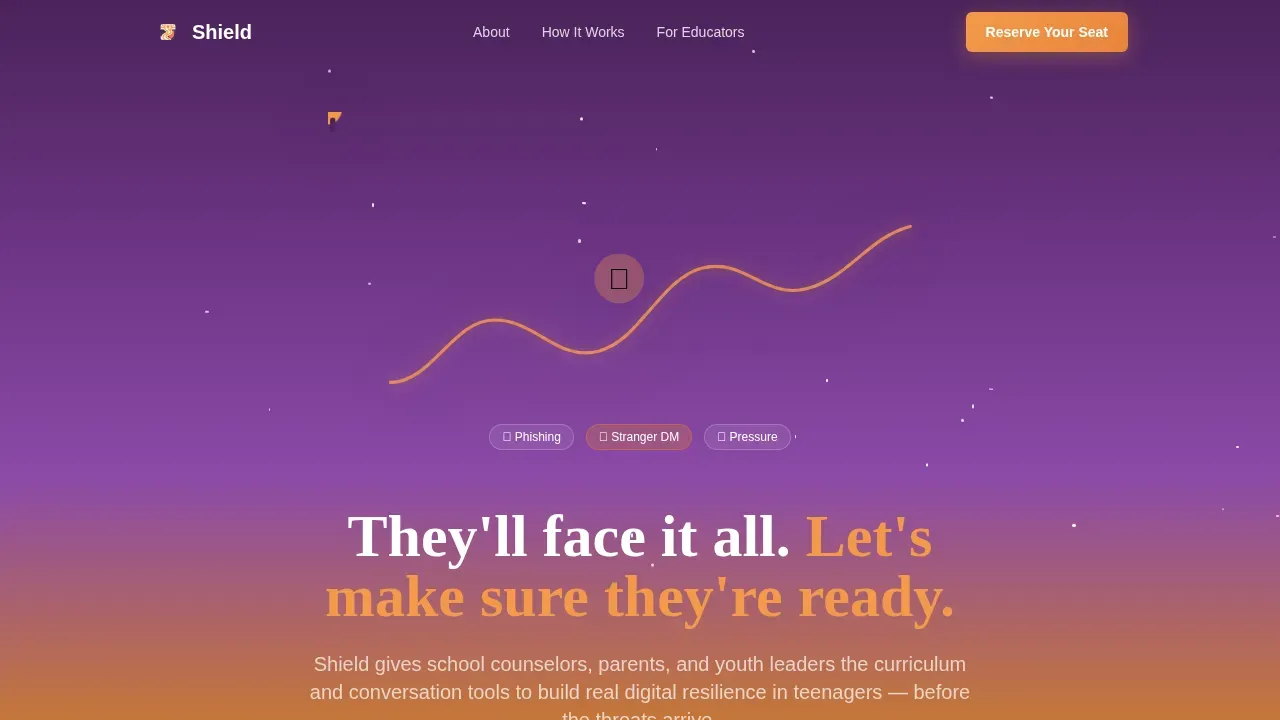
Shield is a warm, story-driven landing page template that guides visitors through the real online risks teens face and positions a digital safety curriculum as the confident answer. It follows a Hero's Journey structure, peaks at an interactive quiz, and drives event registration. The design feels like golden hour at summer camp: safe, urgent, and full of purpose.
Who this template is for
This template is built for adults who care about how children navigate the digital world. It speaks directly to people working closest to teens in their daily lives.
- School counselors building online safety assembly programs for students
- Parents of freshmen who just handed their child a phone and want real guidance
- Youth pastors and group leaders who encourage open conversations in small-group settings
What problem this template solves
Young people face serious online challenges long before most adults realize it. Research shows that by age 14, most children have already encountered scams, bullying, explicit images, or hate speech online. Parents face real challenges when trying to talk about these topics without shutting down the conversation.
- There is no single resource that covers mental health, peer pressure, and internet safety in one place
- Most safety materials focus on fear instead of building critical thinking skills
- Educators in schools need a platform that helps youth understand risks and create solutions together
What you get with this template
This template delivers a complete, ready-to-customize landing page focused on teen online safety and live workshop registration. Every section is structured to build trust and move visitors toward action.
- A full Hero's Journey page flow with five distinct narrative sections
- An interactive decision quiz that simulates real online experiences teens face
- A dual-conversion path: event registration and a free family conversation guide download
Feature list
This template packages every key element a digital safety program needs to connect with parents, counselors, and youth leaders. Here is what is built in.
Animated Hero with Path Metaphor
A full-width Lottie animation opens the page. A vector teenager walks forward as illustrated hazards, including phishing hooks, suspicious messages, and pill emojis, rise and dissolve into glowing shield icons. The animation loops once, then settles into a parallax idle state. The headline fades in below it.
Hero's Journey Narrative Flow
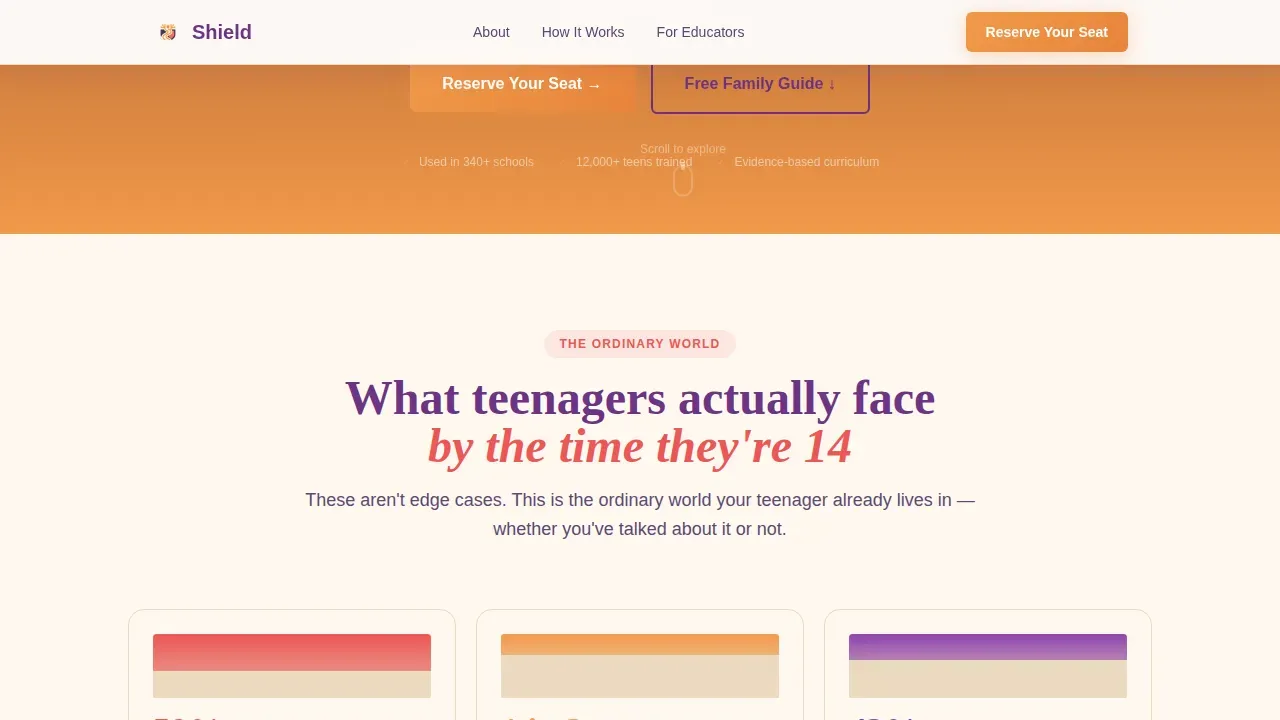
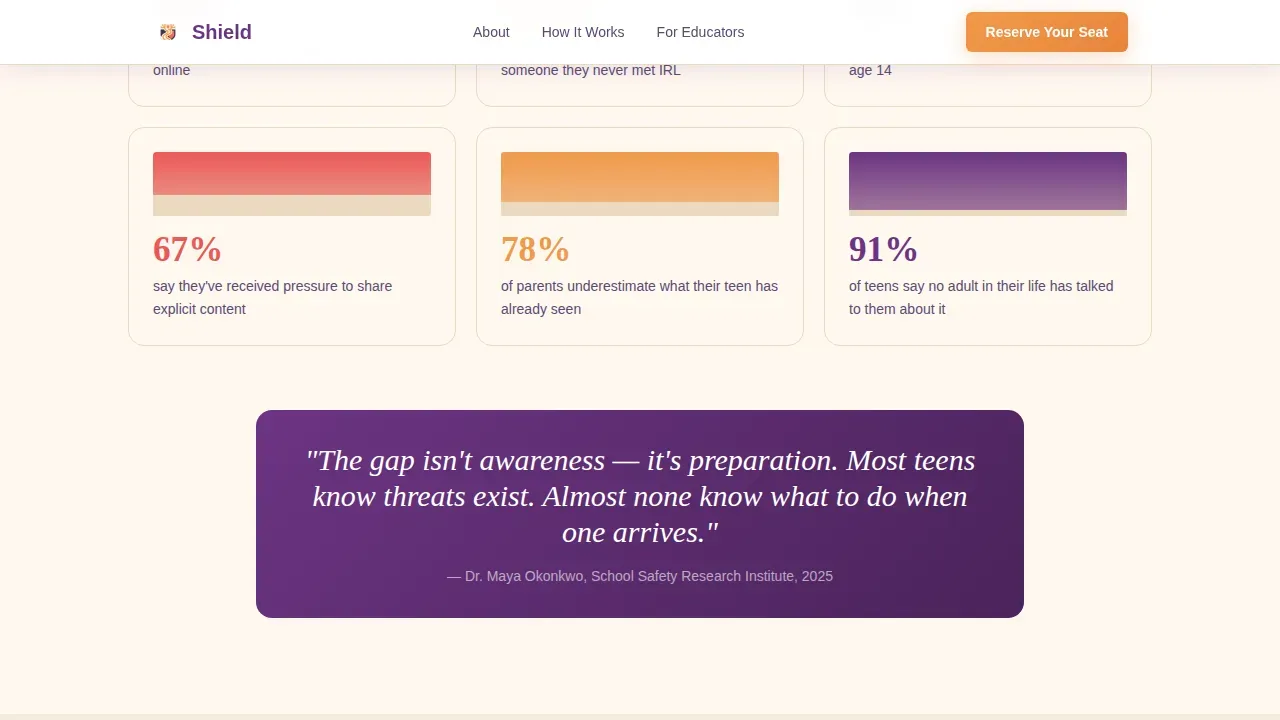
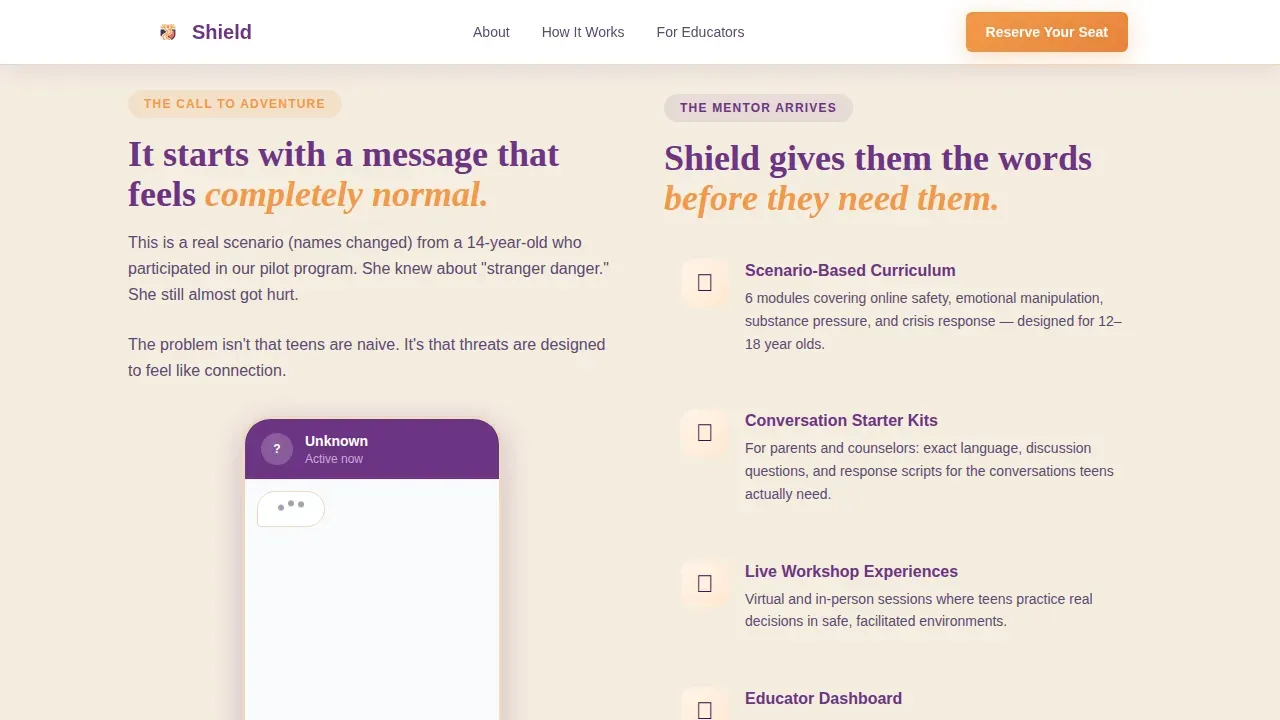
The page moves through five story-led sections. It opens with real stats on what kids encounter online by age 14, moves into an anonymized escalating scenario, introduces the curriculum as the mentor, presents the interactive quiz as the ordeal, and closes with testimonials from teens and educators.
Interactive Decision Quiz
Visitors can step into a simulated choice a teen might face online. This quiz helps parents, counselors, and youth leaders feel the weight of real online experiences before they register for a workshop. It is the emotional peak of the page and the natural moment to post the primary call to action.
Role-First Registration Form
The event registration form asks for the visitor's role first, then name, email, and preferred workshop date. This approach respects feelings and context, making the form feel personal rather than generic. It supports both virtual and in-person workshop sign-ups.
Dual-Conversion Lead Capture
Visitors not ready to register can download a free family conversation guide instead. This secondary path captures the lead and gives the family practical tools to begin talking about online safety at home. Both paths empower the visitor to take meaningful action.
Sticky Mobile Call to Action Bar
A fixed bottom bar appears on mobile screens. It keeps the "Reserve Your Seat" prompt accessible as visitors scroll, without interrupting the reading experience on desktop.
Page sections overview
| Section | Purpose |
|---|---|
| Animated hero header | Introduces the path metaphor and headline |
| Ordinary World stats | Shows real data on what teens encounter online |
| The Call scenario | Presents an escalating anonymized story |
| Mentor introduction | Positions the curriculum as trusted guidance |
| Interactive decision quiz | Simulates a teen choice to build empathy |
| Testimonial social proof | Shares educator and teen confidence quotes |
| Registration form | Captures workshop seat reservations by role |
| Secondary PDF gate | Offers the free family conversation guide |
| Sticky mobile bar | Keeps the call to action visible on screen |
| Footer arc split | Displays logo, tagline, and navigation links |
Design & branding system
The visual identity follows an Educational Guide theme built around a Sunset Gradient color system. Every color choice carries emotional intent, from safety to urgency to calm.
- Warm amber (#F2994A) drives calls to action and progress indicators across the page
- Soft coral (#EB5757) marks emotional peaks, testimonial highlights, and key data points
- Dusk purple (#6C3483) anchors all headers and navigation for confident structure
- Safe-space cream (#FFF8F0) fills backgrounds to give every section room to breathe
Typography uses Fraunces for serif headings with a warm, editorial feel, paired with DM Sans for clean, approachable body text.
Mobile & speed optimization
This template is mobile-first by design. Most parents and school counselors access content on a phone, so the layout prioritizes thumb-friendly navigation and a single-column flow throughout.
- Scroll-triggered reveals and staggered stat animations load progressively as the visitor moves down
- The interactive quiz and role-selector form use Client components, while static sections use Server components for leaner rendering
- The sticky bottom bar keeps the call to action accessible on any device without cluttering the screen
How this template helps you convert
Shield is built around the idea that motivation peaks after emotional understanding. The page earns trust before it asks for anything.
- The Hero's Journey narrative builds empathy section by section, so by the time visitors reach the quiz, they are emotionally ready to act and more likely to register or download
- The dual-conversion structure means no visitor leaves empty-handed: those ready to commit reserve a workshop seat, while those still exploring receive the family guide and enter the lead pipeline
Other information about this template
The Shield empowering teen digital safety landing page template was designed to reflect best practices in both advocacy and youth-centered communication. Several key principles from digital safety research and policy shape this template's structure.
- The "4 Cs" of online safety, which stand for Content, Contact, Conduct, and Commercial risks, are all addressable within the page's narrative sections
- Parental controls and sensible screen time limits are referenced as practical tools that protect children while preserving their independence
- The template supports advocacy for youth inclusion in safety conversations, encouraging caregivers and schools to involve teens in shaping their own solutions
- Safe social media use practices, such as managing digital footprints and knowing how to report harmful content, align with the curriculum this template promotes
- The page design supports the mission to educate young people about recognizing phishing, scams, and grooming tactics through interactive and visual learning
- Guidance on creating strong, unique passwords and activating multi-factor authentication can be featured within the curriculum sections the template promotes
- The template's warm tone is intentional: research confirms that emotionally resonant, clear messages help youth understand online risks better than fear-based approaches
- Youth leaders, caregivers, and schools can all use this template to begin conversations that lead to lasting behavior change
Theme
Educational Guide
Creative direction
Hero's Journey
Color system
Sunset Gradient
Style
Single Column Flow
Direction
Event Registration
Page Sections
Animated Hero with Path Metaphor
Hero's Journey Narrative Flow
Interactive Decision Quiz
Role-first Registration Form
Dual-conversion Lead Capture
Sticky Mobile Call to Action Bar
Related questions
Who is the primary audience for this template?
Does the template include the interactive quiz content?
Can visitors register for both virtual and in-person workshops?
Is the free guide download separate from the registration path?
Can this template be used for school assembly programs?