Expert Military & Defense Professional Website Template
Coastguard is a modular card grid landing page built for coast guard stations that need to earn trust before a call is ever made. It leads with animated operational metrics, walks visitors through each rescue phase via interactive flip cards, and closes with two targeted lead forms, one for municipal briefing requests and one for auxiliary volunteer sign-ups.
by Rocket studio
Quick summary
Coastguard is a single-page, lead generation template designed for coast guard stations serving coastal communities. Three animated stat counters open the page with measurable mission data. A modular flip-card grid then walks officials and residents through every phase of station operations. Two focused call-to-action paths convert the right visitors into briefing requests or volunteer applications.
Who this template is for
This template is built for the people who sit closest to coastal risk. It serves those who need to coordinate, inform, or join before an emergency happens.
- Coastal mayors and emergency managers who need operational credibility to support mutual-aid agreements
- Harbor masters and public safety officials reviewing station readiness for community planning
- Families of new recruits and individual residents seeking volunteer auxiliary programs and preparedness workshops
What problem this template solves
Coast guard stations struggle to communicate their operational depth to the public without classified detail. Officials need evidence of process, not just a phone number. Residents need a clear path to get involved. Most station pages offer neither.
- There is no visible framework showing how a distress call becomes a rescue, which makes it hard for mayors and emergency managers to build coordination plans
- Volunteer pathways are buried or missing, so motivated residents never find the auxiliary sign-up they are looking for
What you get with this template
You get a fully structured, single-page layout that moves visitors from first impression through two conversion actions. Every section has a defined job, and no section wastes space.
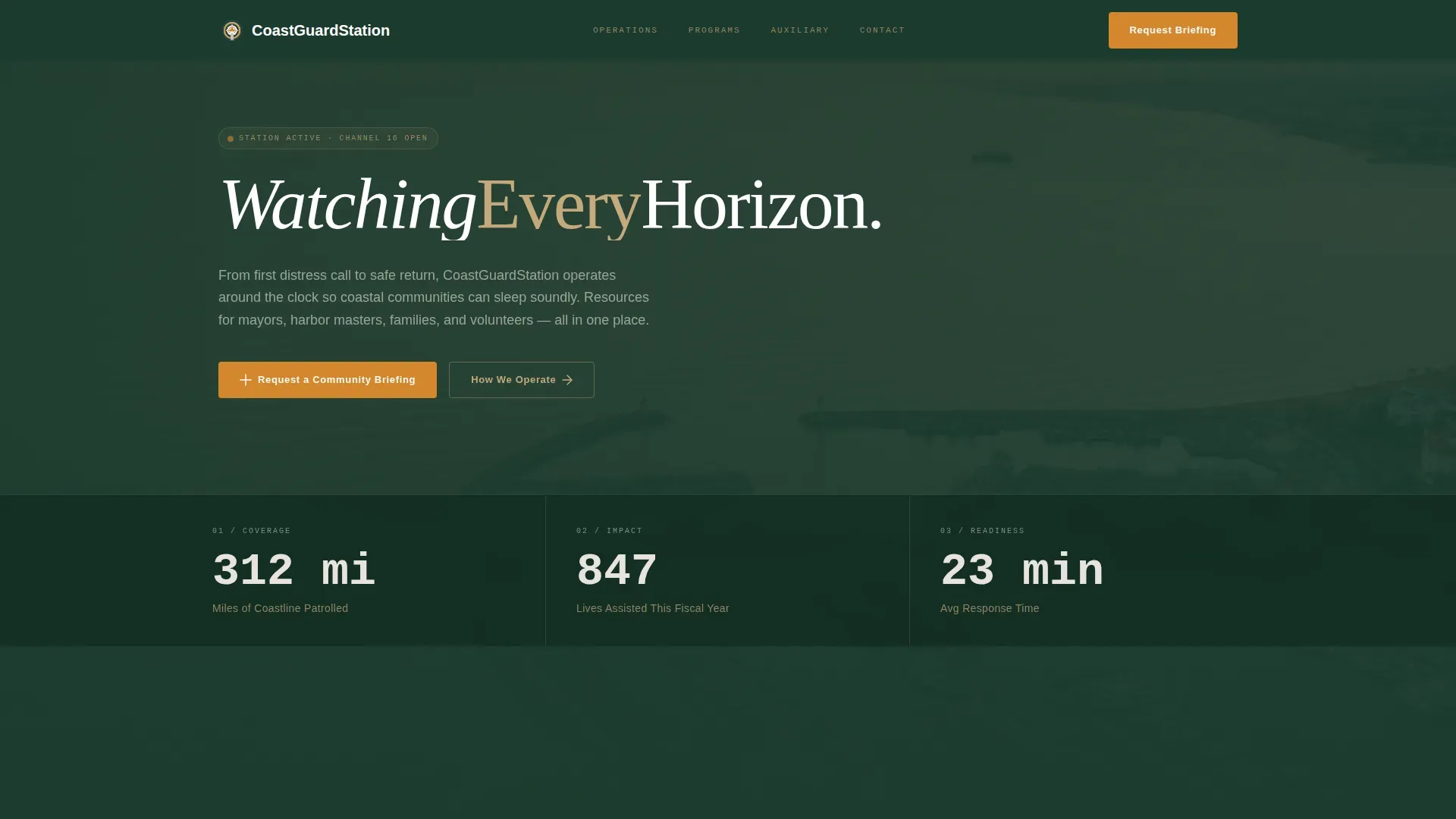
- A cinematic hero section with three animated operational counters and an aerial photo background
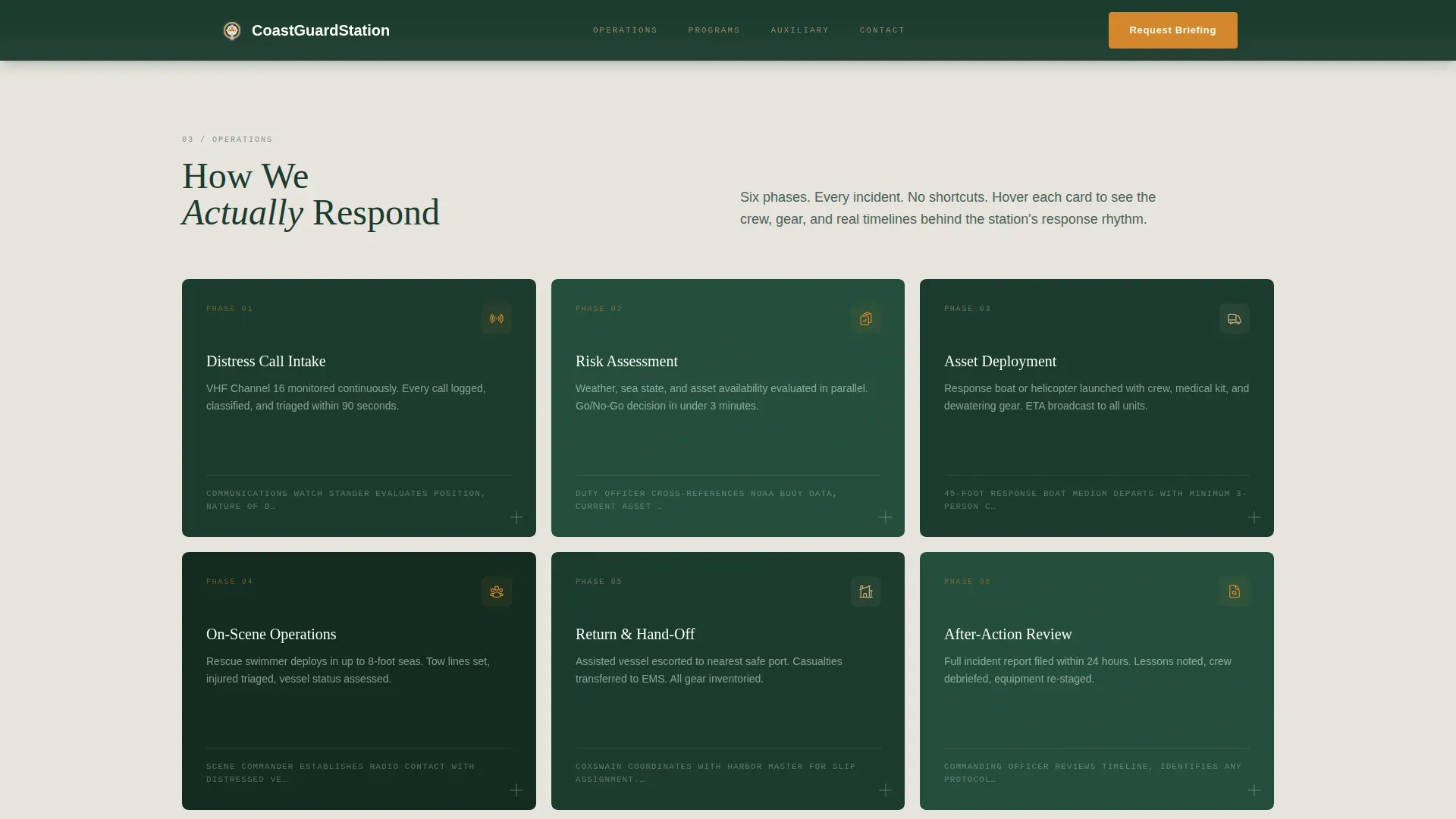
- A modular flip-card process grid covering every station operation phase from distress intake to after-action review
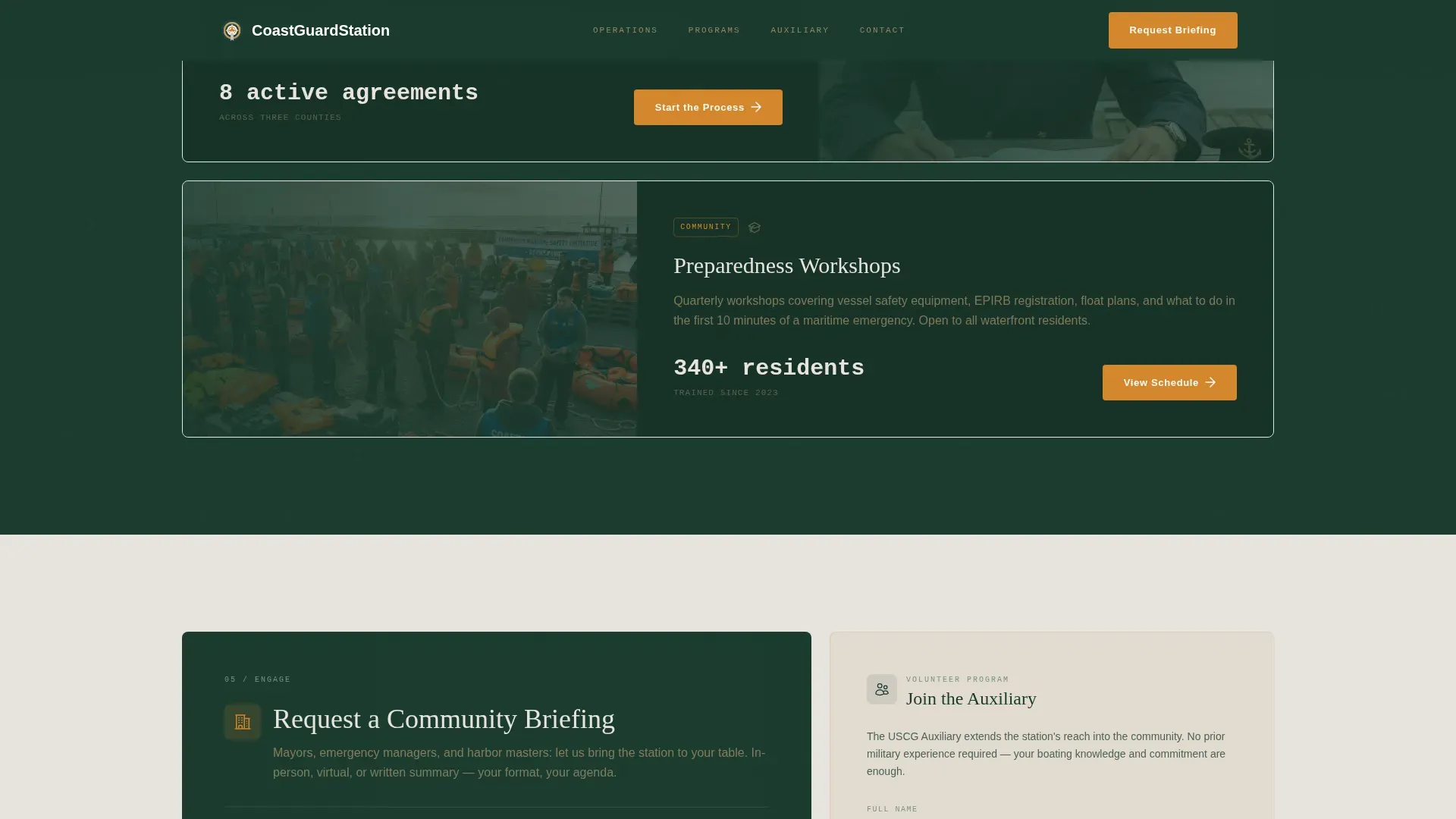
- A dual call-to-action section with a municipal briefing request form and a separate auxiliary volunteer card
Feature list
This template ships with a focused set of interactive and structural features. Each one is grounded in the station's operational reality and designed to move the right visitor toward the right action.
Animated Stats Hero
Three oversized counters display miles of coastline patrolled, lives assisted in the current fiscal year, and average response time in minutes. Each counter animates upward as the visitor's eye lands on it, set against a muted aerial photograph of the station's area of responsibility. The numbers do the credibility work before a single paragraph is read.
Modular Flip-Card Process Grid
Each card represents one phase of station operations, from distress call intake through asset deployment through after-action review. Cards flip on hover to reveal crew roles, equipment specifications, and real incident timelines. The grid reads left to right and top to bottom, like a logbook, so the station's rhythm becomes easy to absorb.
Dual-Path Lead Forms
The primary call-to-action button opens a short form asking for municipality name, point-of-contact role, and preferred briefing format. A secondary card at the grid's base invites individual residents to join the auxiliary with fields for name, boating experience level, and availability window. Both paths are positioned after the process grid, so visitors arrive at the form already informed.
Community Programs Section
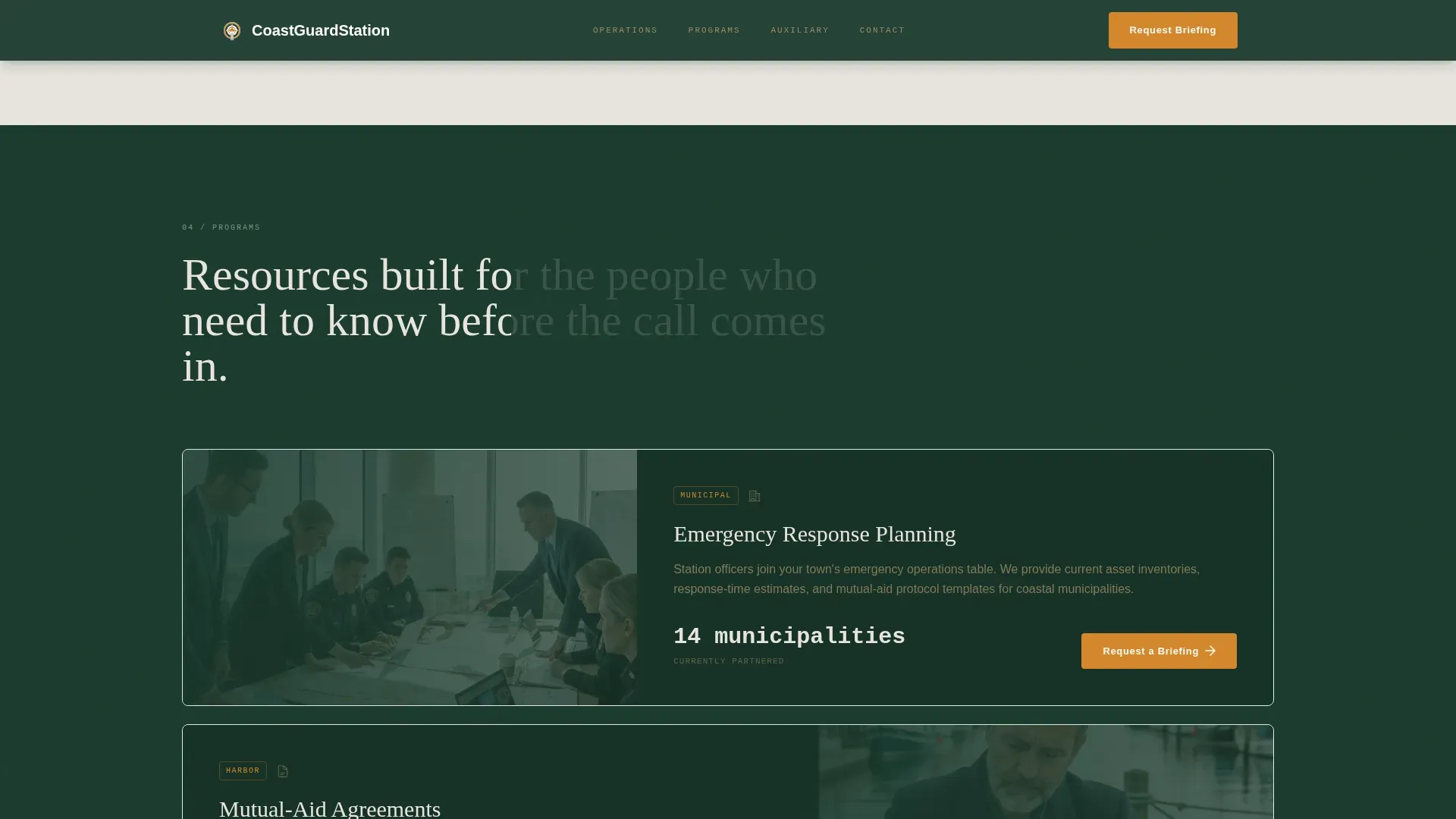
A dedicated section surfaces volunteer auxiliary information, community preparedness workshops, and training calendar details. This gives residents a reason to engage beyond the emergency and gives officials a program summary they can reference in planning documents.
Scroll Reveal and Spotlight Interactions
Cards and section content animate into view as the visitor scrolls, keeping the page feeling active and purposeful. Hover spotlight effects draw attention to individual cards without overwhelming the overall layout.
Footer Layout
A clean, linear single-row footer closes the page with essential station contact and navigation links. It keeps the experience tidy and professional without adding visual noise after the call-to-action sections.
Page sections overview
| Section | Purpose |
|---|---|
| Hero Stats Dashboard | Show measurable mission data with animated counters and aerial photo |
| Operation Process Grid | Walk visitors through each rescue phase via modular flip cards |
| Community Programs Block | Surface auxiliary info, preparedness workshops, and training calendar |
| Primary call to action Form | Capture municipal briefing requests with a short, role-specific form |
| Auxiliary Volunteer Card | Invite individual residents to join with a focused sign-up card |
| Linear Single-Row Footer | Close the page with contact links and navigation in a clean row |
Design & branding system
The visual identity follows a Community Hearth theme built around a Forest Trust color system. The palette feels authoritative and warm at the same time, like a well-maintained watch room on a clear November night.
- Deep spruce (#1B3A2D) anchors headers and navigation, giving the page weight and institutional credibility
- Weathered driftwood tan (#C4A97D) warms card backgrounds, and signal-flare amber (#D4872C) lights every button and interactive cue
- Fraunces, a display serif, handles headlines for a premium maritime feel, while DM Sans handles body text and interface elements for clean readability
Mobile & speed optimization
The template is built desktop-first to serve officials reviewing on workstations, but it carries full mobile support so residents can engage from any device.
- Static sections use server-rendered components to keep initial load fast, while animated hero counters and flip cards run as client components
- Scroll reveal, parallax effects, and counter animations are structured to layer in progressively without blocking the page from becoming readable first
How this template helps you convert
The page is designed so that trust is built before any form appears. By the time a visitor reaches either call-to-action, they have already absorbed the station's operations in detail.
- The animated stats hero establishes measurable credibility in seconds, giving officials a data point they can share and residents a reason to stay on the page
- The flip-card process grid removes ambiguity about how the station operates, which is the main barrier stopping officials from committing to a briefing request or coordination agreement
- The dual-path call-to-action routes two distinct audiences to two distinct actions in one clean section, reducing drop-off by matching each visitor's intent precisely
Other information about this template
This template is categorized under Government and Public, Military and Defense, and is specifically designed for the Coast Guard Station niche. It is a strong fit for any coastal municipality-facing public safety page that needs to balance operational seriousness with community approachability.
- The template style is a Card Grid (Modular) layout, which makes it straightforward to update individual operation phases or add new program cards without redesigning the full page
- The Transparent Process creative direction is intentional: showing the full rescue workflow front-and-center is what separates this template from generic public-agency pages
- The intersection match between Government and Public, Military and Defense, and the Coast Guard Station niche gives this template a precise use-case fit for station commanders, public affairs officers, and municipal emergency coordinators building or refreshing their community-facing presence
Theme
Community Hearth
Creative direction
Transparent Process
Color system
Forest Trust
Style
Card Grid (Modular)
Direction
Lead Generation
Page Sections
Animated Operational Stats Hero
Modular Flip-card Process Grid
Dual-path Lead Generation Forms
Community Programs Section
Scroll Reveal and Spotlight Animations
Linear Single-row Footer
Related questions
Can I update the stat counters to reflect my station's actual numbers?
Do both lead forms route to the same contact?
Can I add or remove cards from the process grid?
Is this template suitable for a small volunteer-run station?
Can the template support a briefing campaign and a volunteer drive at the same time?



