Process Server Landing Page Template
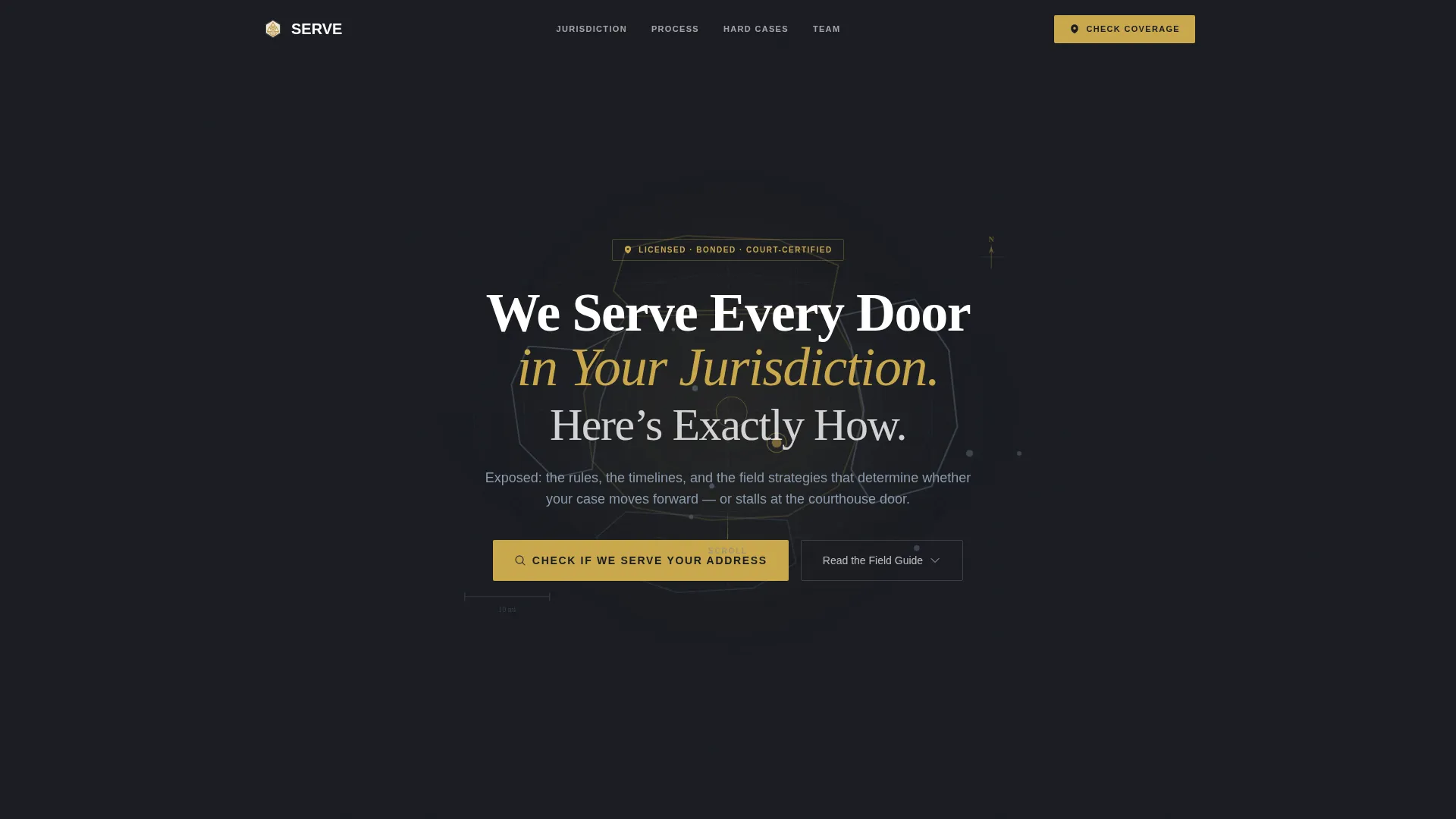
Serve is a split-screen landing page template built for professional process server services. It uses an authoritative educational layout to guide attorneys, paralegals, and self-represented plaintiffs through jurisdictional rules, attempt sequences, and hard-case strategies. With a cartographic header, deep charcoal palette, and trust-first content structure, it converts visitors who arrive informed and leave confident.
by Rocket studio
Quick summary
Serve is a single-page, split-screen landing page template designed for process server businesses. It positions a field agent network as a credible, knowledgeable authority by educating visitors before asking for action. The layout pairs visual infographics with expert written content, guiding legal professionals toward a clear coverage-check call to action.
Who this template is for
This template speaks directly to the people who need reliable, documented service of process. It is built for legal professionals who cannot afford a failed serve or a challenged affidavit.
- Family law attorneys filing divorce petitions and custody filings
- Paralegals at litigation firms managing multi-defendant case queues
- Pro se plaintiffs navigating proper service requirements for the first time
What problem this template solves
Many process server websites look generic and say very little. Visitors arrive with specific legal questions and leave without answers or confidence. This template solves that trust gap by making the service page feel like a credible legal reference, not a contact form with a phone number.
- Visitors do not know the local jurisdictional rules or timeline requirements
- Attorneys need to verify coverage and team expertise before hiring
- Pro se filers often do not understand substitute service, skip tracing, or affidavit filing
What you get with this template
You get a fully structured landing page with four major split-screen content sections, a cartographic header, and a focused dual-path conversion system. Every section is designed to deepen visitor trust before the call to action appears.
- A dark full-bleed header with an animated service area map and a confidence-building headline
- Four educational expert panels covering jurisdiction rules, attempt sequences, hard cases, and team credentials
- A primary address-check field and a secondary email-gated guide download as dual conversion paths
Feature list
This section outlines the core built-in components that define the Serve template.
Cartographic Full-Bleed Header
The header fills the full viewport with a deep charcoal field. A softly glowing service area map rendered in slate and gold contour lines emerges from the center, with county boundaries animated using a subtle gold pulse. The headline fades in over the map, and a secondary line of courthouse slate type frames the page's educational promise.
Split-Screen Expert Panels
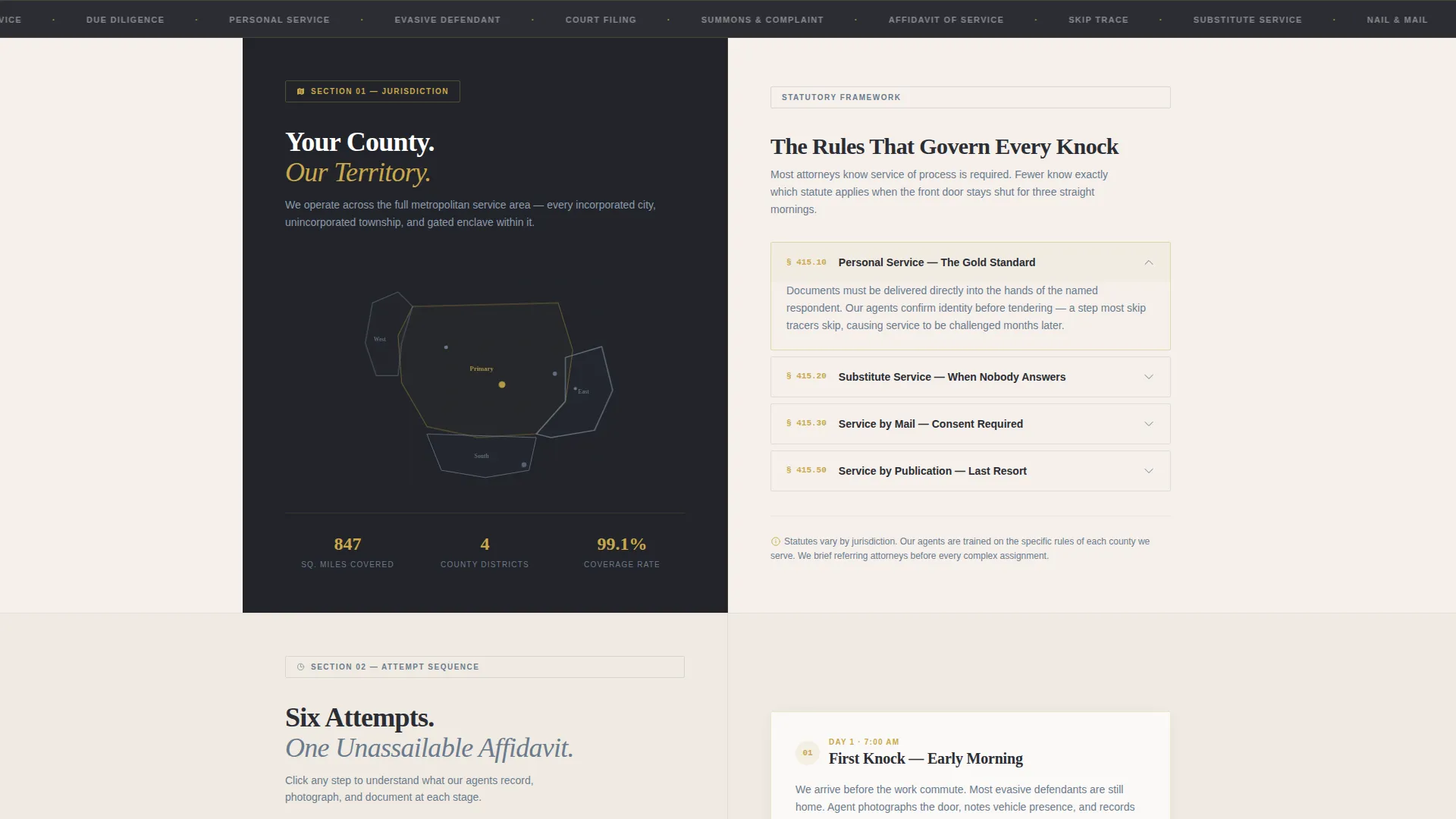
Each of the four main content sections uses a 50/50 split layout. The left panel displays a visual element such as a sub-map, timeline infographic, or attempt flowchart. The right panel delivers authoritative written content structured as a senior process server briefing an attorney on what actually happens in the field.
Jurisdictional Rules Section
The first expert panel focuses entirely on the location-specific legal rules that govern how and when service can be completed. This gives attorneys and paralegals immediate confidence that the team understands local court requirements and deadlines.
Attempt Sequence Breakdown
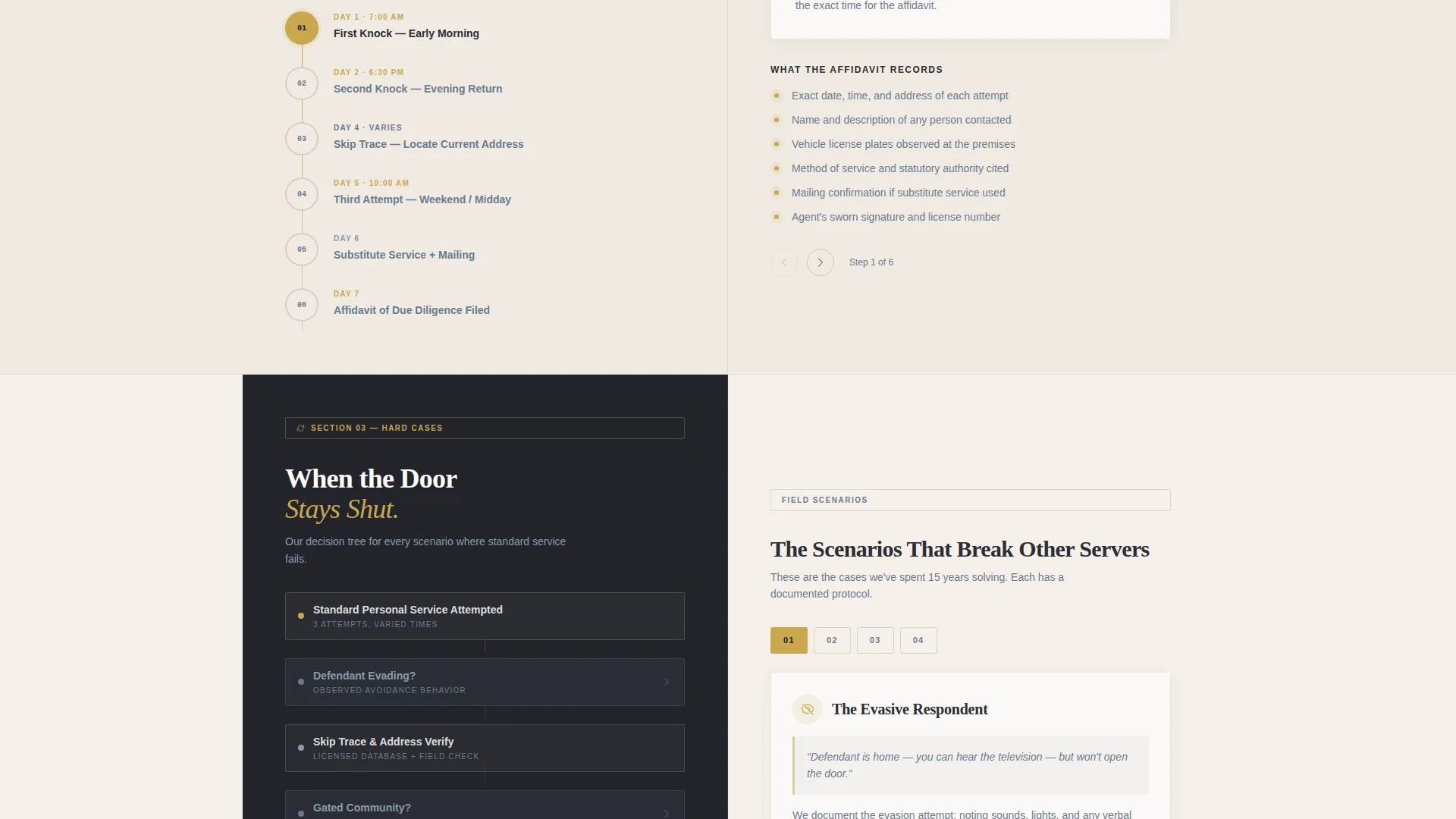
The second panel walks through every stage of the service process in plain language. First knock, second knock, skip trace, substitute service, and nail-and-mail are each explained clearly so that clients understand the work behind a completed affidavit.
Hard Cases and Evasion Strategies
The third panel addresses the situations that most process servers avoid discussing publicly. Evasive respondents, gated communities, and out-of-state defendants are covered with the same calm authority as the rest of the page, reinforcing the team's depth of field experience.
Dual-Path Conversion Block
The primary call to action is an address-entry field that instantly confirms service coverage for the visitor's specific location. A secondary path offers a free downloadable service-of-process guide for the state, accessible with only an email address. Both paths are placed after the educational content, earning the click before asking for it.
Page sections overview
| Section | Purpose |
|---|---|
| Dark Bleed Header | Establishes authority with animated cartographic map and headline |
| Jurisdictional Rules Panel | Educates visitors on local service laws and court timelines |
| Attempt Sequence Panel | Explains each service attempt step from first knock to nail-and-mail |
| Hard Cases Panel | Builds trust by addressing evasive subjects and complex scenarios |
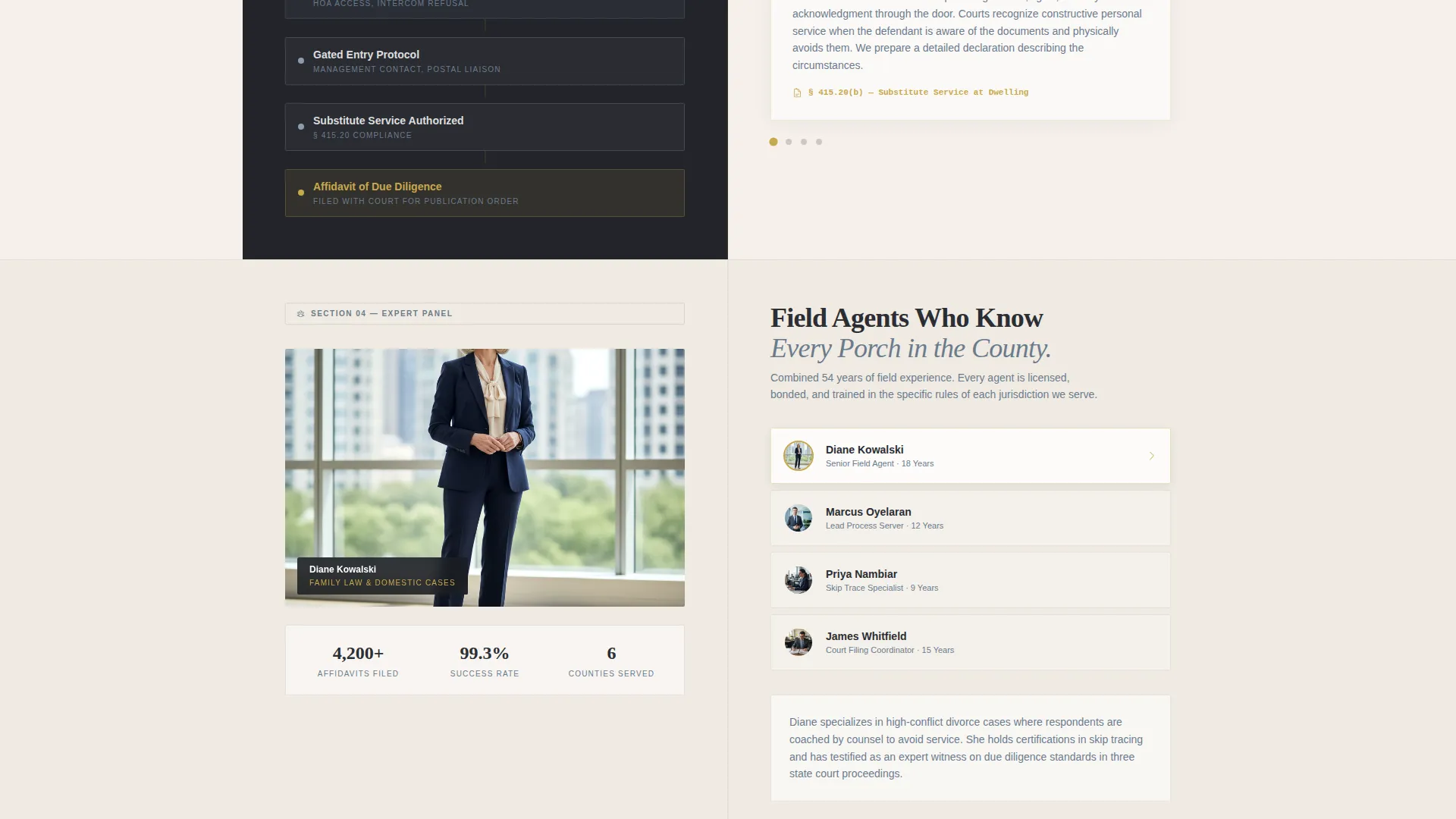
| Team Credentials Panel | Profiles field agents with experience markers and affidavit success context |
| Coverage Check call to action | Confirms service area via address entry and reveals guide download path |
Design & branding system
The visual identity follows an Educational Guide theme. Every design choice reinforces calm authority, as if the page were printed on heavy cotton bond paper and filed in a law library reference binder.
- Color palette: soft parchment white (#F5F0EB) for backgrounds, deep briefcase charcoal (#2B2D33) for body text, muted courthouse slate (#6B7B8D) for secondary type and borders, and notary-seal gold (#C9A84C) for interactive highlights and call-to-action buttons
- Typography and layout: structured dividers and clean panel borders create a legal document feel without ornamental distraction
- Animation: the county boundary gold pulse animation in the header is the only motion element, keeping the overall tone calm and professional
Mobile & speed optimization
The split-screen layout is structured to reflow cleanly into a single-column format on smaller screens. Each panel retains its content hierarchy and visual element when displayed at mobile widths.
- Visual infographic panels stack above their corresponding text panels on narrow viewports
- The address-entry conversion block and guide download path remain accessible and legible at all screen sizes
- No heavy background photographs or stock images are used anywhere, keeping visual assets lean
How this template helps you convert
The Serve template earns conversions by educating visitors before asking anything of them. By the time a visitor reaches the call-to-action block, they have already learned enough about the team's field expertise to trust the service.
- The animated cartographic header creates immediate geographic credibility, signaling that this team knows the specific jurisdiction before the visitor reads a single word.
- The four sequential expert panels answer the questions attorneys and paralegals actually have, removing objections naturally and building trust with each scroll.
- The dual-path conversion block meets two different visitor intentions at once: immediate coverage confirmation for ready-to-hire clients and a low-commitment guide download for visitors still in research mode.
Other information about this template
This template is designed as a content and resource destination rather than a simple service brochure. It is built for process server businesses that want to compete on expertise and geographic depth rather than price alone.
- The template style follows a single-column flow within each panel, keeping the reading experience linear and easy to follow
- The Educational Guide theme and corporate precision tone make this layout suitable for both urban multi-county networks and regional solo operators
- The page is designed to support location-specific customization, with the map, headline region label, and guide download title all using bracket placeholders ready for localization
Theme
Corporate Precision
Creative direction
Logo Wall Authority
Color system
Charcoal & Amber
Style
Single Column Flow
Direction
Content/Resource
Page Sections
Animated Cartographic Header
Four Split-screen Expert Panels
Attempt Sequence Infographic
Hard Cases Content Section
Dual-path Conversion Block
Notary-seal Gold Accent System
Related questions
Who is the Serve landing page template designed for?
What kind of content do the four expert panels cover?
Does the template include placeholder text for different locations?
What is the purpose of the dual-path conversion block?
Can I use this template without a large team or field network?



