Mining Equipment & Booking Website Template
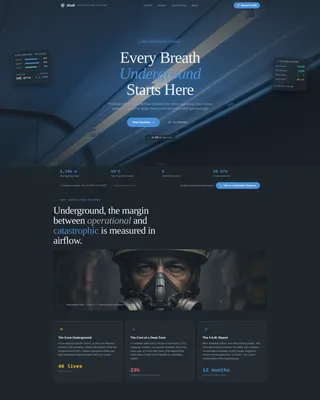
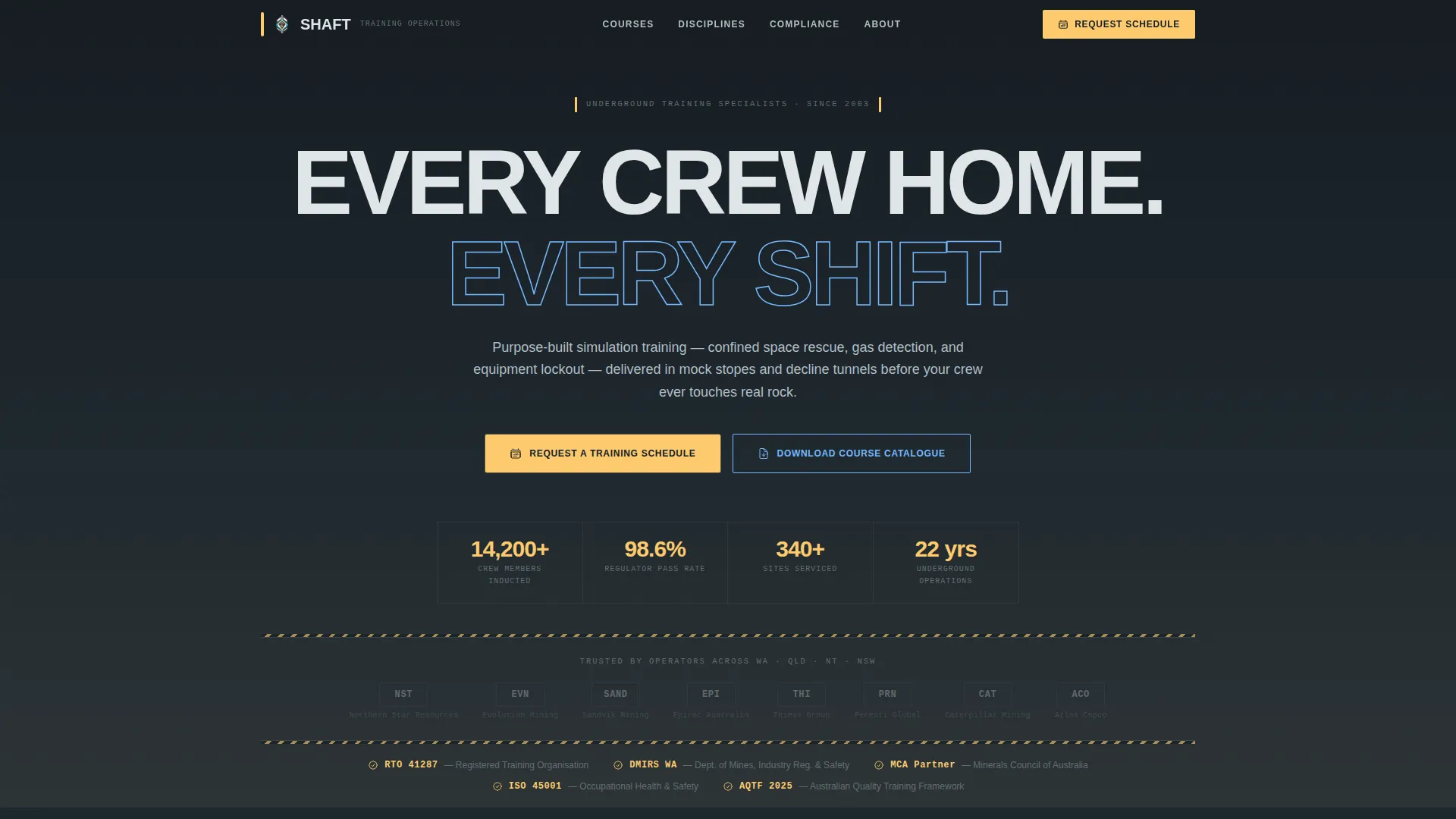
Shaft is a modular card-grid landing page built for mining training and safety providers. It presents every course as a structured data sheet, complete with course codes, crew sizes, and competency references. The layout is designed to help site safety managers, contract mining companies, and resource sector HR teams evaluate and book training programs without a single phone call.
by Rocket studio
Quick summary
Shaft is a lead generation landing page template purpose-built for underground and surface mining training providers. It organises every course into a scannable card grid that reads like a training matrix. The design uses a dark charcoal-and-sky-blue palette with high-vis amber calls to action, giving the page the no-nonsense authority that safety-critical industries demand.
Who this template is for
This template is built for training providers operating in the mining and resources sector. It speaks directly to the people responsible for getting crews certified and keeping sites compliant.
- Site safety managers preparing for compliance audits and regulator reviews
- Contract mining companies onboarding new crews each swing rotation
- Resource sector human resources teams building induction programs that hold up to scrutiny
What problem this template solves
Most training providers bury course details behind phone calls and PDF enquiry forms. A safety manager scoping training options needs unit of competency numbers, crew size limits, and delivery modes before they can build an internal business case.
- Prospects leave when they cannot find the course specifications they need quickly
- Generic contact forms fail to capture the scoping detail required to qualify a booking
- A visually weak page fails to communicate the compliance credibility regulators and site managers expect
What you get with this template
You get a fully structured, single-page layout that organises your entire course catalogue into a browsable, filterable card grid. Every design decision supports the trust and practicality that mining clients require.
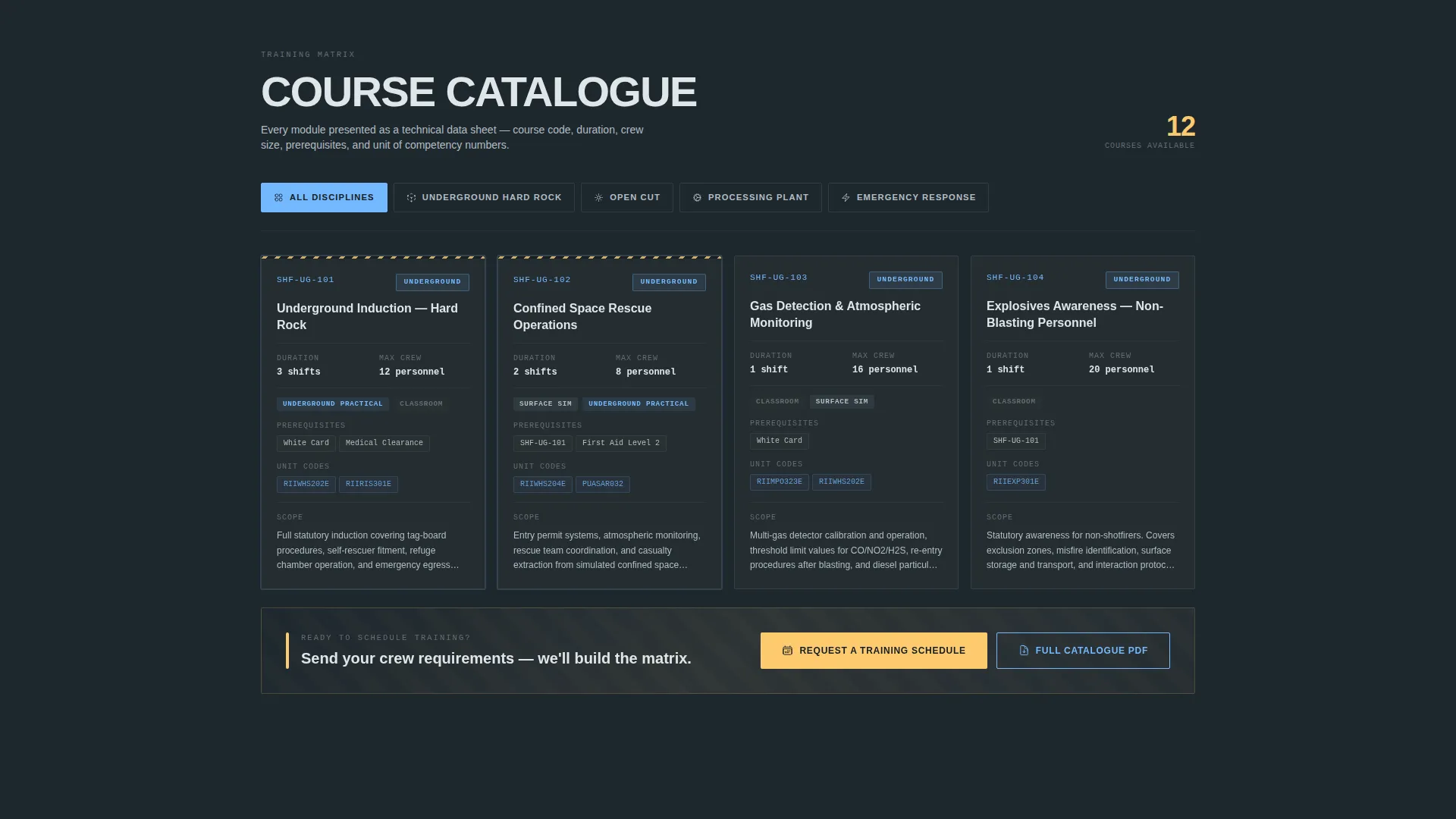
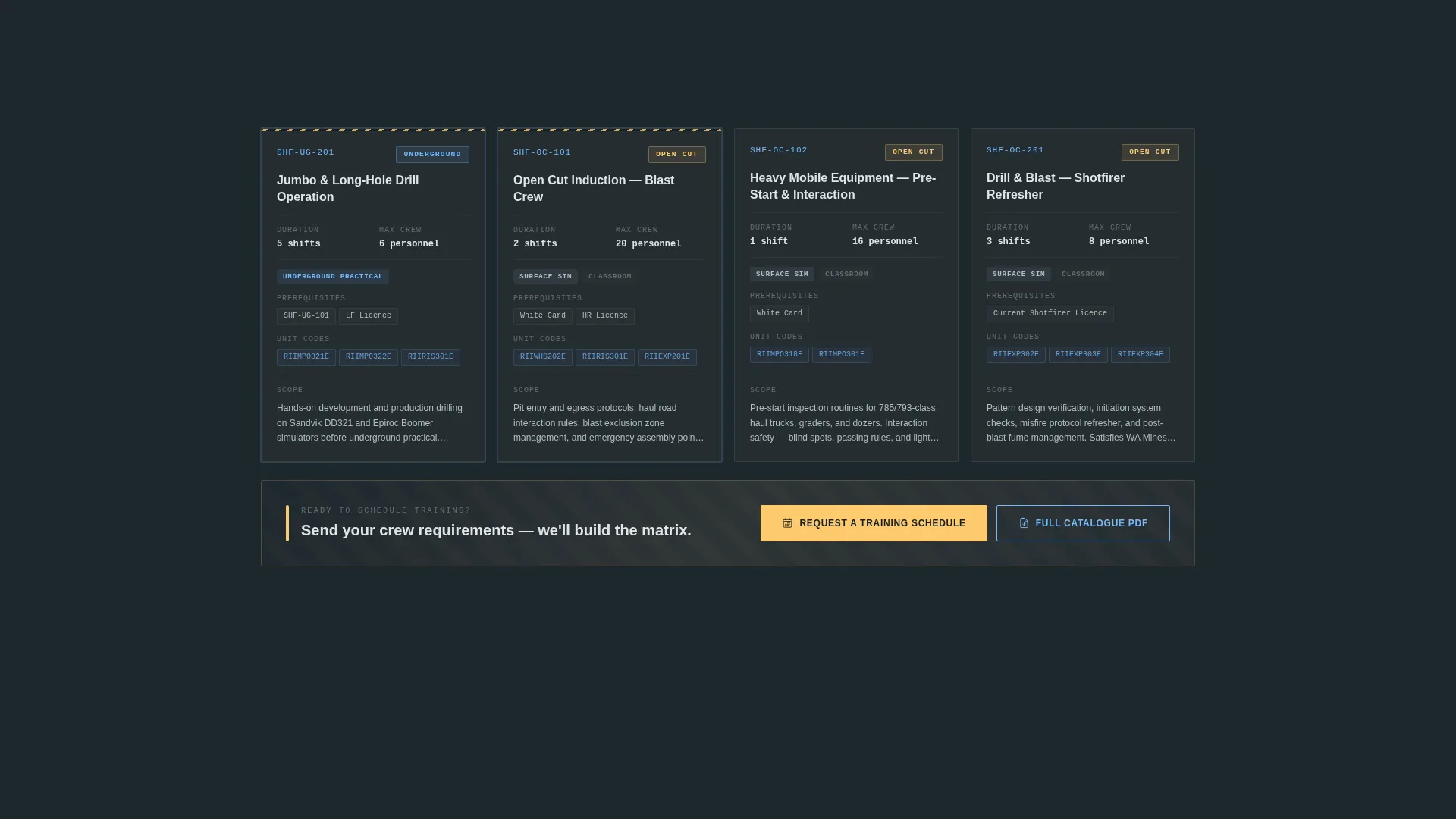
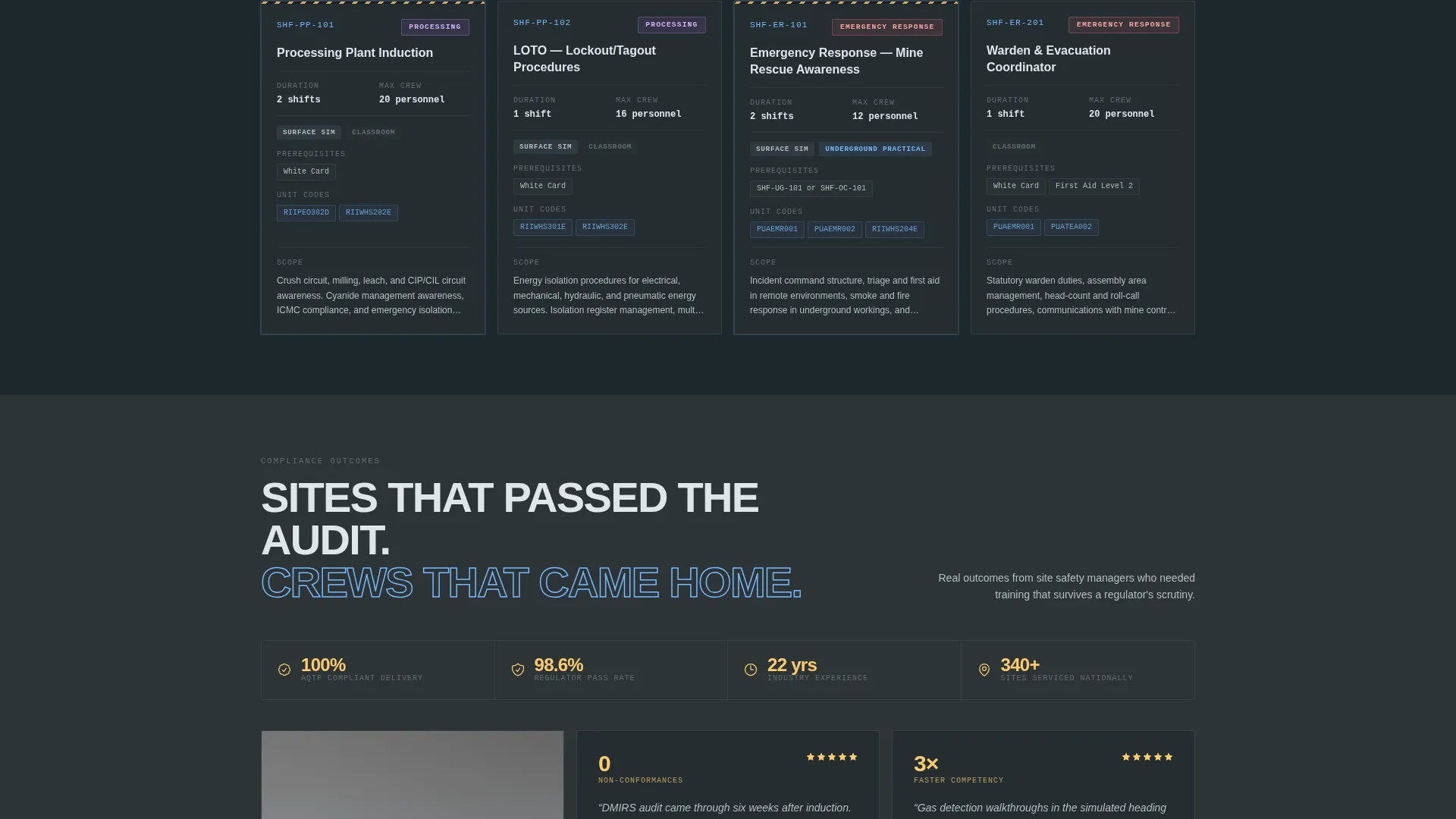
- A modular card grid where each card functions as a technical data sheet with course code, shift duration, crew size, prerequisites, unit of competency references, and delivery mode
- A sortable discipline filter covering underground hard rock, open cut, processing plant, and emergency response categories
- Two distinct conversion paths: a direct booking form and a gated downloadable course catalogue
Feature list
This section describes the core functional and visual components delivered with the Shaft template.
Spec Sheet Card Grid
Each training module card displays course code, duration in shifts, maximum crew size, prerequisite competencies, unit of competency numbers, and delivery mode. Cards reveal a short scope paragraph on hover, giving visitors the depth of a technical data sheet without cluttering the grid.
Discipline Filter System
Cards are sortable by training discipline, including underground hard rock, open cut, processing plant, and emergency response. Visitors can narrow the grid to the exact category relevant to their site, making it fast to find the right modules without scrolling the full catalogue.
Logo Bar Header
The header is a horizontal strip of client logos, accreditation marks, and equipment partner badges beneath a single headline. It communicates compliance credibility instantly, using institutional recognition rather than imagery to establish authority before a word of copy is read.
Dual Conversion Path Layout
The primary call to action, "Request a Training Schedule," appears in high-vis amber and is pinned to a sticky bottom bar on mobile. On desktop it repeats after every fourth card row. A secondary path offers a downloadable course catalogue behind an email gate for leads still scoping before committing.
Lead Capture Form Structure
The booking enquiry form captures site name, number of personnel to train, required competencies via multi-select checkboxes mirroring the card categories, and preferred training location. This scoping-level detail helps providers qualify leads without a discovery call.
Service Utility Visual Theme
The dark charcoal-to-gray background, clean white body text, and high-vis amber interactive elements create a palette that feels native to a mining environment. Every colour carries a functional role, reinforcing the template's credibility with the audience it targets.
Page sections overview
| Section | Purpose |
|---|---|
| Logo Bar Header | Establishes compliance credibility via accreditation and client logos |
| Headline Strip | Anchors the page with a single authoritative brand statement |
| Discipline Filter Bar | Lets visitors sort cards by training category |
| Training Card Grid | Displays every course as a structured data sheet |
| Sticky call to action Bar | Keeps the primary booking action visible on mobile at all times |
| Inline call to action Rows | Repeats the booking call to action after every fourth card row on desktop |
| Catalogue Download Gate | Captures early-stage leads via a gated PDF email form |
| Booking Enquiry Form | Collects scoping detail to qualify a training request |
Design & branding system
The visual identity follows a Service Utility theme built on the Slate and Sky color system. The palette was chosen to feel native to a mining environment without relying on photography or illustration.
- Core backgrounds run in blast-face charcoal (#2D3436) and ventilation-shaft gray (#636E72), with clean white (#DFE6E9) text on dark cards for maximum legibility
- Open-cut sky blue (#74B9FF) is used for structural accents and informational elements, while high-vis amber (#FDCB6E) is reserved exclusively for calls to action and critical callouts
- Typography uses a single sans-serif family, keeping the page clean and authoritative in the way a statutory compliance document would be
Mobile & speed optimization
The Shaft template is structured to work cleanly across screen sizes, ensuring that safety managers reviewing options on site or between shifts get the same critical information as desktop users.
- The sticky amber call-to-action bar pins to the bottom of the screen on mobile, keeping the booking action always within reach without interrupting the browsing experience
- The card grid adapts to narrower viewports, maintaining the data-sheet structure of each module so course codes, durations, and competency references remain readable on smaller screens
How this template helps you convert
The layout is engineered around the specific decision-making process of a mining site buyer, who needs facts before they will commit to a conversation.
- Front-loading every course specification, including unit of competency numbers and crew size limits, eliminates the need to phone for basic details and removes the most common drop-off point in the research phase
- The dual conversion path captures leads at two stages of readiness: those ready to book a schedule and those still scoping, so no prospect is lost because the timing is not right
- Repeating the amber call to action after every fourth card row on desktop and pinning it on mobile means the next step is always visible, regardless of how deep into the catalogue a visitor has browsed
Other information about this template
The Shaft template was designed specifically for the mining training and safety niche, and every structural decision reflects how buyers in that sector actually evaluate providers.
- The creative direction follows a Spec Sheet logic, meaning each card reads like a technical module descriptor rather than a marketing headline
- The header concept uses a Logo Bar rather than a hero image, which is intentional: accreditation marks and authority logos carry more weight with safety-critical buyers than photography
- The page is built as a single-page, section-led layout, appropriate for a focused lead generation objective rather than a multi-page content site
- Training disciplines covered in the card grid include confined space rescue, gas detection, equipment lockout procedures, and emergency response, as well as underground and surface competency programs
Theme
Service Utility
Creative direction
Spec Sheet
Color system
Slate & Sky
Style
Card Grid (Modular)
Direction
Lead Generation
Page Sections
Spec Sheet Training Card Grid
Sortable Discipline Filter
Compliance-credibility Logo Bar
Dual Conversion Path Design
Scoping-level Lead Capture Form
High-vis Amber Call to Action System
Related questions
Can I add or remove training module cards from the grid?
How does the gated course catalogue download work?
Can the discipline filter categories be renamed?
Does the template support both on-site and facility-based training providers?
What information does the booking enquiry form collect?