Hair Salon Reviews Website Template
Shears is a bold, single-page hair salon landing page template built for independent stylists, booth renters, and small salon owners. It pairs an Acid Digital color system with a hub-and-spoke anchor navigation, a dashboard-style header mockup, and three strategic "Preview Your Template" calls to action. You get a polished, client-ready page that looks expensive and launches fast.
by Rocket studio
Quick summary
Shears is a hair salon landing page template designed for stylists who run their own brand and manage their own bookings. It uses a five-spoke anchor navigation, a glowing dashboard header, and a live theme switcher to make a bold first impression. The color system is electric and unapologetic, and every section is built to move visitors toward a live interactive demo.
Who this template is for
This template is made for solo operators and small teams who need a professional online presence without a long build time. It speaks directly to stylists who already know their brand and just need a page that matches it.
- Independent hairdressers and booth renters who manage their own client bookings
- Small salon owners who want a polished homepage without hiring a web agency
- Stylists launching or refreshing their brand and ready to go live the same day
What problem this template solves
Most stylists either overpay for a custom site or settle for a generic template that looks nothing like their brand. Neither option is fast, affordable, or expressive enough for an independent operator.
- Generic templates feel too corporate and fail to capture the energy of a personal styling brand
- Custom builds take weeks and cost far more than most independent stylists can justify
- No clear booking path means potential clients click away before they ever make an appointment
What you get with this template
You get a fully structured, single-page salon landing page that is ready to launch the same afternoon you buy it. Every section is purposeful, every call to action is positioned, and the visual identity is already built in.
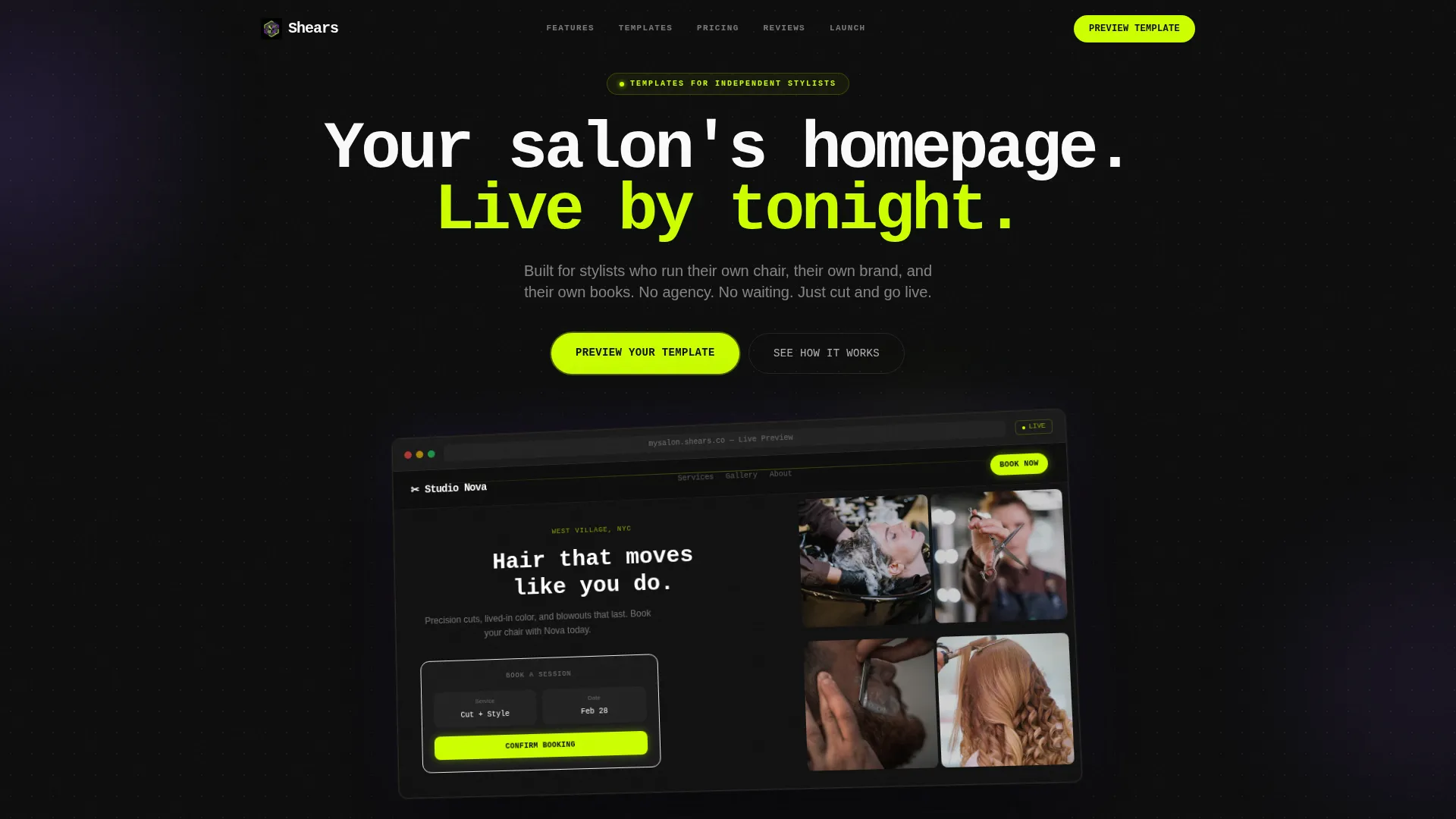
- A hub-and-spoke anchor navigation with five labeled spokes: Features, Templates, Pricing, Reviews, and Launch
- A dashboard-style header mockup showing a live booking widget, a stylist portfolio grid, and a pulsing chartreuse "Book Now" button
- A live theme switcher, auto-rotating testimonial cards with before-and-after site screenshots, and three placed "Preview Your Template" calls to action
Feature list
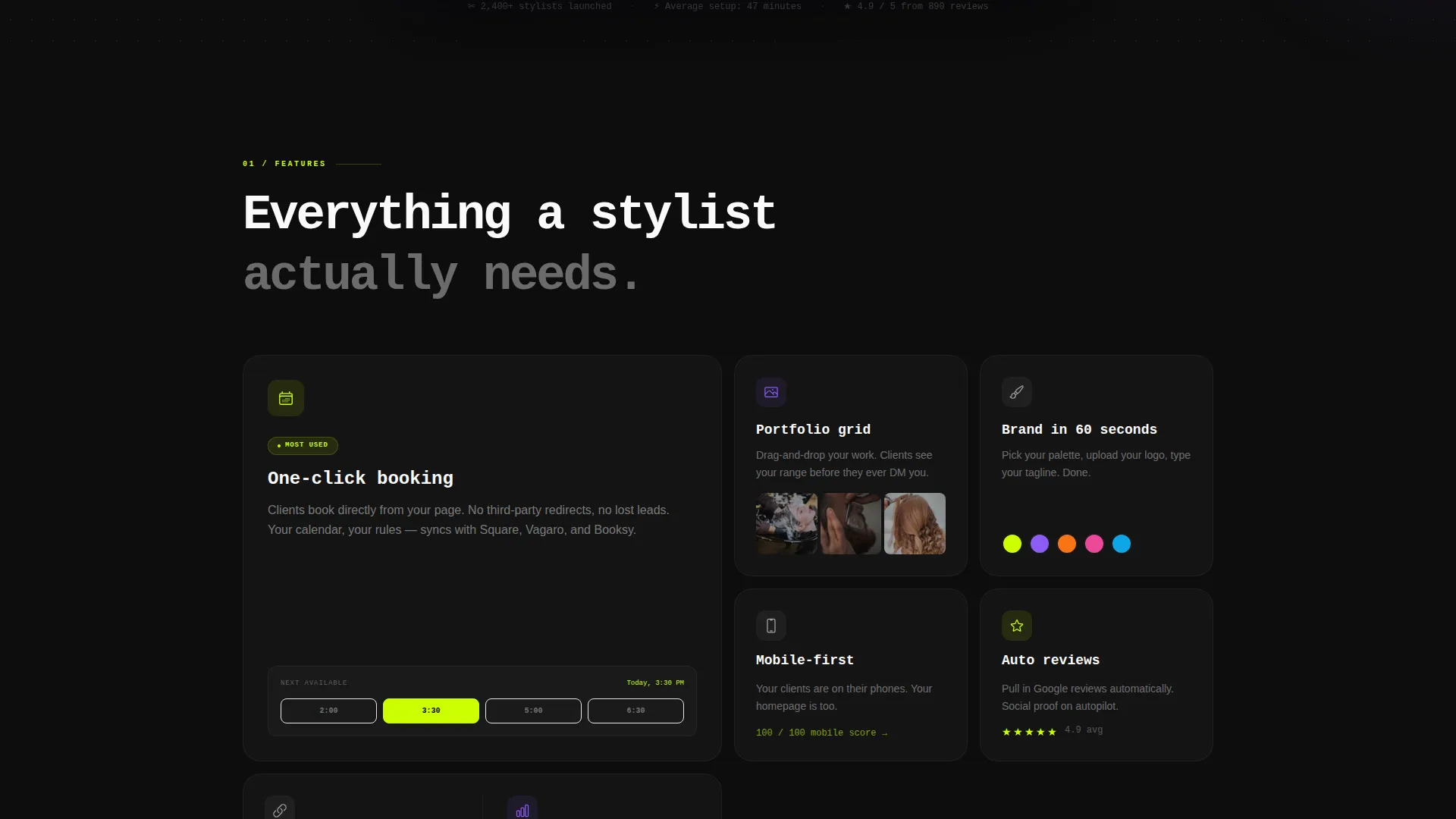
This template packs several purposefully designed features into one tight, fast-moving page. Each one reflects how a real stylist thinks about attracting and converting new clients online.
Hub and Spoke Anchor Navigation
A sticky top navigation pins five section anchors to the top of the page. Violet marks the active anchor as visitors scroll, keeping orientation clear at every point on the page.
Dashboard Preview Header
The header opens with a browser-frame mockup of the salon template shown at a three-quarter angle. It floats over a black background dusted with violet gradient orbs, with a headline in oversized mono type reading "Your salon's homepage. Live by tonight."
Live Theme Switcher
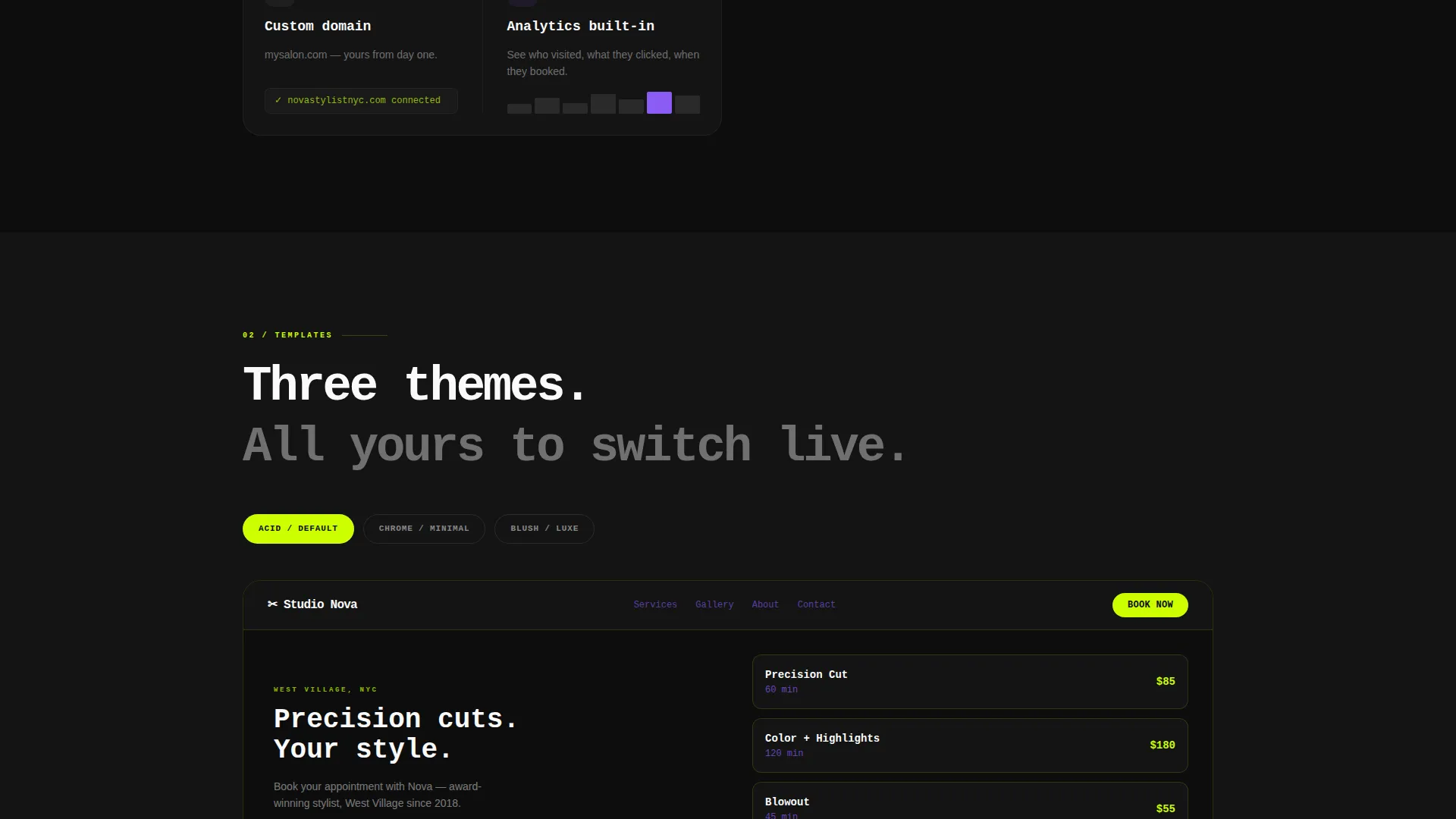
Visitors can toggle between three color modes in real time directly on the page. This lets potential buyers see how the template looks in different palettes before they ever click through to the demo.
Auto-Rotating Testimonial Cards
Stylist testimonials cycle automatically and include before-and-after screenshots of real sites built with the template. The format builds trust fast without requiring the visitor to scroll through a long review section.
Interactive Demo with Instant Personalization
The primary "Preview Your Template" call to action routes visitors to a live demo where they type their salon name and see it rendered into the template instantly. No email, no form, no gate.
Sticky Conversion Bar
After a visitor scrolls past 60 percent of the page, a full-width sticky bar slides up with the "Preview Your Template" call to action again. The bar stays visible until the visitor acts, keeping the conversion path always one tap away.
Page sections overview
| Section | Purpose |
|---|---|
| Anchor Navigation Bar | Pins five section links to the top throughout scroll |
| Dashboard Header | Opens with a browser-frame template mockup and headline |
| Features Section | Highlights template capabilities with micro-interaction animations |
| Theme Switcher Section | Lets visitors toggle three live color modes in real time |
| Testimonials Section | Auto-rotating stylist cards with before-and-after screenshots |
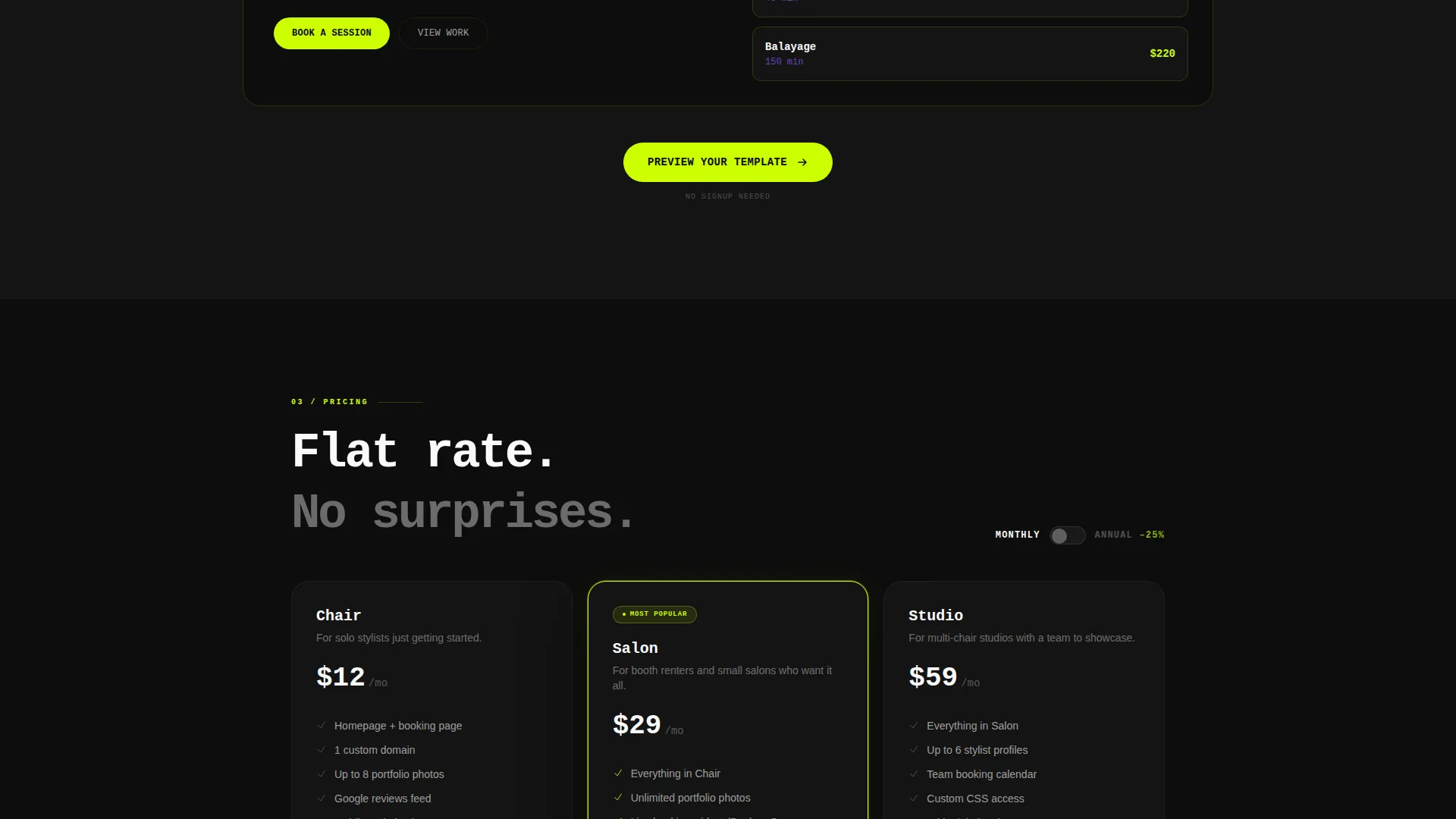
| Pricing Section | Displays plan options for the template purchase |
| Launch Section | Final push with a prominent call to action to go live |
| Sticky Conversion Bar | Slides up at 60 percent scroll depth with repeat call to action |
Design & branding system
The Acid Digital color system drives every visual decision on this page. The palette is intentionally loud, synthetic, and built for maximum contrast so visitors always know where to look next.
- Void black (#0D0D0D) fills section backgrounds; electric chartreuse (#CCFF00) owns every call to action and hover state; UV violet (#8B5CF6) marks active navigation anchors; clinical white (#FAFAFA) handles body text and card surfaces
- Oversized mono typography in the header sets an editorial, high-contrast tone that feels premium and fast
- The overall aesthetic is described as a neon sign reflecting off a wet salon floor, synthetic and bold, designed to communicate energy and precision at a glance
Mobile & speed optimization
The template is built with a fast, single-page structure that keeps load weight low by design. Every section is a self-contained scroll moment, which makes the layout clean and responsive across screen sizes.
- The sticky anchor navigation adapts to smaller screens so visitors can jump between sections without losing their place
- The interactive demo and theme switcher are designed to work cleanly on touch devices without requiring a desktop browser
How this template helps you convert
Every conversion decision in this template is deliberate. The page does not wait for the visitor to decide when they are ready. It guides them through a clear, low-friction path toward the live demo and the purchase button inside it.
- Three placements of "Preview Your Template" at the header, mid-scroll after the theme switcher, and in the sticky bar after 60 percent scroll depth keep the call to action in front of the visitor at every stage
- The interactive demo removes the biggest barrier to purchase by letting visitors personalize the template with their salon name before they commit, making the value feel immediate and real
Other information about this template
Shears sits in the Technology category under the Hair Salon Website Templates subcategory, with a niche focus on hair salon homepage templates. It was built using the Directory and Discovery theme and the Launch Energy creative direction, which means the page is engineered to move fast and feel confident rather than soft or decorative.
- The template style is Hub and Spoke with anchor navigation, and the landing page direction is Click-Through, routing all traffic toward the live interactive demo
- The header concept is Dashboard Preview, a browser-frame mockup approach that puts the product itself on display rather than relying on stock photography
- The Intersection Match Score for this template is 13, indicating a strong alignment between the technology category, the hair salon website templates subcategory, and the hair salon homepage template niche
Theme
Directory & Discovery
Creative direction
Launch Energy
Color system
Acid Digital
Style
Hub & Spoke (Anchor Nav)
Direction
Click-Through
Page Sections
Hub and Spoke Anchor Navigation
Dashboard Preview Header
Live Theme Switcher
Auto-rotating Testimonial Cards
Interactive Instant-personalization Demo
Scroll-triggered Sticky Conversion Bar
Related questions
Do I need design or coding skills to use this template?
How does the interactive demo work?
Is this template designed for solo stylists or full salons?
What is included in the anchor navigation?
What happens when a visitor scrolls past 60 percent of the page?