Bold Brutalist Hair Stylist Portfolio Landing Page
Shear is a bold brutalist hair stylist landing page built for one-chair studios with a strong point of view. It opens with a full-viewport before/after slider, flows through a manifesto-driven masonry grid, and closes with an exclusive waitlist form. The design is raw, confident, and built to attract creative clients who already know what they want.
by Rocket studio
Quick summary
Shear is a single-page portfolio landing page for independent hair stylists who lead with vision, not volume. It pairs a dramatic before/after header with a manifesto scroll and a curated waitlist form. The result is a page that feels less like a booking site and more like a stylist's personal lookbook left open on a concrete counter.
Who this template is for
This template is built for stylists who work alone and think in editorial terms. If your work speaks louder than your words, this page lets the portfolio do the talking.
- Independent stylists running a one-chair or solo studio
- Hairstylists who attract creative professionals, brides, or editorial clients
- Stylists building a waitlist before opening bookings or relocating to a new city
What problem this template solves
Most portfolio pages look like service menus. They list prices, show polished thumbnails, and feel forgettable. Shear solves the problem of looking like every other stylist online.
- Generic portfolio layouts dilute a stylist's distinct visual identity
- Standard booking pages attract the wrong clients with no filtering mechanism
- A stylist with a clear aesthetic needs a page that communicates conviction before a consultation ever happens
What you get with this template
You get a complete one-page layout built around three core ideas: a striking header, a philosophy-forward scroll, and a waitlist form that qualifies leads by design.
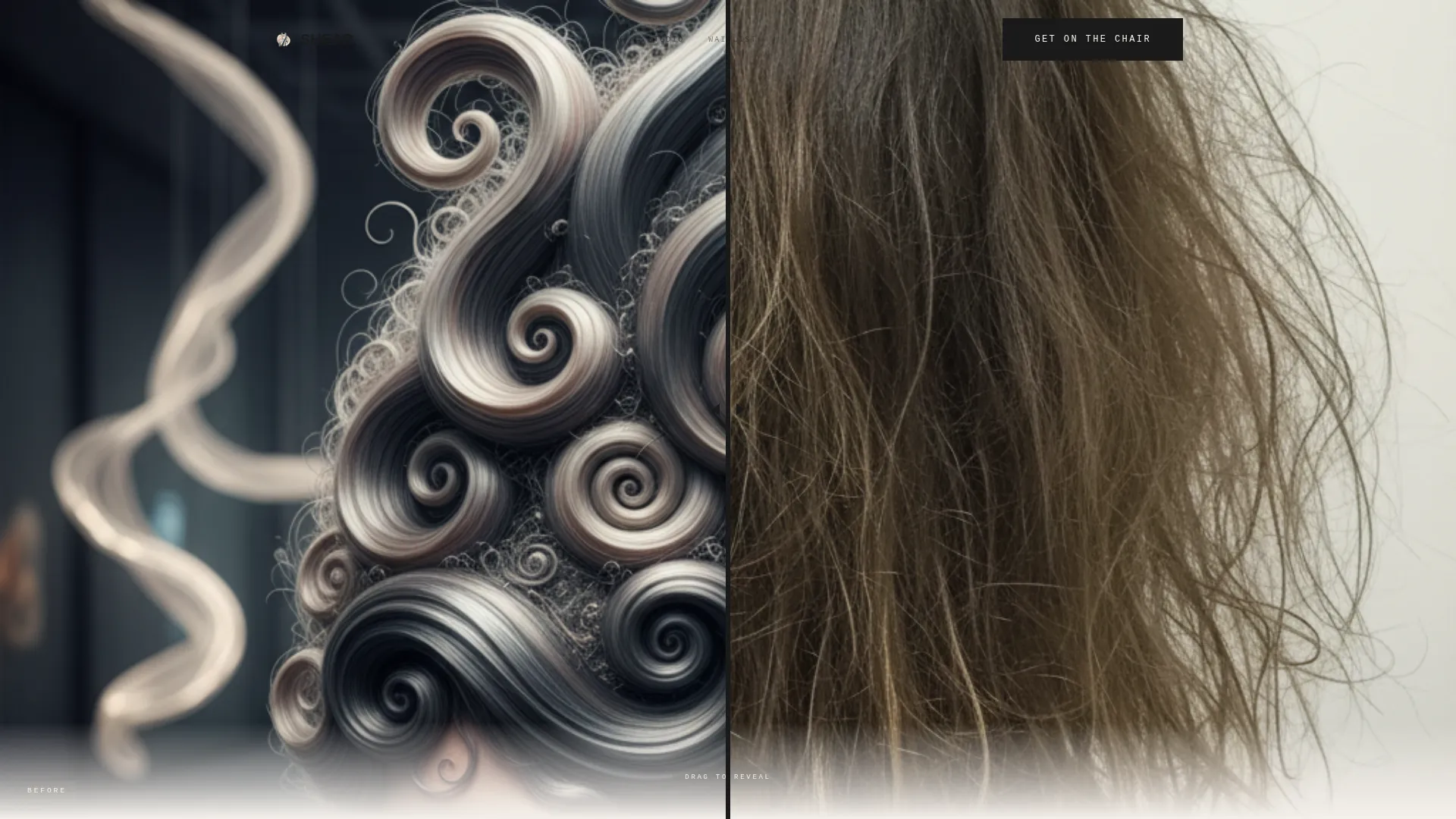
- A full-viewport before/after slider header with a brutalist drag handle and a reveal headline
- A masonry grid of editorial work tiles interrupted by large-format manifesto text blocks
- A waitlist form with fields for first name, Instagram handle, and a three-word hair description, plus a secondary social follow path
Feature list
This section covers the key built-in components that make Shear work as both a portfolio and a conversion tool.
Before/After Slider Header
The header fills the entire viewport with a split-screen before/after image. Visitors drag a thick black slab handle to reveal the transformation. Once they interact, oversized uppercase type stamps across the image reading "THE CUT IS THE POINT." No headline appears until the drag happens, making the first impression entirely visual.
Manifesto Scroll Layout
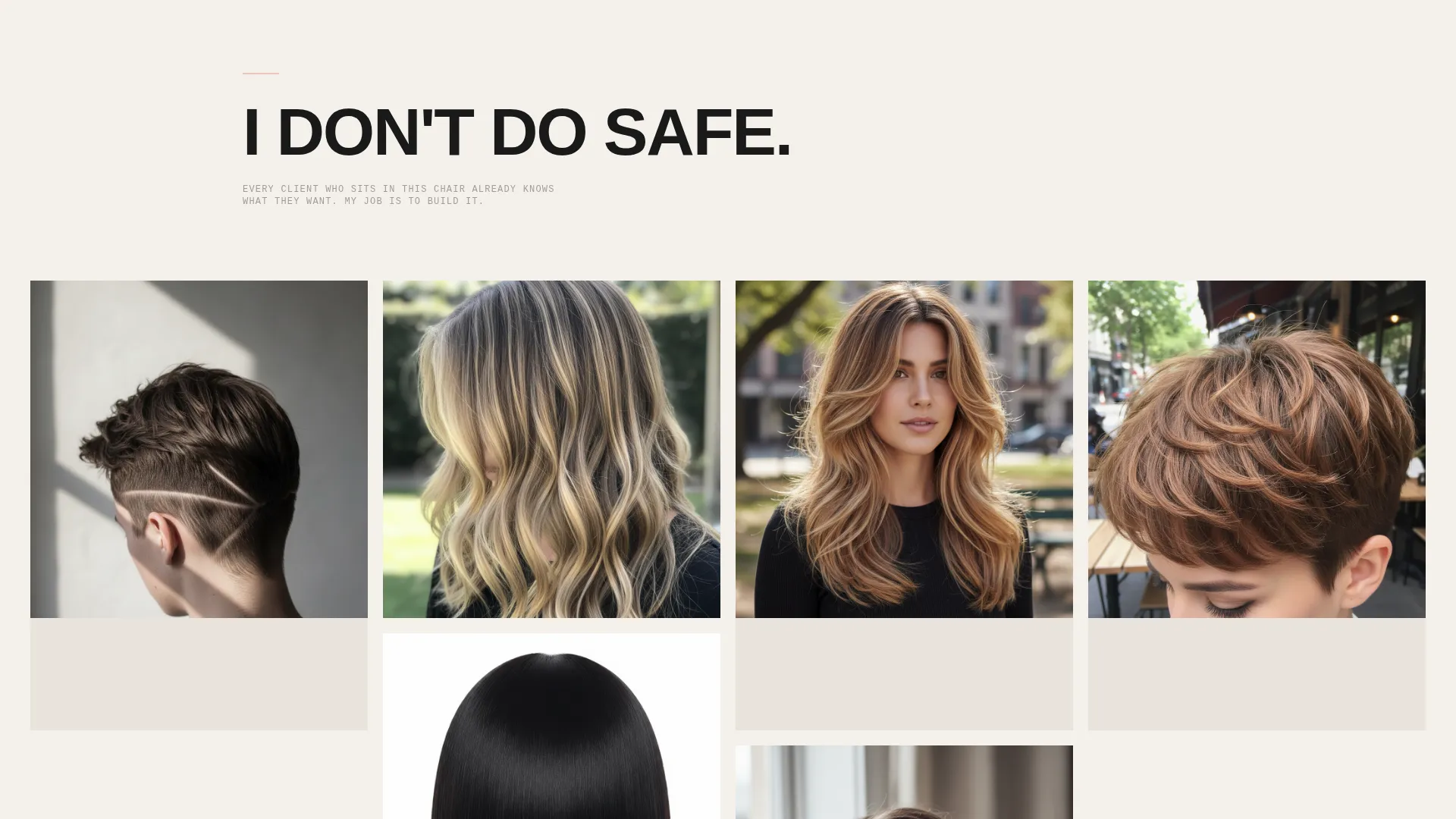
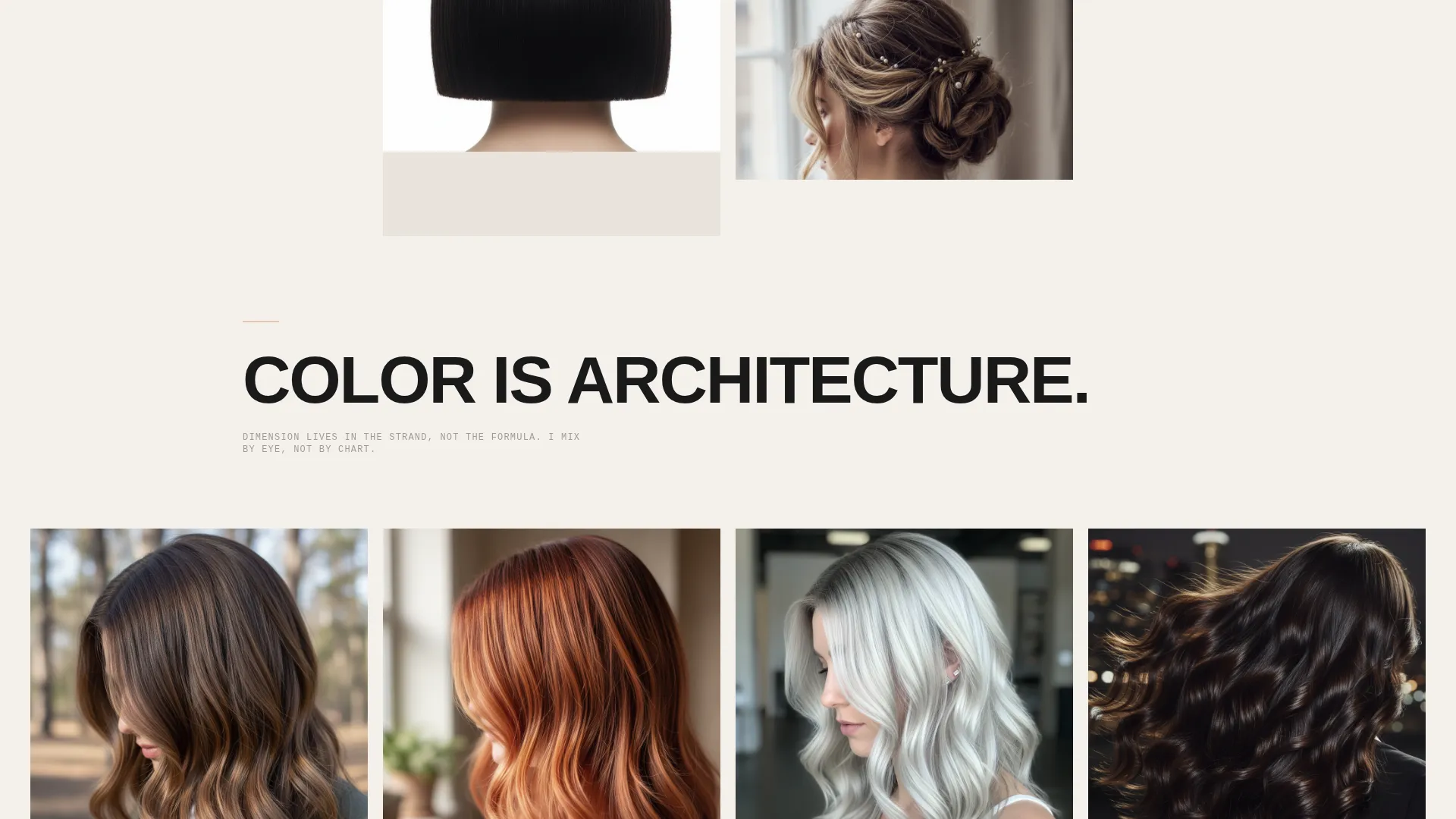
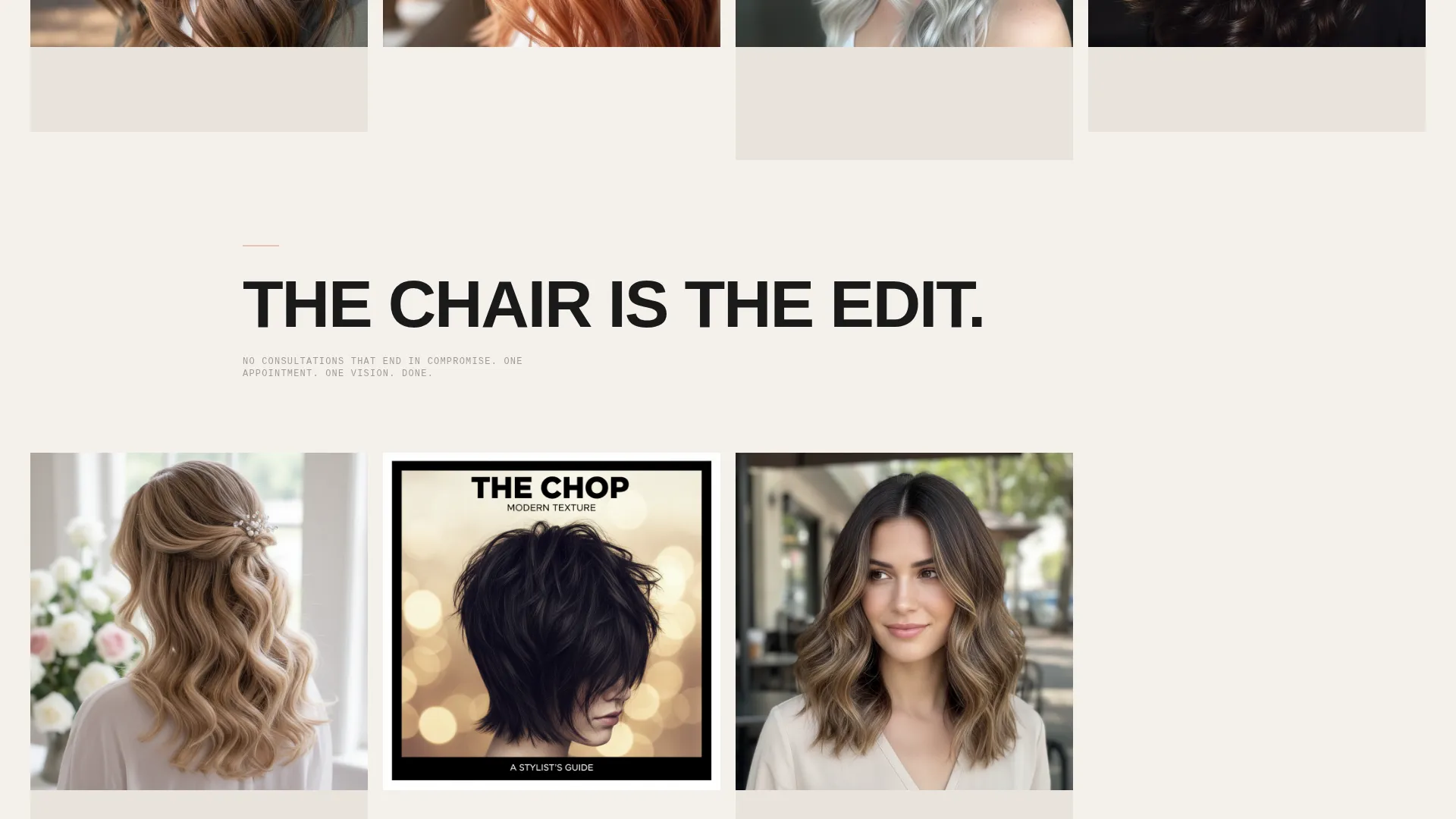
Below the header, the page alternates between declaration text blocks and masonry work tiles. Statements like "I DON'T DO SAFE." and "COLOR IS ARCHITECTURE." run at large scale between groups of editorial cut images. The rhythm builds the stylist's philosophy statement by statement, using the portfolio tiles as supporting evidence.
Masonry Portfolio Grid
Work tiles are arranged in a masonry layout, similar to a Pinterest-style grid, so images display at their natural proportions without forced cropping. Each cluster of tiles sits between manifesto lines, making the work feel curated rather than catalogued.
Waitlist Form with Vetting Fields
The primary call to action is a waitlist form, not a standard booking button. It collects first name, Instagram handle, and a single open field asking visitors to describe their hair in three words. This setup lets the stylist review aesthetic fit before confirming an appointment.
Fixed Mobile Call-to-Action Bar
On mobile, the "Get On The Chair" call to action is anchored as a fixed bar at the bottom of the screen. On desktop, it appears inline after the final manifesto line. This keeps the primary action visible at every scroll depth without interrupting the editorial layout.
Secondary Social Follow Path
Visitors who are not ready to join the waitlist can tap "Follow the Work" to connect on social media. This secondary path keeps undecided visitors in the stylist's orbit without losing them entirely.
Page sections overview
| Section | Purpose |
|---|---|
| Before/After Slider | Full-viewport header with interactive drag reveal and stamped headline |
| Reveal Headline Block | Uppercase statement that appears only after the visitor drags the slider |
| Manifesto Text Block | Oversized declaration lines that frame the stylist's editorial philosophy |
| Masonry Work Grid | Editorial portfolio tiles arranged between manifesto statements |
| Waitlist Form | Lead capture with name, Instagram handle, and three-word hair description |
| Fixed Mobile Bar | Persistent bottom call-to-action anchored during mobile scroll |
| Social Follow Link | Secondary path for visitors to connect without joining the waitlist |
Design & branding system
The visual identity follows a Bold Brutalist theme built on the Cloud Canvas color system. Every color choice references the physical texture of a bare studio: chalky walls, concrete floors, and black denim.
- Warm gallery white (#F4F0EB) and poured concrete (#D2CCC4) form the base palette for backgrounds and surfaces
- Deep asphalt (#1A1A1A) drives headlines, the slider handle, and all high-contrast type
- Soft blush (#E8C4B8) appears only as a hover state and as the fill color for the waitlist button, used as a single punctuation of warmth in an otherwise raw palette
Mobile & speed optimization
The layout is designed to translate from desktop to mobile without losing its editorial impact. The fixed bottom bar ensures the call to action is never out of reach on smaller screens.
- The masonry grid reflows for portrait screens so work tiles remain legible and proportional
- The before/after slider is touch-friendly, allowing visitors to drag the reveal handle with a finger
- The fixed "Get On The Chair" bar stays anchored at the bottom of the mobile viewport throughout the scroll
How this template helps you convert
Shear converts by earning trust through visual confidence before making any ask. Every design decision moves a hesitant visitor closer to the waitlist.
- The interactive before/after slider creates an immediate emotional investment in the stylist's work before a single word is read, making the page feel personal rather than promotional.
- The manifesto scroll builds a philosophy-driven case for the stylist's distinct point of view, so visitors self-select based on shared aesthetic values rather than price or availability.
- The waitlist framing positions the "Get On The Chair" form as a curation process, not a queue, making the act of submitting feel like an application rather than a generic booking request.
Other information about this template
Shear is a strong fit for stylists who are building a brand identity around a single signature aesthetic rather than a broad service menu. The template supports a coming-soon or pre-launch strategy, making it useful for stylists opening a new studio, relocating, or transitioning from a salon to independent work.
- The Instagram handle field in the waitlist form doubles as a passive portfolio review tool for the stylist
- The manifesto format means copy can be updated to reflect the stylist's own voice without redesigning any layout
- The Cloud Canvas palette and Bold Brutalist theme are visually consistent with editorial and fashion-adjacent brand positioning
- This hair stylist portfolio landing page is well suited for creative niches where aesthetic alignment matters more than service volume
Theme
Bold Brutalist
Creative direction
Manifesto
Color system
Cloud Canvas
Style
Masonry/Pinterest
Direction
Waitlist/Coming Soon
Page Sections
Interactive Before/after Slider Header
Manifesto-driven Scroll Layout
Masonry Portfolio Grid
Waitlist Form with Vetting Fields
Fixed Mobile Call-to-action Bar
Secondary Social Follow Path
Related questions
Can I update the manifesto text to match my own voice?
How does the waitlist form qualify clients?
Is this template suitable for a stylist who is not yet open for bookings?
Does the before/after slider work on touchscreens?
Can the secondary 'Follow the Work' link point to any social platform?



