Affordable Housing Mutual Aid Landing Page Template
Shelter is a warm, modular landing page template built for affordable housing mutual aid networks. It pairs a golden-hour hero photo with a card grid that blends real community stories and clear volunteer calls to action. The design uses a nature-inspired palette and guides visitors from emotional connection straight to build-day registration.
by Rocket studio
Quick summary
Shelter is a single-page, card grid landing page template for neighborhood-rooted affordable housing mutual aid networks. It opens with a full-bleed build site photo and guides visitors through community stories, an upcoming build calendar, and a volunteer registration form, all wrapped in a warm, nature-inspired visual identity built around cream, sage, fog gray, and terracotta.
Who this template is for
This template is designed for volunteer-driven, community-first organizations focused on building affordable housing through collective effort. It works equally well for established mutual aid groups and newly forming neighborhood coalitions.
- Affordable housing mutual aid networks recruiting weekend build-day volunteers
- Community nonprofits coordinating donated materials, skilled trades, and first-time helpers
- Church groups, neighborhood associations, or informal collectives managing recurring build events
What problem this template solves
Most nonprofit landing pages ask visitors to trust an organization before they have any reason to. Shelter flips that order. It leads with faces, real stories, and completed homes before it ever asks anyone to fill out a form.
- Generic nonprofit pages bury the human story under mission statements and donation buttons
- Volunteers with varying skill levels have no clear path to contribute at their own comfort level
- Build-day event pages often look clinical, which undercuts the warmth that mutual aid communities actually embody
What you get with this template
You get a fully structured, single-page layout that takes a visitor from curiosity to commitment without a single dead end. Every section earns the next one.
- A full-bleed hero section with a rising quote line, followed by a modular card grid mixing emotional stories and action steps
- A build calendar section, a volunteer registration form with skill-level and availability fields, and a secondary path for non-physical contributors
- A sticky footer call-to-action bar, terracotta-accented interactive elements, and a nature-inspired Soft Mist color system throughout
Feature list
Full-Bleed Golden-Hour Hero
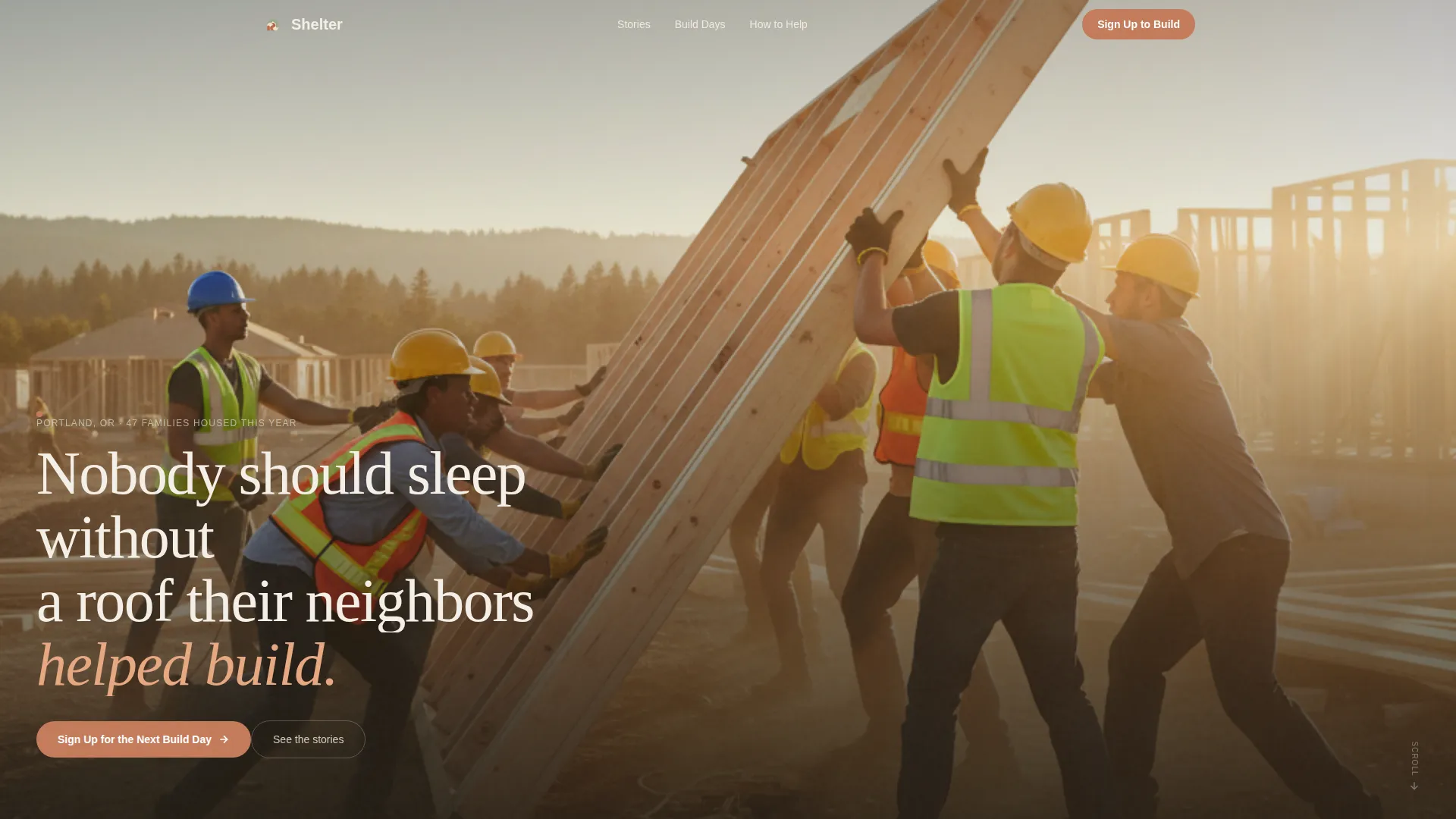
The hero section displays an unposed, ground-level build site photograph. A single line of hand-lettered type rises from the bottom of the image. No logo competes for attention. The image holds the screen alone for one breath before anything else appears.
Modular Card Grid Layout
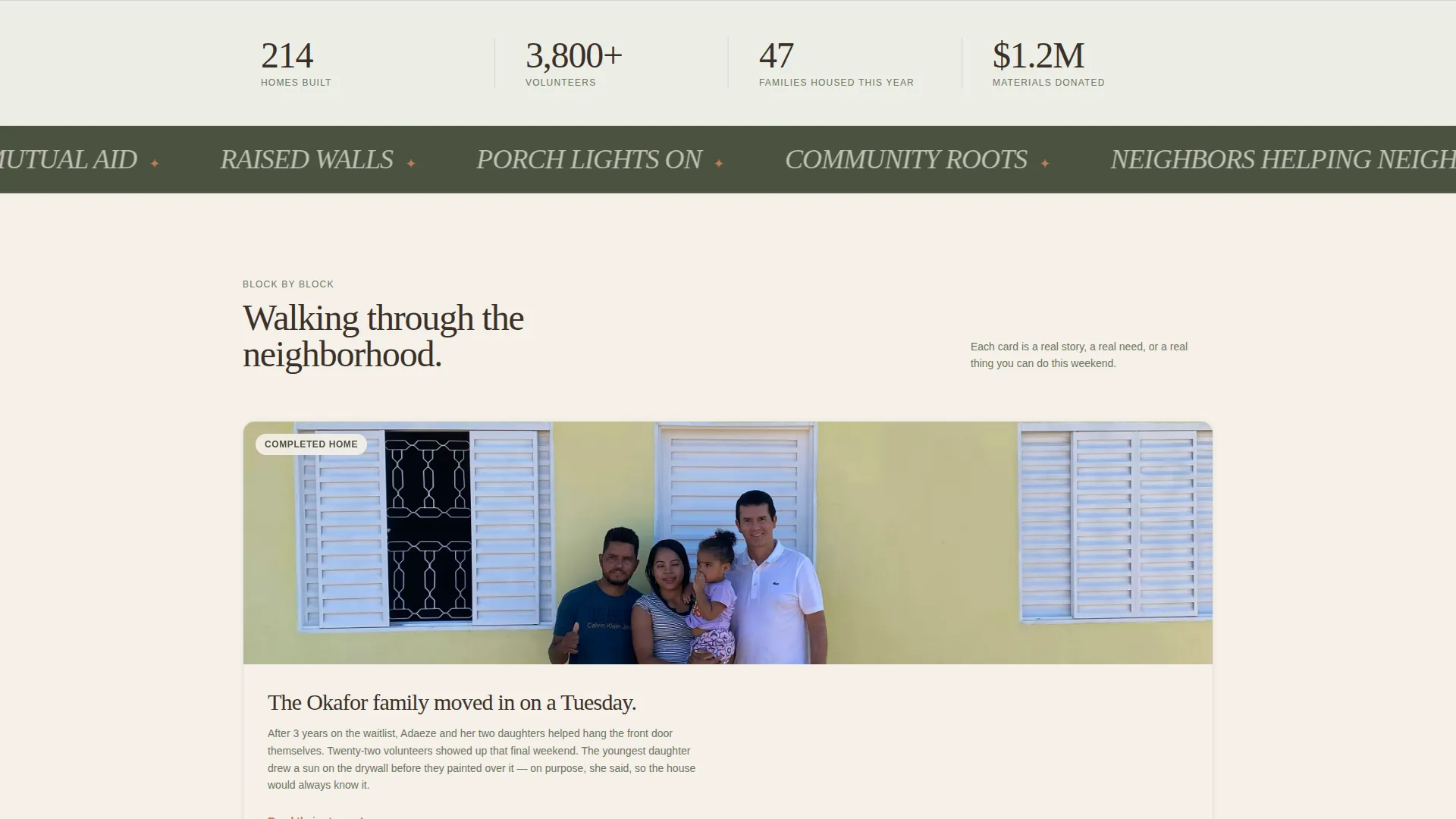
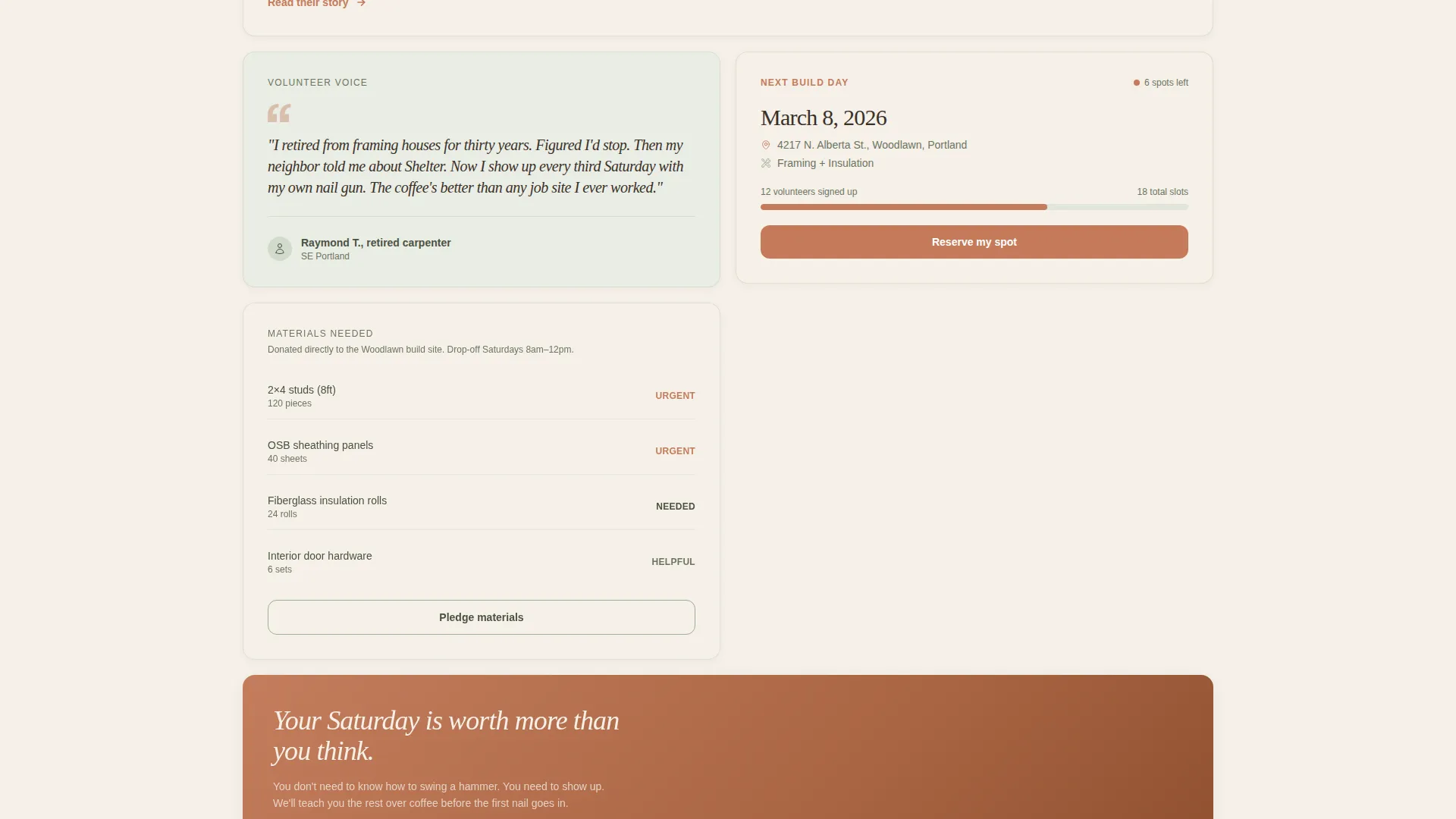
The card grid mixes emotional proof and practical next steps in the same view. Some cards span two columns for photo essays. Others are tight single-column blocks that read like handwritten notes. Cards include completed home stories, volunteer quotes, upcoming build weekends, and donated materials requests.
Volunteer Registration Form
The registration form collects first name, zip code, weekend availability, and skill level. A dropdown lets volunteers self-select between Saturday, Sunday, or either day. A skill-level field offers options from no experience through skilled trade, so every visitor finds a place to belong.
Sticky Footer Call-to-Action Bar
A sticky footer bar appears once a visitor scrolls past the first row of story cards. It carries the primary "Sign Up for the Next Build Day" call to action in terracotta. The bar stays visible without interrupting the reading flow.
Build Calendar Section
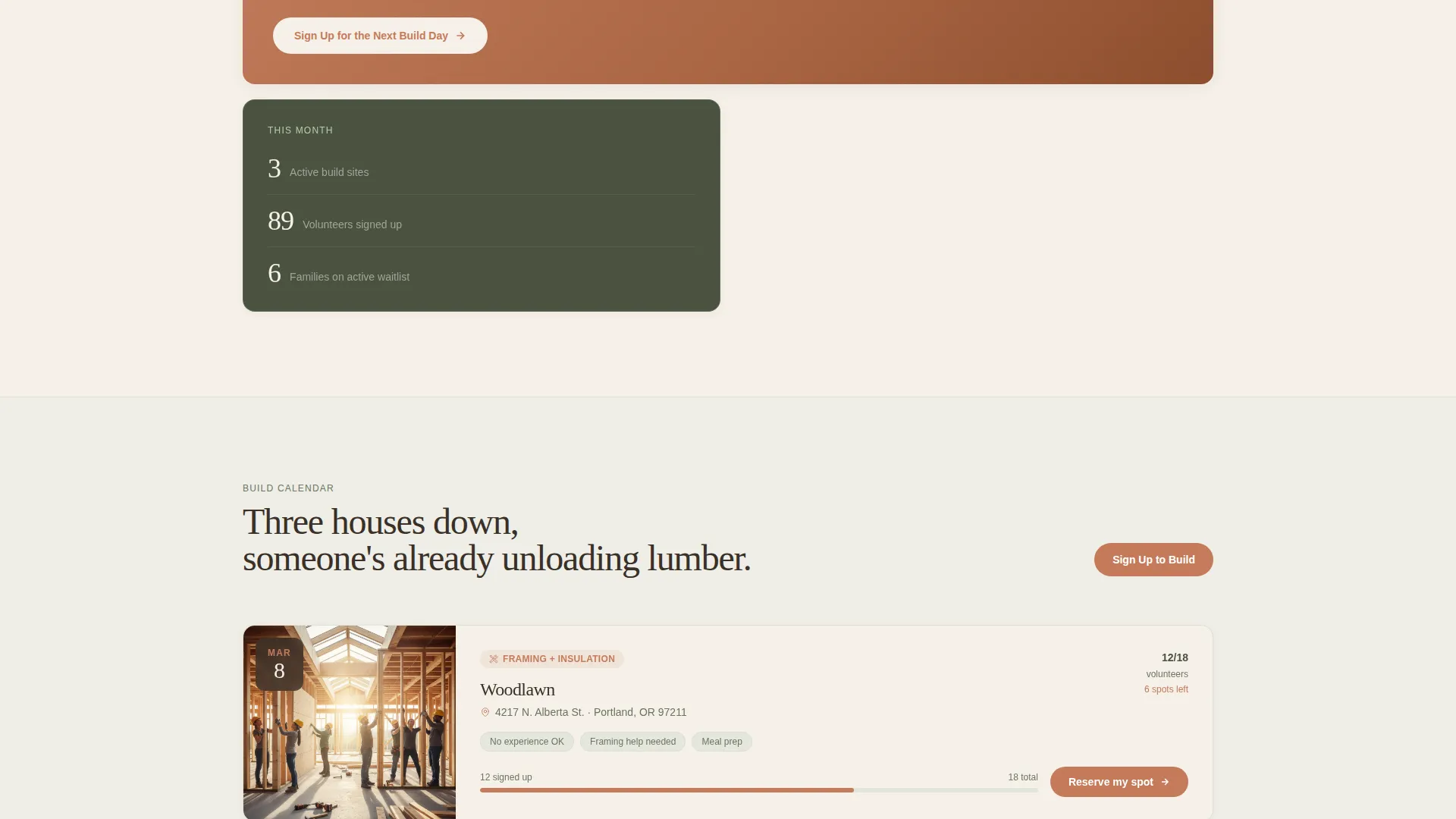
The build calendar lists upcoming events with location, date, and current volunteer count per build. Visitors can see exactly where and when the next build weekend is happening before they ever reach the form.
Secondary Contribution Path
A dedicated card lower on the page offers a separate path for people who cannot volunteer physically. The "Can't swing a hammer? See other ways to help" link leads to a donation and materials pledge card, so no visitor leaves without a way to contribute.
Page sections overview
| Section | Purpose |
|---|---|
| Hero Photo | Opens with golden-hour build site image and a single rising quote |
| Impact Stats | Shows four concrete numbers: homes, volunteers, materials, families |
| Modular Card Grid | Alternates emotional stories with clear volunteer action steps |
| Build Calendar | Lists upcoming build days with location, date, and volunteer count |
| Volunteer Spectrum | Shows who shows up at every skill level and offers the secondary path |
| Registration Form | Collects name, zip, availability, and skill level for build-day sign-up |
| Page Footer | Arc Browser Split layout with tagline left and navigation links right |
Design & branding system
The visual identity follows a nature-inspired theme built on the Soft Mist color system. The palette feels like a community garden after a light rain: unhurried, alive, and rooted rather than polished.
- Warm porch-light cream (#F5F0E8) dominates backgrounds; rain-washed sage (#9BAF94) anchors card borders and section dividers; morning fog gray (#D6DDD3) carries body text
- Hand-painted terracotta (#C47B5A) appears only on buttons, dates, and map pins, every place where a hand should reach
- Typography pairs Fraunces serif headlines with Manrope body text for a warm, legible reading experience across all screen sizes
Mobile & speed optimization
The template is built mobile-first, recognizing that volunteers are most likely checking build details on the go between work and weekend plans.
- Server Components handle all static content sections, reducing client-side load
- Client-side rendering is reserved for the sticky footer bar and the registration form only
- Card grid, parallax hero, and reveal animations are tuned to a medium animation intensity that stays smooth on mobile devices
How this template helps you convert
The page is structured to earn the registration click rather than demand it. Every section prepares the visitor for the next step without rushing them.
- Visitors see completed homes and family move-in photos first, then volunteer counts, then the build calendar, so the form feels like raising a hand in a room full of people already standing
- The sticky footer bar keeps the primary call to action visible throughout the scroll without blocking the story content, removing friction at the moment of decision
- The secondary donation and materials pledge path ensures that visitors who cannot attend in person still have a clear, low-barrier way to contribute before leaving the page
Other information about this template
This template is ready to customize for any local affordable housing mutual aid network across the United States. All placeholder content uses imperial measurements and USD currency by default.
- The footer follows the Arc Browser Split pattern: organization tagline on the left, navigation links on the right
- Interactive elements include card hover effects, a marquee strip, reveal text animations, and a parallax scrolling hero
- The template is structured as a single landing page with a card grid style, designed for event registration as the primary conversion goal
Theme
Nature-Inspired
Creative direction
Local & Neighborhood
Color system
Soft Mist
Style
Card Grid (Modular)
Direction
Event Registration
Page Sections
Full-bleed Golden-hour Hero Section
Modular Story Card Grid
Volunteer Registration Form
Sticky Footer Call-to-action Bar
Build Calendar with Event Details
Secondary Contribution Card
Related questions
Do I need design or coding experience to use this template?
Can I add more build events to the calendar section?
What if my organization also accepts donations rather than just volunteers?
Is the registration form connected to an external service?
Can I change the color palette to match my organization's branding?



