Heartfelt Relief Landing Page Template
Shelter is a modular card grid landing page built for international relief organizations. It combines a cinematic full-screen video header, a living community gallery, and a focused event registration flow. The Botanical color system moves visitors from crisis to renewal as they scroll, and a sticky "Reserve Your Seat" bar keeps the primary action always within reach.
by Rocket studio
Quick summary
Shelter is a single-page template built for international humanitarian relief organizations. It opens with handheld cinematic video, unfolds into a modular bento card gallery of family stories and project metrics, and closes with a focused event registration form. The Botanical palette shifts from deep fig leaf to new-growth green as the visitor scrolls, visually tracing the arc from crisis to recovery.
Who this template is for
This template is designed for mission-driven organizations that need to move visitors from passive sympathy to active commitment. It works best when the stories on the page are real and the events being promoted are already planned.
- Church group coordinators planning service weekends and volunteer days
- Corporate social responsibility managers allocating annual giving budgets
- Diaspora families and community organizers looking to direct help to specific regions
What problem this template solves
Many charity and fundraising pages lose visitors before they convert. The layout is either too dense with statistics or too sparse with context, and the call to action arrives before trust is earned. Shelter solves this by letting immersive storytelling do the persuading first.
- Visitors meet real families and see real project progress before any form appears
- The registration path feels like a natural next step, not a cold ask
- Group coordinators have a separate, shorter path so they are never blocked by a form built for individuals
What you get with this template
Shelter delivers a complete, section-led landing page layout with high interactivity and cinematic visual design baked in. Every section is purposeful and sequenced to guide the visitor from emotional engagement to committed action.
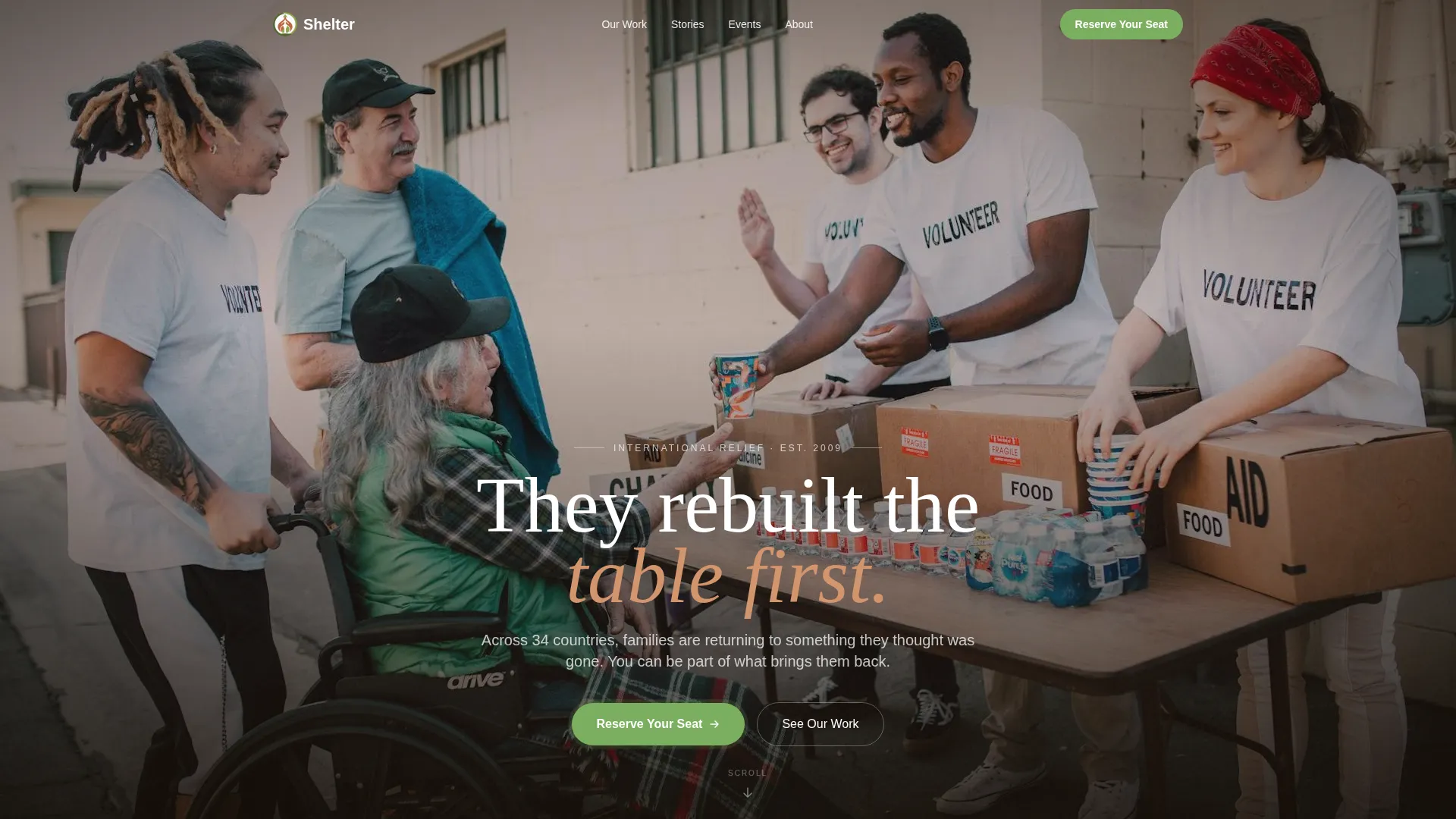
- A full-screen video hero with a fade-in headline and handheld, documentary-style footage direction
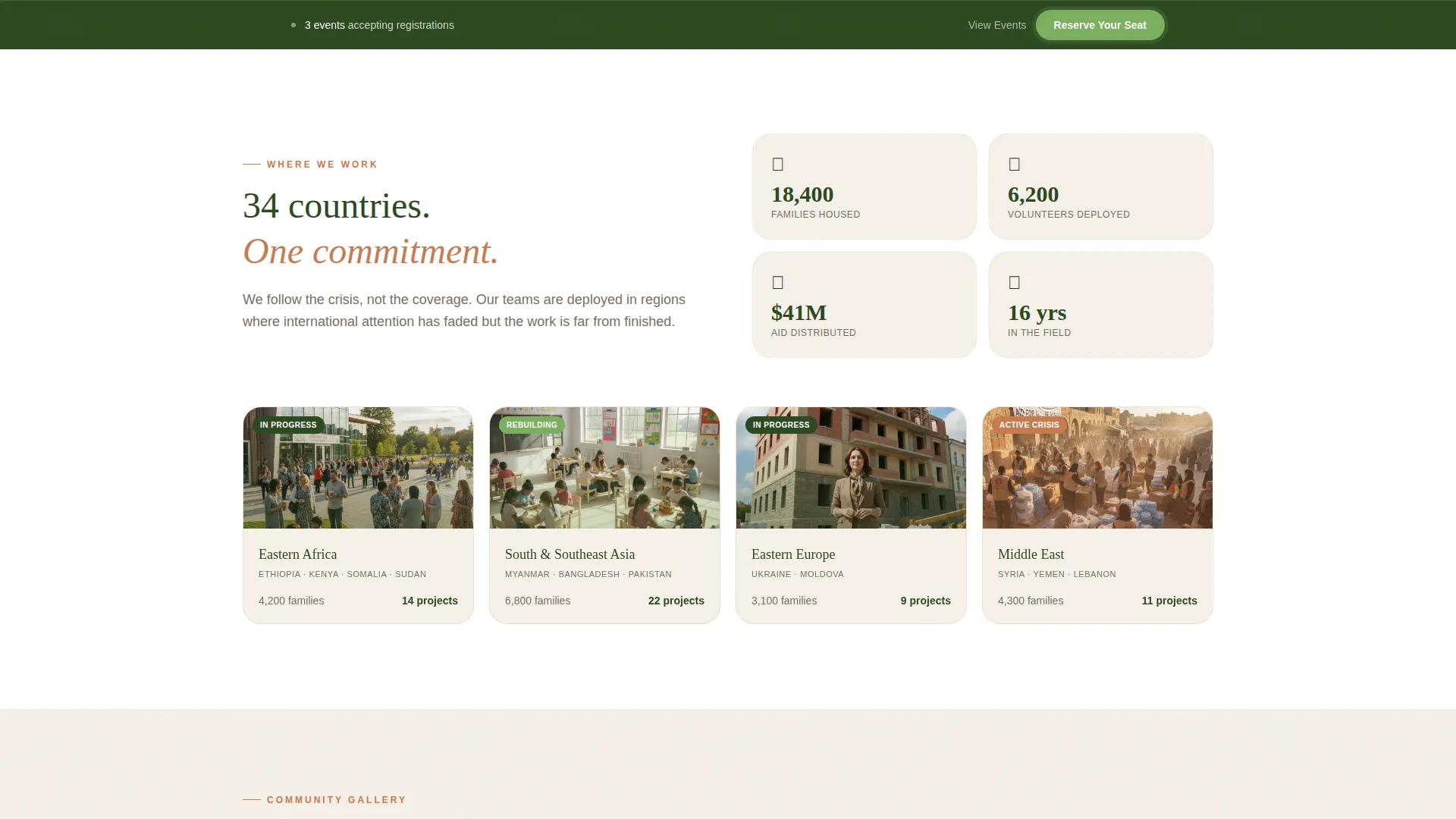
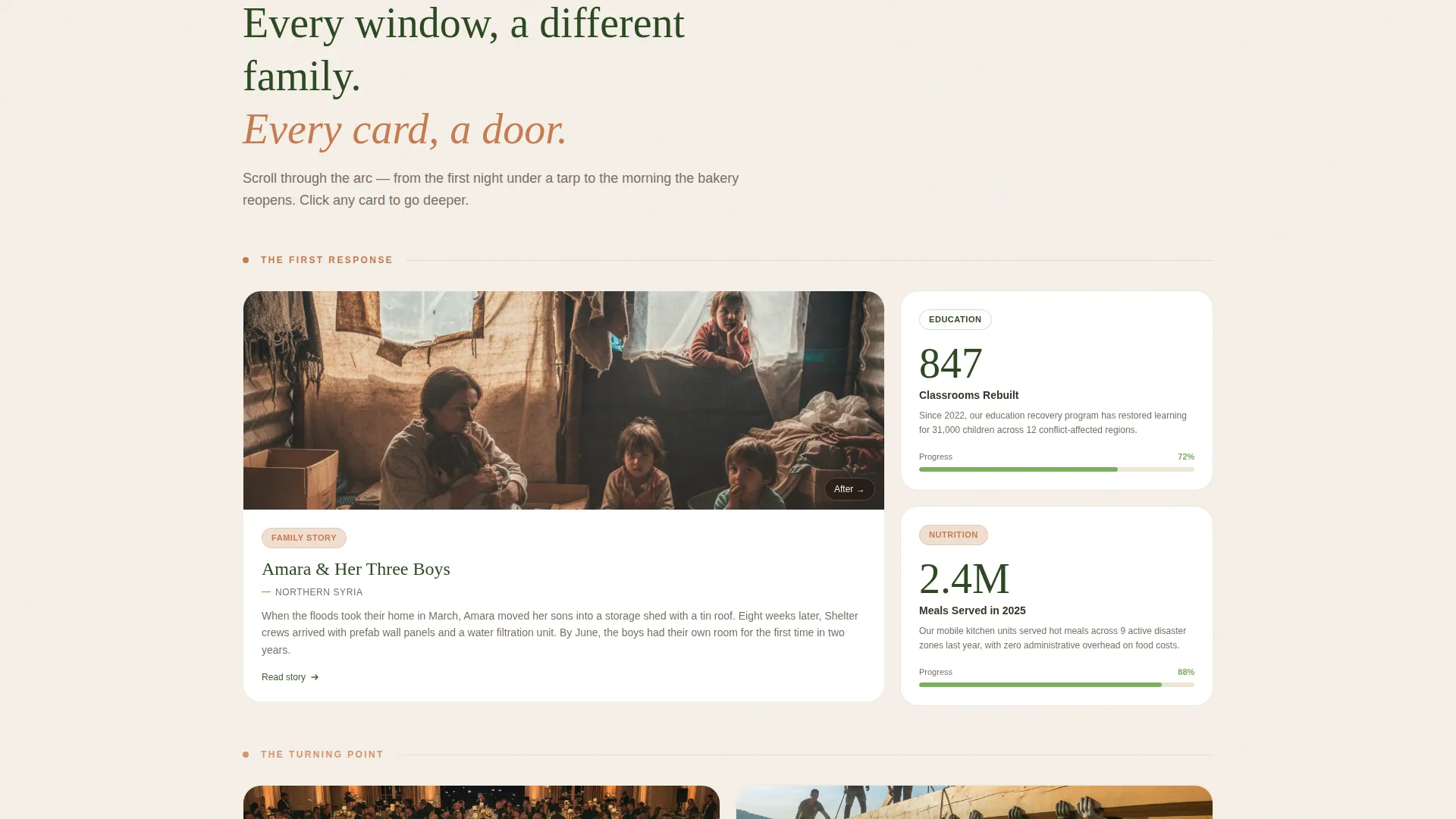
- A modular bento card grid with large portrait cards, medium event cards, and small real-time metric cards
- A sticky event registration bar with an inline form, a secondary organizer path, and an optional personal reflection field
Feature list
This template is built around six core capabilities drawn directly from the project brief.
Full-Screen Cinematic Video Header
The hero section uses a full-screen video background with handheld footage direction. The camera moves through three distinct scenes, a mother and daughter inside a shelter, volunteers raising a roof beam, and a community meal at dusk, before a single headline fades in over the final shot.
Modular Bento Card Gallery
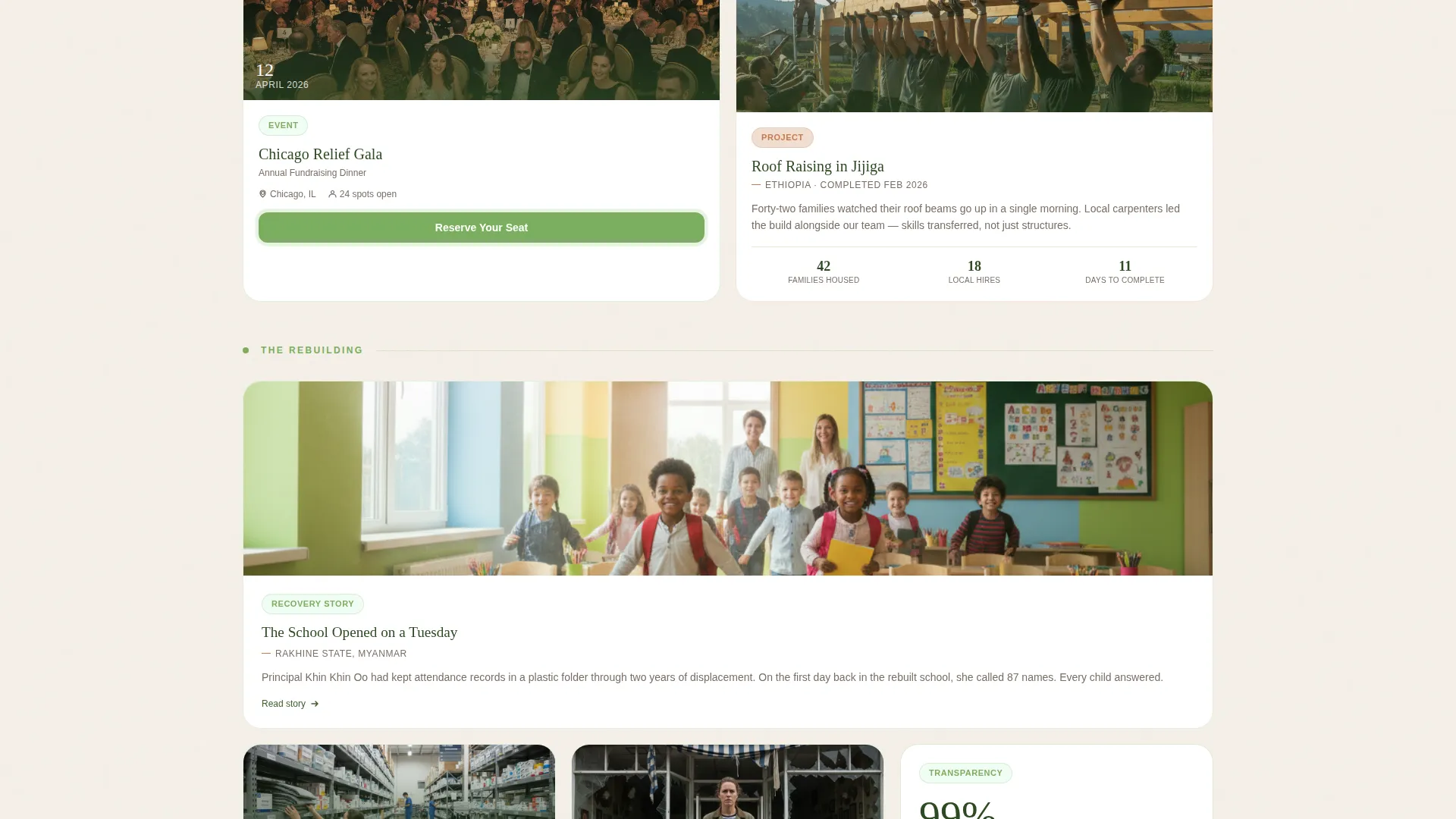
The community gallery is a dynamic card grid that varies in card size and content type. Large portrait cards carry family narratives and before-and-after photo pairs. Medium cards show event details with date, location, and volunteer count. Small cards display live metrics such as meals served and classrooms completed.
Scroll-Linked Palette Progression
As the visitor scrolls through the gallery, the visual tone shifts. Terracotta warms card borders in the crisis-phase cards, and new-growth green appears with increasing frequency as recovery stories take over. The color system itself narrates the journey without a single word of explanation.
Sticky Event Registration Bar
A persistent registration bar appears after the first scroll depth threshold. It anchors the primary call to action, "Reserve Your Seat," at all times without interrupting the gallery experience. The bar links to a registration form with full name, email, event location dropdown, attendee count, and an optional motivation field.
Expandable Story Cards
Every card in the gallery is clickable and opens into a deeper narrative view. Visitors can explore a family's full story, a project's completion timeline, or an event's volunteer breakdown without leaving the page. This rewards curiosity without demanding commitment up front.
Dual Registration Paths
The template includes two distinct conversion routes. The primary path targets individual attendees registering for relief galas, volunteer days, or community briefings. The secondary path, labeled "Organize a Local Event," routes church groups and corporate teams to a shorter form asking for organization name and preferred date range.
Page sections overview
| Section | Purpose |
|---|---|
| Video Hero | Opens with cinematic footage and a fade-in headline |
| Impact Metrics Bar | Displays real-time numbers for meals, classrooms, and families |
| Community Card Gallery | Modular bento grid moving from need to recovery stories |
| Event Registration Form | Inline form with "Reserve Your Seat" primary action |
| Organize Local Events | Secondary path and shorter form for group coordinators |
| Footer | Horizontal flow layout for navigation and supporting links |
Design & branding system
The Botanical color system is the emotional engine of this template. Every color has a specific role, and none are used interchangeably, which gives the page a coherent, intentional feel from first frame to final scroll.
- Fig leaf (#2D4A22) anchors all headlines and navigation elements for weight and authority
- Terracotta (#C67B4F) warms card borders and icon accents, carrying the heat of active field work
- Soft linen (#F5F0E8) covers every background surface, creating an organic, unhurried reading environment
- New-growth green (#7BAE5E) appears exclusively on buttons and progress indicators, making every interactive element feel alive and actionable
Typography pairs Fraunces serif headlines with DM Sans body text, balancing warmth with clarity.
Mobile & speed optimization
The template is designed desktop-first but built with a strong mobile experience in mind. Scroll-triggered animations and the sticky registration bar adapt cleanly to smaller viewports.
- Video in the hero section is lazy-loaded to reduce initial page weight
- Card grid animations use GPU-accelerated rendering for smooth staggered reveals on scroll
- Images across the gallery are optimized to maintain visual quality without sacrificing load performance
How this template helps you convert
The conversion strategy is embedded in the page sequence itself. By the time a visitor reaches the registration form, the gallery has already introduced them to real stories, real numbers, and real events.
- The gallery builds trust progressively, each scroll revealing a new family, project, or milestone, so the registration ask lands after six or more meaningful encounters with the organization's work.
- The sticky bar keeps the primary call to action visible at all times without interrupting the story, so motivated visitors can convert at any scroll depth rather than having to reach the bottom first.
Other information about this template
Shelter is categorized under Community and Nonprofit, specifically within the Charity and Fundraising subcategory, and is purpose-built for international relief organization use cases. The Family First theme drives every design decision, from the warm palette to the human-scale footage direction.
- The template style is a Card Grid (Modular) layout, also described in design shorthand as a bento grid
- The creative direction follows the Community Gallery concept, a living mosaic structure that rewards scrolling
- The header concept is a Full-Screen Video background, optimized for handheld, documentary-style footage
- The landing page direction is Event Registration, with two distinct conversion paths built into the layout
- Localization defaults are set to English, United States Dollar (USD), and MM/DD/YYYY date format for a global relief context
Theme
Family First
Creative direction
Community Gallery
Color system
Botanical
Style
Card Grid (Modular)
Direction
Event Registration
Page Sections
Full-screen Cinematic Video Hero
Modular Bento Card Gallery
Scroll-linked Palette Shift
Sticky Event Registration Bar
Dual Conversion Paths
Impact Metrics Display Bar
Related questions
Can I use this template without video footage?
How does the dual registration path work?
Is the card gallery content editable?
When does the sticky registration bar appear?
What event types does the registration form support?



