Tribal Consumer Protection Advocacy Landing Page
Shield is a single-column landing page built for tribal consumer protection authorities. It opens with a plain-language search prompt, walks visitors through a four-step advocacy process, and closes with a cause-tied donation form. The design uses a warm Forest Trust palette to feel grounding and trustworthy, putting community members at ease before they ask for help.
by Rocket studio
Quick summary
Shield is a warm, unhurried landing page designed for a tribal consumer protection authority. It listens first, with a centered search box asking "What happened to you?" It then guides visitors through a four-step process, from reporting an issue to learning how to avoid it next time. The page earns trust before it ever asks for a donation.
Who this template is for
This template is built for tribal advocacy offices, reservation-based consumer protection programs, and Native American community organizations that help families navigate predatory financial practices. It serves two audiences at once: people in crisis who need help right now, and supporters who want to fund that work.
- Tribal authority offices handling complaint intake, fund recovery, and financial literacy programs
- Community advocates and nonprofit teams working with vulnerable populations on reservations
- Donors and supporters looking to contribute to a cause-driven, community-rooted protection effort
What problem this template solves
Many people in financial distress do not know where to turn, and government or legal websites often feel cold and confusing. This template creates a warm entry point that feels like sitting across from someone who already knows the way through.
- Predatory lending targets tribal community members with few accessible ways to report or recover
- Most complaint or advocacy pages feel institutional and unwelcoming to people already in crisis
- Donation pages that lead with the ask before showing the work tend to lose both help-seekers and donors
What you get with this template
You get a fully structured, single-column landing page flow built around two goals: helping people in distress take a first step, and giving donors a clear reason to contribute. Every section is sequenced to earn trust before making any ask.
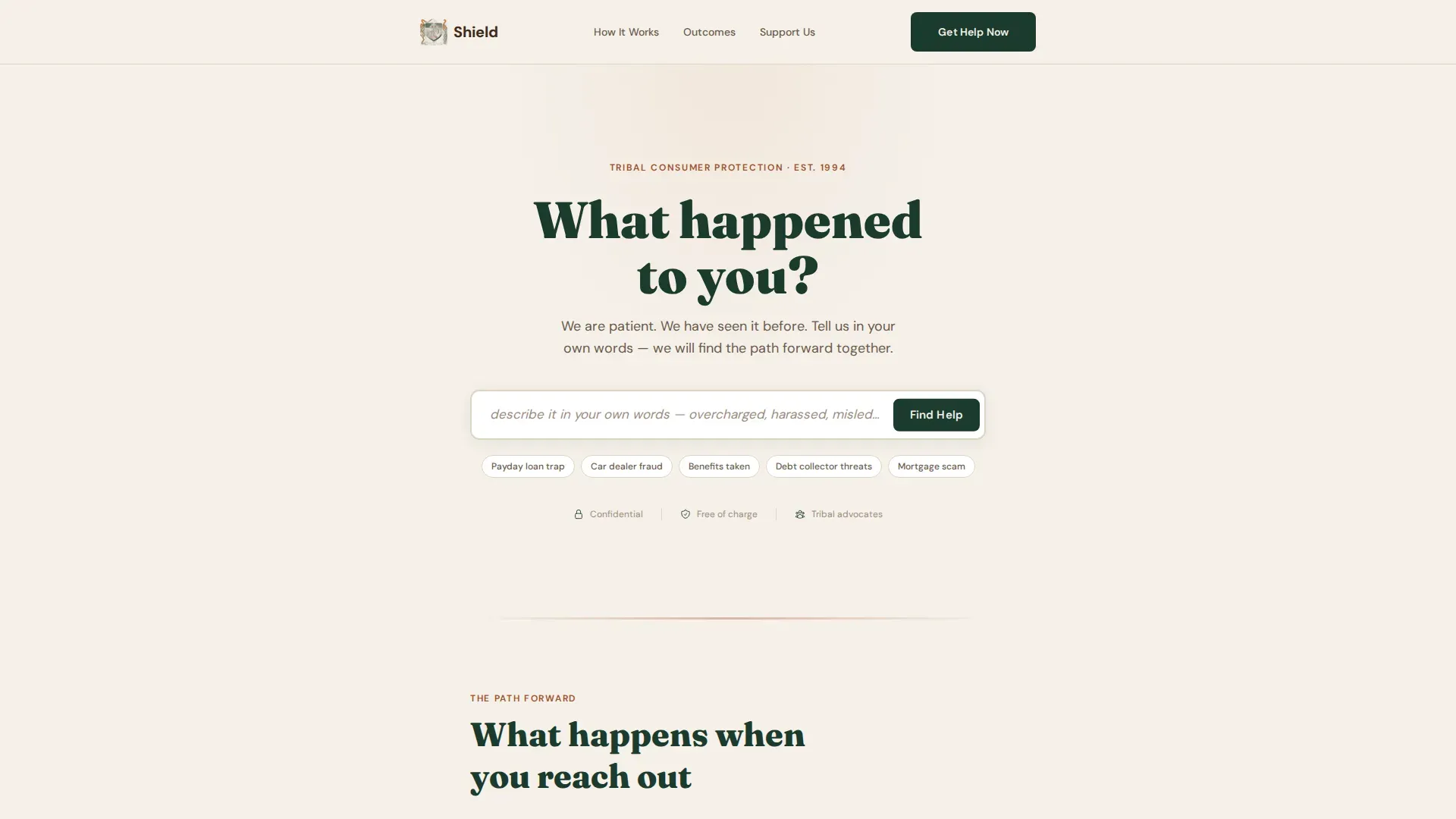
- A centered "What happened to you?" search intake section with a plain-language prompt and a "Find Help" button
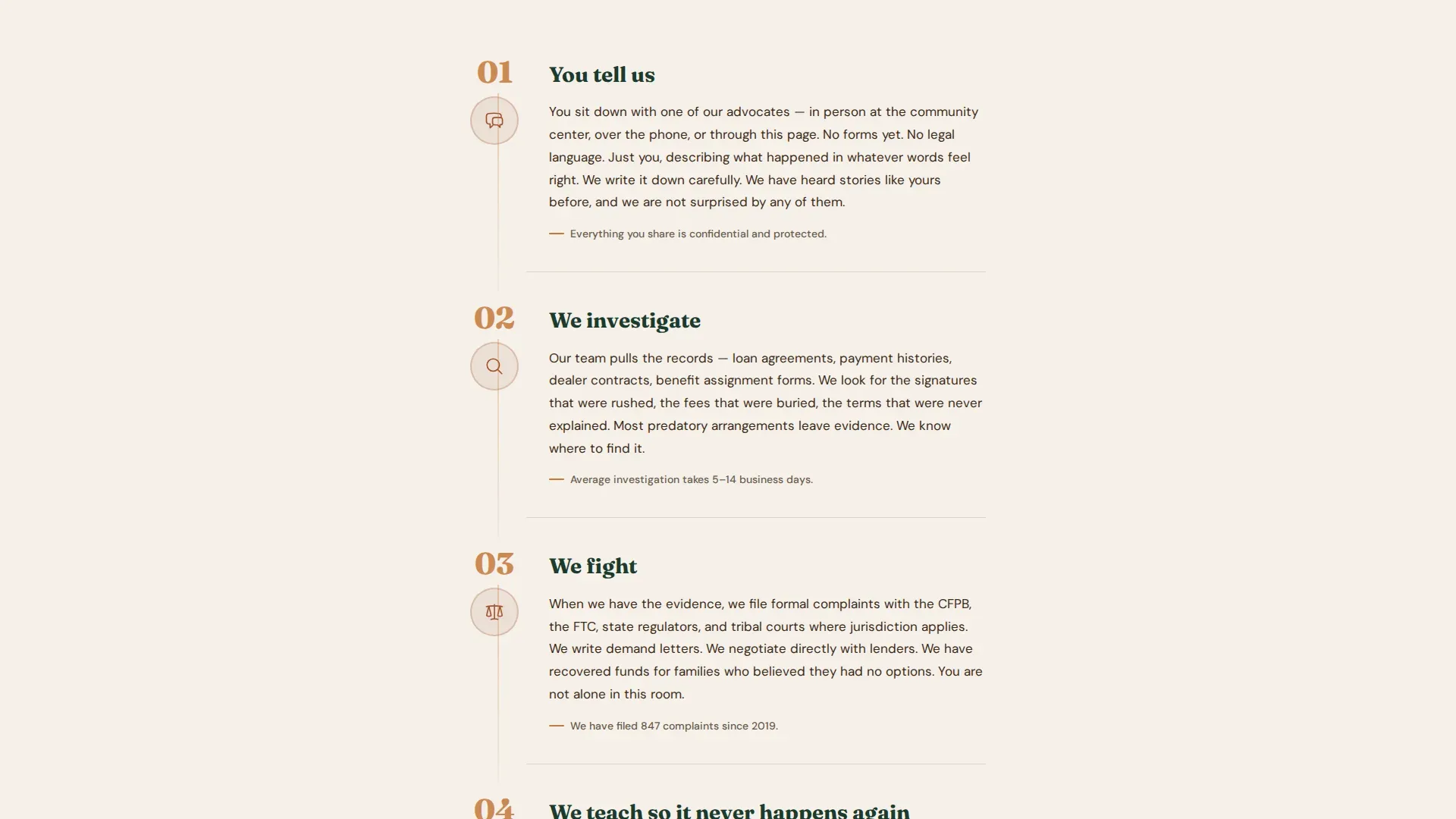
- A four-step visual guide showing what happens after someone reaches out, with large ember numerals and narrative paragraphs
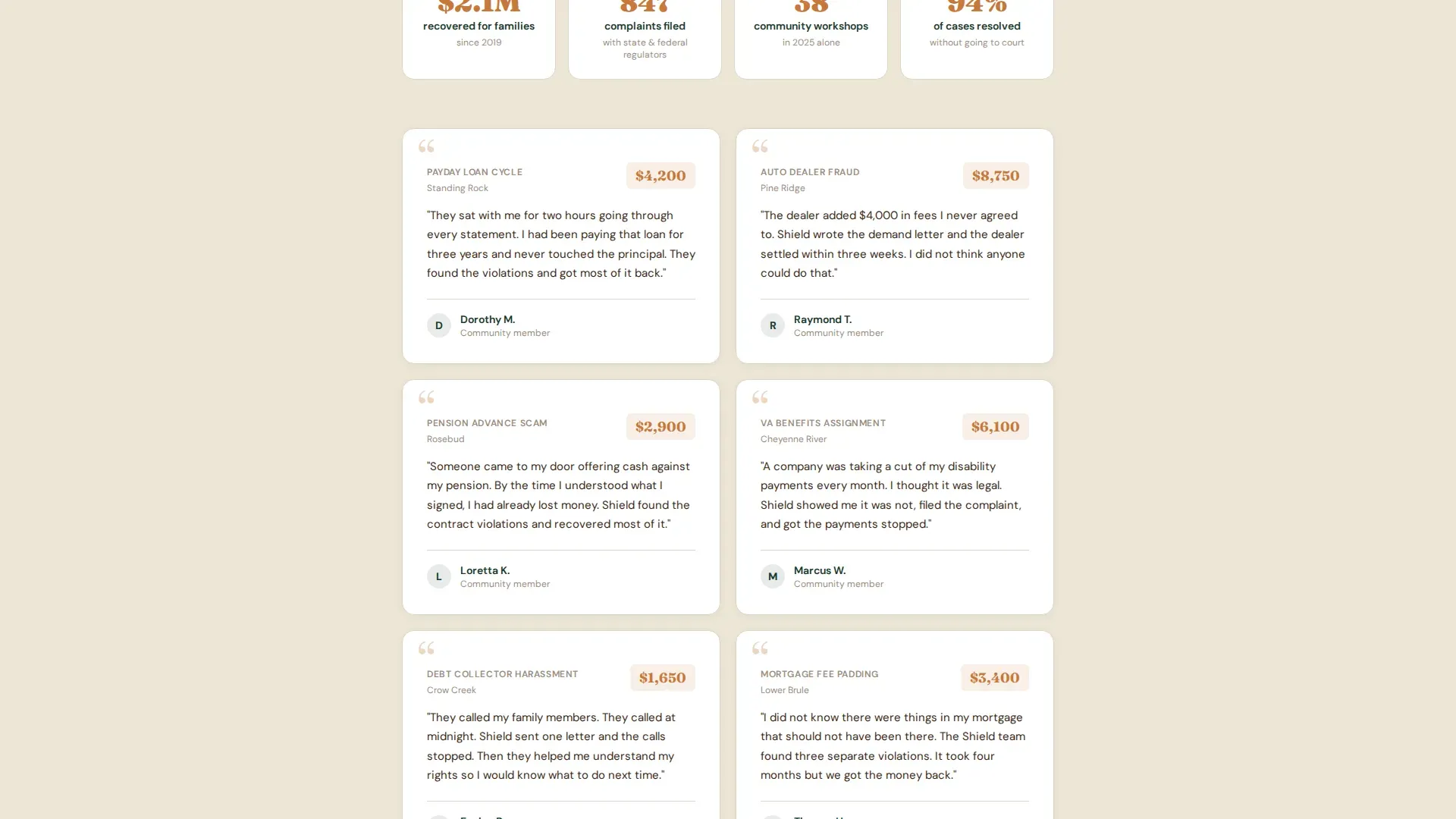
- Real case outcome testimonials showing first names and recovered dollar amounts
- A donation form with four preset amounts tied to tangible outcomes, plus a custom entry field
- A secondary help path for people in crisis who do not want to be redirected to the donation form
Feature list
This template ships with purpose-built components designed specifically for community-centered advocacy work.
Centered Search Intake Header
The page opens with a single warm question on a birch bark cream background. A generous search field accepts plain-language input, with placeholder text guiding visitors to describe what happened in their own words. A pine-colored "Find Help" button keeps the focus on listening, not selling.
Four-Step Advocacy Guide
A step-by-step section walks visitors through the full advocacy process: Tell us, Investigate, Fight, and Teach. Each step uses a large ember numeral, a short plain-language paragraph, and a hand-drawn-style hearthstone icon. White space widens between steps to give readers room to pause and trust the process.
Case Outcome Testimonials
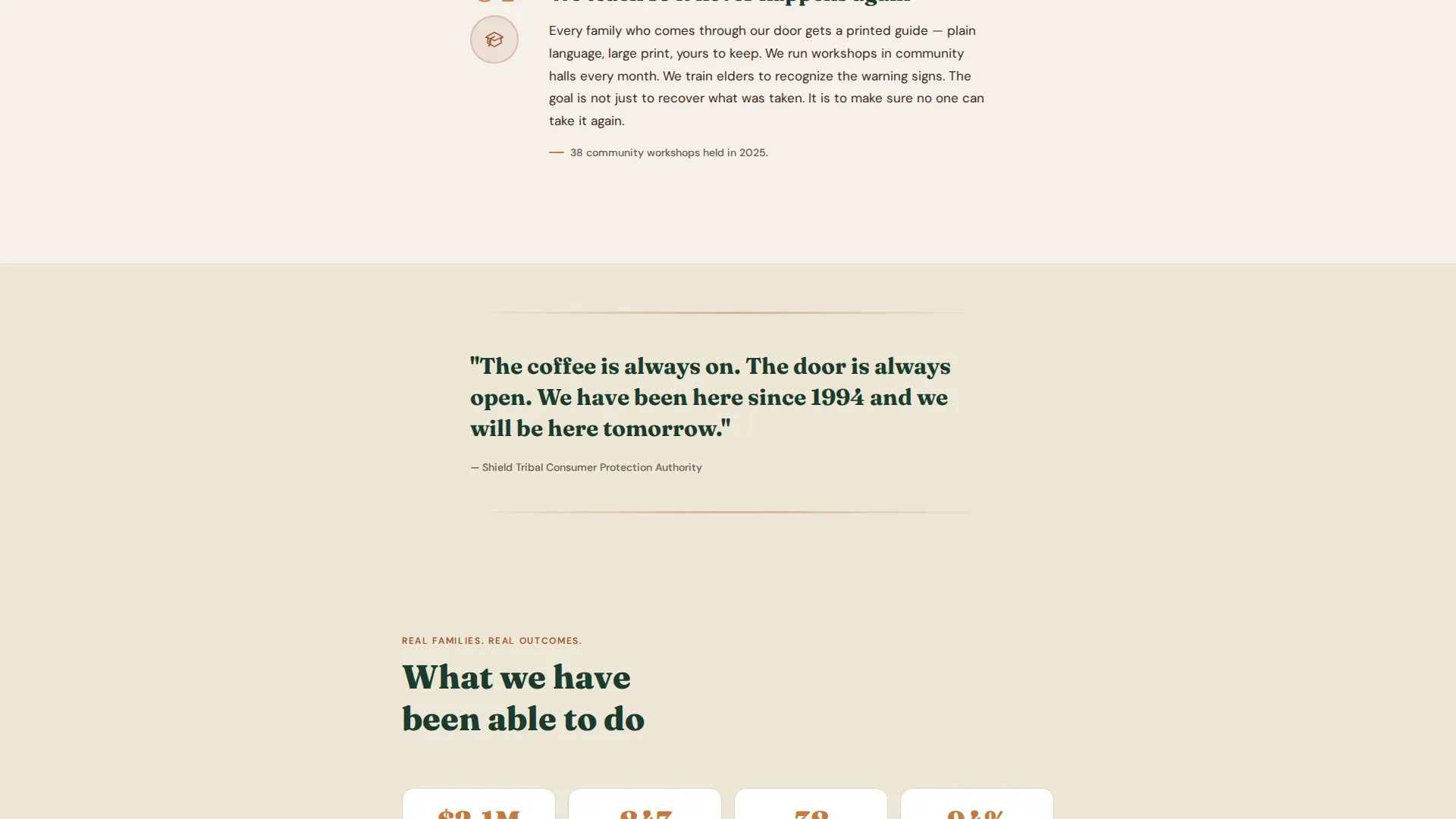
Below the step guide, real case results appear as quiet, first-name-only testimonials. Recovered dollar amounts appear in ember type so they stand out without feeling boastful. This section grounds the page's promises in demonstrated outcomes.
Cause-Tied Donation Form
The donation section offers four preset amounts, $25, $50, $100, and $250, each linked to a specific, tangible outcome. A custom amount field is included. The preset labeling makes every contribution feel meaningful rather than abstract.
Secondary Crisis Help Path
A clearly visible secondary link reads "I Need Help, Not a Donation Form" and routes directly back to the intake search. This ensures that no one arriving in distress feels redirected or dismissed by the donation flow.
Sticky Mobile Donation Bar
On mobile devices, a sticky bottom bar keeps the primary "Stand With Us" call to action visible throughout the scroll. This supports the mobile-first audience without interrupting the reading experience on larger screens.
Page sections overview
| Section | Purpose |
|---|---|
| Search intake header | Invite visitors to describe their situation in plain language |
| Four-step guide | Show exactly what happens after someone reaches out |
| Case outcome testimonials | Build trust through real, named recovery results |
| Donation call to action | Connect contributions to specific, tangible program outcomes |
| Secondary help path | Give crisis visitors a direct route back to intake |
| Footer | Linear single-row links for navigation and contact |
Design & branding system
The visual identity follows a Community Hearth theme built on the Forest Trust color system. Every color choice reinforces the feeling of a warm, safe space, the kind of place where someone patient is already waiting to help.
- Deep pine (#1B3A2D) anchors headers, body type, and the footer, giving the page a grounded, steady foundation
- Birch bark cream (#F5F0E8) carries the background throughout, keeping the page soft and easy to read
- Hearthstone (#A0522D) warms section dividers and icon illustrations, adding depth without urgency
- Ember (#C7793A) is reserved for buttons, step numerals, and recovered dollar amounts, drawing the eye only where action matters
Mobile & speed optimization
This template is built mobile-first, reflecting the reality that many community members will arrive on a phone. The layout is a single-column flow, which scales cleanly from small screens to desktop without reflow issues.
- Gentle fade-in animations and scroll-triggered step reveals keep the experience smooth without heavy JavaScript
- The sticky bottom donation bar on mobile ensures the primary call to action is always one tap away
- Server Components handle static sections, keeping the interactive elements, search input, preset selector, sticky bar, lightweight and responsive
How this template helps you convert
This page is structured to build trust at every scroll position before presenting any ask. The sequence is deliberate: show the process, prove the outcomes, then offer two clear paths forward.
- The search intake header lowers the barrier for help-seekers immediately, making the page feel responsive and human from the first second
- The step-by-step guide shows donors the mechanics of protection work, making the donation form feel like funding a known, working system rather than a vague cause
- The secondary "I Need Help" path ensures that people in crisis never feel trapped by the donation flow, which builds the kind of organizational trust that brings people back and encourages word-of-mouth referrals
Other information about this template
Shield is designed as a starting point that community advocates can adapt without needing a development background. The structure is intentionally simple so that program staff can focus on content, not code.
- Typography uses DM Sans for body text and Fraunces for headings, pairing readability with a warm, serif character
- Animations are set to low-to-medium intensity with gentle fade-ins to avoid overwhelming visitors who may already be stressed
- The template follows a Pattern 1 linear single-row footer layout for clean, minimal navigation
- The page is localized for English, USD currency, and United States date formatting
Theme
Community Hearth
Creative direction
Step-by-Step Guide
Color system
Forest Trust
Style
Single Column Flow
Direction
Donation/Fundraising
Page Sections
Plain-language Search Intake
Four-step Advocacy Process
Case Outcome Testimonials
Cause-tied Donation Form
Secondary Crisis Help Path
Sticky Mobile Call-to-action Bar
Related questions
Can someone in crisis use this page to get help right away?
How does the cause-tied donation form work?
Is this template built for mobile users?
Can the step-by-step guide sections be updated for a specific program?
Does this template serve both help-seekers and donors on the same page?



