Insurance Growth Consultant Landing Page Template
Shield is a single-column landing page template built for insurance growth consultants. It opens with an animated premium counter, introduces a bench of named specialists through dossier-style expert panels, and drives bookings through an embedded scheduler. The design uses a deep plum and muted gold palette that communicates quiet authority from the first scroll.
by Rocket studio
Quick summary
Shield is a single-column flow landing page template designed for insurance growth consultants who work with independent agencies, managing general agents (MGAs), and carrier regional teams. It leads with a live data counter, builds credibility through expert dossier panels, and closes with a booking-focused call to action. The overall tone is deliberate and authoritative.
Who this template is for
This template speaks directly to consultants who serve the insurance distribution channel. It is built for professionals whose clients expect data-backed recommendations, not generic growth advice.
- Independent insurance agency owners whose renewal books have stopped growing
- Managing general agents exploring new verticals or lines of business
- Carrier regional vice presidents working to hit premium targets in competitive markets
What problem this template solves
Most professional services landing pages rely on generic headlines and stock imagery that fail to distinguish one consultant from another. Insurance buyers are skeptical by nature and need to see proof before they book a call.
- A weak first impression loses agency owners who judge credibility in seconds
- Solo-advisor pages cannot communicate the depth a full consulting bench provides
- Vague calls to action fail to qualify leads before the first conversation
What you get with this template
Shield delivers a fully structured single-column landing page built around three conversion priorities: establishing authority, presenting a team of specialists, and capturing bookings. Every section serves one of those three goals.
- An animated data counter that leads with written premium results before any headline appears
- A sequence of expert panels, each framing a named consultant with a discipline and a case-study statistic
- An embedded booking form and a secondary lead-capture path for prospects not yet ready to schedule
Feature list
This template is organized around a clear creative system. Each feature below is directly delivered by the template layout and design direction described in the brief.
Animated Premium Counter Header
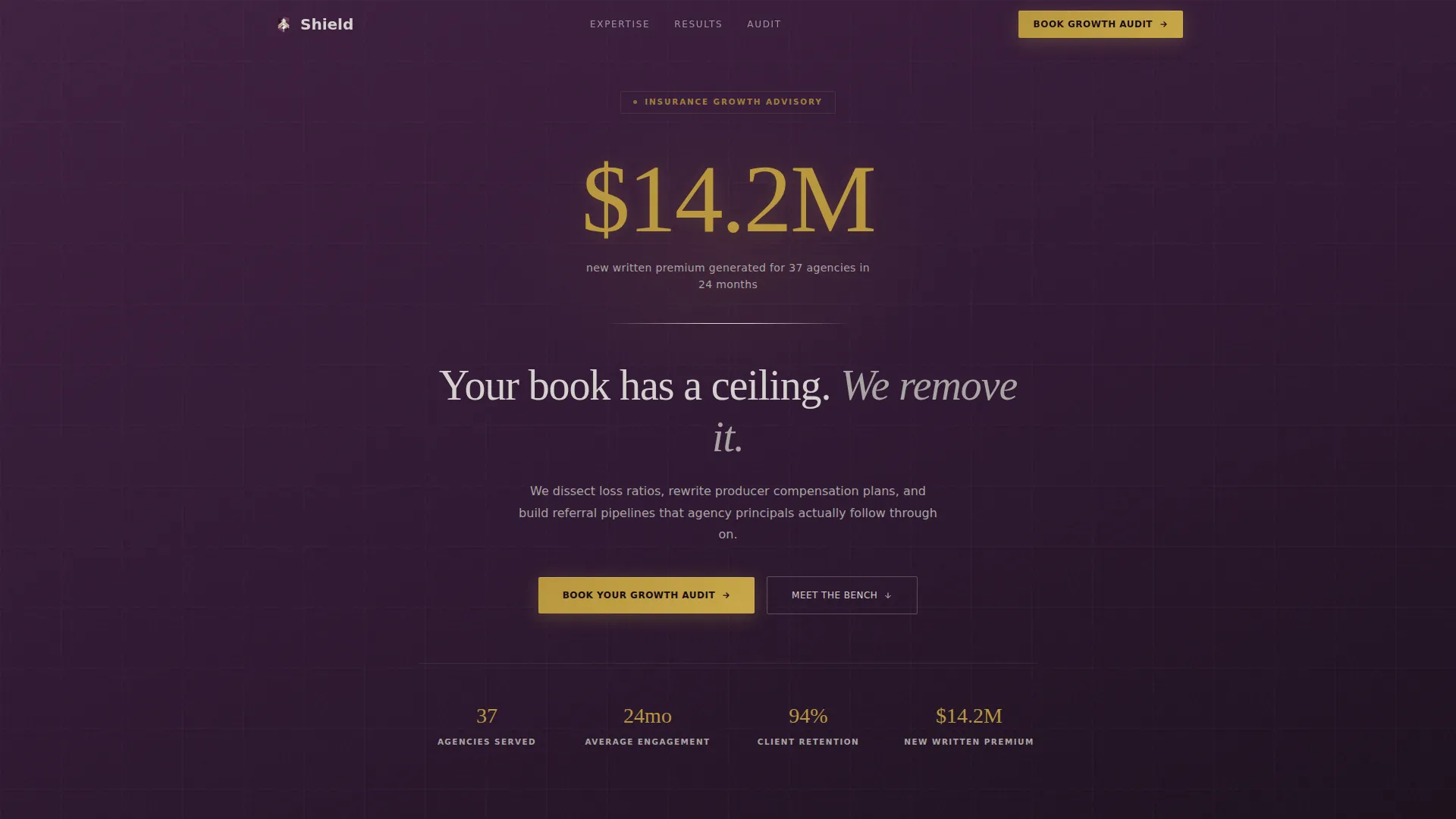
The page opens with a counter that ticks upward from zero to $14.2 million, labeled with the specific result it represents. The number loads before the headline appears, anchoring visitor attention on a concrete outcome rather than a marketing claim.
Dossier-Style Expert Panels
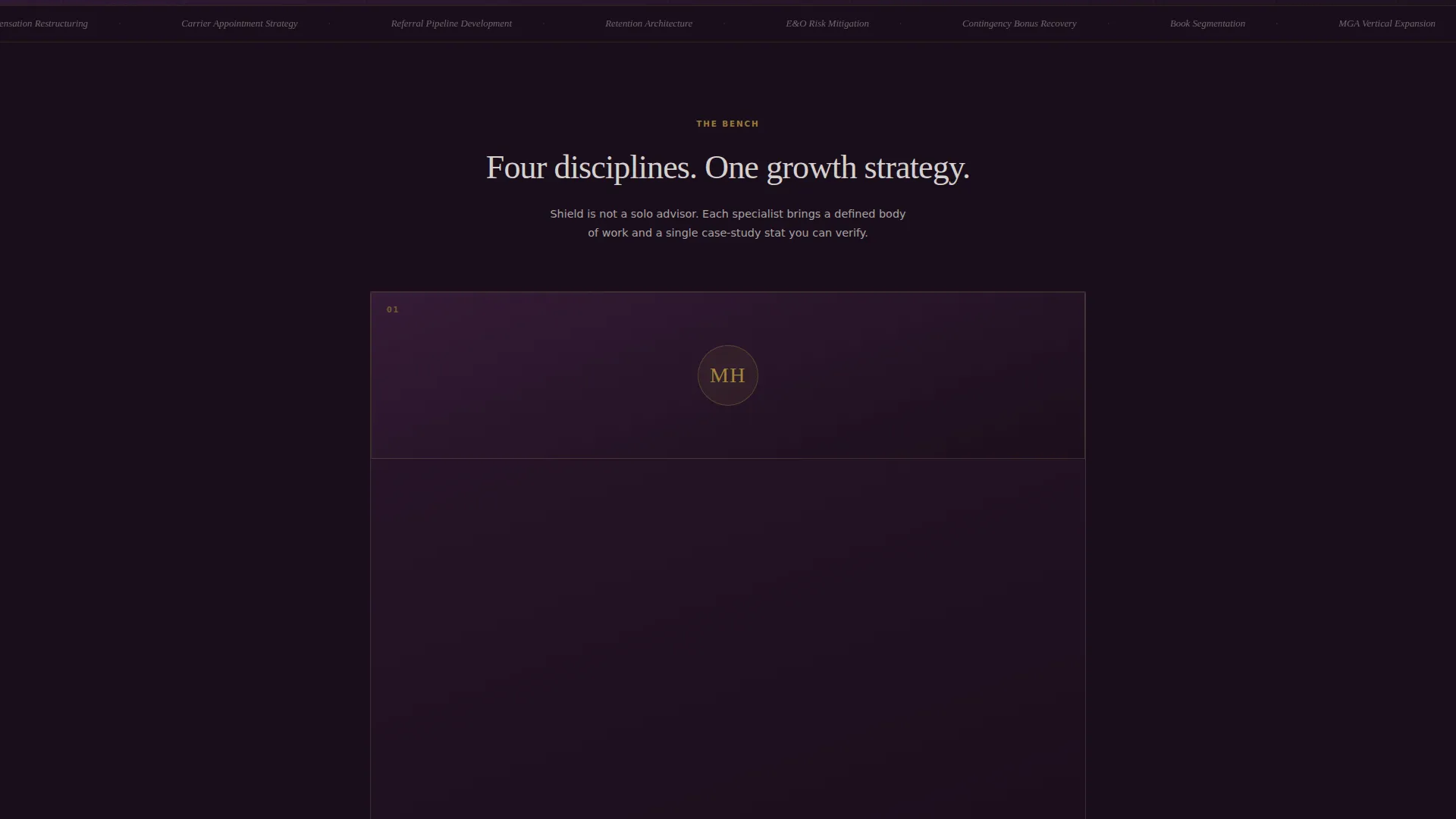
Each consultant is introduced with a portrait, a named discipline such as retention architecture or producer recruiting, and one paragraph of case-study proof tied to that expertise. The panels accumulate in sequence, building a picture of a full specialist bench rather than a single advisor.
Attributed Client Testimonials
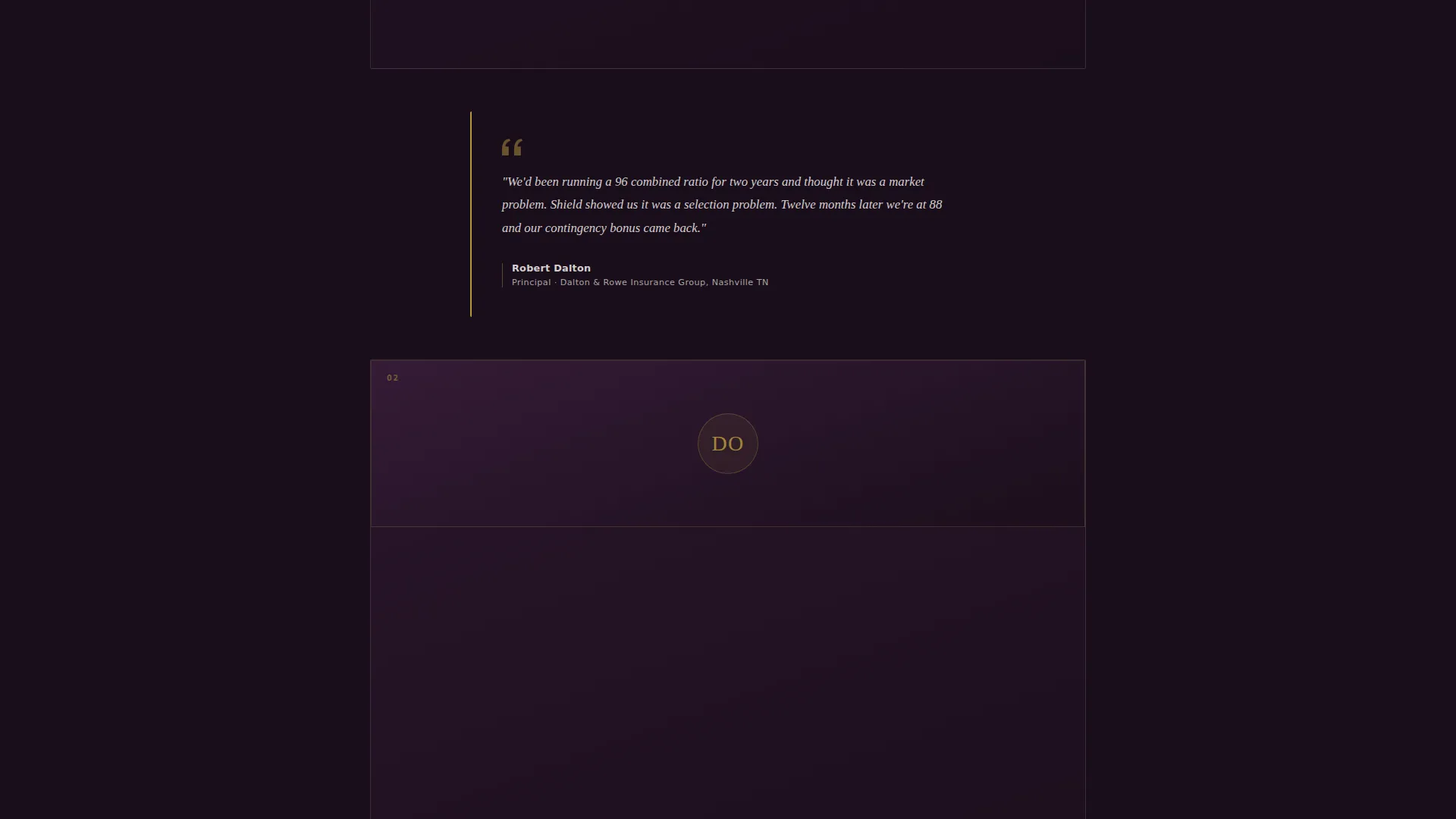
Short, italicized quotes from agency owners appear between expert panels. Each quote is attributed and uses industry-native language around topics such as combined ratios and contingency bonuses, making them credible to an insurance-literate audience.
Embedded Booking Scheduler
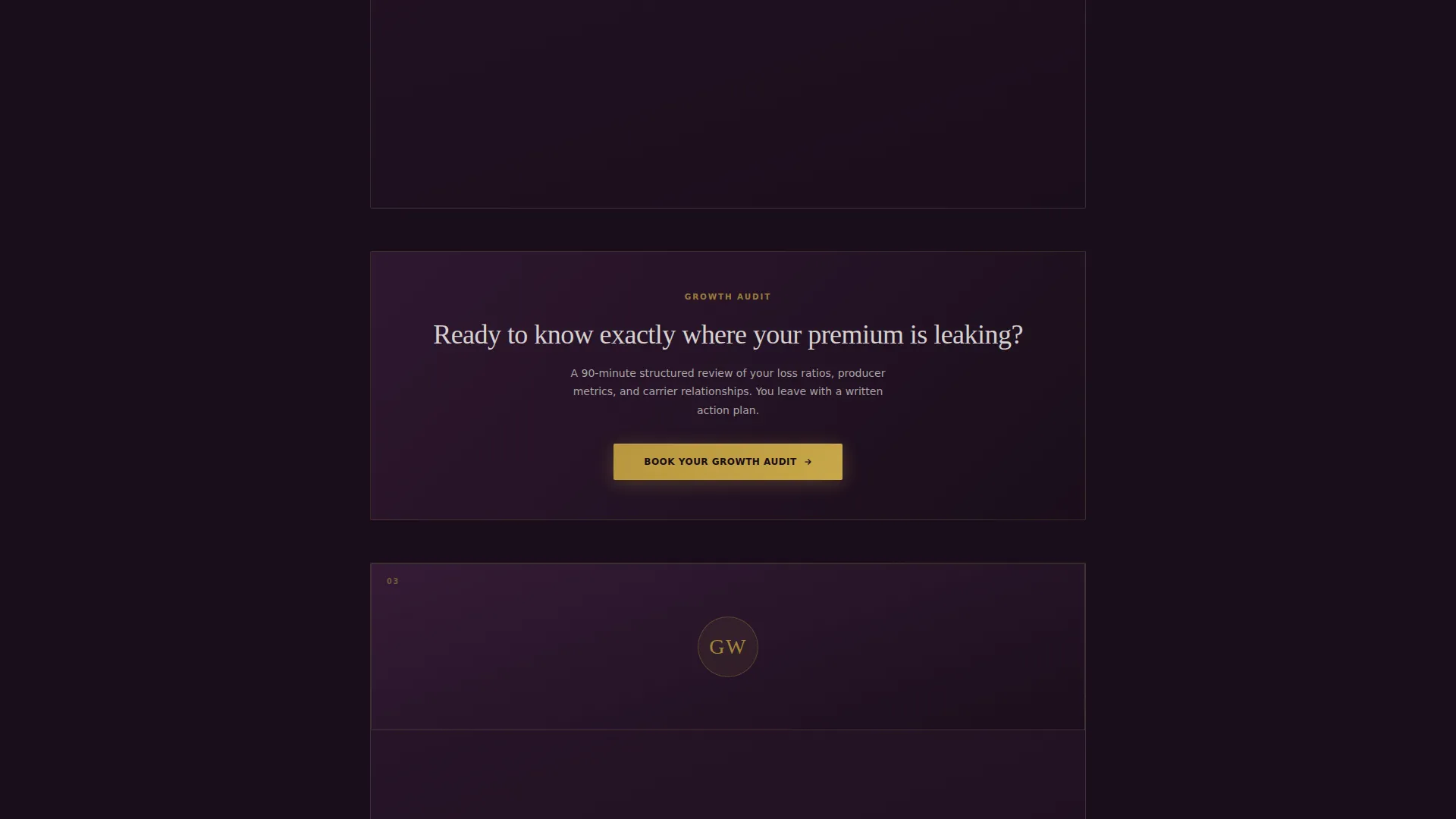
The primary call to action, "Book Your Growth Audit," opens an inline scheduling form. The form collects agency name, current annual premium range via a dropdown, and one open-text field asking the prospect to name the number keeping them up at night.
Secondary Lead Capture Path
A "Download the Agency Growth Scorecard" option captures email addresses from visitors not yet ready to book a call. The gated PDF self-assessment pre-qualifies prospects before any conversation takes place.
Fixed Mobile Booking Bar
On mobile screens, the primary booking call to action persists as a fixed bottom bar throughout the scroll. This keeps the conversion action visible regardless of where the visitor is on the page.
Page sections overview
| Section | Purpose |
|---|---|
| Animated data counter | Opens with a written premium result to anchor credibility immediately |
| Hero headline block | Delivers the core positioning statement after the counter draws the eye |
| Expert panel one | Introduces the first named consultant with discipline and case-study stat |
| Expert panel two | Adds a second specialist and triggers the first booking call to action |
| Client testimonial strip | Inserts attributed agency-owner quotes between panels in italic platinum |
| Expert panel three | Continues the specialist sequence with a third discipline and proof point |
| Expert panel four | Completes the bench, reinforcing depth through accumulated evidence |
| Booking scheduler section | Embeds the scheduling form with premium range dropdown and open field |
| Secondary lead capture | Presents the scorecard download as an alternative conversion path |
| Closing plum section | Returns to the deep plum background to frame the final call to action |
Design & branding system
The visual identity follows a Legal Shield theme built on the Plum Executive color system. Every color choice is intentional and maps to a specific emotional register within the page.
- Deep plum (#3D1F3E) dominates the upper fold and the closing section, while near-black aubergine (#1A0E1B) marks section transitions throughout the scroll
- Brushed platinum (#D4D0CE) carries body text and divider lines across the mid-page evidence panels, giving the content room to breathe
- Muted gold (#B8973E) appears on calls to action and pull-quote borders, drawing the eye to conversion points without visual noise
Mobile & speed optimization
The template is designed to keep the conversion path intact on smaller screens. The layout adapts without losing the authority the desktop experience establishes.
- The fixed bottom booking bar on mobile ensures the primary call to action remains visible at all times during the scroll
- The single-column flow requires no horizontal adaptation, keeping the expert panel sequence readable on any screen width
How this template helps you convert
Shield is structured so every scroll builds toward a single outcome: a qualified booking or a captured email. The layout removes friction and adds credibility at each stage.
- The animated counter creates immediate proof before the visitor reads a single line of copy, reducing the skepticism that insurance buyers bring to any new vendor
- The expert panel sequence accumulates authority across four named specialists, so by the time the booking call to action appears, the visitor has already processed substantial evidence
- The dual conversion paths, booking scheduler and scorecard download, catch both decision-ready prospects and those who need one more touchpoint before committing to a call
Other information about this template
Shield is a strong fit for insurance consulting practices that want their digital presence to reflect the same level of preparation they bring to client engagements. The template's tone and structure translate naturally to a range of related professional services contexts.
- The Plum Executive palette and Legal Shield theme create a visual language suited to high-trust, high-ticket consulting offers
- The template is built as a single-column flow, making it straightforward to customize panel order, consultant profiles, and form fields for different practice areas
- The scorecard download path supports lead nurturing for agency growth consulting services where the sales cycle spans multiple touchpoints
Theme
Legal Shield
Creative direction
Expert Panel
Color system
Plum Executive
Style
Single Column Flow
Direction
Booking/Scheduling
Page Sections
Animated Written Premium Counter
Dossier-style Expert Panel Sequence
Embedded Booking Scheduler
Secondary Scorecard Lead Capture
Attributed Industry Testimonials
Related questions
Who is this landing page template designed for?
Can the expert panels be adapted for a solo consultant?
What information does the booking form collect?
Does the template include a lead magnet option?
What does the fixed mobile bottom bar do?



