Nanny Employment Law Landing Page Template
Shield is a single-page sidebar companion landing page built for nanny employment law resources. It pairs a parchment-and-charcoal content layout with an always-visible booking sidebar, guiding first-time parents, au pair host families, and career nannies through payroll tax rules, visa compliance, overtime exemptions, and contract essentials, then converting curious researchers into booked compliance consultations.
by Rocket studio
Quick summary
Shield is an authoritative household employment law landing page that feels like a calm attorney handing you every answer you need. It combines a two-column parchment-and-charcoal layout with a sticky booking sidebar, expandable FAQ clusters, a testimonial mosaic, and a gated checklist download, all designed to convert nervous researchers into confident, booked clients.
Who this template is for
This template is built for professionals and service providers who help families navigate household employment law. It suits resource desks, compliance consultancies, and household staffing advisors who serve a research-driven audience.
- First-time parents searching for payroll tax and workers' compensation obligations before hiring a nanny
- Au pair host families working through J-1 visa stipend rules and program compliance requirements
- Career nannies and household employment advisors who want a credible, plain-English resource hub
What problem this template solves
Families and caregivers face real legal exposure before a nanny's first day. The information they need is scattered across government sites, legal blogs, and forum threads, none of it written plainly. This template solves that confusion by gathering answers in one structured, trustworthy place.
- Visitors land without context and leave without acting; this layout holds them with a clear content hierarchy and visible booking prompts
- Families misread federal tax obligations or skip contract essentials entirely, creating costly disputes that a well-organized FAQ cluster can prevent
- Research-ready visitors need a low-commitment entry point before booking; the gated checklist download captures those leads before they bounce
What you get with this template
You get a fully structured single-page layout with every section pre-built for a household employment law resource desk. The design is editorial and authoritative, with conversion paths built directly into the page structure.
- A two-column split layout with a charcoal sticky sidebar and a warm parchment main content well
- Four expandable FAQ clusters covering household employment tax, au pair program regulations, contract essentials, and termination protocols
- A three-step inline scheduler and a gated PDF download path, both anchored inside the sidebar
Feature list
This section covers the core capabilities built into the Shield template, drawn directly from its design and structural brief.
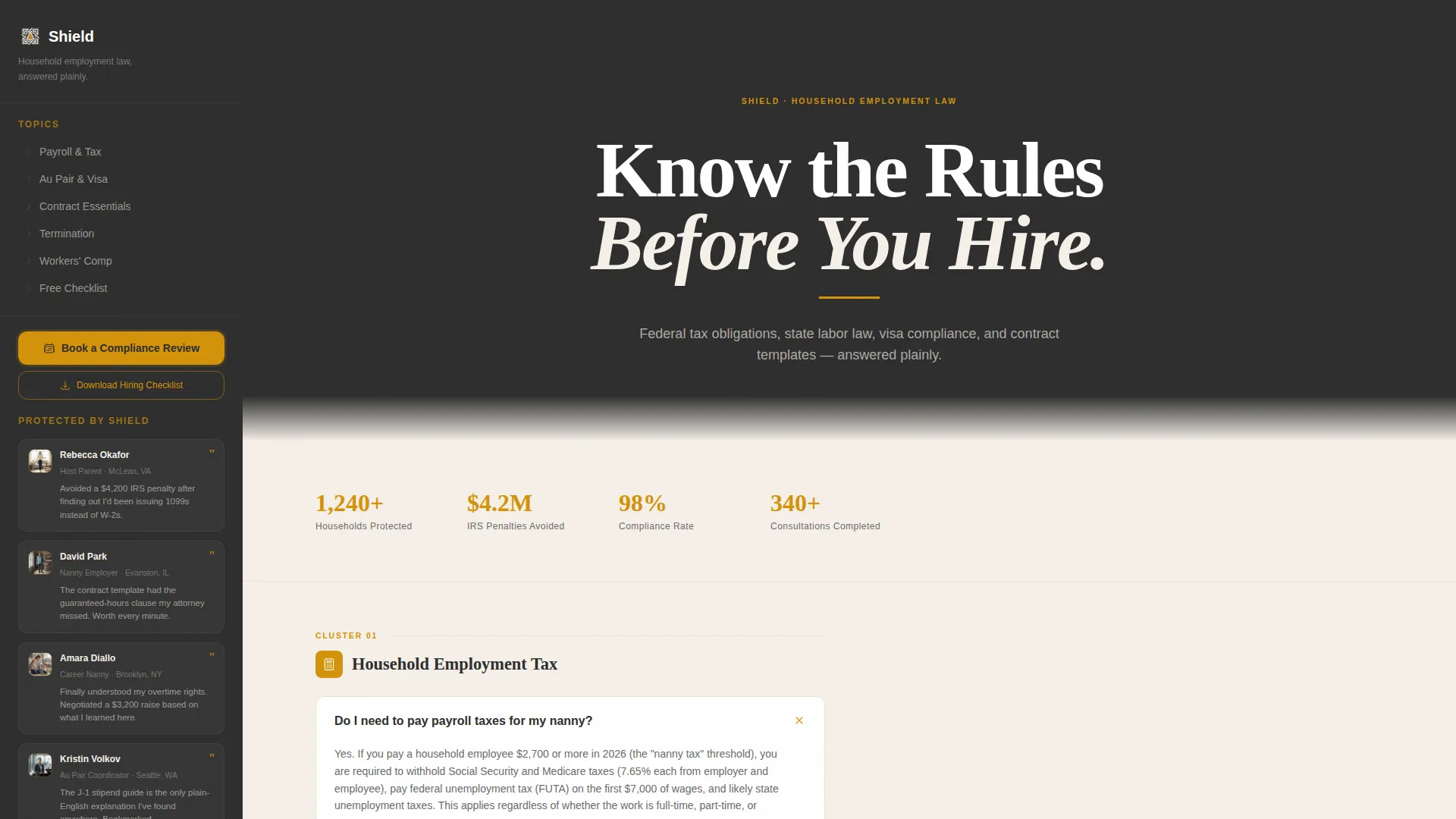
Giant Headline Header Block
The header uses stark white heavy serif type on a full-width charcoal background. A single amber underline sits below the headline, with a plain-language subline describing the page's scope. The emptiness of the header is intentional, it communicates authority without distraction.
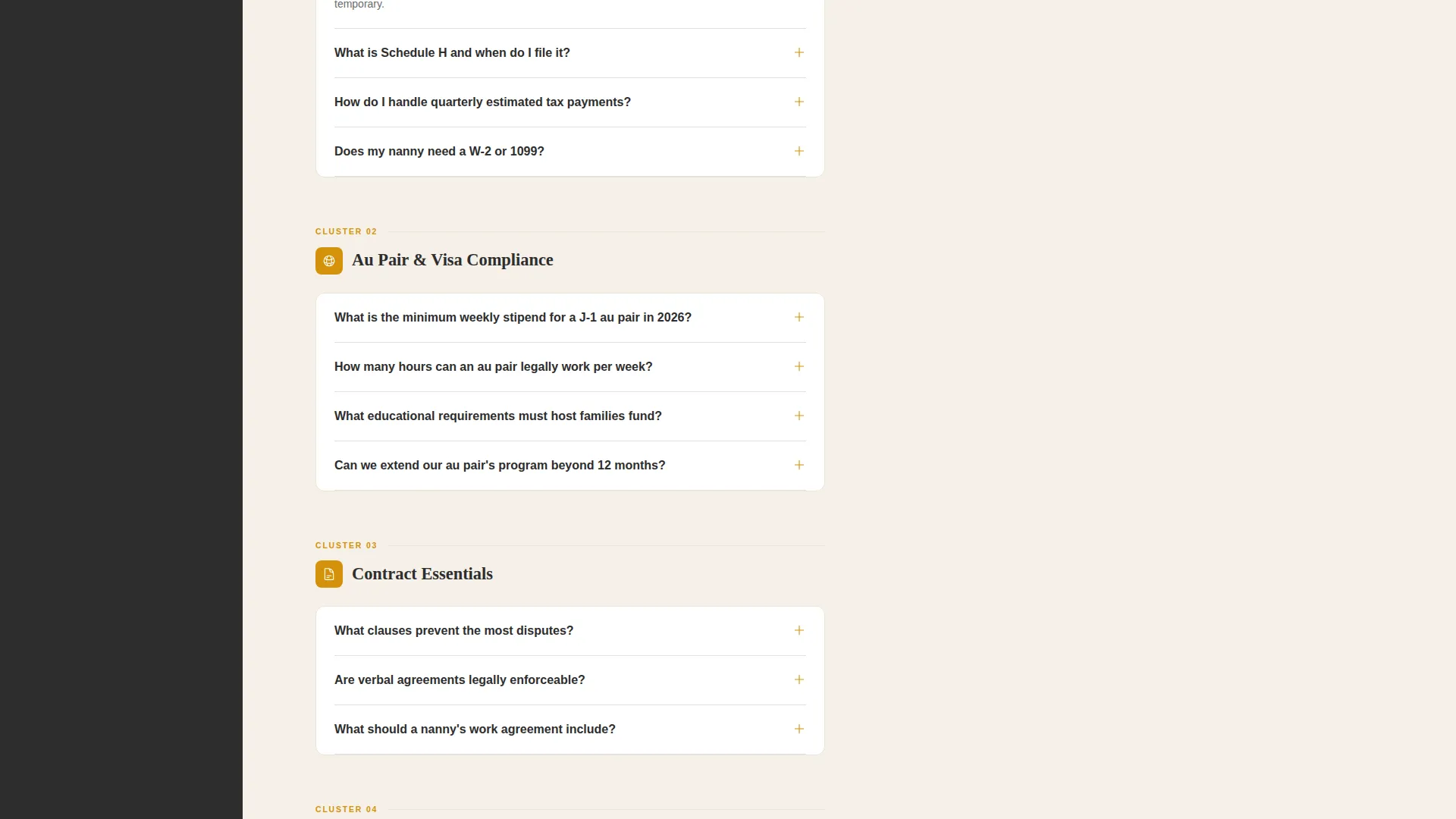
Expandable FAQ Clusters
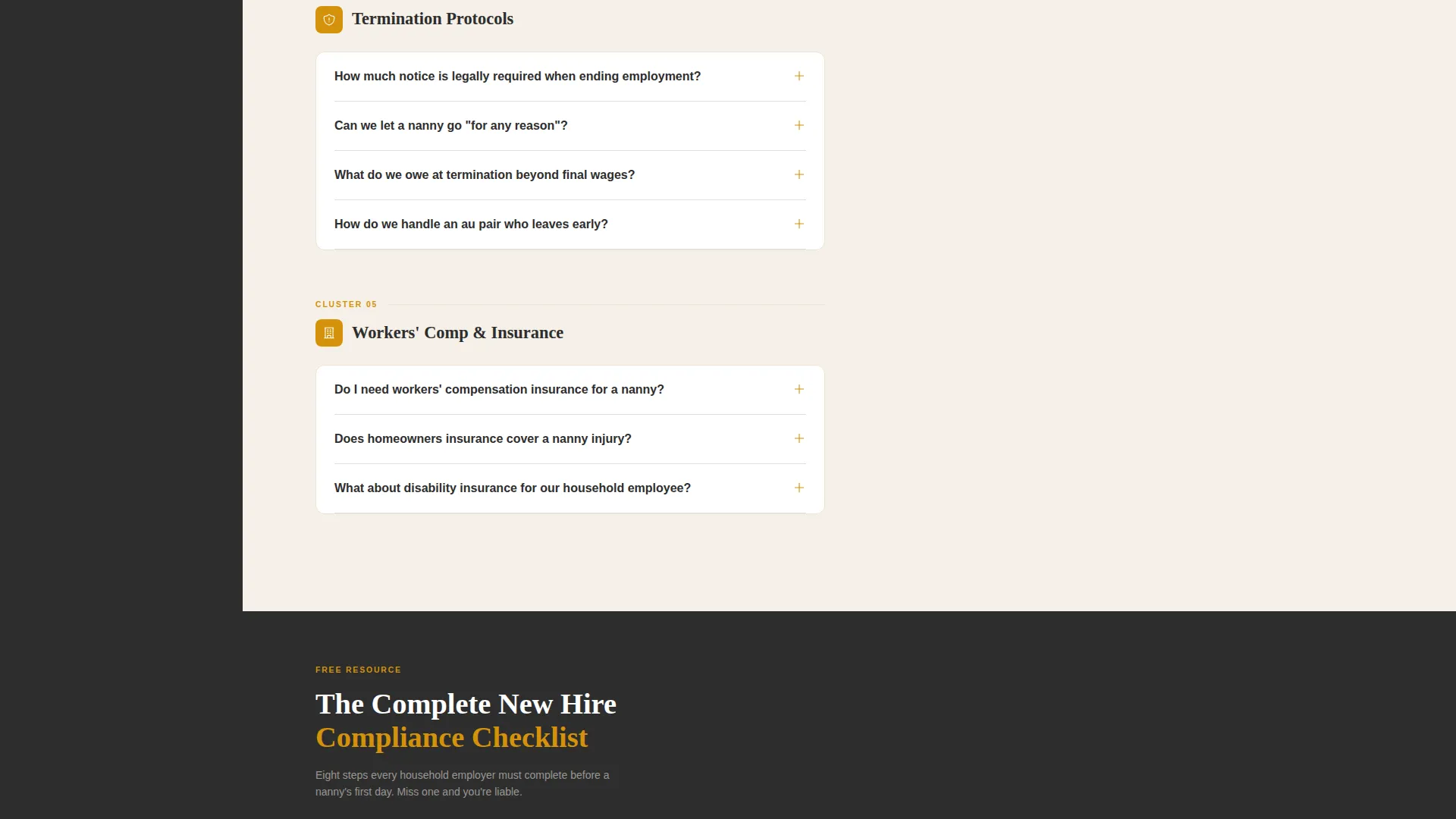
Four themed FAQ groups organize the page's content: household employment tax, au pair program regulations, contract essentials, and termination protocols. Each cluster is expandable, letting visitors jump directly to their specific concern without scrolling through irrelevant content.
Sticky Booking Sidebar
The sidebar stays anchored as visitors scroll through FAQ clusters. It leads with a "Book a Compliance Review" call to action and houses the inline three-step scheduler. The sidebar keeps conversion always one click away, regardless of how deep into the content a visitor is reading.
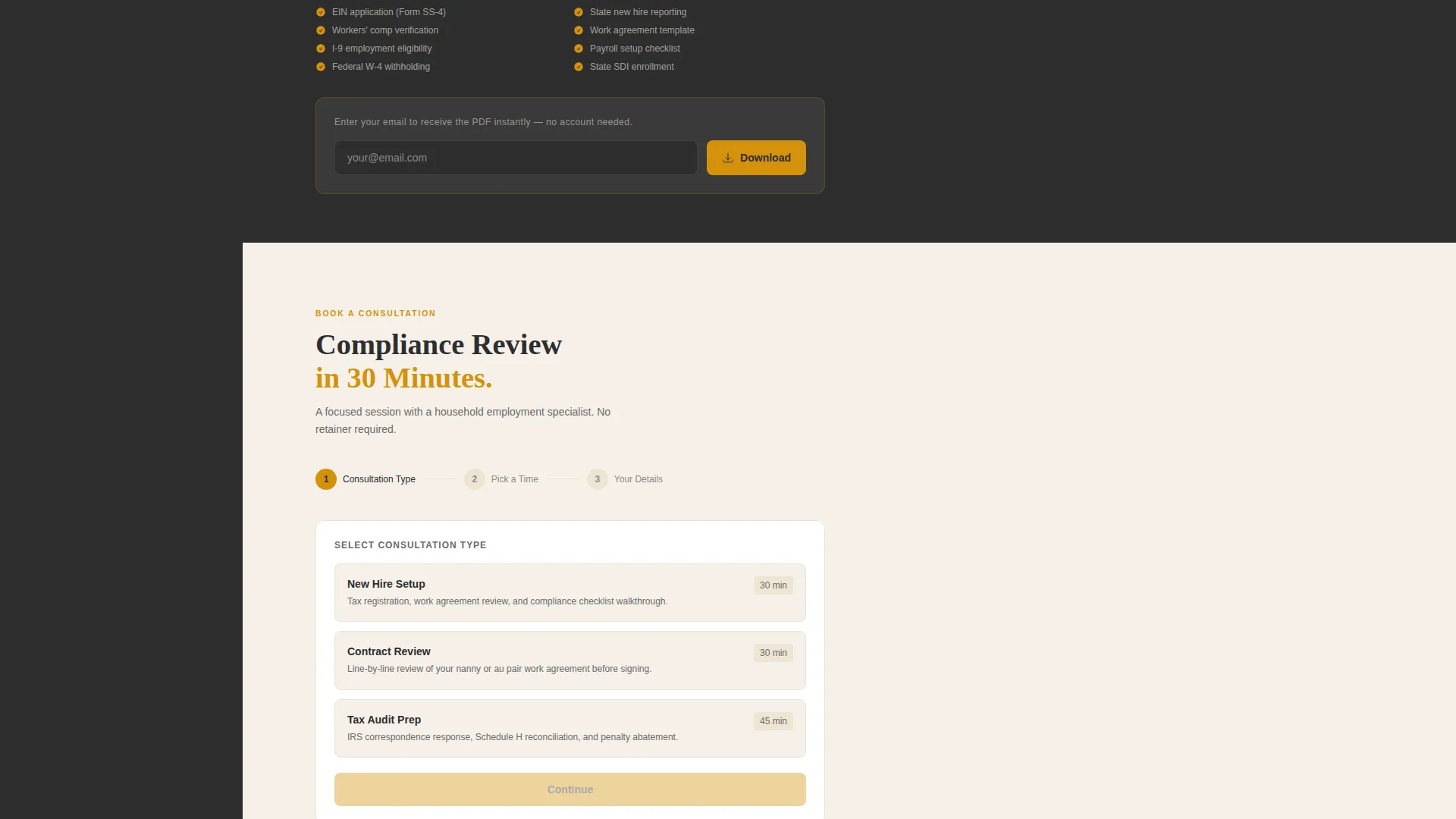
Three-Step Inline Scheduler
Clicking the booking prompt opens a three-step flow inside the sidebar: choose a consultation type, select a 30-minute window from a live calendar display, and enter name, email, and a brief situation description. The flow stays inline and never navigates away from the page.
Testimonial Mosaic
As visitors scroll past each FAQ cluster, a mosaic of short testimonials tiles into the sidebar. Each tile shows a thumbnail, a name, a single-sentence outcome, and an amber quotation mark. The mosaic grows denser toward the bottom of the page, building layered social proof progressively.
Gated Checklist Download
A secondary conversion path offers a downloadable hiring checklist as a gated PDF. Visitors enter only an email address to receive it. This path captures research-stage visitors who are not yet ready to book a consultation.
Page sections overview
| Section | Purpose |
|---|---|
| Header Headline Block | Sets authoritative tone with stark white serif type on charcoal |
| Amber Subline Strip | Delivers the page scope promise in one plain-English sentence |
| Household Tax FAQs | Covers payroll tax, workers' comp, and employer obligations |
| Au Pair Regulations FAQs | Addresses J-1 visa stipend rules and program compliance |
| Contract Essentials FAQs | Explains key contract clauses and guaranteed-hours provisions |
| Termination Protocols FAQs | Guides families and caregivers through separation procedures |
| Testimonial Mosaic | Builds social proof with tiled real-outcome testimonials |
| Sticky Booking Sidebar | Anchors the primary call to action and inline scheduler throughout |
| Checklist Download Prompt | Captures email leads with a gated PDF hiring checklist |
Design & branding system
The Shield template uses a Legal Shield color identity that feels like a legal pad left open under a brass desk lamp. The palette is warm and serious without being cold or corporate.
- Deep briefcase charcoal (#2D2D2D) anchors the sidebar and header; warm parchment (#F5F0E8) fills the main content well for an editorial, readable feel
- Amber counsel (#D4920B) highlights expandable FAQ triggers, quotation marks in the testimonial mosaic, and interactive booking prompts
- Soft graphite (#6B6B6B) handles secondary text, keeping the hierarchy clear without adding visual noise
Mobile & speed optimization
The two-column layout adapts so the sticky sidebar collapses to a fixed bottom bar on smaller screens, keeping the booking prompt reachable without blocking content. The layout prioritizes readability across devices.
- FAQ clusters restack to single-column on mobile, preserving expand-and-collapse interaction
- The testimonial mosaic tiles reflow to a horizontal scroll strip on narrow viewports, keeping the proof visible without overwhelming the content column
How this template helps you convert
Shield is built around two conversion paths working simultaneously. Every scroll interaction reinforces one or both of them.
- The sticky "Book a Compliance Review" sidebar keeps the primary scheduling prompt visible at all times, so a visitor who reaches a decision point can act immediately without hunting for a contact form.
- The gated "Download the Hiring Checklist" path captures email addresses from visitors who are deep in research but not yet ready to book, giving you a second opportunity to convert them later.
Other information about this template
Shield is categorized under Professional Services and is specifically designed for the nanny and au pair online presence niche. It is well suited for advisors, consultants, and resource platforms in the household staffing space.
- The template style follows a split-screen layout with a 50/50 column structure, matching the sidebar-companion brief
- The educational guide theme means content sections are structured to inform before they ask for commitment
- The intersection match score for this template is 9 out of 10, reflecting strong alignment between the design, the niche, and the conversion goals
- This template is particularly relevant for household employment compliance platforms and nanny placement services looking to add a resource-and-booking companion page to their existing site
Theme
Educational Guide
Creative direction
Expert Panel
Color system
Plum Executive
Style
Split Screen (50/50)
Direction
Partnership/B2B
Page Sections
Giant Headline Header Block
Expandable FAQ Clusters
Sticky Booking Sidebar
Three-step Inline Scheduler
Progressive Testimonial Mosaic
Gated Checklist Download Path
Related questions
Who is this landing page template designed for?
Can I customize the FAQ clusters for my own content?
How does the inline scheduler work inside the sidebar?
What is the gated checklist download and how does it work?
Does the testimonial mosaic section come pre-populated with content?



