Home Security & Automation Booking Website Template
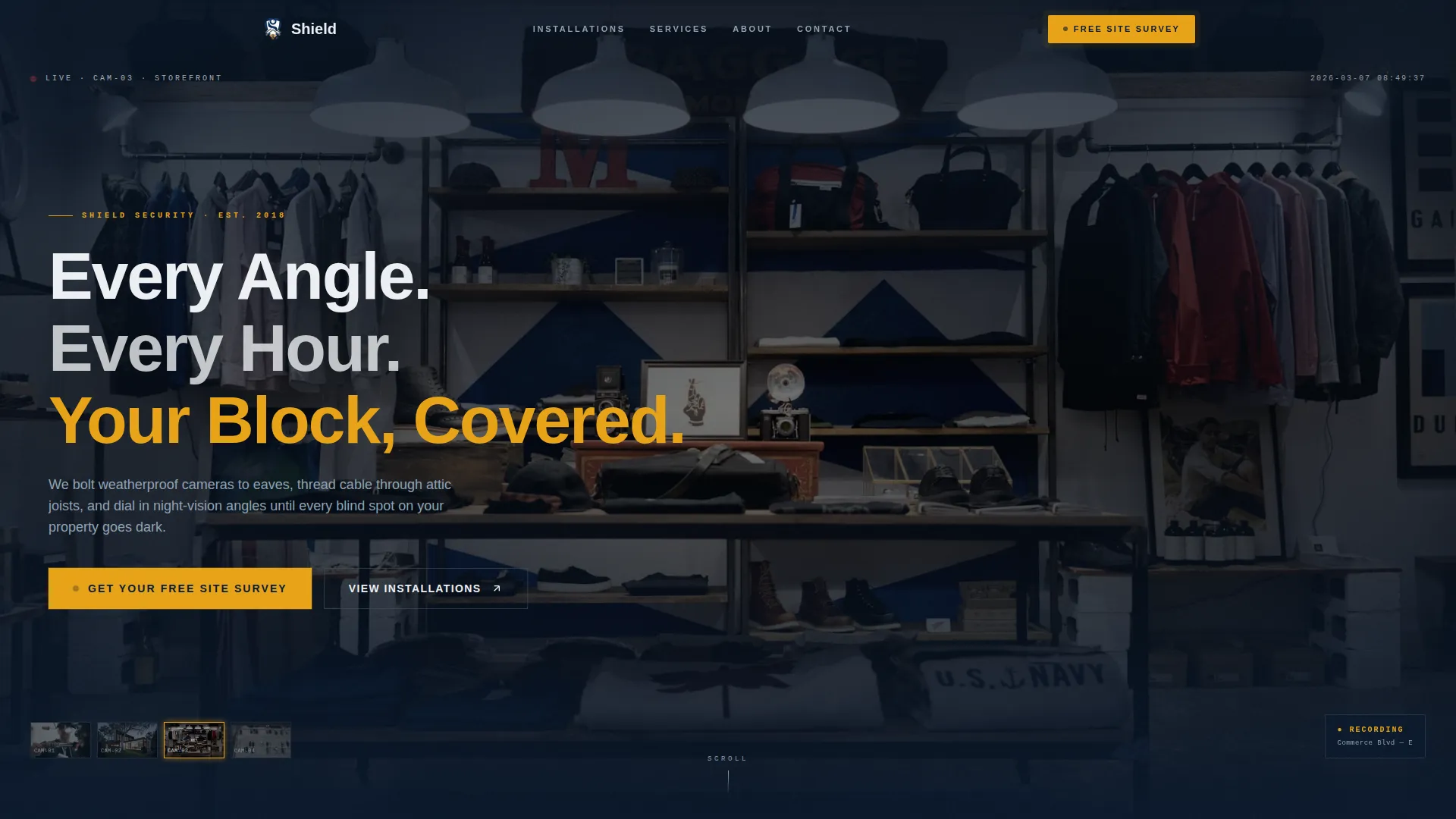
Shield is a gallery-and-detail landing page built for security camera installation companies. It combines a full-screen video hero, a filterable real-project gallery, and slide-in detail panels to prove local expertise before asking for commitment. The page funnels homeowners, small business owners, and property managers toward one clear action: booking a free site survey.
by Rocket studio
Quick summary
Shield is a single-page, gallery-led landing page template designed for security camera installation businesses. It leads with immersive video footage, moves visitors through a real-project gallery filtered by property type, and closes with a fixed call-to-action bar anchored to a scheduling flow. Every section builds trust through proof before asking for a decision.
Who this template is for
This template is built for installation businesses that need to show their work, not just describe it. It speaks directly to crews who handle residential and commercial properties and want their portfolio to do the selling.
- Homeowners who experienced a theft and want proof that a local crew has handled properties like theirs
- Small business owners who need camera coverage for storefronts or parking areas and want a credible vendor
- Property managers overseeing multiple units who need to see that a team can handle scale and complexity
What problem this template solves
Most security installation companies lose leads because their websites describe services without showing real installs. A visitor with post-theft anxiety needs to see a driveway like their own, not a stock-photo camera on a white wall.
- Generic service pages fail to prove local expertise or neighborhood familiarity
- Visitors leave before committing because there is no visual evidence of past work on comparable properties
- Scheduling friction is high when pricing, complexity, and proof of skill are missing from the same page
What you get with this template
Shield delivers a complete click-through landing page built around a gallery-first structure. Every component is designed to move a cautious visitor from curiosity to a booked appointment.
- A full-screen video hero section with timestamp overlays and a headline that fades in over live-style footage
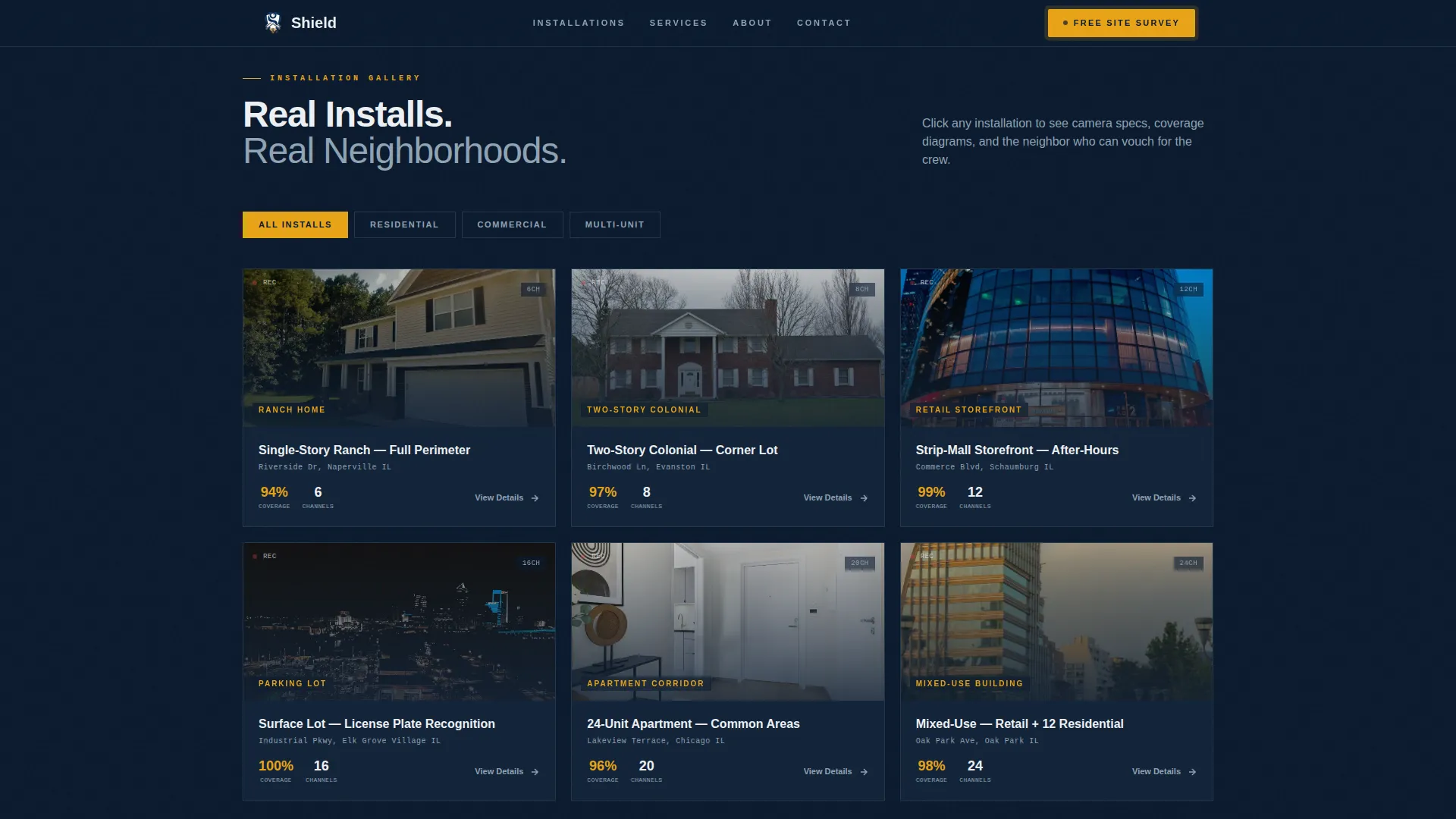
- A filterable gallery grid organized by property type, with click-to-open detail panels that slide in from the right
- A fixed amber call-to-action bar that appears after the second scroll and stays visible throughout the session
Feature list
This template ships with a focused set of interactive and visual components. Each one serves a specific role in building confidence and driving the scheduling action.
Full-Screen Video Hero with HUD Overlays
The header fills the entire viewport with a slow, continuous camera-POV pan across four feed types: a front porch, a backyard auto-track shot, a retail storefront, and a parking lot with readable license plates. Timestamp tickers tick in the corner using JetBrains Mono, reinforcing the operational, command-center aesthetic without any voiceover.
Filterable Gallery Grid by Property Type
The gallery organizes real installation photos into neighborhood contexts: ranch homes, two-story colonials, strip-mall storefronts, and apartment corridors. Visitors can filter by property type, letting a homeowner find installs that look like their street before they ever read a word of copy.
Slide-In Detail Panel with Coverage Map
Clicking any gallery thumbnail opens a right-side panel that shows the camera model used, the number of channels installed, the specific challenges solved, and a before-and-after coverage map diagramming blind spots versus new sightlines. Each panel closes with a street-name and first-name testimonial and a direct call-to-action button.
Fixed Call-to-Action Bar with Scroll Trigger
After the visitor passes the second scroll, an amber bar anchors to the bottom of the screen with the primary prompt: "Get Your Free Site Survey." It stays visible as the visitor browses the gallery, maintaining conversion pressure without interrupting the browsing experience.
Asymmetric Why Shield Bento Section
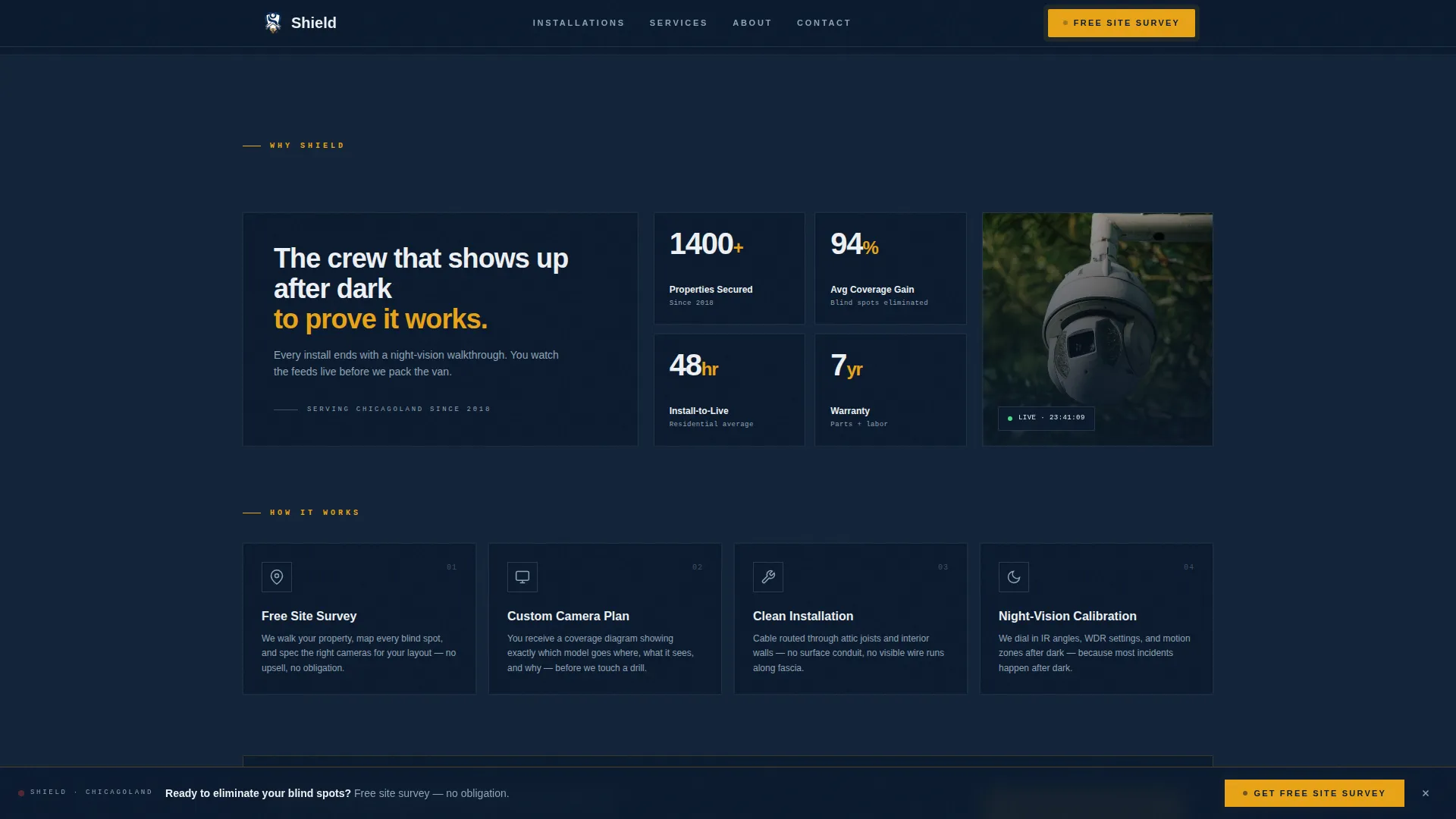
A non-uniform bento layout presents three proof statistics and process callouts side by side. The asymmetric grid avoids the rigid look of a standard feature row and keeps the page feeling editorial and confident rather than templated.
Click-Through Scheduling Flow
The primary call-to-action routes visitors to a dedicated scheduling page with a zip-code field, a property type toggle covering home, business, and multi-unit options, and a preferred-callback time selector. No pricing appears on the landing page itself, keeping the focus on proving expertise first.
Page sections overview
| Section | Purpose |
|---|---|
| Full-Screen Hero | Opens with looping camera-POV video, headline fade-in, and amber primary call to action |
| Gallery Grid | Filterable real-project photos organized by property type with click-to-open behavior |
| Detail Panel | Slide-in right panel showing camera specs, coverage map, testimonial, and call to action |
| Why Shield Bento | Asymmetric layout with proof stats and process callouts in a non-uniform grid |
| Fixed call to action Bar | Amber bar anchored after second scroll, persistent throughout gallery browsing |
| Scheduling Page | Dedicated page with zip-code field, property type toggle, and callback time selector |
| Footer | Linear single-row footer pattern |
Design & branding system
The visual identity follows a Corporate Precision theme built around the Navy Authority color system. The palette is modeled after the brushed-steel panel of a commercial network video recorder unit: authoritative, operational, and uncluttered.
- Navy (#0B1A2E) dominates headers and section backgrounds; gunmetal gray (#3D4F5F) frames gallery cards; surveillance-feed white (#EDF0F3) opens breathing room in detail text
- Alert-status amber (#E8A317) is reserved exclusively for calls to action and interactive highlights, so every amber element signals a decision point
- Typography pairs Plus Jakarta Sans for headers with JetBrains Mono for timestamps and HUD data overlays, reinforcing the command-center aesthetic throughout
Mobile & speed optimization
Shield is built desktop-first to match the command-center monitor aesthetic its target audience expects. A mobile-responsive fallback ensures the gallery and detail panels remain usable on smaller screens.
- GSAP ScrollTrigger handles reveal animations, panel slide-ins, and parallax effects with smooth, frame-accurate timing
- Static sections use server components while the gallery, detail panel, and fixed call-to-action bar run as client components, keeping interactive elements responsive without slowing the rest of the page
How this template helps you convert
Shield is structured as a click-through funnel that earns trust before asking for commitment. Each layer of the page removes a specific objection a cautious visitor carries.
- The video hero establishes credibility immediately by showing real footage and operational confidence before the visitor reads a single line of copy
- The gallery grid and slide-in detail panels provide property-matched social proof, so a homeowner or property manager sees installs comparable to their own situation before they decide to act
- The fixed call-to-action bar and dedicated scheduling page reduce friction by keeping the next step visible and simple throughout the entire browsing session
Other information about this template
Shield is built for the United States market with localization set to USD, MM/DD/YYYY date format, and EST timezone references. The animation level is high, with GSAP ScrollTrigger reveals, timestamp ticker JavaScript, and parallax behavior included in the build. The template is categorized under Construction and Home, within the Home Security and Automation subcategory, targeting the security camera installation niche. It carries an intersection match score of 13, reflecting strong alignment between the gallery-and-detail template style, the click-through funnel direction, and the local-and-neighborhood creative direction.
- The design intent is desktop-first with a mobile-responsive fallback, not a mobile-first layout
- Social proof appears inside individual detail panels as street-name and first-name testimonials, not as a standalone testimonials section
- No pricing is displayed anywhere on the landing page; the scheduling page is the conversion destination
Theme
Corporate Precision
Creative direction
Local & Neighborhood
Color system
Navy Authority
Style
Gallery + Detail
Direction
Click-Through
Page Sections
Full-screen Video Hero with HUD Overlays
Filterable Gallery Grid
Slide-in Detail Panel with Coverage Map
Fixed Amber Call-to-action Bar
Asymmetric Why Shield Bento
Dedicated Scheduling Page Flow
Related questions
Can I use this template for a commercial-only security installation business?
Is pricing shown anywhere on the landing page?
How does the detail panel work for different camera setups?
How does the scheduling flow work?
Can the gallery be filtered by property type from the start?