Criminal Defense Advanced Booking Website Template
Shield is a single-column landing page template built for sex crime defense attorneys. It converts a visitor in crisis into a confidential consultation booking before they make a costly mistake. The layout uses a typographic hero, a structured FAQ scroll, and repeating amber call-to-action buttons to guide a frightened person toward taking one protected next step.
by Rocket studio
Quick summary
Shield is a click-through landing page template designed for criminal defense attorneys who handle sex crime accusations. It opens with a stark typographic hero and scrolls through a series of real questions the accused ask silently at 2 a.m. Every section builds trust and urgency, then directs the visitor to a private consultation booking page.
Who this template is for
This template is built for attorneys who need to reach the accused at their most vulnerable moment, before a statement is made and before the story hardens. It speaks directly to the person searching in private, often on a phone, often in the middle of the night.
- Criminal defense attorneys specializing in sex crime accusations and registry consequences
- Practices handling Title IX (Title Nine) campus proceedings and professional-license threats
- Attorneys who want to reach both the accused and family members researching on their behalf
What problem this template solves
Most legal websites feel institutional and cold. They list credentials and expect the visitor to connect the dots. But a person accused of a sex crime is not browsing calmly. They are panicking, Googling in fragments, and afraid of what happens if they click the wrong thing. A generic attorney site does nothing for that person.
- It fails to name the specific fears that are already running through the visitor's mind
- It asks the visitor to explain themselves before earning that trust
- It leaves dangerous silence where clear, calm answers should be
What you get with this template
Shield gives you a fully structured, single-column landing page that does the heavy lifting before the visitor ever picks up the phone. Every section is positioned to reduce panic, demonstrate case-specific knowledge, and make the next step feel safe.
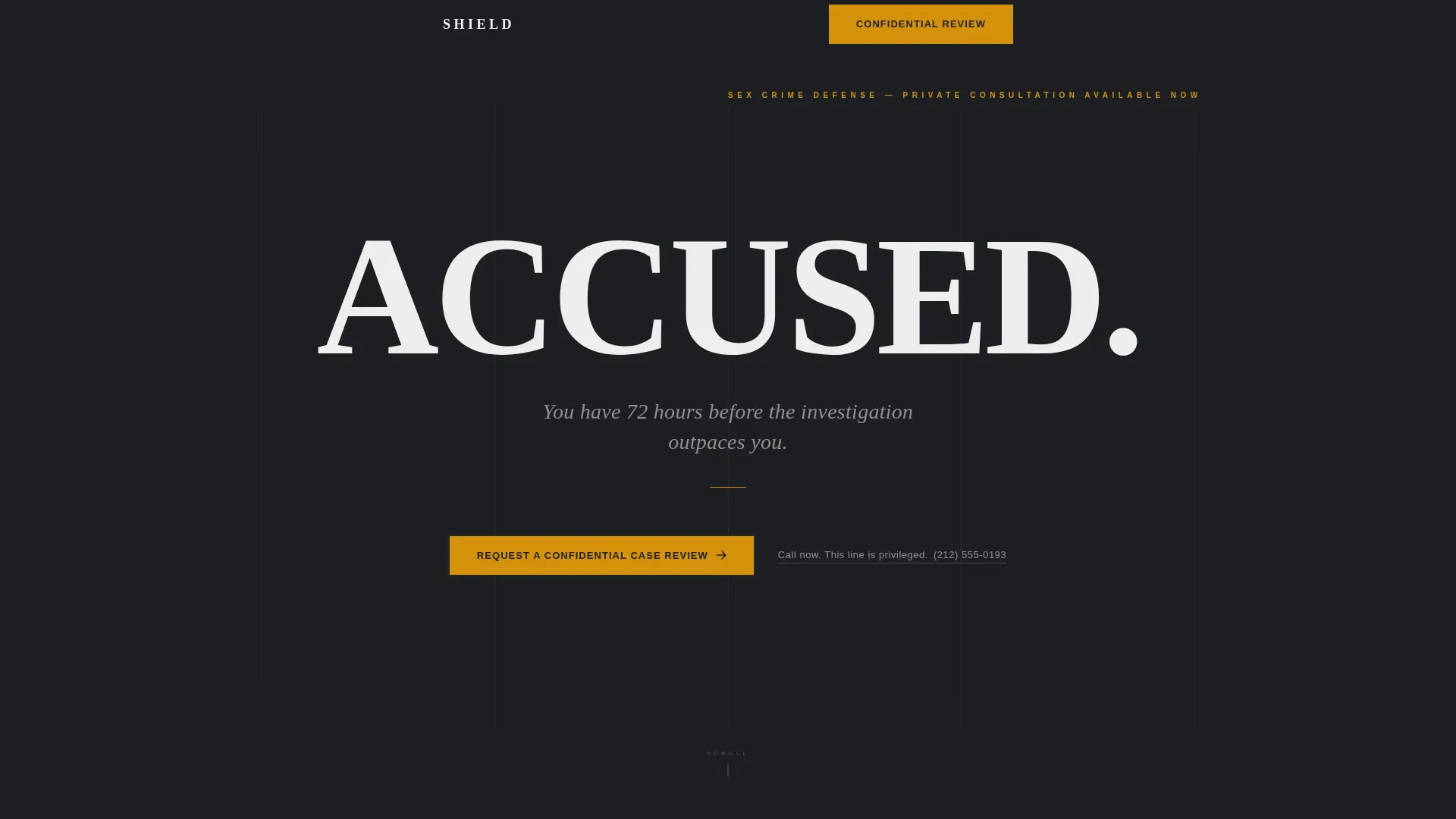
- A typographic hero section with a bold accusation headline and a 72-hour urgency line
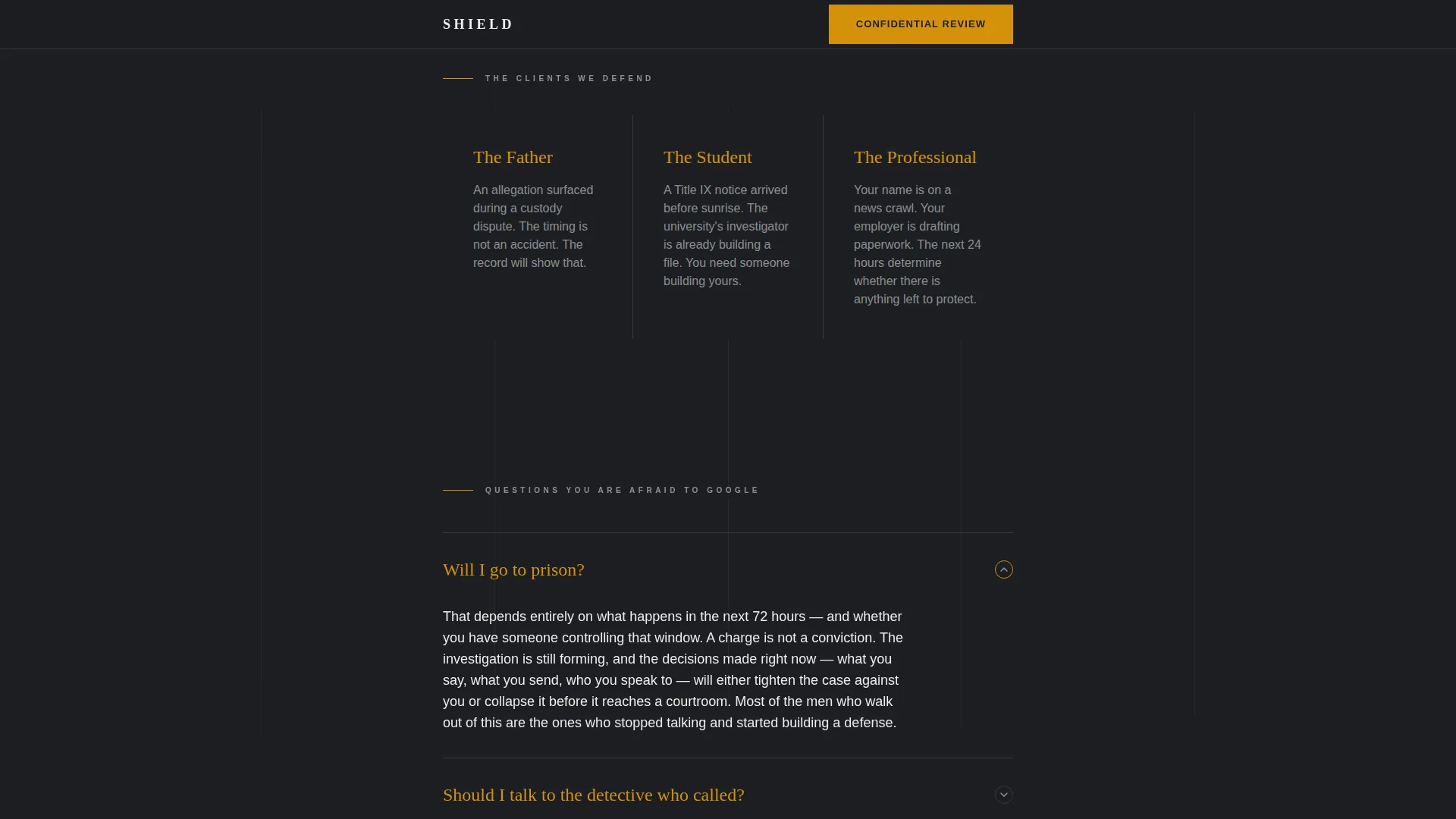
- Nine FAQ sections grouped into three blocks, each covering a distinct fear the accused faces
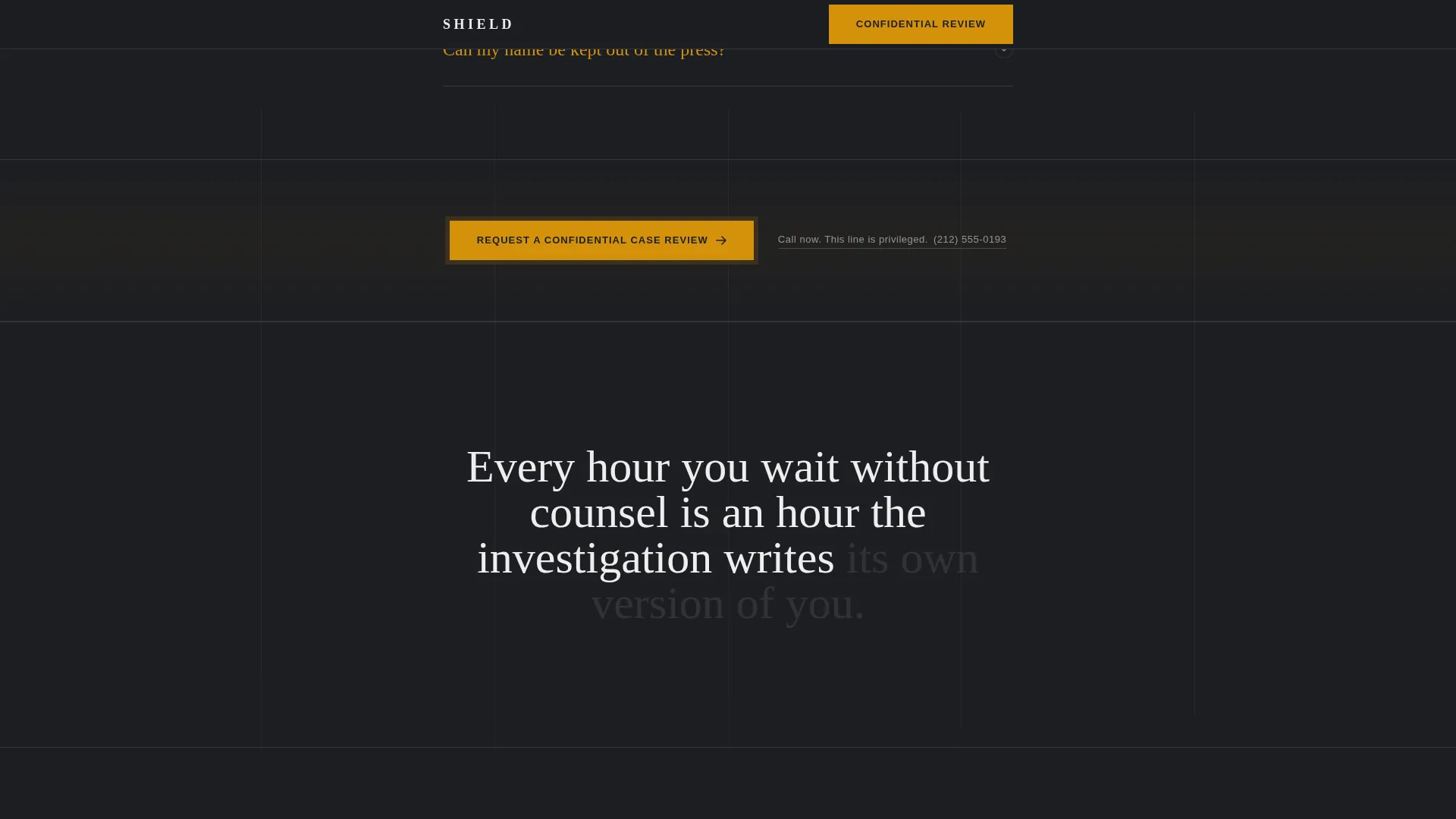
- Three repeating call-to-action placements in amber, each paired with a secondary phone link
Feature list
This section describes the core built-in components delivered with the Shield template.
Stacked Type Tower Hero
The hero fills the viewport with vertically stacked typography. The word "ACCUSED." appears in heavy condensed capitals in bone white against deep charcoal. A spare serif line beneath it reads: "You have 72 hours before the investigation outpaces you." No image, no headshot, no icon. The negative space is deliberate and authoritative.
FAQ Accordion Scroll
The page unrolls as a sequence of nine real questions the accused are silently asking. Each question is rendered in amber type to anchor the eye. A two-to-three sentence answer follows in the attorney's direct voice. The accordion interaction uses a details and summary pattern so the visitor can expand or collapse any answer without leaving the page.
Repeating Amber Call-to-Action Blocks
The primary call-to-action button, labeled "Request a Confidential Case Review," appears first below the hero and then after every third FAQ question. It is always amber on charcoal. No form fields appear on this page. The click leads to a secure intake form on a separate page.
Privileged Phone Link
A secondary text link, "Call now. This line is privileged," sits beside every call-to-action button with a direct phone number. It reassures the visitor that the contact itself is protected, reducing the barrier to reaching out.
Scroll Progress Indicator
A scroll progress element lets the visitor see how far through the page they are. On a mobile screen at 2 a.m., this small detail reduces disorientation and encourages the visitor to keep reading.
Fade-In Section Animations
Each section fades in on scroll reveal. The motion is controlled and purposeful with no decorative animation. This pacing matches the confessional rhythm of the page, letting each question land before the next one appears.
Page sections overview
| Section | Purpose |
|---|---|
| Hero Type Tower | Opens with urgency and authority |
| FAQ Block A | Addresses prison, detective contact, press exposure |
| First call to action Repeat | Prompts confidential booking after Block A |
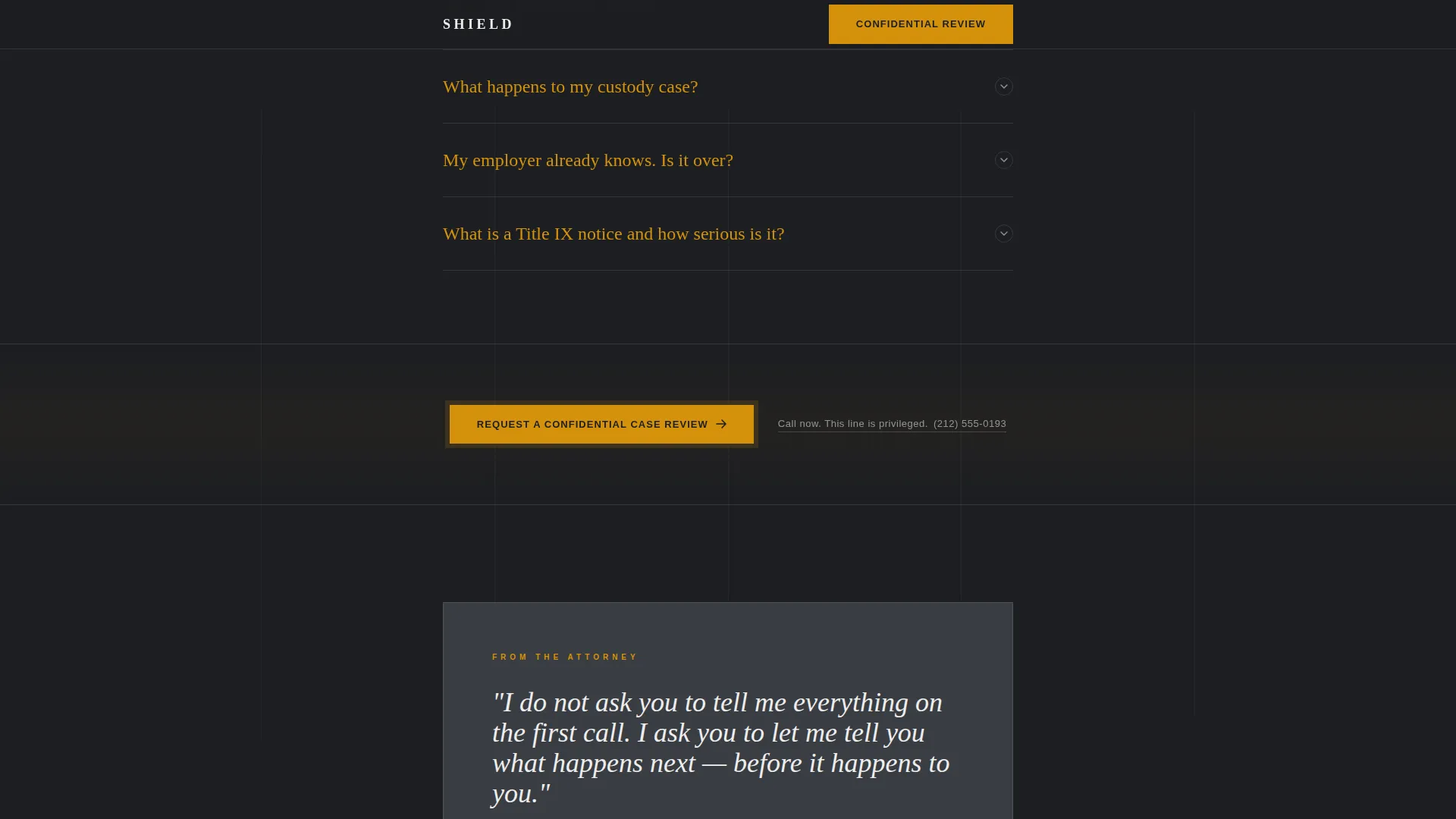
| FAQ Block B | Covers custody, employer knowledge, Title IX |
| Second call to action Repeat | Prompts confidential booking after Block B |
| FAQ Block C | Explains attorney value, registry, first 48 hours |
| Third call to action and Footer | Final booking prompt and closing statement |
Design & branding system
The visual identity follows a Corporate Precision theme. The palette is described in the brief as a mahogany courtroom after hours, a single brass lamp still burning. Color is rationed deliberately: amber appears only where the eye must go.
- Deep charcoal (#1C1E22) fills the dominant background; warm gunmetal (#3A3D42) surfaces card areas and section separators; bone white (#EDEDED) carries all body copy
- Controlled amber (#D4920B) is reserved exclusively for call-to-action buttons, FAQ question anchors, and emphasis text
- Typography pairs Fraunces, a display serif, for headings with DM Sans for body text, creating contrast between gravitas and readability
Mobile & speed optimization
The brief specifies that crisis Googling happens on phones at 2 a.m. The template is built mobile-first, with a single-column flow that requires no horizontal scrolling or complex navigation.
- Static structure keeps the page fast to load even on a shaky mobile connection
- Single-column layout means the visitor never loses their place while scrolling under stress
- Call-to-action buttons and phone links are sized and spaced for thumb reach on a small screen
How this template helps you convert
Shield earns the click before asking for it. The page demonstrates that the attorney already understands the visitor's exact situation, names the fear before the visitor has to, and then makes the next step feel protected rather than exposed.
- The FAQ structure answers the visitor's unspoken questions in sequence, building case-specific credibility with each block and reducing the sense that contacting the attorney is a risk
- Every call-to-action placement follows a natural trust checkpoint, so the prompt to book a consultation arrives only after a cluster of fears has already been addressed
- The absence of any on-page form removes the most common barrier to first contact, the fear of leaving a visible record before speaking to an attorney
Other information about this template
Shield is a template suited for the specific intersection of criminal defense practice and the direct-to-consumer urgency of sex crime accusations in the United States. The following details provide additional context for attorneys evaluating this template.
- The page is designed around a click-through flow, meaning it directs all conversion to an external or linked intake page rather than capturing data on the page itself
- Social proof through testimonials is intentionally absent; outcome framing and depth of attorney knowledge replace it to protect client privacy
- The footer uses a Linear Single-Row pattern, keeping the closing statement minimal and the page free of visual clutter at the bottom
- The template is designed for USA-based legal practice and implies domestic context throughout without requiring explicit currency or jurisdiction labeling
Theme
Corporate Precision
Creative direction
FAQ-Driven
Color system
Charcoal & Amber
Style
Single Column Flow
Direction
Click-Through
Page Sections
Stacked Type Tower Hero
FAQ Accordion with Attorney Voice
Repeating Click-through Ctas
Privileged Phone Link Pairing
Scroll-reveal Fade Animations
Scroll Progress Indicator
Related questions
Does this template include the consultation booking form?
Can I update the FAQ questions and answers to match my practice?
Why does this template have no testimonials or case results?
How many call-to-action placements are included?
Can I change the color palette to match my firm's branding?