Consumer Protection Landing Page Template
Shield is a sidebar companion landing page template built for consumer protection city offices. It guides residents through six complaint categories using an icon grid, scroll-linked sidebar navigation, and an industry-report content structure. Each section pairs a bold municipal stat with a plain-language law explainer and an anonymized case summary, building trust before routing visitors to the correct complaint filing portal.
by Rocket studio
Quick summary
Shield is a single-page, sidebar companion template designed for municipal consumer protection offices. It organizes six complaint categories into a calm, authoritative layout that reads like a government guide. Residents arrive with a specific problem and leave knowing their rights, the relevant law, and the exact path to file a complaint.
Who this template is for
This template is built for city and municipal offices that handle consumer complaints on behalf of residents. It suits civic communications teams that need to present legal information clearly without overwhelming visitors.
- Municipal consumer protection departments publishing resident-facing intake flows
- City communications teams replacing outdated PDF guides with interactive landing pages
- Local government offices serving diverse populations including renters, elderly residents, and first-generation immigrants
What problem this template solves
Residents dealing with commercial disputes often do not know where to start. A landlord holding a deposit, a mechanic billing for phantom repairs, or a subscription that ignores cancellation requests all create real harm, but the path to resolution feels invisible. This template removes that confusion by naming each problem, citing the law behind it, and showing evidence of past resolution before asking anyone to take action.
- Visitors arrive with a vague grievance and leave with a named complaint category and a clear next step
- The layout earns trust before asking for a click, so residents file with confidence rather than hesitation
- Escalating content complexity serves quick-answer visitors early and rewards those with serious problems who read deeper
What you get with this template
Shield delivers a fully structured landing page that functions as both an educational guide and a complaint routing tool. Every section is pre-built to match the content logic described in the brief.
- A fixed sidebar companion with scroll-linked active states for each of the six complaint categories
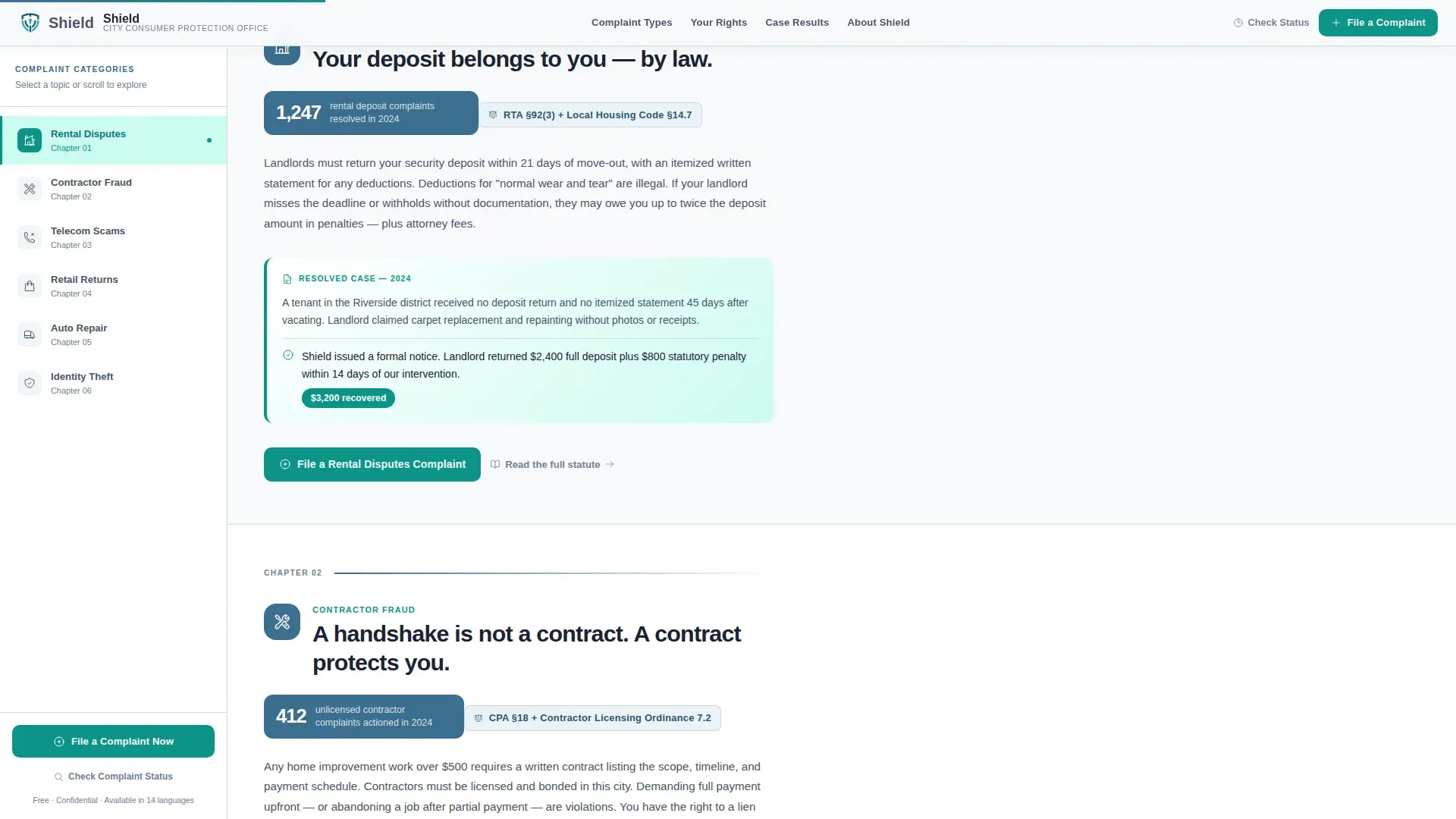
- Six themed content sections, each containing a municipal stat block, a plain-language law explainer, and an anonymized resolved case summary
- A persistent primary call-to-action button and a secondary status-check text link, both wired to route by complaint category
Feature list
Scroll-Linked Sidebar Navigation
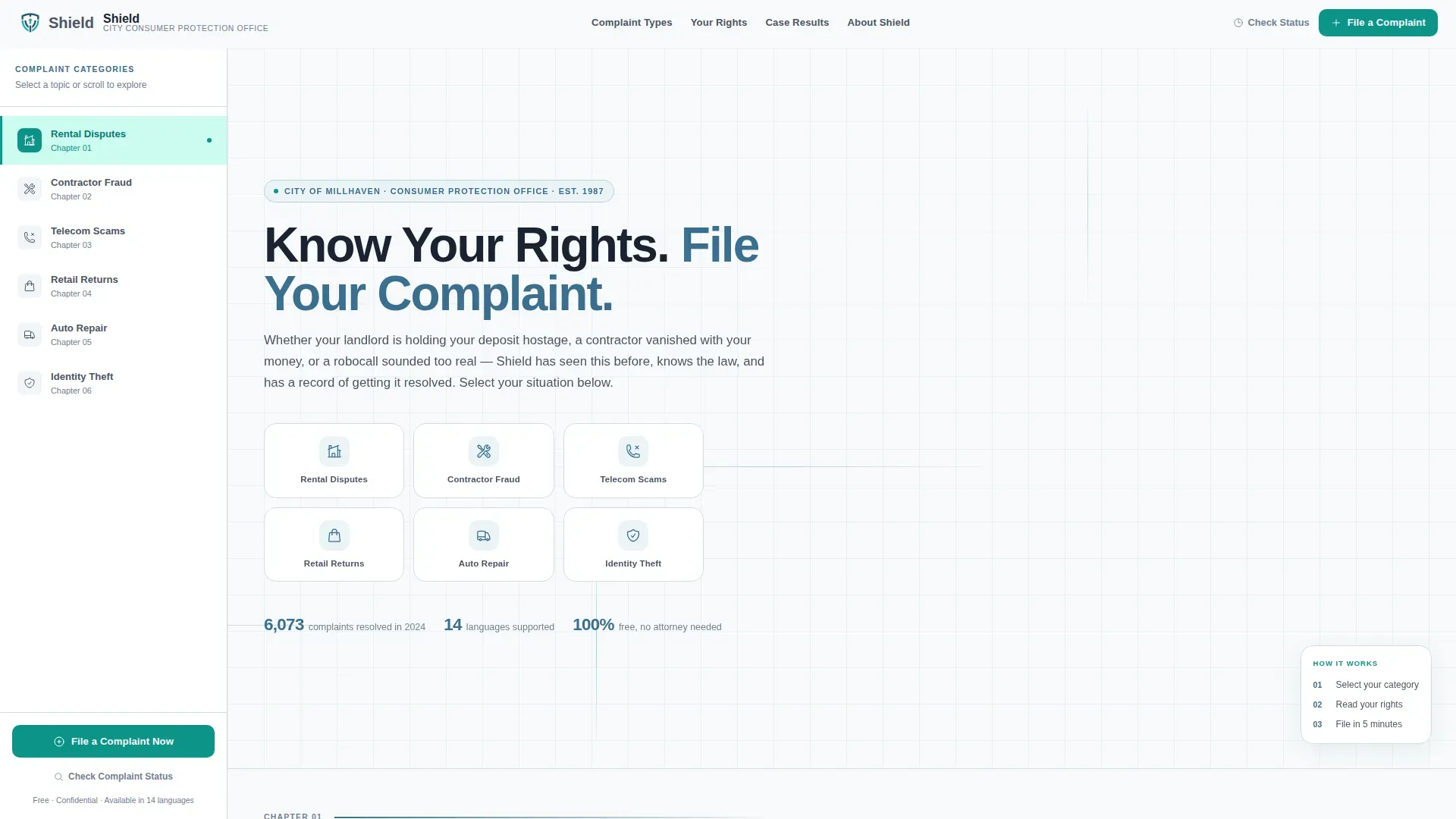
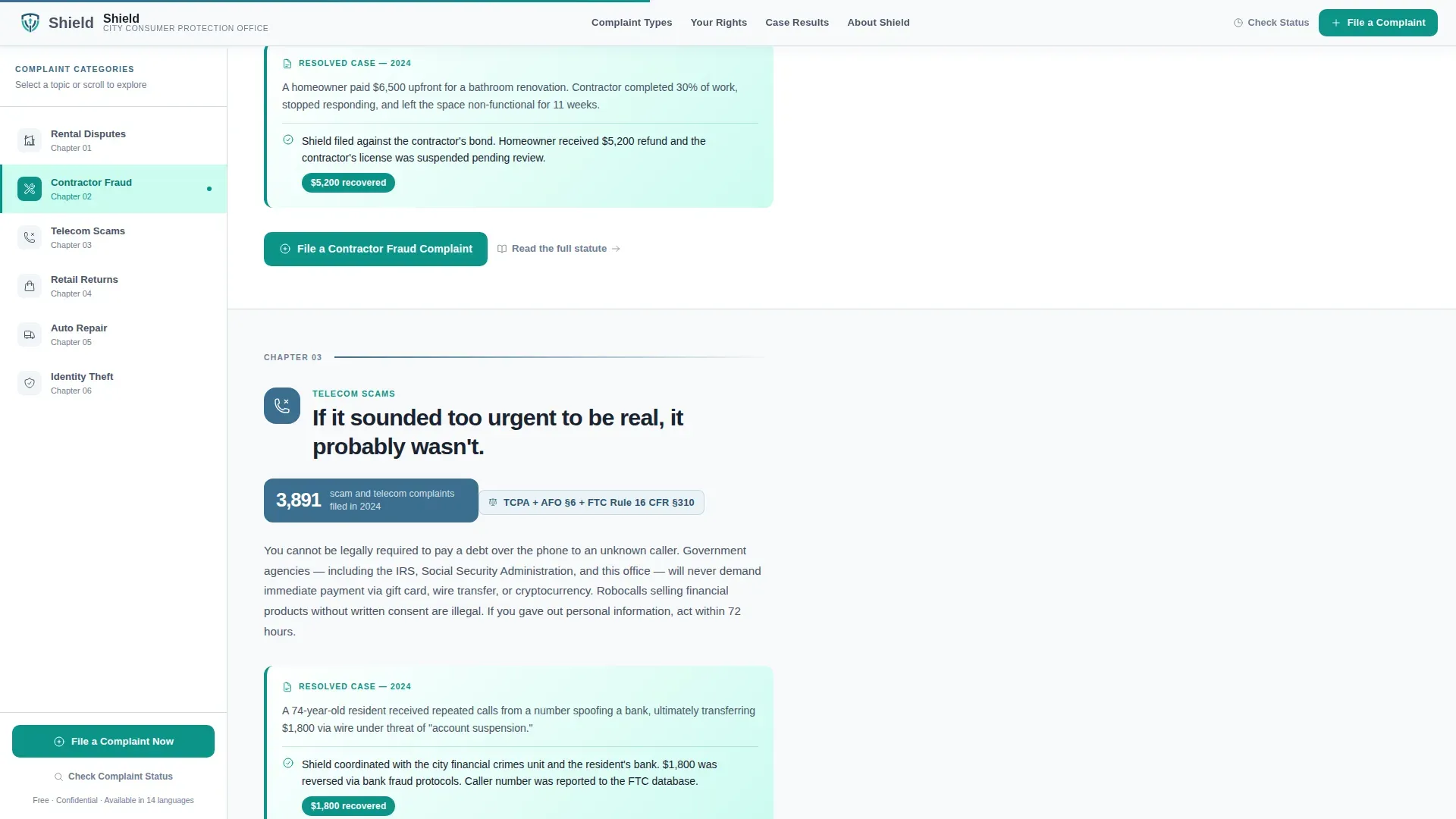
The sidebar occupies the left third of the screen and stays fixed as the visitor scrolls. Chapter markers for each complaint category highlight progressively, so readers always know where they are in the guide and can jump to the section most relevant to their situation.
Six-Category Icon Grid Header
The hero opens with six line-weight icons arranged in two rows of three. Each icon sits inside a rounded white card with a steel-blue border and a two-word graphite label beneath it. The categories covered are rental disputes, contractor fraud, telecom and scam calls, retail returns, auto repair, and identity theft.
Industry Report Content Structure
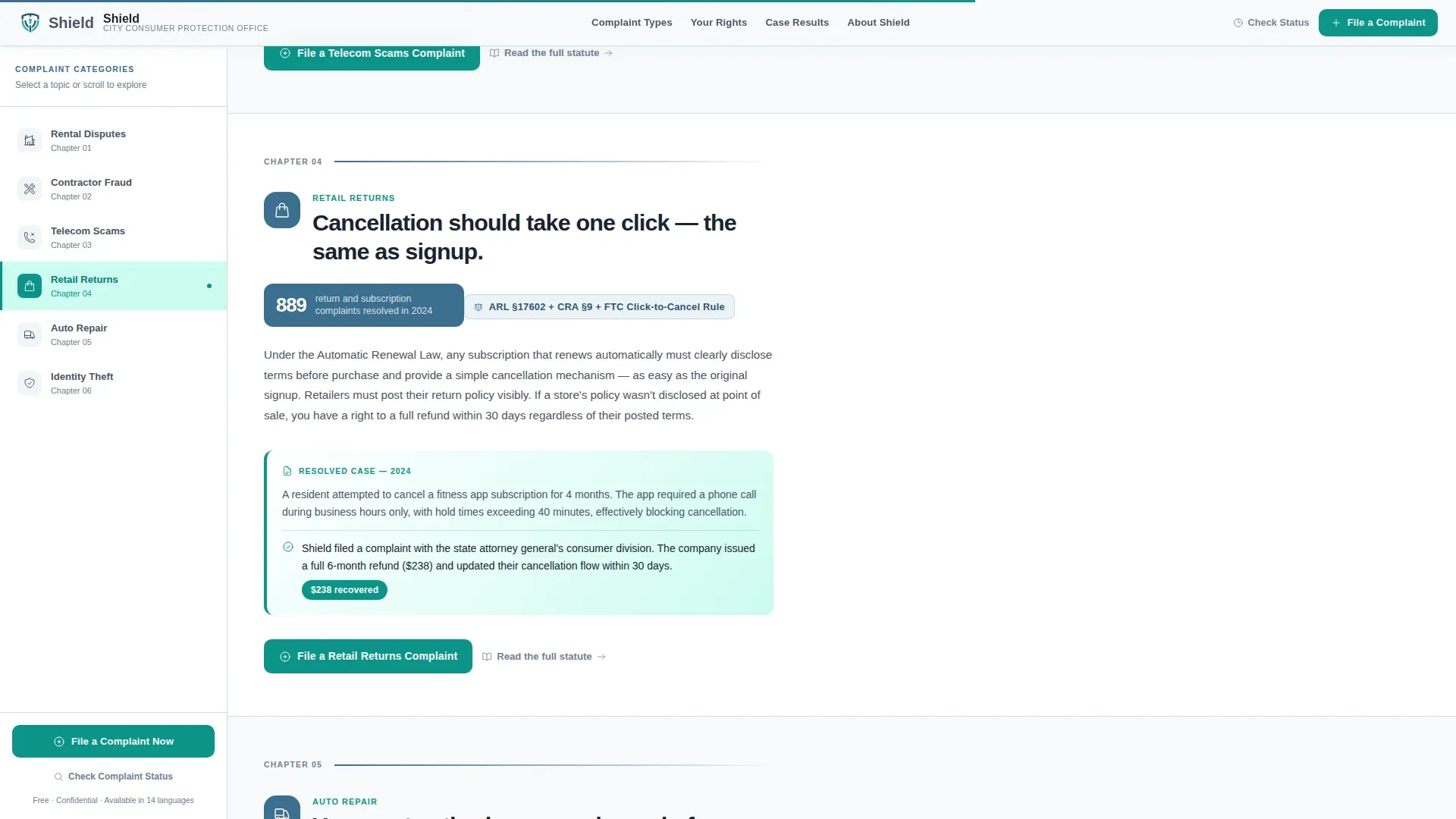
Each complaint category section opens with a bold stat pulled from municipal data, followed by a plain-language explanation of the applicable law, then a real anonymized case summary showing how the office resolved the issue. This structure builds cumulative credibility as the visitor reads.
Category-Routed Call-to-Action Flow
The primary "File a Complaint Now" button appears at the end of every category section and remains visible in the sidebar. Clicking it routes the visitor to the city's existing intake form pre-filtered by the category they were reading. A secondary "Check Complaint Status" text link sits beneath it for returning visitors.
Staggered Animation and Scroll Reveals
The template includes medium-intensity scroll-linked animations: staggered card reveals on the icon grid, clip-path section transitions between complaint chapters, and active-state highlighting on the sidebar as the reader progresses. These animations reinforce the sense of guided movement through the material.
Educational Guide Visual Language
No stock photography or posed faces appear anywhere in the template. The design relies on iconography, typography, and structured white space to communicate institutional reliability. The result feels like a well-produced government pamphlet, readable and authoritative without feeling bureaucratic or cold.
Page sections overview
| Section | Purpose |
|---|---|
| Hero Icon Grid | Introduces six complaint categories with labeled icons and the headline "Know Your Rights. File Your Complaint." |
| Rental and Contractor | Stat block plus law explainer plus resolved case for rental deposit and contractor fraud complaints |
| Telecom and Retail | Scam pattern overview and resolution evidence for phone scams and retail return disputes |
| Auto Repair and Elder Fraud | Escalating severity content covering auto overcharges and elder fraud with real recovery numbers |
| Identity Theft call to action | Deepest complaint category plus the final primary conversion call-to-action block |
| Footer | Horizontal flow footer pattern with navigation and office contact links |
Design & branding system
The visual identity follows an Educational Guide theme built on an Arctic White color system. Every color choice reinforces institutional trust while keeping long-form text easy to read across all screen sizes.
- Arctic White (#F8FAFB) dominates all backgrounds so content breathes freely; Steel Blue (#3B6E8F) anchors headers and the persistent sidebar
- Soft Graphite (#4A5568) handles all body text for comfortable extended reading; Teal (#0D9488) marks every actionable element including buttons and active sidebar states
- Typography pairs DM Sans for headlines with Manrope for body text, combining clean civic authority with warm readability
Mobile & speed optimization
The layout is desktop-first by design, built around the sidebar companion structure. On smaller screens, the fixed sidebar collapses into a sticky bottom navigation bar so the complaint categories and primary call-to-action remain accessible without disrupting the reading flow.
- Server Components handle all static content sections, keeping page rendering lightweight for visitors on slower connections
- CSS scroll-behavior drives sidebar highlighting and section transitions, avoiding heavy JavaScript dependencies for core navigation
- The sticky mobile bottom bar preserves complaint category access and the primary filing button on all device sizes
How this template helps you convert
Shield earns every click by doing the emotional and informational work before presenting a button. Visitors do not arrive at a form cold. They arrive already understanding their rights, the relevant statute, and the office's track record.
- The icon grid lets visitors self-identify their problem type immediately, reducing bounce from residents who fear they are in the wrong place
- The industry report structure, with a real stat, a law summary, and a resolved case, replaces vague reassurance with concrete proof that the office has handled this exact situation before
- The persistent sidebar call to action and category-routed filing link remove all navigation friction at the moment of highest intent, making the next step obvious without requiring the visitor to scroll back to the top
Other information about this template
Shield is categorized under Government and Public, specifically within the Consumer Protection Government subcategory. The template is designed for the Consumer Protection City and Municipal Office niche and carries a high intersection match score, indicating strong alignment between the template structure and the real operational needs of civic consumer protection teams.
- The template is localized for English-language audiences using US date formats and USD currency references throughout
- The footer uses a horizontal flow pattern suited to municipal offices that need to surface multiple contact points and navigation links in a compact footer block
- The animated SVG background in the hero section and the clip-path section reveals are included as part of the medium-intensity animation set, giving the page a polished and contemporary feel without distracting from the informational content
Theme
Educational Guide
Creative direction
Industry Report
Color system
Arctic White
Style
Sidebar Companion
Direction
Click-Through
Page Sections
Scroll-linked Sidebar Navigation
Six-category Icon Grid Header
Industry Report Content Structure
Category-routed Call-to-action Flow
Staggered Scroll Animations
Educational Guide Visual Language
Related questions
What complaint categories does this template cover?
Can the complaint filing button link to an existing city intake form?
Does the sidebar navigation work on mobile devices?
Who is this template designed for?
Can this template be adapted for a different government office?



