Family Income Protection Landing Page Template
Shield is a single-column family insurance landing page built for disability income providers. It opens with a live income gap calculator, guides visitors through a coverage audit checklist, and converts them via a three-step progressive form. The Charcoal and Amber design system makes every number feel urgent and every interaction feel trustworthy.
by Rocket studio
Quick summary
Shield is a focused family insurance landing page for growing-family disability insurance providers. The page leads with a live income gap calculator, walks visitors through a six-card coverage audit, and closes with a progressive lead generation form. Every section is built to make a hard financial conversation feel approachable.
Who this template is for
This template is built for disability insurance providers targeting families who depend on every paycheck. It fits providers who want qualified leads, not just clicks.
- Dual-income couples with young children who want to close coverage gaps
- Single parents and self-employed freelancers who carry the full household income
- Insurance agents who need a landing page that pre-qualifies leads before contact
What problem this template solves
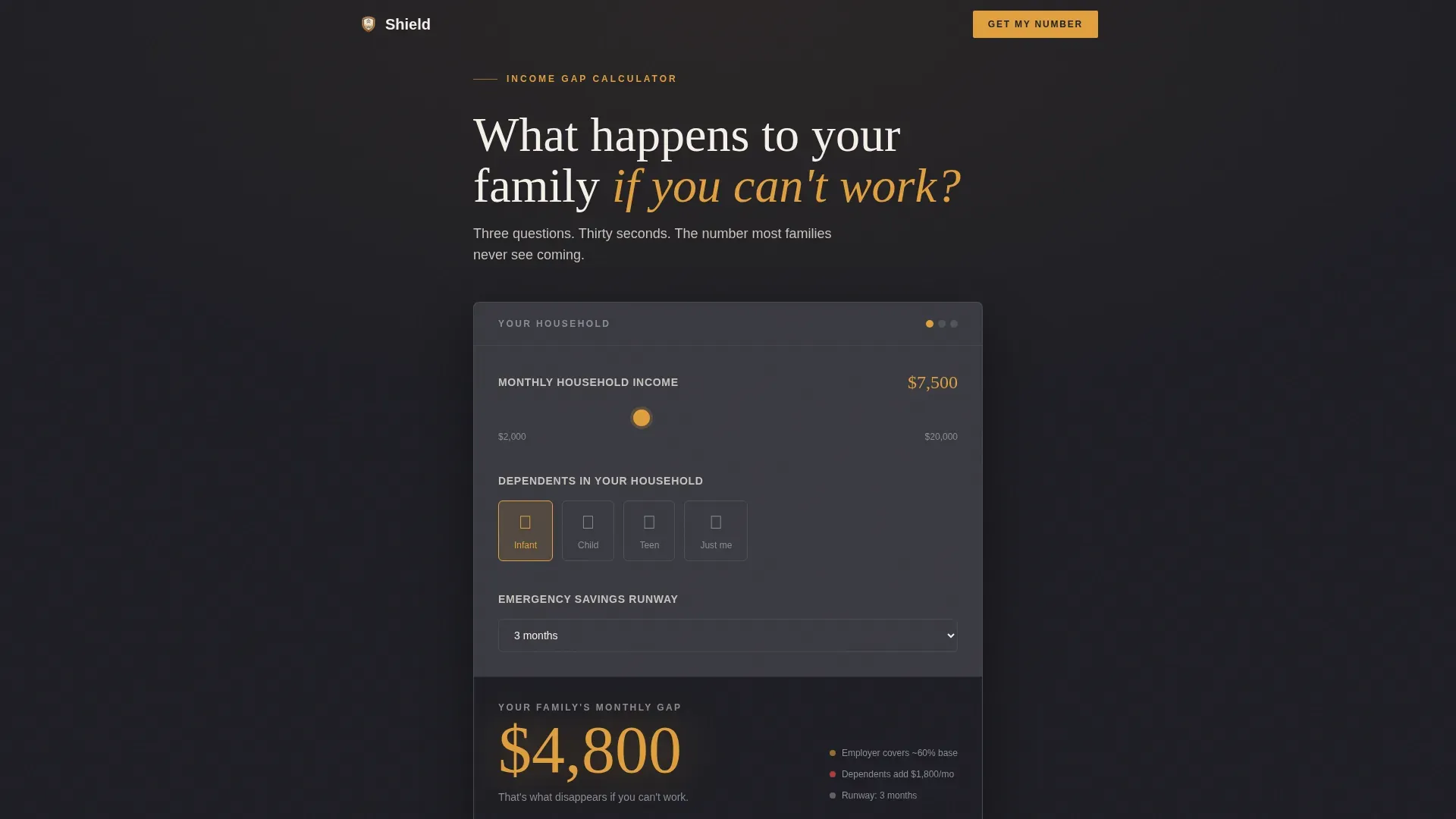
Most insurance landing pages bury the value. This page surfaces the number immediately. Visitors see their exact monthly income gap before they scroll, which builds trust fast and keeps them engaged.
- Visitors leave generic pages without understanding what they are missing
- Long forms cause abandonment before the provider gets a usable lead
- Families avoid the conversation because the math feels overwhelming
What you get with this template
You get a complete, ready-to-customize landing page with five structured sections and a mobile-first layout. The template includes high-interactivity components and a clear visual hierarchy from headline to call to action.
- A live income gap calculator with a slider, tap icons, and an animated amber result
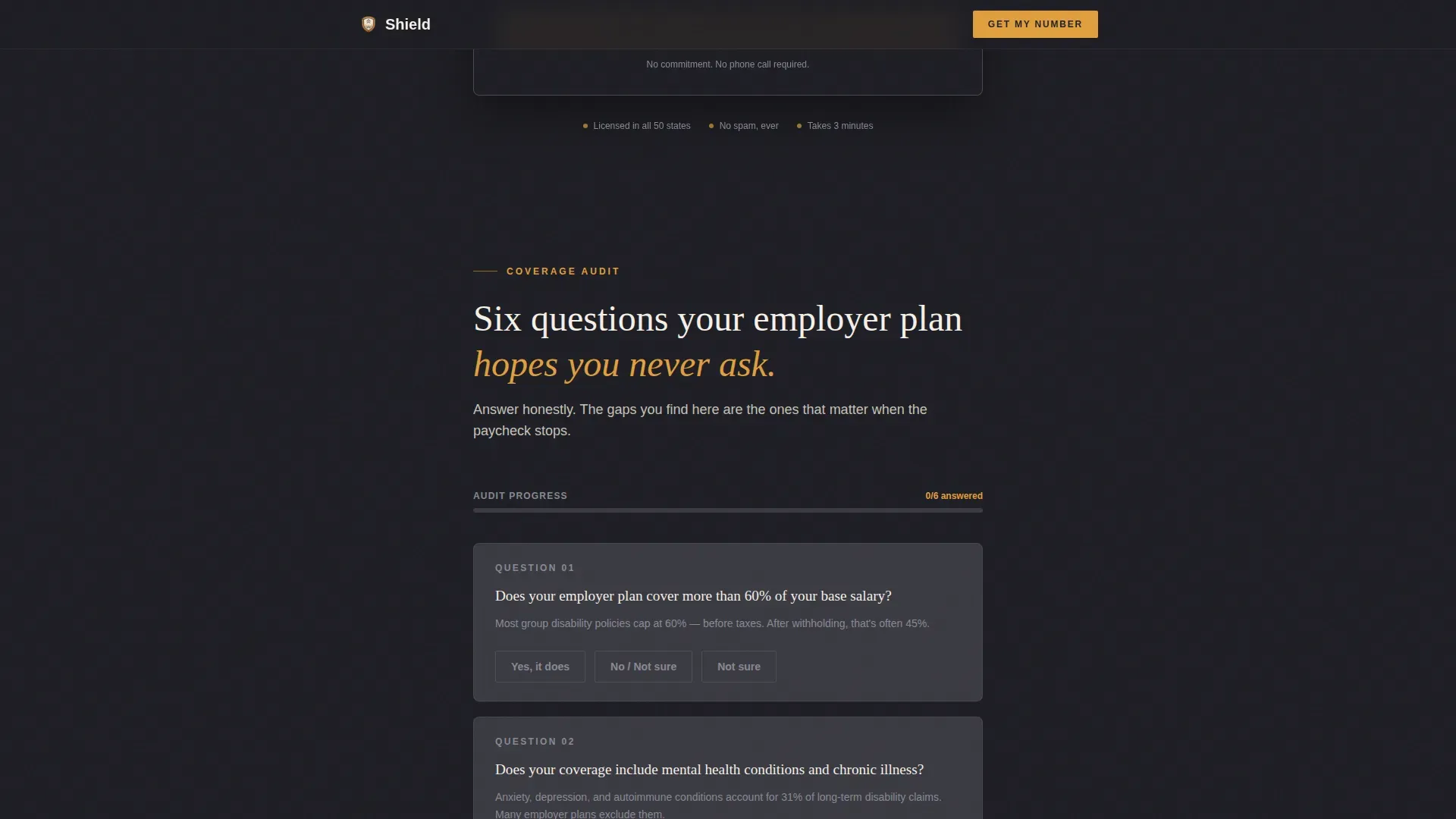
- A six-card coverage audit with toggle answers and a progress tracking sidebar
- A three-step progressive lead generation form with pre-filled audit data
Feature list
This template ships with the interactive components and layout structure described below.
Live Income Gap Calculator
The above-the-fold calculator asks three questions and instantly displays the visitor's monthly coverage gap in large amber type. Inputs include a $500-increment slider, tap-to-select dependent icons, and a savings runway dropdown.
Six-Card Coverage Audit
Each card poses a single audit question with a yes, no, or not sure toggle. A progress sidebar updates in real time as visitors answer, escalating the stakes naturally from manageable early questions to harder later ones.
Three-Step Progressive Form
The form collects zip code and birthdate first, then occupation type and income range, then name and email. Audit answers travel with the submission so the receiving agent knows which gaps to address.
Asymmetric Bento Archetype Section
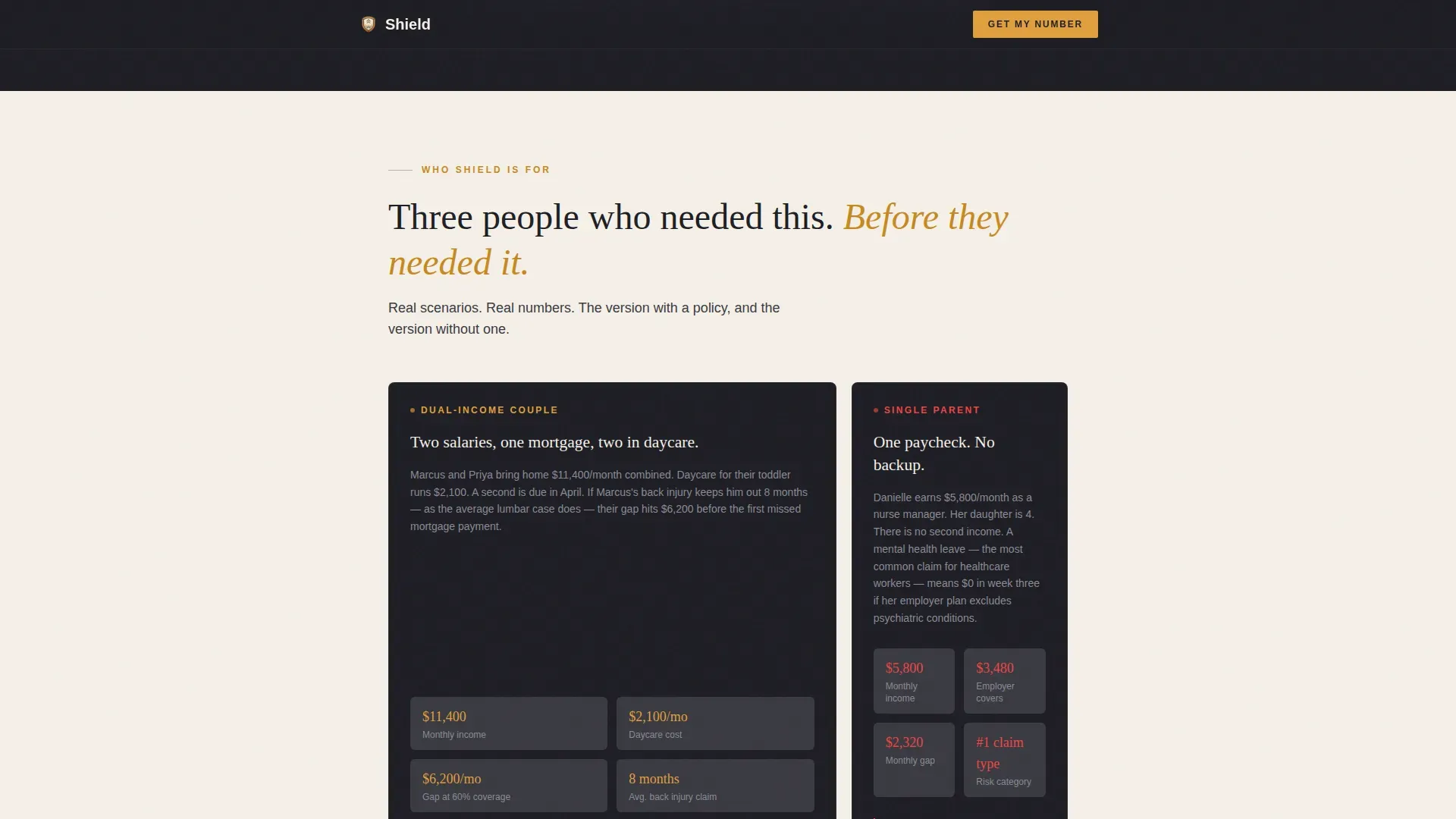
Three client scenarios are presented in an asymmetric bento layout. Each scenario uses specific financial details rather than stock photography, reinforcing credibility with real numbers.
Secondary Email Capture Path
A "Download the Family Coverage Checklist" call to action captures email only. It nurtures visitors who have seen their gap number but are not yet ready to speak with an agent.
Page sections overview
| Section | Purpose |
|---|---|
| Hero Calculator | Display live income gap above the fold |
| Coverage Audit Cards | Reveal coverage gaps via toggle checklist |
| Who This Is For | Present three client archetypes with scenarios |
| Lead Generation Form | Collect qualified leads in three progressive steps |
| Checklist Download call to action | Nurture email-only leads for future follow-up |
| Footer | Provide navigation and compliance information |
Design & branding system
The template uses a Dashboard Pro visual style. Deep charcoal and warm amber create a serious financial tool feel without feeling cold or clinical.
- Charcoal (#1E1E24) for primary backgrounds, warm graphite (#3A3A42) for card surfaces, parchment (#F5F0E8) for text areas
- Amber (#E09F3E) fires on every interactive element, progress bar, and call-to-action button
- Fraunces serif for headlines and Manrope for body text and interface elements
Mobile & speed optimization
The template is built mobile-first, reflecting how most parents browse after the kids are asleep. Interactive components use client-side rendering with minimal JavaScript to keep the page responsive.
- Slider, tap icons, and toggles are all touch-friendly on small screens
- Staggered reveal animations and amber pulse effects load progressively without blocking content
How this template helps you convert
The page is structured as a conversion funnel, not just a brochure. Each section moves the visitor one step closer to submitting the form.
- The calculator shows the visitor their exact gap immediately, giving them a personal reason to keep reading.
- The audit checklist deepens engagement and pre-qualifies the lead before any form field appears.
- The persistent bottom bar call to action appears after three audit cards, catching visitors at peak awareness.
Other information about this template
The Shield family income protection landing page template is designed to communicate the value of monthly tax-free income replacement rather than a lump sum, which is easier for families to relate to their actual bills. The page emphasizes transparency about what is and is not covered, which builds long-term trust in the insurance context. Security and data protection signals can be added to form steps to reassure visitors their information is safe. Income protection icons are available as stock illustrations and vector graphics from stock illustration websites, and can be used in marketing materials alongside this template if visual assets are needed. You can sign up on the platform to customize this template and use it under standard rights. The template supports video embeds if providers want to include educational videos explaining what income protection is.
- The template is localized for English, United States Dollar (USD), and MM/DD/YYYY date format
- Providers can adapt the audit questions to reflect their specific policy terms and coverage tools
- The three-step form structure keeps fields minimal, reducing abandonment while capturing qualified data

Theme
Dashboard Pro
Creative direction
Checklist & Audit
Color system
Charcoal & Amber
Style
Single Column Flow
Direction
Lead Generation
Page Sections
Live Income Gap Calculator
Six-card Coverage Audit
Three-step Progressive Lead Form
Asymmetric Bento Archetype Layout
Secondary Checklist Download Call to Action
Related questions
Can I customize the audit questions for my specific policy?
Does the income gap calculator work on mobile devices?
How does the form pass audit answers to the insurance agent?
Is Shield a single landing page or a multi-page template?
What design assets do I need to launch this template?



