Defensive Driving Course Landing Page Template
Shield is a split-screen defensive driving landing page template built for lead generation. It combines real dashcam-style video, interactive before-and-after reveal sliders, and a segmented eligibility form to turn hesitant visitors into enrolled students. Designed in a Tech Glass visual style with a Ruby and Chrome color system, it serves court-referred drivers, parents of teen drivers, and fleet safety managers.
by Rocket studio
Quick summary
Shield is a single-page defensive driving course template built on a 50/50 split-screen layout. It uses dashcam video, drag-reveal scenario comparisons, and a segmented lead-capture form to move visitors from doubt to enrollment. The design runs on a Tech Glass aesthetic, cockpit black, polished chrome, and ruby red, making every section feel urgent and precise.
Who this template is for
This template is built for driving schools and course providers that serve multiple distinct audiences at once. It handles court referrals, worried parents, and fleet operators within the same page flow without losing focus.
- Certified defensive driving programs targeting court-referred drivers who need documented completion
- Driving instructors and school operators marketing to parents of first-time teen drivers
- Fleet safety managers and corporate training programs tracking license-point or insurance-premium risk
What problem this template solves
Most driving course pages fail to make the skill gap feel real. They list features, post a phone number, and hope visitors are already convinced. Shield solves this by showing the gap viscerally before asking for anything.
- Visitors leave before the form because nothing on the page creates urgency or demonstrates real-world consequence
- Court-referred and mandate-driven visitors need a fast secondary path that proves acceptance before they scroll deep
- Generic course pages treat every visitor the same, losing leads who need a segmented, reason-first enrollment flow
What you get with this template
You get a fully structured, single-page layout designed to generate qualified leads for a defensive driving course. Every section is purposeful and sequenced to build conviction before the call to action appears.
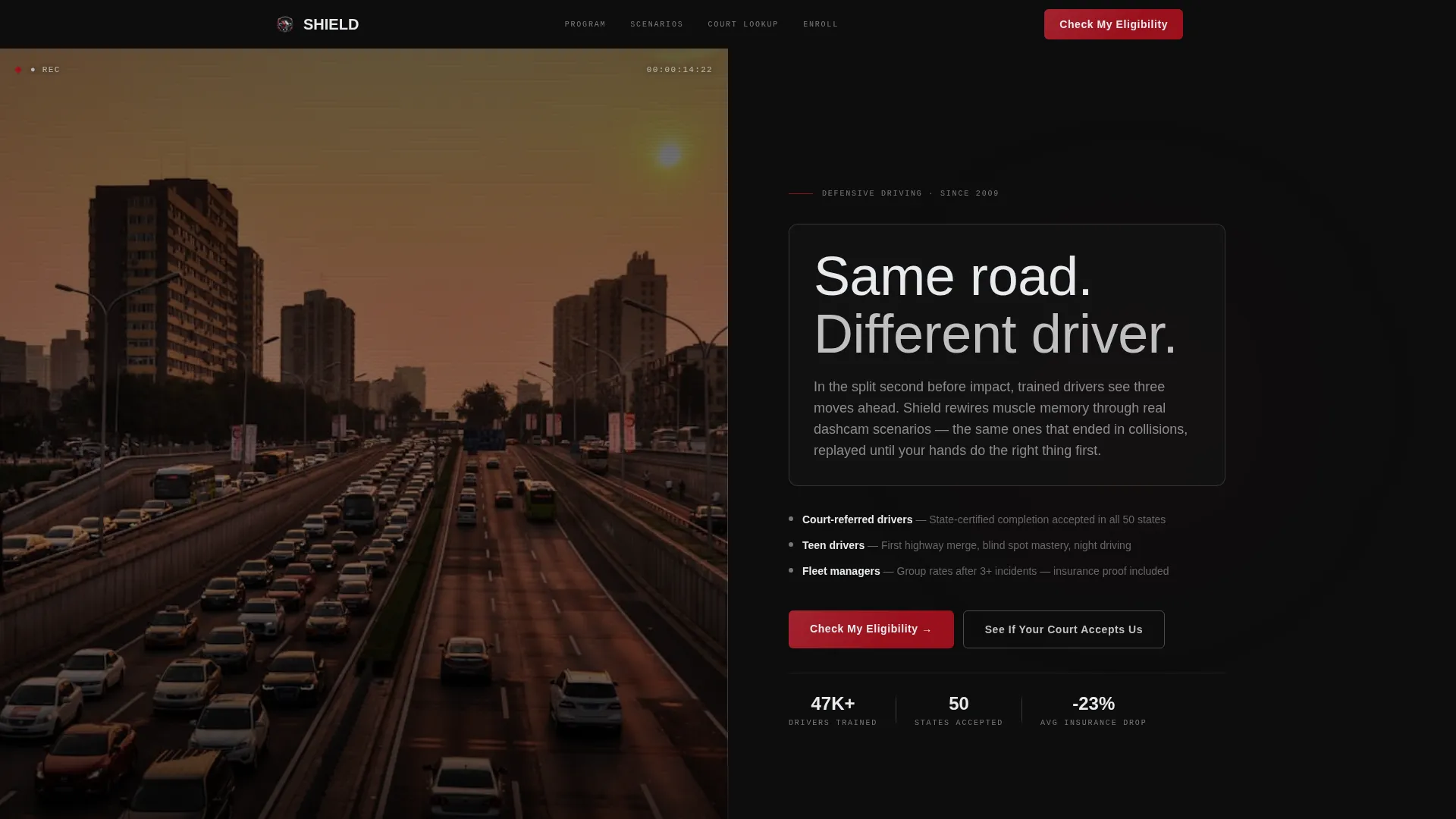
- A 50/50 split-screen hero with a dashcam product demo video on the left and a glassmorphic headline panel on the right
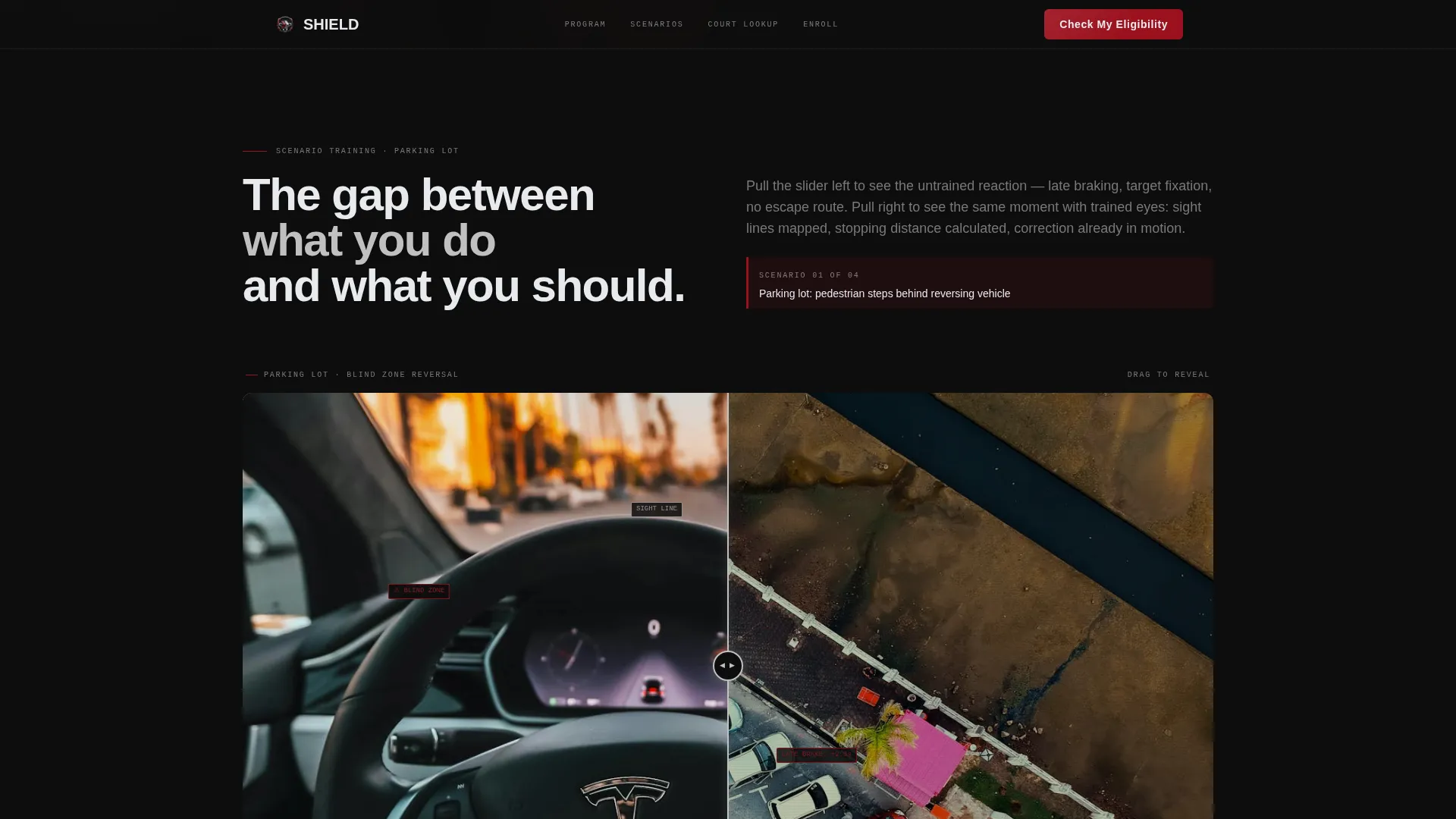
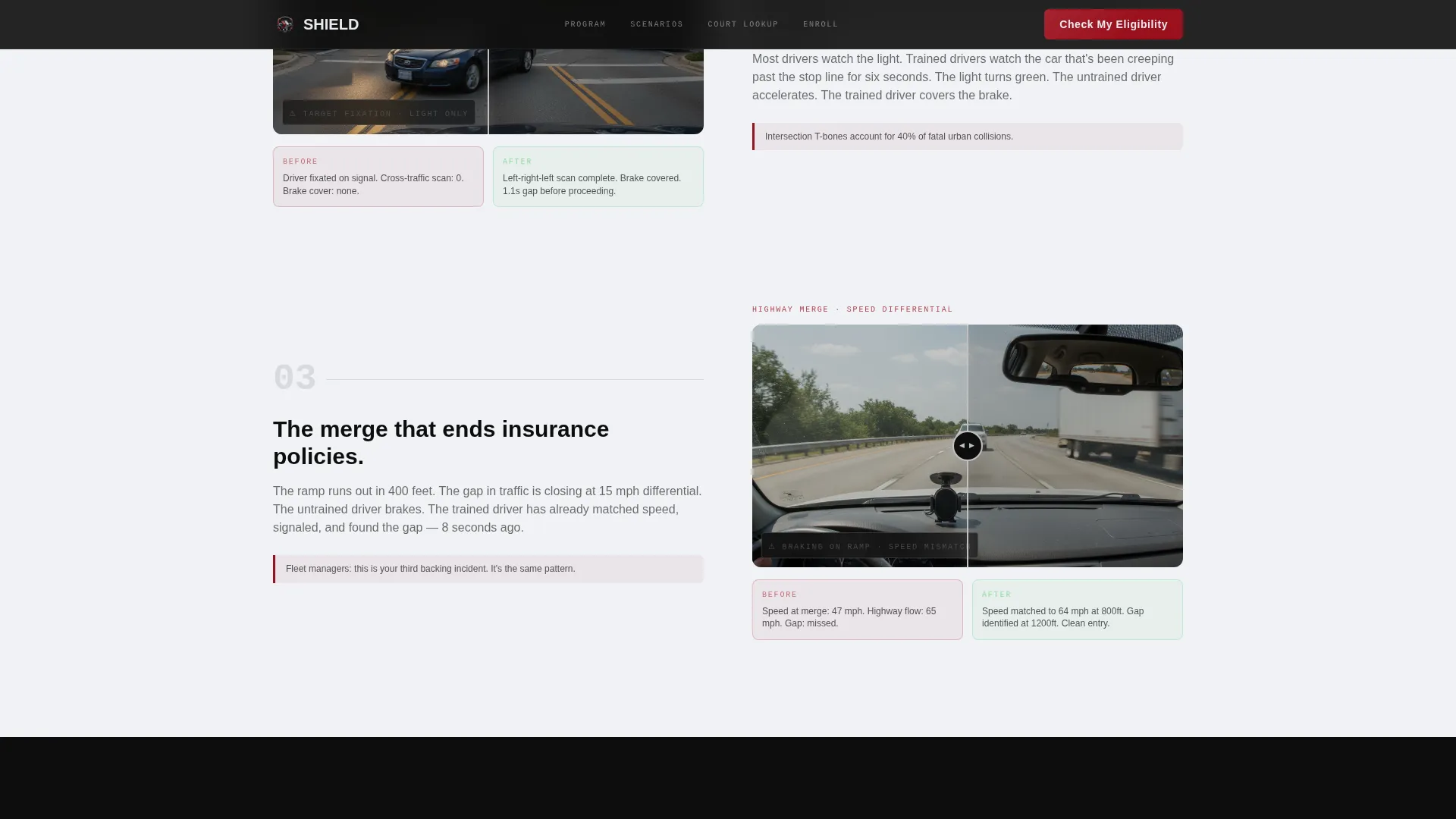
- Three escalating before-and-after reveal sections with an interactive drag slider, covering parking lot, highway merge, and night rain scenarios
- A credibility section with court acceptance indicators and a zip code lookup path for mandate-driven visitors
- A segmented eligibility form that captures enrollment reason, state, preferred format, and phone number
Feature list
This template ships with five high-impact components that work together across a single scroll path.
Split-Screen Hero with Dashcam Video
The hero divides the viewport equally. The left side plays dashcam footage from inside a training car, showing the instructor pointing toward a hazard the student has not yet seen. The right side displays a glassmorphic headline panel with the copy "Same road. Different driver." layered over the frozen frame.
Interactive Before-and-After Drag Slider
Each scenario section pairs two panels side by side. The left panel shows the untrained reaction using raw dashcam stills, annotated for late braking, target fixation, and overcorrection. The right panel shows the corrected technique with transparent glass overlays marking sight lines, stopping distances, and escape routes. Visitors drag the reveal themselves.
Escalating Scenario Sequence
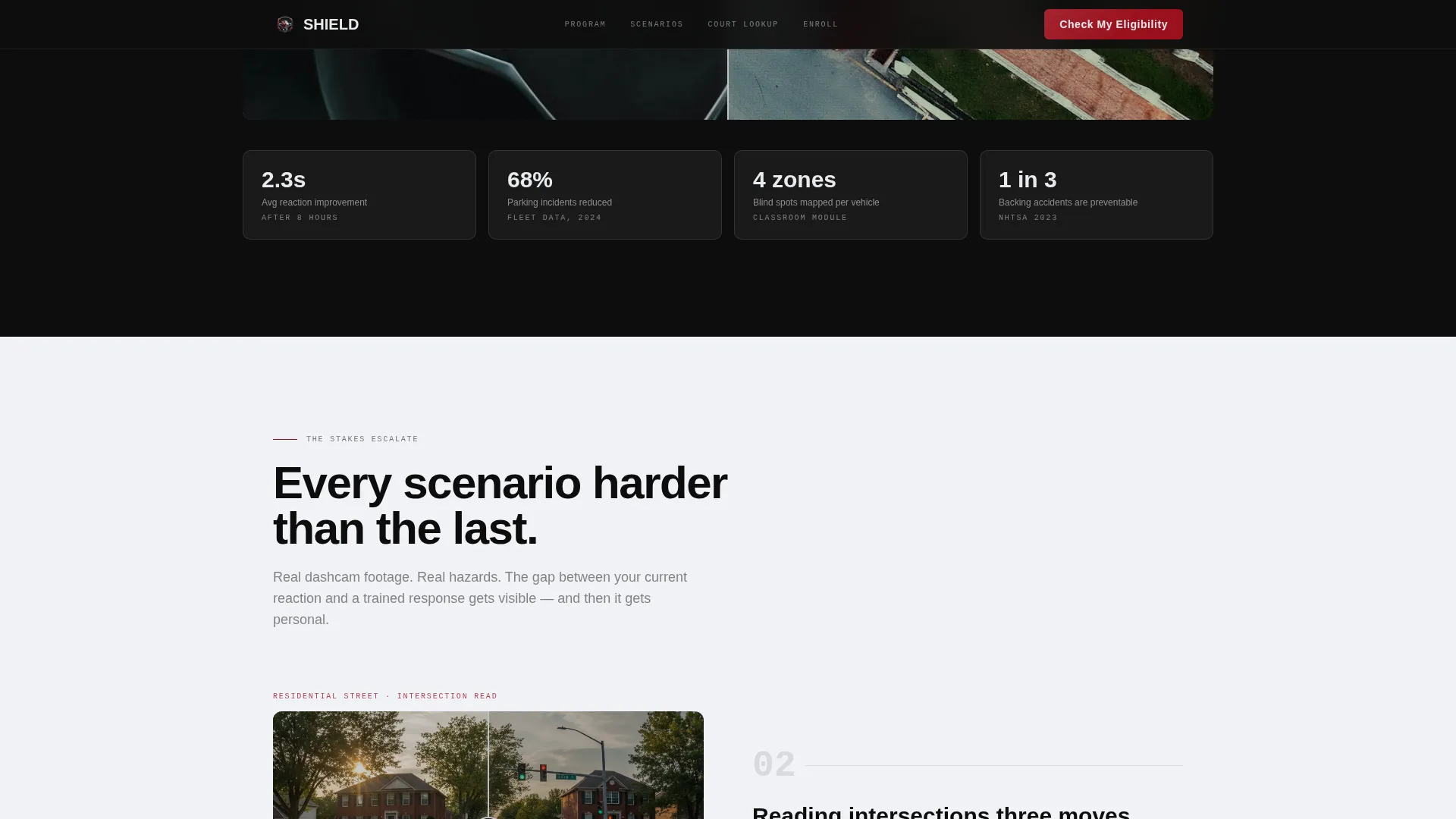
The before-and-after sections are ordered by rising stakes. The sequence moves from a parking lot scenario through a residential street, a highway merge, and finally a night rain situation. Each step increases the felt consequence, pushing visitors closer to the primary call to action.
Segmented Eligibility Form
The lead-capture form opens with enrollment reason, asking the visitor whether they are enrolling due to a court requirement, an insurance discount, personal choice, or a teen driver situation. The answer routes the downstream fields. State, preferred format (online, in-car, or both), and phone number follow in sequence.
Court Acceptance Zip Code Lookup
A secondary conversion path sits inside the credibility section. Visitors who arrive with a court mandate can enter their zip code to check whether their court accepts the program. This path catches urgent visitors before they exit and moves them toward the segmented form.
Glassmorphic Overlay Annotation System
Transparent glass overlays appear throughout the before-and-after panels. They label sight lines, mark stopping distances, and highlight escape routes without obscuring the dashcam imagery beneath. The system makes technical instruction readable at a glance.
Page sections overview
| Section | Purpose |
|---|---|
| Hero Split Screen | Introduces the course with dashcam video and glassmorphic headline |
| Parking Lot Reveal | Shows untrained versus trained reaction in a low-speed scenario |
| Escalating Scenarios | Raises stakes through highway merge and night rain comparisons |
| Credibility and Court Lookup | Builds trust and provides zip code court-acceptance check |
| Eligibility Lead Form | Captures segmented enrollment leads by reason, state, and format |
| Footer | Closes the page with a linear single-row pattern |
Design & branding system
The visual identity follows a Tech Glass theme that evokes sitting inside a luxury sedan at night. Every color decision is deliberate and tied to a functional role on the page.
- Base backgrounds alternate between cockpit black (#0D0D0D) and tempered glass white (#E8EAED), with polished chrome silver (#C0C0C0) defining borders, dividers, and trim
- Ruby brake-light red (#9B111E) is reserved exclusively for calls to action and hazard callouts, appearing sparingly so every instance triggers alertness the way taillights do in a mirror
- Typography pairs DM Sans for readable body and heading text with JetBrains Mono for data labels, annotations, and technical overlays
Mobile & speed optimization
The layout is desktop-first, built around the 50/50 split-screen experience as the primary view. A mobile stack fallback ensures the content remains usable on smaller screens.
- The split-screen panels collapse to a vertical stack on mobile, keeping scenario comparisons readable without horizontal scrolling
- The dashcam video is optimized for performance with CSS-only fallbacks available for environments where video playback is restricted
- The drag reveal slider adapts to touch input, allowing mobile visitors to swipe the before-and-after panels rather than drag with a cursor
How this template helps you convert
Shield earns the click before it asks for it. The page is sequenced so that conviction builds across three escalating scenario pairs before the primary call to action appears.
- The hero video and the glassmorphic headline establish the skill gap immediately, making visitors feel the difference between untrained instinct and trained response before they read a single feature claim.
- Three interactive drag-slider sections build cumulative urgency by raising the stakes from a parking lot to a rain-soaked highway merge, each pair reinforcing the gap between current ability and what the course delivers.
- The primary call to action, "Check My Eligibility," appears after the third before-and-after pair at the moment conviction peaks, supported by court acceptance data and a zip code lookup that removes the last friction point for mandate-driven visitors.
Other information about this template
Shield sits in the Automotive and Transport category under the Driving School subcategory, targeting the defensive driving course niche. A few additional details are worth noting before you build.
- The template is localized for the United States, using a state dropdown and phone number format of (xxx) xxx-xxxx throughout the form section
- Animation intensity is set to high, covering the drag slider interaction, the video freeze-and-rewind simulation, and scroll-linked panel reveals
- Social proof elements are structured to display court acceptance counts, course completion statistics, and insurance discount evidence within the credibility section
- The footer follows a linear single-row pattern, keeping the close of the page clean and uncluttered
- The intersection match score for this template is 13, reflecting a strong alignment between the Automotive and Transport category, Driving School subcategory, and the defensive driving course use case
Theme
Tech Glass
Creative direction
Before/After Reveal
Color system
Ruby & Chrome
Style
Split Screen (50/50)
Direction
Lead Generation
Page Sections
Split-screen Hero with Dashcam Video
Interactive Before-and-after Drag Slider
Escalating Scenario Sequence
Segmented Eligibility Lead Form
Court Acceptance Zip Code Lookup
Glassmorphic Overlay Annotation System
Related questions
Who is the primary audience for this template?
Can I customize the before-and-after scenarios for my course?
How does the zip code court lookup work in this template?
Is this template suitable for online-only driving course programs?
What does the Tech Glass design style mean for this template?



